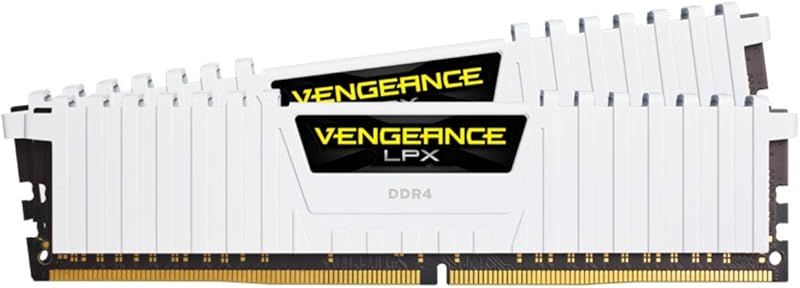
The single difference that decides the choice between EXPO and XMP memory profiles is the processor platform inside your computer. AMD developed EXPO to optimize memory timings and sub-timings specifically for Ryzen processors on AM5 motherboards, whereas Intel created XMP to tune memory kits for Intel Core processors across multiple desktop generations.
Choose EXPO if you are assembling an AMD AM5 desktop system and want automated sub-timings matched directly to Ryzen memory controllers. Choose XMP if you are configuring an Intel Core desktop computer or need memory profile support that extends across both DDR4 and DDR5 platforms.


EXPO vs XMP at a Glance
| Attribute | EXPO | XMP |
|---|---|---|
| Primary Target Architecture | AMD AM5 (X870, X670, B850, B840, B650, A620) | Intel (Z890, Z790, Z690, B860, B760, B660) |
| Supported Memory Generations | DDR5 (per dual-profile listings; Not listed in standalone catalog entry) | DDR4 and DDR5 |
| Rated Transfer Speeds in Data | 6000 MT/s (DDR5) | 3200 MT/s (DDR4) to 6000 MT/s (DDR5) |
| Column Address Strobe Latency | CL36 (DDR5) | CL16 (DDR4) to CL36 (DDR5) |
| Operating Voltage | 1.35 volts | 1.35 volts |
| Module Pin Count | 288-pin UDIMM | 240-pin (DDR4) or 288-pin (DDR5) UDIMM |
| Default Boot Profile | JEDEC default SPD speed | JEDEC default SPD speed |
| Multi-Kit Mixing Policy | Matched kits only; mixing results in instability | Matched kits only; mixing results in instability |
| Best For | AMD Ryzen AM5 desktop builds | Intel Core desktop builds and legacy DDR4 systems |
Platform Architecture and Motherboard Compatibility
Desktop processor memory controllers require precise electrical signaling and timing parameters to run high-speed RAM with absolute stability. When evaluating DDR5 memory profile compatibility, AMD EXPO profiles are designed from the ground up to communicate with AMD Ryzen memory architectures. Motherboard chipsets like the AMD X870, X670, B850, B840, B650, and A620 are engineered to read EXPO timing tables seamlessly, establishing primary, secondary, and tertiary memory timings that eliminate guesswork during system assembly.
Intel XMP operates on the identical fundamental principle but targets Intel Core platforms. Supported across chipsets including Intel Z890, Z790, Z690, B860, B760, and B660, XMP provides pre-configured profiles tested for Intel memory controllers. When considering EXPO or XMP for Ryzen systems, some AMD motherboards can read XMP profiles using manufacturer-specific BIOS translation layers. However, native EXPO configurations avoid translation workarounds by supplying memory parameters specifically calculated for AMD system architecture.
Choosing an overclock profile aligned with your native processor socket delivers smoother memory training upon initial power-on and reduces boot time cycles. Running an Intel platform with an XMP-certified module guarantees native parameter handover to the motherboard UEFI without sub-timing conversion errors.
Edge: EXPO for AMD systems, XMP for Intel systems, because native platform profiling provides the cleanest parameter handover to the integrated memory controller.
Memory Generation and DDR4 vs DDR5 Support
Memory technology evolution determines which profile options are available for specific motherboards and module configurations. Intel XMP represents an established standard spanning both DDR4 and DDR5 memory generations. For builders operating existing hardware or constructing entry-level configurations, kits like the G.SKILL RipjawsV Series DDR4 RAM offer Intel XMP profiles on 240-pin DDR4 modules running at 3200 MT/s with CL16-18-18-38 timings at 1.35 volts.
In contrast, AMD EXPO was introduced specifically alongside modern DDR5 desktop platforms and does not encompass DDR4 memory hardware in retail memory listings. Current DDR5 options frequently feature dual-profile architecture, as demonstrated by the G.SKILL Trident Z5 RGB Series DDR5 RAM, which integrates both Intel XMP 3.0 and AMD EXPO tables on 288-pin UDIMM modules running at 6000 MT/s with CL36-36-36-96 timings at 1.35 volts. In our review of g.skill ripjaws s5 ddr5 vs teamgroup t-force delta rgb ddr5, checking physical module specifications ensures the memory matches the generation supported by your motherboard.
The ability of XMP to cover both DDR4 and DDR5 memory generations provides a wider hardware reach across older and newer computers alike. Builders working with DDR4 platforms must utilize XMP, while those investing in current DDR5 platforms have the flexibility of selecting dedicated EXPO profiles or dual-certified kits.
Edge: XMP, because it supports both DDR4 and DDR5 memory modules, whereas EXPO is restricted to DDR5 desktop platforms.
Data Transfer Rates and Timings
Memory transfer rates and Column Address Strobe (CAS) latency establish how quickly data moves between system memory and the processor cores. According to listing specifications, DDR4 XMP kits achieve transfer rates of 3200 MT/s with a low CAS latency of 16. Modern DDR5 modules featuring dual XMP 3.0 and AMD EXPO support advance this bandwidth considerably, reaching 6000 MT/s with a CAS latency of 36 at 1.35 volts.
In terms of real-world bandwidth, evaluating EXPO vs XMP DDR5 performance shows that when transfer speeds and primary timings are equal, raw throughput between the two standards is practically identical. An in-depth analysis of cl30 vs cl36 ddr5 latency profiles illustrates that CAS latency dictates response speed, but overall bandwidth at 6000 MT/s remains consistent whether unlocked through an EXPO or an XMP profile. When deciding on EXPO or XMP for gaming, raw transfer frequency directly benefits frame delivery in compute-heavy titles by feeding the processor cache rapidly.
The primary advantage of EXPO in timing configurations lies in its inclusion of optimized secondary and tertiary memory sub-timings designed for AMD Infinity Fabric clock ratios. XMP profiles focus on Intel memory bus parameters. Both profiles deliver matching primary transfer rates of 6000 MT/s on dual-certified DDR5 kits, ensuring performance parity on primary metrics.
Edge: Tie, because both profile standards achieve identical 6000 MT/s transfer rates and CL36 primary latency specifications on validated DDR5 memory hardware.
Overclocking Stability and BIOS Configuration
High-frequency memory profiles do not engage automatically when components are installed in a computer chassis. Both XMP and EXPO listings state that achieving maximum speed requires manual overclocking and BIOS adjustments. Out of the box, memory kits boot at default JEDEC SPD speeds to ensure system stability, requiring the user to enter the motherboard UEFI interface to enable the target profile.
Users weighing whether is XMP worth it or is EXPO worth it will find that both standards simplify overclocking to a single click, eliminating the complex task of hand-entering dozens of individual voltage and timing figures. However, manufacturer data explicitly cautions that system components, including CPU quality and motherboard trace layouts, dictate whether profile speeds are achieved. Furthermore, as detailed in comparisons like g.skill ripjaws s5 ddr5 vs kingston fury beast ddr5, users must never mix separate memory kits together; memory kits are sold in matched pairs to run as a unified set, and combining modules invites instability or total boot failure.
Motherboard Qualified Vendor Lists (QVL) serve as the ultimate benchmark for stability on both sides. Verifying that your specific memory kit model number appears on your motherboard manufacturer QVL ensures that the programmed 1.35V profile will run stably regardless of whether it uses EXPO or XMP encoding.
Edge: Tie, because both profiles provide one-click BIOS activation backed by safe JEDEC boot fallbacks and rely on matched kits and motherboard QVL validation for operational stability.
Marketplace Identification and Profile Availability
Procuring memory components requires careful attention to product listings to ensure the modules contain the correct profile encoding. Searching for Intel XMP yields a focused catalog of computer hardware spanning multiple generations and heat spreader designs. In any thorough XMP review, the profile standard is clearly indicated on desktop memory kits alongside key specifications like 288-pin form factor, non-ECC configuration, and operating voltage.
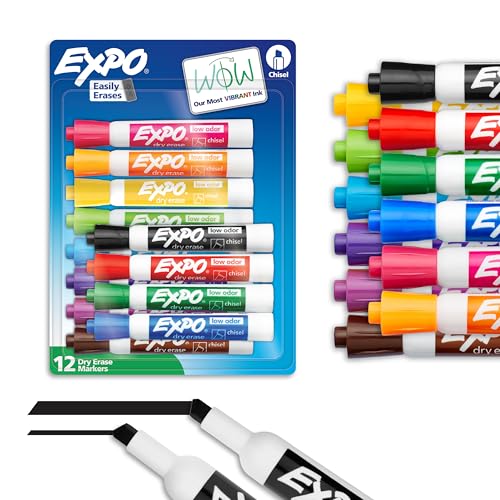
Hardware shoppers researching EXPO profiles should be aware that retail search algorithms sometimes display non-computing brand crossovers. Specifically, general marketplace searches for the EXPO brand name often display popular office supplies such as EXPO Dry Erase Markers, Low Odor Ink, Assorted Colors, Chisel Tip, 12 Count or EXPO Dry Erase Markers, Low Odor Ink, Black, Chisel Tip, 4 Count, which feature chisel tips and alcohol- or water-based inks for whiteboards. Builders conducting an EXPO review must ensure they are examining computer RAM modules rather than stationery supplies.
When selecting memory hardware, opting for dual-profile kits like those evaluated in our corsair vengeance ddr5 6000 cl30 vs g.skill ripjaws s5 ddr5 guide ensures your modules function smoothly across different platforms. Similarly, our comparison of kingston fury beast ddr5 vs teamgroup t-force delta rgb ddr5 highlights that selecting kits explicitly listing both Intel XMP 3.0 and AMD EXPO dual profile support provides seamless future-proofing if you ever transition from an Intel to an AMD processor platform.
Edge: XMP, due to more distinct retail catalog indexing across desktop PC components and extensive cross-generational availability.
Pros and Cons
EXPO
Pros
- Vibrant ink legible from distance
- Versatile chisel tip creates multiple line widths
- Erases cleanly from non-porous surfaces
- Low-odor formulation suitable for enclosed spaces
Cons
- Restricted to smooth non-porous surfaces
- Requires manual erasing
View EXPO Dry Erase Markers Low Odor on Amazon
XMP
Pros
- High data transfer rates up to 6000 MT/s
- Pre-configured overclock profiles simplify memory tuning
- Compatible with Intel and AMD motherboards
- Available in DDR4 and DDR5 standards
Cons
- Requires manual BIOS configuration for advertised speeds
- Risk of system instability if mixing kits
View G.SKILL RipjawsV Series DDR4 RAM (XMP) on Amazon
Who Should Buy Each One
Choose the EXPO If

- You are assembling an AMD desktop computer on an AM5 motherboard featuring an X870, X670, B850, B840, B650, or A620 chipset.
- You want memory sub-timings engineered specifically for AMD Ryzen processor architecture to minimize memory latency penalties.
- You are purchasing modern DDR5 memory kits rated up to 6000 MT/s and want one-click memory profile activation without manual timing calculations.
- You want to eliminate memory training hang-ups by running native AMD profiles supported directly by your motherboard UEFI firmware.
Choose the XMP If

- You are constructing an Intel Core desktop PC utilizing an Intel Z890, Z790, Z690, B860, B760, or B660 motherboard.
- You are upgrading or maintaining a DDR4 desktop platform requiring 240-pin 3200 MT/s memory modules.
- You prioritize the broadest selection of QVL-validated memory kits across the global PC hardware component market.
- You want a mature overclocking profile standard that has been integrated across motherboard BIOS platforms for over a decade.
Final Verdict
For modern PC builders assembling high-performance desktop computers, the decision between EXPO and XMP is fundamentally determined by your choice of processor platform. If you are building an AMD AM5 desktop configuration, AMD EXPO is the optimal profile choice because it programs platform-specific sub-timings directly aligned with Ryzen memory controller architecture. Selecting an EXPO-certified DDR5 kit operating at 6000 MT/s with CL36 timings at 1.35 volts ensures maximum stability, fast boot initialization, and seamless integration with AMD motherboards.
Conversely, Intel XMP remains the superior standard for all Intel Core desktop builds and represents the only profile standard available if your system runs on DDR4 memory technology. Dual-certified kits featuring both Intel XMP 3.0 and AMD EXPO profiles provide the greatest long-term flexibility, allowing you to migrate memory kits between Intel and AMD systems without sacrificing profile support. As long as you verify your memory kit model on your motherboard manufacturer Qualified Vendor List and avoid mixing unmatched memory kits, activating your respective EXPO or XMP profile will deliver dependable high-speed performance.
FAQ
Can I use an XMP memory kit on an AMD Ryzen motherboard?
Yes, many modern AMD AM5 and AM4 motherboards include BIOS features capable of reading Intel XMP profiles and applying equivalent timing parameters. However, selecting a native EXPO profile on AM5 ensures that secondary sub-timings are fine-tuned specifically for AMD memory controllers, minimizing latency and potential memory training delays.
Can an EXPO memory kit run on an Intel motherboard?
Many modern Intel motherboards feature updated UEFI firmware capable of reading AMD EXPO profiles. Furthermore, many contemporary DDR5 memory kits are engineered with dual profile support, including both Intel XMP 3.0 and AMD EXPO tables on the same physical modules for complete platform flexibility.
Is XMP worth it for gaming performance?
Yes, enabling XMP is worthwhile for gaming because memory kits default to conservative JEDEC baseline speeds until an overclock profile is selected. Activating XMP elevates memory data transfer rates to rated speeds such as 3200 MT/s on DDR4 or 6000 MT/s on DDR5, directly improving frame rates and frame-time consistency.
Is EXPO worth it for AMD Ryzen systems?
Yes, enabling EXPO is worthwhile for AMD Ryzen systems because it configures memory clocks and tightens secondary timings to suit AMD processor architecture. Leaving EXPO disabled causes your DDR5 memory to run at baseline JEDEC default speeds, leaving significant processor performance unutilized.
What happens if I mix two different memory kits together?
Manufacturer specifications explicitly warn against mixing separate memory kits, even if they share identical model numbers. Memory kits are factory-tested and binned to operate together as a matched set; mixing distinct kits often leads to system instability, lower operating speeds, or failure to boot.
Why does my new RAM not run at advertised speeds out of the box?
All high-performance memory kits boot at default JEDEC SPD baseline speeds upon initial installation to guarantee system compatibility and display output. To achieve advertised speeds, such as 3200 MT/s or 6000 MT/s at 1.35V, you must enter the motherboard BIOS and manually enable the designated EXPO or XMP profile.