Choosing between these two premium keyboards comes down to whether your desk demands a high-speed mechanical gaming setup with expressive styling or a full-size, multi-device productivity tool built for spreadsheet accuracy and cross-platform office workflows. The tenkeyless layout, vibrant RGB illumination, and gaming-tuned wireless of one model clash directly with the low-profile ergonomics, dedicated numeric keypad, and business-oriented connection suite of the other.
Pick the Logitech G715 if you prioritize rapid gaming response, standard-depth tactile switches, and an eye-catching aesthetic complete with an included wrist rest. Choose the Logitech MX Mechanical if you manage heavy data entry, constantly toggle between multiple operating systems, and need discreet typing switches that last weeks between recharges.

Logitech G715 vs Logitech MX Mechanical at a Glance
| Feature | Logitech G715 | Logitech MX Mechanical |
|---|---|---|
| Form Factor | Tenkeyless (87 keys) | Full-size with numeric keypad |
| Switch Type & Profile | GX Brown tactile (standard height) | Tactile quiet (low profile) |
| Wireless Technology | Lightspeed wireless & Bluetooth | Logi Bolt receiver & Bluetooth LE |
| Multi-Device Switching | Dual sync with mouse on one receiver | Up to 3 devices with one-tap switching |
| Battery Life | 25 to 30 gaming hours (full lighting) | Up to 15 days (backlit) or months (off) |
| Backlighting System | LIGHTSYNC RGB (per-key & perimeter) | Smart backlighting (auto-adjusting) |
| Top Plate Material | Not listed (interchangeable plates) | Metal |
| Included Wrist Rest | Yes (cloud-shaped palm rest) | No |
| Operating System Support | Windows, macOS, ChromeOS | Windows, macOS, ChromeOS, iPadOS |
| Best For | PC gaming and stylized desktop setups | Office productivity and cross-device typing |
Typing Feel and Switch Ergonomics
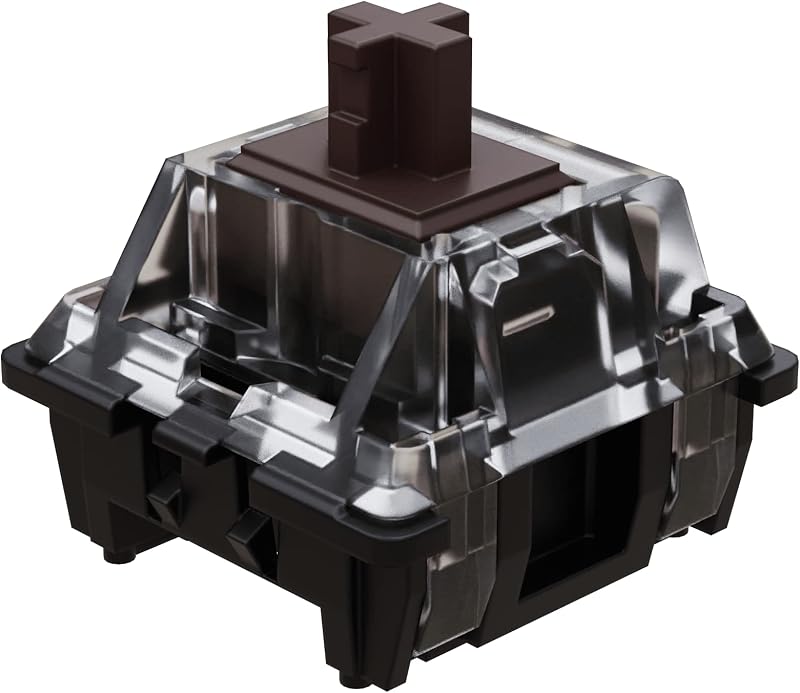
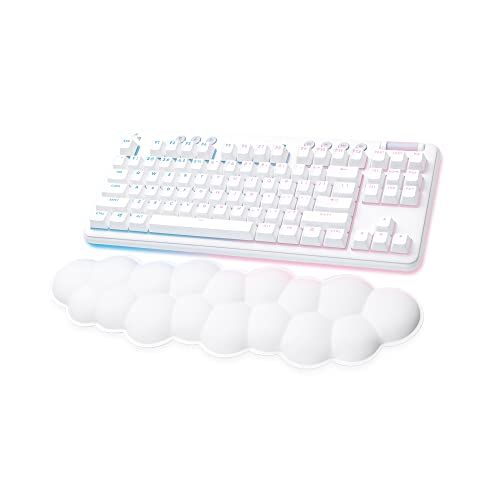
The tactile feedback and key travel profile separate these keyboards immediately upon setting your fingers on home row. When considering the logitech g413 vs g715, standard mechanical key travel remains a defining characteristic, and the G715 sticks firmly to that traditional philosophy. It features standard-height GX tactile switches that deliver a distinct mechanical bump at actuation. The physical stroke offers plenty of downward travel before bottoming out, producing the classic mechanical sensation favored by gamers who rely on tactile confirmation during intense inputs. To support your hands against the elevated chassis, the board comes packed with a cloud-shaped palm rest that relieves wrist tension during prolonged gaming marathons.
In contrast, the Logitech MX Mechanical low profile design alters the physical ergonomics of typing. Its tactile quiet switches compress the actuation distance and total travel into a slim frame, mirroring the short-throw keystrokes common on high-end laptops while maintaining a crisp mechanical break. Because the keys sit close to the desk, your wrists maintain a natural angle without requiring an elevated palm rest. The switches are explicitly engineered for noise reduction, allowing you to hammer through lengthy documents or join virtual meetings without broadcasting aggressive clicks to everyone on the call. Deciding on the Logitech G715 or MX Mechanical for typing comes down to whether you prefer deep, expressive key travel or rapid, low-impact key strikes that conserve hand motion.
Typing fatigue manifests differently across both designs. The deep travel of the G715 rewards firm, deliberate keystrokes, making it easy to distinguish individual key presses during high-stress play. However, individuals writing thousands of words a day may find the low-profile layout of the MX Mechanical faster and less physically demanding over an eight-hour shift. The metal top plate of the MX Mechanical provides an exceptionally rigid foundation that eliminates internal deck flex, while the G715 relies on its plush cloud wrist rest to preserve joint comfort.
Edge: Logitech MX Mechanical. Its low-profile keys reduce wrist strain and quieter tactile switches are far better suited for extensive daily typing.
Wireless Performance and Multi-Device Connectivity
Wireless integrity dictates whether a keyboard can reliably survive fast-paced gameplay or smoothly navigate a multi-computer office layout. The G715 relies on Logitech Lightspeed technology, a proprietary protocol engineered to eliminate latency, packet loss, and transmission delays. This ultra-responsive link behaves identically to a wired gaming connection, ensuring that simultaneous inputs register instantaneously. The listing highlights a specialized dual-sync feature, which allows the G715 to share a single Lightspeed USB receiver with a compatible G705 wireless gaming mouse, saving an invaluable USB port on your desktop or gaming laptop. For casual use away from your primary rig, the G715 also includes Bluetooth connectivity.
The MX Mechanical takes a radically different path geared toward workplace multitasking. Instead of Lightspeed, it implements the Logi Bolt USB receiver alongside Bluetooth Low Energy. The centerpiece of its connectivity is multi-device pairing: you can link the keyboard with up to three distinct devices-spanning Windows, macOS, ChromeOS, and iPadOS-and toggle between them instantaneously using dedicated Easy-Switch keys. While you can compare similar productivity hardware in our logitech g915 tkl vs mx mechanical breakdown, the standard MX Mechanical sets the benchmark for users juggling a work laptop, personal desktop, and tablet simultaneously on a single desk surface.
Evaluating Logitech G715 Lightspeed vs Logi Bolt involves balancing competitive polling with office convenience. Lightspeed prioritizes raw speed and gaming-grade report rates, making it the superior choice when milliseconds matter during competitive play. Logi Bolt, on the other hand, prioritizes encrypted signal stability in crowded corporate environments and integrates cleanly with multi-host systems. The G715 cannot jump seamlessly across three machines with the tap of a button, while the MX Mechanical is not tailored for sub-millisecond competitive gaming twitch reflexes.
Edge: Tie. The G715 wins for low-latency gaming responsiveness, but the MX Mechanical dominates office utility with its seamless three-device pairing.
Battery Life and Power Efficiency
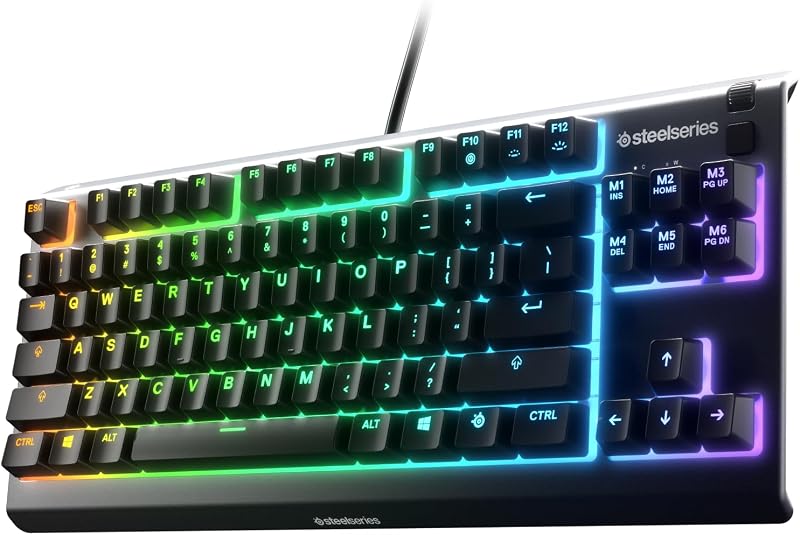
Battery longevity on wireless mechanical keyboards is heavily governed by backlighting design, and the gap between these two models is staggering. The G715 is built to deliver a showstopping visual presentation, running both per-key RGB backlights and an underglow perimeter light ring. Powering that dense array of dynamic lighting drains the internal rechargeable battery quickly. The listing specifies that Logitech G715 battery life delivers between 25 and 30 gaming hours on a single charge with full lighting active. If you game or work for several hours every day, you will find yourself plugging in the included USB-C to USB-A cable weekly to keep it operational.
The MX Mechanical is designed from the ground up for strict power efficiency. Instead of power-hungry RGB LEDs, it employs smart backlighting featuring white LEDs that automatically adjust intensity based on the ambient lighting conditions of your workspace. It even incorporates hand-proximity sensors to wake the illumination only when your fingers approach the keys, turning off instantly when you step away. As a result, the MX Mechanical delivers up to 15 days of continuous operation with backlighting enabled, and can stretch for multiple months on a single charge if you turn the illumination off entirely.
Recharging cadences dramatically alter ownership satisfaction. Gamers accustomed to plugging in their gear alongside headsets and mice might not mind weekly top-ups on the G715, especially since the keyboard functions seamlessly while tethered to its charging cable. However, professionals who despise cable clutter or travel frequently will appreciate the MX Mechanical’s ability to operate uninterrupted for weeks. When examining the logitech g715 vs mx keys s, productivity keyboards consistently outperform gaming boards in power endurance, and the MX Mechanical follows that exact pattern.
Edge: Logitech MX Mechanical. Delivering up to 15 days with lighting and months without easily eclipses the 25 to 30 hours offered by the G715.
Backlighting and Aesthetic Customization
Visually, these keyboards exist at polar opposite ends of industrial design. Any comprehensive Logitech G715 review must highlight its status within Logitech’s Aurora Collection. The G715 features a dreamy White Mist finish, soft rounded contours, and expressive LIGHTSYNC RGB lighting. The lighting system illuminates every individual keycap and casts a halo across your desk via a 360-degree perimeter light diffuser. Through Logitech G HUB software, users can program 16.8 million colors, create complex reactive animations, or activate preloaded Play Mood lighting profiles. Beyond lighting, the keyboard supports physical modularity: users can purchase swappable magnetic top plates and matching keycaps in colorways like Pink Dawn and Green Flash to personalize their desktop setup.
The MX Mechanical follows an austere, functional design philosophy intended to blend into corporate offices and minimalist workspaces. Its chassis pairs a graphite colorway with a rugged metal top plate, projecting professional durability rather than playful self-expression. The backlighting is purely functional, restricted to crisp white illumination designed to enhance key legibility in dark environments. The smart sensors adapt to room lighting to conserve power, but you will not find saturated rainbow waves, reactive color splashes, or custom accent plates on this board.
Your workspace environment dictates which approach makes sense. The G715 turns your keyboard into a vibrant centerpiece, perfect for streaming environments, creative spaces, or customized gaming battlestations. The MX Mechanical remains unobtrusive, sturdy, and focused entirely on utility. Comparing hardware like the logitech g413 vs mx mechanical demonstrates how Logitech deliberately splits its visual language between tactical gaming gear and understated corporate tools.
Edge: Logitech G715. It provides full per-key and perimeter 16.8M LIGHTSYNC RGB customization, alongside swappable physical plates and keycaps.
Layout, Form Factor, and Desk Space
The physical footprint of each keyboard directly impacts desk ergonomics and workflow speed. The G715 adopts an 87-key tenkeyless (TKL) layout. By removing the traditional numeric keypad from the right side, the G715 frees up considerable desk surface. When determining whether to pick the Logitech G715 or MX Mechanical for gaming, this compact form factor offers a distinct tactical benefit: it allows you to bring your mouse closer to your natural shoulder width, expanding the sweep area available for low-DPI mouse swipes during first-person shooters without slamming into the side of the board. The G715 also integrates dedicated media buttons and a volume roller directly on the top deck for quick audio adjustments mid-game.
The MX Mechanical is a full-size keyboard that retains the complete numeric keypad, arrow cluster, and navigation blocks. For professionals who spend their workdays operating spreadsheets, executing accounting tasks, or typing numeric strings into databases, a dedicated numpad is essential. Eliminating the tenkey requires clunky top-row number typing that cuts data entry speeds in half. The MX Mechanical also includes multimedia shortcuts integrated into its function row, but its wider metal body consumes significantly more horizontal space on your desk pad.
Assessing whether the device is Logitech MX Mechanical worth it requires taking stock of your daily tasks. If your primary goal is productivity and heavy numerical input, sacrificing the numpad on a TKL board will create daily friction. Conversely, if your desk space is tight, or you want an ergonomic, centered posture while gaming, the full-size frame of the MX Mechanical may feel excessively wide. Exploring compact productivity alternatives like the logitech g715 vs logitech pebble keys 2 k380s illustrates how much layout impacts desk real estate, but between our two featured models, the size difference represents a clear split between gaming ergonomics and data-entry utility.
Edge: Logitech G715. The compact tenkeyless form factor provides better ergonomics for mouse mobility and keeps modern desktop setups clean.
Pros and Cons
Logitech G715

Pros
- Ultra-responsive Lightspeed wireless connection
- Per-key and perimeter LIGHTSYNC RGB lighting
- Includes cloud-shaped plush palm rest
- Swappable top plates and keycap colorways
Cons
- Battery lasts only 25 to 30 hours with lighting
- Lacks integrated numeric keypad
- Cannot switch between three paired computers
Logitech MX Mechanical

Pros
- Full-size layout with dedicated numpad
- Pairs with three devices via one-tap switching
- Up to 15 days battery with backlighting enabled
- Tactile quiet switches reduce office typing clatter
- Durable metal top plate construction
Cons
- No RGB color lighting options
- No wrist rest included in package
- Low-profile switches not universally swappable
View Logitech MX Mechanical on Amazon
Who Should Buy Each One
Choose the Logitech G715 If
- You play fast-paced PC games that demand ultra-responsive Lightspeed wireless and standard tactile key travel.
- You want a compact tenkeyless footprint that leaves abundant room on your mousepad for wide sweeps.
- You love expressive desk aesthetics, per-key RGB lighting, and the option to swap top plates and keycaps in colors like Pink Dawn.
- You want an included, plush cloud-shaped wrist rest to keep your hands comfortable right out of the box.
Choose the Logitech MX Mechanical If
- You manage financial data, spreadsheets, or frequent numerical entry requiring a dedicated 10-key numeric pad.
- You switch between up to three different computers or tablets throughout the workday using one-tap device toggles.
- You prefer low-profile, tactile quiet keys that keep typing fatigue and office noise to an absolute minimum.
- You want long-lasting battery life that runs for up to 15 days with backlighting on and months with it switched off.
Final Verdict
Weighing the Logitech MX Mechanical vs G715 comes down to a clear division between gaming performance and office multitasking. For the vast majority of gaming enthusiasts and streamers, the Logitech G715 is the superior purchase. Its ultra-low-latency Lightspeed wireless, modular styling, immersive LIGHTSYNC RGB lighting, and comfortable cloud palm rest make it a joy to use on a dedicated gaming PC. The standard-height GX tactile switches provide the deep, satisfying mechanical feedback that gaming requires, while the tenkeyless footprint optimizes your desk space for unhindered mouse movements.
However, an honest Logitech MX Mechanical review reveals that it is undeniably the superior keyboard for professional productivity. If your typical day consists of writing reports, manipulating spreadsheets, and jumping back and forth between a MacBook, a Windows PC, and an iPad, the MX Mechanical runs circles around the G715. Its tactile quiet switches keep your workspace peaceful, the full-size layout ensures rapid numeric entry, and the battery lasts for weeks rather than hours. Choose the G715 for play and personalized style; invest in the MX Mechanical to conquer your daily workday.
FAQ
Can you game effectively on the Logitech MX Mechanical?
Yes, you can game on the MX Mechanical using either Bluetooth LE or the included Logi Bolt receiver. However, it lacks Logitech’s high-speed Lightspeed wireless protocol found on the G715, which is specifically optimized to eliminate latency during fast-paced competitive gaming. Casual and turn-based games will feel great, but competitive shooter players will prefer the G715.
Does the Logitech G715 work across multiple computers at once?
No, the G715 is not designed for multi-host switching. While it supports both Lightspeed wireless and Bluetooth connectivity, it lacks the dedicated one-tap Easy-Switch buttons found on the MX Mechanical. The MX Mechanical can maintain active connections with up to three devices simultaneously across Windows, macOS, ChromeOS, and iPadOS.
How quiet are the switches on both keyboards for an office setting?
The MX Mechanical is significantly quieter. It uses low-profile Tactile Quiet switches engineered specifically to minimize mechanical clatter in professional or shared spaces. The G715 features standard-height GX Brown tactile switches, which produce a more audible mechanical sound that may disturb coworkers in quiet office environments.
Can you customize the physical appearance of the Logitech MX Mechanical?
The MX Mechanical does not feature interchangeable top plates or alternative official keycap colorways; it comes with a fixed graphite metal top plate. The G715, by contrast, is built for aesthetic customization, allowing owners to buy separate magnetic top plates and keycap sets in colors such as Pink Dawn and Green Flash.
Is a wrist rest included with the Logitech MX Mechanical?
No, the MX Mechanical does not come with a wrist rest in the box. Because it features a low-profile design, your wrists sit at a flatter, more natural angle relative to your desk surface, reducing the need for elevation. The G715 includes a cloud-shaped palm rest specifically to bridge the height of its taller chassis.
Which keyboard offers longer battery life when using backlighting?
The Logitech MX Mechanical offers far superior battery endurance. It lasts up to 15 days with smart white backlighting enabled, thanks to hand-proximity sensors and ambient light adjustment. The G715 lasts between 25 and 30 gaming hours with its full per-key and perimeter LIGHTSYNC RGB illumination turned on.