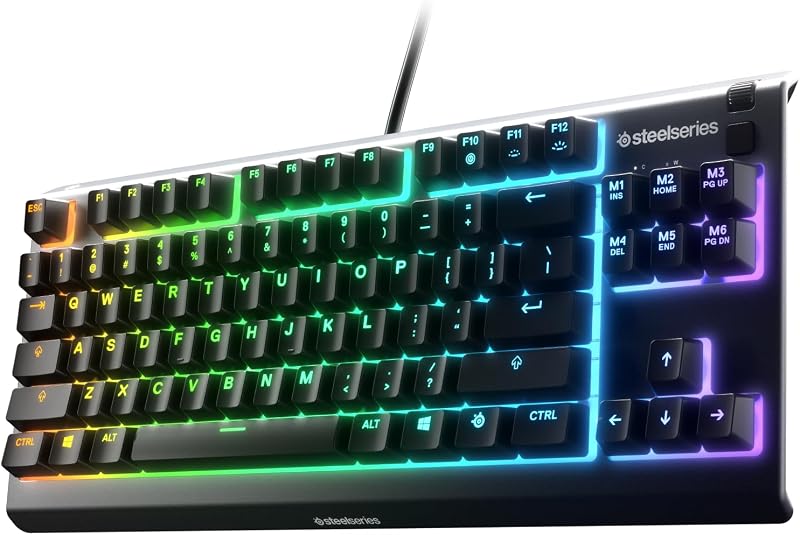
The core distinction that settles the decision between the Glorious GMMK Pro and the NuPhy Air75 V2 is chassis architecture and intended mobility: the GMMK Pro is a heavy, wired 75-percent barebones aluminum keyboard built for custom desktop tuning, whereas the Air75 V2 is a slim, low-profile tri-mode wireless keyboard engineered for multi-device workflows and travel.
Choose the Glorious GMMK Pro if you want an immovable 3.3-pound aluminum foundation that allows you to hand-select your own switches, internal plates, and keycaps. Choose the NuPhy Air75 V2 if you need a pre-assembled, ultra-slim mechanical keyboard that connects across multiple operating systems wirelessly with dedicated battery endurance.


GMMK Pro vs Nuphy Air75 V2 at a Glance
| Feature | Glorious GMMK Pro | NuPhy Air75 V2 |
|---|---|---|
| Form Factor | 75% Barebones Frame | 75% Low-Profile Keyboard |
| Enclosure Material | CNC Machined Solid Aluminum | Aluminum Frame with Translucent Bottom Shell |
| Weight | 3.3 lb | Not listed |
| Dimensions | 13.07 x 5.31 x 1.26 inches | Not listed |
| Switch Configuration | 5-Pin Hot-Swap (Switches not included) | Gateron Cowberry Switches (Pre-installed) |
| Keycaps | Not included (Sold separately) | PBT Keycaps (Pre-installed) |
| Connectivity | Wired USB-C | Bluetooth 5.1, 2.4GHz Wireless, USB-C |
| Battery Capacity | No internal battery (USB powered) | 4000mAh |
| Battery Runtime | Not applicable (Wired only) | 35-57 hours (RGB on); Up to 220 hours (RGB off) |
| Firmware and Customization | Modular plates, rotary knob, swappable top frame | QMK/VIA Open-Source Programmable Firmware |
| Best For | Stationary Custom Keyboard Builders | Mobile Multi-Device Typists and Gamers |
Design, Build Quality, and Portability
Chassis construction dictates how a keyboard sits on a workspace and whether it can reasonably accompany you outside the home. The Glorious GMMK Pro features a body CNC machined from solid aluminum, producing a heavy 3.3-pound base that measures 13.07 inches long, 5.31 inches wide, and 1.26 inches tall. The exterior undergoes an anodization process that yields high scratch resistance and a satin surface finish. Because of its weight and full-height frame, the GMMK Pro functions as an immovable desk anchor that never slides during intensive typing or gaming sessions. Glorious also built physical customization directly into the frame, allowing users to swap the top cover, interchange the pre-installed aluminum switch plate with brass or polycarbonate variants, and customize the integrated rotary dial.
The NuPhy Air75 V2 prioritizes a compact, streamlined footprint. It pairs an aluminum top frame with an innovative translucent bottom shell that exposes the internal engineering of the keyboard. Rather than creating a heavy monolithic block, NuPhy designed the Air75 V2 around low-profile mechanical architecture, keeping the total height and mass minimal for effortless transit. The keyboard slips into a messenger bag or rests directly over a laptop keyboard without burdening the user. When assessing the gmmk pro vs 3 comparison and other competing platforms, the Air75 V2 stands apart specifically through its travel-ready dimensions and hybrid materials.
The physical divergence between these two approaches represents a trade-off between absolute structural rigidity and daily portability. The GMMK Pro delivers a dense, reverberation-dampening enclosure that feels permanent and luxurious on a dedicated desk, but its 3.3-pound heft makes it entirely impractical to transport. The NuPhy Air75 V2 sacrifices full-metal mass for an agile build that transitions seamlessly between mobile cafes, conference rooms, and home workstations.
Edge: NuPhy Air75 V2 for everyday portability, though the Glorious GMMK Pro takes the lead for stationary desktop rigidity.
Switch Ecosystem and Customization Flexibility
The mechanical switch socket arrangement dictates what types of hardware you can install and how much effort is required before the board is functional. The Glorious GMMK Pro arrives as a pure barebones kit, meaning it contains no mechanical switches and no keycaps in the box. Instead, it provides a 5-pin hot-swap printed circuit board that accepts 3-pin and 5-pin MX mechanical switches from manufacturers like Glorious, Cherry, Gateron, and Kailh. Users can freely install linear, tactile, or clicky switches without touching a soldering iron, utilizing the included switch puller and keycap puller. GMMK Pro switch compatibility gives enthusiasts the freedom to tailor bottom-out force, acoustic signature, and tactile feedback. Furthermore, the pre-installed aluminum plate can be swapped for a brass plate to increase firmness and sound pitch, or a polycarbonate plate to achieve a softer bottom-out feel.
The NuPhy Air75 V2 takes an integrated, ready-to-type approach. The keyboard comes fully assembled from the factory with low-profile Gateron Cowberry mechanical switches and durable PBT keycaps. PBT keycaps are resilient against finger oils, ensuring that key legends and textured surfaces resist shine and physical wear over extended usage cycles. Because the Air75 V2 utilizes a dedicated low-profile switch footprint, it does not support standard full-height MX mechanical switches or conventional high-profile custom keycap profiles. Instead, software-level customization takes center stage through native QMK/VIA firmware support. Users can reassign keys, define functional layers, and program complex keyboard behavior via an open-source web console. Comparing the gmmk pro vs akko 5075b plus shows how unusual this degree of deep firmware control is on pre-built wireless keyboards.
For builders who want an empty canvas to test specialty switch lubes, aftermarket plate acoustics, and custom artisan keycap profiles, the GMMK Pro provides total mechanical liberty. For typists who prefer skipping switch assembly while gaining open-source QMK/VIA key remapping on pre-installed PBT hardware, the Air75 V2 delivers complete functionality right out of the box.
Edge: Glorious GMMK Pro for physical switch and plate modularity, with the NuPhy Air75 V2 holding the edge for out-of-the-box convenience.
Connectivity, Battery Life, and Multi-Device Support
A keyboard connection configuration dictates how cleanly it integrates into modern multi-screen and multi-computer environments. The NuPhy Air75 V2 features tri-mode connectivity, incorporating Bluetooth 5.1, low-latency 2.4GHz wireless through an included receiver, and a standard wired USB-C interface. The keyboard pairs with up to four separate computer devices simultaneously, letting users hop between a Mac desktop, Windows laptop, Android phone, or iOS tablet with quick key commands. To maintain sustained wireless operation, NuPhy installed a high-capacity 4000mAh internal rechargeable battery. Verified Nuphy Air75 V2 battery life ratings reach 35 to 57 hours of continuous typing with full RGB backlighting running, and stretch up to 220 hours when backlighting is turned off.
The Glorious GMMK Pro operates strictly as a wired device. It draws power and transmits input signals through an included 2-meter black braided USB-C cable. It contains no internal battery cells, no Bluetooth transmitter, and no 2.4GHz wireless hardware. This single-cable design ensures zero input dropouts, eliminates wireless pairing conflicts, and removes battery degradation concerns over years of ownership. However, it also tethers the keyboard permanently to one computer at a time. The GMMK Pro listing confirms full wired compatibility with Windows, MacOS, Linux, PS4, PS5, and Xbox systems, providing reliable peripheral input across both personal computers and home gaming consoles. Readers comparing flexible multi-device options often contrast models like the nuphy air75 v2 vs epomaker th80 v2 to observe differences in battery and connection management.
For users juggling multiple computing platforms across a home office, the Air75 V2 provides complete wireless freedom, multi-pairing agility, and extensive battery endurance. The GMMK Pro appeals to users who demand a set-and-forget wired connection that never requires recharging and remains free from wireless interference.
Edge: NuPhy Air75 V2 for its versatile tri-mode wireless connectivity, four-device memory, and large 4000mAh battery.
Typing Feel, Ergonomics, and Daily Comfort
Ergonomic geometry and key travel distance dictate comfort levels during eight-hour writing shifts and long coding sessions. In any GMMK Pro vs Nuphy Air75 V2 low profile comparison, overall keyboard height is the primary operational factor. The GMMK Pro features a conventional mechanical profile with a total chassis height of 1.26 inches. When paired with standard MX-style switches and traditional keycap profiles, the typing angle sits relatively high off the desk surface. Most users will find that hovering their wrists or placing an external palm rest in front of the board is necessary to maintain neutral wrist posture. In exchange for this height, the GMMK Pro delivers deep key travel, crisp acoustic feedback, and a highly customizable bottom-out feel depending on whether you install the stock aluminum, brass, or polycarbonate switch plate.
The NuPhy Air75 V2 approaches desktop ergonomics from the opposite direction by using a low-profile format. Its slim aluminum frame rests close to the desk surface, allowing users to keep their wrists in a flat, natural position without an elevated palm rest. The factory-installed Gateron Cowberry switches provide a shallow actuation depth and shorter total keystroke distance, enabling rapid finger movement across the textured PBT keycaps with minimal physical exertion. Similar ergonomic differences emerge when analyzing the akko 5075b plus vs nuphy air75 v2, highlighting the comfort benefits low-profile switches offer to typists suffering from wrist fatigue.
When selecting the GMMK Pro or Nuphy Air75 V2 for typing, your choice hinges on ergonomic preference. Typists who prioritize low wrist extension, effortless keystroke actuation, and an integrated desk profile will prefer the NuPhy Air75 V2. Typists who demand the full, substantial tactile feedback of traditional mechanical key switches and customizable internal plates will favor the Glorious GMMK Pro.
Edge: NuPhy Air75 V2 for native low-profile ergonomics that reduce wrist extension without requiring extra accessories.
Gaming Performance, Lighting, and Firmware Customization
Input latency, lighting customization, and macro programming define how well a keyboard performs when playing competitive games. Examining the GMMK Pro or Nuphy Air75 V2 for gaming reveals contrasting strengths across both models. The GMMK Pro provides a latency-free wired USB-C connection, per-key RGB backlighting, and an 83-key layout featuring an ambidextrous physical rotary knob. Gamers can twist or press the rotary knob to adjust master audio levels or mute voice communications on the fly without pausing active gameplay. Additionally, the GMMK Pro listing specifies verified support for gaming consoles including the PS4, PS5, and Xbox alongside Windows and Linux PCs, making it an exceptional wired command center for multi-platform gamers.
The NuPhy Air75 V2 meets gaming requirements through either its low-latency 2.4GHz wireless dongle or direct wired USB-C mode. Its aesthetic presentation is driven by 21 different RGB lighting modes alongside two ambient RGB light bars positioned on the left and right flanks of the aluminum top frame. Although the pre-installed PBT keycaps do not feature shine-through legends, the under-switch backlighting and side accent bars create distinct desk ambiance. For key remapping and macros, the Air75 V2 provides open-source QMK/VIA firmware support, letting gamers rebind every single button, establish specialized input layers, and program complex multi-key macros through an intuitive web-based interface. Enthusiasts tracking firmware evolution often compare the ducky one 3 vs nuphy air75 v2 to weigh proprietary software against open-source alternatives.
The GMMK Pro provides console compatibility, a dedicated media rotary knob, and a rock-solid wired link. The Air75 V2 counters with responsive 2.4GHz wireless gaming freedom, perimeter accent light bars, and the boundless key-remapping power of open-source QMK/VIA firmware.
Edge: Tie; the Glorious GMMK Pro delivers wired stability, console compatibility, and rotary volume control, while the NuPhy Air75 V2 offers 2.4GHz wireless response and open-source QMK/VIA programmability.
Pros and Cons
GMMK Pro

Pros
- Heavy 3.3-pound CNC aluminum frame
- Universal 5-pin MX switch hot-swap sockets
- Interchangeable brass or polycarbonate switch plates
- Hardware rotary knob and swappable top frame
Cons
- Requires purchasing switches and keycaps separately
- Wired-only USB-C operation without wireless support
- Heavy frame impractical for travel
Nuphy Air75 V2

Pros
- Slim low-profile aluminum and translucent design
- Tri-mode wireless with 4-device switching
- Long 4000mAh battery runtime up to 220 hours
- Pre-installed PBT keycaps and Gateron switches
- Open-source QMK and VIA firmware support
Cons
- Not water resistant
- Keycaps do not feature shine-through legends
Who Should Buy Each One
Choose the Glorious GMMK Pro If
- You want a heavy 3.3-pound CNC aluminum frame that remains completely stationary on your desk.
- You plan to supply your own custom 3-pin or 5-pin MX mechanical switches and keycaps.
- You want to experiment with swappable internal brass or polycarbonate plates and custom rotary knobs.
- You need verified plug-and-play wired USB-C support for PC, Mac, PS4, PS5, and Xbox consoles.
Choose the NuPhy Air75 V2 If
- You need an ultra-slim, low-profile keyboard that packs easily into a bag for travel.
- You switch between up to four devices across Windows, macOS, Linux, iOS, and Android.
- You want a fully assembled keyboard complete with Gateron Cowberry switches and durable PBT keycaps.
- You require multi-day wireless battery life up to 220 hours paired with open-source QMK/VIA key mapping.
Final Verdict
In this Nuphy Air75 V2 vs GMMK Pro comparison, the NuPhy Air75 V2 is the recommended option for the vast majority of typists, hybrid office workers, and multi-device users. It arrives fully functional out of the box with responsive Gateron Cowberry switches, oil-resistant PBT keycaps, comfortable low-profile ergonomics, and robust tri-mode wireless flexibility. Backed by a 4000mAh battery that delivers up to 220 hours of runtime without lighting, plus native QMK/VIA firmware customization, the keyboard excels across varied workspaces. If you are deciding whether is Nuphy Air75 V2 worth it for everyday computing and mobile setups, its versatility and ready-to-type design provide outstanding utility.
On the other hand, the Glorious GMMK Pro remains a premier foundation for builders who view a keyboard as a modular hobby platform rather than a portable tool. Its 3.3-pound CNC-machined aluminum body, universal 5-pin MX hot-swap sockets, interchangeable sound plates, and physical rotary knob allow for a deeply customized typing experience that slim wireless keyboards cannot duplicate. In any thorough GMMK Pro review, determining whether is GMMK Pro worth it comes down to your desire to source your own switches and keycaps for a permanent, wired desk installation.
FAQ
Does the Glorious GMMK Pro come with switches and keycaps in the box?
No, the GMMK Pro is sold as a barebones modular keyboard frame. The retail package includes the CNC-machined aluminum body, an aluminum switch plate, a 2-meter braided USB-C cable, a switch puller, and a keycap puller. Users must supply their own compatible 3-pin or 5-pin MX mechanical switches and keycap set to complete the build.
Can the NuPhy Air75 V2 connect to multiple computers at once?
Yes, the NuPhy Air75 V2 supports multi-device connectivity via Bluetooth 5.1, 2.4GHz wireless, and wired USB-C. It allows you to pair up to four separate computer devices simultaneously and switch between them on the fly across Windows, macOS, Linux, iOS, and Android operating systems.
What is the battery life of the NuPhy Air75 V2?
The NuPhy Air75 V2 contains a 4000mAh rechargeable battery. According to manufacturer experimental test results, the keyboard provides between 35 and 57 hours of continuous typing with the RGB backlighting fully engaged, and up to 220 hours of operation when the backlighting is turned off.
What switches are compatible with the Glorious GMMK Pro?
The GMMK Pro features a 5-pin hot-swap PCB that supports standard 3-pin and 5-pin MX mechanical switches from manufacturers such as Glorious, Cherry, Gateron, and Kailh. It accommodates linear, tactile, and clicky switch variants without requiring any soldering.
Are the keycaps on the NuPhy Air75 V2 backlit with shine-through letters?
No, the pre-installed PBT keycaps on the Air75 V2 are not shine-through. The RGB backlighting illuminates the spaces beneath and around the keycaps and accents the dual side light bars, while the durable PBT keycap material ensures the printed legends resist wear and fading over time.
Does the Glorious GMMK Pro work with gaming consoles?
Yes, the Glorious GMMK Pro listing specifies wired USB-C compatibility with modern gaming consoles including the PS4, PS5, and Xbox, in addition to standard personal computers running Windows, MacOS, or Linux.
Does the NuPhy Air75 V2 support key remapping software?
Yes, the NuPhy Air75 V2 is fully compatible with open-source QMK and VIA firmware. Users can rebind keys, program macro shortcuts, establish multi-layer layouts, and modify RGB lighting effects directly through a compatible web-based console.