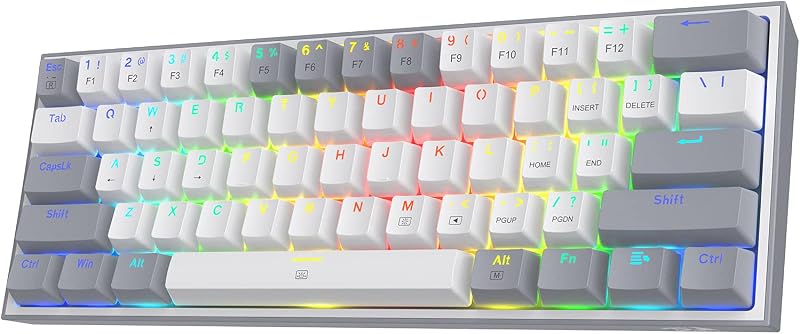
The fundamental distinction governing this high-end esports keyboard matchup lies in the switch architecture and physical elevation: the Razer Huntsman V3 Pro utilizes low-profile analog optical switches housed within a streamlined 19.5 mm front-height chassis, while the Corsair K70 RGB Pro employs full-height MGX Hyperdrive magnetic Hall Effect switches inside a traditional desktop frame. This core engineering difference dictates how deeply your fingers travel during inputs, how your wrists rest during marathon gaming sessions, and how inputs are measured under the hood.
Gamers competing in fast-twitch tactical shooters who demand shallow key travel, ultra-fast resets, and low-profile ergonomics should select the Razer Huntsman V3 Pro. Players seeking full-depth mechanical travel, versatile multi-action macros, physical volume hardware, and an included wrist rest will find better utility in the Corsair K70 RGB Pro.


Razer Huntsman V3 Pro vs Corsair K70 RGB Pro at a Glance
| Feature | Razer Huntsman V3 Pro | Corsair K70 RGB Pro |
|---|---|---|
| Switch Mechanism | Razer Low-Profile Analog Optical | Pre-lubed CORSAIR MGX Hyperdrive Magnetic |
| Adjustable Actuation Range | 0.1 mm to 2.8 mm | 0.4 mm to 3.6 mm (0.1 mm steps) |
| Dynamic Rapid Trigger | Yes | Yes |
| Maximum Polling Rate | 8,000 Hz HyperPolling | 8,000 Hz AXON Hyper-polling |
| Keystroke Durability | 100 Million Keystrokes | 150 Million Keystrokes |
| Chassis Height and Profile | Low-profile (0.73″ height, 19.5 mm front) | Standard height (1.57″ height) |
| Keycap Material | Doubleshot PBT | ABS Double-Shot |
| Dedicated Media Controls | Not listed | Volume Roller and Dedicated Media Keys |
| Included Wrist Rest | Not listed | Included |
| Movement SOCD Features | Snap Tap, Snap Flex, Dual-Keypress Priority | Simultaneous SOCD |
| Best For | Esports FPS speed and low-profile wrist posture | Full-travel custom inputs and multimedia utility |
Switch Technology and Actuation Range
The primary battleground between these competitive tenkeyless boards centers on switch technology: optical light induction versus magnetic Hall Effect sensing. In evaluating razer analog optical vs corsair mgx hyperdrive mechanisms, both designs eliminate physical metal contacts to prevent debounce delay, but they accomplish this through different physical forces. Razer uses infrared light beams interrupted by the downward motion of the switch stem, allowing continuous positional tracking across a 0.1 mm to 2.8 mm travel distance. Corsair relies on permanent magnets inside the switch stem passing over Hall Effect sensors on the printed circuit board, measuring flux variations over a 0.4 mm to 3.6 mm range in fine 0.1 mm steps. Buyers looking at other form factors often examine the razer deathstalker v2 vs corsair k70 rgb pro, but this comparison directly contrasts low-profile optical actuation with full-height magnetic switches.
Actuation distances dictate both reaction speeds and typing accuracy. The Razer Huntsman V3 Pro allows you to set the activation point as shallow as 0.1 mm, creating a near-instantaneous trigger that registers the moment your fingertip grazes the keycap. However, its total low-profile travel bottoms out at 2.8 mm. On the Corsair side, the corsair k70 rgb pro actuation distance starts at a conservative 0.4 mm and extends downward to 3.6 mm. This deeper maximum ceiling provides a wider operational envelope for players transitioning from standard mechanical switches. Furthermore, Corsair equips the MGX Hyperdrive switches with dual actuation functionality, enabling you to program two distinct commands on a single keystroke based on depth, such as walking at 1.5 mm and sprinting at 3.2 mm. Note that while Corsair’s primary typing keys use MGX magnetic hardware, its function keys feature Corsair MLX switches.
Durability figures also favor the magnetic design on paper. The Corsair MGX Hyperdrive switches carry a rating of 150 million keystrokes with a sturdy double-rail structure engineered to minimize stem wobble during off-center strikes. Razer rates its low-profile analog optical switches for 100 million keystrokes. While both lifespans vastly exceed normal operational demands, the deeper throw and dual-action versatility of Corsair’s magnetic switches provide distinct utility outside of raw hair-trigger speed.
Edge: Corsair K70 RGB Pro for its broader 0.4 mm to 3.6 mm travel envelope, dual actuation macro support, and higher switch durability rating.
Rapid Trigger and Esports Movement Features
When selecting razer huntsman v3 pro or corsair k70 rgb pro for fps titles like Counter-Strike, Valorant, or Apex Legends, the implementation of dynamic reset technology is paramount. In a direct huntsman v3 pro vs k70 rgb pro rapid trigger comparison, both keyboards excel at eliminating mechanical reset lag. Standard mechanical keyboards require a switch to travel past a fixed reset point before a secondary input can be registered. Rapid Trigger dynamically resets the key the instant the switch begins upward travel, even by a fraction of a millimeter, allowing immediate counter-strafing, rapid crouch spamming, and instantaneous movement direction changes.
Razer expands upon basic Rapid Trigger with a dedicated suite of competitive movement algorithms branded as Razer Snap Tap, Snap Flex, Dynamic Keystroke, and Dual-Keypress Priority. Snap Tap functions as an advanced Simultaneous Opposing Cardinal Directions (SOCD) resolution feature, prioritizing the latest directional input without requiring you to release the opposing strafe key. This allows for near-instant directional snapping when peeking corners. While Corsair provides Simultaneous SOCD capabilities as well, Razer integrates onboard visual feedback via an integrated LED indicator array. This hardware interface allows players to calibrate actuation depths and Rapid Trigger sensitivity on the fly without installing desktop software on tournament machines.
Corsair counters with its AXON processing engine, executing Rapid Trigger calculations alongside an 8,000 Hz hyper-polling rate to register actions in as little as 0.125 ms. While Corsair’s rapid responsiveness matches the pace of modern tactical shooters, Razer’s purpose-built firmware tools give competitive players a tailored suite of movement-priority mechanics that require less manual setup.
Edge: Razer Huntsman V3 Pro for its comprehensive Snap Tap movement priority system and quick onboard LED calibration.
Ergonomics and Chassis Profile
Chassis height dictates wrist alignment and long-term comfort, making physical geometry a crucial factor when deciding whether a razer huntsman v3 pro review or corsair k70 rgb pro review matches your setup. The Razer Huntsman V3 Pro is built around a low-profile form factor, measuring just 0.73 inches (18.5 mm) in overall height with a low 19.5 mm front edge. This slim front plane allows your hands to rest naturally on the desk surface without forcing the wrists into upward extension. For players who game for hours without a palm pad, this low-profile posture prevents fatigue and tendon strain.
Conversely, the Corsair K70 RGB Pro occupies a standard desktop mechanical profile, measuring 1.57 inches in height. At more than double the vertical thickness of the Razer, using this keyboard flat on the desk without wrist support can create sharp wrist extension angles. Recognizing this ergonomic reality, Corsair includes a dedicated ergonomic wrist rest in the box. While the padded wrist rest mitigates elevation strain, it significantly increases the keyboard’s total desktop footprint, requiring more vertical clearance on your desk pad.
Both models feature compact tenkeyless footprints that omit the numeric keypad, freeing up valuable space for broad, low-DPI mouse swipes. Razer measures 14.11 inches long by 5.37 inches wide, while Corsair measures 14.41 inches long by 5.31 inches wide. However, if portable tournament travel and slim desk setups are your priority, Razer’s flat profile slides into backpacks more easily and requires fewer peripheral accessories to maintain comfortable hand posture. You can also see how standard-height magnetic boards compare in our razer huntsman v3 pro tkl vs keychron q1 he breakdown.
Edge: Razer Huntsman V3 Pro for its natural 19.5 mm low-profile front edge that eliminates wrist strain without requiring an external wrist rest.
Keycaps, Acoustics, and Build Construction
The materials used across keycaps, switch housings, and internal dampening layers dramatically influence both typing acoustics and long-term durability. Razer equips the Huntsman V3 Pro with a brushed 5052 aluminum alloy top plate resting over an internal layer of sound-dampening foam. Crucially, Razer installs doubleshot PBT keycaps as the standard equipment. Polybutylene terephthalate (PBT) is a dense, rigid thermoplastic known for its resistance to skin oils, friction shine, and surface smoothing over years of intense use. Combined with factory-lubricated low-profile switch stems, the Huntsman V3 Pro produces a crisp, muted sound profile devoid of excessive high-frequency rattle.
Corsair constructs the K70 RGB Pro using a multi-material composite approach: an aluminum top plate anchored to an enclosure built from acrylonitrile butadiene styrene (ABS), silicone dampening layers, and internal plastics. The pre-lubed CORSAIR MGX Hyperdrive switches glide smoothly with little stem play thanks to their double-rail housing structure, and the internal silicone dampening effectively quiets internal ping. However, Corsair equips this model with ABS double-shot keycaps. While double-shot molding ensures the legends will never wear off, ABS plastic is softer than PBT and tends to develop a slick, reflective shine after repeated contact with finger oils.
Both keyboards offer sturdy, flex-free desk stability, but keycap longevity is an area where stock configurations matter. For competitive players who spend thousands of hours resting their fingers on WASD, Razer’s textured doubleshot PBT plastic maintains its original tactile grip longer than standard ABS plastic sets. Those interested in compact layouts may also reference the razer huntsman mini vs corsair k70 rgb pro to observe how keycap treatments vary across product tiers.
Edge: Razer Huntsman V3 Pro for including wear-resistant doubleshot PBT keycaps out of the box.
Hardware Controls, Polling Rates, and Software Ecosystems
Both manufacturers deploy top-tier polling technology, but they approach everyday control surfaces and software customization from different philosophies. In terms of raw transmission speed, both boards reach an 8,000 Hz polling rate (Razer HyperPolling versus Corsair AXON Hyper-polling). This polling frequency queries the keyboard every 0.125 milliseconds, reducing input delivery latency down to near-zero margins compared to standard 1,000 Hz gaming keyboards. In competitive environments, this ensures that micro-adjustments and Rapid Trigger resets transmit to the PC without bottlenecking.
Where Corsair pulls ahead is in physical hardware controls and platform flexibility. The K70 RGB Pro features dedicated multimedia hotkeys and a physical volume roller positioned at the top of the chassis, granting instant audio adjustments without pausing matches or utilizing complex function layer shortcuts. Additionally, the Corsair listing confirms support across PC, laptops, and gaming consoles, with software management managed via CORSAIR iCUE. Readers comparing broader brand lineups often look at the corsair k70 rgb pro vs k100 rgb, and Corsair maintains that same rich hardware control heritage on this tenkeyless deck.
Razer relies on Razer Synapse for extensive profile mapping, Chroma RGB backlighting, polling adjustments, and sensitivity curves. While Synapse is highly capable, Razer wisely designed the Huntsman V3 Pro with an onboard LED array, enabling players to tweak Rapid Trigger thresholds and switch actuation levels directly on the board without needing the software running in the background. However, the listing limits compatible devices to PC and does not include dedicated physical volume rollers or media keys. For desktop generalists who toggle between gaming, video editing, and music listening, Corsair offers superior hardware controls.
Edge: Corsair K70 RGB Pro for its dedicated volume roller, media keys, and cross-platform console support.
Pros and Cons
Razer Huntsman V3 Pro

Pros
- Ultra-slim 19.5 mm low-profile design
- Sensitive 0.1 mm minimum actuation distance
- Durable doubleshot PBT keycaps included
- Onboard LED Rapid Trigger calibration
- True 8000 Hz HyperPolling rate
Cons
- Maximum travel capped at 2.8 mm
- Listing specifies PC compatibility only
View Razer Huntsman V3 Pro on Amazon
Corsair K70 RGB Pro

Pros
- Deep 0.4 mm to 3.6 mm adjustable actuation
- 150-million keystroke switch durability rating
- Dedicated volume roller and media keys
- Dual-action keypress combo assignments
- Detachable wrist rest included
Cons
- ABS double-shot keycaps instead of PBT
- Substantially taller 1.57-inch profile
View Corsair K70 RGB Pro on Amazon
Who Should Buy Each One
Choose the Razer Huntsman V3 Pro If
- You play fast-twitch competitive shooters like Valorant or Counter-Strike and want hair-trigger 0.1 mm actuation with Rapid Trigger.
- You prefer an ultra-thin 19.5 mm front height that promotes neutral wrist ergonomics without an external palm rest.
- You want tournament-focused movement mechanics like Snap Tap, Snap Flex, and direct onboard LED sensitivity adjustments.
- You demand long-lasting doubleshot PBT keycaps that resist finger shine over extended practice sessions.
Choose the Corsair K70 RGB Pro If
- You prefer traditional full-travel mechanical switch depths that adjust down to a deep 3.6 mm bottom-out.
- You want advanced dual-actuation key bindings that allow two distinct inputs on a single keypress.
- You prioritize daily media convenience, relying on a physical volume roller and dedicated multimedia playback keys.
- You switch between PC and gaming consoles and prefer having an included ergonomic wrist rest in the box.
Final Verdict
When deciding whether the razer blackwidow v4 pro vs corsair k70 rgb pro or this specific Huntsman matchup suits your battlestation, the choice between corsair k70 rgb pro vs razer huntsman v3 pro comes down to your ergonomic preference and competitive intensity. The Razer Huntsman V3 Pro emerges as the superior choice for dedicated tactical shooter players. Its ultra-slim low-profile chassis keeps wrist posture flat and comfortable during high-stakes play, while its hair-trigger 0.1 mm minimum actuation, Snap Tap movement algorithms, and durable doubleshot PBT keycaps give competitive gamers an uncompromising edge.
The Corsair K70 RGB Pro claims victory for gamers who prefer standard-height mechanical switches and versatile desk utility. By pairing pre-lubed MGX Hyperdrive magnetic switches with an expansive 0.4 mm to 3.6 mm actuation range, the K70 RGB Pro accommodates both twitch gaming and accurate daily typing without accidental key activations. With its included wrist rest, dedicated volume roller, dual-action input options, and 150-million-keystroke durability rating, it provides the more well-rounded hardware package for mixed gaming and multimedia use.
FAQ
Does the Corsair K70 RGB Pro have Rapid Trigger?
Yes. The Corsair K70 RGB Pro includes Rapid Trigger technology enabled by its pre-lubed MGX Hyperdrive magnetic switches, allowing individual keys to dynamically reset the moment they travel upward rather than waiting to pass a fixed mechanical reset point.
Can you adjust actuation points without software on the Razer Huntsman V3 Pro?
Yes. The Razer Huntsman V3 Pro features an onboard LED indicator array that allows you to calibrate actuation depths and fine-tune Rapid Trigger sensitivity directly on the keyboard hardware without needing Razer Synapse open.
What is the difference between Razer analog optical vs Corsair MGX Hyperdrive switches?
Razer analog optical switches use light beam interruptions to track key movement across a low-profile 0.1 mm to 2.8 mm range. Corsair MGX Hyperdrive switches utilize Hall Effect magnetic sensors to measure switch travel across a deeper 0.4 mm to 3.6 mm standard mechanical range.
Is the Razer Huntsman V3 Pro worth it for competitive FPS games?
When evaluating if the board is razer huntsman v3 pro or corsair k70 rgb pro for gaming, the Huntsman V3 Pro is highly suited for competitive FPS players due to its 0.1 mm sensitivity, Snap Tap movement SOCD priority, 8000 Hz polling rate, and low-profile ergonomics that reduce wrist strain.
Is Corsair K70 RGB Pro worth it for everyday use?
When asking is corsair k70 rgb pro worth it, the keyboard delivers excellent versatility beyond esports. Its deeper 3.6 mm travel limit prevents accidental keystrokes while typing, while its dedicated volume roller, media keys, and included wrist rest make daily PC operation comfortable.
Do both keyboards support an 8000Hz polling rate?
Yes. Both keyboards support up to an 8,000 Hz polling rate (Razer True 8000Hz HyperPolling and Corsair AXON Hyper-polling), delivering input transmission speeds as fast as 0.125 milliseconds.
What keycap materials do these keyboards use?
The Razer Huntsman V3 Pro comes equipped with doubleshot PBT keycaps that resist surface wear and oils. The Corsair K70 RGB Pro comes equipped with double-shot ABS keycaps.