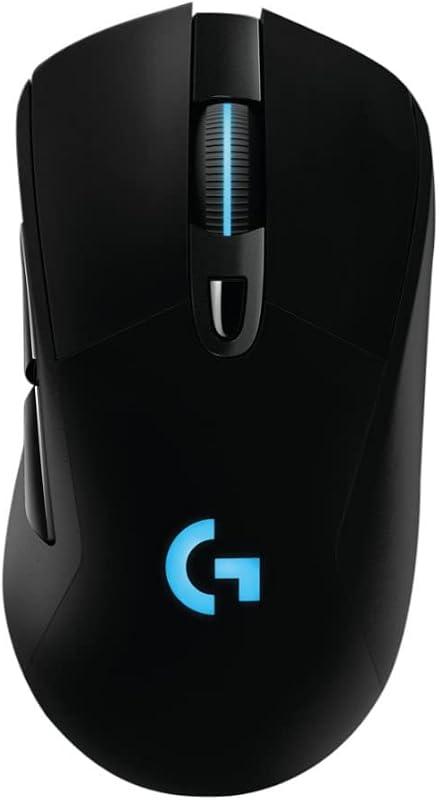
The core distinction separating the original Logitech G Pro X Superlight from the upgraded Logitech G Pro X Superlight 2 rests in the internal electrical architecture: the second-generation model introduces LIGHTFORCE optical-mechanical hybrid switches, an ultra-fast 8 kHz polling rate, an upgraded HERO 2 sensor capable of 44,000 DPI and 888+ IPS tracking, and modern USB-C charging. While the first-generation release remains an esports benchmark that reduced weight to under 63 grams with an ultra-precise HERO 25K optical sensor, the Superlight 2 modernizes responsiveness and physical connectivity across every primary competitive metric.
Choose the original Superlight if you want a battle-tested esports chassis with a dependable 25,600 DPI sensor and an extended 10-meter wireless operating range. Choose the Superlight 2 if you demand the highest available polling frequency, optical switch durability, and convenient USB-C recharging for maximum competitive speed.
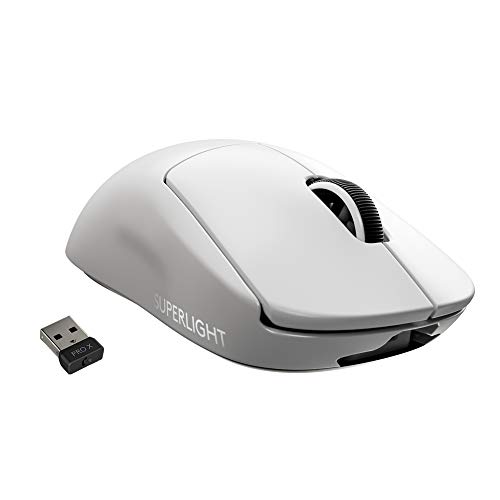

Logitech G Pro X Superlight vs Logitech G Pro X Superlight 2 at a Glance
| Feature | Logitech G Pro X Superlight | Logitech G Pro X Superlight 2 |
|---|---|---|
| Optical Sensor | HERO 25K | HERO 2 |
| Maximum Sensitivity | 25,600 DPI | 44,000 DPI |
| Max Tracking Speed | Not listed | 888+ IPS |
| Polling Rate | Not listed | 8 kHz (8,000 Hz) |
| Switch Technology | Mechanical switches | LIGHTFORCE hybrid optical-mechanical |
| Weight | Under 63 g | 60 g |
| Battery Runtime | Long Battery Life (hours not listed) | 95 hours |
| Charging Interface | USB | USB-C, POWERPLAY compatible |
| Wireless Operating Range | 10.0 meters | 5.0 meters |
| Best For | Reliable competitive gaming | Maximum esports responsiveness |
Switch Technology and Actuation Reliability
The primary performance upgrade in the second-generation model centers around switch architecture. The original Superlight features conventional mechanical switches beneath the primary buttons. While these traditional switches have anchored competitive setups for years, standard mechanical contacts rely on physical metal leaves completing a circuit. Over prolonged competitive use, physical wear can alter mechanical debounce profiles, making switch actuation consistency a focal point for elite players.
By contrast, the newer mouse incorporates LIGHTFORCE hybrid optical-mechanical switches. Comparing Superlight 2 optical switches vs Superlight traditional switches reveals an entirely different actuation mechanism. Optical switches utilize an infrared light beam that triggers the instant the switch is pressed. This provides optical transmission speed and eliminates mechanical contact degradation, while internal mechanical components retain the crisp, tactile click feel gamers expect. This architectural shift ensures that clicks remain clean, rapid, and immune to debounce delays during intense tactical skirmishes.
For players investigating whether logitech g pro x superlight 2 vs g502 x style switch tech is necessary in an ultralight shell, the upgrade offers genuine competitive peace of mind. The LIGHTFORCE switches in the Superlight 2 guarantee zero electrical wear on contacts, allowing rapid tapping without registering false inputs. The original Superlight still provides a firm tactile sensation, but its standard switch framework cannot match the transmission speed and contact durability found in the hybrid design.
Edge: Logitech G Pro X Superlight 2 wins decisively with its LIGHTFORCE hybrid switches that combine the speed and longevity of optical actuation with mechanical tactile feedback.
Polling Rate and Competitive Latency
Polling frequency determines how frequently the mouse reports its position and click status back to your operating system. The original Superlight operates on Logitech’s reliable LIGHTSPEED wireless protocol, designed to deliver stable PC connectivity. However, the listing for the original generation does not specify support for high-frequency polling, relying instead on standard competitive report intervals that have long served tournament play.
The Superlight 2 introduces an ultra-fast 8 kHz polling pattern. Evaluating the Superlight 2 polling rate vs Superlight standard wireless capabilities demonstrates an eightfold increase in reporting frequency over standard 1,000 Hz mice. At 8,000 reports per second, the time between sensor reports drops from one millisecond to a fraction of a millisecond. On modern 240 Hz, 360 Hz, or 540 Hz gaming monitors, this drastic reduction in transmission intervals translates to significantly smoother cursor tracking and more immediate crosshair adjustment.
Gamers reading a comprehensive logitech g pro x superlight vs superlight 2 breakdown should recognize that 8 kHz polling places higher processing demands on the host computer. While high report rates demand capable CPU resources, they provide the lowest possible input latency in high-stakes esports matches. The first-generation Superlight remains completely steady in standard competitive play, but the Superlight 2 provides an undeniable edge in transmission frequency for uncompromising tournament scenarios.
Edge: Logitech G Pro X Superlight 2 takes the win by delivering up to an 8 kHz polling rate for minimal input lag and ultra-dense cursor tracking.
Sensor Precision and Tracking Capabilities
Sensor engineering directly dictates tracking fidelity, swipe accuracy, and hand-to-screen calibration. The original Superlight is equipped with the renowned HERO 25K optical sensor, which provides up to 25,600 DPI. Engineered from the ground up by Logitech G engineers, this sensor delivers smooth tracking without artificial acceleration across its entire sensitivity spectrum, making it a favorite for tactical shooters where micro-adjustments decide round outcomes.
The Superlight 2 takes tracking capabilities further with the HERO 2 optical sensor. This updated unit elevates maximum sensitivity to an immense 44,000 DPI and pushes tracking speed past 888+ IPS (inches per second). The HERO 2 also incorporates precise sensor calibration along with zero smoothing, acceleration, or filtering. The massive 888+ IPS ceiling guarantees that no matter how violently you swipe your arm across a wide mousepad during a low-sensitivity 180-degree turn, the sensor will never experience tracking failure or spin-out.
When deciding between the logitech g pro x superlight vs g502 x or deciding between Logitech G Pro X Superlight or Superlight 2 for FPS titles, raw sensor tracking parameters are a major consideration. The original Superlight’s HERO 25K sensor offers more than enough performance for standard gaming, but the HERO 2 sensor’s superior tracking speed, expanded DPI ceiling, and refined sensor calibration make the Superlight 2 technically superior for elite-level tracking.
Edge: Logitech G Pro X Superlight 2 wins due to the HERO 2 sensor delivering 44,000 DPI and over 888+ IPS tracking speed with zero acceleration.
Battery Life and Charging Infrastructure
Cable convenience and battery longevity govern how effortless a wireless gaming mouse is to maintain day to day. The original Superlight listing outlines a long-lasting rechargeable lithium polymer battery, but its specifications do not list a specific runtime hour figure. Furthermore, the listing identifies its connectivity simply as USB, reflecting first-generation hardware standards that do not specify the modern Type-C port standard.
Conversely, the Superlight 2 provides explicit specifications: an average battery runtime of up to 95 hours on a single charge. It also features modern USB-C charging, allowing you to charge the mouse using the same reversible cables commonly used for modern phones, keyboards, and other peripheral devices. Additionally, the Superlight 2 listing confirms full POWERPLAY wireless charging compatibility, allowing continuous charging directly through a compatible mouse mat surface.
In real-world competitive use, having an explicit 95-hour runtime eliminates battery anxiety during extended gaming marathons. Players comparing the Superlight to multi-button designs like the logitech g pro x superlight 2 vs g703 appreciate this lean energy profile. The Superlight 2 clearly upgrades overall desk convenience by pairing a known 95-hour battery life with modern USB-C connectivity and POWERPLAY support.
Edge: Logitech G Pro X Superlight 2 takes the advantage by specifying a 95-hour battery life, modern USB-C charging, and POWERPLAY support.
Weight, Glide, and Chassis Dynamics
Chassis weight and glide characteristics directly determine movement fatigue and flick stopping control. The Logitech G Pro X Superlight vs Superlight 2 weight comparison reveals subtle but meaningful refinement. The original Superlight achieved widespread acclaim by stripping internal bulk to weigh under 63 grams, representing a nearly 25 percent reduction compared to the standard PRO Wireless mouse without resorting to external honeycombed holes.
The Superlight 2 shaves down the total mass even further, landing at exactly 60 grams. While a difference of approximately three grams may seem small on paper, reducing inertia helps players make micro-flick adjustments with less physical effort. Both mice share identical symmetrical ergonomic curves optimized for right-handed use with two thumb buttons on the left flank, meaning the physical in-hand feel remains seamless when transitioning between generations.
Surface gliding remains exceptionally smooth across both models thanks to zero-additive PTFE mouse feet. These pure PTFE skates ensure low initial friction on cloth, hybrid, or hard mousepads. Interestingly, the original Superlight listing specifies a wireless operating range of up to 10.0 meters and lists PTFE enclosure material, whereas the Superlight 2 specifies a 5.0-meter range and plastic enclosure material. While both glide effortlessly, the 60-gram mass gives the newer edition an edge in low-inertia aiming.
Edge: Logitech G Pro X Superlight 2 wins by dropping weight to a confirmed 60 grams while maintaining solid-shell structural integrity and zero-additive PTFE glide.
Pros and Cons
Logitech G Pro X Superlight

Pros
- Lightweight sub-63 gram chassis
- HERO 25K sensor with 25,600 DPI
- Extended 10-meter wireless range
- Smooth zero-additive PTFE mouse feet
Cons
- Lacks modern 8 kHz polling rate
- Listing does not specify USB-C charging
- Mechanical switches lack optical hybrid actuation
View Logitech G Pro X Superlight on Amazon
Logitech G Pro X Superlight 2

Pros
- LIGHTFORCE hybrid optical-mechanical switches
- Responsive 8 kHz polling rate
- HERO 2 sensor with 44,000 DPI
- Long 95-hour battery life
- USB-C charging and POWERPLAY compatibility
Cons
- Wireless range limited to 5 meters
- Requires compatible hardware for 8K polling
View Logitech G Pro X Superlight 2 on Amazon
Who Should Buy Each One
Choose the Logitech G Pro X Superlight If
- You want a battle-proven ultralight gaming mouse that weighs under 63 grams with a completely solid shell.
- You rely on an extended wireless operating range, as the original listing provides up to 10.0 meters of distance from your PC.
- You are satisfied with the dependable HERO 25K optical sensor with 25,600 DPI and do not require 8 kHz polling rates.
- You prefer a simple, straightforward setup without paying for extreme report frequencies that you may not use on standard monitor refresh rates.
Choose the Logitech G Pro X Superlight 2 If
- You play fast-paced competitive esports on high-refresh monitors and want an 8 kHz polling rate for the lowest wireless input delay.
- You want the optical actuation speed, debounce elimination, and long-term durability of LIGHTFORCE hybrid switches.
- You want the tracking headroom of the HERO 2 optical sensor with 44,000 DPI and tracking speed exceeding 888+ IPS.
- You prefer modern USB-C charging, POWERPLAY compatibility, and a verified 95-hour battery runtime at 60 grams.
Final Verdict
When conducting a direct head-to-head evaluation of the Logitech Superlight 1 vs 2, the updated Logitech G Pro X Superlight 2 stands out as the definitive competitive weapon. Logitech preserved the universally comfortable, hole-free ergonomic profile that esports professionals love while overhauling the underlying technology. By adding LIGHTFORCE optical-mechanical hybrid switches, 8 kHz polling, the HERO 2 sensor with 44,000 DPI, modern USB-C charging, and trimming total weight down to 60 grams, the Superlight 2 eliminates every technical limitation of the original chassis.
Nevertheless, the original Logitech G Pro X Superlight remains an extraordinary mouse that still delivers top-tier performance for most gamers. With its sub-63-gram frame, exceptional zero-additive PTFE glide, dependable HERO 25K sensor, and broader 10-meter wireless range, it holds its ground against modern competitors like the logitech g pro x superlight vs g502 x plus. If you do not play on ultra-high-refresh monitors or require optical switches, the original remains a stellar performer, but the Superlight 2 is clearly the superior investment for competitive supremacy.
FAQ
What are the primary differences between the Logitech G Pro X Superlight 2 vs Logitech G Pro X Superlight?
The primary differences lie in the switch design, sensor capabilities, polling frequency, charging interface, and weight. The Superlight 2 features LIGHTFORCE hybrid optical-mechanical switches, an 8 kHz polling rate, the HERO 2 sensor (44,000 DPI and 888+ IPS tracking), USB-C charging, POWERPLAY compatibility, and a 60-gram weight. The original Superlight features mechanical switches, a HERO 25K sensor (25,600 DPI), standard USB connectivity, a 10-meter wireless range, and weighs under 63 grams.
Which mouse should you choose: Logitech G Pro X Superlight or Superlight 2 for FPS games?
For fast-paced first-person shooters, the Superlight 2 is the better choice. Its 8 kHz polling rate sends eight times more cursor updates to your system per second compared to standard mice, while the LIGHTFORCE optical hybrid switches ensure instant actuation without mechanical debounce delays. Combined with the 888+ IPS tracking speed of the HERO 2 sensor, the Superlight 2 provides unmatched responsiveness during high-speed flick shots.
How do the Superlight 2 optical switches vs Superlight mechanical switches compare?
The original Superlight utilizes traditional mechanical switches that rely on metal contact points to register a click. The Superlight 2 uses LIGHTFORCE hybrid switches that trigger using an optical light beam, providing faster signal transmission and eliminating the physical contact wear that can impact traditional switches. Despite their optical activation, LIGHTFORCE switches retain internal mechanical components to preserve a distinct tactile click feel.
How does the Superlight 2 polling rate vs Superlight report speed affect gameplay?
The Superlight 2 offers an 8 kHz polling rate, which means it reports its position to your computer 8,000 times per second. The original Superlight uses standard LIGHTSPEED reporting rates. On high-refresh gaming monitors (such as 240 Hz, 360 Hz, or higher), the 8 kHz polling rate creates significantly smoother crosshair motion and lowers wireless input latency.
What is the difference in the Logitech G Pro X Superlight vs Superlight 2 weight?
The original Superlight weighs under 63 grams, representing a major weight reduction over earlier PRO Wireless designs. The Superlight 2 trims the weight further to a flat 60 grams. Both mice achieve their lightweight builds with solid plastic shells, avoiding open-honeycomb holes.
Is the Superlight 2 worth it as an upgrade from the original Superlight?
If you already own the original Superlight, upgrading to the Superlight 2 is worth it if you play competitive games on a high-refresh monitor where an 8 kHz polling rate provides a tangible responsiveness advantage, or if you want optical switch reliability and USB-C charging. If you are satisfied with standard polling rates and your existing switches, the original mouse remains exceptionally competitive.
What operating systems are compatible with each mouse?
The original Logitech G Pro X Superlight listing specifies compatibility with Windows 10 as well as PC and Mac hardware platforms. The Logitech G Pro X Superlight 2 listing supports Windows (with Windows 10 as the minimum required operating system version) and macOS.