The single deciding difference between these two processors comes down to compute density versus thermal efficiency: the 8-core Ryzen 7 7700 operates on a modest 65-watt profile designed for balanced daily computing, while the 16-core Ryzen 9 7950X doubles the thread count and expands power draw to 170 watts to chew through massive multi-threaded workloads. Choosing between them is a matter of determining whether your daily computer usage actually utilizes workstation-grade parallel processing or whether an efficient, lower-heat chip provides all the muscle you need.
Choose the AMD Ryzen 7 7700 if you want an energy-efficient desktop processor that includes a capable boxed cooler and handles modern gaming with minimal thermal demands. Choose the AMD Ryzen 9 7950X if you run sustained production tasks like video rendering or heavy compilation where 32 execution threads and elevated clock speeds provide essential time savings.


AMD Ryzen 7 7700 vs AMD Ryzen 9 7950X at a Glance
| Feature | AMD Ryzen 7 7700 | AMD Ryzen 9 7950X |
|---|---|---|
| Processor Series | Ryzen 7 | Ryzen 9 |
| Core Count | 8 Cores | 16 Cores |
| Thread Count | 16 Threads | 32 Threads |
| Base / Boost Speed | 3.8 GHz | 4.50 GHz (5.70 GHz Overclocking) |
| Total Installed Cache | 40 MB | 80 MB (16 MB L2 + 64 MB L3) |
| Secondary Cache | 8 MB | 16 MB |
| Thermal Design Power | 65 watts | 170 watts |
| Processor Socket | Socket AM5 | Socket AM5 |
| Bundled Thermal Cooler | Wraith Prism RGB Cooler Included | Not listed |
| Integrated Graphics | Not listed | AMD Radeon Graphics controller |
| Supported Platforms | Linux, Windows | Linux, Windows |
| Best For | Efficient gaming and mainstream multitasking | Heavy content creation and workstation rendering |
Core Count and Multithreaded Processing
The starkest specification gap in this matchup is the hardware execution capacity. When analyzing the AMD 7700 vs 7950X core count, you are comparing an 8-core, 16-thread layout against a 16-core, 32-thread arrangement. In day-to-day operation, processor cores determine how many independent tasks can execute simultaneously without resource contention. For standard desktop applications, background tasks, and general entertainment, an 8-core arrangement provides plenty of headroom to prevent slowdowns. However, specialized multithreaded applications scale their performance almost linearly with added physical cores, making raw compute density essential for heavy workflows.
For high-throughput professional software, the extra silicon on the Ryzen 9 7950X completely changes output timelines. If you evaluate the Ryzen 7 7700 or Ryzen 9 7950X for video editing, 3D model rendering, or software compilation, the 7950X delivers double the simultaneous execution threads. Workflows that leverage all available resources, such as exporting high-resolution footage or calculating ray-traced lighting, finish noticeably faster when fed across 32 threads rather than 16. If your daily PC use includes workstation-level exports, you can review our look at the amd ryzen 7 7700x vs ryzen 9 7950x for further perspective on how core hierarchies function across this generation.
Conversely, extra execution cores do not benefit software that cannot divide work across broad thread pools. If your software primarily loads only two to four cores at a time, half the silicon on a 16-core chip sits idle while continuing to influence system complexity. The 8-core architecture of the 7700 handles everyday parallel processing without carrying surplus execution units that non-workstation tasks simply ignore.
Edge: AMD Ryzen 9 7950X provides twice the physical cores and execution threads, making it fundamentally superior for heavily threaded workstation loads.
Power Consumption and System Heat
Thermal design power (TDP) dictates the electrical demand of a processor as well as the heat it discharges into your computer case. In this Ryzen 7 7700 vs 7950X power consumption comparison, the difference in electrical design is dramatic. The Ryzen 7 7700 is engineered around a 65-watt profile, making it remarkably conservative in its energy draw. A lower wattage rating means the processor generates less heat under sustained operation, reduces demand on your power supply, and keeps surrounding motherboard voltage regulation components running cooler without requiring high-velocity case ventilation.
In contrast, the Ryzen 9 7950X carries a 170-watt TDP rating. To sustain high clock frequencies across 16 processing cores, this chip consumes significantly more power under load. That increased wattage translates directly into thermal dissipation requirements inside your desktop chassis. Builders pairing hardware with the 7950X must account for substantial cooling solutions and adequate power delivery, which shapes overall case selection and ambient room temperature during prolonged rendering sessions. Buyers debating intermediate tiers often examine the amd ryzen 9 7900x vs 7950x to assess how different wattage ratings impact cooling requirements.
The practical consequence of this power delta affects operating noise and enclosure flexibility. A 65-watt chip like the 7700 can thrive in compact chassis forms, quiet living room environments, or setups where minimal heat emission is prioritized. Running a 170-watt processor requires an aggressive airflow layout to prevent thermal thresholds from being reached, meaning fan curves will generally run louder under peak workloads.
Edge: AMD Ryzen 7 7700 wins on efficiency with its frugal 65-watt specification that creates significantly less system heat.
Clock Speeds and Gaming Performance
Clock speeds dictate how rapidly individual processor cores complete basic instruction cycles, serving as a primary metric for single-threaded tasks and gaming responsiveness. The product listing specifies that the Ryzen 7 7700 operates at a processor speed of 3.8 GHz. The Ryzen 9 7950X, on the other hand, lists a base clock speed of 4.50 GHz alongside an overclocking ceiling of 5.70 GHz. That substantial frequency advantage enables the 7950X to process single-threaded instruction queues faster, delivering snappier burst performance when an engine depends heavily on single-core throughput.
When selecting the Ryzen 7 7700 or 7950X for gaming, the real-world difference is narrower than the clock figures suggest. Most modern game engines rely on a combination of single-thread speed and low-latency cache communication, rarely saturating more than six to eight cores. While the 5.7 GHz boost capability of the 7950X provides peak cycle rates, the 7700 is marketed specifically as an exceptional gaming processor on the 5 nm Zen 4 architecture, offering balanced per-core speed that avoids leaving performance on the table in modern titles. Those evaluating top-tier gaming silicon often contrast these chips against dedicated gaming parts in our amd ryzen 7 7800x3d vs ryzen 9 7950x comparison.
The premium frequency of the 7950X benefits mixed-usage scenarios where high frame rates and background productivity happen concurrently. If you stream, record, and game simultaneously, the extra clock headroom and core distribution prevent frame pacing issues. For straight single-title gaming without secondary workstation demands, however, the frequency boost of the 7950X offers diminishing returns relative to its thermal profile.
Edge: AMD Ryzen 9 7950X holds a clear technical advantage with its 4.50 GHz base clock and 5.70 GHz maximum speed.
Cache Configuration and Data Transfer
Processor cache functions as ultra-high-speed memory placed directly alongside the execution cores, minimizing the time required to retrieve active data from system RAM. The Ryzen 7 7700 listing details an installed cache memory size of 40 MB, backed by 8 MB of secondary cache. This cache pool acts as a quick-access buffer that keeps the 8 cores fed during standard calculations, preventing stalls in instruction execution and ensuring steady gaming performance.
The Ryzen 9 7950X doubles down on memory resources, providing an installed cache memory size of 80 MB, comprised of 16 MB L2 cache plus 64 MB L3 cache. As described in the specifications, this dual-tier memory layout delivers an excellent hit rate with short access times, speeding up data transfers across the chip. When processing enormous databases, compiling deep codebases, or working through complex simulation data, having double the cache prevents the processor from waiting on slower main system memory.
Understanding these Ryzen 7 7700 vs 7950X specs highlights how AMD tailored each chip for its target workload. An 80 MB cache structure is specifically balanced to feed 16 high-frequency cores simultaneously. For lighter daily tasks or smaller datasets, the 40 MB pool on the 7700 is well-matched to its 8-core design, a concept explored further when contrasting standard tier chips in the amd ryzen 5 7600 vs ryzen 7 7700 breakdown.
Edge: AMD Ryzen 9 7950X carries 80 MB of combined cache, doubling the onboard buffer to accelerate demanding data calculations.
Cooling Solutions and Out-of-the-Box Readiness
Building or upgrading a desktop PC requires accounting for the thermal hardware necessary to keep the processor within operational limits. One of the strongest functional advantages of the Ryzen 7 7700 is that AMD bundles an AMD Wraith Prism RGB LED cooler directly inside the box. This bundled heatsink and fan assembly includes programmable RGB lighting and is specifically validated by AMD to manage the 65-watt thermal output of the 7700. For builders looking to assemble a system right away, this eliminates the requirement of researching, purchasing, and mounting an aftermarket thermal cooler.
In stark contrast, the Ryzen 9 7950X listing includes no bundled cooler. Because of its 170-watt TDP and elevated 5.7 GHz boost limits, standard air coolers included with mainstream processors are insufficient for this tier of silicon. Anyone purchasing the 7950X must source a high-performance aftermarket cooling solution, such as a large multi-fan radiator liquid cooler or a dense dual-tower air sink, to handle the immense thermal output under full core utilization.
This difference significantly impacts out-of-the-box convenience. The Ryzen 7 7700 provides an all-in-one solution that drops directly into a Socket AM5 motherboard without auxiliary cooling purchases. The 7950X demands careful thermal planning, requiring builders to ensure their PC case has adequate physical clearance for robust third-party cooling radiators. When evaluating similar step-up chips, such as in our amd ryzen 7 7700 vs ryzen 9 7900x guide, cooler availability remains a central differentiator.
Edge: AMD Ryzen 7 7700 provides complete out-of-the-box readiness by including the capable Wraith Prism RGB cooler.
Integrated Graphics and Display Capability
Integrated graphics provide a dependable method to output video to a monitor without requiring a dedicated graphics card. The Ryzen 9 7950X explicitly features an AMD Radeon Graphics controller built into the silicon. This onboard GPU provides display capability for daily tasks, video playback, and multi-monitor desktop setups, which proves invaluable for troubleshooting, productivity rigs, or operating a workstation that does not require an intensive 3D graphics card.
On the Ryzen 7 7700 product listing, the presence of integrated graphics is not specified in the primary feature rundown. While both chips share the modern Socket AM5 platform architecture, shoppers looking strictly at documented out-of-the-box features benefit from the explicit inclusion of the Radeon Graphics controller on the 7950X listing to guarantee video output capability without needing to verify auxiliary GPU hardware.
Having guaranteed onboard graphics gives the 7950X added usability in commercial environments. You can set up servers, encoding nodes, or workstation towers without occupying a physical PCIe slot with a discrete graphics card. For mainstream gaming rigs where a discrete graphics card is inevitably installed, onboard display engines matter less, but they remain a convenient utility feature for maintenance and multi-display management.
Edge: AMD Ryzen 9 7950X explicitly includes an AMD Radeon Graphics controller directly in the processor silicon.
Pros and Cons
AMD Ryzen 7 7700

Pros
- Low 65-watt power specification
- Includes Wraith Prism RGB cooler
- Efficient 8-core 16-thread layout
- Modern 5 nm Zen 4 platform
Cons
- Lower 3.8 GHz listed speed
- Half the multithreaded core count
- Smaller 40 MB cache capacity
View AMD Ryzen 7 7700 on Amazon
AMD Ryzen 9 7950X

Pros
- Massive 16 cores and 32 threads
- High 5.7 GHz overclocking speed
- Substantial 80 MB installed cache
- AMD Radeon Graphics controller included
Cons
- Demanding 170-watt thermal rating
- No cooler included in the box
- Requires heavy aftermarket cooling
View AMD Ryzen 9 7950X on Amazon
Who Should Buy Each One
Choose the AMD Ryzen 7 7700 If
- You want a fast, modern 8-core gaming processor that runs comfortably on a modest 65-watt power envelope.
- You prefer a complete boxed package that includes the AMD Wraith Prism RGB cooler to avoid purchasing aftermarket cooling.
- Your workloads center on mainstream gaming, office multitasking, and general computing rather than heavy continuous rendering.
- You are building a compact or quiet desktop system where managing internal case temperatures is a top priority.
Choose the AMD Ryzen 9 7950X If
- You manage heavy multithreaded applications like 3D rendering, video encoding, code compiling, or simulation work that saturates 32 threads.
- You need maximum processing speed, taking advantage of clock rates reaching up to 5.7 GHz.
- Your desktop configuration is equipped with robust aftermarket liquid or high-end air cooling to manage a 170-watt TDP.
- You require a large 80 MB combined cache pool to accelerate complex data operations and large project files.
Final Verdict
For the vast majority of everyday PC builders and dedicated gamers, the AMD Ryzen 7 7700 represents the more balanced, practical processor. With 8 cores and 16 threads built on the efficient 5 nm Zen 4 architecture, it delivers smooth frame rates and rapid daily responsiveness while consuming just 65 watts. The inclusion of the capable Wraith Prism RGB LED cooler inside the box simplifies system assembly and removes the need for secondary cooling hardware, making it a well-rounded foundation for standard desktop towers.
However, when asking is Ryzen 9 7950X worth it, the answer is a decisive yes for professionals whose time translates into productivity. The 16 cores, 32 threads, massive 80 MB cache, and 5.7 GHz boost clock make the Ryzen 9 7950X a powerhouse in demanding creative suites and compute-heavy production software. If you regularly push all processor threads to full capacity and have the robust cooling hardware to support its 170-watt envelope, the 7950X stands as the definitive workstation pick in this head-to-head matchup.
FAQ
Is the Ryzen 9 7950X worth it over the Ryzen 7 7700 for gaming?
For pure gaming workloads, the Ryzen 7 7700 is generally the more sensible choice. Modern video games rarely utilize the 16 cores and 32 threads offered by the 7950X, meaning a large portion of the processor remains unused during gameplay. While the 7950X offers higher peak clock speeds up to 5.7 GHz, the 7700 delivers balanced gaming throughput on an efficient 65-watt profile without the thermal challenges of a 170-watt chip.
Does the Ryzen 7 7700 come with a cooler in the box?
Yes, the AMD Ryzen 7 7700 includes the AMD Wraith Prism RGB LED cooler in the retail box. This cooler is specifically designed to handle the thermal dissipation requirements of the 65-watt processor, allowing builders to assemble their system without purchasing separate cooling equipment.
Does the Ryzen 9 7950X include a thermal cooler?
The product listing for the AMD Ryzen 9 7950X does not list a bundled cooler. Because the processor operates at a demanding 170-watt TDP with clock speeds up to 5.7 GHz, users must supply an appropriate aftermarket cooling solution, such as a high-performance liquid cooler or a heavy-duty dual-tower air cooler.
Can I use both processors on the same motherboard?
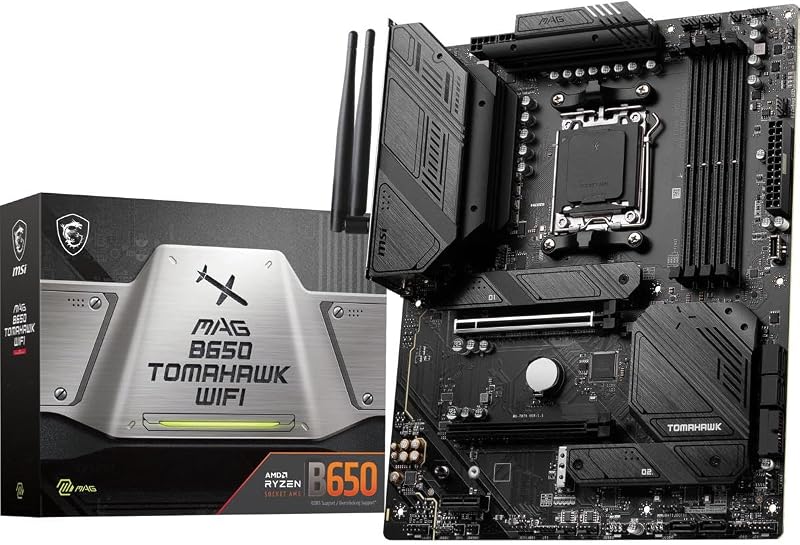
Yes, both the Ryzen 7 7700 and the Ryzen 9 7950X utilize the AMD Socket AM5 platform. They are compatible with Socket AM5 motherboards, although builders pairing a motherboard with the 7950X should verify that the board features sufficient power delivery and robust VRM heatsinks to support its 170-watt power specification.
How do the cache sizes compare between the two chips?
The Ryzen 9 7950X features an 80 MB total installed cache pool, which includes 16 MB of secondary L2 cache and 64 MB of L3 cache. The Ryzen 7 7700 provides 40 MB of total installed cache, including 8 MB of secondary cache. The larger cache on the 7950X helps keep its 16 cores continuously supplied with data during heavy multithreaded tasks.
Which processor is better for video editing and content creation?
The AMD Ryzen 9 7950X is distinctly superior for video editing, rendering, and content creation. Its 16 physical cores and 32 threads allow video editing software to render timelines, process video effects, and transcode files in significantly less time compared to the 8-core, 16-thread layout of the 7700.