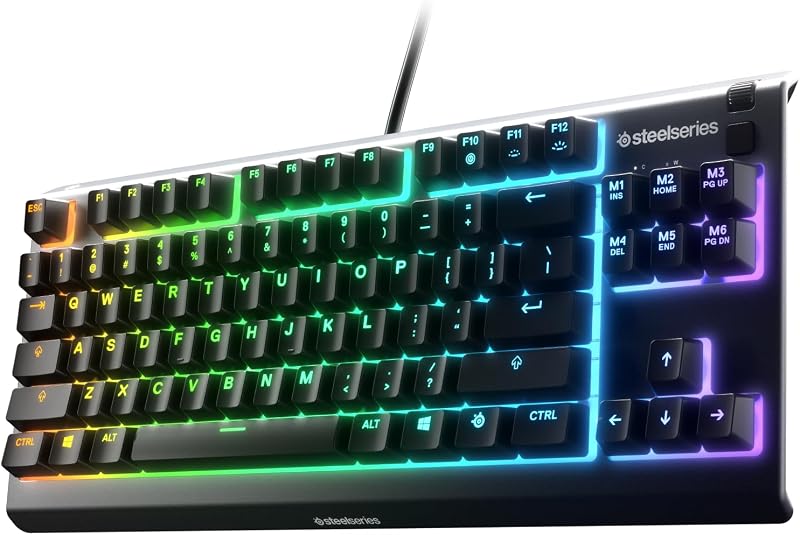
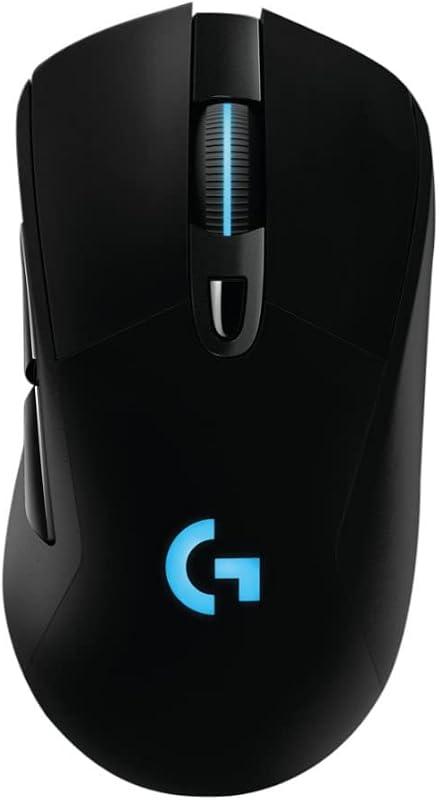
The fundamental divide between the Keychron K2 and the Keychron K6 centers on layout architecture and switch actuation: the K2 preserves an 84-key, 75 percent form factor featuring dedicated function keys and traditional mechanical tactile switches, whereas the K6 HE adopts a space-saving 68-key, 65 percent layout driven by Hall Effect magnetic switches with adjustable trigger points.
Pick the Keychron K2 if you need seamless Mac office productivity with physical function keys and long-lasting battery life for sustained typing sessions. Choose the Keychron K6 if you prioritize competitive gaming performance, rapid-trigger magnetic responsiveness, and low-latency 2.4 GHz wireless connectivity.


Keychron K2 vs Keychron K6 at a Glance
| Feature | Keychron K2 | Keychron K6 |
|---|---|---|
| Form Factor | 75% compact (84 keys) | 65% compact (68 keys) |
| Switch Technology | Gateron G Pro Brown / Keychron Super Switch (Mechanical) | Gateron Double-Rail Magnetic (Hall Effect) |
| Switch Feel and Action | Tactile (50M keystroke lifespan) | Linear with adjustable actuation and Rapid Trigger |
| Wireless Connectivity | Bluetooth 5.1 (up to 3 devices) | 2.4 GHz (1000Hz polling rate) and Bluetooth 5.2 |
| Wired Connection | USB Type-C | USB-C |
| Battery Capacity | 4000 mAh (up to 72 hours typing / 7 days normal use) | Not listed |
| Frame Construction | Plastic enclosure with inclined bottom frame | Aluminum frame (Standard Version) |
| Keycap Material & Profile | Standard keycaps with elegant legends | Shine-through Cherry profile double-shot PBT |
| Firmware and Software | Hardware OS toggle (the listing does not specify software) | QMK firmware and Keychron Launcher web app |
| Backlighting | Single-color white LED | Shine-through LED backlighting |
| Best For | Mac productivity and everyday tactile typing | Fast-paced competitive gaming and custom actuation tuning |
Switch Technology and Actuation Performance
The operational divide between these two keyboards begins at the switch level. The Keychron K2 relies on conventional mechanical hardware, using the Keychron Super Switch or Gateron G Pro Mechanical Brown switch. These switches feature a traditional physical stem and leaf mechanism that creates a tactile bump upon registration, rated for up to 50 million keystrokes. For typists who rely on muscle memory and sensory feedback, tactile brown switches offer distinct confirmation whenever a key registers, reducing bottoming-out fatigue during long typing sessions.
In contrast, this Keychron K6 review highlights the K6 HE variation, which abandons traditional mechanical leaves entirely in favor of Hall Effect magnetic sensors. Equipped with Gateron Double-Rail Magnetic switches, the K6 registers keypresses using magnetic flux rather than physical contact. This architectural shift unlocks adjustable actuation points, Rapid Trigger capability, Last Key Prioritization (LKP), Snap Click, and dynamic depth-based travel adjustments. Instead of waiting for a physical switch stem to reset across a static leaf point, the Keychron K6 magnetic switch resets the instant your finger moves upward, allowing instantaneous re-triggering for rapid directional shifts, counter-strafing, and complex key combos.
For users assessing the Keychron K6 vs K2 for rapid input commands, the K6 offers a distinct operational advantage. While the tactile brown switches on the K2 deliver a satisfying rhythm for prose, editing, and spreadsheets, they operate on fixed mechanical actuation. The K6 allows you to tune shallow, hair-trigger settings for competitive first-person shooters or configure deeper actuation depths for deliberate typing to prevent accidental inputs. For shoppers who have researched mid-size alternatives in our keychron k2 vs k4 comparison, the presence of Hall Effect switches marks a substantial technological upgrade over standard mechanical layouts.
Edge: Keychron K6 provides vastly superior customization, speed, and switch utility through its adjustable Hall Effect magnetic hardware.
Keyboard Layout and Desk Footprint
Layout geometry dictates your daily workflow efficiency and how much physical room remains on your desk. The Keychron K2 75 percent format retains 84 keys, packing a dedicated top-row function array (F1 through F12), dedicated arrow keys, and a vertical cluster of navigation keys into a tight, rectangular arrangement measuring 12.32 inches long and 4.84 inches wide. This design ensures that users can adjust screen brightness, media playback, volume, and mission control shortcuts without having to press secondary function modifiers.
The Keychron K6 trims the chassis down to a 65 percent footprint containing 68 keys. By dropping the dedicated function row, the K6 saves significant horizontal and vertical space, bringing the mouse hand closer to the center of the desk. While it preserves dedicated directional arrow keys and a condensed set of navigation commands, any interaction with the F-row requires holding down a function key combination. Players prioritizing mouse swiping room will appreciate the condensed footprint, but professionals managing complex hotkeys may miss dedicated hardware buttons. Those weighing compact alternatives often evaluate our keychron k6 vs k8 breakdown to determine whether eliminating the function row fits their routine.
When comparing the Keychron K2 vs K6 layout for everyday office computing, the K2 holds an advantage for uninterrupted data entry and operating system management. Its 84 keys mirror standard laptop layouts, minimizing the learning curve when transitioning between an integrated notebook keyboard and an external desk setup. The K6 demands greater reliance on layered key mapping, which appeals to minimalists but can slow down users who regularly trigger F-key shortcuts inside professional applications.
Edge: Keychron K2 wins on immediate practical layout, retaining dedicated function keys without forcing multi-key modifier combinations.
Wireless Connectivity and Latency
Connectivity options determine how reliably each keyboard fits into multi-device workstations and competitive gaming setups. The Keychron K2 uses Broadcom Bluetooth 5.1 alongside a wired USB Type-C interface. The Bluetooth profile pairs with up to three independent devices simultaneously, allowing users to switch between a laptop, smartphone, or iPad at the flip of a switch. In wireless mode, the K2 operates with 6-key rollover (6KRO), switching to full N-key rollover (NKRO) when plugged in via USB-C for ghosting prevention.
The Keychron K6 elevates wireless standards by combining Bluetooth 5.2 with a dedicated 2.4 GHz wireless connection supported by an included Type-A receiver and extension adapter. Operating at a 1000Hz polling rate on the 2.4 GHz frequency, the K6 transmits keystroke data with virtually imperceptible input lag, matching the responsiveness of a wired connection. This makes the question of Keychron K2 or K6 for gaming easy to resolve: the K2 relies on Bluetooth for wireless use-which is suitable for casual titles and office tasks but lacks the polling speed required for high-stakes gaming-whereas the K6 delivers true esport-grade wireless transmission.
Furthermore, the K6 includes Bluetooth 5.2 for broader cross-device pairing with tablets and mobile devices when the 2.4 GHz dongle is not in use. While the K2 handles basic office connectivity across three Bluetooth hosts reliably, the K6 provides superior wireless versatility by offering both multi-host Bluetooth and high-frequency 2.4 GHz wireless data transmission. Shoppers comparing connection modes across different form factors in our keychron k4 vs k6 guide will note how essential 2.4 GHz wireless is for low-latency workflows.
Edge: Keychron K6 wins decisively due to its 1000Hz 2.4 GHz wireless receiver and updated Bluetooth 5.2 protocol.
Software Configuration and Programmability
Firmware flexibility dictates how extensively you can tailor a keyboard to specialized workflows, macro setups, and operating system quirks. The Keychron K2 is built as a plug-and-play mechanical keyboard featuring hardware toggle switches on its side profile to alternate between Windows and macOS operating system layouts. The product listing does not specify any dedicated software suite, cloud launcher, or open-source programming interface for remapping keys on the K2. While functional out of the box, users cannot easily adjust layer assignments, build complex multi-step macros, or relocate primary keys without relying on third-party operating system remapping tools.
Conversely, the Keychron K6 features native QMK firmware support paired with the Keychron Launcher web application. This integration allows users to remap any physical key, establish secondary and tertiary functional layers, and assign complex macros directly via a standard web browser without downloading bloated local background software. The Launcher app also serves as the control hub for the magnetic switches, enabling users to calibrate actuation depths on a key-by-key basis, adjust Rapid Trigger sensitivity thresholds, and assign dual-action functions based on bottoming depth.
This software capability transforms the K6 into a versatile tool for software developers, terminal power users, and competitive gamers. By moving configuration to the browser via QMK and Keychron Launcher, your custom keymaps and actuation depths remain stored on the board hardware across different computers. Those evaluating larger programmable models in our keychron k2 vs k8 analysis know that modern web-based firmware substantially extends the functional lifespan of a compact board.
Edge: Keychron K6 dominates software flexibility with native QMK firmware and the Keychron Launcher web configuration tool.
Battery Life and Power Management
Endurance between charges is critical for wireless keyboards, especially when working on the road or maintaining a clean desk free of charging cables. The Keychron K2 is powered by a 4000 mAh internal rechargeable battery, which the manufacturer highlights as one of the largest battery capacities available in mechanical keyboards. According to the product specifications, this massive cell delivers up to 72 hours of continuous typing or up to 7 days of typical real-world operation based on 8 hours of daily use.
The product listing for the Keychron K6 does not specify the exact milliamp-hour (mAh) battery capacity or precise operating hours for wireless usage. Because Hall Effect magnetic sensors require continuous electrical current across the internal sensor array to monitor magnetic flux and depth changes, magnetic switch boards generally consume power more rapidly than passive mechanical contact switches. Without published battery figures for the K6, buyers must weigh the known endurance of the K2 against the unlisted capacity of the K6.
For individuals who travel frequently or dislike keeping a USB cable plugged into their desk, the Keychron K2 delivers transparent, verifiable battery reliability. Its 4000 mAh battery ensures predictable power cycles throughout the workweek, even with its white LED backlighting active. While the K6 provides flexible wired and wireless connectivity, the lack of stated battery metrics leaves the K2 as the undisputed choice for users whose primary purchase criterion is battery longevity.
Edge: Keychron K2 wins with its documented 4000 mAh battery offering up to 72 hours of typing or 7 days of normal daily use.
Build Quality and Keycap Construction
Chassis rigidity and keycap durability directly influence daily typing feel, acoustic consistency, and long-term surface wear. The Keychron K2 uses a lightweight plastic enclosure equipped with an inclined bottom frame designed to enhance ergonomic comfort without strictly requiring an external palm rest. It features single-color white LED backlighting with static and animated modes designed to illuminate key legends in dark environments, paired with standard mechanical keycaps and included replacement caps for both Windows and Mac system keys.
The Keychron K6 Standard Version upgrades the structural foundation with an aluminum frame, giving the chassis greater overall rigidity and stability on the desk. More importantly, the K6 includes double-shot PBT keycaps molded in the popular Cherry profile. Double-shot PBT is inherently resistant to friction shine, finger oils, and fading, ensuring the key textures remain crisp over years of continuous typing. Furthermore, the keycaps feature shine-through legends that maximize legibility in low-light environments, making it well-suited for night gaming and programming sessions.
In addition to superior casing and keycaps, the K6 includes practical maintenance accessories right out of the box, including an extension adapter for the 2.4 GHz receiver, a keycap puller, a screwdriver, a hex key, and a Type-A to Type-C cable. The K2 provides essential extra keycaps and a charging cable, but lacks the premium aluminum framing and durable double-shot PBT construction found on the K6.
Edge: Keychron K6 wins with its rigid aluminum frame and durable shine-through double-shot PBT keycaps in Cherry profile.
Pros and Cons
Keychron K2

Pros
- Dedicated 75% function key row
- Massive 4000 mAh battery capacity
- Tactile switches rated for 50M clicks
- Inclined frame for comfortable typing
Cons
- Lacks 2.4 GHz wireless mode
- No adjustable actuation settings
- Plastic frame construction
Keychron K6

Pros
- Hall Effect magnetic switches
- Adjustable actuation and Rapid Trigger
- 1000Hz 2.4 GHz wireless connection
- Double-shot Cherry profile PBT keycaps
- QMK firmware with web launcher
Cons
- Lacks dedicated function row
- Battery capacity not listed
Who Should Buy Each One
Choose the Keychron K2 If
- You need an immediate, dedicated function row (F1-F12) for uninterrupted macOS system shortcuts and desktop productivity.
- You prefer the traditional tactile feedback and sensory bump of Gateron Brown mechanical switches for typing.
- You demand verified long-term battery performance backed by a massive 4000 mAh battery for multi-day wireless use.
- You want a lightweight, plug-and-play keyboard with an inclined bottom frame that requires zero web-based firmware setup.
Choose the Keychron K6 If
- You play competitive shooters or action titles that benefit directly from Rapid Trigger, adjustable actuation points, and 1000Hz 2.4 GHz wireless.
- You want a compact 65 percent layout that opens up broad desk space for low-DPI mouse movements.
- You prioritize premium build materials like an aluminum frame and durable shine-through double-shot PBT Cherry profile keycaps.
- You need advanced workflow customization using open QMK firmware and the Keychron Launcher web interface to manage multi-layer macros.
Final Verdict
For buyers evaluating this matchup strictly through modern performance metrics, the Keychron K6 stands as the more advanced peripheral. Its inclusion of Gateron Double-Rail Magnetic switches introduces features that standard mechanical boards cannot reproduce: customizable actuation depths, instantaneous Rapid Trigger resets, and deep macro tuning via QMK and the Keychron Launcher web app. Combined with low-latency 1000Hz 2.4 GHz wireless transmission, an aluminum frame, and double-shot PBT keycaps, the K6 offers exceptional technical capability for competitive gaming and modern workspace setups.
However, the Keychron K2 remains an exceptional, practical choice for typists, writers, and office professionals who prioritize layout convenience and battery life. Its 75 percent form factor keeps essential Mac function keys within single-stroke reach, removing the friction of secondary key modifiers. With its 4000 mAh battery, proven tactile brown mechanical switches, and inclined bottom frame, the K2 delivers reliable, comfortable day-in, day-out typing without needing continuous recharging or software configuration.
FAQ
Can the Keychron K2 or K6 for Mac be used straight out of the box?
Yes, both keyboards support macOS. The Keychron K2 comes with dedicated Mac function keys printed on the layout, extra Windows keycaps in the box, and a physical hardware toggle switch to transition between operating systems. The Keychron K6 supports Mac systems as well, allowing complete key remapping and function assignment through its browser-based Keychron Launcher web app.
What makes the Keychron K6 magnetic switch different from traditional switches?
Unlike traditional mechanical switches that rely on bending metal contacts to complete an electrical circuit, the Gateron Double-Rail Magnetic switches on the K6 use Hall Effect sensors to detect the physical position of a magnet inside the switch stem. This allows the keyboard to register inputs at variable travel depths and reset the instant the switch moves upward via Rapid Trigger.
Is the Keychron K6 worth it for competitive gaming?
Yes, the Keychron K6 is specifically tailored for competitive gaming due to its 1000Hz 2.4 GHz wireless connection, Rapid Trigger, and adjustable actuation points. These features dramatically minimize input latency and allow gamers to execute faster counter-strafes and key presses than traditional mechanical keyboards permit.
Is the Keychron K2 worth it for office and typing work?
Yes, the Keychron K2 is ideal for daily office tasks and typing. It features a 75 percent layout with dedicated arrow keys and an entire F-row of shortcut keys, tactile Gateron Brown mechanical switches that provide physical confirmation on every stroke, and an expansive 4000 mAh battery that lasts up to 72 hours of continuous typing.
What is the primary difference in the Keychron K2 vs K6 layout?
The Keychron K2 features a 75 percent layout with 84 keys, retaining a dedicated top row of function keys (F1-F12) alongside navigation and arrow keys. The Keychron K6 features a smaller 65 percent layout with 68 keys, completely omitting the dedicated function row to reduce desk space while keeping arrow keys intact.
Does the Keychron K2 include 2.4 GHz wireless connectivity?
No, the Keychron K2 relies on Broadcom Bluetooth 5.1 for wireless connections (pairing with up to three devices) and provides a wired USB Type-C mode. It does not feature a 2.4 GHz wireless dongle or a 1000Hz wireless polling rate.
Can you customize actuation points on the Keychron K2?
No, the Keychron K2 uses standard mechanical switches with fixed physical actuation points. To adjust actuation sensitivity, assign Rapid Trigger, or utilize dynamic depth controls, you need a Hall Effect magnetic keyboard like the Keychron K6.