When deciding between the Lenovo ThinkPad T14 and the Dell 16 Plus, the single difference that decides the choice for most buyers is the conflict between ultra-portable enterprise security and expansive desktop-grade workspace. The ThinkPad T14 is engineered around a compact 14-inch chassis with enterprise-level Intel vPro hardware security, Windows 11 Pro, and comprehensive physical connectivity, while the Dell 16 Plus emphasizes a large 16-inch display, a higher-tier processor, and four times the internal solid-state storage.
Professionals who spend their days traveling between job sites and need corporate management features should choose the Lenovo ThinkPad T14. Creators, spreadsheet analysts, and desk-bound workers who require extra screen canvas and raw compute throughput should pick the Dell 16 Plus.

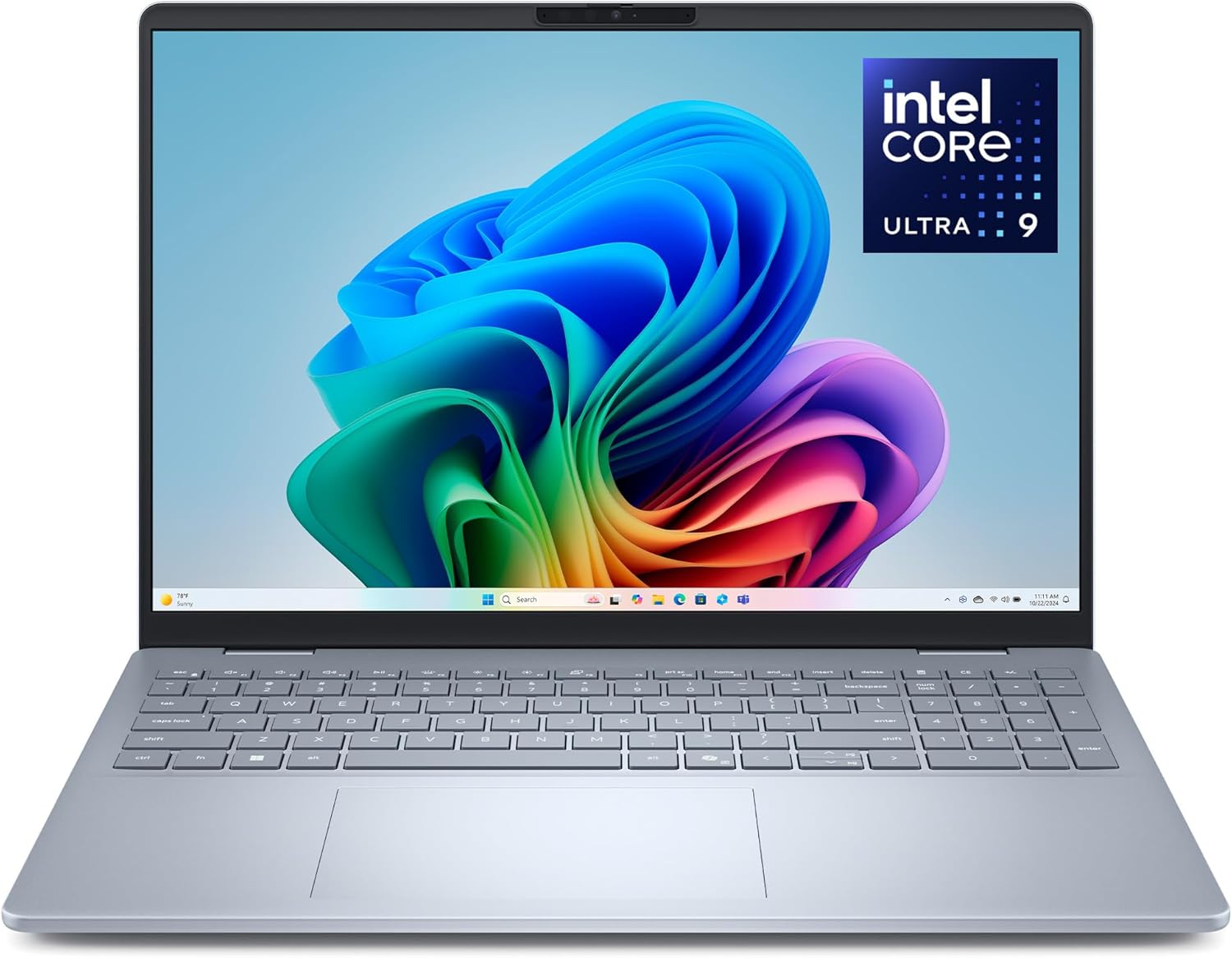
Lenovo ThinkPad T14 vs Dell 16 Plus at a Glance
| Feature | Lenovo ThinkPad T14 | Dell 16 Plus |
|---|---|---|
| Processor | Intel Core Ultra 7 155U (up to 22 TOPS AI) | Intel Core Ultra 9 288V |
| Display | 14-inch WUXGA (1920×1200) IPS, 400 nits, Anti-glare | 16-inch QHD+, Anti-glare coating |
| Operating System | Windows 11 Pro | Windows 11 Home |
| System Memory | 32 GB DDR5 | 32 GB RAM |
| Storage Capacity | 512 GB SSD | 2 TB SSD |
| Graphics | Integrated Intel Graphics | Intel Arc Graphics |
| Biometric Security | Match-on-chip Fingerprint Reader | Windows Hello Face Recognition (No Fingerprint) |
| Webcam | 5MP RGB with Physical Privacy Shutter | FHD+ with Face Recognition |
| Dimensions and Weight | 12.44″ x 8.81″ x 0.7″ (Weight not listed) | 4.1 lbs (Dimensions not listed) |
| Best For | Mobile enterprise professionals and frequent travelers | Data analysts, creators, and multi-window multitaskers |
Processing Power and AI Compute Performance
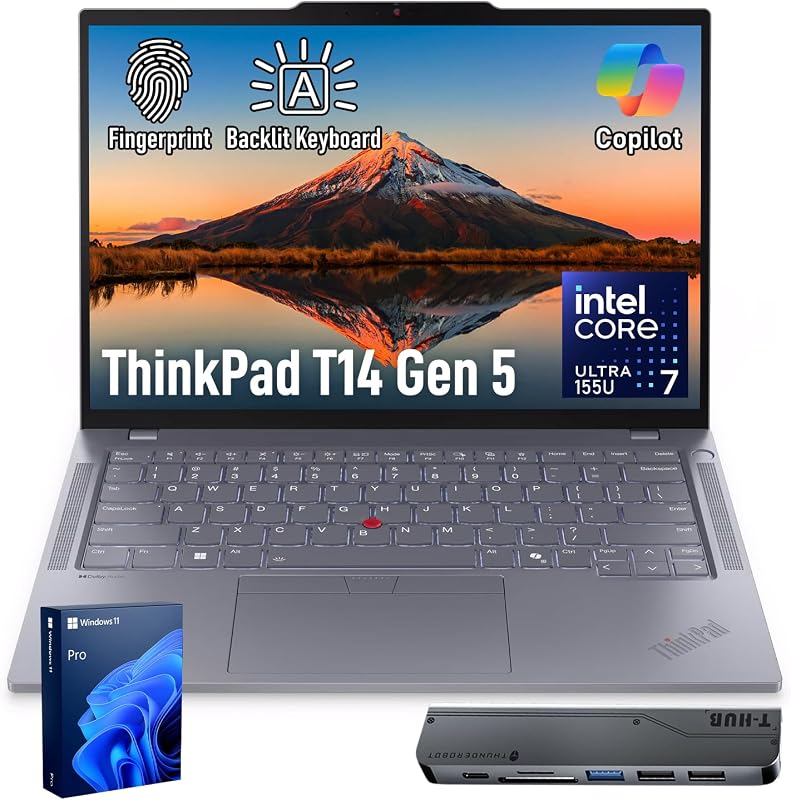
The processor inside your laptop governs how swiftly complex calculations finish, how smoothly background tasks execute, and how efficiently local artificial intelligence functions operate. In this Lenovo ThinkPad T14 vs Dell 16 Plus comparison, the two machines take distinctly different approaches to computing silicon. The ThinkPad relies on the Intel Core Ultra 7 155U, a processor configured specifically for power-efficient computing. According to the Lenovo ThinkPad T14 Core Ultra 7 specs, this chip delivers up to 22 TOPS of AI performance across its combined CPU, GPU, and NPU architecture while incorporating Intel vPro technology for remote hardware manageability and responsive business productivity.
The Dell 16 Plus Core Ultra 9 specs tell an entirely different computational story. Equipped with the Intel Core Ultra 9 288V and Intel Arc Graphics, the Dell 16 Plus is engineered from the ground up for demanding client workloads and on-device Copilot+ experiences. This compute engine delivers greater sustained execution bandwidth than a low-voltage U-series chip, rendering large media projects, compiling extensive code repositories, and handling massive data sets with noticeably less processing delay. Buyers interested in how larger form factors balance sustained silicon performance can read our lenovo thinkpad t14 vs msi stealth 16 analysis to see similar thermal dynamics in action.
While the ThinkPad T14 provides more than enough computing power for office productivity, web conferences, and corporate data handling, the Dell 16 Plus offers a higher performance ceiling. Users who run local AI tasks or compute-heavy background services will benefit directly from the advanced silicon inside the Dell machine.
Edge: Dell 16 Plus, thanks to its higher-tier Intel Core Ultra 9 288V processor and integrated Intel Arc Graphics.
Display Workspace, Ergonomics, and Screen Real Estate
Screen size dictates how comfortable you are working across multiple windows without an external monitor. The ThinkPad T14 carries a 14-inch WUXGA display with a 1920×1200 resolution. It features an anti-glare IPS panel with 400 nits of brightness, which is bright enough to preserve contrast and legibility under direct office lighting or near bright windows. The 16:10 aspect ratio provides extra vertical height compared to traditional widescreen displays, reducing the amount of scrolling necessary when reviewing documents and reports.
The Dell 16 Plus steps up to an expansive 16-inch QHD+ display that also utilizes a productive 16:10 aspect ratio. This extra screen size provides a dramatic increase in usable visual surface area. Users who constantly evaluate complex spreadsheets, align two browser windows side by side, or edit high-resolution media will find the Dell display significantly more accommodating during all-day work sessions. Comparing these distinct display footprints mirrors the trade-offs explored in our lenovo thinkpad t14 vs razer blade 14 head-to-head review.
The trade-off here is physical footprint. The 14-inch display of the ThinkPad makes the machine far easier to open on an airplane tray table or a crowded coffee shop counter, while the 16-inch panel on the Dell transforms the notebook into a true portable workstation display that demands significantly more desk space.
Edge: Dell 16 Plus, because its 16-inch QHD+ canvas offers vastly superior screen space for multi-window productivity.
Enterprise Security, Fleet Management, and Operating System
For corporate environments and business deployments, software licensing and hardware-level security often matter more than raw processor benchmarks. This is where the question of choosing the Lenovo ThinkPad T14 or Dell 16 Plus for business comes into sharp focus. The ThinkPad T14 ships with Windows 11 Pro and integrates Lenovo ThinkShield hardware-software security alongside an enterprise match-on-chip fingerprint reader. Built-in Intel vPro technology allows IT departments to deploy updates, enforce policy compliance, and troubleshoot systems remotely even when the laptop is powered down.
In contrast, the Dell 16 Plus is configured out of the box with Windows 11 Home. For biometric security, the Dell listing explicitly notes that there is no fingerprint reader, relying instead on an FHD+ webcam equipped with faster face recognition for secure login via Windows Hello. While Windows 11 Home handles basic consumer tasks perfectly well, it lacks essential corporate features like BitLocker drive encryption management, Remote Desktop hosting, and native Azure Active Directory domain joining. Those curious about corporate versus personal hardware allocations can review our lenovo thinkpad t14s vs legion slim 5 breakdown for related enterprise insights.
The Dell 16 Plus does include military-grade durability testing, 1 Year Basic Onsite Service, and 6 Months of the Dell Migrate data transfer tool. However, for managed corporate fleets that require dedicated domain control, biometric fingerprint sign-in, and Pro licensing, the ThinkPad provides the proper enterprise foundation straight out of the box.
Edge: Lenovo ThinkPad T14, due to its Windows 11 Pro operating system, Intel vPro manageability, ThinkShield framework, and match-on-chip fingerprint sensor.
Chassis Dimensions, Weight, and Mobility
A laptop only delivers value if you can comfortably bring it to wherever you need to work. The ThinkPad T14 is classified in its specifications as an ultra-portable business machine. It measures 12.44 inches long, 8.81 inches wide, and 0.7 inches thick. While the listing does not specify the exact weight of the ThinkPad, its 14-inch form factor and slim 0.7-inch profile allow it to slip effortlessly into slim briefcases, messenger bags, and compact backpack compartments without dominating the interior space.
The Dell 16 Plus features a sleek aluminum chassis finished in Ice Blue, but its 16-inch display necessitates a substantially larger overall footprint. The listing specifies that the Dell 16 Plus weighs 4.1 pounds, though it does not specify the exact length, width, or thickness dimensions. Because the chassis is wider, Dell was able to include a full backlit keyboard with an integrated numeric keypad, a major ergonomic benefit for accounting professionals that is physically impossible to fit on a 14-inch laptop. Shoppers evaluating standard laptops against heavier portable machines can examine our lenovo thinkpad t14 vs msi katana 15 guide for further context on weight distribution.
If you commute daily, walk between office buildings, or work out of airport lounges, the smaller physical dimensions of the ThinkPad T14 make it much easier to carry throughout the day. The Dell 16 Plus is portable enough to move from room to room, but carrying 4.1 pounds alongside a larger charging brick creates noticeable shoulder strain on extended trips.
Edge: Lenovo ThinkPad T14, owing to its compact ultra-portable 12.44″ x 8.81″ x 0.7″ profile.
Internal Storage and Solid-State Drive Capacity
Modern operating systems, local file caches, corporate databases, and creative assets consume storage space at an alarming rate. When comparing internal storage, the Dell 16 Plus vs Lenovo ThinkPad T14 specifications reveal a massive disparity. The ThinkPad T14 comes configured with a 512 GB solid-state drive. While 512 GB is sufficient for web-based enterprise applications, cloud-synced documents, and office software suites, it leaves limited overhead for large local archives or raw multimedia files.
The Dell 16 Plus includes a massive 2 TB solid-state drive, giving you four times the local storage capacity of the ThinkPad. With 2 TB available on-device, you can store years of uncompressed photo libraries, hours of 4K video footage, massive virtual machines, and extensive project files without constantly managing disk cleanup tools or relying on external hard drives. For additional perspective on how storage capacity influences long-term workflow efficiency, our lenovo thinkpad t14s vs yoga 9i comparison outlines similar system considerations.
Both laptops include 32 GB of system memory, with the ThinkPad explicitly listing high-speed DDR5 RAM while the Dell listing indicates 32 GB RAM without specifying the exact memory standard. However, the substantial 2 TB drive in the Dell 16 Plus eliminates local drive anxiety entirely, making it the superior option for users who cannot depend on cloud storage.
Edge: Dell 16 Plus, offering four times the internal solid-state capacity with its 2 TB SSD.
Peripheral Connectivity and Video Collaboration Hardware
Interfacing with office monitors, docking stations, and external peripherals determines how smoothly a laptop fits into your daily routine. The ThinkPad T14 provides a remarkably comprehensive port selection directly on the machine: two USB-C Thunderbolt 4 ports supporting up to 40Gbps data transfer, two 5Gbps USB-A ports (including one always-on port for charging accessories), an HDMI 2.1 port supporting external displays up to 4K at 60Hz, and a headphone/mic combo jack. The package even includes a 7-in-1 USB-C hub bundle for further expansion, complemented by Wi-Fi 6E and Bluetooth wireless connectivity.
The product data for the Dell 16 Plus indicates compatibility with external displays, keyboards, mice, headphones, and storage devices, but the listing does not specify the exact port counts, connector types, or transfer speeds present on the chassis. It also does not specify the wireless networking generation. This lack of specific port documentation leaves enterprise users uncertain about native multi-monitor connectivity without auxiliary hardware.
For video collaboration, the ThinkPad T14 carries a high-resolution 5MP RGB front webcam paired with a physical privacy shutter, allowing users to physically block the camera sensor when not on calls. The Dell 16 Plus includes an FHD+ webcam designed for clear video calls and faster Windows Hello facial recognition, but the listing does not mention an integrated physical privacy shutter. For hybrid workers who spend hours on video conferences and need versatile plug-and-play port access, the ThinkPad provides complete transparency and superior hardware control.
Edge: Lenovo ThinkPad T14, due to its documented dual Thunderbolt 4 ports, HDMI 2.1 output, bundled 7-in-1 hub, and 5MP webcam with physical privacy shutter.
Pros and Cons
Lenovo ThinkPad T14
Pros
- Windows 11 Pro with Intel vPro
- Dual Thunderbolt 4 and HDMI 2.1 ports
- 5MP webcam with physical privacy shutter
- Match-on-chip fingerprint reader for security
- Compact 0.7-inch ultra-portable profile
Cons
- Smaller 512 GB solid-state drive
- Lacks integrated numeric keypad
- Smaller 14-inch display area
View Lenovo ThinkPad T14 on Amazon
Dell 16 Plus

Pros
- Massive 2 TB solid-state drive
- High-performance Intel Core Ultra 9 288V
- Expansive 16-inch QHD+ 16:10 display
- Full keyboard with numeric keypad
- 1 Year Basic Onsite Service included
Cons
- No fingerprint reader included
- Heavier 4.1-pound chassis
- Ships with Windows 11 Home
Who Should Buy Each One
Choose the Lenovo ThinkPad T14 If
- You need enterprise fleet management, Intel vPro administration, and Windows 11 Pro out of the box.
- You travel frequently and require a compact 14-inch ultra-portable chassis that fits easily on tight airplane tables.
- You want a 5MP webcam with a physical privacy shutter and a match-on-chip fingerprint reader for secure biometric login.
- You need comprehensive onboard connectivity including dual Thunderbolt 4 ports, HDMI 2.1, and legacy USB-A ports.
Choose the Dell 16 Plus If
- You spend extended hours analyzing spreadsheets and need a spacious 16-inch QHD+ screen paired with a dedicated numeric keypad.
- You demand high compute and graphical performance from an Intel Core Ultra 9 288V processor and Intel Arc Graphics.
- You store massive datasets, local backups, or media projects and need 2 TB of internal solid-state storage.
- You prefer Windows Hello facial recognition login and want the peace of mind of 1 Year Onsite Service support.
Final Verdict
If you are deciding between the Lenovo ThinkPad T14 or Dell 16 Plus for work, the winning machine depends entirely on whether your daily routine is tethered to a corporate network or focused on creative and quantitative task execution. Any thorough Lenovo ThinkPad T14 review must recognize that this 14-inch machine is an enterprise workhorse. With Windows 11 Pro, an Intel Core Ultra 7 155U processor with vPro manageability, a match-on-chip fingerprint scanner, and dual Thunderbolt 4 ports, it represents the ideal travel companion for corporate employees who prioritize data security and mobility above all else.
On the other hand, our Dell 16 Plus review demonstrates that the Dell machine wins when productivity is measured in screen real estate and processing headroom. With its Intel Core Ultra 9 288V processor, Intel Arc Graphics, 2 TB solid-state drive, and expansive 16-inch QHD+ anti-glare display, the Dell 16 Plus functions as a powerful mobile workstation. If you need a large screen and massive local storage, the Dell 16 Plus is well worth the added weight, while the ThinkPad T14 remains the premier choice for secure mobile business computing.
FAQ
Does the Dell 16 Plus have a fingerprint reader?
No, the product listing explicitly confirms that the Dell 16 Plus features no fingerprint reader. Instead, it relies on an FHD+ webcam equipped with faster face recognition to support secure biometric logins via Windows Hello.
Which operating system comes pre-installed on the Lenovo ThinkPad T14?
The Lenovo ThinkPad T14 comes pre-installed with Windows 11 Pro, providing advanced enterprise features such as BitLocker encryption, Group Policy management, and remote domain support. In contrast, the Dell 16 Plus listing specifies Windows 11 Home.
What are the primary differences between the processors in these laptops?
The ThinkPad T14 features an Intel Core Ultra 7 155U processor designed for energy-efficient computing with up to 22 TOPS AI performance and Intel vPro enterprise support. The Dell 16 Plus uses a higher-tier Intel Core Ultra 9 288V processor with Intel Arc Graphics, offering greater processing horsepower for intensive multitasking, creative workloads, and on-device Copilot+ AI experiences.
Can the Dell 16 Plus accommodate heavy spreadsheet data entry?
Yes, the Dell 16 Plus features an expansive 16-inch display with a 16:10 aspect ratio and includes a dedicated numeric keypad on its backlit keyboard. This configuration makes entering numerical data and navigating wide spreadsheets significantly more efficient than on a compact 14-inch laptop without a numeric pad.
What physical ports are available on the Lenovo ThinkPad T14?
The ThinkPad T14 is equipped with two USB-C Thunderbolt 4 ports (up to 40Gbps), two USB-A ports (5Gbps, including one always-on port), an HDMI 2.1 port supporting external displays up to 4K at 60Hz, and a headphone/mic combo jack. It also includes a 7-in-1 USB-C hub bundle for additional peripheral connectivity.
Does the ThinkPad T14 have a webcam privacy shutter?
Yes, the ThinkPad T14 features an integrated physical webcam shutter over its 5MP RGB camera, allowing you to manually block the lens when you are not participating in video meetings to protect your privacy.


