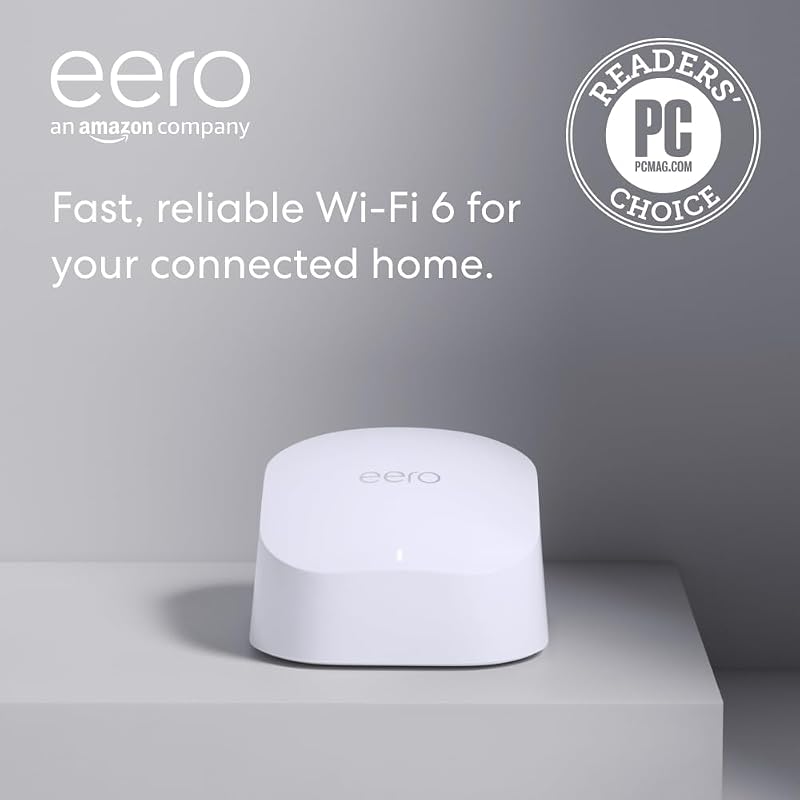
The core distinction deciding between mesh vs router and extender setups comes down to architectural continuity: a whole-home mesh system operates as a unified network fabric that dynamically routes traffic and hands off client devices between nodes without dropping packets, whereas a traditional router and extender combination relies on an auxiliary unit repeating a degraded radio signal that typically fragments your home into separate access points.
Choose whole-home mesh Wi-Fi if you have a multi-room or multi-story home where mobile devices need uninterrupted speeds while moving from room to room. Choose a router and extender configuration if your existing router already covers most of your living space and you only need targeted wireless coverage pushed into a single dead zone such as a home office, basement, or garage.


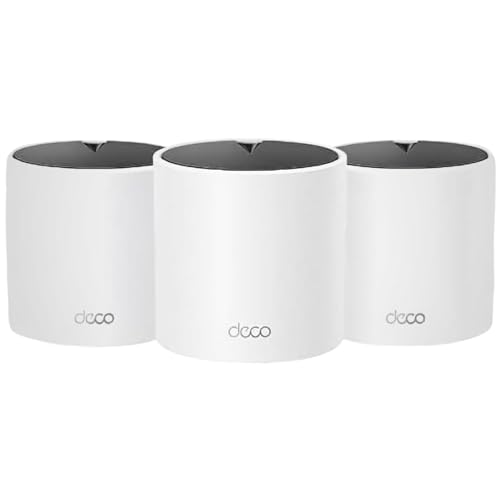
Mesh vs Router and Extender at a Glance
| Feature | Mesh Wi-Fi | Router and Extender |
|---|---|---|
| Network Architecture | Unified decentralized mesh topology | Centralized host router with relay repeater |
| Wi-Fi Generation | Wi-Fi 6 (802.11ax) | Wi-Fi 6 (802.11ax) |
| Maximum Stated Bandwidth | AX3000 (2402 Mbps on 5 GHz + 574 Mbps on 2.4 GHz) | AX1500 (1201 Mbps on 5 GHz + 300 Mbps on 2.4 GHz) |
| Multi-Pack Coverage Range | Up to 6,500 sq. ft. (3-pack) or 4,500 sq. ft. (2-pack) | Up to 5,600 sq. ft. (3-pack) |
| Device Capacity | Up to 150 devices | Up to 120 devices |
| Gigabit Ethernet Ports | 3 ports per unit (up to 9 total) | 2 ports per unit (up to 6 total) |
| Internal Antennas | 3 per unit | 2 per unit |
| Wired Backhaul Support | Yes (Ethernet backhaul on all nodes) | Yes (Wired backhaul supported) |
| Security & Management | TP-Link HomeShield, WPA3, App Control | TP-Link HomeShield, WPA3, App and Voice Control |
| Best For | High-density whole-home coverage with zero-drop roaming | Budget-conscious coverage expansion for modest bandwidth needs |
Coverage Architecture and Roaming Performance
Understanding coverage architecture is the most critical element when weighing router and extender vs mesh for your property. In a standard setup combining an independent router with an extender, the extender captures an existing over-the-air signal and rebroadcasts it. This creates two distinct broadcasting domains, often forcing devices to disconnect and reconnect manually. As you walk across your living space, phones and laptops fall victim to sticky client syndrome, clinging stubbornly to a faint router signal rather than switching to the closer extender until the connection fails entirely. In contrast, modern whole-home mesh architectures utilize automated roaming algorithms to monitor signal strength at the hardware level, transparently steering connected hardware to the nearest satellite node before packets drop.
High-tier mesh systems like the TP-Link Deco X55 AX3000 WiFi 6 Mesh System, Deco X55(3-Pack) provide up to 6,500 square feet of uniform Wi-Fi 6 coverage using three integrated antennas per node, completely eliminating dead spots under a single unified network name. Even the smaller TP-Link Deco X55 AX3000 WiFi 6 Mesh System, Deco X55(2-Pack) blankets up to 4,500 square feet with intelligent beamforming and automated node handoffs. When comparing this seamless integration to how traditional accessories function, the difference in daily use is stark. For readers investigating premium multi-node solutions, examining the architectural differences in our guide on Netgear Orbi RBK752 vs TP-Link Deco XE75 reveals how dedicated backhaul channels further refine this multi-room handoff experience.
When deploying entry-tier setups like the TP-Link Deco X15 Dual-Band AX1500 WiFi 6 Mesh Wi-Fi System Deco X15 3-Pack, users still receive AI-powered roaming algorithms that outshine standard add-on repeaters, covering up to 5,600 square feet across three units with two internal antennas each. However, conventional router and extender pairings lack this coordinated protocol communication. A standalone extender merely mirrors the beacon frames of the main gateway without the ability to actively migrate client traffic between radios. If seamless roaming during real-time voice calls, mobile streaming, and video conferencing matters most to your household, mesh topology eliminates the connection dropouts inherent to secondary repeater bridges.
Edge: Mesh Wi-Fi provides unified signal steering and coordinated client handoffs across all rooms without forcing devices to drop connections.
Throughput and Bandwidth Efficiency
Examining mesh network vs router and extender speeds requires evaluating how data travels between access points and your central modem. When you connect a traditional wireless extender to a standard router, the extender typically uses a single wireless radio to both receive data from the router and transmit data to your client device. This half-duplex relay mechanism instantly halves your maximum available throughput on the extended channel. While a router with extender vs whole home mesh might seem identical on paper, real-world data transmission through an extender frequently suffers from amplified latency and choked data rates.
Dedicated mesh systems overcome these transmission penalties by providing wider channel bandwidth and dynamic packet routing. The Deco X55 series delivers AX3000 class performance, reaching up to 2,402 Mbps on its 5 GHz band using HE160 channel support, complemented by 574 Mbps on the 2.4 GHz band. This high-capacity pipeline ensures that even when backhaul traffic shares wireless frequencies, connected devices maintain ultra-fast file transfer rates and 4K media playback. Shoppers exploring high-throughput multi-band hardware will find similar channel prioritization dynamics discussed in our comparison of the Google Nest Wifi Pro vs Asus ZenWiFi XT9.
By comparison, entry-level platforms like the Deco X15 provide AX1500 speeds, operating at 1,201 Mbps on the 5 GHz band and 300 Mbps on the 2.4 GHz band, with an upstream data ceiling rated at 600 Mbps. While this bandwidth tier easily handles everyday web surfing and casual video streaming, it offers less overhead for multi-user demands. If you run gigabit fiber internet or frequently stream high-bitrate media across multiple screens simultaneously, the wider channel width and higher throughput ceiling of higher-tier mesh systems prevent the bandwidth degradation that plagues traditional wireless extension hardware.
Edge: Mesh Wi-Fi maintains significantly higher effective data rates and wider channel support than basic extender configurations.
Hardware Connectivity and Wired Backhaul
Physical port availability determines how effectively you can integrate desktop workstations, storage drives, and entertainment centers directly into your local area network. A major limitation of traditional range extenders is their sparse port selection; many plug-in wall units offer only a single auxiliary Ethernet port or none at all, restricting your options for stationary wired gear. Whole-home mesh systems, on the other hand, treat every individual node as a multi-port networking hub capable of functioning as an independent router or a managed switch.
Each Deco X55 unit features three auto-sensing Gigabit Ethernet ports, providing a total of six ports on a two-pack and nine ports on a three-pack. Crucially, all of these ports support wired Ethernet backhaul, allowing you to link individual satellite units directly via structured CAT6 cables. Running a wired backhaul offloads all inter-node communication from the airwaves, preserving 100 percent of the wireless bands for your laptops, tablets, and smartphones. Users wanting to explore next-generation port capacities and high-bandwidth interfaces can also inspect our breakdown of the TP-Link Deco BE85 vs Asus ZenWiFi XT9 to see how hardware connectivity scales into multi-gigabit categories.
In contrast, the Deco X15 platform provides two Gigabit Ethernet ports per unit, amounting to six total ports across a three-pack configuration. While it also supports wired backhaul to bypass wireless signal loss, having one fewer port per station limits your ability to connect multiple stationary appliances-such as a gaming console and smart television simultaneously-without adding an unmanaged switch. Traditional standalone extenders offer even less versatility, rarely providing the switching architecture needed to maintain full-speed physical uplinks back to the base router.
Edge: Mesh Wi-Fi delivers superior physical versatility with three gigabit ports per module for dedicated wired backhauls and peripheral connections.
Device Capacity and Traffic Management
As modern households accumulate smart plugs, environmental sensors, streaming dongles, and personal computers, local networks must juggle dozens of concurrent connections without introducing jitter. Deciding whether to install a router and extender or mesh for large home layouts often depends on how gracefully the network processor schedules incoming data packets. Standalone extenders generally lack sophisticated queuing mechanisms, often becoming bottlenecks when more than a dozen devices compete for transmission slots through the same repeated radio frequency.
The Deco X55 system is engineered to manage up to 150 connected devices across its dual-band Wi-Fi 6 framework. It incorporates TP-Link HomeShield, which includes Quality of Service (QoS) controls to assign traffic priority to bandwidth-sensitive devices, alongside basic parental controls and automated IoT security scans. High-level firewall settings and WPA3-Personal encryption ensure that dense device clusters remain insulated from unauthorized access. Readers interested in how advanced wireless ecosystems handle high client volumes will also benefit from our analysis of WiFi 6E vs WiFi 7 protocols.
The Deco X15 system accommodates up to 120 client devices, using dynamic backhaul by TP-Link Mesh to keep low-power smart accessories and mobile hardware running smoothly. It includes comparable HomeShield basic security, IoT identification, and guest network partitioning, controlled through either the mobile application or hands-free voice commands via Alexa and Google Assistant. However, its lower maximum aggregate throughput of 1,501 Mbps means high-traffic congestion will manifest earlier under sustained multi-user workloads than it would on AX3000-class hardware. For dense smart-home installations, the higher device threshold and broader processing headroom of advanced mesh nodes provide vital stability.
Edge: Mesh Wi-Fi accommodates higher client capacities up to 150 devices with advanced traffic prioritization and security features.
Deployment Flexibility and Setup Complexity
Setting up and maintaining a residential wireless network should not require advanced IT expertise. Traditional router and extender combinations often involve two disparate software interfaces: you configure the primary gateway via an administrative web browser portal, then connect the extender through a secondary pairing utility, WPS button, or distinct vendor app. This disjointed setup frequently results in conflicting firmware versions, mismatched security passkeys, and confusing diagnostic processes whenever internet connectivity drops.
Whole-home mesh ecosystems streamline network administration into a centralized mobile dashboard. Systems like the Deco X55 and Deco X15 utilize the unified Deco app, guiding you through node positioning with visual signal prompts and enabling remote network management from anywhere. If you ever need broader coverage down the road, adding another compatible module takes only seconds. The software automatically configures the new node to match your existing network settings without creating secondary login credentials. For a broader look at how modular mesh designs compare across competing high-end ecosystems, check out our evaluation of the Netgear Orbi 970 vs Asus ZenWiFi XT9.
Despite the streamlined nature of mesh platforms, standalone extenders still hold a logistical advantage in targeted scenarios. If you already own an expensive, high-performance gaming router and simply want to bounce a low-cost signal out toward a smart sprinkler controller or a detached shed, purchasing a single plug-in extender avoids replacing your existing core hardware entirely. In that specific context, asking is a router and extender worth it yields a positive answer: it provides a quick, contained fix without requiring you to reconfigure your entire home network architecture.
Edge: Router and Extender wins on localized convenience for users keeping their current hardware, while Mesh Wi-Fi wins on overall management simplicity.
Pros and Cons
Mesh And Extender
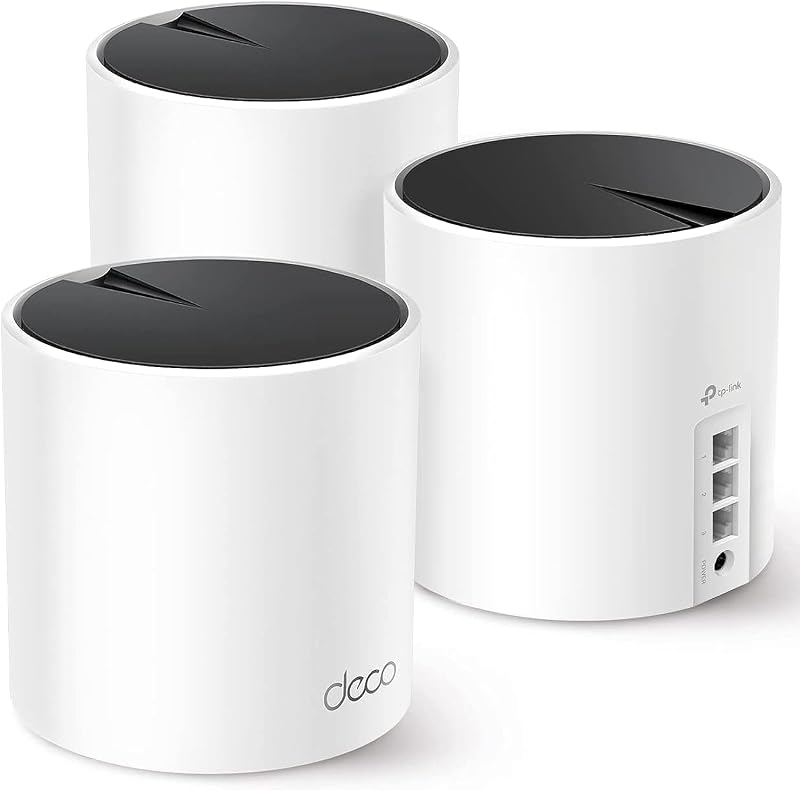
Pros
- Up to 6500 square feet coverage
- Fast AX3000 speeds with HE160 channel support
- Three Gigabit Ethernet ports per unit
- Seamless roaming with zero-drop client handoffs
- Connects up to 150 devices smoothly
Cons
- Higher overall initial hardware investment
- Requires replacing existing standalone router hardware
View TP-Link Deco X55 AX3000 WiFi 6 on Amazon
Router And Extender
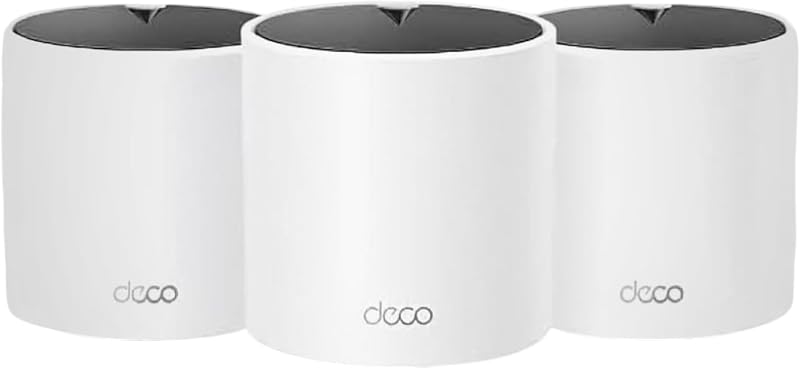
Pros
- Economical way to expand targeted coverage
- Covers up to 5600 square feet
- Supports up to 120 connected devices
- Includes HomeShield security and parental controls
Cons
- Lower AX1500 maximum speed ceiling
- Only two Ethernet ports per satellite unit
- Higher risk of throughput loss over wireless relay
View TP-Link Deco X15 Dual-Band AX1500 WiFi on Amazon
Who Should Buy Each One
Choose Mesh Wi-Fi If
- You live in a multi-story home, ranch-style layout, or large property covering over 3,000 square feet where dead spots are widespread.
- Household members actively roam between rooms while taking VoIP calls, gaming on handhelds, or streaming continuous high-definition video.
- You manage a dense smart home with over 50 connected devices that require centralized Quality of Service and automated security management.
- You want the option to run a high-speed wired Ethernet backhaul across multiple access nodes using three dedicated gigabit ports per room.
Choose a Router and Extender If
- Your existing primary router provides excellent signal across 90 percent of your living space and you only need to patch one isolated dead zone.
- You want to extend network reach to stationary, non-critical accessories like a garage door opener, security sensor, or patio speaker.
- You prefer an entry-level solution that expands coverage up to 5,600 square feet without replacing your functional modem-router gateway.
- Your internet service plan is below 300 Mbps, meaning the throughput penalties of relayed wireless signals will not noticeably impede daily tasks.
Final Verdict
For most households seeking consistent performance throughout their living spaces, a unified Wi-Fi 6 mesh system is the superior long-term investment. Modern multi-node platforms like the TP-Link Deco X55 eliminate the dropped connections, fragmented network names, and severe throughput cuts that plague traditional repeater pairings. With AX3000 speeds reaching 2,402 Mbps on the 5 GHz band, robust coverage reaching up to 6,500 square feet, three Gigabit Ethernet ports per unit, and support for up to 150 devices, a true mesh configuration ensures seamless whole-home roaming that keeps pace with modern streaming and remote work demands.
A router and extender setup remains a practical choice when you are satisfied with your primary router and simply need to stretch wireless coverage into an isolated corner or out toward low-bandwidth outdoor appliances. Entry-level multi-pack hardware like the TP-Link Deco X15 demonstrates that localized multi-point coverage can be achieved at AX1500 speeds for up to 120 devices when top-tier bandwidth is not an absolute requirement. However, if your goal is an effortless wireless environment where video calls never drop as you walk across the house, whole-home mesh Wi-Fi delivers the unified architecture you need.
FAQ
Does a mesh system completely replace an existing router and extender?
Yes. A whole-home mesh system is designed to replace both your standalone router and any secondary range extenders. One mesh node connects directly to your internet service provider’s modem to act as the primary router, while the remaining satellite nodes are positioned throughout your home to broadcast a unified network under a single SSID.
Why do Wi-Fi extenders cause devices to drop connections when moving between rooms?
Traditional range extenders typically rebroadcast your primary router’s signal on a separate network identifier or operate without coordinated roaming protocols. Client devices like smartphones often suffer from sticky client behavior, remaining connected to the weakening signal of the main router until the link drops completely before attempting to associate with the extender.
Can an extender match mesh network speeds?
In most residential scenarios, no. Standard wireless extenders use a single radio transceiver to communicate with the router and client devices simultaneously, cutting peak throughput by approximately 50 percent on the extended link. Mesh systems utilize dynamic backhaul channels and wider frequency allocations, such as the 160 MHz channel width on AX3000 systems, to preserve high-speed data transmission across nodes.
Is a router and extender setup worth it for a smaller home?
A router and extender pairing can be worthwhile if your living space is under 2,000 square feet and your central router covers almost the entire footprint except for one isolated corner, such as a patio or basement workshop. In that case, adding a targeted extender resolves the local dead zone without requiring a full network overhaul.
Do mesh systems work with existing internet service providers?
Yes. Mesh systems work with all major internet service providers, including Comcast, Charter, AT&T, Verizon, Xfinity, Spectrum, Cox, and Frontier. In most configurations, you simply connect the main mesh unit via Ethernet to the standalone modem or gateway supplied by your internet provider.
Can you use wired Ethernet backhaul with both setups?
While some specialized extenders feature an Ethernet port that can function as an access point, mesh systems are purpose-built for wired backhaul. Hardware like the Deco X55 includes three Gigabit ports per node, allowing you to connect every satellite back to the central unit via physical cables for maximum throughput and zero wireless backhaul degradation.