The core distinction when comparing NVMe vs SATA SSD storage comes down to the underlying interface protocol and physical connection bus: NVMe drives leverage high-bandwidth PCI Express lanes to achieve multi-thousand megabyte-per-second transfer rates, whereas SATA solid-state drives are physically constrained by the legacy Serial ATA III bus capped at a theoretical 600 MB/s.
Choose an NVMe drive if you possess a modern desktop or laptop with an available M.2 slot and demand top-tier speed for sustained productivity, content creation, or modern gaming. Choose a SATA SSD if you need to upgrade an older machine lacking M.2 ports, want a dependable 2.5-inch drive for secondary mass storage, or require plug-and-play compatibility across a wide variety of legacy hardware.


NVMe vs SATA SSD at a Glance
| Attribute | NVMe | SATA SSD |
|---|---|---|
| Physical Interface | PCIe Gen 4×4 (M.2 2280) | SATA III 6.0 Gb/s (2.5-inch) |
| Peak Sequential Read Speed | Up to 7,450 MB/s | Up to 560 MB/s |
| Peak Sequential Write Speed | Up to 6,900 MB/s | Up to 530 MB/s |
| Form Factor Design | M.2 2280 single-sided stick | 2.5-inch 7mm enclosed drive |
| Direct Motherboard Connection | Yes (direct M.2 socket, no cables) | No (requires SATA data and SATA power cables) |
| Cache Architecture | Up to 2 GB onboard cache or host-managed | Built-in SLC cache or up to 32 MB cache listed |
| Hardware Security and Encryption | Listing does not specify | AES 256-bit encryption (TCG/Opal v2.0) |
| Standard Warranty Coverage | 5-year limited warranty | 3-year to 5-year limited warranty |
| Best For | Intensive workloads, modern gaming, and operating systems | Legacy system upgrades, secondary storage, and broad compatibility |
Sequential Transfer Rates and Real-World Bandwidth
When evaluating NVMe vs SATA SSD transfer speed, the communication bus creates an insurmountable performance divide. NVMe drives bypass legacy storage controllers entirely, connecting straight to the processor via high-speed PCI Express lanes. In practical terms, this allows modern PCIe drives to transmit massive sequential files at rates that make traditional drive bottlenecks obsolete. A drive like the Samsung 990 PRO demonstrates the ceiling of the Gen4 protocol, delivering a staggering PCIe 4.0 read speed of up to 7,450 MB/s alongside write capabilities up to 6,900 MB/s. Even value-oriented drives such as the Kingston NV3 achieve read rates of up to 6,000 MB/s and write speeds reaching 4,000 MB/s (with marketing descriptions citing up to 5,000 MB/s write), illustrating how the PCIe 4.0 x4 pipeline completely transforms data handling.
In stark contrast, SATA drives are mechanically tethered to the aging Serial ATA revision 3.0 specification. Originally engineered during the mechanical hard drive era, SATA III features an absolute maximum theoretical throughput of 6.0 Gb/s, which converts to a usable ceiling of roughly 550 to 560 MB/s after signaling overhead. For instance, the top-performing Samsung 870 EVO maxes out this interface with 560 MB/s sequential read and 530 MB/s sequential write figures. Similarly, the TEAMGROUP T-Force Vulcan Z registers read and write maximums of 550 MB/s and 500 MB/s respectively. When reading a comprehensive SATA SSD review alongside any modern NVMe review, the data reveals that even an entry-level PCIe stick moves data more than ten times faster in sequential tasks than the fastest SATA hardware money can buy.
For creative professionals moving uncompressed 4K or 8K video footage, or power users manipulating massive multi-gigabyte archives, this bandwidth chasm is immediately evident. Moving a 100GB video directory across an NVMe interface takes mere seconds, whereas the SATA interface requires several minutes to push the identical data volume through its narrow channel. Readers investigating broader generational bandwidth differences can explore our pcie 4.0 vs pcie 5.0 ssd breakdown to see how PCIe standards continue to widen this gap over older storage buses.
Edge: NVMe. Its direct PCIe 4.0 architecture delivers sequential read and write speeds that outperform SATA III drives by more than twelve times.
Form Factor, Installation, and Cable Management
The physical installation process highlights a stark divergence between M.2 NVMe vs 2.5 SATA drives. NVMe solid-state drives designed for consumer systems almost universally adopt the M.2 2280 form factor. Measuring just 22mm wide by 80mm long, these drives resemble a slim stick of chewing gum. The Kingston NV3, for instance, weighs a featherlight 4.54 grams and features a single-sided design that lays completely flat against the motherboard. The Samsung 990 PRO similarly registers at just 9.07 grams with dimensions of 3.16 inches long by 0.87 inches wide. Installation involves sliding the drive directly into an onboard M.2 socket at an angle and securing it with a single retention screw or motherboard latch. This direct-to-board mounting removes all internal cabling, resulting in an exceptionally clean interior chassis with unrestricted airflow.
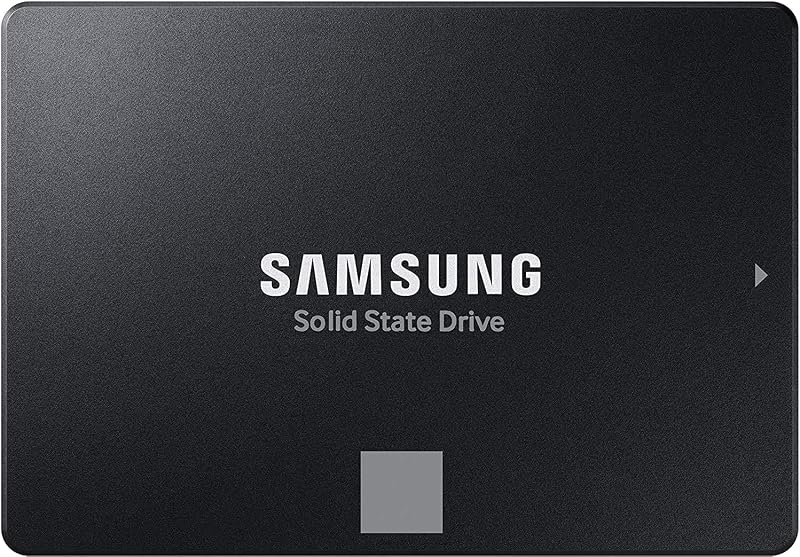
Conversely, standard SATA solid-state drives utilize the classic 2.5-inch notebook drive housing. These enclosed drives, such as the TEAMGROUP T-Force Vulcan Z with its 7mm slim form factor, measure roughly 3.9 inches long and 2.75 inches wide. Installing a 2.5-inch drive inside a desktop tower requires finding an open drive sled or mounting bracket, screwing the drive into position, and routing two separate cables: a SATA data cable connecting to the motherboard and a SATA power cable extending from the power supply unit. In compact PC enclosures or custom mini-ITX builds, managing these bulky, rigid cables can complicate assembly and impede internal cooling channels.
When asking whether to choose NVMe or SATA SSD for laptop upgrades, chassis thickness plays the deciding factor. Modern ultraportable laptops have completely phased out 2.5-inch internal drive bays to minimize chassis thickness and weight, retaining only compact M.2 slots. While older, bulkier laptops frequently feature 2.5-inch drive trays that make drives like the Samsung 870 EVO an effortless drop-in swap, modern notebooks almost exclusively require M.2 modules. For deeper insight on compact drive upgrades, see our samsung 970 evo plus vs 980 analysis.
Edge: NVMe. Its cable-free M.2 form factor mounts straight to the motherboard, saving substantial internal space and eliminating cable clutter.
System Compatibility and Retrofitting Versatility
While NVMe dominates speed metrics, compatibility remains the defining strength of the SATA standard. The Serial ATA specification has been the industry benchmark for mass consumer storage since the mid-2000s. The Samsung 870 EVO demonstrates this universal flexibility by offering native backward compatibility with SATA 3 Gb/s (SATA II) and SATA 1.5 Gb/s (SATA I) legacy controllers. Furthermore, the 870 EVO has undergone rigorous compatibility testing across chipsets, older motherboards, network-attached storage (NAS) towers, and professional video recording devices. It also supports broad operating system environments including PC, Mac, and Linux without requiring specialized controller drivers or specific BIOS firmware provisions.
NVMe drives, on the other hand, require explicit platform architectural support. To boot an operating system from an NVMe drive, the host motherboard must feature UEFI firmware containing native NVMe driver modules, a feature that older motherboards manufactured prior to the mid-2010s frequently lack. Even when older systems provide physical PCIe expansion slots where an M.2 adapter card could mechanically sit, they often cannot utilize the drive as an NVMe vs SATA SSD boot drive without complicated firmware modifications. Furthermore, secondary video game consoles and specialized legacy electronics rely exclusively on standard 2.5-inch SATA bays. The Samsung 870 EVO specifically notes compatibility across consoles such as the Microsoft Xbox Series X/S and Sony PlayStation 5 for external USB storage or internal legacy configurations.
For users wondering is SATA SSD worth it for an aging desktop or older office laptop, the answer is an unqualified yes. Swapping an obsolete mechanical hard drive for a TEAMGROUP T-Force Vulcan Z completely revitalizes older machinery without requiring a motherboard overhaul, CPU upgrade, or DDR memory replacement. Those weighing the jump from spinning disks can consult our ssd vs hdd for gaming guide to understand the baseline improvements solid-state media delivers regardless of interface.
Edge: SATA SSD. Its plug-and-play universal interface works across decades of legacy desktop towers, older laptops, NAS arrays, and legacy game consoles.
Gaming Load Times and Boot Drive Responsiveness
When selecting an NVMe or SATA SSD for gaming, real-world expectations must be weighed against raw sequential numbers. The operating system boot process and game level loading rely heavily on random 4K read and write operations rather than continuous multi-gigabyte sequential streams. Because both drive types utilize high-speed flash memory with near-instantaneous access times compared to mechanical disks, transitioning an operating system to either drive results in swift boot times. However, NVMe drives pull ahead as modern titles scale up in graphical complexity and utilize advanced direct-to-GPU asset streaming APIs. The Samsung 990 PRO, for example, advertises a greater than 55% improvement in random performance over the preceding 980 PRO, targeting heavy computing loads and high-intensity game engines.
On a SATA SSD vs NVMe baseline, modern titles running on a drive like the TEAMGROUP Vulcan Z still deliver excellent performance. The Vulcan Z employs a built-in SLC cache mechanism alongside 3D NAND flash to dramatically reduce game loading times and prevent system stutter compared to spinning hard disks. However, SATA drives remain capped by their single-queue command architecture (AHCI), which processes only 32 commands in a single queue. NVMe, by comparison, was engineered specifically for solid-state storage, supporting up to 64,000 queues with 64,000 commands each. This deep queuing architecture allows drives like the Kingston NV3 and Samsung 990 PRO to handle dense background operating system telemetry, discord voice channels, and massive game textures simultaneously without latency spikes.
Modern gaming consoles reflect this shift toward high-bandwidth storage pipelines. The Sony PlayStation 5 mandates high-speed PCIe 4.0 M.2 NVMe drives for internal expansion to match its custom internal storage architecture. Drives like the Samsung 990 PRO explicitly state PlayStation 5 compatibility in their specifications, whereas SATA drives cannot be used for internal PS5 game installation. To compare other popular high-performance PCIe alternatives, check our wd black sn850x vs sn7100 head-to-head review.
Edge: NVMe. Superior command queuing, rapid random read capability, and compatibility with modern game streaming architectures make NVMe the superior gaming platform.
Thermal Characteristics, Power Efficiency, and Endurance
Pushing gigabytes of data every second creates thermal demands that distinguish these two drive formats. NVMe controllers process immense workloads within a tiny footprint, concentrating heat in an area smaller than a postage stamp. Consequently, drives like the Samsung 990 PRO integrate advanced power-efficiency architectures, delivering up to 50% improved performance-per-watt over previous generations alongside smart heat control algorithms to prevent severe thermal throttling. Similarly, the Kingston NV3 specifically highlights lower power consumption and reduced operating temperatures. Despite these design advancements, high-performance PCIe 4.0 drives installed in compact desktop chassis frequently require an aluminum motherboard heatsink or thermal pad to maintain peak speeds during heavy sustained writes.
SATA solid-state drives present far fewer thermal challenges. Because the SATA III interface throughput is capped at roughly 560 MB/s, the onboard flash controller operates under significantly less stress. Furthermore, a 2.5-inch metal or durable composite casing, such as the housing on the Samsung 870 EVO or TEAMGROUP Vulcan Z, distributes ambient heat across a much wider surface area. These 2.5-inch drives run completely cool to the touch even during lengthy disk-cloning operations, making them completely immune to thermal throttling and eliminating any need for passive heatsinks, cooling brackets, or directed fan airflow.
Endurance and data retention remain robust across both product types when sourced from reputable flash memory manufacturers. The Samsung 870 EVO boasts industry-defining write endurance ratings up to 2,400 Terabytes Written (TBW) backed by a 5-year limited warranty, matching the 5-year warranty offered on top-tier NVMe drives like the Kingston NV3 and Samsung 990 PRO. The TEAMGROUP Vulcan Z pairs a 3-year limited warranty with shock- and vibration-resistant solid-state construction. For additional comparisons of durable flash architectures, read our kingston fury renegade ssd vs teamgroup mp44 evaluation.
Edge: Tie. SATA SSDs run effortlessly cool without needing heatsinks, but modern NVMe drives achieve dramatically higher energy efficiency per gigabyte transferred.
Pros and Cons
NVMe

Pros
- Up to 7450 MB/s sequential read speeds
- Cable-free direct M.2 motherboard installation
- Compact lightweight M.2 2280 form factor
- Over 55 percent higher random performance
Cons
- Requires dedicated M.2 PCIe motherboard slot
- Concentrated heat output during heavy writes
View Kingston NV3 1TB M.2 2280 NVMe on Amazon
SATA SSD
Pros
- Universal compatibility with standard 2.5-inch bays
- Backward compatible with SATA II and I
- Runs cool without requiring heatsinks
- Up to 2400 TBW endurance rating
Cons
- Sequential transfer speeds capped around 560 MB/s
- Requires separate SATA data and power cabling
View Samsung SSD 870 EVO SATA III on Amazon
Who Should Buy Each One
Choose the NVMe If
- You are building or upgrading a modern PC motherboard equipped with open M.2 PCIe 4.0 slots.
- You regularly edit high-resolution 4K or 8K video files, compile extensive software codebases, or move large game libraries.
- You want a streamlined computer build that completely eliminates SATA power cables and SATA data routing.
- You need internal solid-state storage expansion for a Sony PlayStation 5 console or require rapid asset loading for DirectStorage PC games.
Choose the SATA SSD If
- You are upgrading an older laptop or legacy desktop motherboard that lacks native M.2 NVMe slots or UEFI boot capabilities.
- You have already populated every M.2 socket on your motherboard and require secondary bulk storage in standard 2.5-inch drive trays.
- You are constructing a dedicated network-attached storage (NAS) array or media server that utilizes standard multi-bay backplanes.
- You prefer a cool-running drive that operates reliably in enclosures with limited airflow without requiring dedicated heatsinks.
Final Verdict
For the vast majority of modern PC builders, laptop owners, and gaming enthusiasts, NVMe is the definitive choice. By interfacing directly with the PCI Express bus, NVMe drives like the Samsung 990 PRO and Kingston NV3 eliminate the severe bandwidth restrictions that hold back legacy storage. Offering sequential transfer speeds up to 7,450 MB/s, vastly superior random queue depths, and a tiny cable-free M.2 form factor, NVMe delivers the performance and responsiveness required by modern operating systems and demanding games. When building a new platform or refreshing a modern computer, an NVMe drive should serve as your primary boot drive and core workspace.
Nevertheless, the 2.5-inch SATA SSD remains an essential and practical storage standard. Drives such as the Samsung 870 EVO and TEAMGROUP Vulcan Z offer unmatched universal compatibility, breathing new life into older laptops and vintage desktop rigs that cannot accommodate or boot from PCIe storage. They also serve as dependable, cool-running secondary drives for holding media archives, general backups, and overflow game installations across standard desktop drive bays. Unless your hardware lacks the required M.2 interface, invest in NVMe for your primary computing drive and rely on SATA SSDs when legacy compatibility or extra chassis drive capacity is your primary goal.
FAQ
Can I plug an NVMe SSD into a SATA M.2 port?
No. While both drive types can physically exist in an M.2 form factor, their internal pin keys and underlying communication protocols differ. An NVMe SSD uses PCIe lanes and requires an M-keyed M.2 slot that supports the PCIe protocol. Plugging an NVMe drive into a legacy M.2 slot wired solely for SATA signals will result in the motherboard failing to detect the drive entirely. Always consult your motherboard or laptop manual to verify whether your specific M.2 slot supports PCIe NVMe, SATA, or both.
Is a SATA SSD fast enough for gaming in modern PCs?
Yes, a SATA SSD remains fast enough for playing most modern PC games without stutter or dropped frames. Solid-state access times allow a drive like the TEAMGROUP Vulcan Z to load game levels significantly faster than any traditional mechanical hard drive. However, newer titles that leverage direct-to-GPU decompression and next-generation console ports benefit noticeably from the immense bandwidth of NVMe drives, which load dense textures and complex world assets with far lower latency.
Does an NVMe drive make Windows boot noticeably faster than a SATA SSD?
While an NVMe drive is technically faster, the real-world boot time difference between an NVMe drive and a SATA SSD is typically only one to two seconds. Both drive formats utilize rapid flash memory with near-zero seek times, allowing Windows to load critical startup services almost instantaneously. The dramatic speed advantage of NVMe becomes obvious after booting, particularly when opening large content creation suites, transferring heavy files, or installing massive software packages.
Can I use both an NVMe drive and a SATA SSD in the same computer?
Yes. Many desktop configurations utilize an NVMe drive as the primary operating system and application drive while using one or more 2.5-inch SATA SSDs as secondary storage for general file libraries and media archives. However, you should inspect your motherboard manual, as some motherboards share bandwidth between specific SATA ports and M.2 slots, automatically disabling one or two SATA ports when an M.2 drive is installed.
Do NVMe drives require special heatsinks compared to 2.5-inch SATA SSDs?
High-performance NVMe drives, especially fast PCIe 4.0 models like the Samsung 990 PRO, generate concentrated heat during heavy continuous read and write tasks. Most modern desktop motherboards include integrated metal heatsinks specifically designed to cover M.2 slots and dissipate this heat. In contrast, 2.5-inch SATA SSDs spread warmth across their larger metal or plastic enclosures and operate at lower bandwidth, meaning they never require heatsinks or active cooling.
How do I know if my laptop supports NVMe or SATA SSD drives?
To determine drive compatibility, check your laptop manufacturer’s technical specification sheet or hardware maintenance manual. Look at the storage expansion section: if it lists an M.2 2280 PCIe NVMe slot, your laptop supports modern stick-style drives. If it lists a 2.5-inch 7mm internal SATA drive bay, you will need a standard 2.5-inch SATA SSD like the Samsung 870 EVO or TEAMGROUP Vulcan Z. Ultra-thin laptops manufactured in recent years almost exclusively utilize M.2 NVMe slots.