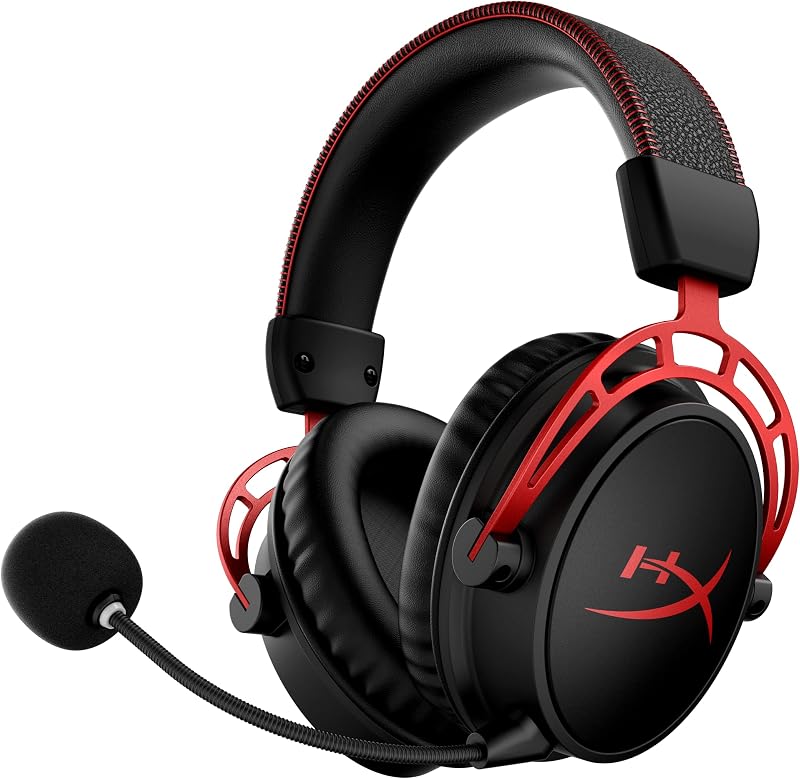
The primary division between the Razer BlackShark V2 Pro and the Astro A50 X rests on the distinction between a dedicated esports acoustic design and an all-in-one multi-system command station. Logitech G built the Astro A50 X around an HDMI 2.1 base station docking hub that routes uncompressed video and audio across multiple gaming consoles, whereas Razer engineered the BlackShark V2 Pro as a lightweight, streamlined wireless headset tailored specifically for tournament audio profiles, passive noise isolation, and rapid deployment via a USB Type-C dongle.
Esports competitors seeking focused positional audio, a detachable wideband microphone, and simple 2.4 GHz wireless connectivity should choose the Razer BlackShark V2 Pro. Multi-platform players who juggle an Xbox, PlayStation, and PC at a single desk setup and demand one-touch video and audio switching should invest in the Astro A50 X.


Razer BlackShark V2 Pro vs Astro A50 X at a Glance
| Feature | Razer BlackShark V2 Pro | Astro A50 X |
|---|---|---|
| Audio Driver | TriForce Titanium 50 mm | PRO-G GRAPHENE 40 mm |
| Microphone Type | HyperClear Super Wideband (Detachable) | Broadcast-quality 48 kHz LIGHTSPEED Boom |
| Wireless Technology | 2.4 GHz HyperSpeed USB-C Dongle, Bluetooth 5.2 | LIGHTSPEED Wireless, Bluetooth |
| Video and Audio Passthrough | Not listed | HDMI 2.1 Passthru (4K 120 Hz, 24-bit Audio) |
| Multi-System Switching | Not listed | PLAYSYNC (Xbox + PS5 + Switch/Switch 2 + PC) |
| Dual-Device Simultaneous Audio | Not listed | Wireless Dual-device Mixing (LIGHTSPEED + Bluetooth) |
| Battery Playtime | The listing does not specify | 24 Hours (at 78 dB) via Magnetic Base Station |
| Headset Weight | The listing does not specify | 363 g |
| Equalizer and Customization | On-headset Pro-Tuned FPS Audio Profiles | 10-band Parametric EQ (G HUB and Mobile App) |
| Hardware Warranty | 2 year manufacturer | 1 Year Limited Hardware Warranty |
| Best For | Esports Tournaments and Focused FPS Audio | Multi-Console Battlestations and Desk Hubs |
Connectivity and Multi-System Setup
The operational divide between these two flagships starts at the physical interface. The Astro A50 X functions as an anchor for an entire entertainment center through its PLAYSYNC system. Instead of plugging a receiver directly into your console or PC, you route your platforms into the rear of the magnetic base station using HDMI and USB connections. The base station manages HDMI 2.1 passthrough, sending pristine 4K 120 Hz video signals to your display while intercepting 24-bit uncompressed audio directly for the headset. With the press of an on-ear control button, you alternate between an Xbox Series X, a PlayStation 5, and a PC without moving a single cable or changing television inputs.
By comparison, the Razer BlackShark V2 Pro follows the classic, frictionless esports methodology. It connects using an ultra-low-latency 2.4 GHz HyperSpeed wireless USB Type-C dongle along with Bluetooth 5.2 support across a 10-meter range. There is no external power adapter, no cluster of display cables, and no stationary docking footprint. You insert the dongle into a PlayStation console or PC, power on the headset, and immediately receive synchronized game audio. Players who frequently migrate their setup to tournaments or friend gatherings will find the BlackShark architecture dramatically more portable, whereas multi-console living room and desk gamers benefit immensely from the hub design when contrasting the corsair virtuoso pro vs astro a50 x.
The complexity of the Astro A50 X base station setup brings distinct operational advantages that the BlackShark cannot duplicate. Specifically, the A50 X supports wireless dual-device mixing, enabling you to receive full game audio over LIGHTSPEED wireless from your console while maintaining an active Bluetooth link to your mobile phone for Discord calls or background music. The BlackShark V2 Pro provides Bluetooth 5.2 alongside its HyperSpeed wireless dongle, but it lacks the dedicated simultaneous dual-source mixing infrastructure and HDMI video switching found on the Logitech station.
Edge: Astro A50 X because its PLAYSYNC base station delivers seamless HDMI 2.1 switching between multiple consoles and simultaneous dual-device audio mixing.
Microphone Quality and Voice Uplink
Clear vocal delivery separates casual gaming headsets from competitive broadcast gear. The Razer BlackShark V2 Pro utilizes a detachable HyperClear Super Wideband microphone designed to capture a broader frequency spectrum than standard gaming capsules. By extending the frequency range, the capsule records richer vocal resonance, low-end vocal depth, and clean high-end articulation. This makes callouts sound natural and audible over intense gunplay. Furthermore, the boom microphone detaches completely, transforming the BlackShark into a discreet set of over-ear listening headphones when you transition away from competitive lobbies.
Logitech countered with an upgraded 48 kHz full-bandwidth LIGHTSPEED wireless uplink for the Astro A50 X boom microphone. Traditional wireless headsets compress vocal audio down to 16 kHz or 24 kHz to save wireless bandwidth, which can cause communication to sound nasal or digitized. The 48 kHz uplink on the A50 X retains studio-grade vocal resolution over the air. Through Logitech G HUB and the companion mobile app, users gain deep control over vocal performance, including noise reduction gating, stream output mixing, and detailed input equalization. Unlike the Razer design, however, the A50 X microphone is permanently attached to the left earcup and employs a flip-to-mute boom mechanism.
When analyzing the BlackShark V2 Pro vs A50 X microphone performance, competitive team players appreciate the hardware convenience of the BlackShark. If you are comparing the razer blackshark v2 pro vs corsair virtuoso pro or evaluating pure esports headsets, having a detachable microphone boom that bends effortlessly into position without adding permanent bulk is an advantage. However, the A50 X balances this with unmatched software customization and stream routing capabilities that allow broadcast streamers to calibrate their voice specifically for live feeds.
Edge: Razer BlackShark V2 Pro because its detachable HyperClear Super Wideband capsule delivers rich vocal clarity without permanently fixing a boom arm to the frame.
Audio Drivers and Sound Quality
Acoustic performance in competitive gaming hinges on transient response, frequency separation, and directional imaging. The Razer BlackShark V2 Pro features proprietary TriForce Titanium 50 mm drivers. Razer coats the diaphragms in titanium to stiffen the structure, reducing acoustic distortion when sudden explosions or high-volume sound effects occur. The driver chamber is internally partitioned into three separate zones, allowing engineers to tune the low, midrange, and treble frequencies independently. This physical acoustic separation keeps deep sub-bass cues from muddying critical midrange footstep audio and upper-register weapon reloading sounds.
The Astro A50 X takes a different technological path by implementing 40 mm PRO-G GRAPHENE audio drivers with a 35-ohm impedance. Graphene is an ultra-rigid, lightweight material that minimizes cone flexing across the entire audio band. This rigidity gives the PRO-G drivers exceptional timing accuracy, transient recovery, and acoustic separation, allowing players to isolate micro-details inside dense audio mixes. When paired with the 24-bit audio stream delivered through the Astro A50 X HDMI 2.1 passthrough, the soundstage renders spatial information with refined precision. Gamers researching the logitech g pro x 2 vs razer blackshark v2 pro will recognize graphene as Logitech G’s premier acoustic material.
Tuning methodologies also distinguish the two headsets. The BlackShark V2 Pro features on-headset Pro-Tuned FPS audio profiles calibrated in partnership with elite esports athletes. These profiles accentuate tactical frequencies for competitive shooters right out of the box, eliminating the need to connect to desktop software before a tournament match. The Astro A50 X relies on a 10-band parametric equalizer managed through Logitech G HUB on PC or via the mobile app over Bluetooth. When weighing BlackShark V2 Pro vs Astro A50 X sound quality, the A50 X provides greater technical accuracy and customization depth, while the BlackShark V2 Pro delivers immediate, punchy competitive tuning optimized for FPS target acquisition.
Edge: Astro A50 X because its PRO-G GRAPHENE drivers combine ultra-low distortion with 24-bit uncompressed console audio and 10-band parametric EQ control.
Console and PC Platform Versatility
Platform compatibility can dictate your choice before you even assess sound quality. The Razer BlackShark V2 Pro model examined here is an officially licensed PlayStation product carrying dedicated PlayStation styling. It interfaces natively with PlayStation 5 consoles and personal computers through its 2.4 GHz HyperSpeed wireless USB Type-C dongle. It also integrates Bluetooth 5.2 for mobile connectivity. However, it lacks hardware-level support for Xbox consoles due to proprietary security handshakes required by Microsoft hardware. For gamers operating solely within the Sony and PC ecosystems, it provides seamless plug-and-play operation.
The Astro A50 X eliminates ecosystem barriers altogether through its hardware hub. The base station features dedicated inputs for an Xbox Series X or Xbox One, a PlayStation 4 or PlayStation 5, a Nintendo Switch (or upcoming Switch 2), and a PC via USB and HDMI. Because the base station contains the necessary hardware security chips and video routing paths, you switch between your Xbox and PlayStation simply by tapping the on-ear button. Audio fidelity remains locked at uncompressed 24-bit resolution across platforms, providing true universal utility that single-dongle headsets cannot match.
Deciding between the Razer BlackShark V2 Pro or Astro A50 X for PC users comes down to workspace organization. PC gamers who do not own consoles will find that the elaborate HDMI and multi-input structure of the A50 X base station occupies valuable desk space without offering added benefit over a simple dongle. Conversely, multi-system console owners asking whether to buy the Razer BlackShark V2 Pro or Astro A50 X for PS5 setups will appreciate that the A50 X bridges the divide to Xbox and Switch effortlessly, whereas the BlackShark V2 Pro is strictly constrained to PlayStation, PC, and Bluetooth-compatible hardware as seen in comparisons like the hyperx cloud iii vs razer blackshark v2 pro.
Edge: Astro A50 X because its PLAYSYNC hub natively integrates Xbox, PlayStation, Nintendo Switch, and PC platforms in a single system.
Earcup Design, Isolation, and Comfort
Physical comfort during extended competitive sessions relies on weight distribution, clamping force, and heat dissipation. The Razer BlackShark V2 Pro uses an iconic aviator-style ear cup frame with passive noise-isolating earcups. These closed-back earcups are packed with ultra-soft memory foam and wrapped in breathable fabric. The dense foam forms a tight acoustic seal against the skull, physically blocking out tournament arena noise, computer cooling fans, and ambient household distractions without requiring battery-draining active noise cancellation. The breathable weave keeps heat and sweat buildup to a minimum during intense matches.
The Logitech G Astro A50 X utilizes an over-ear chassis with modular magnetic ear cushions and a padded headband assembly. The headset weighs 363 grams and features push-button on-ear controls for volume balance, input toggling, and power. The sound isolation design blocks ambient room noise effectively, and the plush cushions distribute the 363-gram weight evenly across the crown of the head. However, the headset structure is noticeably more substantial than minimalist esports frames, and it is permanently bound to its docking lifestyle due to its shape and non-detachable microphone assembly.
While the product listing for the BlackShark V2 Pro does not specify an exact item weight, its minimalist wire-frame slider system and lightweight aviation form factor are purpose-built for players who prioritize nimble agility. Players who spend six to eight continuous hours grinding ranked ladders often favor the breathable fabric and deep acoustic passive seal of the BlackShark. Readers browsing comparisons like the hyperx cloud alpha wireless vs razer blackshark v2 pro will recognize how crucial passive earcup breathability is for prolonged gaming sessions.
Edge: Razer BlackShark V2 Pro because its breathable fabric wrap and ultra-soft memory foam provide superior heat management and passive acoustic isolation.
Battery Architecture and Docking Usability
Power delivery systems fundamentally influence day-to-day user satisfaction. The Astro A50 X completely rethinks power management by removing the necessity of manually plugging in charging cables. It offers 24 hours of playtime measured at a standard 78 dB volume level. Whenever you conclude a gaming session, you drop the headset onto the magnetic Base Station dock. High-strength magnetic alignment pins guide the earcups into place, immediately initiating wireless charging. Because the headset rests on its powered base between sessions, it stays fully charged for every gaming session without cable clutter dangling across your desk.
For the Razer BlackShark V2 Pro, the product listing does not specify the exact battery runtime in hours or the exact charging duration. It operates as a fully standalone wireless unit relying on internal rechargeable power, operating across 2.4 GHz HyperSpeed wireless and Bluetooth 5.2 protocols. While standalone wireless headsets offer the freedom to charge from any standard USB port or power bank on the go, they lack the effortless drop-and-charge convenience provided by Logitech’s magnetic base station.
The operational trade-off centers on mobility versus stationary desk convenience. The A50 X base station requires constant power and steady placement near your consoles and display. If you pack the headset for travel, you must accommodate the base station and its associated wiring. The BlackShark V2 Pro, meanwhile, travels inside a gear bag with only its compact USB-C dongle required for operation. Nevertheless, for a permanent desktop gaming hub, never having to remember to plug in a charging cable gives the Logitech system an unmatched operational advantage.
Edge: Astro A50 X because its magnetic Base Station dock ensures the 24-hour battery remains charged without manually connecting charging cables.
Pros and Cons
Razer BlackShark V2 Pro

Pros
- TriForce Titanium 50 mm drivers
- HyperClear Super Wideband detachable microphone
- On-headset pro-tuned FPS audio profiles
- Low-latency HyperSpeed 2.4 GHz wireless connection
- Noise-isolating memory foam earcups with breathable fabric
Cons
- No 3.5 mm wired headphone jack
- Battery runtime not listed in product data
- No multi-console HDMI video switching hub
View Razer BlackShark V2 Pro on Amazon
Astro A50 X

Pros
- PLAYSYNC multi-system switching across three platforms
- HDMI 2.1 passthrough with 4K 120 Hz support
- PRO-G GRAPHENE 40 mm audio drivers
- 24-hour battery with magnetic charging base
- 48 kHz broadcast-quality boom microphone
Cons
- Non-detachable boom microphone
- Heavier 363 g headset weight
- Base station setup requires multiple cables
Who Should Buy Each One
Choose the Razer BlackShark V2 Pro If
- You primarily compete in fast-paced FPS esports titles and require instant access to on-headset Pro-Tuned audio profiles.
- You want a lightweight, portable setup driven by a compact 2.4 GHz USB Type-C HyperSpeed dongle without bulky desk accessories.
- You need a detachable broadcast microphone that captures full vocal detail via a HyperClear Super Wideband capsule.
- You game exclusively on PlayStation 5, PC, or mobile devices and do not need video switching or Xbox compatibility.
Choose the Astro A50 X If
- You operate a complex multi-platform battlestation featuring Xbox Series X, PlayStation 5, and PC connected to a single monitor or TV.
- You want 4K 120 Hz HDMI 2.1 passthrough delivering 24-bit uncompressed audio directly to your ears.
- You prefer the convenience of magnetic base station docking where your headset is continuously charged and ready for 24 hours of play.
- You require simultaneous dual-device audio mixing to take phone calls or run Discord over Bluetooth while gaming on a console.
Final Verdict
When conducting an Astro A50 X vs Razer BlackShark V2 Pro comparison, the victor depends entirely on your gaming environment. The Astro A50 X represents an engineering milestone for multi-system gamers. By integrating HDMI 2.1 passthrough, PLAYSYNC three-platform switching, and PRO-G GRAPHENE drivers, Logitech has created the definitive command center for players who refuse to compromise between their Xbox, PlayStation, and PC. If you have multiple systems sharing a single display and want one-touch audio and visual switching backed by drop-in magnetic charging, the Astro A50 X justifies its flagship status completely.
However, players who do not need multi-console video switching will find a more focused, tournament-ready companion in the Razer BlackShark V2 Pro. With its titanium-coated 50 mm TriForce drivers, detachable HyperClear Super Wideband microphone, and passive noise-isolating memory foam earcups, the BlackShark V2 Pro excels at raw competitive fundamentals. For dedicated PlayStation and PC esports players who demand agile wireless performance, immediate FPS sound profiles, and a clutter-free desk, the BlackShark V2 Pro remains the superior esports choice.
FAQ
Is Astro A50 X worth it for single-platform console players?
The Astro A50 X delivers exceptional PRO-G GRAPHENE audio and 24-bit uncompressed fidelity, but its flagship PLAYSYNC feature is designed specifically to switch between Xbox, PlayStation, and PC platforms. If you only own a single console and do not need HDMI 2.1 video routing or multi-system switching, much of the base station’s hardware capabilities will sit unused.
Which headset is better: Razer BlackShark V2 Pro or Astro A50 X for PS5?
Both headsets perform exceptionally well on PlayStation 5. The Razer BlackShark V2 Pro is an officially licensed PlayStation headset featuring quick USB-C dongle connectivity, esports-tuned audio profiles, and a lightweight frame. The Astro A50 X is better if your PS5 shares a desk with an Xbox or PC, as it allows one-touch switching and simultaneous mobile Bluetooth audio mixing.
How do the microphones compare on the BlackShark V2 Pro vs A50 X?
The BlackShark V2 Pro features a detachable Razer HyperClear Super Wideband microphone that captures natural voice dynamics across an extended frequency range. The Astro A50 X uses an attached flip-to-mute boom mic running a 48 kHz full-bandwidth LIGHTSPEED uplink with extensive 10-band parametric EQ customization via Logitech G HUB.
Does the Astro A50 X HDMI 2.1 passthrough introduce display latency?
The Astro A50 X base station uses state-of-the-art HDMI 2.1 passthrough rated for Ultra HD 4K 120 Hz gaming. It passes video signals directly to your monitor or television without adding input lag or stripping away modern console visual features like HDR.
What cables are required for the Astro A50 X base station setup?
To connect each gaming console to the Astro A50 X base station, you need an HDMI 2.1 cable and a USB cable routed from the console to the base station, plus an additional HDMI cable running from the base station out to your display. A power adapter is also required to power the dock.
Can the Razer BlackShark V2 Pro connect to an Xbox console?
The Razer BlackShark V2 Pro PlayStation edition connects wirelessly via a 2.4 GHz USB Type-C dongle and Bluetooth 5.2. Because it lacks Microsoft’s proprietary Xbox wireless security hardware and features no 3.5 mm analog headphone jack, it cannot connect to Xbox consoles.
What warranty coverage comes with each gaming headset?
The Razer BlackShark V2 Pro includes a 2-year manufacturer warranty, whereas the Logitech G Astro A50 X includes a 1-year limited hardware warranty according to their official product specifications.