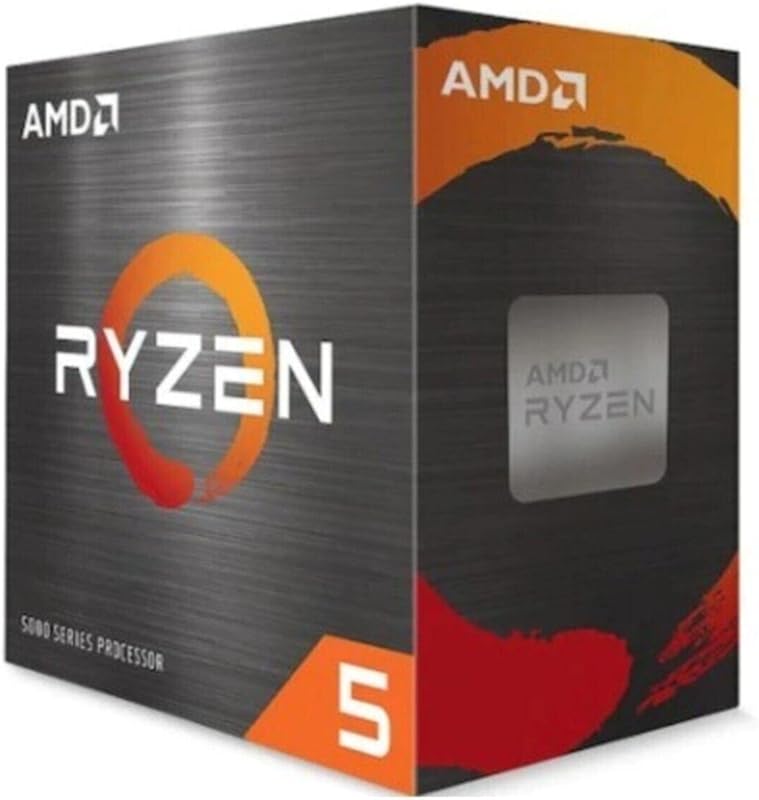
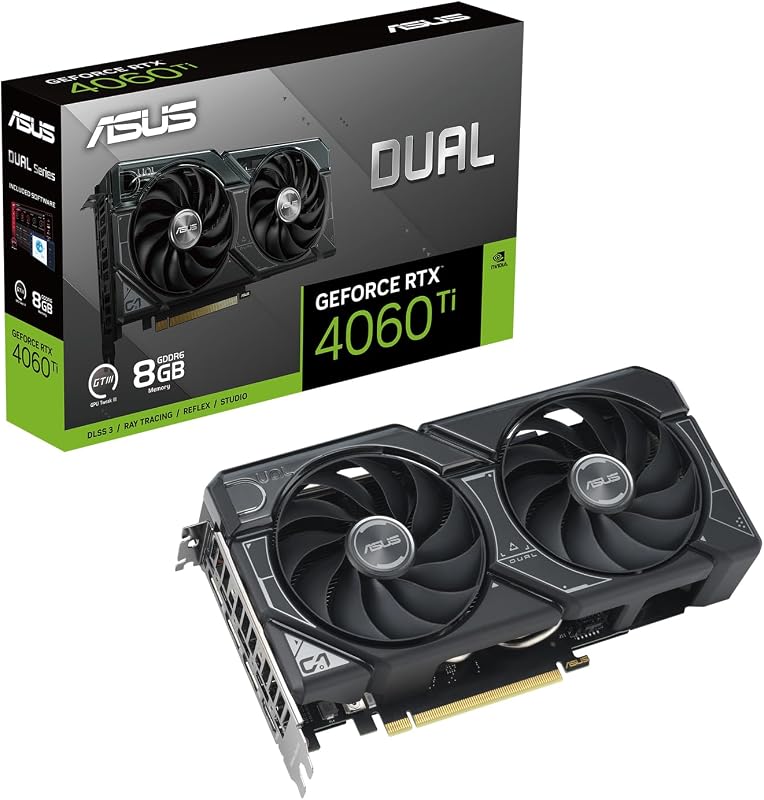
The decisive difference between these two mid-range graphics cards centers on memory configuration versus proprietary upscaling technology. The Nvidia RTX 4060 Ti features an 8GB GDDR6 memory buffer paired with fourth-generation Tensor Cores that drive DLSS 3 frame generation, while the AMD RX 7700 XT delivers a larger 12GB GDDR6 memory buffer operating across a wider 192-bit bus with 48MB of AMD Infinity Cache.
Gamers should choose the Nvidia RTX 4060 Ti if they want advanced artificial intelligence frame generation and a compact dual-fan card engineered for modest desktop enclosures. Players should choose the AMD RX 7700 XT if their priority is raw memory capacity, wider bus bandwidth, and native 8K display output support.


Nvidia RTX 4060 Ti vs AMD RX 7700 XT at a Glance
| Attribute | Nvidia RTX 4060 Ti | AMD RX 7700 XT |
|---|---|---|
| Graphics Architecture | NVIDIA Ada Lovelace | AMD RDNA 3 |
| Compute Units / Accelerators | 3rd Gen RT Cores, 4th Gen Tensor Cores | 54 Compute Units, RT+AI Accelerators |
| Video Memory (VRAM) | 8 GB GDDR6 | 12 GB GDDR6 |
| Memory Bus & Cache | Not listed | 192-bit bus, 48MB AMD Infinity Cache |
| Core Clock Speeds | Boost: 2595 MHz (OC) / 2565 MHz (Default) | Game: 2226 MHz, Boost: up to 2584 MHz |
| Display Outputs | 3x DisplayPort 1.4a, 1x HDMI 2.1 | 3x DisplayPort 2.1, 1x HDMI 2.1 |
| Maximum Display Resolution | 3840 x 2160 (4K) | 7680 x 4320 (8K) |
| Power Connectors | Not listed | 2x 8-pin auxiliary power |
| Dimensions (L x W) | 8.66″ L x 1.5″ W | 10.5″ L x 5.1″ W |
| Cooling Hardware | Axial-tech dual fans with locking ring | Dual Striped Ring Fans, Ultra-fit Heatpipe, 0dB mode |
| Best For | Compact builds and DLSS 3 frame generation | High-bandwidth 1440p gaming with 12GB VRAM headroom |
VRAM Capacity and Memory Bus Architecture
Graphics memory capacity dictates how well a video card handles high-resolution textures, complex asset streaming, and modern gaming workloads. The 4060 Ti 8GB vs 7700 XT 12GB comparison reveals a stark structural contrast in how each manufacturer addresses memory throughput. The ASUS Dual RTX 4060 Ti OC is equipped with 8GB of GDDR6 memory, which functions adequately for standard visual presets but faces clear boundaries when titles demand heavy texture pools. Gamers stepping up from entry-level options like those discussed in our nvidia rtx 4060 vs amd rx 7600 analysis will notice that 8GB remains the standard baseline for 1080p rendering, but modern game engines increasingly push past this boundary under aggressive settings.
By comparison, the ASRock Challenger RX 7700 XT provides a substantial hardware advantage with 12GB of GDDR6 memory. This setup operates over a dedicated 192-bit memory bus accompanied by 48MB of AMD Infinity Cache, which acts as an on-die bandwidth amplifier designed to lower memory latency. The listing notes memory clock speeds reaching 18,000 MHz alongside a 2584 MHz memory clock specification, ensuring consistent data flow to the 54 Compute Units. This extra 4GB of physical VRAM gives the RX 7700 XT 50 percent more memory space, preventing stutter caused by asset overflow into system RAM.
In real-world usage, this architectural difference fundamentally defines the longevity of each card. While the RTX 4060 Ti relies heavily on architectural compression to manage its 8GB frame buffer, the Challenger RX 7700 XT provides native hardware headroom that absorbs ultra-quality texture packs without hesitation. When comparing the RTX 4060 Ti vs RX 7700 XT specs, AMD clearly prioritizes raw memory capacity and bus width to support sustained asset transfer at higher resolutions.
Edge: AMD RX 7700 XT, because its 12GB GDDR6 memory pool on a 192-bit bus with 48MB Infinity Cache provides significantly more memory headroom and bandwidth than the 8GB buffer on the 4060 Ti.
Gaming Performance and Resolution Scaling
Target rendering resolution is the most critical metric for players choosing between mid-tier components. Deciding whether to select the RTX 4060 Ti or RX 7700 XT for 1440p hinges directly on how their architectures handle elevated pixel counts. The ASUS Dual RTX 4060 Ti OC features a boost clock of 2595 MHz in OC mode and 2565 MHz in default mode. The product listing rates this card for a maximum resolution of 3840×2160, making 4K output feasible for media and select titles, though its internal pipeline is primarily optimized for fluid frame rates at 1080p and controlled 1440p scenarios.
The ASRock Challenger RX 7700 XT takes a different approach by deploying 54 Compute Units and hardware-level RT+AI Accelerators built on the AMD RDNA 3 architecture. It delivers a 2226 MHz Game Clock alongside boost clock ratings of 2584 MHz (and up to 2,599 MHz in detailed listing notes). More notably, ASRock rates the RX 7700 XT for a maximum display resolution of 7680×4320 pixels (8K). In direct RX 7700 XT vs 4060 Ti performance assessments, AMD’s combination of compute units, 48MB Infinity Cache, and 12GB memory allows the card to scale cleanly across 1440p displays without texture compression throttling.
For players evaluating upgrades to higher tiers, such as those reviewed in our nvidia rtx 4060 ti vs 4070 comparison, baseline rendering power remains essential. The Challenger RX 7700 XT brings broader raw rendering capability to native resolutions, whereas the 4060 Ti leans on software pipeline features to maintain competitive framerates when the workload increases.
Edge: AMD RX 7700 XT, because its 54 Compute Units, wider bus, and higher maximum supported resolution offer superior native rendering capability for high-resolution 1440p gaming.
Upscaling Technologies and Ray Tracing Architecture
Modern visual rendering is increasingly defined by specialized hardware accelerators rather than traditional rasterization alone. In an RTX 4060 Ti review, the standout hardware feature is Nvidia’s fourth-generation Tensor Cores and third-generation RT Cores built into the Ada Lovelace architecture. The manufacturer specifies that these fourth-generation Tensor Cores can deliver up to four times the performance using DLSS 3 compared to traditional brute-force rendering. DLSS 3 introduces optical multi-frame generation, allowing the GPU to construct entire artificial frames, effectively multiplying visual output independently of typical graphics pipeline bottlenecks.
The ASUS card also utilizes third-generation RT Cores that offer up to twice the ray tracing performance of prior architectures according to official listing details. This enables more stable execution of complex light paths, reflection mapping, and global illumination. AMD combats this through its RDNA 3 RT+AI Accelerators integrated into each of the 54 Compute Units. While the Challenger card processes ray-traced reflections efficiently, it relies on open-standard upscaling protocols rather than dedicated proprietary optical frame generation hardware of the same generation.
When asking is RX 7700 XT worth it for ray tracing enthusiast gaming, Nvidia maintains an architectural lead. The dedicated Tensor and RT hardware in the RTX 4060 Ti provides a more mature ecosystem for reconstruction and ray manipulation, which offsets its narrower physical memory footprint in supported titles.
Edge: Nvidia RTX 4060 Ti, because its fourth-generation Tensor Cores with DLSS 3 frame generation and third-generation RT cores deliver superior upscaling performance and ray tracing efficiency.
Form Factor, Clearance, and Thermal Engineering
Chassis compatibility often determines which component actually fits inside a gamer’s existing desktop build. The ASUS Dual RTX 4060 Ti OC Edition measures 8.66 inches long and 1.5 inches wide, occupying a compact dual-slot footprint. To manage thermals within this smaller frame, ASUS implements its Axial-tech fan design. This configuration features a reduced fan hub diameter to house longer blades, surrounded by an integrated barrier locking ring that directs downward air pressure straight through the aluminum cooling array.
The ASRock Challenger RX 7700 XT is a noticeably larger piece of hardware, measuring 10.5 inches in length, 5.1 inches in width, and 2.0 inches in thickness (266 x 130 x 51 mm). ASRock integrates a custom thermal solution comprising dual Striped Ring Fans, an Ultra-fit Heatpipe assembly, and a durable metal backplate that enhances structural rigidity while radiating passive heat. Additionally, the Challenger includes 0dB Silent Cooling technology, which stops the fans completely during low-temperature idle or desktop productivity states for quiet operation.
The listing specifically notes that the Challenger RX 7700 XT is not compatible with all pre-built systems, cautioning buyers to verify power supply capacity and chassis clearance before purchase. The ASUS Dual 4060 Ti offers much simpler drop-in installation for compact microATX and mini-ITX cases where an extended 10.5-inch card cannot fit, making it a much more versatile option for small-form-factor builds.
Edge: Nvidia RTX 4060 Ti, because its compact 8.66-inch length and 1.5-inch width ensure broad chassis compatibility while maintaining focused airflow via Axial-tech fans.
Display Connectivity and Power Delivery Requirements
Interface flexibility and board power design influence both monitor compatibility and power supply requirements. The ASRock Challenger RX 7700 XT includes three DisplayPort 2.1 connectors alongside one HDMI 2.1 port. DisplayPort 2.1 provides enhanced display pipeline bandwidth capable of driving next-generation high-refresh-rate monitors at native 4K and 8K resolutions (supported up to 7680×4320 pixels). Powering the Challenger requires two dedicated 8-pin PCIe auxiliary power connectors to guarantee stable current delivery to the RDNA 3 core and its 12GB memory pool.
In contrast, the ASUS Dual GeForce RTX 4060 Ti OC Edition comes equipped with three DisplayPort 1.4a outputs and one HDMI 2.1 port (the listing specification table also makes a generic mention of VGA, though the card bracket features modern digital outs). While DisplayPort 1.4a supports 4K displays up to the card’s rated 3840×2160 maximum, it represents an earlier interface generation compared to the DisplayPort 2.1 standard present on the Challenger. The listing does not specify dual 8-pin connectors for the ASUS 4060 Ti, aligning with the Ada Lovelace architecture’s standard modest power configuration.
For gamers planning forward-looking display setups, the ASRock card’s inclusion of modern DisplayPort 2.1 connectors is a clear technical advantage over DisplayPort 1.4a. Those exploring modern card configurations can see similar architectural shifts highlighted in our nvidia rtx 4060 ti vs 4070 ti and nvidia rtx 4060 ti vs 4070 ti super overviews.
Edge: AMD RX 7700 XT, because it includes three modern DisplayPort 2.1 outputs supporting up to 8K resolution alongside dual 8-pin power connections for stable electrical input.
Pros and Cons
Nvidia RTX 4060 Ti
Pros
- DLSS 3 optical frame generation
- Compact 8.66-inch card length
- Axial-tech high-pressure fan design
- 2595 MHz OC boost clock
Cons
- Limited 8GB VRAM capacity
- Older DisplayPort 1.4a outputs
View Nvidia RTX 4060 Ti on Amazon
AMD RX 7700 XT

Pros
- Generous 12GB GDDR6 memory
- Wide 192-bit bus with Infinity Cache
- Three modern DisplayPort 2.1 ports
- 0dB silent idle cooling mode
- Durable metal backplate construction
Cons
- Longer 10.5-inch chassis requirement
- Dual 8-pin power connectors required
Who Should Buy Each One
Choose the Nvidia RTX 4060 Ti If
- You own a compact desktop case with strict clearance limits that cannot accommodate cards over nine inches in length.
- You prioritize DLSS 3 frame generation to multiply frame rates in demanding modern gaming titles.
- You want third-generation ray tracing hardware that processes realistic lighting and reflections with minimal performance loss.
- You seek a dual-fan graphics card utilizing specialized Axial-tech downward air pressure for efficient heat dissipation.
Choose the AMD RX 7700 XT If
- You play modern games at 1440p and require a larger 12GB GDDR6 memory buffer to prevent texture stutter.
- You need the extra memory bandwidth provided by a 192-bit bus and 48MB of AMD Infinity Cache.
- You plan to connect high-refresh or ultra-high-resolution displays using modern DisplayPort 2.1 connectivity.
- You want completely silent operation during light computer workloads via 0dB silent fan technology.
Final Verdict
For most desktop gamers playing at 1440p resolution, the AMD RX 7700 XT is the stronger hardware investment. Its 12GB GDDR6 memory buffer, 192-bit bus, and 48MB AMD Infinity Cache provide the dedicated physical bandwidth required to load heavy texture libraries without running into hardware limits. Furthermore, the inclusion of three DisplayPort 2.1 outputs, a sturdy metal backplate, and an 8K display capability give the Challenger model superior platform longevity for standard desktop cases that accommodate its 10.5-inch length.
The Nvidia RTX 4060 Ti remains the preferred choice for enthusiasts building within space-constrained enclosures or those who place a premium on Nvidia’s software stack. Its fourth-generation Tensor Cores enable DLSS 3 frame generation, which boosts visual fluidity beyond what standard brute-force rendering achieves on an 8GB card. If your desktop space is limited to under nine inches or your gaming rotation centers heavily on titles that leverage DLSS 3 and advanced ray tracing, the ASUS Dual RTX 4060 Ti provides exceptional utility in a neat, dual-slot package. Future generational shifts discussed in our nvidia rtx 5060 ti vs amd rx 9060 xt guide further demonstrate how VRAM and AI feature splits continue to shape the mid-range segment.
FAQ
Does the RTX 4060 Ti support DisplayPort 2.1 connectivity?
No. According to the official listing specifications, the ASUS Dual RTX 4060 Ti OC Edition features three DisplayPort 1.4a outputs and one HDMI 2.1 port, supporting a maximum display resolution of 3840×2160 pixels.
How much memory does the AMD RX 7700 XT have?
The ASRock Challenger RX 7700 XT is equipped with 12GB of GDDR6 memory operating on a 192-bit memory bus, augmented by 48MB of AMD Infinity Cache to lower latency and increase bandwidth.
Will the ASRock RX 7700 XT fit inside small form factor PC cases?
The ASRock Challenger RX 7700 XT measures 10.5 inches long, 5.1 inches wide, and 2.0 inches thick. The listing explicitly states that it is not compatible with all pre-built systems and advises users to check chassis space and power supply compatibility prior to purchase.
What are the boost clock speeds of the ASUS Dual RTX 4060 Ti?
The ASUS Dual GeForce RTX 4060 Ti OC Edition reaches a boost clock of 2595 MHz in OC mode and 2565 MHz in its default mode, as detailed in the listing specifications.
Does the ASRock RX 7700 XT turn off its cooling fans when idling?
Yes. The Challenger RX 7700 XT features 0dB Silent Cooling technology, which completely shuts off the dual Striped Ring Fans during low-temperature idle states and light everyday computing tasks.
What power connectors are required for the AMD RX 7700 XT?
The ASRock Challenger RX 7700 XT listing specifies that the card requires dual 8-pin auxiliary power connectors to ensure stable and reliable power delivery across its PCIe 4.0 interface.