The single technical difference that decides the choice between solid-state storage and a mechanical hard drive is data access speed. Modern game installations rely heavily on quick access to thousands of small files, textures, and geometry meshes, meaning the rapid flash memory inside an SSD fundamentally transforms system responsiveness compared to the physical platters and mechanical read heads of a hard disk drive.
Gamers seeking rapid level loads, smooth texture streaming in modern open-world environments, and fast system boots should choose an SSD. Players who prioritize storing massive game libraries, cold archives, and media collections on a single high-capacity drive should choose an HDD for gaming.



SSD vs HDD for Gaming at a Glance
| Attribute | SSD | HDD for Gaming |
|---|---|---|
| Maximum Read Speed | 560 MB/s to 1050 MB/s | 190 MB/s sustained |
| Maximum Write Speed | 530 MB/s to 1000 MB/s | Not specified (190 MB/s transfer rate listed) |
| Storage Capacity Options | 2 TB (in representative models) | 8 TB (in representative model) |
| Interface Support | SATA III 6 Gb/s, USB 3.2 Gen 2, eSATA | SATA 6 Gb/s |
| Drive Form Factor | 2.5 inches (internal or portable enclosure) | 3.5 inches |
| Rotational Speed | 0 RPM (Solid-state flash memory) | 5400 RPM |
| Physical Shock Resistance | 1,500 G at 0.5 ms or up to 3-meter drop | Not specified (Mechanical components sensitive to drops) |
| Hardware Encryption | AES 256-bit hardware encryption | Not listed |
| Console Compatibility | PlayStation 5, Xbox Series X, Xbox Series S, PC | PlayStation 5, PC |
| Best For | Instant loading and asset streaming | Large-capacity game library backups |
Read Speeds and Data Transfer Performance
When evaluating Samsung SSD 870 EVO technology against a spinning disk, continuous throughput tells only half the story. The raw SSD vs HDD read speed differential defines how rapidly massive game binaries transfer across the system bus. In internal configurations, a SATA solid-state drive reaches sequential read ceilings of up to 560 MB/s and write speeds of up to 530 MB/s. External portable solid-state options, such as the Sandisk 2TB Extreme Portable SSD, leverage NVMe flash technology over USB 3.2 Gen 2 to achieve sequential read speeds up to 1050 MB/s and write speeds up to 1000 MB/s. These metrics represent the upper limits of consumer file transfer speeds on traditional bus standards.
By comparison, a mechanical hard drive like the Seagate 8TB BarraCuda internal hard drive operates at a maximum sustained transfer rate of 190 MB/s using spinning magnetic platters. Evaluating a SATA SSD vs 5400 RPM HDD reveals that the solid-state architecture delivers almost three times the sustained transfer rate of the mechanical drive over the identical SATA 6 Gb/s interface, and portable solid-state options deliver over five times that throughput. For high-bandwidth transfers like moving an uncompressed 100GB game folder, the difference amounts to minutes of waiting versus a brief transfer window. Readers exploring high-bandwidth architectures often examine advanced internal bus standards in comparisons like the samsung 980 pro vs 990 evo breakdown.
Beyond raw sequential numbers, the physical architecture determines random access behavior. Solid-state memory accesses any storage sector nearly instantaneously without physical alignment delays. The spinning platters of a 5400 RPM hard drive require the mechanical actuator arm to seek specific sectors across rotating platters, which dramatically degrades performance when reading thousands of loose texture files or compressed asset archives simultaneously. This mechanical limitation bottlenecks data pipelines during dense gameplay scenarios.
Edge: SSD delivers up to 1050 MB/s read speeds compared to the 190 MB/s sustained limit of mechanical drives, ensuring massively superior data throughput.
Load Times and In-Game Responsiveness
Evaluating SSD or HDD for gaming load times directly highlights where drive architecture affects everyday play. Solid-state technology virtually eliminates the waiting periods associated with booting titles, loading level checkpoints, and fast-traveling across vast digital landscapes. Because flash memory eliminates mechanical seek times, game engines quickly populate VRAM with high-resolution textures, audio buffers, and level geometry. In an in-depth SSD review, loading screens that linger for 30 to 45 seconds on mechanical storage routinely complete in under 10 seconds on solid-state media.
In modern open-world game engines, data streaming occurs continuously in the background as the player navigates the game world. When using an internal SSD vs mechanical HDD, the faster drive prevents hitching and texture pop-in. Games designed around modern hardware expect streaming bandwidth that far exceeds the 190 MB/s sustained read rate of a 5400 RPM hard drive. When a mechanical drive cannot stream distant geometry or higher-tier LOD (Level of Detail) textures quickly enough, the engine stutters, drops frames, or displays blurry surfaces until the magnetic heads reach the requested data clusters. The underlying memory design plays a key role here, as outlined in our analysis of dram vs dram-less ssd architectures.
Evaluating real-world SSD load times vs HDD metrics also shows substantial advantages during game patch updates and initial shader compilation. When a title verifies file integrity or applies differential patches, the drive must read and write data simultaneously across multiple blocks. The Samsung 870 EVO utilizes dedicated variable buffer caching and a 32 cache memory configuration to handle heavy write traffic, whereas the mechanical drive depends on a 256 cache allocation while moving mechanical heads between tracks. The result is a much faster installation and patching experience on flash storage.
Edge: SSD eliminates mechanical seek latency, cutting loading screen durations drastically and removing in-game asset streaming hitches.
Storage Capacity and Library Management
While flash drives dominate speed metrics, capacity scaling remains the primary strength of mechanical storage. A thorough HDD for gaming review highlights that mechanical drives provide immense capacity within a single standard drive bay. The Seagate BarraCuda offers 8 TB of storage on a single 3.5-inch frame. To match that volume with solid-state alternatives like the 2 TB Samsung 870 EVO or the 2 TB Sandisk Extreme Portable, a builder would need four distinct drives, consuming multiple SATA ports, M.2 slots, or USB connections across their motherboard.
Modern gaming installations demand massive amounts of disk space, with single blockbuster releases frequently consuming anywhere from 80 GB to over 200 GB before counting expansion packs, high-resolution texture packs, and mods. When weighing HDD vs SSD for gaming from a capacity standpoint, mechanical drives serve as unmatched storage banks. An 8 TB drive can hold dozens of demanding installations alongside vast libraries of recorded gameplay footage, community modifications, and media files without requiring constant library pruning. Builders balancing large storage pools often compare specialized drives in guides like the wd red plus 8tb vs black hdd 6tb analysis.
The operational compromise in this gaming SSD vs hard drive matchup comes down to storage tiering. Installing all games exclusively to a 2 TB SSD means a user with a large library must continuously uninstall and re-download games as storage fills. A mechanical hard drive allows players to maintain their entire catalog offline, moving active titles onto a smaller, faster drive when low load times are required. For players with bandwidth caps or slower internet download connections, local archival on an 8 TB mechanical volume is a practical convenience.
Edge: HDD for gaming wins on capacity, offering massive 8 TB storage in a single unit compared to common 2 TB solid-state limits.
Durability, Acoustics, and Mechanical Reliability
Physical construction is a fundamental dividing line between flash storage and mechanical drives. Solid-state drives contain zero moving components, meaning they generate no operational noise, hum, or vibrations inside a chassis. The Samsung 870 EVO features an environmental shock rating of 1,500 G at 0.5 ms half-sine, showcasing how resilient solid-state drives are against physical displacement. For external use, the Sandisk Extreme Portable SSD provides up to 3-meter drop protection and an IP65 water and dust resistance rating, ensuring that portable gaming libraries survive daily transit and harsh environments. The drive also operates in non-operating temperatures ranging from -20°C to 85°C.
Mechanical drives depend entirely on high-precision mechanical assemblies operating in tight enclosures. A 5400 RPM drive like the Seagate BarraCuda spins magnetic platters continuously during operation, which generates faint motor hum and noticeable clicks as the mechanical head assembly shifts across the platter surface. Because the read heads float mere nanometers above rapidly spinning discs, physical impacts, vibrations from heavy chassis fans, or accidental desktop bumps can cause head crashes or sector corruption. To offset physical vulnerabilities, the Seagate BarraCuda includes a dedicated Data Recovery Service, acknowledging the mechanical nature of the hardware.
Long-term write endurance follows distinct rules for both technologies. The Samsung 870 EVO SSD relies on MLC V-NAND technology rated for up to 2,400 TBW (Terabytes Written) on its 2 TB model, meaning a user can overwrite the drive completely hundreds of times before exhausting the flash cells. Cell layout and endurance are detailed further in our overview of tlc vs qlc ssd memory types. While magnetic media does not degrade based on flash cell wear cycles, mechanical components experience wear over time across spindles, bearings, and actuator motors.
Edge: SSD features zero moving components, complete acoustic silence, and superior resistance to physical shocks and environmental drops.
Installation, Form Factors, and Platform Compatibility
Physical dimensions and connectivity determine where these storage options can be deployed. A standard 2.5-inch internal SSD measures compact and slim, fitting inside small-form-factor PCs, standard desktop trays, laptops, and various consumer gaming electronics. The Samsung 870 EVO uses standard SATA 6 Gb/s connections (with backward compatibility for SATA 3 Gb/s and SATA 1.5 Gb/s) and specifies compatibility across PC, Mac, laptops, PlayStation 5, Xbox Series X, and Xbox Series S. The Sandisk Extreme Portable provides external plug-and-play versatility across laptops, desktops, and tablets using USB-C and USB 3.2 Gen 2 connectivity, complete with a carabiner loop for transit.
In contrast, an 8 TB 3.5-inch mechanical drive like the Seagate BarraCuda measures 5.79 inches long, 4 inches wide, 1.03 inches thick, and weighs 630 grams. These dimensions restrict installation entirely to desktop chassis with dedicated 3.5-inch drive bays or external multi-bay enclosures. It cannot be mounted inside laptops or compact console drive bays. The listing specifies frustration-free packaging consisting of an anti-static bag without accessory mounting cables or retail boxing, meaning builders must supply their own SATA data cables and chassis screws.
Compatibility with modern home consoles reveals another significant operational divergence. While the Seagate BarraCuda listing specifies PlayStation 5 compatibility, modern consoles cannot run native current-generation software directly from a 5400 RPM mechanical drive due to bandwidth constraints. When asking is an HDD for gaming worth it on modern consoles, the drive functions primarily as a cold-storage backup drive where PlayStation 5 or Xbox Series games are archived and transferred to internal high-speed flash before launching. Detailed enterprise-grade hardware comparisons like the seagate ironwolf 8tb vs wd black hdd 6tb guide illustrate similar interface and form-factor considerations across larger storage arrays.
Edge: SSD offers smaller 2.5-inch and portable form factors that fit into laptops, consoles, and compact desktop builds where 3.5-inch drives cannot go.
Pros and Cons
SSD

Pros
- Up to 1050 MB/s sequential read speeds
- Zero mechanical seek latency
- 1,500 G shock rating and drop protection
- Completely silent operation without moving parts
- Compact 2.5-inch and portable form factors
Cons
- Lower maximum storage capacity per drive
- Defined flash cell write endurance limits
View Sandisk 2TB Extreme Portable SSD Up on Amazon
HDD For Gaming
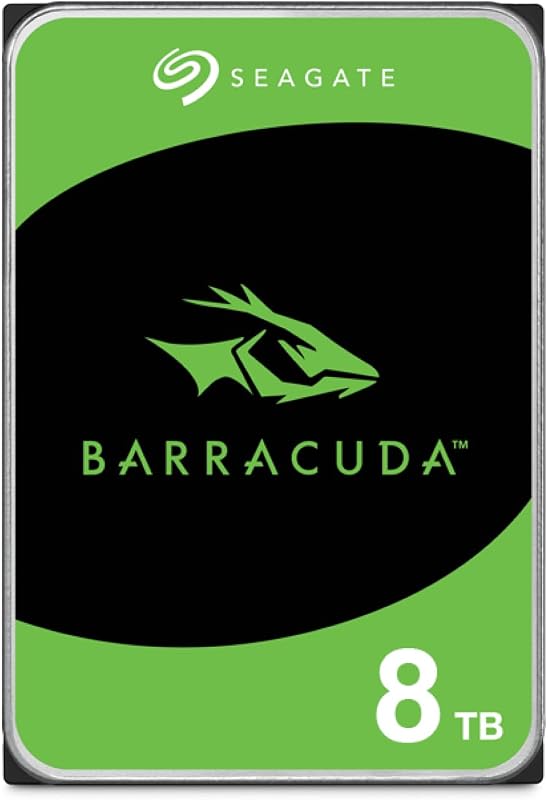
Pros
- Massive 8 TB single-drive storage capacity
- Includes dedicated Data Recovery Service
- Large 256 MB onboard cache buffer
- Proven SATA 6 Gb/s desktop compatibility
Cons
- Slower 190 MB/s sustained transfer rate
- Mechanical 5400 RPM seek latency and noise
- Large 3.5-inch form factor requires desktop bay
View Seagate 8TB BarraCuda Internal Hard Drive on Amazon
Who Should Buy Each One
Choose the SSD If
- You play modern release titles that stream high-resolution textures dynamically and require rapid file access.
- You want quick boot times, minimal waiting on loading screens, and swift game installations.
- You need portable or compact internal storage that resists physical shocks and operates in dead silence.
- You are expanding active storage for modern consoles like the Xbox Series X/S or PlayStation 5.
Choose the HDD for Gaming If
- You maintain an extensive backlog of older PC games, indie releases, or emulators that do not saturate high-speed bus limits.
- You need a massive cold-storage archive to hold dozens of 100GB+ installs without needing to re-download them.
- You are building a secondary desktop storage array dedicated to recorded gameplay footage, mods, and media files.
- You want maximum terabytes per drive bay and do not mind standard 5400 RPM access latencies.
Final Verdict
For the vast majority of active gamers, the SSD is the clear winner. The performance advantages of solid-state flash are fundamental to modern gaming: read speeds ranging from 560 MB/s on SATA up to 1050 MB/s on portable USB connections eliminate load screen delays, prevent in-game asset pop-in, and provide completely silent operation. With strong shock resistance ratings like 1,500 G and durable drop-resistant enclosures, solid-state drives provide the responsiveness and reliability modern titles demand.
The HDD for gaming remains a specialized, high-utility tool for massive game library archiving. A single 3.5-inch drive providing 8 TB of storage at a 190 MB/s sustained transfer rate offers unmatched capacity for storing legacy game catalogs, gameplay recordings, and cold backups of modern titles. If you need immense storage volume and do not mind transferring active games to flash storage when it is time to play, the mechanical hard drive remains an effective secondary vault.
FAQ
Can you still play modern PC games directly from an HDD?
While many older or less demanding PC games run fine from a 5400 RPM hard drive, modern blockbuster games increasingly mandate solid-state storage. Running newer titles from a mechanical hard drive often leads to severe texture pop-in, micro-stutters during asset streaming, and prolonged loading screens because the 190 MB/s sustained transfer rate cannot feed modern game engines quickly enough.
How much faster is an SSD compared to a 5400 RPM hard drive?
Based on manufacturer specifications, an internal SATA SSD delivering 560 MB/s read speeds is roughly three times faster in sequential throughput than a 5400 RPM hard drive capped at 190 MB/s. Portable solid-state drives operating at 1050 MB/s are more than five times faster. In random access scenarios, flash memory responds almost instantaneously, whereas mechanical drives must physically move mechanical read heads across spinning platters.
Does an SSD improve in-game frame rates?
An SSD primarily improves loading screen times and data transfer speeds rather than raw graphical rendering frames per second. However, in games with open-world asset streaming, an SSD prevents sudden frame drops and hitching caused by a slow drive struggling to load textures and geometry while moving through the game world.
Can I use an external SSD for console gaming?
Yes. Portable solid-state drives featuring high-speed USB interfaces, such as the Sandisk Extreme Portable SSD, can connect directly to modern consoles like the PlayStation 5 and Xbox Series X/S. They can run previous-generation legacy titles directly and serve as high-speed external storage for backing up modern releases.
Why would a gamer still buy an 8TB mechanical hard drive?
An 8TB mechanical drive provides massive single-drive storage capacity that is rare or impractical in consumer solid-state drives. Gamers with large catalogs of older games, extensive video recording libraries, or slow home internet connections use mechanical drives to store vast amounts of data locally without having to delete and re-download games.
What does TBW mean on a gaming SSD?
TBW stands for Terabytes Written. It specifies the cumulative volume of data that can be written to the solid-state drive before the flash memory cells exceed their guaranteed endurance threshold. For example, a 2 TB Samsung 870 EVO is rated for up to 2,400 TBW, representing hundreds of full drive rewrites under regular gaming usage.


