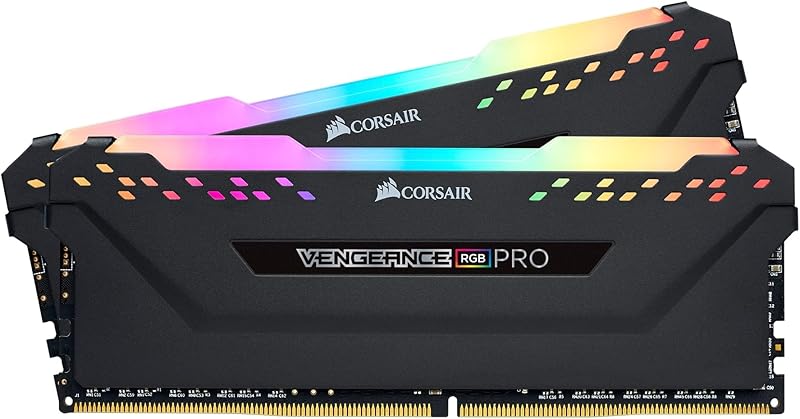
The single deciding factor between the G.Skill Trident Z5 Neo RGB and the G.Skill Ripjaws S5 DDR5 is the direct trade-off between ultra-low CL30 CAS latency and cross-platform profile flexibility. The Trident Z5 Neo RGB runs at tighter CL30-38-38-96 timings with dedicated AMD EXPO profile support and full RGB illumination, whereas the Ripjaws S5 delivers CL36-36-36-96 timings alongside dual Intel XMP 3.0 and AMD EXPO profiles in a low-profile, non-RGB package.
Choose the Trident Z5 Neo RGB if you want maximum gaming responsiveness and aesthetic flair inside an AMD AM5 build. Choose the Ripjaws S5 if you need broad compatibility across Intel or AMD motherboards and want a low-profile memory kit that leaves clearance for massive air coolers.


G.Skill Trident Z5 Neo RGB vs G.Skill Ripjaws S5 DDR5 at a Glance
| Feature | G.Skill Trident Z5 Neo RGB | G.Skill Ripjaws S5 DDR5 |
|---|---|---|
| Rated Transfer Speed | 6000 MT/s | 6000 MT/s |
| Primary Timings | CL30-38-38-96 | CL36-36-36-96 |
| CAS Latency | 30 | 36 |
| Overclocking Profiles | AMD EXPO, JEDEC default | Intel XMP 3.0, AMD EXPO, JEDEC default |
| Supported Platforms | AMD X870, X670, B850, B840, B650, A620 | Intel Z890, Z790, Z690, B860, B760, B660; AMD X870, X670, B850, B840, B650, A620 |
| Operating Voltage | 1.35V | 1.35V |
| Lighting | RGB light bar | Non-RGB |
| Weight | the listing does not specify | 120 g |
| Physical Height | the listing does not specify | the listing does not specify |
| Best For | AMD gamers seeking tight CL30 responsiveness and RGB lighting | Dual-platform desktop builds needing low-profile clearance |
CAS Latency and Primary Memory Timings
Column Address Strobe latency measures the delay between a read command sent by the memory controller and the moment data becomes available on the module pins. At an identical rated transfer rate of 6000 MT/s, lower primary timings directly translate to quicker response intervals. In any direct G.Skill Trident Z5 Neo vs Ripjaws S5 DDR5 latency assessment, the Trident module holds a decisive mathematical advantage. Running at CL30-38-38-96, the Trident Z5 Neo RGB delivers a baseline CAS response time of 10.0 nanoseconds. By comparison, the Ripjaws S5 DDR5 operates at CL36-36-36-96, producing a 12.0-nanosecond response window under identical clock cycles.
In real-world computing, this timing differential directly impacts memory-intensive workloads and sensitive gaming engines. High-framerate titles that continuously stream asset buffers rely heavily on low random access delays. Evaluating Trident Z5 Neo RGB vs Ripjaws S5 CL30 vs CL36 reveals that the tighter primary cycle count of the CL30 kit reduces memory pipeline stalls during sudden scene transitions. While users upgrading from older generations often study comparisons like g.skill ripjaws v ddr4 3600 vs trident z neo ddr4 to gauge historical timing jumps, DDR5 brings memory controller synchronization into even sharper focus.
The secondary timings on the Ripjaws S5 are configured symmetrically at 36-36-96, whereas the Trident Z5 Neo steps out to 38-38-96 for its row precharge and active-to-precharge cycles. However, the initial column access latency of CL30 remains the dominant performance variable during gaming and burst memory operations. The Trident module consistently delivers lower absolute latency when responding to unbuffered CPU read requests, yielding smoother overall memory throughput.
Edge: G.Skill Trident Z5 Neo RGB, delivering substantially lower CL30 access latency for faster data retrieval.
Overclocking Profile and Platform Compatibility
Overclocking profiles embedded into memory SPD chips eliminate the need to dial in primary timings, sub-timings, and operating voltages manually. The two kits take distinctly different approaches to platform support. The Trident Z5 Neo RGB is purpose-built around an AMD EXPO profile alongside standard JEDEC defaults. Its profile is engineered specifically for modern AMD AM5 chipsets, spanning AMD X870, X670, B850, B840, B650, and A620 motherboards. Builders who prioritize native AMD firmware tuning will find G.Skill Trident Z5 Neo RGB AMD EXPO compatibility seamless on these motherboards.
Conversely, the Ripjaws S5 DDR5 features Dual OC Profile Support, incorporating both Intel XMP 3.0 and AMD EXPO settings directly onto the module alongside standard JEDEC fallbacks. This dual-profile architecture makes the Ripjaws S5 exceptionally flexible across hardware generations and brands. The manufacturer validates this kit across Intel Z890, Z790, Z690, B860, B760, and B660 motherboards, in addition to the full suite of AMD AM5 motherboards including X870, X670, B850, B840, B650, and A620. When examining g.skill trident z5 rgb ddr5 6000 vs ripjaws s5 ddr5, dual-profile flexibility stands out as a clear advantage for users who migrate hardware across chipsets.
This difference in profile programming determines how easily each kit operates outside its native environment. While an EXPO-only kit can theoretically run on certain Intel boards if the motherboard firmware translates EXPO tables, it lacks the native Intel XMP 3.0 validation found on the Ripjaws S5. The Ripjaws S5 allows you to swap platforms or repurpose memory into an Intel office machine or an AMD workstation without wrestling with manual secondary timing menus in the BIOS.
Edge: G.Skill Ripjaws S5 DDR5, thanks to native Dual OC Profile Support covering both Intel XMP 3.0 and AMD EXPO platforms.
Heatsink Form Factor and Cooler Clearance
Physical module dimensions determine whether high-performance memory can physically coexist with massive desktop air coolers or compact small-form-factor enclosures. The Ripjaws S5 DDR5 is designed with a low-profile aluminum heatspreader structure aimed directly at space-constrained builds. The listing documents an item weight of 120 grams for the 2-module kit. While the listing does not specify exact vertical millimeter measurements for either module, the low-profile styling of the Ripjaws series intentionally avoids tall upper fins or elevated diffusers, maximizing Ripjaws S5 DDR5 cooler clearance beneath wide heatsink towers.
The Trident Z5 Neo RGB features an aggressive, stylized aluminum heatspreader capped with a full-length translucent RGB light bar. This lighting diffuser adds physical height to the top edge of the module. In compact mini-ITX cases or builds utilizing dual-fan, dual-tower CPU air coolers, elevated heatsinks can collide with cooling fans. Builders often face the choice between moving the intake fan upward on the cooler tower or choosing lower-profile hardware, as detailed in our guide on g.skill trident z5 neo rgb vs g.skill flare x5 ddr5 6000.
If you intend to cool your desktop processor with an all-in-one liquid cooler or an air cooler with high memory cutouts, the height of the Trident Z5 Neo RGB creates no interference. However, for builders using traditional, wide dual-fan heatsinks where fan overhang is unavoidable, the streamlined build of the Ripjaws S5 eliminates clearance headaches entirely.
Edge: G.Skill Ripjaws S5 DDR5, providing a low-profile, non-protruding heatsink that avoids CPU cooler interference.
Gaming Performance and System Responsiveness
When selecting G.Skill Trident Z5 Neo RGB or Ripjaws S5 for gaming, real-time asset rendering and frame delivery stability govern the choice. Both kits hit 6000 MT/s, which represents the optimal 1:1 memory controller fabric ratio for modern desktop architectures. However, memory performance during intense gaming is dictated not just by gross transfer bandwidth, but by how quickly random memory requests resolve. This is why builders often debate G.Skill Trident Z5 Neo or Ripjaws S5 for Ryzen configurations where the memory controller directly impacts CPU core performance.
The CL30 primary timing on the Trident Z5 Neo RGB minimizes memory wait states, directly supporting smoother frame pacing and improved 1% minimum frame rates in CPU-bound gaming scenarios. In competitive esports titles or complex open-world games with dense non-player character pathing, lower latency prevents micro-stutter when new assets stream into system memory. A comprehensive G.Skill Trident Z5 Neo RGB review shows that maintaining low CAS latency alongside 6000 MT/s bandwidth delivers the crispest frame-time graphs on modern gaming platforms.
The Ripjaws S5 DDR5 is certainly capable of running modern titles at high performance levels, and its 6000 MT/s data transfer rate prevents raw memory bandwidth bottlenecks. Yet, its looser CL36 rating introduces slightly more wait states during heavy CPU-to-memory traffic bursts. While testing against alternative high-speed kits like g.skill trident z5 rgb ddr5 6000 vs kingston fury renegade ddr5 highlights how high transfer rates benefit bandwidth benchmarks, the lower CAS latency of the Trident Z5 Neo remains the superior choice for maximizing gaming fluidity.
Edge: G.Skill Trident Z5 Neo RGB, due to tighter CL30 latency delivering superior 1% low frame consistency in gaming.
Thermal Dissipation, Voltage, and Build Quality
Both memory kits operate at a rated 1.35 volts when applying their factory overclocking profiles. This matched voltage profile means both kits place equivalent demands on the motherboard memory power delivery circuits. Both models are manufactured using 288-pin Non-ECC U-DIMM desktop form factors and are shipped as matched 32GB dual-channel kits containing two 16GB modules. The manufacturer explicitly notes that these kits are designed to operate as a factory-matched pair and warns that mixing different memory kits will result in stability issues or system failure.
Heat dissipation on both models is handled by matte black aluminum heatspreaders that conduct heat away from the DDR5 memory chips and on-board power management integrated circuits. The Trident Z5 Neo RGB pairs this matte black metal with an illuminated top bar that syncs with motherboard RGB software. The Ripjaws S5 relies purely on a passive, stealth matte black exterior. Evaluating whether is G.Skill Ripjaws S5 DDR5 worth it comes down to whether you prefer an understated aesthetic without lighting software overhead, or an illuminated build center.
Because both kits operate at identical 1.35V levels and 6000 MT/s speeds, their thermal output under load remains very comparable. Neither kit requires specialized active fan cooling under normal chassis airflow conditions. In comparing modern illuminated kits to previous generational designs, such as corsair vengeance rgb pro ddr4 vs g.skill trident z neo ddr4, G.Skill maintains excellent heat dissipation efficiency across both their gaming and stealth series.
Edge: Tie, as both kits share robust aluminum heatspreaders, identical 1.35V operating requirements, and high build quality.
Pros and Cons
G.Skill Trident Z5 Neo RGB

Pros
- Tight CL30 primary latency
- Fast 10ns memory response time
- Dedicated AMD EXPO profile support
- Integrated RGB light bar
Cons
- No native Intel XMP profile listed
- Taller design may interfere with air coolers
View G.Skill Trident Z5 Neo RGB on Amazon
G.Skill Ripjaws S5 DDR5

Pros
- Dual Intel XMP and AMD EXPO support
- Low-profile heatsink fits under large coolers
- Broad compatibility across Intel and AMD chipsets
- Clean, stealth non-RGB matte black design
Cons
- Slower CL36 primary latency
- No integrated RGB lighting option
View G.Skill Ripjaws S5 DDR5 on Amazon
Who Should Buy Each One
Choose the Trident Z5 Neo RGB If
- You are building an AMD AM5 desktop based on X870, X670, B850, B840, B650, or A620 chipsets.
- You want the lowest possible CAS latency with rated CL30-38-38-96 primary timings to maximize gaming framerates.
- You use an all-in-one liquid cooler or a chassis with ample vertical clearance for RGB heatsinks.
- You want vibrant, customizable RGB lighting integrated across your desktop motherboard setup.
Choose the Ripjaws S5 DDR5 If
- You run an Intel 600, 700, or 800-series platform, or want dual XMP 3.0 and EXPO profile support for future system migrations.
- You use a large dual-tower CPU air cooler that hangs directly over the motherboard memory DIMM slots.
- You prefer a clean, zero-RGB, stealth matte black aesthetic without installing background lighting software.
- You want solid 6000 MT/s desktop performance and an easy plug-and-play profile setup on either CPU architecture.
Final Verdict
For dedicated gaming rigs running modern AMD AM5 processors, the Trident Z5 Neo RGB is the superior choice. Its combination of 6000 MT/s bandwidth and ultra-tight CL30-38-38-96 primary timings extracts the maximum performance from the CPU memory controller, reducing memory access latency down to 10 nanoseconds. Add in dedicated AMD EXPO profile support and sleek matte black styling with customizable RGB lighting, and it stands out as the premium option for gaming-focused desktop builds.
However, the Ripjaws S5 DDR5 wins on physical clearance and cross-platform utility. With dual Intel XMP 3.0 and AMD EXPO overclocking profiles, it functions effortlessly across a wider selection of motherboards, spanning both Intel and AMD ecosystems. If your build incorporates a massive dual-tower air cooler with restricted DIMM slot height, or if you prefer a subtle, lighting-free design, the Ripjaws S5 provides the physical clearance and dual-platform versatility you need.
FAQ
What is the main performance difference between G.Skill Trident Z5 Neo RGB and G.Skill Ripjaws S5 DDR5?
The primary performance distinction lies in CAS latency. While both kits operate at 6000 MT/s at 1.35V, the Trident Z5 Neo RGB features lower CL30-38-38-96 timings, whereas the Ripjaws S5 DDR5 operates at CL36-36-36-96. This translates to an absolute CAS access latency of 10 nanoseconds on the Trident versus 12 nanoseconds on the Ripjaws S5, giving the Trident module an advantage in latency-sensitive tasks and minimum frame rates in games.
Can G.Skill Ripjaws S5 DDR5 run on AMD AM5 motherboards?
Yes. The Ripjaws S5 DDR5 features Dual OC Profile Support, which includes both Intel XMP 3.0 and AMD EXPO profiles pre-loaded onto the modules. G.Skill explicitly lists compatibility with AMD X870, AMD X670, AMD B850, AMD B840, AMD B650, and AMD A620 motherboards, allowing you to load the EXPO profile directly within your AMD motherboard BIOS.
Does G.Skill Trident Z5 Neo RGB include an Intel XMP profile?
No. According to the manufacturer product specifications, the Trident Z5 Neo RGB includes an AMD EXPO memory overclock profile and a standard JEDEC default profile. It does not include native Intel XMP profiles. The listed validated platforms are exclusively AMD chipsets, including X870, X670, B850, B840, B650, and A620.
Will G.Skill Ripjaws S5 DDR5 clear large dual-tower air coolers?
The Ripjaws S5 is engineered around a low-profile heatsink form factor specifically designed to avoid interference with large CPU coolers. While the listing does not specify the exact height in millimeters, its compact top edge and absence of an elevated RGB diffuser provide substantially better clearance underneath overhang air cooler fans than taller illuminated modules.
Can I combine two of these 32GB kits to create a 64GB configuration?
The manufacturer explicitly advises against mixing memory kits. Both models are sold as factory-matched 32GB kits containing two 16GB modules that have been tested to operate together. Combining multiple distinct kits, even of the same model and frequency, can cause memory controller instability, boot failures, or an inability to run at rated overclocked speeds.
Do these DDR5 kits boot at 6000 MT/s automatically upon installation?
No. Both kits will initially boot at standard JEDEC default SPD speeds when first installed under default BIOS settings. Reaching the rated 6000 MT/s speed requires entering the motherboard BIOS and enabling the AMD EXPO profile or Intel XMP 3.0 profile, which automatically applies the rated 1.35V operating voltage and tested primary timings.
What operating voltage do these memory kits require?
Both the Trident Z5 Neo RGB and the Ripjaws S5 DDR5 require 1.35 volts to operate at their rated 6000 MT/s overclocked profile speeds. When booting under default JEDEC baseline specifications before activating the EXPO or XMP profiles, the modules operate at standard DDR5 baseline voltages as determined by the motherboard BIOS.