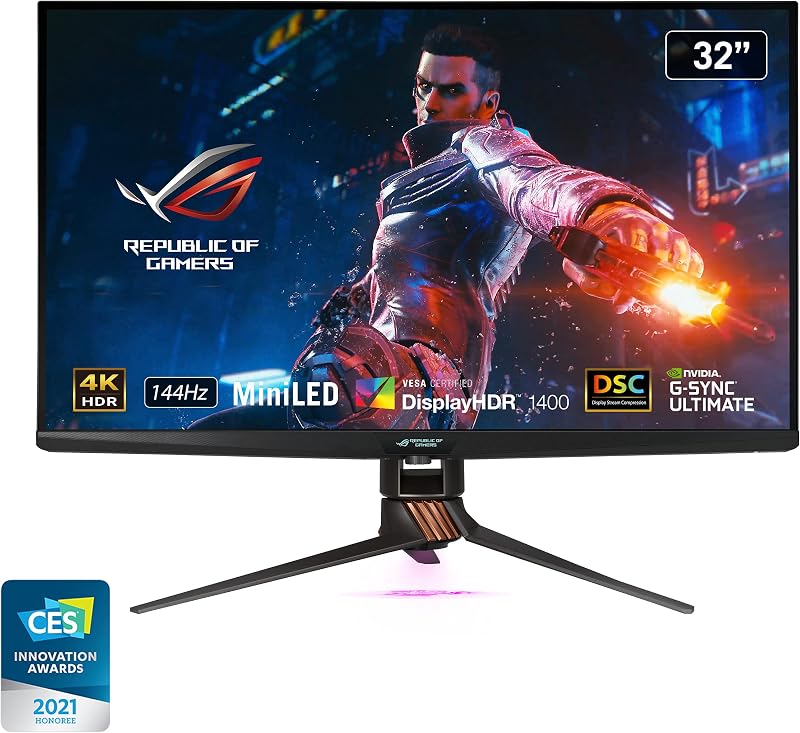
The primary difference between a 144Hz and a 240Hz display lies in visual fluidity, frame persistence, and response overhead during rapid movements. While 144Hz delivers a major step up from standard office panels by presenting a fresh image every 6.94 milliseconds, 240Hz cuts that window down to 4.17 milliseconds, creating superior motion tracking and reduced latency for competitive scenarios.
Choose 144Hz if you want fluid everyday gaming performance without putting extreme rendering demands on your graphics card. Choose 240Hz if you play competitive fast-twitch titles where sub-millisecond reaction times and peak visual clarity provide a practical edge.




144Hz vs 240Hz at a Glance
| Feature | 144Hz Displays | 240Hz Displays |
|---|---|---|
| Refresh Rate | 144Hz | 240Hz |
| Panel Technology | IPS / LCD | Fast IPS LCD |
| Response Time | 1ms MPRT to 8ms | 0.5ms to 5ms |
| Resolution | FHD (1920 x 1080) | FHD (1920 x 1080) |
| Color Gamut Coverage | 72% (Dell) / Not listed (Sceptre) | 99% sRGB |
| Variable Refresh Sync | AMD FreeSync | AMD FreeSync Premium, HDMI VRR |
| Brightness | 300 nits (Dell) / Not listed (Sceptre) | 300 nits |
| Contrast Ratio | 1,000:1 | 1,000:1 |
| Eye Comfort Certification | Not listed | Not listed |
| Best For | Casual gaming, multi-monitor productivity, and balanced rigs | Competitive esports, twitch shooters, and high-FPS systems |
Motion Clarity and Frame Transitions
When evaluating 144Hz vs 240Hz motion clarity, frame persistence dictates how sharp moving objects appear across the screen. Display panels operate on a sample-and-hold principle where each frame remains visible until the next refresh cycle begins. At 144Hz, a new frame appears roughly every 6.94 milliseconds. At 240Hz, that interval drops to approximately 4.17 milliseconds. This reduction minimizes the retinal blur that occurs when your eyes track high-speed movements across the screen, making fast camera pans significantly sharper. Readers upgrading from legacy office panels will find our 60hz vs 144hz analysis illustrates the initial jump, but stepping higher to 240Hz introduces an extra layer of motion stability.
Looking at representative hardware shows how panel engineering supports these refresh rates. In the 144Hz tier, the Dell SE2426H delivers smooth, tear-free motion using a 1ms Moving Picture Response Time (MPRT) specification alongside an 8ms standard response time. Meanwhile, compact options like the Sceptre E225W-FW144 leverage 144Hz across a 22-inch 1080p profile to maintain sharp pixel boundaries during casual gaming sessions. Both units keep tracking clean enough for general titles, but they still hold images slightly longer than their esports-grade counterparts.
In contrast, 240Hz monitors such as the Dell SE2426HG and the larger 27-inch Dell SE2726HG feature Fast IPS technology paired with a rapid 0.5ms response rating. The combination of drawing 240 frames every second and cycling pixel states in fractions of a millisecond significantly curbs trailing artifacts and smearing. When crosshairs sweep across a corridor, background geometry remains defined rather than turning into a hazy smudge.
Edge: 240Hz provides superior motion tracking clarity due to shorter frame hold times and faster pixel transitions.
Input Lag and Refresh Rate Response Time Difference
Latency is the critical metric in any 144Hz review or 240Hz review aimed at action titles. Total system latency comprises your mouse click, PC processing, frame queue delivery, and the physical scanout of the panel. When comparing 144Hz vs 240Hz input lag, 240Hz displays slash the delay between the graphics pipeline and the physical panel. Because the monitor updates 96 additional times per second compared to 144Hz, the latest game state appears on screen nearly 2.8 milliseconds earlier on each frame pass.
This refresh rate response time difference alters how connected a player feels to their inputs. The Dell SE2426HG achieves a rated 0.5ms response time (with an alternate 5ms listing in general specifications), allowing instant feedback when firing or making micro-adjustments. On the other hand, the 144Hz Dell SE2426H lists an 8ms native response time mitigated by a 1ms MPRT strobe mode. While 8ms is adequate for casual play, high-level tactical shooters expose the slight delay during rapid counter-strafing. Enthusiasts comparing high-end gaming options like the samsung odyssey g7 27 vs acer nitro xv272u know that response latency directly dictates aiming confidence.
For players questioning is 240Hz worth it, the answer depends entirely on the types of titles played. A 144Hz display feels remarkably responsive compared to standard desktop equipment, providing ample responsiveness for role-playing games, strategy titles, and slower-paced shooters. However, in head-to-head tactical duels where milliseconds dictate who lands a shot first, 240Hz delivers a measurable latency reduction that high-tier competitors can exploit.
Edge: 240Hz takes the advantage by shortening display scanout intervals and offering faster panel response ratings.
Color Gamut and Visual Fidelity
A high refresh rate should not come at the total expense of visual quality, especially if your setup handles media consumption or general desktop chores alongside gaming. Examining the manufacturer specifications shows noticeable variation in color gamut performance between the two tiers. The 240Hz models-both the Dell SE2426HG and Dell SE2726HG-incorporate Fast IPS panels engineered with a 99% sRGB color gamut coverage. This wide profile ensures accurate tones, vibrant textures, and clean color separation across web pages, streaming media, and gaming worlds.
By comparison, the 144Hz Dell SE2426H lists a 72% color gamut rating on its 23.8-inch IPS panel, while the Sceptre E225W-FW144 listing does not specify its exact color space coverage. A 72% gamut rating generally aligns with basic NTSC coverage, which renders casual web content and games adequately but lacks the rich, saturated tones provided by dedicated 99% sRGB calibration. Shoppers weighing panel fidelity against competitors such as the dell s2725dsm vs msi mag 275qpf e21 will note that gamut breadth impacts daily satisfaction outside of high-framerate action.
Both tiers maintain identical 1,000:1 static contrast ratios, 300 nits of rated brightness (as specified on the Dell models), and 178-degree wide viewing angles courtesy of In-Plane Switching technology. The Sceptre relies on a matte LCD screen surface to cut reflections, matching the matte finish found across the Dell family. However, the superior color coverage on the 240Hz Fast IPS displays gives them a tangible visual edge in saturation and fidelity.
Edge: 240Hz wins with its verified 99% sRGB color coverage compared to the 72% gamut specification on the 144Hz baseline.
Variable Refresh Rate and Synchronization
Frame rate synchronization prevents screen tearing and stuttering when your system’s rendering performance fluctuates. On the 144Hz side, the Dell SE2426H features standard AMD FreeSync support, aligning the monitor refresh rate to the GPU frame output. The Sceptre 22-inch display listing does not specify adaptive sync protocols, focusing instead on fixed multi-input support up to 144Hz. For systems maintaining steady frame output near 1080p at 144Hz, basic FreeSync keeps the pipeline clean and tear-free.
Stepping up to the 240Hz models introduces AMD FreeSync Premium and HDMI Variable Refresh Rate (VRR) capabilities on both the Dell SE2426HG and Dell SE2726HG. FreeSync Premium adds mandatory Low Framerate Compensation (LFC), ensuring that if demanding game sequences cause your frame rate to dip beneath the monitor’s native operational window, frames are duplicated to prevent jarring visual hitches. Similar adaptive sync implementations discussed in comparisons like the lg 27gr93u vs 32gx870a demonstrate why premium sync tiers matter for consistent delivery.
Furthermore, HDMI VRR enables wide compatibility not just with desktop PC graphics cards, but also with modern gaming consoles over standard HDMI cabling. Having AMD FreeSync Premium paired with HDMI VRR gives the 240Hz lineup greater resilience against frame pacing issues across a wide spectrum of rendering loads.
Edge: 240Hz takes the category due to advanced AMD FreeSync Premium and HDMI VRR support.
Connectivity and Hardware Integration
Display connectivity determines how easily a monitor fits into your current workstation or battle station. In the 144Hz bracket, the Dell SE2426H provides two HDMI ports, while omitting DisplayPort entirely. This dual-HDMI setup makes it straightforward to toggle between an office laptop and a gaming tower, but it limits users whose graphics cards prefer DisplayPort outputs for high-bandwidth synchronization. The Sceptre 22-inch 144Hz monitor counters this by including both HDMI and DisplayPort inputs, along with built-in speakers to keep desk surfaces uncluttered.
The 240Hz displays eliminate compromise on physical ports. Both the Dell SE2426HG and the Dell SE2726HG include two HDMI ports alongside a dedicated DisplayPort 1.4 connection. This allows simultaneous connection to dual video sources while keeping a dedicated DisplayPort pipe open for uncompressed high-framerate PC gaming. Builders configuring high-performance laptops or desktops, similar to hardware reviewed in our asus rog zephyrus g16 vs proart p16 breakdown, benefit from having both modern input standards ready out of the box.
Physical profiles also differ slightly across the group. The 23.8-inch Dell 144Hz and 240Hz monitors share identical footprints of 7.04 inches deep, 21.21 inches wide, 16.23 inches high, and a weight of 7.4 pounds with tilt-adjustable stands. The 27-inch Dell SE2726HG expands visual real estate to 24.05 inches wide at 8.2 pounds. While Sceptre offers integrated audio, the comprehensive port selection on the 240Hz Dell units delivers greater overall versatility for gaming rigs.
Edge: 240Hz wins for offering both DisplayPort 1.4 and dual HDMI connections on every model.
Eye Comfort and Long-Session Usability
Extended gaming or productivity sessions require thoughtful panel design to reduce visual fatigue. Both tiers emphasize vision protection through dedicated filtering hardware and certified design standards. Similarly, the Sceptre E225W-FW144 incorporates Blue-Light Shift technology to protect against eye strain during prolonged screen time.
By mitigating high-energy blue wavelengths at the hardware level, these panels help maintain visual comfort without washing out game worlds in heavy amber hues. Both tiers also utilize matte screen finishes that disperse harsh reflections from overhead lighting or adjacent windows.
Because both refresh rate tiers implement certified low blue light filtering and glare-resistant matte coatings, neither side holds an inherent technological advantage in day-to-day eye health. Whether you choose 144Hz or 240Hz, you gain reliable eye comfort features designed for multi-hour sessions.
Edge: Tie.
Pros and Cons
144Hz

Pros
- Fluid motion with 144Hz refresh rate
- Includes integrated speakers on select models
- Modest PC hardware demands at 1080p
Cons
- Narrower 72% color gamut coverage
- Slower pixel response times up to 8ms
- Lacks DisplayPort on some entry models
View Sceptre 22-Inch Gaming Monitor FHD on Amazon
240Hz

Pros
- Rapid 240Hz refresh rate ceiling
- Fast 0.5ms panel response times
- Wide 99% sRGB color gamut coverage
- AMD FreeSync Premium and HDMI VRR support
- Both DisplayPort 1.4 and dual HDMI ports
Cons
- Requires powerful hardware to hit 240 FPS
- No integrated speakers included
- Diminishing returns over high-refresh baselines
View Dell 27 240Hz Gaming Monitor – on Amazon
Who Should Buy Each One
Choose the 144Hz If
- Your PC features mainstream graphics hardware that consistently hits 100 to 144 frames per second at 1080p resolution.
- You want a streamlined desktop setup with integrated speakers, such as the feature set found on the Sceptre 22-inch display.
- You primarily play visually dense single-player adventures where cinematic presentation matters more than extreme refresh rates.
- You need a dependable secondary screen for general office multitasking, streaming, and light casual gaming.
Choose the 240Hz If
- You actively play competitive esports titles where fast motion tracking and low input lag provide a direct performance advantage.
- Your gaming rig packs enough processing power to sustain frame rates beyond 200 FPS in titles like shooters and battle royales.
- You require a verified 99% sRGB color gamut for richer visual fidelity alongside ultra-fast 0.5ms panel response times.
- You need versatile connectivity with both DisplayPort 1.4 and dual HDMI inputs to hook up a high-refresh PC and game consoles.
Final Verdict
For gamers dedicated to competitive multiplayer matches, choosing 240Hz is the clear path forward. The jump from 144Hz to 240Hz delivers a noticeable improvement in motion clarity, slicing frame persistence down to 4.17 milliseconds and providing faster pixel response times rated down to 0.5ms. Supported by AMD FreeSync Premium, HDMI VRR, and expansive 99% sRGB coverage, monitors like the Dell SE2426HG and Dell SE2726HG establish a higher performance baseline for demanding players who possess the graphics hardware to fuel high frame rates.
However, 144Hz remains the practical standard for a balanced gaming lifestyle. If your PC operates with mid-tier hardware, or if your gaming library consists primarily of visually complex open-world titles that rarely exceed 120 FPS, 144Hz provides exceptionally fluid visuals without overworking your components. Units like the Dell SE2426H and Sceptre E225W-FW144 deliver smooth action, dependable eye care, and clutter-free desktop integration for everyday play.
FAQ
Is 240Hz worth it over 144Hz for gaming?
Choosing 240Hz over 144Hz is worthwhile if you play fast-paced competitive titles where rapid camera movement and instant reaction times dictate match outcomes. However, if you primarily play cinematic single-player games where frame rates hover between 60 and 120 FPS, a 144Hz panel delivers all the fluidity you need without requiring an ultra-high-end graphics card.
What is the refresh rate response time difference between 144Hz and 240Hz?
A 144Hz screen draws a new image every 6.94 milliseconds, while a 240Hz screen refreshes every 4.17 milliseconds. That nearly 2.8 millisecond reduction per frame means updates appear faster on screen, lowering input lag and substantially diminishing motion blur during high-speed tracking.
Can you notice the jump from 144Hz to 240Hz?
While the transition from standard 60Hz to 144Hz is immediately obvious to almost every user, the step from 144Hz to 240Hz is more subtle. Competitive players and those sensitive to motion blur will easily spot the increased smoothness and tighter mouse tracking, whereas casual gamers may only perceive a modest improvement.
Does a 240Hz monitor require DisplayPort to reach its full speed?
Most modern 240Hz displays, such as the Dell SE2426HG, feature DisplayPort 1.4 to ensure full bandwidth transmission for high frame rates on PC. However, these models also include dual HDMI ports supporting HDMI VRR, enabling high refresh rates over modern HDMI standards as well.
Do 240Hz monitors cause more eye strain than 144Hz displays?
No, a higher refresh rate does not increase eye strain. In fact, smoother motion and reduced stutter can help alleviate visual fatigue.
Should I choose 144Hz or 240Hz for esports?
For dedicated esports gaming, 240Hz is the recommended standard. The combination of 240 updates per second, lower frame persistence, and fast panel response times down to 0.5ms gives competitive players the clearest view of moving targets and the quickest reaction window.