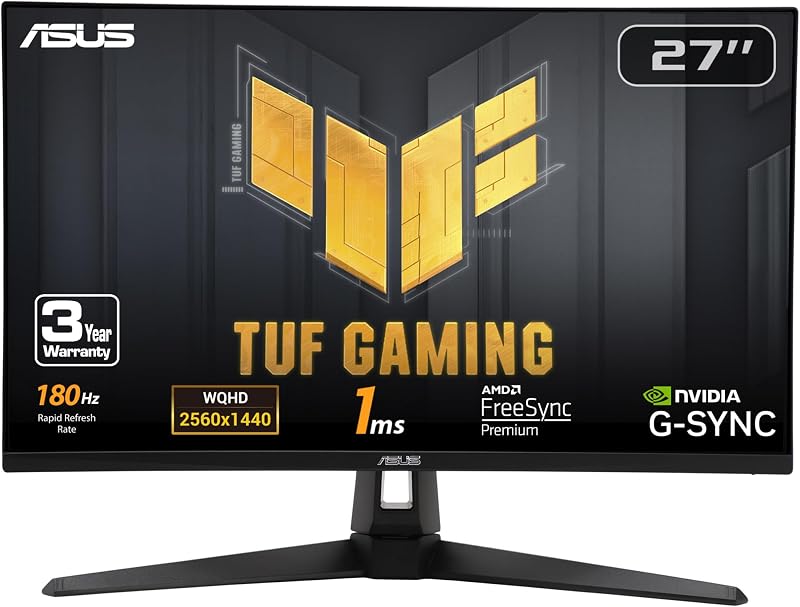
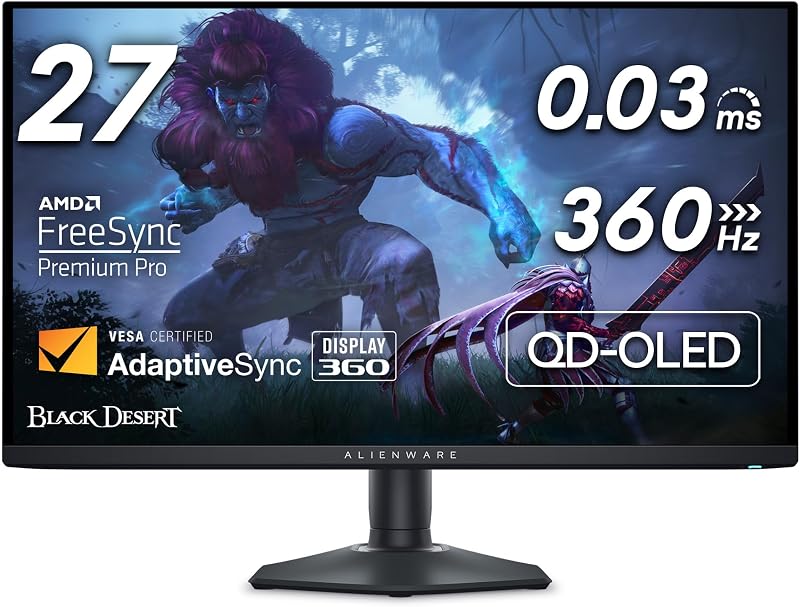
The core factor separating the Alienware AW2725DF from the Asus ROG Swift PG27AQDM is panel refresh rate and cooling design: Alienware provides a 360Hz QD-OLED display engineered for absolute speed in competitive titles, whereas Asus utilizes a 240Hz MLA-OLED panel reinforced with a custom heatsink and intelligent voltage optimization for sustained thermal management.
Esports enthusiasts prioritizing maximum frame throughput should buy the Alienware AW2725DF, while players operating in brighter spaces or seeking physical mounting hardware alongside explicit burn-in warranty language should select the Asus ROG Swift PG27AQDM.


Alienware AW2725DF vs Asus ROG Swift PG27AQDM at a Glance
| Feature | Alienware AW2725DF | Asus ROG Swift PG27AQDM |
|---|---|---|
| Screen Size | 26.7 inches (27 inches listed) | 26.5 inches |
| Native Resolution | 2560 x 1440 (QHD) | 2560 x 1440 (QHD) |
| Panel Technology | QD-OLED | MLA-OLED (META Technology) |
| Refresh Rate | 360Hz | 240Hz |
| Response Time | 0.03 ms GTG | 0.03 ms GTG |
| Color Gamut Coverage | 99.3% DCI-P3 | 99% DCI-P3 (135 Color Gamut) |
| Peak Brightness | 1000 | 1000 nits (3% HDR window) |
| Variable Refresh Tech | AMD FreeSync Premium Pro, VESA AdaptiveSync | G-Sync compatible |
| Thermal & Burn-In Features | Not listed | Custom heatsink, intelligent voltage optimization |
| Included Ergonomics | Fully adjustable desk stand | Monitor arm included |
| Weight | 13.9 lbs | 22.1 lbs |
| Best For | High-FPS competitive esports players | Mixed-use setups and long sessions requiring dedicated cooling |
Refresh Rate and Motion Clarity
Refresh rate dictates how many distinct frames a monitor renders each second, directly governing image persistence and target tracking during rapid camera sweeps. In this alienware aw2725df 360hz vs asus pg27aqdm 240hz matchup, the frame output delta is significant. The Alienware AW2725DF pushes 360 frames per second at native 1440p resolution, refreshing every 2.77 milliseconds. The Asus ROG Swift PG27AQDM runs at 240Hz, refreshing every 4.16 milliseconds. Both monitors leverage the near-instantaneous 0.03 ms gray-to-gray pixel transition time intrinsic to OLED technology, eliminating visible trailing or inverse ghosting entirely.
When analyzing aw2725df vs pg27aqdm motion clarity, the additional 120Hz delivered by the AW2725DF provides a noticeable reduction in perceived blur during high-speed pans in competitive shooters like Counter-Strike 2 or Apex Legends. While readers examining our lg 27gs95qe vs asus rog swift pg27aqdm comparison will recognize 240Hz OLED as exceptionally fast, stepping up to 360Hz creates micro-advantages in target acquisition speed. The ROG Swift PG27AQDM provides buttery smoothness compared to traditional backlit displays, but it cannot duplicate the sample-and-hold clarity generated by a 360Hz cycle.
Deciding between the alienware aw2725df or asus pg27aqdm for competitive gaming comes down to your computer system’s capability to push past 240 frames per second at 1440p. If your graphics card reliably outputs 300 to 360 FPS in competitive titles, the AW2725DF extracts genuine tracking utility from that performance ceiling. The PG27AQDM remains extremely capable for standard competitive gaming, but it bottlenecks framerates above 240Hz at the display level.
Edge: Alienware AW2725DF, because its native 360Hz refresh rate delivers superior motion clarity and lower input intervals over 240Hz.
Panel Technology and Color Reproduction
Color presentation on an OLED display depends heavily on the subpanel architecture. The Alienware AW2725DF utilizes a Quantum-Dot OLED (QD-OLED) panel, while the Asus ROG Swift PG27AQDM deploys an MLA-OLED display powered by META Technology. Both architectures produce infinite contrast ratios, rated on spec sheets at 1,500,000:1, allowing per-pixel shutoff to achieve true pitch black. The AW2725DF carries VESA DisplayHDR True Black 400 certification alongside a 1000 brightness rating, while the PG27AQDM specifies a peak brightness of 1000 nits measured over a 3% screen window with HDR active.
In terms of color space saturation, the AW2725DF claims 99.3% DCI-P3 coverage with a factory-calibrated Delta E < 2 accuracy. The ROG Swift PG27AQDM specifies 99% DCI-P3 gamut, a Delta E < 2 rating, and an overall color gamut metric of 135. In everyday gaming use, the QD-OLED implementation on the AW2725DF preserves color brightness and purity at high saturation levels through its blue OLED and quantum dot conversion layers. Conversely, as explored in our asus rog swift pg27aqdm vs samsung odyssey oled g8 overview, MLA-OLED uses micro-lens arrays to direct light forward, which helps it maintain punchy white specular highlights.
Both displays feature a matte screen finish to diffuse direct reflections, maintaining consistent visual presentation across varied ambient light conditions. The PG27AQDM emphasizes its anti-glare micro-texture coating to keep colors accurate under overhead illumination without compromising black floor depth. For users who also engage in color-critical video or photo work, both panels meet accurate reference standards right out of the box, with the AW2725DF edging out a fraction of a percent higher DCI-P3 volume on paper.
Edge: Alienware AW2725DF, due to its slightly higher 99.3% DCI-P3 color gamut coverage backed by quantum-dot vibrancy.
Thermal Management and Burn-In Mitigation
OLED longevity is intrinsically tied to operating temperature. The organic compounds within the pixels degrade faster under heat and sustained high luminance, making thermal mitigation a crucial design factor for desktop computer monitors. The Asus ROG Swift PG27AQDM was built with a specialized internal cooling layout, featuring a large custom heatsink integrated behind the panel alongside an intelligent voltage optimization algorithm. This system distributes heat away from the organic substrate without relying on noisy cooling solutions, mitigating localized thermal hotspots during long sessions.
The Alienware listing specifies a power consumption of 27.6 watts, indicating modern efficiency for a QD-OLED panel, but the product details do not describe a dedicated custom heatsink setup like the Asus. Shoppers assessing an alienware aw2725df review alongside an asus rog swift pg27aqdm review should note how warranty terms reflect these engineering choices. Asus explicitly advertises a 3-year warranty that covers burn-in and includes Advanced Replacement. Alienware matches this with a 3-year Advanced Exchange Service Warranty, ensuring hardware swaps without downtime, though Asus makes explicit mention of its burn-in mitigation features on its product sheet.
Additionally, the PG27AQDM includes an optional uniform brightness setting. This toggle prevents aggressive Automatic Brightness Limiter (ABL) shifts when opening large white windows, maintaining static brightness across full-screen productivity apps. For anyone weighing whether the asus rog swift pg27aqdm is worth it for mixed work and gaming duties, this feature provides consistent visual balance while managing long-term panel stress, a point also examined in our lg 32gs95ue vs asus rog swift pg27aqdm analysis.
Edge: Asus ROG Swift PG27AQDM, as its custom heatsink, intelligent voltage optimization, and optional uniform brightness setting offer superior hardware-level heat management.
Mounting, Stand Ergonomics, and Physical Footprint
Physical setup mechanics define how comfortably a monitor fits on a desk, especially for players who keep their keyboards angled or pull the screen close. The Alienware AW2725DF comes fitted with a sleek monitor head and a compact, minimal hexagonal base engineered to take up very little desktop surface area. The stand provides comprehensive ergonomic flexibility, featuring height, tilt, swivel, and pivot adjustments. The entire monitor assembly weighs 13.9 pounds with dimensions of 9.59 inches deep, 23.98 inches wide, and 15.99 inches high, making it relatively light and simple to re-orient.
The Asus ROG Swift PG27AQDM takes a distinctly heavy-duty approach. Its listed weight sits at 22.1 pounds, with package dimensions of 23.82 inches deep, 25.83 inches wide, and 26.34 inches high. A major inclusion with the Asus package is an actual monitor arm included in the box rather than just a basic desk base. This arm provides flexible positioning, allowing users to float the display off the desktop entirely, eliminating stand footprint conflicts with large mousepads.
If you prefer an out-of-the-box floating setup without purchasing aftermarket mounting hardware, the PG27AQDM bundle delivers tremendous practical utility. However, if you rely on a standard desk stand, Alienware’s hexagonal base is far more desk-friendly, lightweight, and unobtrusive than the heavier architecture required by the Asus package.
Edge: Tie. Alienware provides a lighter, more compact hexagonal desk base, while Asus bundles a full monitor arm directly in the box.
Adaptive Sync, Latency, and Gaming Features
Screen tearing and input lag can compromise competitive play. In evaluating the alienware aw2725df or asus rog swift pg27aqdm for esports, both monitors provide industry-standard adaptive sync certifications. The Alienware AW2725DF supports AMD FreeSync Premium Pro and VESA AdaptiveSync. This ensures smooth variable refresh rate operation without stuttering, even when rendering high dynamic range content. Alienware also integrates AlienVision overlays, which give players hardware-level visual aids like on-screen crosshairs or sniper zooms, alongside 3-zone AlienFX customizable lighting.
The Asus ROG Swift PG27AQDM features official G-Sync compatible certification, pairing seamlessly with Nvidia graphics hardware to eliminate screen tearing without introducing frame latency. It also includes ROG Infinity Light projection for setup customization. As noted in comparisons like the asus rog swift pg27aqdm vs msi mpg 321urx and our look at the alienware aw3423dw vs asus rog swift pg27aqdm, Asus designs its firmware around esports reliability and consistent frame pacing.
Both displays feature DisplayPort and HDMI connectivity, with Alienware adding USB 3.2 Gen1 passthrough options. Asus provides an extra software bonus by bundling a complimentary 3-month Adobe Creative Cloud subscription (valid through 8/31/2028). For dedicated in-game performance, however, Alienware’s VESA AdaptiveSync and FreeSync Premium Pro handling at 360Hz provides a broader variable sync envelope than Asus’s 240Hz ceiling.
Edge: Alienware AW2725DF, because its variable refresh rate umbrella scales all the way up to 360Hz with VESA AdaptiveSync and FreeSync Premium Pro.
Pros and Cons
Alienware AW2725DF
Pros
- Blistering 360Hz refresh rate
- Rich 99.3% DCI-P3 color coverage
- VESA DisplayHDR True Black 400
- Space-saving hexagonal base
- VESA AdaptiveSync and FreeSync Premium Pro
Cons
- Requires powerful GPU for 360 FPS
- No included monitor arm accessory
View Alienware AW2725DF on Amazon
Asus ROG Swift PG27AQDM

Pros
- Custom heatsink thermal management
- Ergonomic monitor arm included
- Anti-glare micro-texture coating
- Optional uniform brightness setting
- G-Sync compatible certification
Cons
- Capped at 240Hz refresh rate
- Heavy total weight at 22.1 pounds
View Asus ROG Swift PG27AQDM on Amazon
Who Should Buy Each One
Choose the Alienware AW2725DF If
- You play fast-paced competitive esports titles like Valorant, Counter-Strike 2, or Overwatch 2 and have hardware capable of sustaining 300+ FPS.
- You want the bleeding-edge motion clarity and rapid frame updates of a 360Hz QD-OLED display.
- You prefer a lighter desktop unit with a minimal hexagonal base that leaves maximum room for mouse movements.
- You value higher color gamut volume with 99.3% DCI-P3 coverage alongside VESA DisplayHDR True Black 400 certification.
Choose the Asus ROG Swift PG27AQDM If
- You want a robust thermal setup featuring a large custom heatsink and intelligent voltage optimization to reduce burn-in risks over long gaming marathons.
- You need an included monitor arm in the box to mount and position your screen cleanly without buying third-party accessories.
- You frequently use desktop productivity applications and want an optional uniform brightness setting to eliminate sudden ABL luminance swings.
- You are pairing your monitor primarily with Nvidia GPUs and prefer factory-tested G-Sync compatible hardware.
Final Verdict
For most competitive PC gamers, the Alienware AW2725DF emerges as the clear winner. Its 360Hz QD-OLED panel raises the standard for 1440p gaming displays, delivering superior motion clarity, an ultrafast 0.03 ms response time, and exceptional 99.3% DCI-P3 color performance. Combined with a compact hexagonal base that preserves desk space and comprehensive 3-year Advanced Exchange coverage, the AW2725DF represents the pinnacle of high-refresh rate esports monitors.
The Asus ROG Swift PG27AQDM remains the superior choice for gamers who divide their screen time between play and static productivity work. With its custom heatsink, intelligent voltage optimization, dedicated anti-glare micro-texture coating, and optional uniform brightness setting, it is built to resist thermal fatigue and burn-in during long hours. If you want an included ergonomic monitor arm and maximum thermal protection at 240Hz, the Asus remains an outstanding display.
FAQ
What is the difference in refresh rate between these two displays?
The Alienware AW2725DF features a 360Hz refresh rate, while the Asus ROG Swift PG27AQDM runs at 240Hz. Both monitors operate at a native QHD resolution of 2560 x 1440 with a 0.03 ms gray-to-gray response time.
Do both monitors feature anti-glare coatings?
Both monitors feature matte screen finishes. The Asus PG27AQDM specifically advertises an anti-glare micro-texture coating to diffuse light and minimize reflections in bright rooms, while the Alienware AW2725DF uses a standard matte finish over its QD-OLED panel.
What thermal management does the Asus ROG Swift PG27AQDM use?
The Asus PG27AQDM incorporates a large custom heatsink and an intelligent voltage optimization algorithm designed to manage heat dissipation across the panel and mitigate the risk of OLED burn-in during sustained use.
What stands or mounting solutions come in the boxes?
The Alienware AW2725DF includes a fully adjustable desk stand featuring height, tilt, swivel, and pivot adjustments over a minimal hexagonal base. The Asus PG27AQDM listing highlights an included monitor arm for direct, flexible desk positioning.
Which variable refresh rate technologies are supported?
The Alienware AW2725DF supports AMD FreeSync Premium Pro and VESA AdaptiveSync. The Asus ROG Swift PG27AQDM is certified as G-Sync compatible for seamless, tear-free gaming.
What warranties back these two gaming monitors?
Both monitors include a 3-year manufacturer warranty. Alienware provides a 3-year Advanced Exchange Service Warranty, while Asus offers a 3-year warranty with Advanced Replacement that explicitly covers OLED burn-in.