The single deciding difference between Cherry MX Red and Cherry MX Speed Silver is the actuation distance: Speed Silver registers keystrokes at an ultra-short 1.2mm pre-travel point, whereas standard Cherry MX Red requires a deeper 2.0mm press before the switch triggers. This 40 percent reduction in physical travel makes Speed Silver respond substantially faster to finger movements, but it also strips away the safety margin that prevents unintentional keystrokes.
Gamers demanding maximum input velocity for fast-paced competitive esports should choose Cherry MX Speed Silver. Typists, office workers, and general gamers who need balanced travel to prevent typos should choose Cherry MX Red instead.
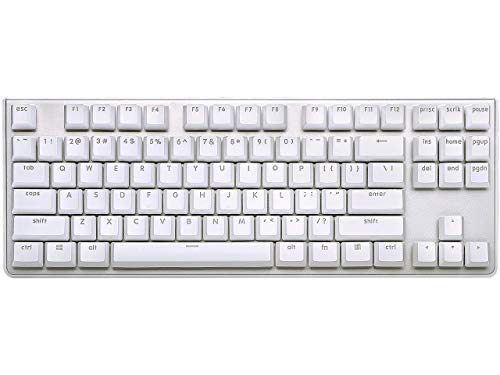


Cherry MX Red vs Cherry MX Speed Silver at a Glance
| Specification or Feature | Cherry MX Red | Cherry MX Speed Silver |
|---|---|---|
| Switch Profile | Linear | Linear |
| Actuation Distance (Pre-Travel) | 2.0 mm | 1.2 mm |
| Total Travel Distance | 4.0 mm | 3.4 mm |
| Actuation Force | 45 cN | 45 cN |
| Durability Rating | Over 50 million keypresses | Over 50 million keystrokes |
| Contact Engineering | Self-cleaning gold contacts | Self-cleaning dust and dirt resistant |
| Switch Mounting Style | Plate mount | Plate mount 3-pin design |
| Tactile Feedback | None (smooth) | None (smooth) |
| Audible Click | None | None |
| Best For | Everyday typing and mixed gaming | Fast-paced competitive esports |
Actuation Distance and Pre-Travel Speed
Actuation distance, often called pre-travel, refers to how far a mechanical switch stem must travel downward before the metal leaf inside closes the circuit and registers a command. In practical desktop use, this metric dictates the physical threshold between resting a finger on a keycap and sending an electrical signal to the operating system. A switch with extended pre-travel requires deliberate, intentional finger pressure, while a shallow pre-travel trigger reacts to the slightest downward movement.
When comparing cherry mx red vs cherry mx brown or comparing Cherry MX Speed Silver vs Cherry MX Red, the geometry of the stem creates entirely different mechanical responses. The Cherry MX Red actuation distance is fixed at 2.0mm within a full 4.0mm stroke, giving the user an even, predictable dividing line between initial press and final bottom-out. In direct contrast, the Cherry MX Speed Silver actuation point sits at just 1.2mm, paired with a shortened 3.4mm bottom-out distance. Both designs utilize identical 45 cN actuation force ratings, meaning the mechanical resistance feels identical until you realize the Speed Silver triggers nearly a full millimeter sooner.
In high-speed interactions, that 0.8mm variance delivers an immediate mechanical gain. The Speed Silver requires less physical displacement from the finger to register a strike, meaning commands deploy earlier in a key stroke. However, that shallow threshold removes mechanical forgiveness, making resting fingers vulnerable to triggering keys without intention. The Red switch trades raw actuation velocity for a defined physical margin that protects everyday input accuracy.
Edge: Cherry MX Speed Silver, because its 1.2mm actuation distance triggers electrical contact significantly faster than the standard 2.0mm design.
Gaming Responsiveness and Input Latency
In competitive gaming, mechanical input speed relies on the time it takes to depress a switch to its registration point and how rapidly the internal spring resets the switch for follow-up actions. Fast-paced titles such as first-person shooters, multiplayer online battle arenas, and rhythm games place an enormous premium on directional strafing, rapid spell casting, and immediate counter-strafing, where input latency directly impacts gameplay performance.
Choosing between Cherry MX Red or Speed Silver for gaming comes down to input priority. When evaluating Speed Silver vs Red switches, the Speed Silver design excels during frantic, multi-key inputs. Because the switch triggers at 1.2mm and terminates at 3.4mm, the overall travel loop is shortened by more than 15 percent. Enthusiasts who install modular switch sets like the Ranked Cherry MX Speed Silver 90-pack into hot-swap boards frequently note that micro-adjustments and stutter-stepping trigger with minimal hand strain during extended tournaments. Similar discussions often arise when examining kailh speed silver vs cherry mx speed silver options.
Standard Cherry MX Red remains a staple in esports because its linear 2.0mm actuation provides consistent pacing without surprising the player. In a classic Cherry MX Red review, testers consistently highlight how the predictable travel helps prevent accidental ability triggers during tense standoffs. However, in head-to-head twitch situations where split-second reaction windows matter, the 1.2mm travel of Speed Silver establishes a distinct hardware advantage.
Edge: Cherry MX Speed Silver, because the shortened pre-travel and bottom-out travel accelerate repeated key actuations during competitive play.
Typing Accuracy and Office Usability
Daily typing demands stability, rhythm, and mechanical feedback that minimizes input errors. Typists frequently rest their fingers across the home row between sentences, applying minor passive downward weight. If a mechanical switch triggers under negligible displacement, it creates ghost inputs, unintentional repeats, and frequent typos that slow down workflow.
Evaluating Cherry MX Speed Silver vs Red for everyday use reveals the primary operational downside of ultra-short actuation. Because Speed Silver actuates at 1.2mm with an easy 45 cN spring force, users who type casually or rest heavy hands on the keyboard will experience accidental keystrokes. An inadvertent brush against an adjacent keycap can register a letter before the finger even realizes contact was made. When deciding between Cherry MX Red or Speed Silver for typing, the standard Red switch provides an essential 2.0mm pre-travel buffer that stops stray finger movements from producing unwanted characters.
Complete keyboard builds highlight this functional distinction. Production office boards like the Cherry KC 200 MX integrate linear Red switches specifically because the 2.0mm actuation distance matches standard typing cadence and keeps error rates low across long documents. Readers who cross-shop switches often review gateron yellow vs cherry mx red for similar reasons: standard travel distance provides a dependable rhythm for professional productivity that short-throw switches struggle to match.
Edge: Cherry MX Red, because its deeper 2.0mm actuation point prevents accidental keypresses during standard typing sessions.
Acoustics and Bottom-Out Sensation
The sound and physical impact of a mechanical switch depend largely on the internal stem design, travel distance, and the materials inside the keyboard chassis. Although both Cherry MX Red and Cherry MX Speed Silver are non-clicking linear switches with smooth vertical movement, the difference in stem length alters the acoustic signature when bottoming out against the housing.
Cherry MX Red allows the finger to glide across a standard 4.0mm downward stroke. Because the actuation occurs halfway down at 2.0mm, experienced typists can learn to float their fingers without bottoming out fully, resulting in quieter operation. When installed in keyboards with aluminum top plates, such as the G.SKILL KM360 tenkeyless keyboard, standard Red switches produce a clean, muted tap. Furthermore, specialized variants like the MX2A Silent Red switches found in the KC 200 MX feature internal dampening pads to silence the bottom-out and top-out clack entirely, a comparison detailed in our look at cherry mx2a vs cherry mx red.
Cherry MX Speed Silver bottoms out prematurely at 3.4mm due to an elongated center stem pole. This shortened physical travel makes bottoming out almost inevitable on every single keystroke, creating a sharper, more immediate collision with the switch floor. While this hard stop provides crisp physical confirmation for gamers wearing headsets, it produces a louder, more abrupt clack during sustained typing on an open desk surface.
Edge: Tie, because Cherry MX Red provides a softer bottom-out feel for writing, while Speed Silver delivers a firm, distinct mechanical stop for gaming feedback.
Switch Durability and Board Integration
Mechanical keyboard switches must withstand millions of repetitive impacts without degrading spring resistance, losing electrical continuity, or accumulating internal debris. The build design and connection standard also determine whether a user can integrate the switches into a custom keyboard or buy them pre-assembled in an off-the-shelf system.
Both switches deliver high mechanical longevity, with manufacturer specifications rating both Cherry MX Red and Cherry MX Speed Silver for over 50 million actuations without loss of quality. Ranked Cherry MX Speed Silver switches incorporate self-cleaning contacts engineered to resist airborne dust and dirt, maintaining reliable contact closure over years of aggressive use. Both switch styles utilize plate-mounted formats with standard pin header configurations, allowing them to mount into standard mechanical keyboard plates and hot-swap sockets.
The primary difference in accessibility lies in how these switches reach consumers. Cherry MX Red is universally available across factory-assembled keyboards from numerous manufacturers, featuring integrated hardware elements like detachable USB Type-C connections, wear-proof ABS double-injection keycaps, and N-key rollover. Speed Silver is widely available in multi-pack switch sets-such as 90-piece and 120-piece DIY bundles that include dedicated switch pullers-making it a preferred choice for custom modular builders. When shoppers ask if Cherry MX Speed Silver is worth it, the answer depends on whether they plan to install them into a hot-swap gaming base or purchase a pre-assembled unit.
Edge: Tie, because both switches feature identical 50-million-keystroke durability ratings, self-cleaning contacts, and broad plate-mount compatibility.
Pros and Cons
Cherry MX Red

Pros
- Standard 2.0mm pre-travel prevents accidental keystrokes
- Full 4.0mm stroke cushions bottom-out impact
- Smooth linear feel ideal for typing and gaming
- Rated for over 50 million keypresses
Cons
- Slower electrical trigger than dedicated speed switches
- Longer overall travel distance during rapid double-tapping
View G.SKILL USB KM360 Professional Tenkeyless Mechanical on Amazon
Cherry MX Speed Silver

Pros
- Ultra-fast 1.2mm actuation distance
- Shortened 3.4mm total travel accelerates resets
- Identical 45 cN lightweight actuation resistance
- Self-cleaning contacts resist dust and dirt
Cons
- Prone to typos during casual typing
- Harsh bottom-out feel due to shortened stroke
View Cherry MX Key Switches Mechanical on Amazon
Who Should Buy Each One
Choose the Cherry MX Red If
- You split your time evenly between professional office typing and evening gaming.
- You rest your fingers heavily on your keycaps and want to avoid accidental typos.
- You prefer a full, traditional 4.0mm stroke with a standard 2.0mm actuation distance.
- You want a wide selection of complete, pre-built keyboards with out-of-the-box convenience.
Choose the Cherry MX Speed Silver If
- You primarily play fast-paced competitive esports that demand the fastest possible trigger times.
- You execute rapid double-taps and directional movements that benefit from a 3.4mm total stroke.
- You own a hot-swap mechanical keyboard and want to drop in high-speed linear modules.
- You have light, precise finger control and rarely make accidental keystrokes.
Final Verdict
For the vast majority of computer users, Cherry MX Red remains the superior choice. Its 2.0mm pre-travel distance strikes an ideal mechanical balance, ensuring inputs register promptly during gameplay while preventing the frustrating typos and accidental repeated letters that occur when resting hands on sensitive keys. Whether installed in a tenkeyless layout like the G.SKILL KM360 or a full-size workstation setup, Cherry MX Red provides dependable linear performance across work and entertainment.
Cherry MX Speed Silver wins decisively for dedicated competitive gamers who prioritize raw input velocity above all else. In twitch shooters and tactical multiplayer titles, the 1.2mm actuation point and 3.4mm total travel shorten physical reaction times, delivering faster commands when every millisecond counts. If your desktop setup is built strictly around gaming performance and you have the finger discipline to manage a hair-trigger linear switch, Cherry MX Speed Silver delivers an undeniable competitive edge.
FAQ
What is the main difference between Cherry MX Red and Cherry MX Speed Silver?
The fundamental difference is the actuation distance. Cherry MX Speed Silver actuates at a shallow 1.2mm depth with 3.4mm total travel, whereas Cherry MX Red actuates at a standard 2.0mm depth with 4.0mm total travel. Both switches feature a smooth linear movement and share the same 45 cN actuation force rating.
Are Cherry MX Speed Silver switches bad for typing?
Cherry MX Speed Silver switches are not inherently bad for typing, but they have a steep learning curve. Because they trigger after just 1.2mm of downward travel, users who rest their fingers on keycaps or strike keys slightly off-center often trigger accidental keystrokes, leading to a higher typo rate compared to switches with standard 2.0mm pre-travel.
Do Cherry MX Red and Speed Silver feel equally heavy to press?
Yes, both switches utilize identical 45 cN actuation force springs. When pressing a single key down slowly, the resistance feels the same on both switches. The distinct feel comes from when the command registers and when the stem bottoms out against the housing.
Can I put Cherry MX Speed Silver switches into any mechanical keyboard?
Cherry MX Speed Silver switches using the standard plate-mounted 3-pin configuration fit into most hot-swappable mechanical keyboards designed for standard MX-style switches. They can also be soldered into custom DIY keyboard circuit boards. However, keyboards with fixed, non-swappable switches require desoldering to replace.
Are Cherry MX Speed Silver switches louder than Cherry MX Red?
Neither switch features an internal click jacket or audible click leaf, making both switches relatively quiet during travel. However, because Speed Silver has a shortened 3.4mm total travel, users tend to bottom out more forcefully, creating a louder, sharper clack against the plate compared to the deeper 4.0mm stroke of Cherry MX Red.
Is Cherry MX Speed Silver worth it for casual gamers?
For casual gamers who also use their computer for writing, coding, or browsing, Cherry MX Speed Silver is generally unnecessary. The microsecond advantage in actuation distance is noticeable primarily in high-stakes competitive esports, whereas the hair-trigger response can make daily desktop tasks and standard typing frustrating.


