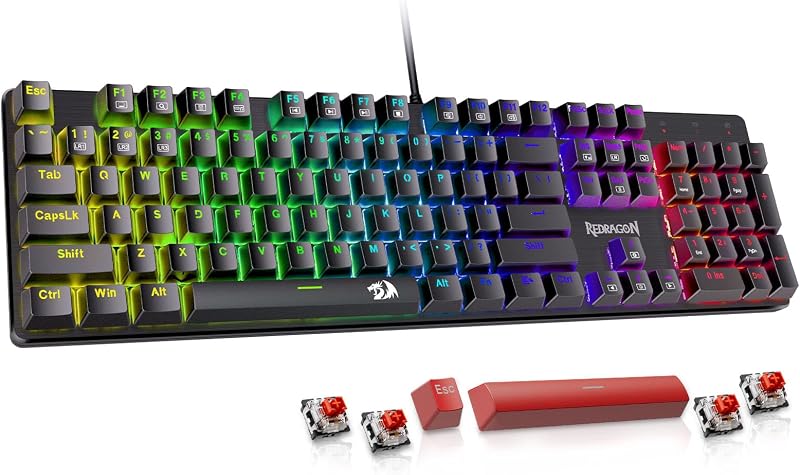
The choice between these two mechanical boards comes down to whether you prioritize desk space efficiency or deep hardware and firmware customization. The Keychron K4 condenses a full numpad into a compact 96-percent footprint with a large internal battery, while the Keychron K10 Pro retains a traditional 100-percent full-size footprint paired with open-source QMK/VIA key remapping, sound-dampening acoustic layers, and hot-swappable switch sockets.
Choose the Keychron K4 if you want an all-in-one productivity board with maximum battery life that preserves desk area for your mouse. Choose the Keychron K10 Pro if you want an enthusiast typing platform that allows you to swap switches on the fly, program intricate macros, and enjoy factory-installed sound absorption.


Keychron K4 vs Keychron K10 Pro at a Glance
| Feature | Keychron K4 | Keychron K10 Pro |
|---|---|---|
| Form Factor | 96% compact layout | 100% full-size layout |
| Total Key Count | 100 keys | 108 keys |
| Stock Switches | Keychron Super Red (Linear) | Keychron K Pro Brown (Pre-lubed Tactile) |
| Hot-Swappable Sockets | Not listed | Yes (3-pin and 5-pin MX compatible) |
| Firmware Programmability | Standard onboard layout | QMK/VIA open-source support |
| Acoustic Dampening | Not listed | Sound-absorbing foam and silicone bottom pad |
| Plate Material | Not listed | Steel plate |
| Battery Capacity | 4000 mAh (up to 240 hours without backlight) | Not listed |
| Wireless Connectivity | Bluetooth 5.1 (up to 3 devices) | Bluetooth 5.1 (up to 3 devices) |
| Backlighting Orientation | White LED | South-facing white backlight |
| Best For | Desk space conservation and long battery runtimes | Hardware switch modding and macro programming |
Layout, Spacing, and Desk Footprint
The fundamental divide in this Keychron K4 vs K10 Pro layout comparison is how each keyboard organizes its keys. The K4 uses a 96-percent layout that fits 100 keys into four condensed sections. By eliminating the traditional navigation island and pushing the numeric keypad directly against the alphanumeric block and arrow keys, the K4 drastically shrinks horizontal length while retaining dedicated number-entry keys. This tight layout frees up sweep area for your mouse, making it an appealing middle ground between a tenkeyless footprint and a full workstation board.
The K10 Pro adopts a classic 100-percent full-size frame spanning 17.52 inches wide, 5.43 inches deep, and 1.59 inches tall, housing 108 keys. It maintains distinct physical spacing between the typing cluster, the dedicated arrow keys, the navigation cluster, and the numeric keypad. If you rely on muscle memory to hit keys like Delete, Home, Page Up, or the arrows without looking down, the separated layout of the K10 Pro eliminates the mispresses common on condensed boards. Those looking at compact alternatives often weigh standard form factors like the one explored in our keychron k2 vs k10 pro guide, but within full-numpad options, spacing remains the primary differentiator.
Choosing between them involves trading physical desk real estate for navigational certainty. The condensed layout of the K4 demands an adjustment period because the arrow keys sit flush against the Enter and zero keys. Conversely, the K10 Pro demands considerable desk space, requiring you to push your mouse further to the right, which can alter shoulder posture during long computing sessions.
Edge: Keychron K4 for saving desk space without sacrificing the numeric keypad.
Customization and QMK/VIA Firmware Support
Keyboard enthusiasts evaluating a Keychron K10 Pro review will immediately spot its flagship software feature: native QMK and VIA programmability. Through the open-source VIA web interface, you can connect the K10 Pro via cable and remap any key across multiple layers on both macOS and Windows. You can create custom macro chains, adjust shortcut triggers, and build application-specific functions without installing bloated background utilities. For professionals who execute repetitive data commands, this level of control fundamentally transforms workflow speed.
The K4 relies on standard factory firmware. While it includes physical toggle switches on the side to alternate between macOS and Windows layouts, and ships with dedicated Mac multimedia keycaps alongside Windows replacement caps, its key assignments cannot be freely reassigned through standard open-source tools. What you see on the key legends is how the board behaves out of the box. Users who rarely change key assignments will find the K4 entirely functional, but power users will miss the flexibility of customizable layers.
When considering the question of is Keychron K10 Pro worth it for software flexibility, the firmware architecture gives the K10 Pro a distinct technological advantage. Much like the custom board ecosystems analyzed in our keychron k10 pro vs v3 overview, full QMK/VIA support extends the functional longevity of a keyboard by allowing the user to dictate every keypress, rotary behavior, and layer shortcut.
Edge: Keychron K10 Pro for its powerful open-source QMK/VIA programmability.
Switch Performance and Hot-Swappable Modularity
In a direct Keychron K4 vs K10 Pro hot swap evaluation, modularity separates the two models. The K10 Pro features hot-swappable PCB sockets that accept virtually all 3-pin and 5-pin MX mechanical switches on the market, including Cherry, Gateron, and Kailh switches. It ships standard with pre-lubed Keychron K Pro Brown tactile switches rated for 50 million clicks. If you ever develop a personal preference for heavier clicks or ultra-light linear switches, you can extract the switches with an included puller and snap in replacements without touching a soldering iron.
The K4 configuration detailed here features soldered Keychron Super Red switches. These switches offer a smooth linear travel with an ambidextrous actuation profile and a 50 million keystroke lifespan. Linear switches provide uninterrupted downward movement without a tactile bump, which many users favor for fast reaction times in gaming. However, because this specific K4 version does not advertise hot-swappable sockets, you are permanently committed to the linear red switches installed at the factory.
Modularity protects your hardware investment. If a single switch fails on the K10 Pro, you can swap in a replacement unit in seconds. On a board without hot-swap support, switch maintenance requires board disassembly and desoldering. Readers who have followed modular comparisons like our keychron k8 vs k10 pro analysis know that swappable switches also let you tune specific zones, such as placing stiffer switches under the spacebar or number pad.
Edge: Keychron K10 Pro for its 3-pin and 5-pin hot-swappable switch sockets and pre-lubed switches.
Acoustic Dampening and Internal Build Construction
Typing feel is influenced heavily by internal case resonance and mounting materials. In any Keychron K10 Pro custom keyboard review, internal sound absorption takes center stage. Keychron engineered the K10 Pro from the inside out, integrating sound-absorbing foam, a thick silicone bottom dampening pad, and a rigid steel plate inside a durable polybutylene terephthalate (PBT) and structural housing. These layers eliminate hollow case ping and produce a deeper, more peaceful acoustic profile during rapid typing.
The K4 features a sturdy build tailored for general productivity and gaming, but its product specifications do not list internal sound-absorbing foam or silicone base layers. As a result, bottoming out switches on the K4 produces a sharper, more resonant report. While the linear red switches themselves operate relatively quietly, the absence of acoustic padding means switch clack transfers directly into the keyboard housing and desk surface.
The K10 Pro also integrates south-facing white backlighting, which angles illumination toward the typist’s view rather than into the switch housing. South-facing sockets also ensure broad compatibility with aftermarket cherry-profile keycaps, avoiding keycap interference. The internal acoustic architecture mirrors the dampening philosophies seen in custom mechanical builds, such as those evaluated in our keychron k10 pro vs q1 comparison.
Edge: Keychron K10 Pro for its factory sound-absorbing foam, silicone base dampener, and steel plate.
Battery Life and Multidevice Connectivity
Wireless endurance is an area where the K4 excels. It houses a massive 4000 mAh rechargeable battery, which stands among the largest power cells fitted into a production mechanical keyboard. With the white backlighting disabled, the K4 delivers up to 240 hours of continuous wireless use. This capacity ensures that mobile professionals and hybrid workers can go weeks between charges over standard office routines.
The K10 Pro also features Bluetooth 5.1 and supports swift multitasking across up to 3 paired devices, including laptops, tablets, and phones, alongside a wired USB mode. However, the listing does not specify the exact milliamp-hour capacity or total unlit runtime for the K10 Pro. While both keyboards share stable Broadcom Bluetooth chipsets that deliver reliable wireless communication across macOS and Windows systems, the K4 provides documented high-capacity endurance.
For gamers and fast typists using wired mode, rollover behavior matters. The K4 provides full N-Key rollover (NKRO) when connected via USB cable, dropping to 6-key rollover (6KRO) in wireless mode to conserve connection bandwidth. Both keyboards support quick switching between operating systems, but the sheer battery capacity of the K4 makes it the superior pick for cordless longevity, outlasting even the ultra-compact form factors shown in our keychron k6 vs k10 pro match-up.
Edge: Keychron K4 for its documented 4000 mAh battery capacity and 240-hour runtime.
Everyday Typing and Office Productivity
Choosing between the Keychron K4 or K10 Pro for typing comes down to how your hands interact with switch response and layout geography. The K10 Pro ships with tactile Brown switches that provide a physical bump right at the actuation point. This tactile feedback lets you feel exactly when a key register occurs without requiring you to bottom out against the steel plate. Combined with pre-lubricated stems and sound-dampening silicone, the K10 Pro delivers a cushioned, refined typing cadence suitable for high-volume word processing.
In contrast, deciding on the Keychron K4 or K10 Pro for office use often pivots on how frequently you input numbers. Both models include a complete numeric cluster, but the K4 places its 10-key block directly against the main typing keys. If you enter numbers while checking documents, the short hand transition on the K4 is fast and efficient. However, because the K4 uses linear Red switches with uninterrupted smooth travel, typists prone to resting fingers on keys may experience unintentional keystrokes until they adapt to the lighter linear actuation.
For office environments where keyboard clatter can disturb coworkers, the internal dampening of the K10 Pro helps contain stray noise. Even though the K4 features linear switches that lack a tactile click, the unpadded internal shell can echo when struck vigorously. The refined acoustics and separated layout make the K10 Pro a more predictable, fatigue-free typing station over an eight-hour workday.
Edge: Keychron K10 Pro for its pre-lubed tactile feedback and separated layout ergonomics.
Pros and Cons
Keychron K4

Pros
- Space-saving 96% compact form factor
- Huge 4000 mAh battery capacity
- Up to 240 hours wireless runtime
- Dedicated Mac and Windows keycaps included
Cons
- Lacks QMK and VIA programmability
- Switches are not hot-swappable
- No internal sound dampening foam
Keychron K10 Pro

Pros
- Full QMK/VIA software programmability
- Hot-swappable 3-pin and 5-pin sockets
- Internal foam and silicone sound dampening
- Pre-lubed tactile Brown switches
Cons
- Consumes significant desk space
- Battery capacity not specified
View Keychron K10 Pro on Amazon
Who Should Buy Each One
Choose the Keychron K4 If
- You need a dedicated numeric keypad but work on a compact desk with limited mouse area.
- You want maximum wireless runtime and prefer charging your keyboard only once every few weeks.
- You prefer smooth, linear Keychron Super Red switches for low-resistance gaming and data entry.
- You want a plug-and-play mechanical keyboard that does not require firmware mapping software.
Choose the Keychron K10 Pro If
- You want open-source QMK/VIA software to program intricate macros, key layers, and custom shortcuts.
- You want hot-swappable switch sockets to test different 3-pin and 5-pin mechanical switches later on.
- You prefer a traditional 100-percent full-size spacing with separated arrow keys and navigation clusters.
- You value acoustic dampening foam and silicone base padding for a deeper, quieter typing profile.
Final Verdict
For most mechanical keyboard enthusiasts and heavy typists, the Keychron K10 Pro is the superior purchase. Its combination of QMK/VIA programmable firmware, hot-swappable switch architecture, pre-lubed tactile switches, and multi-layer acoustic dampening represents a massive generational leap over traditional pre-built keyboards. The standard full-size spacing ensures an effortless transition without layout-induced typing errors, while the steel plate and sound-absorbing foam deliver an exceptionally refined feel right out of the box.
The Keychron K4 remains the decisive choice for space-conscious setups. If your workspace cannot comfortably accommodate an 17.5-inch full-size chassis, the K4 packs full 100-key numeric functionality into an impressively dense frame. Backed by an industry-leading 4000 mAh battery providing up to 240 hours of wire-free productivity, the K4 is the practical champion for mobile workers, compact desk owners, and linear-switch devotees who prioritize battery endurance over custom firmware modifications.
FAQ
Can you swap mechanical switches on both keyboards?
The Keychron K10 Pro features hot-swappable switch sockets that allow you to pull and replace switches without soldering, supporting almost all 3-pin and 5-pin MX mechanical switches from brands like Cherry, Gateron, and Kailh. The specific Keychron K4 version listed here comes with soldered Keychron Super Red switches, meaning you cannot hot-swap switches on the board.
Does the Keychron K4 support QMK or VIA software?
No, the standard Keychron K4 does not support QMK or VIA programming. It uses standard factory firmware with fixed key assignments, toggled between macOS and Windows using physical hardware switches. The Keychron K10 Pro features full QMK/VIA programmability, allowing you to remap keys and create macros via a web browser.
What is the difference between a 96-percent layout and a 100-percent layout?
A 100-percent full-size layout, like the one on the K10 Pro, houses 108 keys with physical spaces separating the typing keys, the arrow cluster, the navigation island, and the number pad. A 96-percent layout, like the one on the K4, condenses 100 keys into a single continuous grid, preserving the number pad while removing the open spaces to shorten the overall length of the board.
How long does the battery last on the Keychron K4?
The Keychron K4 contains a 4000 mAh battery that provides up to 240 hours of continuous operation with the white LED backlighting turned off. When backlighting is active, runtime will be shorter depending on your chosen brightness level.
Can both keyboards connect to multiple wireless devices simultaneously?
Yes. Both the Keychron K4 and Keychron K10 Pro utilize Broadcom Bluetooth 5.1 chipsets capable of pairing with up to 3 separate devices, such as a laptop, smartphone, and tablet. You can toggle between your paired devices using onboard keyboard shortcuts on both models.
Are both keyboards compatible with Mac and Windows?
Yes, both models provide full operating system compatibility for macOS and Windows. Each keyboard features physical side toggles to switch between operating system modes and includes swappable keycaps for both Windows and Mac modifier keys.