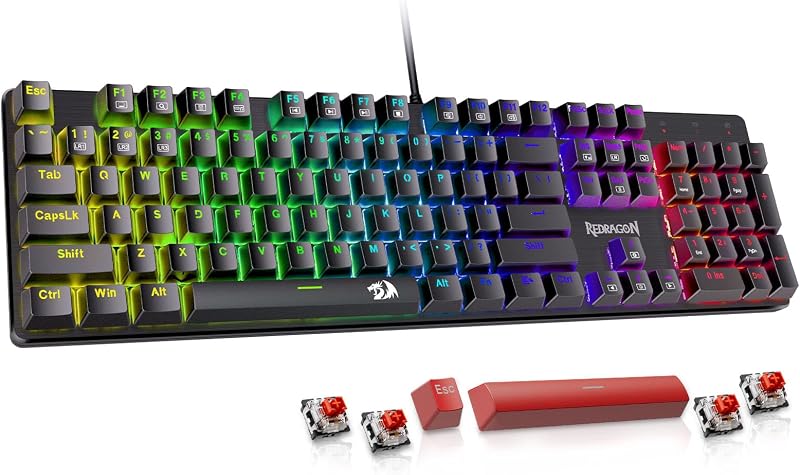
The choice between the Keychron K8 and the Keychron Q1 comes down to whether you prioritize a traditional mechanical switch layout with long battery endurance or cutting-edge Hall Effect magnetic actuation paired with a solid aluminum build.
Choose the Keychron K8 if you want an accessible tenkeyless workhorse optimized for daily office multitasking across operating systems, or choose the Keychron Q1 if you demand rapid-response magnetic switches, 1000 Hz wireless performance, and deep firmware customization.


Keychron K8 vs Keychron Q1 at a Glance
| Feature | Keychron K8 | Keychron Q1 |
|---|---|---|
| Keyboard Layout | Tenkeyless (87 keys, 80%) | Compact (82 keys, 75%) |
| Switch Technology | Keychron Super Brown tactile mechanical | Gateron 2.0 Hall Effect magnetic linear |
| Actuation Customization | Fixed (2.0 mm pre-travel) | Adjustable (0.5 mm to 3.8 mm, 0.1 mm sensitivity) |
| Multi-Action Keys | Not supported | Up to 4 actions per key press/release |
| Wireless Connectivity | Bluetooth 5.1 (up to 3 devices) | 2.4 GHz wireless (1000 Hz) and Bluetooth 5.2 |
| Chassis Material | Inclined frame with two-level feet | Full aluminum metal body |
| Keycaps | OEM-profile shine-through | OSA-profile double-shot PBT |
| Backlighting | Single-color white | South-facing RGB |
| Software Support | OS shortcut toggles (no dedicated web suite listed) | Keychron Launcher web app and QMK |
| Battery Capacity | 4000 mAh (up to 200 hours backlight off) | Rechargeable (capacity not listed) |
| Best For | General typing, office work, and multi-device productivity | Competitive gaming, rapid actuation, and deep key customization |
Switch Technology and Actuation Mechanics
The primary technical divide in this head-to-head comparison is the underlying switch architecture. The K8 relies on conventional physical mechanical switches, specifically Keychron Super Brown tactile switches with a Gateron G Pro design lineage. These switches feature a fixed pre-travel distance of 2.0±0.4 mm and require 55±10 gf of actuation force. They depend on physical metal contact leaves inside each housing to complete an electrical circuit. For standard typing workflows, this physical leaf provides a predictable tactile bump that confirms when a keystroke has registered, which explains why many users consulting a Keychron K8 review praise its straightforward, classic mechanical feel.
In contrast, the Q1 introduces Hall Effect magnetic switches using the Gateron double-rail 2.0 design. Rather than relying on closing metal contacts, the Keychron Q1 magnetic switch technology uses electromagnetic sensors to track the continuous position of a magnet inside the switch stem. This allows for adjustable actuation points spanning from 0.5 mm to 3.8 mm with a fine sensitivity step of 0.1 mm. Because the board reads movement continuously, you can assign up to four distinct actions to a single key based on press depth-such as walking on a shallow stroke and sprinting on a full bottom-out-as well as distinct inputs on key release. When evaluating the Keychron K8 vs Q1 Hall Effect capabilities, the Q1 fundamentally changes how inputs register compared to standard mechanical designs.
If you prefer a crisp tactile response for document editing without touching configuration software, the K8 provides that out of the box. However, for users exploring the Keychron Q1 HE vs K8 debate for gaming or nuanced input mapping, the frictionless linear movement and ultra-fine distance calibration of the Q1 offer capabilities that standard mechanical leaf switches cannot reproduce. Readers examining compact layouts might also consider the keychron k4 vs q1 comparison to see how compact mechanical options compare against Hall Effect hardware.
Edge: Keychron Q1 due to its customizable Hall Effect actuation, 0.1 mm sensitivity, and multi-action key depth capabilities.
Wireless Connectivity, Latency, and Polling Rates
Input registration speed and wireless versatility represent another substantial difference between these models. The K8 focuses on multi-device office utility by pairing a Broadcom Bluetooth 5.1 chipset with a USB Type-C wired interface. The Bluetooth connection allows seamless switching among up to three saved devices, making it convenient for rotating between a desktop, laptop, and iPad. In terms of key rollover, the listing specifies that the K8 supports 6-key rollover (6KRO) in wireless mode and full N-key rollover (NKRO) when plugged in via USB-C. While dependable for daily typing, Bluetooth inherently carries standard polling constraints, making Keychron K8 wireless latency best suited for office tasks and casual play rather than twitch-reaction esports.
The Q1 steps up connectivity significantly by incorporating three distinct modes: 2.4 GHz wireless, Bluetooth 5.2, and wired USB-C. The included 2.4 GHz wireless connection operates at a rapid 1000 Hz polling rate, matching the responsiveness of a wired connection. This ultra-fast polling rate communicates keystroke data every single millisecond, which is essential for taking full advantage of the rapid magnetic switch actuation. When deciding between the Keychron K8 or Q1 for gaming, this high-frequency wireless transmission eliminates the input delay typical of Bluetooth-only boards.
For general productivity, both keyboards connect cleanly over Bluetooth. But if your daily workflow involves fast-paced competitive games where input lag dictates success, the 1000 Hz 2.4 GHz connection on the Q1 gives it an unambiguous technical advantage. Buyers looking at other full-sized options can also read our breakdown of the keychron k8 vs k10 pro to see how Bluetooth keyboards compare to larger productivity setups.
Edge: Keychron Q1 for its dedicated 2.4 GHz wireless connection with a true 1000 Hz polling rate.
Build Construction, Chassis Materials, and Keycaps
The physical construction of these two keyboards reflects very different engineering approaches. The K8 uses an inclined bottom frame designed to maximize ergonomic comfort without requiring excessive desk space. It features two-level adjustable rubber feet, allowing you to tailor the typing incline to your preferred wrist angle. The keycaps provided with the K8 are OEM-profile shine-through keycaps, which let the single-color white backlighting illuminate the key legends for clear legibility in dim environments. The overall construction emphasizes lightweight utility and straightforward desktop placement.
The Q1 adopts a much heavier, premium presentation with a full aluminum metal chassis. This dense metal body provides structural rigidity, eliminating deck flex and anchoring the keyboard firmly in place during aggressive typing or gaming sessions. Mounted on the switches are OSA-profile double-shot PBT keycaps. PBT plastic resists skin oils and surface shine over long-term use, maintaining a textured, premium touch. Furthermore, the Q1 features south-facing RGB backlighting, which projects lighting directly toward the user’s line of sight rather than into the switch housing, preventing interference with aftermarket keycaps.
The trade-off here is portability versus permanence. The K8 is light enough to shift around a workspace or pack into a bag, while the Q1 is a substantial, desk-bound metal fixture. For typists who evaluate build quality through weight and material density, the Q1 operates on a different tier. Those wanting to explore alternative metal and plastic frames across Keychron lines can review the keychron k8 vs q3 guide for further perspective.
Edge: Keychron Q1 due to its full aluminum construction, oil-resistant double-shot PBT keycaps, and south-facing RGB lighting.
Software, Programmability, and Switch Tuning
Software customization is where the distinction between a standard peripheral and an enthusiast-grade tool becomes stark. The K8 operates as a hardware-first keyboard without a web-based programming suite listed. Configuration on the K8 is managed through physical toggles and system key replacement; it ships with dedicated multimedia and function keys for both macOS and Windows, including extra operating system keycaps. While this makes setup frictionless-plug in or pair and start typing-it restricts your ability to remap layers or program specialized macros on the fly.
The Q1 features extensive software control powered by open-source QMK architecture and the Keychron Launcher web application. Through the Launcher interface, users can remap any key across multiple layers, build complex macros, and configure custom keyboard shortcuts directly inside a browser without installing bulky background software suites. More importantly, the Launcher app is where the Hall Effect magic happens: users can independently calibrate the actuation point for every individual key, adjust rapid trigger sensitivities down to 0.1 mm, and configure multi-stage inputs based on travel distance.
This level of granular control answers the question of is Keychron Q1 worth it for power users who want their hardware tuned to exact millimetric tolerances. If you never intend to adjust switch travel or set custom layer commands, the plug-and-play simplicity of the K8 is refreshing. But for deep technical control, the Q1 provides an unmatched customization suite. To see how other compact models handle customization, check out our comparison of the keychron k6 vs q1.
Edge: Keychron Q1 for its QMK support and granular switch calibration via the Keychron Launcher web app.
Layout, Everyday Typing, and Battery Life
Ergonomics, desk layout, and power endurance play critical roles in deciding between these two models for daily office work. The K8 features an 87-key tenkeyless (80%) layout. This design retains dedicated, separated clusters for the arrow keys and navigation block (Home, End, Page Up, Page Down, and Insert/Delete). For writers, coders, and spreadsheets users, having those keys isolated in standard physical positions prevents accidental mispresses. Additionally, the K8 houses a massive 4000 mAh rechargeable battery that provides up to 200 hours of continuous typing with the backlights turned off, ensuring weeks of wireless use between charges.
The Q1 condenses functionality into an 82-key 75% form factor. By pulling the navigation keys and arrow cluster tight against the main alphanumeric keys, the Q1 frees up valuable horizontal desk space, allowing closer mouse placement for ergonomic gaming posture. However, the tighter layout means fewer dedicated navigation keys, requiring reliance on function layers for certain commands. Furthermore, while the Q1 is battery-powered, the listing does not specify the battery’s milliampere-hour rating or runtime hours, making battery longevity less quantifiable than the K8’s verified 4000 mAh capacity.
When assessing the Keychron K8 or Q1 for typing comfort, the K8 offers an effortless transition for anyone accustomed to full-sized or traditional office keyboards. Its tactile Brown switches provide clear tactile confirmation that minimizes bottoming out, while the two-level feet let you adjust wrist angle easily. The Q1 uses smooth linear magnetic switches, which feel distinct from tactile switches and may cause typists who rely on physical bumps to make more initial typos until they adjust their actuation thresholds. Users considering larger enthusiast layouts should also read the keychron k10 pro vs q1 analysis for broader form factor comparisons.
Edge: Keychron K8 for its familiar 87-key TKL spacing, tactile switch feedback for writing, and massive 4000 mAh battery endurance.
Pros and Cons
Keychron K8

Pros
- Massive 4000 mAh battery capacity
- Up to 200 hours wireless runtime
- Dedicated 87-key tenkeyless navigation cluster
- Two-level adjustable ergonomic feet
- Includes dedicated Mac and Windows keycaps
Cons
- Lacks fast 2.4 GHz wireless connection
- Fixed mechanical switch actuation points
- Single-color white backlighting only
Keychron Q1

Pros
- Hall Effect magnetic switches with 0.1 mm sensitivity
- Adjustable actuation from 0.5 to 3.8 mm
- Rapid 1000 Hz polling rate on 2.4 GHz
- Solid full aluminum metal construction
- Durable double-shot PBT keycaps with south-facing RGB
Cons
- Battery capacity and runtime not listed
- Tighter 75% layout reduces dedicated navigation keys
- Requires web app configuration for advanced features
Who Should Buy Each One
Choose the Keychron K8 If
- You want a familiar 87-key tenkeyless layout with separated arrow and navigation clusters for writing and office productivity.
- You require exceptional wireless endurance backed by a 4000 mAh battery offering up to 200 hours of runtime.
- You prefer physical tactile feedback from traditional mechanical switches without needing software configuration.
- You regularly switch between macOS and Windows devices using dedicated physical toggles and keycaps.
Choose the Keychron Q1 If
- You play competitive games requiring ultra-low latency via 1000 Hz 2.4 GHz wireless and rapid Hall Effect switches.
- You want granular control over switch actuation depths from 0.5 mm to 3.8 mm with 0.1 mm precision.
- You prefer a high-end full aluminum chassis with oil-resistant double-shot PBT keycaps and south-facing RGB.
- You want to assign multiple actions to a single key press and configure custom layouts using QMK and the Keychron Launcher web app.
Final Verdict
For the majority of typists, programmers, and office multitaskers, the Keychron K8 stands as the most practical choice. Its traditional 87-key layout requires no muscle-memory adjustment, its tactile Brown switches deliver immediate physical typing validation, and its massive 4000 mAh battery ensures reliable multi-device Bluetooth operation for weeks at a time. The K8 delivers dependable, no-nonsense mechanical functionality without requiring you to tune switch travel in software.
However, the Keychron Q1 clearly wins the technical battle for gamers, hardware enthusiasts, and power users who demand cutting-edge performance. With its full aluminum body, rapid 1000 Hz 2.4 GHz connection, and customizable Hall Effect magnetic switches capable of 0.1 mm adjustments and multi-stage key bindings, the Q1 operates in an entirely different performance category. If you want the absolute pinnacle of input speed and switch customization, the Q1 is the superior instrument.
FAQ
Can I use mechanical switches in the Keychron Q1?
No, the Q1 featured here is designed specifically for Hall Effect magnetic switches, utilizing magnetic sensors rather than physical pin sockets. Standard mechanical switches with copper contact leaves are not compatible with this Hall Effect board.
Does the Keychron K8 come with a 2.4 GHz wireless USB receiver?
No, the K8 listing specifies wireless connectivity through Bluetooth 5.1 only, in addition to its USB Type-C wired mode. It does not support 2.4 GHz wireless dongles.
How do you adjust the actuation point on the Keychron Q1?
Actuation distances on the Q1 are configured through the Keychron Launcher web application. Inside the app, you can adjust the registration point from 0.5 mm to 3.8 mm for individual keys or the entire board.
Can the Keychron K8 connect to multiple devices simultaneously?
The K8 can store connections for up to three devices via Bluetooth 5.1. You can switch between paired devices using key combinations, though it connects to one active stream at a time.
Are keycaps on the Keychron Q1 shine-through for backlighting?
No, the Q1 comes with OSA-profile double-shot PBT keycaps, which focus on durability and texture rather than translucent legends. Its south-facing RGB lighting illuminates the gaps around the keys rather than shining through the characters.
Is the Keychron K8 compatible with Mac media keys?
Yes, the K8 includes dedicated Mac multimedia and function keys matching the standard macOS layout, and it includes alternative replacement keycaps for Windows users.