Deciding between the Razer DeathStalker V2 and the Corsair K70 PRO TKL comes down to a fundamental choice between an ultra-slim full-size chassis built with fixed optical clicky switches and a tenkeyless magnetic keyboard engineered around rapid-fire input customization.
Gamers and typists who prioritize an ultra-low desktop posture, full numeric keypad utility, and light physical travel should choose the Razer DeathStalker V2, whereas competitive players seeking magnetic Hall Effect responsiveness, per-key actuation tuning, and maximum mouse sweeping room should opt for the Corsair K70 PRO TKL.


Razer DeathStalker V2 vs Corsair K70 PRO TKL at a Glance
| Feature | Razer DeathStalker V2 | Corsair K70 PRO TKL |
|---|---|---|
| Switch Technology | Low-Profile Optical Clicky Purple | MGX Hyperdrive Hall Effect Magnetic Linear |
| Form Factor & Key Count | Full-size (104 keys) | Tenkeyless (84 keys) |
| Actuation Customization | Fixed actuation height | Per-key adjustable (0.4 mm to 3.6 mm in 0.1 mm steps) |
| Input Reset Features | Snap Tap support | Rapid Trigger and Simultaneous SOCD |
| Maximum Polling Rate | Not listed | 8,000 Hz AXON hyper-polling (0.125 ms) |
| Switch Durability | 70 million keystrokes | 150 million keystrokes |
| Keycap Construction | Laser-etched with HyperGuard coating | ABS double-shot |
| Chassis Construction | Aluminum alloy top plate with ultra-slim casing | Aluminum top plate, ABS, silicone internal dampening |
| Media Controls | Multi-function roller and media button | Dedicated volume roller and media hotkeys |
| Wrist Rest | Not included | Included magnetic wrist rest |
| Best For | Low-profile typing comfort and full-size daily productivity | High-speed competitive esports and mouse mobility |
Switch Technology and Actuation Dynamics
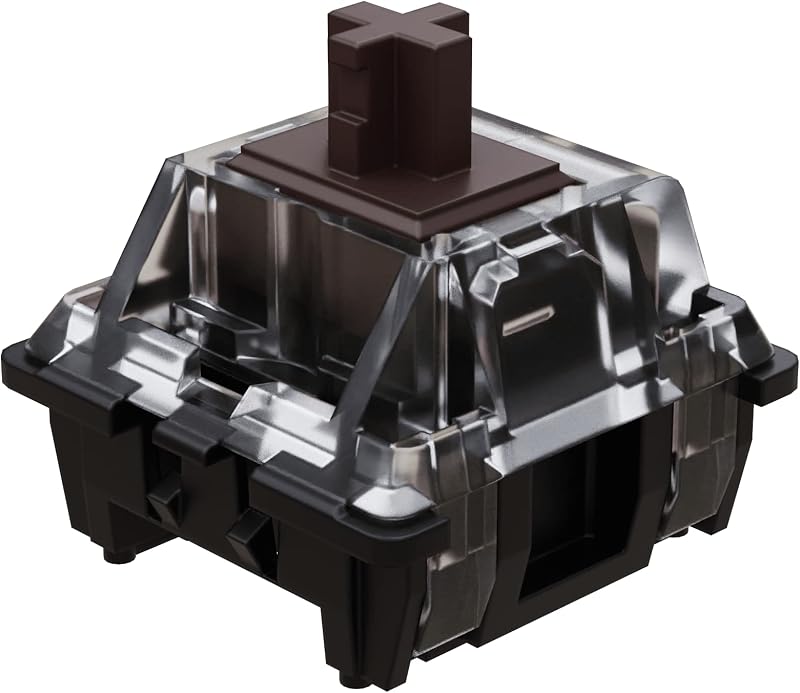
Switch mechanics dictate how quickly keystrokes register, how fingers feel after hours of typing, and whether you can customize individual keys for specific games. When examining razer deathstalker v2 vs corsair k70 rgb pro hardware architectures, optical and traditional mechanical setups show stark contrasts, but comparing optical mechanisms directly to magnetic switches reveals an even wider functional gap. The Razer DeathStalker V2 relies on low-profile optical switches with a Clicky Purple design. These switches use an infrared light beam inside each switch housing to register a press the instant the stem interrupts the light pathway. Because physical metallic leaves are eliminated, debounce delay drops significantly, and the switches achieve a durable 70-million keystroke lifespan. However, the physical actuation height and reset point on the DeathStalker V2 remain fixed at the factory.
The Corsair K70 PRO TKL approaches input mechanics from a completely different direction by using pre-lubricated Corsair MGX Hyperdrive magnetic switches based on Hall Effect sensors. Instead of light barriers or physical electrical contacts, these magnetic switches track the precise physical position of a magnet housed inside each stem. This design delivers an immense 150-million keystroke lifespan and enables deep software control over switch behavior. In any comprehensive Razer DeathStalker V2 vs Corsair K70 PRO TKL switches comparison, the primary advantage of the Corsair board is its dynamic customizability. Through Corsair iCUE software, users can calibrate the actuation point of every individual primary key from an ultra-sensitive 0.4 mm hairline trigger down to a deep, deliberate 3.6 mm bottom-out depth, adjustable in precise 0.1 mm increments.
Furthermore, evaluating DeathStalker V2 vs K70 PRO TKL actuation exposes Corsair’s major competitive feature: Rapid Trigger. With Corsair K70 PRO TKL rapid trigger gaming active, a key resets the exact fraction of a millimeter it begins moving upward, allowing an immediate secondary keypress without waiting for the stem to cross a fixed reset threshold. This provides a decisive advantage in tactical first-person shooters for instant counter-strafing, stopping, and jiggle-peeking. Corsair also includes dual actuation, allowing you to assign two separate actions to a single keypress based on how far down you depress the switch. While the DeathStalker V2 features Razer Snap Tap functionality for clean directional inputs, its fixed actuation optical hardware cannot replicate the analog travel tracking, variable trigger points, or continuous reset responsiveness native to the MGX magnetic platform.
Edge: Corsair K70 PRO TKL, thanks to its Hall Effect MGX Hyperdrive switches that support per-key actuation tuning between 0.4 mm and 3.6 mm, dynamic Rapid Trigger resets, and dual actuation mappings.
Form Factor, Desk Space, and Mouse Clearance
Keyboard dimensions profoundly shape overall desk ergonomics, physical posture, and the amount of unobstructed surface area available for mouse movements. The Razer DeathStalker V2 features a full-size 104-key configuration complete with a dedicated numeric keypad, full navigation cluster, and dedicated function row. For professionals who crunch numbers, enter spreadsheet data, or bind extensive command macros in simulation titles, having a native tenkey pad on the right wing provides immediate productivity value without requiring secondary function layer memorization.
In contrast, the Corsair K70 PRO TKL adopts a streamlined tenkeyless form factor with an 84-key primary layout (listing an 87-button quantity total). Measuring 14.41 inches in length, 5.31 inches in width, and 1.57 inches in height, this tenkeyless footprint trims roughly three to four inches off the right side compared to standard full-size frames. Buyers cross-shopping compact gaming decks might also inspect a razer huntsman mini vs corsair k70 pro tkl comparison to evaluate ultra-compact layouts, but the TKL configuration represents the gold standard for dedicated competitive play. It preserves standard arrow keys and dedicated navigation buttons while eliminating the number pad entirely.
The space saved by the K70 PRO TKL directly translates into expansive mouse clearance. Low-sensitivity competitive players who perform wide, sweeping swipes across extended mousepads will find the tenkeyless layout far less restrictive. On a full-size deck like the DeathStalker V2, sweeping mouse movements risk colliding with the right edge of the frame unless the keyboard is canted at an aggressive diagonal angle. However, the trade-off is clear: choosing the Corsair K70 PRO TKL vs Razer DeathStalker V2 means giving up native numeric entry, forcing daily office users to rely on the top alphanumeric number row.
Edge: Corsair K70 PRO TKL for pure gaming setups requiring broad mouse travel, though the Razer DeathStalker V2 remains the superior choice for users demanding a dedicated number pad.
Typing Feel and Ergonomic Comfort
Physical fatigue during typing sessions depends heavily on the slope of the keyboard casing, keycap height, and the resistance curve of the underlying switches. Evaluating Razer DeathStalker V2 typing comfort reveals that the board relies on an ultra-slim casing paired with low-profile keycaps and switches. This ultra-flat architecture keeps hands and wrists resting at a natural, neutral angle relative to the desk surface. By eliminating the steep upward pitch typical of standard mechanical decks, the DeathStalker V2 allows typists to write for extended stretches with minimal wrist extension strain, completely removing the necessity of an elevated wrist rest.
The typing sensation on the DeathStalker V2 is distinctively clicky and crisp. Its Purple low-profile optical switches feature shorter total travel and a shallower actuation point than standard keys, creating a light, snappy keystroke with sharp audible feedback. For authors, programmers, and typists who thrive on tactile and acoustic confirmation, the low-profile clicky mechanism delivers immediate keystroke validation. The reduced keycap travel distance means fingers expend less physical effort pushing keys down, promoting brisk typing speeds across lengthy documents.
The Corsair K70 PRO TKL presents a traditional standard-height mechanical typing profile with a 1.57-inch elevation. Because a taller chassis naturally places hands at an upward tilt, Corsair bundles a detachable wrist rest in the box to bridge the ergonomic gap and support palms during long sessions. Typing on the K70 PRO TKL is exceptionally smooth rather than clicky; its primary MGX Hyperdrive switches arrive pre-lubricated from the factory and operate along a linear track stabilized by a sturdy double-rail stem structure to suppress wobble. Internal silicone dampening helps absorb acoustic reverberation inside the enclosure. Gamers seeking an effortless, silent linear glide will favor the Corsair, but users wanting flat wrist positioning and tactile feedback will find the Razer more naturally accommodating.
Edge: Razer DeathStalker V2, as its ultra-slim low-profile chassis maintains a neutral wrist posture naturally without relying on external wrist rests, paired with crisp clicky feedback.
Competitive Gaming Responsiveness and Polling Rate
When deciding between the Razer DeathStalker V2 or Corsair K70 PRO TKL for gaming, competitive performance depends on input latency, physical reset speeds, and firmware polling frequency. The DeathStalker V2 offers exceptional basic optical actuation, registering presses at the speed of light while eliminating mechanical contact bounce. It also supports Razer Snap Tap, which prioritizes the latest directional input between two selected keys without releasing the previous key. This feature provides crisp counter-strafing execution in tactical shooters.
Yet the Corsair K70 PRO TKL was engineered specifically to maximize competitive responsiveness across every hardware layer. Central to its speed is Corsair AXON hyper-processing technology, which powers an 8,000 Hz hyper-polling rate. While standard gaming decks communicate with the PC at 1,000 Hz (a 1.0 ms polling interval), the K70 PRO TKL reports inputs every 0.125 ms. Combined with sub-millisecond switch scan rates, input lag is reduced to the absolute physical limits of USB connectivity.
Beyond hyper-polling, the Corsair keyboard integrates both Rapid Trigger and simultaneous SOCD (Simultaneous Opposing Cardinal Directions) processing directly into its onboard logic. Gamers can investigate alternatives like the razer blackwidow v4 pro vs corsair k70 pro tkl to assess standard linear speed, but neither standard mechanicals nor fixed-point optical switches can match magnetic Hall Effect reset parameters. By resetting inputs the instant downward pressure eases, the K70 PRO TKL allows near-instantaneous micro-adjustments in fast-paced shooters like Valorant or Counter-Strike 2. The DeathStalker V2 is undeniably swift for a low-profile board, but the Corsair model provides a distinct, quantifiable edge in raw competitive responsiveness.
Edge: Corsair K70 PRO TKL, powered by an 8,000 Hz hyper-polling rate, 0.125 ms report times, simultaneous SOCD, and dynamic Rapid Trigger resets.
Build Quality, Materials, and Keycap Durability
Structural rigidity and keycap longevity determine how well a gaming keyboard resists intense daily wear, desk drops, and legend fading. Any thorough Razer DeathStalker V2 review must highlight its structural engineering: the board incorporates an aluminum alloy top plate integrated directly into its ultra-slim casing. This metal plate imparts structural stiffness, preventing deck flex during heavy keypresses while maintaining an exceptionally light, sleek profile. The DeathStalker V2 utilizes laser-etched keycaps fortified with a proprietary HyperGuard ultra-durable coating designed to resist finger oils, shine, and fading compared to unprotected plastic caps.
The Corsair K70 PRO TKL counters with an aluminum top plate combined with an enclosure built from ABS plastic, silicone dampening elements, and structural polymers. To dampen the hollow pinging sounds frequently encountered on metal-topped gaming decks, Corsair integrates internal silicone layers that deaden switch impact noise against the circuit board. Corsair also equips the primary keys with double-shot ABS keycaps. Because double-shot construction molds the key legends and outer walls from two distinct layers of plastic, the legends cannot wear off or chip away over time, representing a more permanent manufacturing method than surface-coated laser etching.
Switch durability also tips the longevity scale toward Corsair. While the DeathStalker V2 switches are rated for a robust 70 million keystrokes, Corsair rates its MGX Hyperdrive magnetic switches for an industry-leading 150 million keystrokes. The double-rail stem structure inside the Corsair switches also reduces lateral keycap wobble across broad key strikes. Corsair does note that function keys and non-primary keys feature Corsair MLX switches rather than magnetic switches, whereas Razer maintains consistent low-profile optical switches across all 104 positions. Both decks feature resilient aluminum top plates, but Corsair provides superior internal dampening and double-shot keycap molding.
Edge: Corsair K70 PRO TKL, due to its double-shot keycaps, internal silicone acoustic dampening, and switches rated for 150 million keystrokes.
On-Board Controls and Software Customization
Day-to-day satisfaction with a premium keyboard is heavily shaped by quick-access media controls and the flexibility of its companion configuration software. A balanced Corsair K70 PRO TKL review reveals exceptional depth in firmware control. Corsair incorporates a knurled metal volume roller alongside dedicated media and hotkey buttons, allowing swift volume adjustments, playback scrubbing, and mute toggles without disrupting games or requiring multi-key combinations.
The Razer DeathStalker V2 provides equally practical on-board utility with a dedicated multi-function roller and an adjacent companion media button placed on the upper right corner. Through Razer Synapse, this roller can be assigned to cycle volume, scroll pages, or adjust Chroma RGB brightness, while the media button handles play, pause, and track skips through simple tap sequences. Razer Chroma RGB provides dynamic per-key backlighting across 16.8 million colors with native lighting integration for hundreds of popular video games, illuminating the transparent switch housings with vibrant, uniform clarity.
However, Corsair iCUE offers an unmatched depth of switch customization that software like Synapse cannot replicate on fixed optical hardware. In addition to standard macro recording and RGB lighting patterns, iCUE provides the configuration portal for setting independent per-key actuation thresholds, calibrating Rapid Trigger sensitivity in 0.1 mm increments, and assigning dual actuation triggers to map primary and secondary commands to a single keystroke. Both boards offer top-tier physical media rollers, but the K70 PRO TKL provides drastically deeper functional customization through its switch management software.
Edge: Corsair K70 PRO TKL, owing to its comprehensive switch calibration software that manages per-key actuation depth, dual actuation, and Rapid Trigger settings.
Pros and Cons
Razer DeathStalker V2

Pros
- Ultra-slim casing ensures neutral wrist positioning
- Durable aluminum alloy top plate construction
- Full-size 104-key layout with dedicated number pad
- Light low-profile optical switches with snappy click
- Multi-function roller and media control button
Cons
- Fixed actuation depth lacks Rapid Trigger functionality
- Wide footprint limits mouse clearance for low-DPI gaming
View Razer DeathStalker V2 on Amazon
Corsair K70 PRO TKL

Pros
- Adjustable magnetic actuation from 0.4mm to 3.6mm
- Dynamic Rapid Trigger for instantaneous directional resets
- 8,000Hz AXON hyper-polling registers in 0.125ms
- Pre-lubricated switches rated for 150 million keystrokes
- Detachable ergonomic wrist rest included in box
Cons
- Lacks dedicated numeric keypad for data productivity
- Standard-height chassis requires wrist elevation support
View Corsair K70 PRO TKL on Amazon
Who Should Buy Each One
Choose the Razer DeathStalker V2 If
- You want an ultra-slim, low-profile keyboard that maintains a neutral wrist angle without an external wrist rest.
- You need a full-size 104-key layout with a dedicated number pad for office tasks, financial work, or data entry.
- You prefer the acoustic click and sharp tactile feedback of clicky mechanical switches over smooth linear travel.
- You want a lightweight, durable aluminum deck with a multi-function roller and extensive Razer Chroma ecosystem sync.
Choose the Corsair K70 PRO TKL If
- You play competitive first-person shooters and need Rapid Trigger and simultaneous SOCD for instant counter-strafing.
- You require a compact tenkeyless footprint that maximizes desk real estate for sweeping low-DPI mouse movements.
- You want complete control over your hardware with customizable per-key actuation points adjustable between 0.4 mm and 3.6 mm.
- You demand extreme input responsiveness backed by an 8,000 Hz hyper-polling rate and 0.125 ms processing speeds.
Final Verdict
For the majority of competitive gamers, the Corsair K70 PRO TKL is the superior keyboard. By incorporating pre-lubricated MGX Hyperdrive Hall Effect magnetic switches, Corsair addresses the specific hardware demands of modern competitive gaming. The ability to adjust actuation depths between 0.4 mm and 3.6 mm, take advantage of dynamic Rapid Trigger resets, and utilize an 8,000 Hz AXON hyper-polling rate creates a tangible performance difference in titles where movement precision determines the outcome. If your primary goal is maximizing in-game execution, responsiveness, and mouse space, asking is Corsair K70 PRO TKL worth it results in a clear affirmative.
Nevertheless, the Razer DeathStalker V2 remains the premier choice for users who refuse to compromise on typing ergonomics or full-size versatility. Its ultra-slim profile promotes neutral wrist positioning that prevents strain over long working sessions, while its 104-key configuration ensures seamless productivity for spreadsheets and calculations. If your daily routine splits evenly between extensive typing, office productivity, and gaming, and you prefer the crisp acoustic feedback of low-profile clicky switches over standard-height linear keys, the DeathStalker V2 delivers exceptional comfort and build refinement.
FAQ
Can you adjust switch actuation on the Razer DeathStalker V2?
No, the switches on the Razer DeathStalker V2 feature a fixed optical actuation point set at the factory. Unlike magnetic Hall Effect switches, optical switches rely on physical stem barriers interrupting a light beam, meaning actuation depth and reset points cannot be modified in software. Those seeking customizable actuation should look toward magnetic alternatives like the K70 PRO TKL or read our razer blackwidow v4 pro vs corsair k70 rgb pro coverage to understand fixed switch constraints.
How does Rapid Trigger work on the Corsair K70 PRO TKL?
Rapid Trigger utilizes the magnetic Hall Effect sensors inside the Corsair MGX Hyperdrive switches to continuously track key travel. Instead of requiring the key stem to travel back up past a fixed reset line, the switch resets the instant you begin releasing downward pressure, even by a fraction of a millimeter. This allows gamers to press the key again immediately, enabling rapid counter-strafing, stopping, and repeated inputs without physical delay.
Which keyboard is quieter for shared office spaces?
The Corsair K70 PRO TKL is significantly quieter than the Razer DeathStalker V2. The Corsair model features pre-lubricated linear switches, internal silicone acoustic dampening layers, and double-shot keycaps that soften bottom-out sounds. In contrast, the DeathStalker V2 model evaluated here is equipped with Clicky Purple optical switches that produce a distinct, sharp metallic click upon every actuation, making it far more audible in quiet or shared environments.
Do both keyboards include an ergonomic wrist rest in the box?
No, only the Corsair K70 PRO TKL includes a dedicated wrist rest. Because the K70 PRO TKL sits at a standard mechanical keyboard height of 1.57 inches, the included wrist rest helps elevate palms to a comfortable typing angle. The Razer DeathStalker V2 does not include a wrist rest because its ultra-slim casing and low-profile switches keep the keys extremely close to the desk surface, allowing natural, neutral hand positioning without added elevation.
Are all the switches on the Corsair K70 PRO TKL magnetic?
The primary typing and gaming keys on the Corsair K70 PRO TKL feature Corsair MGX Hyperdrive magnetic switches with per-key adjustable actuation and Rapid Trigger. However, according to the manufacturer specifications, the function keys and non-primary keys are equipped with Corsair MLX switches, which do not feature magnetic Hall Effect actuation adjustment.
Can both keyboards connect to gaming consoles?
The Corsair K70 PRO TKL explicitly lists compatibility with gaming consoles alongside PCs and laptops via its wired USB connections. The Razer DeathStalker V2 listing specifies PC compatibility under Windows operating systems. Console users wanting guaranteed plug-and-play functionality with customized onboard profiles should verify individual console title support, where the K70 PRO TKL holds an official compatibility designation.