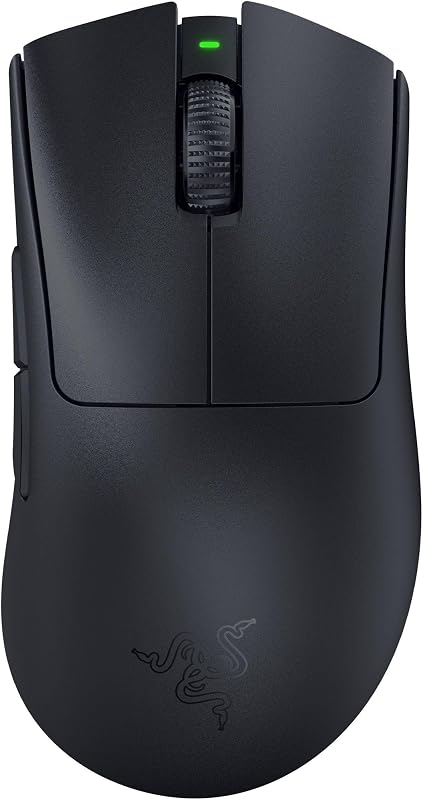
The single deciding factor between these two wireless pointers comes down to whether you prioritize a high-density command center with optical actuation or a clean, arched palm grip that eliminates button clutter. Selecting between the multi-input layout of modern hybrid mice and the uncluttered frame of a traditional gaming chassis dramatically alters how your hand rests during long sessions and how many keystrokes you offload from your keyboard.
Gamers needing deep macro configuration, optical switch reliability, and a dual-mode scroll wheel should choose the Logitech G502 X Plus, while players seeking a traditional rounded palm arch with built-in rubber side grips and straightforward six-button mechanics should pick the Logitech G703.


Logitech G502 X Plus vs G703 at a Glance
| Feature | Logitech G502 X Plus | Logitech G703 |
|---|---|---|
| Sensor Model | HERO 25K | PMW3366 |
| Maximum Sensitivity | 25,600 DPI | 12,000 DPI |
| Primary Switch Type | LIGHTFORCE hybrid optical-mechanical | Mechanical with advanced button tensioning |
| Programmable Controls | 13 | 6 |
| Scroll Wheel Style | Dual-mode (ratchet and free-spin) with tilt | Standard stepped scroll wheel |
| Listed Battery Life | 120 hours average | Not listed |
| Weight | 3.68 ounces | 107 grams |
| Side Grips | Sculpted thumb wing and textured casing | Molded rubber grips on left and right |
| Wireless Charging | POWERPLAY compatible | POWERPLAY compatible |
| RGB Illumination | LIGHTSYNC 8-LED zone lighting | Customizable 16.8 million color RGB |
| Best For | Complex keybinds, productivity, and multi-genre gaming | Traditional palm grips and minimalist competitive play |
Programmable Controls and Scroll Wheel Versatility
Control layouts dictate how much utility you can squeeze out of a peripheral without reaching across your desk. The Logitech G502 X Plus button count reaches an expansive 13 programmable assignments, transforming the mouse into a dedicated macro hub. It includes primary clickers, a distinct index-finger button cluster, side navigation keys, and an innovative redesigned DPI-shift button that can be reversed to match varying thumb lengths or completely removed and replaced with a blank cover to prevent accidental toggling during heated firefights. In addition, its dual-mode scroll wheel allows users to mechanically toggle between a tactile, stepped ratcheting mechanism and an ultra-low-friction hyper-fast free spin mode, while also providing two extra horizontal tilt click inputs.
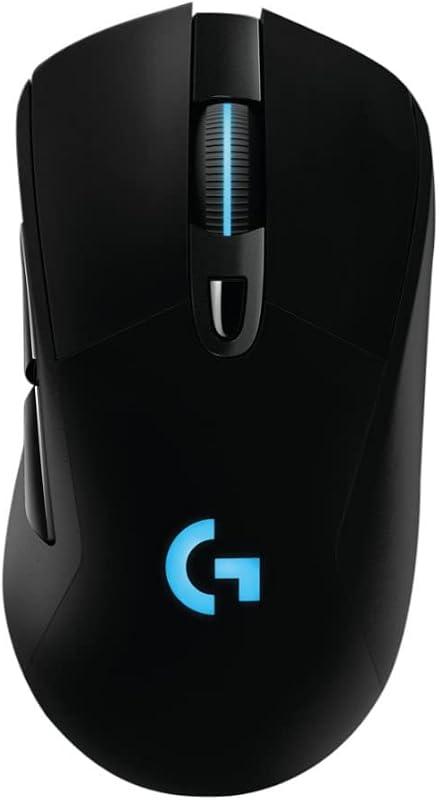
In contrast, the Logitech G703 adheres to an uncluttered layout featuring 6 programmable buttons configured through the Logitech Gaming Software. You receive standard left and right clicks, a clickable scroll wheel, a top DPI cycle button, and two broad side thumb buttons. This layout purposefully prevents finger confusion during fast twitches, making it straightforward to operate under pressure. However, it lacks any horizontal wheel tilt or secondary thumb triggers, restricting in-game bindings to fundamental actions like melee strikes, crouching, or voice chat activation.
Comparing this pair reveals that the extra buttons on the G502 X Plus provide tremendous versatility for complex titles, weapon swapping, inventory management, and even desktop workflows. If you rely on custom macros or like to handle map zooms and page navigation with a free-spinning tilt wheel, the stripped-back layout of the G703 will feel noticeably limited in daily use.
Edge: Logitech G502 X Plus provides more than double the programmable inputs alongside a versatile dual-mode tilt wheel that the G703 cannot match.
Switch Architecture and Button Actuation
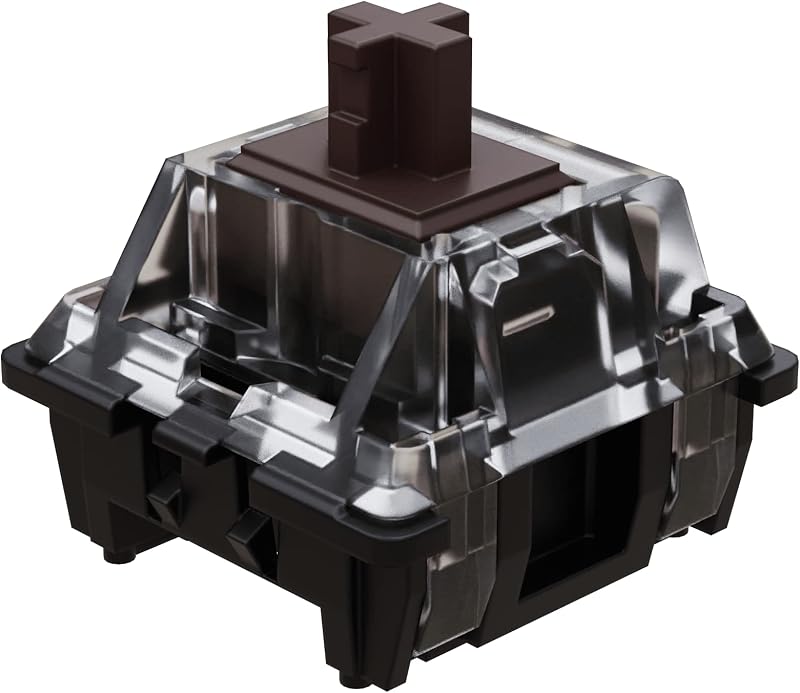
The internal mechanism beneath the main mouse buttons directly influences click consistency, actuation speed, and long-term switch durability. On the G502 X Plus, Logitech introduced its LIGHTFORCE switches, which are hybrid optical-mechanical components. This architecture utilizes light beams for sub-millisecond signal registration while retaining a physical mechanical click bar to deliver tactile, crisp feedback to your fingertips. Optical triggering eliminates the need for debounce delays, guarding against accidental double-clicks over time while speeding up your responsiveness in competitive scenarios.
The G703 relies on an advanced button tensioning system built around metal springs. These physical springs maintain constant upward tension against the main left and right switches, keeping them primed for action. This setup substantially reduces the pre-travel distance and the physical force required to execute a click, yielding a soft, crisp, and uniform response across thousands of actuations. Many players who read a classic logitech g502 x vs g502 x plus switch breakdown appreciate the traditional tactile snap that a sprung mechanical assembly provides under rapid tapping.
While the spring-assisted switches of the G703 offer an exceptionally light and satisfying mechanical bounce, the hybrid optical-mechanical engineering of the G502 X Plus brings distinct speed and reliability advantages. Because optical beams do not suffer from electrical contact oxidation or physical debounce limitations, the G502 X Plus provides greater technical resilience for prolonged competitive play.
Edge: Logitech G502 X Plus wins due to its hybrid optical-mechanical switches that deliver light-speed optical actuation alongside physical tactile feedback.
Shape, Grip, and Ergonomic Profile
How a mouse rests in your hand determines whether you can play for hours without cramping or wrist strain. A detailed g703 vs g502 x plus ergonomic comparison reveals two fundamentally divergent philosophies regarding shape and contouring. The G703 is renowned for its high, rounded palm hump and sweeping curve, which fills the hollow of your hand naturally. Built with an enclosure combining metal and rubber, it features integrated rubber grips molded directly into the left and right flanks. These rubberized contact patches ensure your fingers do not slip when lifting the 107-gram chassis off your mouse pad during low-sensitivity sweeps.
The G502 X Plus adopts an angular, sculpted ergonomic chassis designed specifically around an extended thumb rest on the left side. Weighing in at 3.68 ounces (approximately 104.3 grams), it feels slightly lighter in hand than the G703 despite having a larger physical footprint with dimensions of 3.1 inches long by 1.6 inches wide. It features low-friction PTFE feet on the bottom for effortless gliding across desktop mats. Rather than large rubberized side panels, the G502 X Plus relies on textured plastic lines and structural contours to seat the hand, cradling the palm in a semi-relaxed hybrid grip.
If your grip style favors a pure, arched palm hold where the base of your knuckles needs tall, continuous support, the G703 remains one of the most comfortable shapes ever designed. The G502 X Plus is remarkably comfortable for resting the thumb, but its lower profile and extra protruding buttons can get in the way of users who prefer a streamlined, simple chassis to wrap their fingers around. Readers who examine a logitech g502 x vs g703 handling overview often find that the G703 feels more natural for aggressive palm grips.
Edge: Logitech G703 wins for classic palm ergonomics thanks to its taller rear arch and dedicated rubberized side grips that provide superior passive traction.
Sensor Performance and Tracking Accuracy
Tracking performance separates average pointers from tournament-grade hardware. Looking at the Logitech G703 sensor specs, the mouse is equipped with the optical PMW3366 sensor. Long regarded as an industry benchmark in esports circles, the PMW3366 offers completely raw tracking with zero smoothing, filtering, or artificial acceleration across its entire sensitivity span of 200 up to 12,000 DPI. It provides a 1000 Hz USB report rate (1 millisecond) and accurately translates fast physical hand flicks into clean, predictable cursor movements on screen without interpolation errors.
The G502 X Plus leaps ahead with Logitech’s modern flagship sensor, the HERO 25K. This optical powerhouse reaches an immense maximum sensitivity of 25,600 DPI and offers sub-micron accuracy. Like the PMW3366, the HERO 25K operates with zero smoothing, filtering, or acceleration, but it does so across an expanded operating range while consuming a fraction of the power. Those reviewing a logitech g pro x superlight 2 vs g502 x plus sensor profile will note that the HERO platform combines competitive accuracy with remarkable battery optimization.
In practical gaming scenarios, virtually no human player operates at 25,600 DPI; standard competitive play typically sits between 400 and 1,600 DPI. However, the higher native ceiling and sub-micron tracking capabilities of the HERO 25K make it technically superior, maintaining granular accuracy during high-velocity maneuvers while drawing less power from the internal battery.
Edge: Logitech G502 X Plus wins with its HERO 25K optical sensor, delivering higher maximum sensitivity and sub-micron tracking precision.
Battery Endurance and Wireless Ecosystem
Cutting the cord introduces questions of runtime and recharging routines. The G502 X Plus features an updated LIGHTSPEED wireless protocol that achieves a 68 percent faster response rate than the previous generation, paired with an integrated Lithium Polymer battery that yields an impressive 120 hours of average life. It manages this endurance through smart energy engineering: its 8-LED LIGHTSYNC RGB array actively detects when your hand is covering the top shell, automatically optimizing illumination levels and battery consumption during active play while producing dynamic startup and shutdown effects.
The G703 uses proven first-generation LIGHTSPEED wireless technology with an included 1.8-meter charging cable and a dedicated USB adapter to position the wireless transceiver close to the mouse. The listing for the G703 does not specify an exact battery run-time hour figure, though it features brilliant customizable RGB lighting capable of displaying 16.8 million colors across two primary zones. To eliminate battery management entirely, both mice are fully compatible with the Logitech POWERPLAY wireless charging mouse pad system (sold separately), which keeps either device continuously charged during gameplay and while at rest.
Examining overall wireless efficiency shows that the G502 X Plus offers a distinct advantage. Its 120-hour rating provides clear operational visibility, while its proximity-aware active play detection preserves lighting power without requiring you to switch off the RGB effects manually. When evaluating whether a purchase logitech g pro x superlight 2 vs g502 x or G703 makes sense, knowing you have triple-digit wireless endurance provides substantial peace of mind.
Edge: Logitech G502 X Plus wins by offering a verified 120-hour battery life rating, updated LIGHTSPEED wireless protocols, and intelligent active play RGB power management.
Competitive First-Person Shooter Suitability
When selecting a dedicated weapon for tactical first-person shooters, physical handling, button layout simplicity, and swing momentum matter immensely. The question of whether to choose the Logitech G502 X Plus or G703 for FPS titles comes down to agility versus granular control. At 107 grams, the G703 is not an ultra-lightweight mouse, but its smooth, rounded chassis without protruding wings makes it exceptionally easy to lift, reset, and re-center during frantic low-sensitivity crosshair corrections. The absence of clutter on the sides prevents your thumb from inadvertently actuating keybinds when gripping the mouse tightly during flick shots.
The G502 X Plus weighs 3.68 ounces (around 104.3 grams), making it slightly lighter than the G703, but it carries a wider profile with an integrated thumb rest. For FPS purists who rely on claw or fingertip adjustments, the wide thumb flare can feel restrictive, anchoring the hand into a single fixed posture. However, for players who favor tactical shooters requiring extensive equipment selection, leaning mechanics, grenade management, and quick DPI downshifting for steady sniping, the removable DPI-shift paddle and extra trigger buttons on the G502 X Plus offer unmatched utility on a single hand.
Comparing the g502 x plus vs g703 gaming mouse dynamic in pure aim-intensive shooters reveals that neither peripheral falls into the ultra-light category. Yet, the minimalist shell, deep rubber side grips, and clean profile of the G703 give it a more streamlined, natural feel for traditional tactical shooters where quick mouse lifts and unencumbered hand adjustments are vital for victory.
Edge: Logitech G703 holds a slight edge for dedicated tactical FPS titles due to its uncluttered sides and seamless lift-off handling.
Operating System Compatibility and Everyday Utility
A gaming mouse frequently pulls double duty as an everyday computing tool. The G502 X Plus is officially rated for Windows 10 and Mac OS X 10.14 Mojave or later. Its 13 programmable controls allow you to bind everyday productivity macros, such as window navigation, application switching, copy-paste shortcuts, and volume adjustments. The dual-mode scroll wheel is particularly useful for scrolling through extensive documents, code bases, and spreadsheets in free-spin mode, while horizontal wheel tilts can handle timeline scrubbing. If you have weighed a productivity model like in a logitech g502 x plus vs mx master 3s breakdown, the G502 X Plus serves as a very capable hybrid crossover.
The G703 provides broader legacy platform support according to its listing, functioning across Windows 7 or later, macOS 10.11 or later, and Chrome OS. However, its software customization via the Logitech Gaming Software is limited to 6 basic button inputs and a standard notched scroll wheel. Navigating massive web pages or spreadsheets requires repeated finger flicking because it lacks a hyper-fast scroll clutch.
For individuals who split their desk time evenly between gaming sessions, creative editing, and office tasks, the G502 X Plus stands far ahead. The combination of horizontal wheel inputs, free-spinning inertial navigation, and a large button bank turns it into an exceptional multi-use computing tool.
Edge: Logitech G502 X Plus wins for everyday utility with its free-spinning scroll wheel, tilt inputs, and comprehensive macro assignments.
Pros and Cons
Logitech G502 X Plus

Pros
- LIGHTFORCE hybrid optical-mechanical switches
- 13 programmable controls with dual-mode wheel
- HERO 25K sensor with 25600 DPI
- 120-hour average battery life
Cons
- Angular shape may restrict grip styles
- Protruding side buttons can cause misclicks
View Logitech G502 X Plus on Amazon
Logitech G703
Pros
- Classic high-arched ergonomic palm contour
- Molded rubber side grips for secure handling
- Spring-tensioned mechanical button switches
- Clean 6-button layout minimizes clutter
Cons
- Battery life hours not listed
- Lacks free-spin scroll wheel and tilt
Who Should Buy Each One
Choose the Logitech G502 X Plus If
- You want 13 programmable controls to manage intricate macros, inventory slots, and abilities directly from your mouse hand.
- You need hybrid optical-mechanical switch technology that avoids debounce delays and double-clicking issues.
- You frequently navigate large spreadsheets, web feeds, or editing timelines using a hyper-fast dual-mode scroll wheel with horizontal tilt clicks.
- You demand verified long-lasting wireless performance rated at 120 hours of continuous gameplay.
Choose the Logitech G703 If
- You prefer a classic, high-arched ergonomic shape that fills your palm and supports natural hand curvature.
- You want factory-installed rubberized side grips for enhanced lifting control during intense shooter matches.
- You need an uncluttered six-button configuration that eliminates the risk of misclicking extra buttons during high-stress moments.
- You need verified compatibility with legacy operating systems including Windows 7 and Chrome OS.
Final Verdict
When weighing the complete hardware packages, the Logitech G502 X Plus emerges as the superior choice for the vast majority of PC enthusiasts. It represents a total modern refresh of an iconic chassis, packed with Logitech’s cutting-edge HERO 25K sensor, durable LIGHTFORCE hybrid optical-mechanical switches, a massive 120-hour battery life, and an adaptable 13-button control layout. Whether you play complex MMOs, fast-paced action titles, or jump into creative workflows, the G502 X Plus brings unparalleled customization to your desktop.
However, the Logitech G703 remains an enduring favorite for players who value ergonomic purity over multi-button excess. If your primary focus is competitive first-person shooters and your hand naturally prefers a tall, rounded palm arch backed by genuine rubber side grips, the G703 delivers a level of tactile comfort and clean mechanical snapping that is hard to surpass. When comfort and stripped-down simplicity take priority over extra switches, the G703 easily earns its spot on your desk.
FAQ
Does the Logitech G703 have optical switches like the G502 X Plus?
No, the G703 does not utilize optical switches. It features an advanced button tensioning system that uses metal springs to keep traditional mechanical switches primed for clicking. The G502 X Plus features LIGHTFORCE switches, which combine optical light-beam actuation for speed and durability with a mechanical click bar for physical tactile feedback.
Can the DPI shift button on the Logitech G502 X Plus be removed?
Yes, the DPI-shift sniper button on the G502 X Plus is completely redesigned to be reversible and removable. You can flip it around to bring the paddle closer to your thumb, or remove it entirely and snap in an included blanking cover to completely eliminate accidental presses.
Do both mice support wireless charging on Logitech mouse pads?
Yes, both the G502 X Plus and the G703 are fully compatible with the Logitech POWERPLAY wireless charging system. When paired with the optional POWERPLAY pad, both mice can charge continuously while at rest and during active gameplay.
What is the weight difference between the G502 X Plus and the G703?
According to the product specifications, the G502 X Plus weighs 3.68 ounces (which converts to roughly 104.3 grams), while the G703 is listed at 107 grams. This makes the G502 X Plus slightly lighter despite its larger physical footprint and higher button count.
Which mouse is better suited for competitive first-person shooters?
The G703 is often preferred for pure tactical first-person shooters because its streamlined six-button body and high palm hump make it easy to lift and adjust without accidentally hitting extra thumb triggers. However, if you require dedicated sniper DPI clutches or lean binds on your mouse, the G502 X Plus offers superior in-game utility.
How does the scroll wheel differ between the G502 X Plus and the G703?
The G502 X Plus includes a dual-mode scroll wheel that can be mechanically toggled between stepped ratcheting and frictionless free-spinning, and it also tilts left and right for two additional button assignments. The G703 features a standard, single-mode stepped scroll wheel without free-spin or horizontal tilt functions.