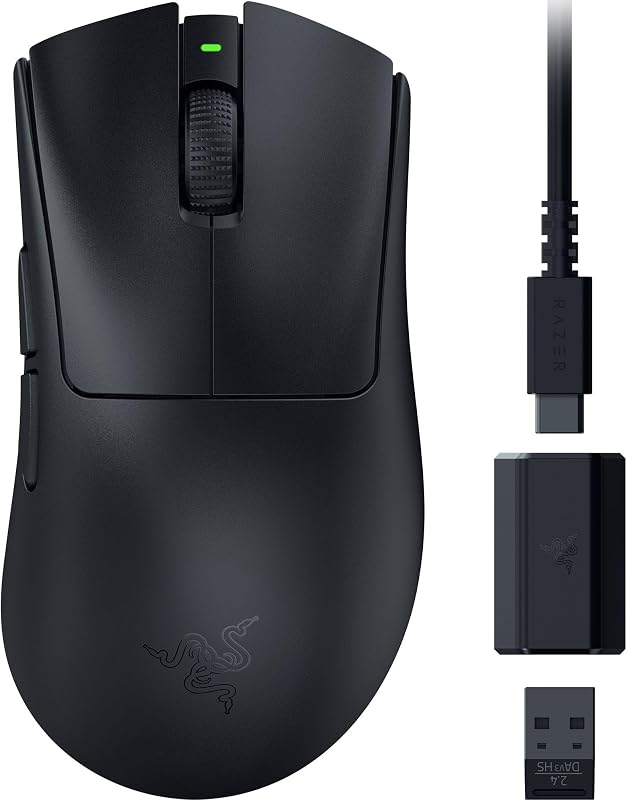
The deciding difference between these two wireless mice comes down to competitive esports execution versus travel-friendly battery endurance. The Razer Viper V3 Pro is engineered for tournament-level twitch reflexes with an ultra-fast 8000 Hz polling rate and a dedicated rechargeable design, whereas the Razer Orochi V2 focuses on marathon battery life reaching up to 950 hours through standard replaceable batteries and dual-mode wireless connectivity.
Pick the Razer Viper V3 Pro if you want maximum wireless tracking fidelity, cutting-edge optical switches, and a featherlight 54-gram shell for high-stakes first-person shooters on your PC. Pick the Razer Orochi V2 if you need a compact, portable gaming mouse that seamlessly pairs with laptops, tablets, and phones without ever needing a USB charging cable on the road.


Razer Viper V3 Pro vs Razer Orochi V2 at a Glance
| Attribute | Razer Viper V3 Pro | Razer Orochi V2 |
|---|---|---|
| Weight | 54 g | <60 g (excluding battery) |
| Sensor Model | Focus Pro 35K Optical Sensor Gen-2 | Razer 5G Advanced Optical Sensor |
| Maximum Sensitivity | 35,000 DPI | 18,000 DPI |
| Maximum Polling Rate | 8000 Hz HyperPolling | Not listed |
| Switch Type | Optical Mouse Switches Gen-3 | 2nd Gen Razer Mechanical Switches |
| Click Durability | 90 million clicks | 60 million clicks |
| Battery Life | Up to 95 hours | Up to 950 hours (Bluetooth) / 425 hours (HyperSpeed) |
| Power Source | 1 Rechargeable Lithium-ion (included) | 1 AA or 1 AAA battery (1 AA included) |
| Wireless Connectivity | Razer HyperSpeed Wireless (USB) | Razer HyperSpeed Wireless & Bluetooth |
| Wireless Range | 100.0 meters | 10.0 meters |
| Compatible Devices | Personal Computer | Gaming Console, PC, Smartphone, Tablet |
| Best For | Competitive PC esports and twitch aiming | Mobile gaming, travel setups, and multi-device use |
Polling Rate and Wireless Responsiveness
Wireless polling rate determines how frequently a mouse sends movement and click data back to your operating system. Standard wireless mice operate at 1000 Hz, sending updates once every millisecond. When evaluating the razer orochi v2 vs viper v3 pro polling rate, the difference in transmission frequency is one of the most substantial hardware divides you can find. The Viper V3 Pro ships with Razer HyperPolling technology, paired with its dedicated HyperSpeed Wireless Dongle, allowing the mouse to push true polling rates up to 8000 Hz. This equates to data transmissions every 0.125 milliseconds, which provides micro-adjustments in aim that match high-refresh-rate monitor output without stutter or signal lag.
The Orochi V2 approaches wireless transmission from a balanced efficiency standpoint. The product listing does not specify an expanded high-polling figure, utilizing standard Razer HyperSpeed Wireless for low-latency gaming alongside an alternative Bluetooth mode for extended daily tasks. While HyperSpeed ensures crisp tracking free of perceptible interference, it does not aim for the sub-millisecond hyper-frequency achieved by the flagship esports model. For players comparing the razer deathadder v3 pro vs viper v3 pro, the inclusion of native 8000 Hz wireless hardware is a standout feature tailored specifically toward competitive arenas.
Choosing between these two models for responsiveness depends directly on your monitor setup and competitive ambitions. Gamers running fast twitch shooters on esports panels will appreciate the raw communication speed of 8000 Hz, while casual players on standard displays will find the Orochi V2 perfectly responsive for standard gaming sessions without saturating system resources.
Edge: Razer Viper V3 Pro because its native 8000 Hz HyperPolling delivers unmatched wireless responsiveness and data throughput for fast-paced gaming.
Battery Life and Power Systems
How a mouse stays powered dictates your maintenance habits and travel preparedness. The razer viper v3 pro vs orochi v2 battery life comparison showcases two completely distinct power architectures. The Viper V3 Pro is built around an internal rechargeable lithium-ion battery, engineered to keep total mouse weight minimal while delivering up to 95 hours of competitive play on a full charge. When the battery drains, you connect a standard USB cable to replenish the internal cell while continuing to play wired.
In stark contrast, the Orochi V2 relies on swappable external batteries, featuring an internal hybrid battery slot that accepts either a single AA or a single AAA cell. Using an AA lithium battery, the Orochi V2 achieves an astonishing runtime of up to 950 hours when connected via Bluetooth, and up to 425 hours when using the high-performance 2.4 GHz Razer HyperSpeed connection. For travelers who frequently work from hotel desks, coffee shops, or remote setups, this design eliminates the necessity of carrying dedicated charging cords or monitoring battery percentages every few days.
The trade-off comes down to convenience versus sustainability. With the Orochi V2, you gain exceptional longevity and immediate 100 percent battery recovery simply by dropping in a fresh cell, though you will eventually need to replenish your stock of disposable or rechargeable AA batteries. If you are debating alternative long-lasting mice like the razer basilisk v3 pro vs orochi v2, the Orochi remains one of the lowest-maintenance peripherals available anywhere.
Edge: Razer Orochi V2 because its staggering 950-hour maximum runtime and flexible hybrid AA/AAA battery system offer incredible endurance without tethered charging.
Sensor Precision and Surface Tracking
Sensor capability directly influences tracking consistency, acceleration precision, and surface versatility. In any razer viper v3 pro review, the centerpiece is Razer’s Focus Pro 35K Optical Sensor Gen-2. This sensor maxes out at a staggering 35,000 DPI and offers fine-grained 1-DPI step adjustments through the Razer Synapse app. Crucially for tournament players who play on diverse desktop setups, the Focus Pro Gen-2 provides pro-grade tracking across a broad spectrum of mouse pads and hard surfaces, including transparent glass.
The Orochi V2 features the Razer 5G Advanced Optical Sensor, which tops out at 18,000 DPI. In practical use, 18,000 DPI is more than enough sensitivity for almost all desktop gaming and productivity scenarios. The 5G sensor delivers pixel-precise tracking with zero spinouts during aggressive swipes. However, it lacks the specialized glass-tracking capability and ultra-fine single-DPI tuning steps present on the newer Gen-2 flagship sensor.
For high-level competitors wondering whether to choose the razer viper v3 pro or orochi v2 for gaming at professional ranks, the sensor floor matters. The Viper V3 Pro gives you the technical latitude to match exact sensitivity preferences down to individual digits and track flawlessly on high-speed glass surfaces, whereas the Orochi V2 excels on traditional cloth or standard hard pads.
Edge: Razer Viper V3 Pro because its Focus Pro 35K Gen-2 sensor delivers higher peak sensitivity, granular 1-DPI tuning, and certified tracking on glass surfaces.
Weight and Grip Ergonomics
A mouse’s physical mass and shell geometry dictate how quickly you can initiate flicks, stop movements on target, and maintain hand comfort over long sessions. Examining the razer viper v3 pro weight vs orochi v2 reveals two different philosophies of lightweight construction. The Viper V3 Pro weighs in at a flat 54 grams. Razer developed this chassis in direct collaboration with professional esports athletes, resulting in a streamlined, balanced right-handed shape that allows players to make rapid, low-friction flicks with uniform weight distribution.
The Orochi V2 has an ultra-lightweight base chassis listed at under 60 grams, but that figure explicitly excludes the battery. Once you insert an AA or AAA battery into its hybrid chamber, the total operating weight increases. However, the Orochi V2 offsets this with a very compact footprint. Its ambidextrous shell features an intentional thumb groove and an angled taper that makes it exceptionally comfortable for fingertip and aggressive claw styles. If you are researching the razer viper v3 pro vs basilisk v3, you already know that shedding shell weight transforms aim agility.
When deciding on the razer viper v3 pro or orochi v2 for claw grip, hand size plays a major role. Smaller hands will find the compact, high-arched back of the Orochi V2 naturally locks into a claw grip, while medium-to-large hands will achieve far greater stability and fingertip leverage on the extended, 54-gram profile of the Viper V3 Pro.
Edge: Razer Viper V3 Pro because its verified 54-gram total operating weight provides a lighter, consistent physical platform that does not fluctuate with battery selection.
Switch Reliability and Actuation Speed
Mouse switches govern click tactility, electrical reliability, and actuation speed. The Viper V3 Pro implements Razer Optical Mouse Switches Gen-3. Because optical switches register clicks using an infrared light beam rather than metal leaves physically touching, they actuate in a blistering 0.2 milliseconds with zero debounce delay. This optical mechanism eliminates the degradation that causes unwanted double-clicking over time, yielding an operational lifespan rated for 90 million clicks.
The Orochi V2 utilizes 2nd Gen Razer Mechanical Switches. Mechanical switches rely on physical contact points, which Razer has upgraded with gold plating to resist corrosion and degradation. These switches are rated for up to 60 million clicks and offer a crisp, distinctly tactile click feel that many users prefer for tactile desktop work and methodical gameplay. They provide substantial durability compared to older mechanical designs, though they inherently lack the zero-debounce speed of optical beams.
When reading a razer orochi v2 review, you will often find praise for the firm click actuation of its mechanical switches during everyday computing. However, in rapid semi-automatic firing or high-APM gaming, optical switches deliver faster rebound and immune protection against double-click wear. Players exploring comparisons like the razer deathadder v3 vs viper v3 pro consistently find that optical switches represent the modern standard for esports reliability.
Edge: Razer Viper V3 Pro because its Gen-3 optical switches eliminate double-clicking, remove debounce delay, and boast a higher 90-million-click endurance rating.
Connectivity Options and Device Ecosystems
Connectivity options determine how seamlessly a mouse integrates into your gaming den or mobile workstation. The Viper V3 Pro focuses strictly on high-performance PC play. It connects through a USB interface using its included HyperSpeed wireless dongle to maintain an uninterrupted, low-latency 8000 Hz signal. Its listing specifically targets Personal Computers running Windows (requiring Windows 10 or later) and boasts an operating range of up to 100 meters, ensuring zero signal degradation even in crowded tournament venues.
The Orochi V2 is significantly more versatile across multiple device categories. It features two distinct wireless modes: low-latency 2.4 GHz Razer HyperSpeed Wireless via its compact USB receiver, and Bluetooth connectivity. This dual wireless support allows the Orochi V2 to connect not only to Windows PCs, but also to gaming consoles, smartphones, and tablets. Its rated wireless range is 10.0 meters, which aligns with standard room-scale portable use.
If you split your daily routine between serious desktop gaming and working on a tablet or laptop without spare USB ports, the Orochi V2 provides seamless switching capabilities that the Viper V3 Pro completely lacks. Those who follow comparisons like the razer viper v2 pro vs basilisk v3 pro will recognize how valuable Bluetooth is for hybrid work-and-play environments.
Edge: Razer Orochi V2 because its inclusion of Bluetooth allows it to pair across PCs, tablets, consoles, and smartphones without a dongle.
Pros and Cons
Razer Viper V3 Pro
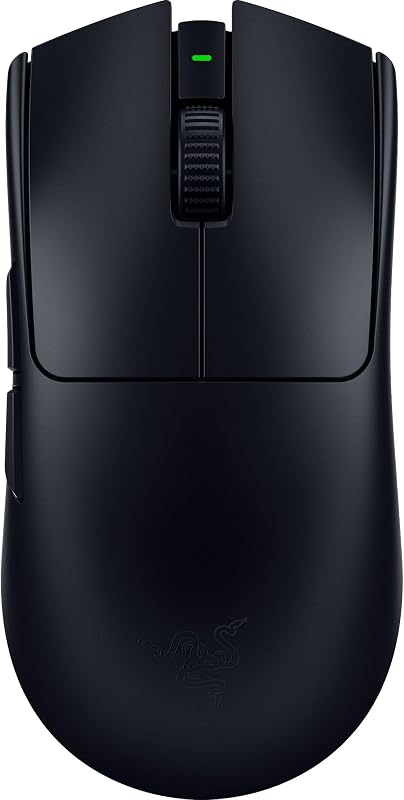
Pros
- True 8000 Hz wireless polling rate
- Focus Pro 35K Gen-2 optical sensor
- Ultra-lightweight 54-gram balanced chassis
- Gen-3 optical switches eliminate double-clicking
- Rechargeable lithium-ion battery included
Cons
- Battery life capped at 95 hours
- PC and Windows exclusive compatibility
View Razer Viper V3 Pro on Amazon
Razer Orochi V2

Pros
- Up to 950 hours of battery life
- Dual wireless modes with Bluetooth and 2.4 GHz
- Hybrid AA or AAA swappable battery slot
- Pairs with PCs, consoles, smartphones, and tablets
Cons
- Base weight excludes battery mass
- Mechanical switches rated for lower click life
- Maximum sensitivity limited to 18,000 DPI
View Razer Orochi V2 on Amazon
Who Should Buy Each One
Choose the Razer Viper V3 Pro If
- You play fast competitive esports titles on PC where an 8000 Hz polling rate and 0.2 ms optical actuation provide a measurable performance edge.
- You demand an ultra-lightweight 54-gram mouse with a rechargeable internal battery so you never have to buy or carry external AA batteries.
- You use a glass mouse pad or want granular 1-DPI sensitivity adjustments powered by the Focus Pro 35K Gen-2 optical sensor.
- You prefer a full-sized, balanced shape optimized with professional esports athletes for medium-to-large grip stability.
Choose the Razer Orochi V2 If
- You travel regularly and want a compact gaming mouse that lasts up to 950 hours on a single AA battery without needing a charging cable.
- You need versatile dual-mode wireless connectivity to pair across laptops, tablets, smartphones, and gaming consoles via Bluetooth.
- You use an aggressive claw or fingertip grip and prefer a small, portable ambidextrous shell with dedicated thumb resting curves.
- You prefer tactile mechanical switches with gold-plated contact points rated for 60 million crisp clicks.
Final Verdict
For pure competitive gaming performance, the Razer Viper V3 Pro is the definitive victor. By uniting a 54-gram ultra-lightweight shell, the Focus Pro 35K Gen-2 optical sensor, Gen-3 optical switches, and blistering 8000 Hz wireless HyperPolling, it delivers cutting-edge specs that cater directly to tournament players and high-precision aimers. If you spend most of your gaming hours seated at a dedicated Windows battle station pushing high frame rates, is razer viper v3 pro worth it? Without question, its bleeding-edge optical components and uncompromising tracking fidelity justify its status as Razer’s flagship esports weapon.
On the other hand, the Razer Orochi V2 remains an unbeatable champion of portable efficiency and hybrid convenience. With up to 950 hours of battery life, dual HyperSpeed and Bluetooth connections, multi-device support ranging from PCs to mobile hardware, and a clever hybrid battery slot, it is the superior choice for gamers on the move. When evaluating whether is razer orochi v2 worth it, anyone needing a durable, travel-ready mouse that handles daily productivity on a tablet just as effortlessly as evening gaming sessions on a laptop will find the Orochi V2 remarkably practical.
FAQ
Does the Razer Viper V3 Pro require Windows 10 to operate?
Yes, the Razer Viper V3 Pro listing states a minimum operating system requirement of Windows 10. You can also utilize the Razer Synapse app on Windows to adjust DPI steps, customize button profiles, and disable pointer precision options for optimal tracking accuracy.
Can the Razer Orochi V2 use rechargeable lithium batteries?
The Razer Orochi V2 operates using either a single standard AA or AAA battery inserted into its hybrid battery compartment. Razer includes a AA battery with the mouse, and its official battery specifications (reaching up to 950 hours on Bluetooth and 425 hours on HyperSpeed) were measured using a AA lithium battery.
What are the benefits of the Gen-3 optical switches on the Viper V3 Pro?
The Razer Optical Mouse Switches Gen-3 on the Viper V3 Pro utilize light actuation rather than physical metal contact points. This design achieves a 0.2 ms actuation speed with zero debounce delay, completely eliminates accidental double-clicking issues, and provides an extended lifespan rated for 90 million clicks.
Can the Razer Orochi V2 connect to mobile devices and tablets?
Yes, the Razer Orochi V2 features built-in Bluetooth connectivity alongside its 2.4 GHz HyperSpeed dongle. The listing confirms compatibility with personal computers, gaming consoles, smartphones, and tablets, allowing you to pair and work without occupying a USB port.
Does the Razer Viper V3 Pro track on glass surfaces?
Yes, the Razer Viper V3 Pro is equipped with the Focus Pro 35K Optical Sensor Gen-2, which is specifically engineered to deliver pro-grade tracking performance on a wide variety of desktop surfaces, including transparent glass pads.
Which mouse is better suited for claw grip playstyles?
When choosing between the razer viper v3 pro or orochi v2 for claw grip, hand size is the determining factor. The Orochi V2 features a compact, tapered shell with an elevated rear arch that naturally locks into claw and fingertip grips for small-to-medium hands. The Viper V3 Pro offers a longer, balanced profile that supports relaxed claw and fingertip grips for medium-to-large hands while maintaining a 54-gram featherlight feel.