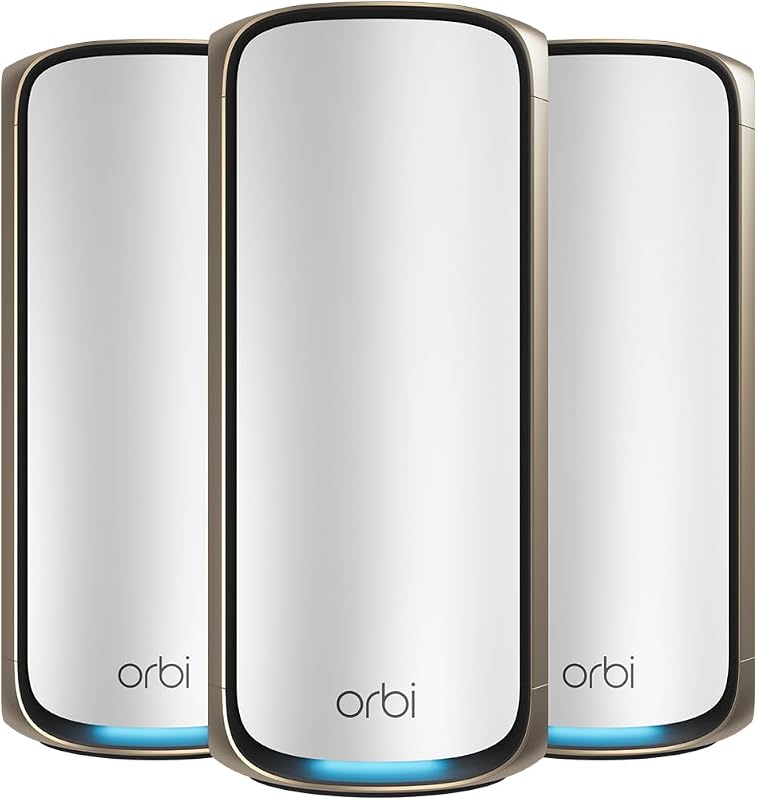
The single deciding factor between these two systems comes down to whether your home network benefits more from clean 6 GHz wireless spectrum or raw multi-gigabit routing throughput. The Google Nest WiFi Pro adopts modern Wi-Fi 6E operation to access uncluttered airwaves, while the Asus ZenWiFi XT9 uses a high-performance Wi-Fi 6 architecture paired with a 2.5 Gbps Ethernet port to move large volumes of local data without bottlenecks.
Choose the Google Nest WiFi Pro if you want an automated, maintenance-free mesh system designed around modern smart homes and 6E-ready mobile devices. Choose the Asus ZenWiFi XT9 if you need multi-gigabit internet support, advanced traffic customization, and high-bandwidth wireless backhaul across demanding devices.


Google Nest WiFi Pro vs Asus ZenWiFi XT9 at a Glance
| Attribute | Google Nest WiFi Pro | Asus ZenWiFi XT9 |
|---|---|---|
| Wi-Fi Generation | Wi-Fi 6E (802.11ax) | Wi-Fi 6 (802.11ax) |
| Frequency Bands | Tri-Band (2.4 GHz, 5 GHz, 6 GHz) | Tri-Band (2.4 GHz, 5 GHz, 5 GHz with UNII-4) |
| Maximum Data Transfer Rate | 1 Gbps | 7800 Mbps |
| Multi-Gigabit Port | LAN port bandwidth >= 2.4 Gbps | 2.5 Gbps WAN port |
| Antenna Count | 2 internal antennas | 6 internal antennas |
| Hardware Coverage Listed | Up to 6600 sq ft (3-pack) | Up to 2850 sq ft (1-pack) |
| Security Features | WPA3, Secure Boot, automatic updates | Lifetime free AiProtection Pro, Instant Guard VPN |
| System Memory | Not listed | 512 MB RAM |
| Control Method | App (Google’s Nest OS) | App, Touch |
| Best For | Effortless 6 GHz smart home mesh setups | High-bandwidth wired backhaul and multi-gig speeds |
Wireless Throughput and Band Architecture
Wireless throughput determines how quickly data packets travel across your living space, particularly when multiple family members stream high-resolution video, download massive files, or engage in real-time gaming. The Asus ZenWiFi XT9 operates on a tri-band Wi-Fi 6 architecture delivering an aggregate transfer rate of up to 7800 Mbps. By leveraging dual 5 GHz bands alongside UNII-4 spectrum support, the ZenWiFi XT9 establishes exceptionally wide pipelines for Wi-Fi 6 client devices and mesh backhaul links. When weighing the tp-link deco xe75 vs google nest wifi pro, many users look specifically at how 6 GHz compares to high-speed 5 GHz configurations.
The Google Nest WiFi Pro approaches wireless architecture differently by using Wi-Fi 6E. This platform incorporates three distinct operational bands: 2.4 GHz, 5 GHz, and the uncongested google nest wifi pro 6ghz band. Google specifies that this system operates up to twice as fast as standard Wi-Fi 6 routers using 80 MHz channels when paired with 160 MHz client devices. However, the listing designates a maximum data transfer rate of 1 Gbps for the system overall. While client devices supporting 6E benefit from airwaves free of legacy network interference, the overall ceiling on nest wifi pro vs zenwifi xt9 throughput favors the raw bandwidth capabilities of the Asus system.
In everyday use, the ZenWiFi XT9 moves massive local file transfers and heavy simultaneous streams with less wireless strain due to its broad 7800 Mbps capacity. The Nest WiFi Pro delivers clean, low-interference connections on its 6 GHz channel, but the sheer capacity of the Asus model allows it to carry more data simultaneously across mixed client environments.
Edge: Asus ZenWiFi XT9 because its 7800 Mbps tri-band architecture delivers substantially higher aggregate bandwidth than the 1 Gbps ceiling of the Nest system.
Wired Backhaul and Multi-Gigabit Ethernet Ports
Wired connectivity determines whether your mesh network can fully utilize fast modern internet service plans and maintain high-speed communication between router nodes. A multi-gigabit WAN port prevents the router from throttling incoming internet feeds that exceed standard gigabit thresholds. Wired connections also offer absolute stability for stationary devices like desktop workstations and network storage units that require low latency and uninterrupted packet flow. Readers comparing higher-tier hardware like the netgear orbi 970 vs asus zenwifi xt9 often place wired throughput at the very top of their buying criteria.
Hardware versatility leans heavily toward the Asus ZenWiFi XT9 in wired setups due to its dedicated asus zenwifi xt9 2.5g port. With 2.5 Gbps WAN connectivity, the XT9 accepts multi-gigabit broadband connections directly from modern fiber or cable modems. Furthermore, the XT9 listing confirms support for LAN aggregation and 2.5 Gigabit LAN port bandwidth, allowing you to combine ports for increased throughput to compatible network devices. It features four total ports, including support for Ethernet and USB connections, offering flexible options for physical networking.
The Google Nest WiFi Pro listing records four ports and notes a LAN port bandwidth of greater than or equal to 2.4 Gbps, yet it lists a baseline data transfer rate of 1 Gbps. The listing does not specify multi-gigabit WAN capability or LAN link aggregation. For households running gigabit connections, the google nest wifi pro ethernet speed handles standard wired needs smoothly. However, users seeking to route multi-gigabit fiber connections directly to client nodes will run into limitations on the Google hardware.
Edge: Asus ZenWiFi XT9 because its dedicated 2.5 Gbps WAN port and LAN aggregation support multi-gigabit internet tiers that standard gigabit ports cannot accommodate.
Latency and Traffic Management for Gaming
Online gaming requires rapid packet handling, consistent round-trip times, and intelligent queue management to prevent ping spikes when other devices load high-bandwidth streams. When considering the nest wifi pro or zenwifi xt9 for gaming, traffic management rules determine whether a software download on one computer will interrupt a competitive gaming session on another. Comparing the tp-link deco be85 vs asus zenwifi xt9 shows how critical specialized hardware resources are for low-latency traffic handling.
The Asus ZenWiFi XT9 integrates dedicated Quality of Service controls that let users explicitly prioritize gaming packets over general home network traffic. The unit is powered by 512 MB of RAM and includes six internal antennas, ensuring the hardware can process intensive multi-device routing demands without buffer congestion. Asus also incorporates UNII-4 support, opening up additional clean channels within the 5 GHz range that avoid overlapping interference from neighboring routers.
Google approaches traffic prioritization through internal software automation rather than manual user configurations. Running on Google’s Nest OS, the Nest WiFi Pro automatically monitors network activity and adjusts performance on its own, actively prioritizing video calls and web browsing tasks. It possesses two internal antennas per node and relies on internal diagnostic tools to repair connection hiccups. While this automation removes the complexity of managing settings, it lacks the explicit Quality of Service options and antenna density that dedicated gaming setups demand.
Edge: Asus ZenWiFi XT9 because its dedicated QoS, 512 MB RAM, and six internal antennas provide superior control over packet queuing and latency.
Hardware Specifications and Signal Coverage
Whole-home coverage depends on antenna engineering, internal signal amplifiers, and the number of physical nodes deployed throughout the floor plan. Large homes with dense construction materials require strong radio penetration to prevent dead zones in outlying rooms. A comprehensive google nest wifi pro review must evaluate how multiple compact nodes balance against fewer high-powered nodes. When looking at comparisons like the netgear orbi 970 vs google nest wifi pro, antenna architecture remains a major factor in signal reach.
The Google Nest WiFi Pro 3-pack covers up to 6600 square feet, with each individual router node providing up to 2200 square feet of coverage according to Google’s official specifications. The hardware features two internal antennas per unit and incorporates built-in signal maintenance technology to preserve connection reliability at the distant edges of the mesh perimeter. However, Google specifically notes that the Nest WiFi Pro is not backward-compatible with previous generations of Google Wifi or Nest Wifi hardware, meaning you cannot integrate older pucks to expand coverage.
The Asus ZenWiFi XT9 uses a high-gain internal layout featuring six antennas alongside ASUS RangeBoost Plus technology. A single XT9 unit provides coverage for up to 2850 square feet and four or more rooms, utilizing high-gain antenna arrays to project signal through interior walls. For larger properties, the XT9 pairs with other units using AiMesh technology. While a three-pack of Nest units provides a greater cumulative coverage footprint right out of the box, each individual ZenWiFi XT9 node projects a more potent signal across its designated zone.
Edge: Google Nest WiFi Pro for multi-room coverage because the three-pack covers up to 6600 square feet compared to the 2850 square feet of a single XT9 pack.
Network Security and System Management
Network security safeguards smart home appliances, personal computers, and mobile devices from malicious intrusions and unauthorized access. Modern mesh systems increasingly rely on automated defenses, firewall protocols, and parental filtering to protect household members. Exploring options such as the tp-link deco be85 vs google nest wifi pro reveals that security models differ sharply between automated cloud ecosystems and on-router security suites.
The Asus ZenWiFi XT9 includes lifetime free AiProtection Pro powered by Trend Micro. This system provides automatically updated network security directly on the router, checking incoming traffic, blocking malicious sites, and isolating compromised smart home devices. The XT9 also incorporates ASUS Instant Guard, enabling secure VPN tunneling back to your home router when using public Wi-Fi networks outside the house. Management can be handled through the ASUS Router app or touch-based control, supported by high-level firewall security and enterprise-grade wireless encryption options like WPA-Enterprise.
The Google Nest WiFi Pro focuses on automated, background maintenance backed by advanced firewall security and WPA3 encryption. Secure booting and automatic software updates protect the Nest system from unauthorized modifications and router vulnerabilities. From the companion app, users can monitor connected hardware, pause internet access for specific devices, and set up an isolated guest network with a distinct password. The Nest OS automatically monitors system health, diagnoses network faults, and executes internal fixes without requiring user input. However, it lacks the integrated VPN routing and third-party security suite found on the Asus hardware.
Edge: Asus ZenWiFi XT9 because it includes lifetime free AiProtection Pro and Instant Guard VPN functionality without subscription fees.
Pros and Cons
Google Nest WiFi Pro

Pros
- Dedicated 6 GHz Wi-Fi 6E band
- Up to 6600 square feet three-pack coverage
- Automated self-diagnosis and network repair
- Secure boot and automatic software updates
Cons
- No multi-gigabit WAN port
- Incompatible with older Google Wifi units
- Only two antennas per unit
View Google Nest WiFi Pro on Amazon
Asus ZenWiFi XT9

Pros
- Fast 7800 Mbps tri-band throughput
- Dedicated 2.5 Gbps WAN port
- Lifetime free AiProtection Pro security
- Six internal antennas with RangeBoost Plus
Cons
- Lacks 6 GHz Wi-Fi 6E spectrum
- Single unit covers less space than three-pack
View Asus ZenWiFi XT9 on Amazon
Who Should Buy Each One
Choose the Google Nest WiFi Pro If
- You own modern mobile devices that can take full advantage of the uncongested 6 GHz Wi-Fi 6E frequency band.
- You need out-of-the-box coverage for a sprawling floor plan up to 6600 square feet using a multi-node 3-pack.
- You prefer a hands-off router operating system that automatically monitors, diagnoses, and repairs its own connection issues.
- You want simple parental pausing controls and guest access managed through a clean mobile application.
Choose the Asus ZenWiFi XT9 If
- You subscribe to multi-gigabit internet plans that require a dedicated 2.5 Gbps WAN port to achieve full speed.
- You run latency-sensitive online games and want dedicated Quality of Service rules and UNII-4 frequency support.
- You manage a high-density network needing 7800 Mbps aggregate throughput and six internal antennas per unit.
- You want commercial-grade network security and remote VPN access through lifetime free AiProtection Pro and Instant Guard.
Final Verdict
For shoppers trying to determine is asus zenwifi xt9 worth it, the answer comes down to performance limits. The Asus ZenWiFi XT9 is the superior mesh system for demanding power users, multi-device households, and high-speed fiber internet subscribers. Between its 7800 Mbps aggregate throughput, 2.5 Gbps WAN port, dedicated Quality of Service controls, and six-antenna internal layout, it delivers the raw routing muscle needed for intensive local streaming and competitive gaming. An in-depth asus zenwifi xt9 review reveals hardware built to handle heavy data lifting without breaking a sweat.
The Google Nest WiFi Pro remains the better choice for homeowners who prioritize clean spectrum and zero-maintenance operation over manual network tuning. Its support for Wi-Fi 6E provides direct access to pristine 6 GHz airwaves, keeping modern smartphones and laptops completely separate from congested legacy channels. If you have a sprawling home up to 6600 square feet and want an automated mesh setup that quietly maintains itself behind the scenes, the Nest WiFi Pro delivers a smooth, dependable experience.
FAQ
Does the Google Nest WiFi Pro work with older Google Wifi points?
No, the Google Nest WiFi Pro is not backward-compatible with previous generations of Google Wifi or Nest Wifi routers. It utilizes Wi-Fi 6E technology and requires an all-Nest WiFi Pro mesh network to operate.
Can the Asus ZenWiFi XT9 handle internet connections faster than 1 Gbps?
Yes, the Asus ZenWiFi XT9 features a dedicated 2.5 Gbps WAN port designed to ingest multi-gigabit speeds from compatible modems, alongside support for LAN aggregation.
Which frequency bands does the Google Nest WiFi Pro use?
The Google Nest WiFi Pro is a tri-band system that broadcasts across the 2.4 GHz, 5 GHz, and the newest 6 GHz frequency bands, allowing compatible 6E devices to bypass standard network traffic.
Does the Asus ZenWiFi XT9 support Wi-Fi 6E?
No, the Asus ZenWiFi XT9 operates on the Wi-Fi 6 standard rather than Wi-Fi 6E. It achieves its AX7800 performance by utilizing two separate 5 GHz bands and one 2.4 GHz band rather than a 6 GHz channel.
How much coverage does a single Google Nest WiFi Pro router provide?
According to the official product specifications, a single Google Nest WiFi Pro unit provides up to 2200 square feet of coverage, while the 3-pack covers homes up to 6600 square feet.
Do you have to pay a subscription for security on the Asus ZenWiFi XT9?
No, the Asus ZenWiFi XT9 includes lifetime free AiProtection Pro powered by Trend Micro, providing continuous security updates, malicious site blocking, and parental controls without recurring subscription fees.