The choice between DDR4 and DDR5 memory comes down to raw transfer throughput versus access timing latency, as DDR5 roughly doubles peak data rates and incorporates on-module power regulation while DDR4 maintains significantly tighter clock-cycle timings on mature hardware platforms.
Builders maintaining established Intel or AMD systems should choose DDR4 to maximize memory density without replacing core hardware, whereas builders assembling new desktop platforms across Intel LGA1700, Intel LGA1851, or AMD AM5 should choose DDR5 to unlock maximum memory bandwidth and ensure component longevity.


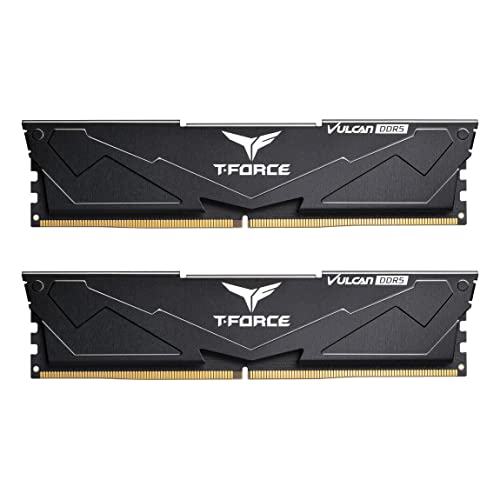
DDR4 vs DDR5 at a Glance
| Feature | DDR4 | DDR5 |
|---|---|---|
| Data Transfer Speeds | 3200 MT/s | 6000 MT/s (6000 MHz) |
| Column Address Strobe Latency | CL16 | CL36 to CL38 |
| Operating Voltage | 1.35V (XMP profiles) | 1.25V to 1.35V (XMP / EXPO profiles) |
| Power Management Architecture | Motherboard-regulated power delivery | On-module Power Management IC (PMIC) |
| Overclocking Profile Support | Intel XMP / XMP 2.0 | Intel XMP 3.0 and AMD EXPO dual profiles |
| Pin Count and Physical Layout | 288-pin desktop UDIMM (legacy key notch) | 288-pin desktop UDIMM (shifted key notch) |
| Error Correction | Non-ECC on standard consumer desktop modules | On-die ECC listed; non-ECC standard unbuffered |
| Thermal Management Design | Standard integrated heat spreader | Reinforced cooling structure equipped |
| Desktop Platform Compatibility | Older Intel and AMD platforms, select 600/700 series | Intel Z890, Z790, Z690, B860, B760, B660; AMD X870, X670, B850, B840, B650, A620 |
| Best For | Legacy motherboard upgrades and tight-timing workloads | Modern multi-core processing and high-bandwidth new builds |
Data Transfer Speed and Memory Bandwidth
Data transfer rate dictates the volume of information memory can exchange with the processor per second. In any ddr4 vs ddr5 speed comparison, the operational frequency difference represents a massive generational leap. Standard desktop DDR4 performance kits, such as the G.SKILL Ripjaws V 16GB kit, operate at a rated data transfer rate of 3200 MT/s (megabits per second per pin). This speed provides consistent bandwidth across two 64-bit channels, handling everyday productivity tasks and older game engines without data starving the execution cores.
By contrast, mainstream DDR5 modules, like the G.SKILL Flare X5 32GB kit, operate at 6000 MT/s, delivering nearly double the data transfer rate of standard DDR4. When analyzing ddr4 vs ddr5 bandwidth, this expanded throughput directly eliminates bottlenecks in multi-threaded workflows, high-resolution media rendering, and complex computational simulations. DDR5 splits the standard 64-bit data channel into two independent 32-bit sub-channels per module, which improves bus efficiency and complements the massive 6000 MT/s signaling rate.
The practical result of this increased frequency is sustained memory bandwidth that scales smoothly with high core-count processors. While 3200 MT/s on DDR4 transfers approximately 25.6 GB/s per channel, DDR5 at 6000 MT/s pushes theoretical bandwidth toward 48 GB/s per channel. Systems executing bandwidth-intensive file compressions, large dataset manipulation, or high-framerate physics calculations extract tangible advantages from DDR5. For users debating if upgrading to ddr5 worth it solely based on data pipelines, the sheer bandwidth scaling establishes a noticeable performance lead over previous generations.
Edge: DDR5, delivering nearly double the transfer frequency at 6000 MT/s compared to the 3200 MT/s ceiling of standard DDR4 modules.
Memory Timings and CAS Latency
Column Address Strobe (CAS) latency indicates the delay, measured in clock cycles, between a read command sent to the memory module and the moment the requested data becomes available. Evaluating ddr4 vs ddr5 latency requires looking past raw cycle numbers to understand absolute time in nanoseconds. The DDR4 G.SKILL Ripjaws V memory operates with a tight CAS latency rating of CL16 and primary timings of 16-18-18-38. Because the clock frequency is lower, each clock cycle takes longer, but fewer cycles are required before data transmission begins.
In contrast, DDR5 listings feature much higher rated CAS latencies. The G.SKILL Flare X5 module operates at CL36 with timings of 36-36-36-96, while competing options like the TEAMGROUP Vulcan DDR5 32GB feature CL38 latency. At first glance, a CAS latency jump from 16 to 36 or 38 appears to represent a severe performance penalty. However, because DDR5 operates at 6000 MT/s with a much faster internal clock cycle, the true first-word latency in nanoseconds remains remarkably close between a 3200 MT/s CL16 module and a 6000 MT/s CL36 module.
Even though absolute latency remains comparable, DDR4 maintains an advantage in immediate cycle response times for latency-sensitive applications. Workloads that make constant, random memory requests across small blocks of data rather than sequential transfers benefit from the lower cycle counts of mature DDR4 kits. DDR5 mitigates this through architectural improvements like double the bank groups and higher burst lengths, but DDR4 remains exceptionally responsive in single-thread, non-sequential data retrieval.
Edge: DDR4, because its CL16 rating delivers lower cycle delays that keep random-access response times extremely sharp.
Motherboard Compatibility and Platform Longevity
Platform compatibility dictates whether a memory generation can fit into an existing build or requires a wholesale hardware migration. When planning a ddr4 or ddr5 for pc build, physical architecture plays a decisive role. Both memory standards utilize a 288-pin desktop form factor, but their physical pinouts and alignment notches differ entirely. A DDR4 module cannot mechanically fit into a DDR5 DIMM slot, preventing accidental cross-installation and ensuring voltage mismatches do not damage system boards.
Desktop builders looking to maintain existing systems find sustained utility in DDR4 kits like the G.SKILL Ripjaws V 32GB. DDR4 remains compatible across years of mature Intel and AMD motherboards, including older AM4 systems and selected Intel 600 and 700 series models. Those evaluating contemporary Intel platforms can compare hybrid compatibility choices, such as seeing how boards like the asus rog strix z790-a vs gigabyte z790 aorus elite ax handle modern socket interfaces. However, DDR4 is completely unsupported on modern enthusiast sockets like AMD AM5 and new generation high-end Intel motherboards.
DDR5 serves as the baseline requirement for current and upcoming motherboard chipsets. The G.SKILL Flare X5 listing specifically validates operation across Intel Z890, Z790, Z690, B860, B760, and B660 chipsets, as well as AMD X870, X670, B850, B840, B650, and A620 platforms. Evaluating motherboards like the asus rog strix z790-a vs msi mag z890 tomahawk illustrates how modern platforms are shifting exclusively to DDR5 traces. Choosing DDR5 ensures that modules can migrate forward into future build revisions without encountering obsolete motherboard slots.
Edge: DDR5, which provides guaranteed compatibility with the newest Intel 800-series and AMD AM5 platforms.
Power Management and Thermal Regulation
Power delivery architecture represents one of the most critical structural divergences between memory generations. In DDR4 memory designs, power regulation is handled entirely by the motherboard voltage regulator modules (VRMs). The motherboard receives power from the main system supply, converts it, and routes 1.35V directly through the motherboard traces into modules like the G.SKILL Ripjaws V. This approach concentrates power conversion heat on the motherboard PCB, simplifying the individual memory stick but leaving power delivery vulnerable to board-level trace noise.
DDR5 fundamentally re-engineers this layout by moving power regulation directly onto the memory module itself. The TEAMGROUP Vulcan DDR5 listing highlights integrated Power Management ICs (PMICs) equipped for stable, efficient power usage. By taking an input voltage from the board and stepping it down locally, DDR5 modules regulate their own power directly at the chip level. This design improves signal integrity, reduces trace resistance, and allows modules to operate with high precision at 1.25V to 1.35V profiles.
Because the PMIC generates localized heat directly on the memory stick, DDR5 modules require robust heat dissipation engineering. The TEAMGROUP Vulcan utilizes a reinforced structure for better cooling to offset the thermal footprint of the onboard PMIC and high-density memory chips. When considering high-tier motherboards analyzed in comparisons like the asus tuf gaming b760-plus wifi vs rog strix z790-a, pairing them with PMIC-stabilized DDR5 ensures clean power delivery under sustained processing loads.
Edge: DDR5, as on-module PMIC architecture provides cleaner voltage control and enhanced power stability directly to the DRAM components.
Overclocking Profiles and System Integration
Configuring performance memory to operate at its rated frequency requires BIOS adjustments through pre-programmed overclocking profiles. Without activating these profiles, all desktop RAM defaults to base JEDEC speeds. DDR4 kits depend primarily on Intel XMP (Extreme Memory Profile) or XMP 2.0. The G.SKILL Ripjaws V series incorporates these standard profiles, enabling simple one-click profile activation in compatible BIOS menus to achieve 3200 MT/s at 1.35V. While functional on AMD systems via motherboard translation layers, XMP was fundamentally designed around Intel parameters.
DDR5 expands overclocking integration by providing dual-profile support tailored natively for both processor ecosystems. The G.SKILL Flare X5 kit features both Intel XMP 3.0 and AMD EXPO (Extended Profiles for Overclocking). AMD EXPO incorporates explicit memory timing parameters optimized specifically for AMD Ryzen memory controllers, eliminating the secondary timing guesswork that previously accompanied running XMP kits on AMD systems. Intel XMP 3.0 also allows more profile storage slots and user-customizable settings compared to older standard profiles.
This dual profile standardization simplifies system setup across diverse motherboard configurations, including mainstream boards covered in head-to-head guides like the msi mag b760 tomahawk wifi vs asus rog strix z790-a. Users no longer need to check separate product lines to verify whether memory is tuned for Intel or AMD sub-timings. DDR5 kits like the Flare X5 provide native profiles for both hardware ecosystems right out of the box, reducing post-assembly troubleshooting and timing instability.
Edge: DDR5, due to simultaneous support for Intel XMP 3.0 and AMD EXPO profiles on modern performance kits.
Gaming Performance and System Throughput
When gamers and performance enthusiasts weigh ddr4 or ddr5 for gaming, the decision centers on frame pacing, 1% low framerates, and sustained processing throughput. In titles heavily bound by single-core instruction speed and rapid asset retrieval, DDR4 at 3200 MT/s with CL16 timings holds its ground remarkably well. The low cycle latency ensures that draw calls and physics calculations with low cache footprints process with minimal queue delay, providing solid performance on mid-tier graphics cards.
However, modern game engines and high-refresh-rate titles demand immense memory throughput, tilting the balance decisively toward DDR5. Running at 6000 MT/s, DDR5 memory supplies complex game worlds, high-density NPC routines, and background operating system tasks without choking the CPU data bus. Comprehensive evaluations found in modern platform overviews, including the asus rog strix z790-a vs msi mpg z790 edge breakdown, show that modern processors consistently extract higher average framerates and smoother frame pacing from high-bandwidth DDR5 configurations.
Beyond gaming, heavy system multitasking and creative production solidify the DDR5 throughput advantage. Applications handling multi-stream video editing, 3D asset rendering, and concurrent virtual machines thrive on the sheer volume of data transferred by 6000 MT/s memory. A detailed ddr5 review demonstrates that while DDR4 provides functional sufficiency, DDR5 delivers the headroom required by modern multi-threaded architectures to maintain peak processing efficiency.
Edge: DDR5, providing superior data throughput that translates to higher sustained frame rates and smoother system multitasking.
Pros and Cons
DDR4

Pros
- Tighter CAS latency timings at CL16
- Wide compatibility with mature legacy motherboards
- Standard 1.35V operation with Intel XMP
- Proven stability on long-standing desktop platforms
Cons
- Data transfer capped at 3200 MT/s
- Lacks integrated on-module power management
- Incompatible with newest AMD AM5 platforms
View G.SKILL RipjawsV Series DDR4 RAM (XMP) on Amazon
DDR5

Pros
- Blistering speeds up to 6000 MT/s
- On-module Power Management ICs equipped
- Dual support for Intel XMP 3.0 and AMD EXPO
- Reinforced cooling structures for heat control
- Future-proof compatibility with Intel and AMD chipsets
Cons
- Higher CAS latency cycle ratings up to CL38
- Requires a modern DDR5-specific motherboard
View G.SKILL Flare X5 Series DDR5 RAM on Amazon
Who Should Buy Each One
Choose DDR4 If
- You are upgrading or repairing an existing desktop PC built on an AM4 or older Intel platform.
- You prioritize low CAS latency cycle response times (CL16) for legacy software and targeted single-threaded tasks.
- You want a proven, stable memory solution running standard 1.35V Intel XMP 2.0 profiles without investing in a new motherboard.
- Your computing workload centers on general productivity, office multitasking, and casual gaming where 3200 MT/s provides ample bandwidth.
Choose DDR5 If
- You are building a brand-new desktop PC utilizing modern Intel 600/700/800 series or AMD AM5 series motherboards.
- You need high-bandwidth memory operating at 6000 MT/s to maximize multi-core CPU throughput in creative rendering and modern gaming.
- You want on-module power regulation via PMIC architecture and reinforced thermal heat spreaders for stable performance.
- You require broad overclocking compatibility featuring both Intel XMP 3.0 and AMD EXPO profiles out of the box.
Final Verdict
For anyone assembling a brand-new desktop computer or investing in a current-generation platform, DDR5 is the decisive winner. The substantial increase in data transfer rates up to 6000 MT/s, combined with modern architectural features like on-module PMIC voltage regulation and AMD EXPO / Intel XMP 3.0 support, gives DDR5 an overwhelming performance lead. While its CAS cycle counts are higher on paper, the rapid clock rates keep true latency low while delivering roughly double the throughput of standard DDR4 modules. For long-term hardware relevance and maximum processor performance, DDR5 is the standard to adopt.
DDR4 remains a practical, effective choice specifically for users extending the lifecycle of existing motherboards. If your current PC uses an AM4 or earlier Intel socket, adding a reliable 3200 MT/s CL16 kit like the G.SKILL Ripjaws V delivers tight access timings and rock-solid stability without requiring a motherboard or CPU replacement. Unless you are updating your underlying platform, DDR4 continues to fulfill everyday computing and gaming demands reliably.
FAQ
Can I install DDR5 RAM into a DDR4 motherboard slot?
No, DDR5 memory modules cannot physically or electrically fit into DDR4 motherboard slots. Although both form factors feature 288 pins, the mechanical key notch on DDR5 is positioned differently to prevent cross-installation. Additionally, DDR5 relies on on-module power regulation (PMIC) and distinct signaling traces that are incompatible with DDR4 motherboard power delivery.
Is DDR5 latency worse than DDR4 due to higher CL numbers?
While DDR5 features higher CAS latency numbers (such as CL36 or CL38 compared to DDR4 at CL16), absolute latency in real-time nanoseconds remains very similar. CAS latency measures delays in clock cycles rather than time. Because DDR5 operates at significantly higher frequencies (6000 MT/s vs 3200 MT/s), each clock cycle executes much faster, offsetting the higher cycle count.
Do I need to enable XMP or EXPO to get rated memory speeds?
Yes, both DDR4 and DDR5 memory kits will boot at default JEDEC SPD speeds when first installed. To reach the advertised 3200 MT/s on DDR4 or 6000 MT/s on DDR5, you must enter the motherboard BIOS and enable the corresponding Intel XMP or AMD EXPO profile. Maximum speed and stability depend on system components, including motherboard and CPU memory controller capabilities.
What is the purpose of the PMIC on DDR5 modules?
The Power Management Integrated Circuit (PMIC) moves voltage regulation from the motherboard directly onto the DDR5 memory module. This architectural shift enables cleaner, more efficient power distribution, reduces signaling interference, and allows tighter voltage management at operating levels between 1.25V and 1.35V.
Can I mix different memory kits together in the same system?
Manufacturer guidelines strictly advise against mixing memory kits, even if they share the same speed rating or brand. Memory kits are sold in matched pairs tested to run together reliably. Combining different kits can cause profile failures, memory speed throttling to base JEDEC defaults, system instability, or failure to boot.
Is upgrading to DDR5 worth it for pure gaming?
Upgrading to DDR5 is worth it if you are building a new gaming rig or pairing memory with a high-end graphics card and modern CPU, as the 6000 MT/s bandwidth improves frame pacing and 1% low framerates. However, if your current system runs DDR4 and meets your gaming targets, replacing the motherboard, CPU, and RAM solely for memory bandwidth may yield modest gains in GPU-bound titles.


