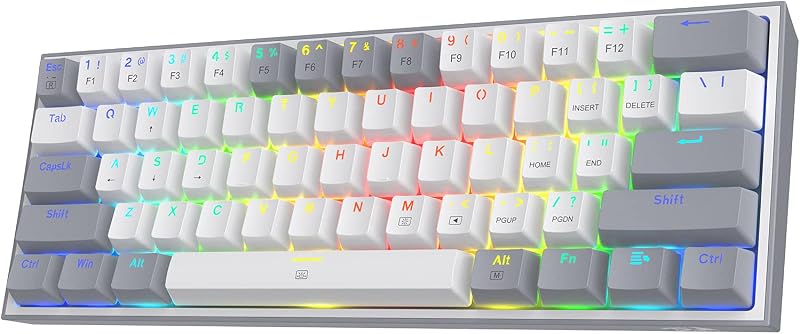
Choosing between the Logitech G413 and the Logitech MX Mechanical comes down to whether you want a permanent, high-durability wired gaming deck with fast tactile switches or a versatile, low-profile wireless board built to move across multiple desktop operating systems.
Gamers focused on raw input consistency, integrated port relay, and esports-ready keycaps should choose the G413, while modern professionals who balance office typing tasks across laptops, phones, and tablets should invest in the MX Mechanical.


Logitech G413 vs MX Mechanical at a Glance
| Feature | Logitech G413 | Logitech MX Mechanical |
|---|---|---|
| Switch Type | Romer-G Tactile mechanical switches | Tactile Quiet low-profile mechanical switches |
| Connectivity | Wired USB cable with integrated USB pass-through relay | Wireless via Bluetooth LE or Logi Bolt receiver; USB-C charging |
| Multi-Device Pairing | Not listed | Up to 3 devices with one-tap switching |
| Backlighting | Precision key backlighting with RGB Lightsync support | Smart backlighting with automatic ambient illumination adjustment |
| Chassis Construction | 5052 aluminum-magnesium alloy top shell | Durable metal top plate |
| Battery and Power | Continuous wired USB power | Rechargeable battery (up to 15 days backlit, months without backlight) |
| Supported Operating Systems | Windows | Windows, macOS, ChromeOS, iPadOS, and more |
| Water Resistance | Water resistant | Not listed |
| Layout and Key Count | Full-size 104-key layout with 4 sections | Full-size multimedia layout |
| Best For | Competitive PC gaming and dedicated single-station play | Everyday office productivity, multi-screen setups, and business |
Key Switches and Typing Feel
The mechanical switches under the keycaps govern how your fingers experience every keystroke, whether you are drafting technical documents or executing quick movement inputs in an action game. In any thorough evaluation of Logitech G413 vs MX Mechanical switches, the physical profile of the mechanism dictates the tactile sensation. The G413 uses proprietary Romer-G Tactile mechanical switches designed specifically for esports. These switches feature a standard mechanical switch height and deliver crisp actuation, balanced resistance, and quick return travel intended to register gaming commands with high precision.
In contrast, the MX Mechanical incorporates low-profile Tactile Quiet switches. The lower physical profile shortens the travel distance before actuation and bottom-out, resembling the natural hand position of modern laptops while preserving physical tactile feedback. Because these switches are built to dampen sharp acoustic spikes, they produce a muted sound profile suitable for shared office floors, classrooms, and video meetings. Readers interested in how full-height switches interact with desktop ergonomics can also read our logitech g pro x tkl vs g413 breakdown.
When deciding on the Logitech G413 or MX Mechanical for typing throughout an eight-hour workday, the shallow deck and quiet actuation of the MX Mechanical reduce hand fatigue caused by extreme wrist angles. The G413 provides a deeper mechanical press that benefits users who demand immediate tactile feedback on every stroke, but its sharper acoustic signature is noticeably louder in quiet settings.
Edge: Logitech MX Mechanical for its quieter low-profile typing comfort, while the G413 takes the advantage for users who insist on full-travel mechanical switches.
Connectivity, Cable Management, and Multi-Device Support
How a keyboard connects to your workstation influences your desk organization, movement flexibility, and device interoperability. The G413 relies on a heavy-duty, tethered USB connection. Logitech engineered this board with a specialized dual-plug arrangement that includes a dedicated USB relay pass-through port on the rear edge. By routing an additional dedicated USB cable straight to your computer, this pass-through provides full data transmission speed and charging power, allowing you to plug your wired mouse, flash drive, or wireless headset adapter directly into the keyboard without reaching behind your desktop PC tower.
The MX Mechanical approaches workstation connectivity from a completely wireless angle. It features dual-mode wireless hardware that connects either through low-energy Bluetooth or through the included Logi Bolt USB receiver. The core advantage of this architecture is multi-device pairing: you can pair the keyboard with up to three distinct devices simultaneously-such as a Windows desktop, an Apple MacBook, and an iPad-and toggle control between them with a single keystroke. It charges via standard USB-C, providing wire-free operation across wide desks or hybrid working environments.
Comparing the Logitech G413 vs MX Mechanical office workflow makes the trade-offs clear. The G413 provides a stationary, zero-battery hardware hub via its passthrough port, supported underneath by dedicated routing channels to tuck away headset and mouse cords. The MX Mechanical eliminates desktop cable clutter entirely and lets you switch inputs across separate operating systems in seconds. For users comparing low-profile wireless options, our logitech g915 tkl vs mx mechanical guide covers additional wireless configurations.
Edge: Logitech MX Mechanical for its seamless three-device wireless pairing and broad system compatibility.
Gaming Responsiveness, Input Latency, and Gaming Features
Latency and responsiveness define gaming performance. In a strict comparison of Logitech G413 vs MX Mechanical latency, the hardwired connection of the G413 delivers uninterrupted physical signaling directly to the motherboard. Because it does not run over wireless Bluetooth protocols, it avoids wireless packet loss, radio frequency interference, or sleep-state wake delays. Competitive players who rely on split-second reaction times in fast-paced titles will appreciate this constant, uncompromised signal path.
Beyond raw connection speed, the G413 includes dedicated gaming additions straight out of the box. Logitech includes 12 faceted gaming keycaps that can replace crucial movement and ability keys (such as WASD and primary skill bindings). These textured caps give your fingertips physical feedback to prevent accidental slips during high-stakes matches. The board also features height-adjustable tilt legs backed by durable rubber stabilizers that prevent the keyboard from sliding during intense gameplay.
The MX Mechanical is fully capable of handling casual gaming sessions, and its Logi Bolt connection provides reliable low-latency performance compared to standard Bluetooth. However, its overall layout, flat low-profile keycaps, and lack of specialized textured gaming keys clearly reflect its design purpose as a business and everyday typing tool. When asking whether the Logitech G413 or MX Mechanical for gaming is the better tool, the physical chassis design, included accessories, and zero-latency wired tether make the G413 the clear gaming pick. You can explore how dedicated gaming boards compare across categories in our logitech g715 vs mx mechanical article.
Edge: Logitech G413 for its latency-free wired signal, bundled 12 faceted gaming keycaps, and purpose-built gaming chassis.
Backlighting, Illumination, and Night-Time Use
Visibility in low-light environments is critical for both late-night gaming and focused evening productivity. The G413 features precision key lighting with customizable RGB backlighting support. The lighting shines directly through the center of the Romer-G switch housing rather than leaking broadly around the keycap skirts. This focused optical path produces sharp, legible legends that remain clearly visible in dark rooms without creating distracting glare across the brushed metal baseplate.
The MX Mechanical approaches illumination with battery conservation and intelligent automation in mind. It uses smart backlighting equipped with proximity and ambient light sensors. The keys illuminate the moment your hands approach the deck and adjust their brightness level automatically depending on ambient light conditions. When your hands move away, the illumination turns off to preserve internal battery reserves. This automated system ensures that you never waste time adjusting backlight intensity manually when moving between bright daylight and dim evening lighting.
Gamers who prefer continuous, vibrant aesthetic illumination and color synchronization with other gaming hardware will prefer the constant power and RGB capabilities of the G413. Professionals who work in shifting lighting conditions and want smart power management will favor the adaptive illumination on the MX Mechanical. If you want to evaluate membrane alternatives with smart illumination, see our logitech g413 vs mx keys s comparison.
Edge: Tie. The G413 offers constant precision RGB illumination, while the MX Mechanical provides intelligent ambient auto-adjustment for productivity.
Build Quality, Materials, and Chassis Durability
Durability determines how well a keyboard survives heavy daily use, accidental drops, and desktop spills. The G413 is constructed on a top plate made of aircraft-grade 5052 aluminum-magnesium alloy. This brushed metal shell gives the keyboard structural rigidity while maintaining a slim, blade-like profile. In addition, the listing specifications verify that the G413 features water resistance, providing physical protection against accidental liquid splashes during long gaming marathons.
The MX Mechanical matches this premium structural feel with a durable metal top plate anchored inside an ambidextrous, low-profile enclosure. The low-profile build naturally positions your palms closer to the desk surface, which reduces upward wrist bend without requiring a separate wrist rest. However, the listing does not specify water-resistance ratings for the MX Mechanical, meaning liquid spills could pose a greater risk to its internal wireless electronics and low-profile switches.
In everyday use, both boards feel rigid and exhibit minimal deck flex under heavy typing pressure. The G413 offers the added peace of mind of water resistance and rugged metal construction, while the MX Mechanical provides superior travel readiness and sleek office aesthetics. If you are comparing rugged, metal-framed low-profile alternatives, take a look at our logitech g915 tkl vs g413 analysis.
Edge: Logitech G413 for its certified water resistance and rigid 5052 aluminum-alloy construction.
Operating System Compatibility and Everyday Versatility
The software environment and hardware ecosystem you use dictate which keyboard integrates smoothly into your daily setup. The G413 is built primarily for Windows desktop environments. While its basic typing keys and USB pass-through relay operate across standard USB host devices (including laptops and compatible cell phones via USB), its specialized layout, hotkeys, and performance optimizations are tailored to PC gaming stations running Windows.
The MX Mechanical is designed from the ground up for broad, multi-platform compatibility. It natively supports Windows, macOS, ChromeOS, iPadOS, and other tablet platforms. The keycaps feature dual printed legends that match both Windows and Mac system commands (such as Alt/Windows and Option/Command), eliminating confusion when jumping between desktop platforms. Combined with its one-tap three-device switching, the keyboard allows you to control a corporate PC laptop, a personal Mac desktop, and a mobile tablet from a single physical deck.
For office professionals who work across multiple platforms, this cross-compatibility makes the MX Mechanical far more practical. The G413 remains locked to a single primary station, whereas the MX Mechanical transitions effortlessly between disparate work environments and mobile devices.
Edge: Logitech MX Mechanical for its native multi-operating system layout and cross-platform flexibility.
Pros and Cons
Logitech G413

Pros
- Durable 5052 aluminum alloy top plate
- Dedicated USB relay pass-through port
- Fast Romer-G tactile mechanical switches
- Includes 12 faceted gaming keycaps
- Water-resistant chassis construction
Cons
- Tethered wired connection only
- Official platform support limited to Windows
Logitech MX Mechanical

Pros
- Wireless pairing across up to 3 devices
- Quiet low-profile tactile mechanical switches
- Smart auto-adjusting key backlighting
- Cross-platform support for Mac and Windows
- Rechargeable battery lasting up to several months
Cons
- Lacks USB pass-through port
- No textured gaming keycaps included
View Logitech MX Mechanical on Amazon
Who Should Buy Each One
Choose the Logitech G413 If
- You play competitive PC games and want reliable zero-latency wired USB input with Romer-G tactile switches.
- You need a dedicated USB relay pass-through port on your desk to connect a mouse or flash drive easily.
- You prefer full-height mechanical keys and want included faceted gaming keycaps for your primary controls.
- You want a durable 5052 aluminum frame with built-in water resistance against liquid spills.
Choose the Logitech MX Mechanical If
- You split your workday across multiple devices and need one-tap switching between Windows, macOS, and tablets.
- You prefer low-profile mechanical switches that keep your hands flat to reduce wrist strain over long typing sessions.
- You work in shared environments or home offices where quiet tactile key operation is essential.
- You want a wireless, clutter-free desk with smart backlighting that automatically adjusts to your room lighting.
Final Verdict
When weighing this head-to-head matchup, the right board depends on whether your setup revolves around competitive gaming or modern multi-device productivity. The MX Mechanical takes the overall crown for most daily computer users, writers, and office professionals. Its low-profile ergonomics, Tactile Quiet switches, rechargeable multi-month battery life, and seamless pairing across up to three different operating systems make it an exceptional productivity centerpiece. If you need a premium tool that moves effortlessly between a work laptop and a home desktop, the wireless flexibility of the MX Mechanical is difficult to beat.
On the other hand, the G413 remains the definitive choice for dedicated gamers and single-station PC users. Its tethered wired connection eliminates battery management and input latency, while the 5052 aluminum-magnesium alloy frame, integrated USB pass-through port, and water resistance deliver exceptional durability under pressure. If competitive performance, tactical key swapping, and full-height Romer-G mechanical actuation are your top priorities, the G413 is the deck to choose.
FAQ
Can I use the Logitech G413 with a Mac?
The G413 uses standard USB connectivity, so basic typing functions will work on a Mac. However, the listing specifies Windows compatibility, and the keycaps feature standard PC markings without Mac-specific command and option legends.
How does the USB relay work on the Logitech G413?
The G413 has a heavy-duty cable with two USB plugs on the computer end. One plug powers the keyboard itself, while the second plug routes full data and power directly to the integrated USB relay port on the top edge of the keyboard, making it easy to plug in a mouse or USB drive.
How long does the battery last on the Logitech MX Mechanical?
According to the product specifications, the USB-C rechargeable battery inside the MX Mechanical lasts up to 15 days with the backlighting active, or up to several months when the backlighting is switched off.
Are the switches on the Logitech MX Mechanical loud?
The MX Mechanical comes equipped with Tactile Quiet switches. These switches provide a tactile bump when pressed but are engineered to dampen acoustic volume, making them significantly quieter than standard mechanical gaming switches.
Is the Logitech G413 safe from drink spills?
Yes, the specifications for the G413 confirm that it is water resistant, providing an extra layer of durability against accidental desktop liquid spills compared to standard non-resistant mechanical boards.
Can the Logitech MX Mechanical connect without Bluetooth?
Yes, the MX Mechanical supports dual connectivity modes. In addition to Bluetooth Low Energy, it includes a Logi Bolt USB receiver that allows you to connect wirelessly to computers that lack integrated Bluetooth hardware.