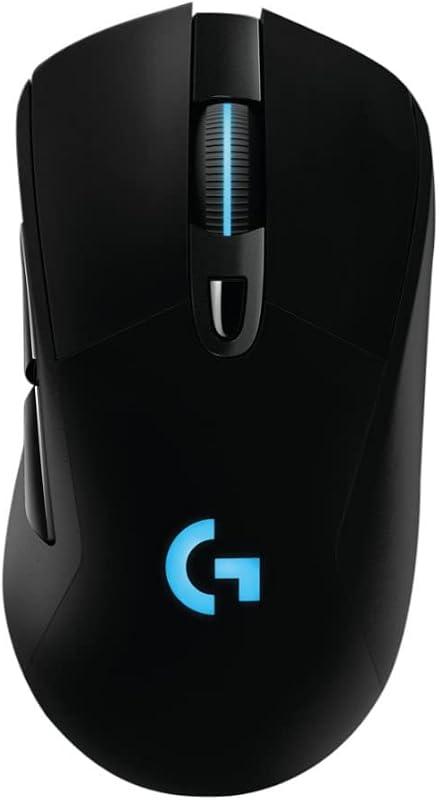
Choosing between the Razer DeathAdder V3 and the Razer DeathAdder V3 Pro comes down to a clear trade-off between absolute lightness and specialized tracking capability. While one mouse trims physical mass to an ultra-light 55 grams and extends runtime to 100 hours, the other incorporates a 30,000 DPI sensor engineered for flawless tracking across challenging surfaces like tempered glass.
Gamers focused on rapid flick aim and minimal inertia should choose the DeathAdder V3, while competitive players who utilize glass mouse pads or need Bluetooth multi-device versatility should invest in the DeathAdder V3 Pro.


Razer DeathAdder V3 vs Razer DeathAdder V3 Pro at a Glance
| Feature | Razer DeathAdder V3 | Razer DeathAdder V3 Pro |
|---|---|---|
| Weight | 55 grams | 63 grams |
| Optical Sensor | Focus X 26K Optical Sensor | Focus Pro 30K Optical Sensor |
| Maximum Sensitivity | 26,000 DPI | 30,000 DPI |
| Resolution Accuracy | 99.6% | Not listed |
| Glass Surface Tracking | Not listed | Supported |
| Switches | Optical Mouse Switches Gen-3 | Optical Mouse Switches Gen-3 |
| Switch Durability | 90 million clicks | 90 million clicks |
| Battery Life | Up to 100 hours | Up to 90 hours |
| Programmable Controls | 8 | 6 |
| Wireless Connectivity | HyperSpeed Wireless | HyperSpeed Wireless, Bluetooth |
| Best For | Ultra-light agility on cloth surfaces | Glass pad compatibility and multi-device use |
Sensor Performance and Surface Compatibility
Sensor behavior dictates tracking consistency during high-stakes competitive matches, making the deathadder v3 vs v3 pro sensor difference the most critical technical divergence between these two pointers. The DeathAdder V3 is equipped with Razer’s Focus X 26K optical sensor, which delivers a maximum sensitivity of 26,000 DPI and a 99.6% resolution accuracy rate. This sensor provides flawless 1-to-1 tracking for rapid micro-adjustments on cloth and textured hybrid mouse pads, ensuring that rapid hand movements translate cleanly without cursor skipping or acceleration anomalies.
In comparison, the DeathAdder V3 Pro steps up to the flagship Focus Pro 30K optical sensor, scaling sensitivity up to 30,000 DPI and adding dedicated intelligent functions for aim calibration. The defining feature of this sensor is deathadder v3 pro glass tracking, an engineering feat that allows competitive players to track seamlessly on smooth, transparent glass mouse pads. The standard V3 listing makes no mention of glass surface support, meaning players who have transitioned to specialized glass pads risk tracking failures or erratic pointer behavior if they opt for the lower-tier sensor. A similar tracking gap is often highlighted when comparing other flagship wireless options in our razer deathadder v3 pro vs viper v2 pro breakdown.
For most competitive titles played on standard cloth surfaces, the 26,000 DPI ceiling and 99.6% accuracy of the Focus X sensor exceed human sensory limits. However, players who rely on ultra-fast glass mouse mats or who desire the absolute pinnacle of optical engineering gain a measurable tactical benefit from the Pro model’s expanded tracking envelope.
Edge: Razer DeathAdder V3 Pro for its higher 30,000 DPI ceiling and certified tracking performance on glass surfaces.
Weight and Swiping Agility
In modern first-person shooters, physical mouse mass directly influences target acquisition speed, stopping power, and physical fatigue during long scrims. Examining the razer deathadder v3 pro weight vs v3 reveals an 8-gram advantage for the standard DeathAdder V3, which sits at an ultra-light 55 grams compared to the 63-gram chassis of the DeathAdder V3 Pro. While an 8-gram difference might appear modest on paper, it represents an approximate 13% reduction in overall mass that is immediately noticeable during high-velocity swipes.
The DeathAdder V3 achieves this 55-gram profile through a mass-centralized design explicitly optimized for balanced weight distribution. This balance prevents the mouse from feeling front-heavy or dragging across the rear during aggressive resets, allowing low-sensitivity aimers to accelerate and stop the mouse with minimal muscular exertion. Players exploring the broader category frequently weigh these agility benefits against symmetrical alternatives, as seen in the razer deathadder v3 vs viper v3 pro comparison.
The DeathAdder V3 Pro remains an exceptionally light ergonomic wireless mouse at 63 grams, being over 25% lighter than earlier iterations in the DeathAdder lineage. It provides stability and reassuring substance in the hand that some players prefer to prevent over-aiming. Nonetheless, in discussions centering on the razer deathadder v3 hyperspeed vs v3 pro form factors, the sheer mobility of the 55-gram build makes reset-heavy aiming feel effortless.
Edge: Razer DeathAdder V3 for its lighter 55-gram mass-centralized chassis that reduces wrist inertia.
Battery Life and Power Management
Reliable cordless uptime prevents mid-tournament interruptions and simplifies peripheral maintenance. A direct look at the deathadder v3 vs v3 pro battery life numbers shows that the DeathAdder V3 provides up to 100 hours of continuous competitive gameplay on a single charge. This expanded battery reserve accommodates multiple days of rigorous scrims, community tournaments, and casual sessions without demanding constant tethering via a charging cable.
The DeathAdder V3 Pro delivers up to 90 hours of continuous play, utilizing a smaller and lighter internal battery designed to keep the overall peripheral weight down to 63 grams. While 90 hours remains plenty of endurance for standard competitive routines, it yields a 10-hour deficit compared to the standard model. Both devices utilize modern USB Type-C charging ports, enabling quick power top-offs using standard cables rather than proprietary magnetic docks, a balance also explored in our razer deathadder v3 pro vs basilisk v3 analysis.
Both mice allow users to fine-tune power states and sensor behaviors using the Razer Synapse application, and both support disabling Windows pointer precision to maintain consistent sensor reporting. However, for sheer cordless longevity between wall plugs, the 100-hour battery life of the DeathAdder V3 provides superior endurance.
Edge: Razer DeathAdder V3 for delivering an extra 10 hours of gameplay on a full USB-C charge.
Button Controls and Switch Durability
Switch responsiveness and input count dictate how effectively a gaming mouse handles complex in-game keybinds and rapid-fire click inputs. In any comprehensive razer deathadder v3 review, button execution stands out because the mouse incorporates 8 programmable controls. This layout gives tactical players ample room to bind melee attacks, grenade throws, push-to-talk, and DPI toggles directly to the mouse body without resorting to complicated keyboard modifiers.
By contrast, the DeathAdder V3 Pro features 6 programmable buttons, focusing strictly on a stripped-down esports layout consisting of primary clicks, side thumb buttons, a clickable scroll wheel, and a profile or DPI toggle. While 6 buttons satisfy pure tactical shooter requirements, players who transition between FPS titles and action RPGs may miss the extra inputs provided by the standard model, a theme frequently discussed when comparing the razer deathadder v3 pro vs basilisk v3-pro.
Crucially, both mice feature identical primary clicking hardware: Razer Optical Mouse Switches Gen-3. These switches boast a 90-million click lifecycle, lightning-fast 0.2-millisecond actuation, zero debounce delay, and complete immunity to accidental double-clicking. Because both models utilize the exact same optical switch architecture, users receive identical crispness and actuation speed regardless of which mouse they select.
Edge: Razer DeathAdder V3 for providing 8 programmable controls compared to the 6 buttons on the Pro.
Wireless Connectivity and Polling Rates
Wireless integrity in dense competitive arenas requires robust signal processing that resists radio frequency interference. In a thorough razer deathadder v3 pro review, connectivity versatility emerges as a distinct strength. The DeathAdder V3 Pro supports both low-latency 2.4GHz Razer HyperSpeed Wireless and standard Bluetooth connectivity, alongside a wired USB connection. The inclusion of Bluetooth enables users to connect seamlessly to laptops, secondary workstations, or personal computers without consuming a dedicated 2.4GHz USB receiver port.
The DeathAdder V3 focuses strictly on dedicated 2.4GHz HyperSpeed Wireless performance, offering rock-solid stability even in noisy tournament settings with numerous competing wireless signals. The product listing highlights that the DeathAdder V3 can be upgraded to true 8000 Hz polling rates when paired with the separately sold Razer HyperPolling Wireless Dongle, reducing reporting intervals down to a fraction of a millisecond for ultra-responsive tracking on high-refresh displays. Competitive connectivity differences between Razer speed-focused shapes are further detailed in our razer deathadder v3 pro vs viper v3 pro guide.
Choosing between these two connection packages involves balancing multi-device convenience against dedicated esports optimization. While the V3 focuses on high-frequency dongle readiness, the V3 Pro provides greater real-world flexibility through its dual-wireless radio setup.
Edge: Razer DeathAdder V3 Pro for its built-in Bluetooth support alongside ultra-fast HyperSpeed wireless.
Ergonomics and Tactical Grip Feel
The DeathAdder silhouette is recognized as one of the most successful ergonomic shapes in esports history, refined continuously through feedback from professional competitors. Both mice feature right-handed ergonomic contours engineered to support palm, claw, and fingertip grip styles without causing tendon fatigue during multi-hour competitive marathons. The hump placement fills the palm naturally, while the flared front buttons prevent finger slippage during intense gunfights.
The DeathAdder V3 listing highlights an updated smooth-touch texture finish that enhances surface tactile feedback, helping maintain grip stability even when palms grow sweaty under pressure. The DeathAdder V3 Pro features a textured ergonomic shell that delivers similar handling stability, supported by its iconic shape that sits comfortably in medium-to-large hands.
Because both units share pro-validated ergonomic lines, identical Gen-3 optical switches, and deep customization via the Razer Synapse software, the tactile experience in the palm is nearly identical. The only noticeable difference during physical handling stems from the 8-gram weight variance rather than any divergence in shell geometry.
Edge: Tie. Both mice share Razer’s pro-validated ergonomic architecture and premium grip finishes.
Pros and Cons
Razer DeathAdder V3
Pros
- Lighter 55g chassis
- Longer 100-hour battery life
- Eight programmable controls
Cons
- Lower 26K DPI sensor ceiling
- Lacks glass surface tracking
View Razer DeathAdder V3 on Amazon
Razer DeathAdder V3 Pro
Pros
- Higher 30K DPI sensor resolution
- Reliable tracking on glass surfaces
- Bluetooth and USB connectivity options
Cons
- Heavier 63g overall weight
- Shorter 90-hour battery life
- Only six programmable buttons
View Razer DeathAdder V3 Pro on Amazon
Who Should Buy Each One
Choose the Razer DeathAdder V3 If
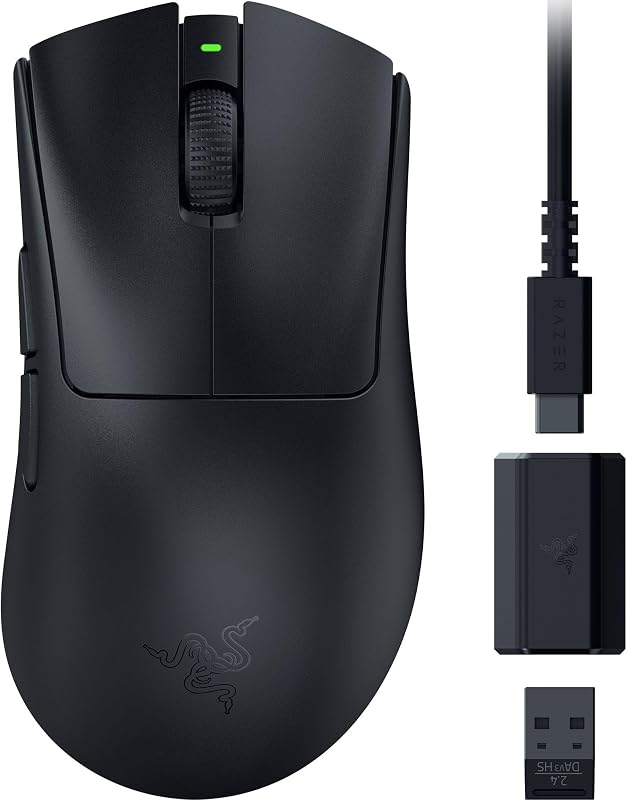
- You want an ultra-light 55-gram mouse to maximize horizontal flick speed and minimize wrist fatigue.
- You need extended 100-hour battery life to reduce how often you plug in a USB-C cable.
- You use traditional cloth or textured hybrid mouse pads that do not require glass-tracking sensors.
- You benefit from having 8 programmable inputs for tactical utility macros and in-game commands.
Choose the Razer DeathAdder V3 Pro If
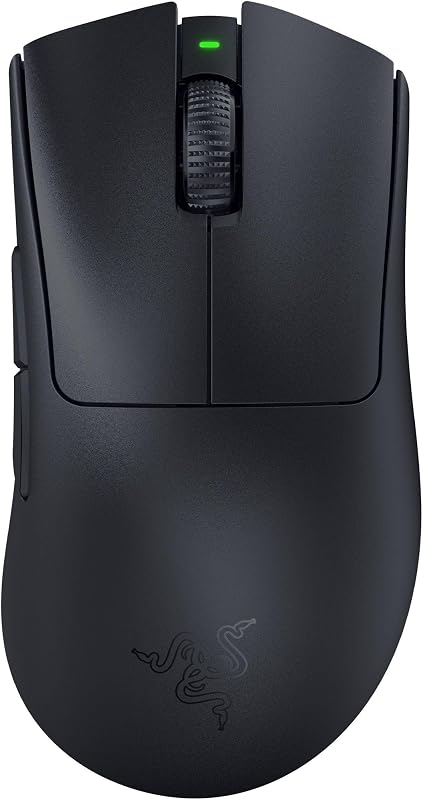
- You compete on specialized tempered glass mouse pads that require the Focus Pro 30K sensor.
- You switch between an esports rig and a work laptop and need convenient Bluetooth pairing.
- You prefer a 63-gram chassis that provides slightly more physical stability during precise tracking sweeps.
- You want the highest available sensitivity ceiling with 30,000 DPI and advanced intelligent tracking functions.
Final Verdict
When weighing the razer deathadder v3 pro vs v3 for fast-paced gaming, the DeathAdder V3 stands out as the superior recommendation for the majority of competitive FPS players. By shaving overall weight down to 55 grams, boosting battery endurance to 100 hours, and providing 8 programmable controls, it refines esports ergonomics into an extraordinarily nimble package. For players competing on standard cloth surfaces, the Focus X 26K optical sensor delivers exceptional 99.6% tracking accuracy without adding unnecessary weight or complexity.
However, when determining is deathadder v3 pro worth it, the DeathAdder V3 Pro easily justifies its position for gamers with specialized hardware setups. Its Focus Pro 30K optical sensor tracks reliably across hard glass pads where other optical sensors fail completely, and its integrated Bluetooth radio offers daily flexibility across multiple personal computers. If your competitive setup centers on a glass mouse pad or demands broad wireless compatibility, the DeathAdder V3 Pro remains an outstanding flagship peripheral.
FAQ
Does the Razer DeathAdder V3 track on glass surfaces?
The manufacturer specifications for the DeathAdder V3 do not state support for glass surfaces with its Focus X 26K sensor. If you use a tempered glass mouse pad, the DeathAdder V3 Pro is the proper choice because its Focus Pro 30K optical sensor is explicitly engineered for flawless tracking on glass.
What is the primary deathadder v3 vs v3 pro sensor difference?
The DeathAdder V3 features the Focus X 26K optical sensor with a maximum sensitivity of 26,000 DPI and 99.6% resolution accuracy. The DeathAdder V3 Pro carries the flagship Focus Pro 30K optical sensor, reaching 30,000 DPI and incorporating specialized tracking algorithms that function reliably on glass pads.
How does the razer deathadder v3 pro weight vs v3 compare in hand?
The DeathAdder V3 weighs 55 grams, whereas the DeathAdder V3 Pro weighs 63 grams. The 8-gram difference gives the standard V3 an advantage in rapid flick aiming and wrist agility, while the 63-gram Pro offers a balanced feel preferred by players who value extra physical stability.
What are the deathadder v3 vs v3 pro battery life ratings?
The DeathAdder V3 is rated for up to 100 hours of continuous gameplay on a full charge. The DeathAdder V3 Pro delivers up to 90 hours of continuous play. Both mice recharge using a standard USB Type-C connection.
Can both mice reach an 8000 Hz polling rate?
The DeathAdder V3 listing confirms that it can be upgraded to true 8000 Hz polling rates when paired with the separately available Razer HyperPolling Wireless Dongle. The DeathAdder V3 Pro listing specifies standard 1000 Hz polling out of the box.
Which model should I pick between the deathadder v3 or v3 pro for competitive fps?
If you use a standard cloth mouse pad and prioritize rapid target acquisition with minimal weight, pick the 55-gram DeathAdder V3. If you play on a glass mouse pad or need Bluetooth connectivity to switch between machines, select the DeathAdder V3 Pro.