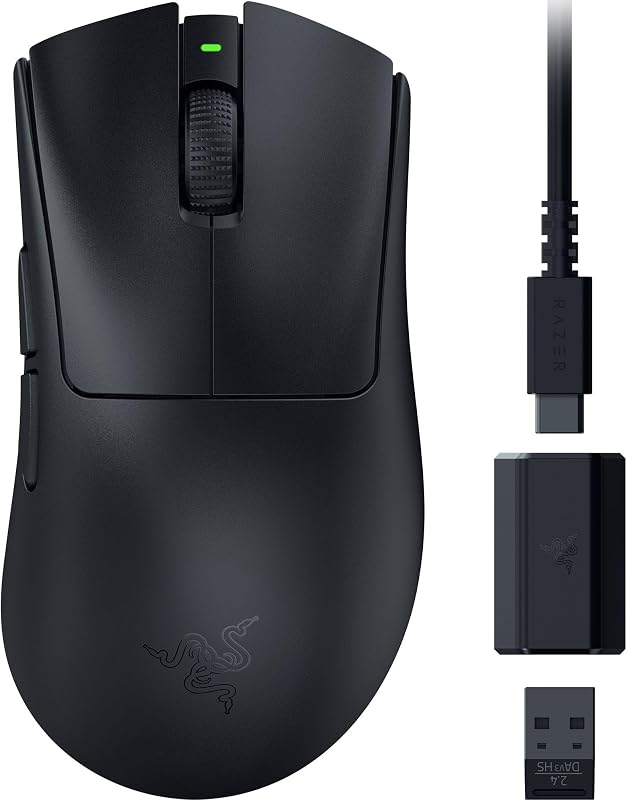
The single deciding factor when choosing between the Razer Viper V2 Pro and the Razer Viper V3 Pro is responsiveness: the newer model integrates native 8000Hz wireless polling alongside a lighter chassis, whereas its predecessor tops out at standard polling speeds while retaining standalone hardware DPI switching.
Competitive shooters who want extreme polling fidelity, granular sensor adjustments, and minimal weight should choose the Razer Viper V3 Pro, while players who prefer plug-and-play onboard sensitivity controls, multi-device receiver pairing, and broader operating system support should pick the Razer Viper V2 Pro.


Razer Viper V2 Pro vs Razer Viper V3 Pro at a Glance
| Feature | Razer Viper V2 Pro | Razer Viper V3 Pro |
|---|---|---|
| Chassis Weight | 58 g | 54 g |
| Optical Sensor | Focus Pro 30K Optical Sensor | Focus Pro 35K Optical Sensor Gen-2 |
| Maximum Sensitivity | 30,000 DPI | 35,000 DPI |
| Sensitivity Adjustments | 5-Stage On-Mouse Toggle | 1-DPI Step Adjustments |
| Maximum Polling Rate | Standard HyperSpeed Wireless | Up to 8000 Hz HyperPolling |
| Switch Type | Optical Mouse Switches Gen-3 (90M Clicks) | Optical Mouse Switches Gen-3 (90M Clicks) |
| Button Quantity | 6 Buttons | 8 Buttons |
| Battery Life | Up to 90 Hours | Up to 95 Hours |
| Operating System Support | Windows 11, macOS 13 Ventura | Windows 10 |
| Best For | Multi-platform setups and onboard DPI cycling | Peak-tier tournament play and maximum polling rates |
Wireless Polling Rate and Signal Transmission
The transmission frequency of a wireless pointer governs how frequently positional information transmits from mouse to computer, measuring intervals in hertz. Standard tournament peripherals transmit data at 1000Hz, yielding an input reporting interval of one millisecond. When monitors refresh at 240Hz, 360Hz, or 540Hz, increased polling frequency ensures that cursor trajectories display minimal micro-stuttering and micro-delays during rapid swiping motions across visual targets.
Examining the razer deathadder v3 vs viper v3 pro landscape highlights how transmission tech has advanced, and here the distinction between these two symmetric models is substantial. The Viper V3 Pro features Razer HyperPolling technology combined with HyperSpeed wireless, delivering a true polling rate of up to 8000 Hz straight out of the box via its included HyperPolling wireless dongle. In contrast, the Viper V2 Pro listing specifies standard low-latency HyperSpeed wireless performance. While the V2 Pro delivers tournament-grade stability with multi-device pairing support, it does not include an 8000Hz dongle in its standard package.
For players using modern fast-refresh displays, the Razer Viper V3 Pro 8000Hz capability yields an eightfold improvement in data reporting density over conventional 1000Hz mice. However, operating at 8000Hz places a heavier computational burden on the host computer processor during high-velocity cursor movements. Gamers running modern multi-core rigs benefit immediately from smoother frame-pacing, while users on older systems may find standard transmission rates more than adequate.
Edge: Razer Viper V3 Pro because it includes native 8000Hz HyperPolling technology for drastically lower input intervals.
Weight and Chassis Ergonomics
Overall physical mass dictates how rapidly a competitor initiates, redirects, and halts cursor motion across a mousepad. Low mass minimizes muscular fatigue during grueling multi-hour practice sessions and allows sharper micro-adjustments during high-stakes skirmishes. However, mass reduction must occur without compromising structural integrity, grip comfort, or sensor stabilization.
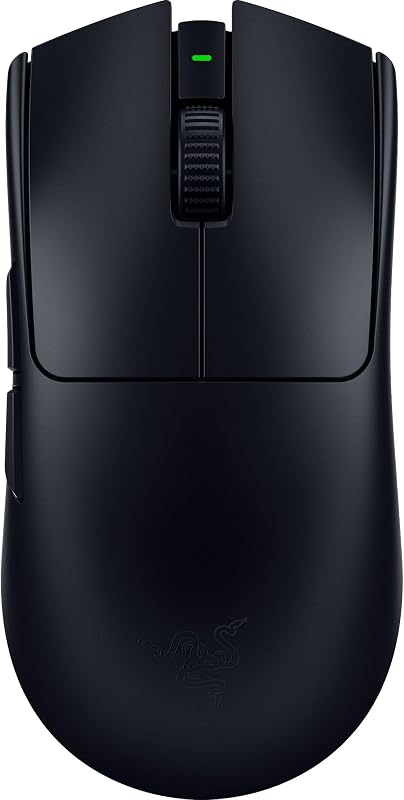
Looking at the Razer Viper V2 Pro vs V3 Pro weight figures, Razer managed to trim additional material from the newer iteration. The Viper V2 Pro weighs in at an ultra-lightweight 58 grams, utilizing a streamlined shell built from sturdy black plastic. The Viper V3 Pro takes weight savings further, achieving a 54-gram ultra-lightweight design developed directly alongside competitive esports professionals. Both devices feature right-hand orientations with symmetrical outer contours, but the four-gram delta represents a noticeable physical variance in rapid hand repositioning.
For those debating ergonomic silhouettes, comparing the razer viper v2 pro vs basilisk v3 shows just how nimble these stripped-down symmetrical designs feel next to heavier productivity models. The 54-gram build of the Viper V3 Pro provides effortless gliding mechanics during flick-shots, whereas the 58-gram Viper V2 Pro provides marginally more physical presence beneath the palm for players who rely on slightly grounded tactile feedback.
Edge: Razer Viper V3 Pro because its 54-gram construction sheds additional mass for faster, effortless hand repositions.
Sensor Precision and Tracking Architecture
The tracking sensor converts hand movement over surfaces into digital coordinates, where resolution limits, tracking speeds, and surface compatibility determine whether physical accuracy translates 1:1 on-screen. Modern optical engines must track reliably across both textured cloth gaming pads and rigid, ultra-slick surfaces such as tempered glass.
The Viper V2 Pro houses the Focus Pro 30K Optical Sensor, which delivers flawless surface tracking up to 30,000 DPI across various textures including glass. The Viper V3 Pro introduces the Focus Pro 35K Optical Sensor Gen-2, pushing sensitivity thresholds to 35,000 DPI. More importantly for precision tuning, the Focus Pro 35K Gen-2 sensor supports granular 1-DPI step adjustments through the Razer Synapse app, whereas older generations rely on wider stepped intervals.
While virtually no competitive gamer operates at 30,000 or 35,000 DPI in actual tournament play, the secondary benefits of the Gen-2 optical engine provide tangible value. The ability to fine-tune sensitivity down to single-step DPI increments allows players migrating from different peripherals to replicate exact sensitivity values across titles. Paired with reliable glass-surface tracking on both units, the upgraded sensor on the V3 Pro establishes greater flexibility for exacting aim profiles.
Edge: Razer Viper V3 Pro because its Focus Pro 35K Gen-2 optical sensor introduces fine 1-DPI increment tuning alongside expanded sensitivity ceilings.
Button Layout and Onboard Customization
Peripherals deployed in esports environments must balance button versatility against the risk of accidental actuations. Furthermore, the accessibility of hardware toggles versus software dependency can alter how smoothly a player adjusts their setup between matches or away from a home workstation.
Here, the mechanical configurations differ based on interface philosophy. The Viper V2 Pro provides 6 buttons and features an onboard DPI control toggle capable of cycling through 5 preset DPI stages directly on the chassis without requiring background software. The Viper V3 Pro expands the total button count to 8 buttons, opening additional remapping opportunities for macro inputs, pings, or secondary controls. However, it shifts sensitivity management away from physical multi-stage buttons to software-level calibration.
When assessing ergonomic layout options through a broader lens like the razer viper v2 pro vs basilisk v3 pro comparison, button assignments carry substantial operational consequences. Players competing on tournament stages where third-party software installation is heavily restricted will appreciate the V2 Pro’s hardware-based 5-stage sensitivity switch. Conversely, players who demand additional bindable inputs for tactical squad communication benefit from the 8 buttons present on the Viper V3 Pro.
Edge: Razer Viper V2 Pro because its physical on-mouse 5-stage DPI toggle operates independently of desktop utility software.
Battery Longevity and System Compatibility
Wireless peripherals require sufficient battery capacity to avoid mid-round dropouts while maintaining minimal total chassis weight. Simultaneously, operating system compatibility determines whether an esports pointer integrates smoothly across diverse computer ecosystems, including multi-boot workstations and dual-platform setups.
The Viper V2 Pro contains a rechargeable lithium-ion battery engineered to supply up to 90 continuous hours of operational life. The Viper V3 Pro raises that ceiling slightly, providing up to 95 hours of competitive gameplay. Both models leverage Gen-3 Optical Mouse Switches rated for 90 million clicks with a 0.2ms actuation time and no double-clicking issues, ensuring that the primary actuation switches draw minimal power while eliminating mechanical debounce delay.
Platform compatibility reveals another distinct separation. The Viper V2 Pro supports both Windows (Windows 11) and Apple macOS (Mac OS 13 Ventura), backed by HyperSpeed multi-device connectivity that lets a user share a single wireless dongle across a compatible mouse and keyboard. The Viper V3 Pro listing specifies Windows compatibility (Windows 10 minimum), focusing its protocol architecture entirely around PC competitive performance. Evaluating matchups like the razer deathadder v3 vs viper v2 pro shows how valuable cross-platform flexibility remains for users juggling productivity and gaming machines.
Edge: Razer Viper V2 Pro because it delivers comprehensive multi-device connectivity alongside official macOS and Windows compatibility.
Pros and Cons
Razer Viper V2 Pro

Pros
- On-mouse 5-stage DPI toggle
- 58-gram ultra-lightweight build
- Multi-device wireless pairing support
- Windows and macOS operating compatibility
- Reliable 90-hour battery life
Cons
- Lacks native 8000Hz polling dongle
- Lower 30,000 DPI ceiling
- Fewer total buttons than V3 Pro
View Razer Viper V2 Pro on Amazon
Razer Viper V3 Pro
Pros
- Native 8000Hz HyperPolling wireless technology
- Featherweight 54-gram chassis design
- Focus Pro 35K Gen-2 optical sensor
- Granular 1-DPI adjustment steps
- Extended 95-hour battery lifespan
Cons
- Listing specifies Windows compatibility only
- Omits dedicated physical DPI cycle button
- Requires high-spec CPU for maximum polling
View Razer Viper V3 Pro on Amazon
Who Should Buy Each One
Choose the Razer Viper V2 Pro If:
- You need plug-and-play onboard hardware DPI switching without opening driver software.
- You split your setup between Windows and macOS environments and require cross-platform support.
- You prefer a single HyperSpeed USB dongle to operate both your wireless keyboard and mouse.
- You want a proven 58-gram tournament pointer with rock-solid 30,000 DPI optical tracking.
Choose the Razer Viper V3 Pro If:
- You run ultra-fast refresh gaming monitors and want native 8000Hz HyperPolling response times.
- You want the lightest possible symmetrical shell at an ultra-low 54-gram weight.
- You demand exact sensitivity matching using fine 1-DPI incremental sensor calibrations.
- You utilize complex key binds and require an 8-button layout for macros and game functions.
Final Verdict
For dedicated competitive PC gamers looking to extract absolute peak performance from their setup, the Razer Viper V3 Pro emerges as the overall winner. Its native 8000Hz wireless polling frequency drastically reduces data latency across modern high-refresh gaming displays, while the 54-gram chassis design provides an exceptionally fluid glide. Backed by the Focus Pro 35K Gen-2 optical sensor with granular 1-DPI adjustments, it delivers the most advanced esports feature set currently offered in this symmetrical series.
Nevertheless, the Razer Viper V2 Pro remains a compelling tournament choice for players whose competitive priorities center on physical convenience and cross-platform flexibility. Its built-in 5-stage DPI toggle allows immediate adjustments on tournament machines without installing third-party utilities, and its dual-operating system compatibility supports both macOS and Windows. If you value physical onboard profile cycling and multi-device pairing, the Viper V2 Pro offers top-tier reliability that remains formidable against newer alternatives like the razer viper v3 pro vs basilisk v3.
FAQ
Is Razer Viper V3 Pro worth it compared to the Viper V2 Pro?
The Viper V3 Pro is worth choosing if you run high-refresh displays that benefit from native 8000Hz wireless polling and prefer an ultra-light 54-gram chassis. If you play on standard refresh monitors and rely on physical DPI toggles, the Viper V2 Pro delivers comparable real-world precision.
What is the difference in Razer Viper V2 Pro vs V3 Pro weight?
The Razer Viper V2 Pro weighs 58 grams, whereas the Razer Viper V3 Pro weighs 54 grams. The four-gram reduction in the V3 Pro makes rapid flick-shots and stopping motions feel slightly more effortless during long competitive sessions.
Does the Razer Viper V3 Pro include an 8000Hz dongle?
Yes, the Razer Viper V3 Pro comes packaged with the HyperPolling Wireless Dongle, enabling a true 8000Hz wireless polling rate directly out of the box without requiring extra accessory purchases.
Can I use the Razer Viper V2 Pro on a Mac?
Yes, the Razer Viper V2 Pro lists compatibility with both Windows and macOS, specifically supporting Mac OS 13 Ventura and Windows 11 operating systems.
How do the optical switches compare between both models?
Both mice utilize Razer Gen-3 Optical Mouse Switches rated for a 90-million click lifecycle with a 0.2ms actuation speed and zero mechanical debounce delays, eliminating double-clicking issues across both models.
How does the Razer Viper V3 Pro polling rate affect computer performance?
Operating the Viper V3 Pro at 8000Hz sends eight times more data packets per second than standard 1000Hz mice, which demands increased CPU utilization to process incoming reports during intense gameplay.