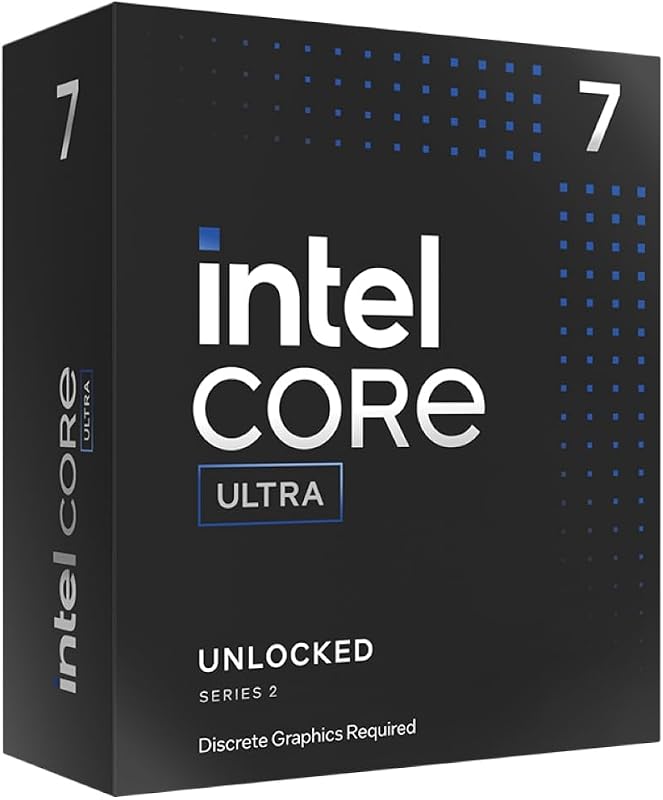
The decisive difference between these two desktop processors comes down to multithreaded compute density versus targeted everyday efficiency: the flagship tier provides four extra efficiency cores, a higher ceiling for peak boost velocity, and larger secondary cache, whereas the secondary model mirrors its sibling in primary performance cores while omitting hardware overhead that routine software rarely touches.
Mainstream builders seeking responsive frame rates and dependable productivity should pick the Intel Core Ultra 7 265K for its well-balanced core configuration. Heavy creative professionals and simulation engineers should choose the Intel Core Ultra 9 285K to harness maximum multithreaded headroom and peak unlocked clock speeds.


Intel Core Ultra 7 265K vs Core Ultra 9 285K at a Glance
| Feature | Intel Core Ultra 7 265K | Intel Core Ultra 9 285K |
|---|---|---|
| Total Cores | 20 (8 P-cores + 12 E-cores) | 24 (8 P-cores + 16 E-cores) |
| Total Concurrent Threads | 20 | 24 |
| Maximum Processor Speed | Up to 5.5 GHz | Up to 5.7 GHz |
| Installed Cache Memory | 36 MB | 40 MB |
| Secondary Cache | 30 MB | 36 MB |
| Processor Base Power | 125 watts | 125 watts |
| Socket Compatibility | LGA 1851 | LGA 1851 |
| Chipset Requirement | Intel 800 Series | Intel 800 Series |
| Integrated Graphics | Not listed in specification summary | Integrated Intel Graphics included |
| Thermal Solution | No thermal solution included | No thermal solution included |
| Best For | Mainstream gaming and balanced multitasking | Demanding content creation and heavy multithreading |
Core Architecture and Multithreaded Processing
Modern desktop tasks rely on dynamic workload balancing between primary execution units and background processing clusters. When analyzing the Core Ultra 7 265K vs 285K core count, both processors integrate Intel Performance Hybrid Architecture, combining two distinct core microarchitectures onto a single package. Both models share an identical count of 8 Performance cores (P-cores) dedicated to primary foreground execution. However, the Core Ultra 9 285K scales the Efficient core (E-core) count to 16, resulting in a total of 24 cores and 24 threads, while the Core Ultra 7 265K houses 12 E-cores, yielding 20 cores and 20 threads. Because both processors provide one thread per physical core without multithreading multipliers, total thread scaling directly follows core availability.
In routine computing environments, operating system schedulers steer background operations, media downloads, and disk indexing to the E-cores so the primary P-cores can focus on active user applications. As highlighted in comparisons like the intel core ultra 7 265kf vs core ultra 9 285k, this hybrid distribution ensures low latency across desktop sessions. When assessing the Core Ultra 7 265K or Core Ultra 9 285K for productivity, those additional four E-cores on the 285K provide measurable gains for multi-core workflows such as high-bitrate video transcoding, complex 3D ray tracing, and batch image export pipelines. Workloads that can saturate 24 concurrent threads finish exports faster on the flagship processor, while standard productivity software rarely exhausts the 20-thread ceiling of the 265K.
The operational cost of stepping down to 20 cores is negligible for users who never run sustained render queues or large software compilations. For heavy workstation duties, however, the missing four E-cores represent computational overhead that cannot be regained through tuning alone. Evaluating the Core Ultra 9 285K vs Intel Core Ultra 7 265K in multi-threaded software reveals that the flagship variant maintains clear supremacy whenever concurrent execution queues remain fully saturated.
Edge: Intel Core Ultra 9 285K delivers four additional efficiency cores and four more processing threads, offering superior compute density for multithreaded operations.
Clock Speeds and Single-Core Velocity
Processor frequency dictates the speed at which individual compute cycles are completed, directly influencing responsiveness in latency-sensitive tasks. The Core Ultra 7 265K vs 285K clock speed parameters demonstrate clear product tiering. The Core Ultra 7 265K arrives unlocked with a maximum boost frequency reaching up to 5.5 GHz. In comparison, the Core Ultra 9 285K elevates peak unlocked speeds to 5.7 GHz. Both chips rely on Intel Turbo Boost Max Technology 3.0 to identify the highest-performing cores on the silicon and route critical instructions to those specific execution blocks.
This 200 MHz delta gives the Core Ultra 9 285K an advantage in applications driven strictly by single-core speed. In unthreaded legacy programs, desktop window navigation, and specialized modeling utilities, higher clock frequencies translate into slightly faster instruction turnaround. When deciding between the Intel Core Ultra 7 265K or Core Ultra 9 285K for gaming, this clock speed gap generates small frame rate advantages in CPU-bound titles. However, many current games operate within graphics-bound limits where differences of 200 MHz produce minimal impact during visual rendering, as observed when comparing options like the intel core ultra 7 265k vs amd ryzen 7 9800x3d.
For everyday users, the 5.5 GHz ceiling of the 265K provides ample speed to eliminate desktop hesitation and maintain fluid response times across multiple browser sessions and office tools. Demanding enthusiasts seeking maximum compute throughput per clock cycle will value the 5.7 GHz rating of the 285K, though the real-world difference remains modest outside of single-threaded metric evaluations.
Edge: Intel Core Ultra 9 285K holds the advantage with a maximum boost velocity of 5.7 GHz, delivering 200 MHz higher clock speeds than the 265K.
Cache Capacity and Memory Subsystem
Cache memory serves as high-speed onboard staging storage, allowing the processor to store frequently queried instructions directly adjacent to compute silicon rather than polling system RAM. The Core Ultra 7 265K integrates 36 MB of total cache memory alongside 30 MB of secondary cache. The Core Ultra 9 285K expands these reserves, providing 40 MB of installed cache memory paired with 36 MB of secondary cache. This larger cache pool matches the expanded core count of the 285K, ensuring each processing module maintains access to local instructions during continuous data processing.
When running complex simulations or tracking game frame-time consistency, expanded cache capacity reduces memory bus stalls. In an Intel Core Ultra 265K vs 285K benchmark scenario, the 40 MB cache configuration on the 285K cushions heavy data streams, preventing memory bus congestion when multiple threads make concurrent memory requests. Builders exploring choices like the intel core ultra 5 245k vs core ultra 7 265k see a similar cache progression across product tiers, where larger cache buffers directly protect against latency spikes during intensive multitasking.
Both processors include support for modern DDR5 system memory and integrate Intel Optane Memory support, providing broad bandwidth pathways to feed the execution cores. While the 36 MB cache on the Core Ultra 7 265K easily supports mainstream gaming and desktop workloads, creators editing high-resolution video streams or navigating massive codebases gain greater execution consistency from the 40 MB cache installed on the Core Ultra 9 285K.
Edge: Intel Core Ultra 9 285K wins by providing 40 MB of total installed cache and 36 MB of secondary cache, outperforming the 36 MB and 30 MB configuration on the 265K.
Thermal Profiles and Power Requirements
Sustained processor execution depends on stable power delivery and adequate heat dissipation. Both the Core Ultra 7 265K and Core Ultra 9 285K specify a 125-watt Processor Base Power rating. While both chips operate from an identical base power envelope, real-world thermal behavior diverges when all execution cores are driven to their peak frequencies. Unlocked silicon running under Turbo Boost Max Technology 3.0 draws power above base ratings during intensive execution phases, making cooler selection a crucial component of any system build.
Neither processor includes a thermal solution in the retail packaging. System builders must supply their own cooling hardware, such as an aftermarket air cooler or an all-in-one liquid cooling loop. An Intel Core Ultra 7 265K review will highlight that cooling 20 cores at 5.5 GHz presents manageable thermal demands, permitting the use of mid-tier cooling hardware. Conversely, an Intel Core Ultra 9 285K review reveals that cooling 24 cores operating up to 5.7 GHz creates higher cumulative heat output during multi-hour render runs, requiring higher-capacity cooling to prevent thermal throttling under sustained loads.
When evaluating variant options such as the intel core ultra 7 265k vs 265kf, standard base power metrics remain constant across the lineup. For buyers wanting reliable operation with modest fan profiles, the 265K operates within a slightly more forgiving thermal window, while the 285K demands robust cooling hardware to sustain its top frequencies across prolonged workloads.
Edge: Tie because both processors feature an identical 125-watt base power rating and neither includes a thermal solution in the packaging.
Platform Features and Motherboard Compatibility
Constructing a modern desktop system requires verifying motherboard socket alignment and peripheral lane support. Both processors install into the LGA 1851 socket and require Intel 800 series chipset-based motherboards to run. The listings confirm that both models incorporate PCIe 5.0 and PCIe 4.0 lane support, ensuring high-speed interconnectivity with contemporary graphics cards and high-bandwidth solid-state drives. Both units also offer validated support for the Windows 11 platform.
A notable distinction appears in the integrated graphics specifications. The listing for the Core Ultra 9 285K explicitly specifies Integrated Intel Graphics included with the processor, ensuring display output directly from the motherboard I/O panel. This provision aids system diagnostics, allows workstation use without a discrete graphics card, and enables multi-monitor office setups. In contrast, the Core Ultra 7 265K listing specifies Series 2 unlocked performance and PCIe standards without detailing integrated graphics in its main specification table.
When asking is Core Ultra 9 285K worth it against alternatives like the intel core ultra 9 285k vs amd ryzen 9 9950x, motherboard compatibility remains unified between these two Intel options. Both chips take advantage of DDR5 memory and modern PCIe lanes on the 800 series platform, meaning upgrades between the two processors require no platform alterations.
Edge: Tie because both processors utilize the LGA 1851 socket, require Intel 800 series chipsets, and provide PCIe 5.0, PCIe 4.0, and DDR5 support.
Pros and Cons
Intel Core Ultra 7 265K

Pros
- Matches flagship with 8 Performance cores
- Fast 5.5 GHz unlocked boost clock
- Generous 36 MB installed cache capacity
- Modern PCIe 5.0 and DDR5 support
Cons
- Four fewer Efficient cores than 285K
- No thermal solution included in box
- Lower peak boost speed than 285K
View Intel Core Ultra 7 265K on Amazon
Intel Core Ultra 9 285K

Pros
- 24 total cores with 16 Efficient cores
- High 5.7 GHz maximum boost velocity
- Expanded 40 MB installed cache size
- Integrated Intel Graphics included out of box
Cons
- No thermal solution included in box
- Surplus compute power for mainstream gaming needs
View Intel Core Ultra 9 285K on Amazon
Who Should Buy Each One
Choose the Intel Core Ultra 7 265K If
- Your system is built primarily for high-resolution gaming where frame rates depend primarily on GPU power and do not benefit from more than 20 threads.
- You want 8 full Performance cores reaching up to 5.5 GHz without requiring high-end liquid cooling loops to handle thermal output.
- Your daily computing consists of routine multitasking, web development, photo editing, and general office productivity that fits easily within 12 Efficient cores.
- You are building an LGA 1851 desktop with DDR5 memory and PCIe 5.0 support and prefer to keep your processor investment focused on balanced hardware.
Choose the Intel Core Ultra 9 285K If
- You run continuous creative workflows involving 3D rendering, video encoding, file archiving, or computational analysis that scale across 24 concurrent threads.
- You require the fastest unlocked boost clock available in the series at up to 5.7 GHz for latency-sensitive applications.
- Your workflow benefits from maximum onboard memory buffers, taking full advantage of 40 MB installed cache and 36 MB secondary cache.
- You want confirmed Integrated Intel Graphics built directly into the processor for display testing, secondary screens, or non-gaming workstation use.
Final Verdict
For the majority of PC builders, gamers, and everyday computing enthusiasts, the Core Ultra 7 265K represents the optimal choice. It features the same 8 Performance cores found in the flagship model, reaches a fast 5.5 GHz unlocked boost speed, and provides 20 total threads to manage multitasking effortlessly. Because modern entertainment software and standard creative tools rarely saturate more than 16 threads, the 265K delivers high responsiveness and smooth frame rates without leaving unused silicon idling on your motherboard.
Conversely, the Core Ultra 9 285K stands as the undisputed winner for dedicated media professionals, software developers, and simulation engineers whose daily routines demand sustained multithreaded performance. The inclusion of four extra efficiency cores, a 40 MB cache hierarchy, and a peak frequency of 5.7 GHz shortens render times and accelerates heavy processing queues. If your workstation computing regularly pushes all available cores to maximum capacity, investing in the 24-core flagship delivers the peak capability possible on the LGA 1851 platform.
FAQ
What is the core count difference between the Core Ultra 7 265K and Core Ultra 9 285K?
The Core Ultra 7 265K features 20 cores configured as 8 Performance cores and 12 Efficient cores, supporting 20 concurrent threads. The Core Ultra 9 285K includes 24 cores organized as 8 Performance cores and 16 Efficient cores, supporting 24 threads. The difference lies exclusively in the four additional Efficient cores found on the 285K.
Do either of these processors come with a cooling fan in the box?
No. According to the official product listings, neither processor includes a thermal solution in the packaging. Buyers must purchase an independent aftermarket air cooler or liquid cooling system compatible with the LGA 1851 socket to keep temperatures controlled.
What socket and motherboards do these processors require?
Both processors require the LGA 1851 socket and are compatible with Intel 800 series chipset-based motherboards. They are not compatible with previous-generation LGA 1700 motherboards or older chipsets.
How do the maximum clock speeds compare between the two models?
The Core Ultra 7 265K features an unlocked maximum processor speed of up to 5.5 GHz, while the Core Ultra 9 285K reaches an unlocked maximum speed of up to 5.7 GHz. Both chips utilize Intel Turbo Boost Max Technology 3.0 to manage these peak frequencies.
How much cache memory is installed on each processor?
The Core Ultra 7 265K is equipped with 36 MB of installed cache memory and 30 MB of secondary cache. The Core Ultra 9 285K provides 40 MB of installed cache memory and 36 MB of secondary cache, reflecting its larger E-core cluster.
Do these processors support DDR4 memory?
No. The specifications for both processors confirm support for DDR5 system memory alongside PCIe 5.0 and 4.0 lanes on Intel 800 series chipset motherboards. DDR4 memory is not supported on this platform.
Does the Core Ultra 9 285K include integrated graphics?
Yes. The Core Ultra 9 285K product listing explicitly notes that Integrated Intel Graphics are included with the processor. The Core Ultra 7 265K listing specifies Series 2 architecture and PCIe standards without detailing integrated graphics in its main specifications table.