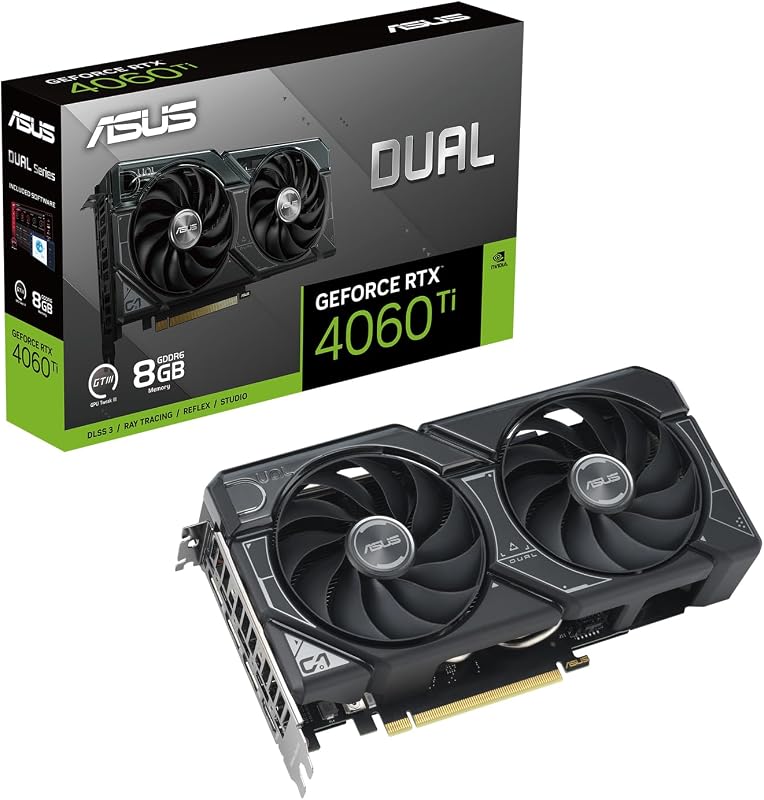
Choosing between the AMD RX 7600 XT and the AMD RX 7900 XT comes down to physical footprint, thermal envelope, and target display resolution. While both graphics cards belong to the AMD Radeon RX 7000 Series architecture, the decisive difference centers on memory bus throughput and raw compute capability, which splits them into two entirely distinct performance tiers.
Builders assembling a compact desktop intended primarily for fluid 1080p and entry 1440p gaming will find the dual-fan ASUS Dual RX 7600 XT tailored to their chassis constraints. Enthusiasts aiming for uncompromised high-refresh 4K gaming with substantial memory bandwidth should secure the triple-fan Sapphire Pulse 7900 XT instead.


AMD RX 7600 XT vs AMD RX 7900 XT at a Glance
| Feature | AMD RX 7600 XT | AMD RX 7900 XT |
|---|---|---|
| GPU Series | AMD Radeon RX 7000 Series | AMD Radeon RX 7000 Series |
| VRAM Capacity & Type | 16 GB GDDR6 | 20 GB GDDR6 |
| Memory Bus Width | Not listed | 320-bit |
| Boost Clock Speed | Up to 2801 MHz (OC Mode) | Up to 2450 MHz |
| Game Clock Speed | Up to 2513 MHz (OC Mode) | Up to 2075 MHz |
| Cooling Hardware | 2 Axial-tech Fans (Double Ball Bearings) | 3 Fans |
| Form Factor & Length | 2.5-slot (22.5 cm / 10.91 inches) | 2.7-slot ATX (313 mm) |
| Video Outputs | DisplayPort 2.1, HDMI 2.1 | 2 x DisplayPort, 2 x HDMI |
| Maximum Resolution | 7680 x 4320 pixels | 7680 x 4320 pixels |
| Best For | Compact 1080p and esports builds | Demanding 4K and enthusiast 1440p rigs |
Target Resolution and Gaming Performance
Evaluating resolution capabilities highlights the core operational divergence between these two graphics cards. The Radeon RX 7600 XT is engineered primarily around mainstream 1080p gaming, with enough VRAM overhead to handle demanding asset packs and modest 1440p scenarios. When examining an AMD RX 7600 XT review, the card maintains swift clock profiles-reaching up to 2801 MHz Boost in OC mode and a 2513 MHz Game Clock. These clock rates provide responsiveness in fast-paced competitive esports titles, though the hardware remains tailored toward standard gaming resolutions rather than extreme rasterization loads.
Conversely, assessing the Sapphire Pulse 7900 XT review data showcases an enthusiast-class graphics processor built specifically to drive high pixel counts. When asking whether to deploy the RX 7600 XT or 7900 XT for 4K setups, the 7900 XT is the unambiguous answer. Despite showing lower nominal boost clock numbers (up to 2450 MHz Boost and 2075 MHz Game Clock), the underlying architecture of the 7900 XT processes massive compute batches simultaneously. Gamers weighing intermediate tiers often analyze the amd rx 7600 xt vs 7800 xt before jumping straight to the top tier, but the 7900 XT remains the decisive choice when native 4K output is required.
If you are deciding between the RX 7600 XT or 7900 XT for 1440p, your refresh rate target dictates the outcome. The 7600 XT can manage 1440p under controlled graphical settings, whereas the 7900 XT powers through ultra presets at triple-digit frame rates. Running modern releases on the 7600 XT at 4K will quickly saturate execution pipelines, while the 7900 XT thrives on the pixel density of high-tier monitors.
Edge: AMD RX 7900 XT delivers vastly superior computing throughput that easily powers native 4K gaming loads.
VRAM Capacity and Memory Bus Architecture
Memory configuration represents one of the most critical elements in the RX 7600 XT vs 7900 XT VRAM comparison. The ASUS Dual RX 7600 XT provides an impressive 16 GB of GDDR6 memory, which is generous for a mid-tier card and eliminates asset stuttering in modern titles that flood memory pools with dense textures. However, the manufacturer listing does not specify the exact memory bus width for this card, limiting the overall data rate despite its rated 2801 MHz memory clock speed. Readers comparing similar configurations often look at the amd rx 7600 xt vs 7900 gre to see how mid-range memory pipes scale against wider bus configurations.
The Sapphire Pulse RX 7900 XT establishes a higher technical benchmark by deploying 20 GB of GDDR6 memory across a wide 320-bit bus. Operating at an effective memory clock speed of 20 Gbps, this 320-bit interface enables the graphics card to cycle massive data streams back and forth between memory pools and compute cores without encountering bottlenecks. This width becomes crucial during complex scene rendering, ray calculations, and extreme texture streaming where narrower pipelines choke.
Analyzing the Radeon RX 7600 XT vs RX 7900 XT specs demonstrates that while a 16 GB buffer on the 7600 XT is ample for avoiding texture thrashing at 1080p, the 20 GB allocation paired with a 320-bit bus on the 7900 XT fundamentally alters high-resolution scalability. The 7900 XT ensures long-term headroom against demanding asset-heavy workloads that require both massive capacity and wide transit lanes.
Edge: AMD RX 7900 XT wins with 20 GB of VRAM coupled to an expansive 320-bit bus for seamless data transit.
Form Factor, Physical Dimensions, and Case Clearance
Chassis compatibility is an immediate separator when placing the ASUS Dual RX 7600 XT vs Sapphire Pulse 7900 XT side by side. The ASUS Dual model measures 22.5 cm (listed also as 10.91 inches long by 4.81 inches wide) and occupies a 2.5-slot profile. This compact footprint allows builders to drop the card into smaller mid-towers, Micro-ATX cases, and select Mini-ITX enclosures without worrying about front-panel radiator collisions or bracket sag. It is tailored for builders prioritizing space efficiency, as detailed in our analysis of compact builds like the amd rx 7600 vs 7700 xt.
The Sapphire Pulse RX 7900 XT demands significantly more physical clearance. Built on a 2.7-slot ATX form factor, the card measures 313 mm in length, 133.75 mm in width, and 52.67 mm in height. Installing a 313 mm card requires a spacious ATX mid-tower or full-tower chassis, especially if your PC incorporates front-mounted liquid cooling radiators or drive cages. Attempting to fit the Pulse 7900 XT into tight builds risks structural interference and restricts clean airflow pathways.
For PC builders upgrading an existing budget or mainstream pre-built system, the 7600 XT is virtually plug-and-play regarding physical volume. Upgrading to the 7900 XT may necessitate checking clearance from the rear PCIe bracket to the front fans, as well as verifying that neighboring expansion slots remain accessible alongside a 2.7-slot shroud.
Edge: AMD RX 7600 XT offers much broader case compatibility thanks to its 22.5 cm, 2.5-slot compact frame.
Thermal Design, Acoustic Profiles, and Fan Engineering
Thermal management approaches reflect the differing cooling requirements of these GPUs. ASUS outfits the Dual RX 7600 XT with two Axial-tech cooling fans. These fans incorporate a smaller hub structure paired with longer blades and an integrated outer barrier ring designed to focus air downward into the heatsink fins. Furthermore, ASUS incorporates double ball bearings that offer longevity up to twice that of standard sleeve bearings, along with 0dB silent technology that stops the fans completely during low-load tasks and light gaming sessions. ASUS also utilizes its automated Auto-Extreme manufacturing process to ensure consistent build reliability.
Sapphire equips the Pulse RX 7900 XT with a triple-fan cooling array across its extended 313 mm heatsink. Dissipating heat from an enthusiast-tier processor requires significant surface area, and the three-fan configuration moves air continuously across dense fin stacks. While the Sapphire listing does not elaborate on proprietary bearing materials in its brief spec sheet, the sheer surface area of a 2.7-slot triple-fan heatsink allows the card to maintain stable operating conditions across lengthy gaming marathons.
Comparing acoustic dynamics, the ASUS 7600 XT shines during day-to-day productivity and casual indie gaming by staying completely silent under 0dB operation. The Sapphire Pulse 7900 XT uses its three fans to keep heavier thermal output in check, maintaining steady thermal equilibrium while exhausting heat through larger chassis vents.
Edge: AMD RX 7600 XT wins for quiet everyday acoustics and premium fan hardware features like double ball bearings and 0dB idle modes.
Display Connectivity and Multi-Monitor Capabilities
Display connectivity is essential for users powering ultra-high-resolution monitors or multi-display simulation rigs. The ASUS Dual RX 7600 XT highlights modern connectivity standards, listing DisplayPort 2.1 and HDMI 2.1 outputs on its physical bracket. Both interfaces support ultra-high refresh rates and massive resolutions up to the GPU’s rated ceiling of 7680 x 4320 pixels. Modern display panels leveraging newer DisplayPort bandwidth capabilities can fully harness the native output pipelines of this card.
The Sapphire Pulse RX 7900 XT features a balanced port layout with two HDMI ports and two DisplayPort connections. This balanced output array simplifies setups for users who connect both a primary high-refresh monitor and a modern television display simultaneously without needing display adapters. Similar multi-display considerations are explored when comparing flagship hardware in our nvidia rtx 4080 super vs amd rx 7900 xtx guide. Like the 7600 XT, the 7900 XT supports a maximum digital display resolution of 7680 x 4320 pixels.
Choosing between these configurations depends on peripheral requirements. The Sapphire card provides dual HDMI ports out of the box, offering greater convenience for multi-screen multimedia setups. Meanwhile, the ASUS card emphasizes updated standard specifications on its video interfaces for high-bandwidth displays.
Edge: Tie; both support 7680 x 4320 outputs, with Sapphire offering balanced dual HDMI/DisplayPort connectors while ASUS emphasizes modern DisplayPort 2.1 and HDMI 2.1 specs.
System Upgrade Viability and Value Proposition
When asking if the 7900 XT is worth the upgrade over 7600 XT hardware, you must evaluate the entire PC ecosystem. The ASUS Dual RX 7600 XT serves as an approachable, drop-in component that works comfortably with mainstream power delivery systems and standard desktop configurations. It provides modern RDNA 3 architecture benefits, 16 GB of VRAM, and PCI-Express x16 connectivity without forcing the user to overhaul power supplies, cooling loops, or computer chassis. Those looking at intermediate step-ups frequently review the amd rx 7600 vs 7800 xt to gauge system load demands.
So, is RX 7900 XT worth it for your system? The 7900 XT is an enthusiast powerhouse that demands robust system integration. Its 20 GB GDDR6 capacity, 320-bit memory bus, and 2.7-slot footprint require a capable high-wattage power supply, substantial airflow throughout the chassis, and adequate space to avoid thermal throttling. In exchange, it eliminates resolution compromises, providing top-tier rasterization performance that leaves the mid-tier card far behind.
Upgrading from a 7600 XT to a 7900 XT is not an incremental bump; it represents a complete leap into top-tier enthusiast gaming. If your system cannot house a 313 mm card or manage higher thermal dissipation, the 7600 XT remains the practical choice. If your platform has room to grow, the 7900 XT provides hardware capabilities that will remain relevant for years across high-resolution displays.
Edge: AMD RX 7900 XT delivers superior long-term hardware headroom and compute performance for enthusiast systems.
Pros and Cons
AMD RX 7600 XT

Pros
- Compact 22.5 cm dual-fan form factor
- Generous 16 GB GDDR6 memory pool
- 0dB silent technology for light gaming
- Durable double ball fan bearings
- High boost clock up to 2801 MHz
Cons
- Listing omits memory bus width
- Struggles with native 4K gaming loads
AMD RX 7900 XT

Pros
- Massive 20 GB GDDR6 memory capacity
- Wide 320-bit memory bus interface
- Triple-fan cooling for stable thermals
- Dual HDMI and dual DisplayPort layout
- True high-refresh 4K gaming capability
Cons
- Bulky 313 mm 2.7-slot footprint
- Requires spacious ATX chassis clearance
Who Should Buy Each One
Choose the AMD RX 7600 XT If
- You own a compact mid-tower or Micro-ATX chassis with strict GPU length limits under 25 cm.
- Your gaming setup centers primarily on high-refresh 1080p esports or mainstream 1440p gaming.
- You prioritize silent operation during light usage via 0dB fan technology and durable double ball bearings.
- You want 16 GB of modern GDDR6 video memory without rebuilding your system cooling and power delivery.
Choose the AMD RX 7900 XT If
- You game on a native 4K display or ultra-wide monitor that demands heavy rasterization power.
- You require an expansive 320-bit memory bus with 20 GB of VRAM to handle dense graphics assets and simulations.
- Your PC case easily accommodates a 313 mm length, 2.7-slot graphics card with ample airflow.
- You run multi-display configurations that benefit from dual native HDMI and dual DisplayPort outputs.
Final Verdict
For the majority of everyday PC builders and competitive gamers playing at 1080p, the ASUS Dual RX 7600 XT represents the more practical pick. Its 22.5 cm length slips effortlessly into virtually any desktop enclosure, while its 16 GB GDDR6 memory pool handles modern game textures without stuttering. Advanced cooling features like Axial-tech fan blades, dual ball bearings, and a silent 0dB profile ensure durable, low-maintenance daily performance.
However, when your ambition expands to native 4K resolution, maxed-out settings, and uncompromising frame rates, the Sapphire Pulse RX 7900 XT stands alone as the winner in this head-to-head. With a wide 320-bit memory interface, 20 GB of GDDR6 memory, and a massive triple-fan cooling system, the 7900 XT operates in an entirely higher performance class that justifies its physical demands.
FAQ
Can the RX 7600 XT run games at 4K resolution?
While the card lists a maximum display resolution of 7680 x 4320 pixels, the RX 7600 XT is primarily engineered for 1080p and moderate 1440p gaming. Native 4K rendering in demanding titles will overwhelm its rasterization pipelines, making the 7900 XT the proper choice for 4K gaming.
How much VRAM does each graphics card feature?
The ASUS Dual RX 7600 XT features 16 GB of GDDR6 memory, whereas the Sapphire Pulse RX 7900 XT is equipped with 20 GB of GDDR6 memory paired with an expansive 320-bit memory bus.
Will the Sapphire Pulse RX 7900 XT fit in a standard PC case?
The Sapphire Pulse RX 7900 XT measures 313 mm in length and occupies 2.7 expansion slots. You will need a spacious ATX mid-tower or full-tower chassis with adequate clearance, whereas the 7600 XT measures just 22.5 cm and fits easily into smaller enclosures.
What display outputs do these two graphics cards provide?
The ASUS Dual RX 7600 XT features DisplayPort 2.1 and HDMI 2.1 connections. The Sapphire Pulse RX 7900 XT provides two DisplayPort outputs and two HDMI ports, supporting multi-display setups out of the box.
What are the clock speed ratings for the ASUS Dual RX 7600 XT?
In OC mode, the ASUS Dual RX 7600 XT reaches up to 2801 MHz Boost Clock and up to 2513 MHz Game Clock. In default mode, it reaches up to 2781 MHz Boost Clock and up to 2493 MHz Game Clock.
Does the ASUS Dual RX 7600 XT support silent fan operation?
Yes, the ASUS Dual RX 7600 XT incorporates 0dB technology, which allows the cooling fans to stop spinning completely during light gaming sessions and low-load desktop operations for silent performance.