The choice between high-end desktop memory kits usually hinges on a fundamental balance between sheer workspace capacity and raw operating frequency. When comparing these two distinct configurations, the primary dividing line is whether your system demands a massive 64GB footprint to prevent bottlenecks in heavy multitasking and production workflows, or a lightning-fast 4000 MHz data rate designed to squeeze maximum frame pacing out of high-refresh gaming.
Buyers managing memory-intensive creative suites, virtualization, or heavy background rendering should choose the G.Skill Ripjaws V DDR4 3600. Competitive enthusiasts seeking maximum clock speeds alongside customizable RGB lighting for dedicated gaming rigs should opt for the Crucial Ballistix DDR4.

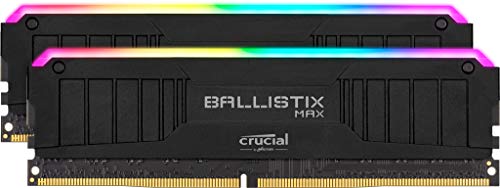
G.Skill Ripjaws V DDR4 3600 vs Crucial Ballistix DDR4 at a Glance
| Feature | G.Skill Ripjaws V DDR4 3600 | Crucial Ballistix DDR4 |
|---|---|---|
| Total Capacity | 64 GB (2 x 32 GB) | 16 GB (2 x 8 GB) |
| Memory Speed | 3600 MHz | 4000 MHz |
| CAS Latency | CL18 (18-22-22-42) | CL18 |
| Tested Voltage | 1.35V | 1.35V |
| Form Factor | 288-Pin UDIMM | 288-Pin DIMM |
| Lighting | Non-RGB | Integrated MAX RGB |
| Item Weight | 120 g | 236 g |
| Platform Validation | AMD X570, B550; Intel Z390, Z490 and newer | Desktop (Chipsets not listed) |
| Best For | Content creation, video editing, and heavy multitasking | High-frequency competitive gaming and aesthetic builds |
Memory Capacity and Multitasking Performance
Memory capacity dictates how many active assets, applications, and browser instances your operating system can hold in volatile storage before resorting to sluggish disk caching. When evaluating G.Skill Ripjaws V or Crucial Ballistix for video editing, capacity reigns supreme. The 64GB kit from G.Skill provides four times the total volume of its Crucial counterpart, making it uniquely suited for editing uncompressed multi-stream 4K footage, complex 3D scenes in Blender, and running simultaneous development virtual machines.
By contrast, the 16GB Crucial kit provides the standard baseline for modern computing. While 16GB remains perfectly adequate for standard esports titles and everyday operating system navigation, opening several background programs during gameplay can easily push system memory usage near full utilization. In our broader memory evaluations, such as the g.skill ripjaws v ddr4 3600 vs kingston fury beast ddr4 match-up, having two dense 32GB modules eliminates out-of-memory errors entirely and keeps system responsiveness smooth under punishing creative multi-threaded workloads.
For users who regularly exceed 16GB of active RAM, no amount of memory frequency can compensate for the performance penalty of swapping data onto a pagefile. Crucial Ballistix DDR4 vs G.Skill Ripjaws V DDR4 3600 in this metric represents two opposite ends of the operational spectrum: one built for unbounded workstation breathing room, and the other tailored for lean, high-velocity single-application performance.
Edge: G.Skill Ripjaws V DDR4 3600 provides four times the total memory volume, making it the clear winner for creative production and heavy multitasking.
Memory Speed and Clock Frequency
Clock frequency governs the theoretical peak bandwidth available between the memory controller and the modules. The battle of DDR4 3600 vs 4000 MHz RAM highlights how memory clocking impacts system performance. Crucial Ballistix pushes throughput to an impressive 4000 MHz data transfer rate, whereas the Ripjaws V kit operates at the well-established 3600 MHz sweet spot. This difference gives the Crucial kit a notable theoretical bandwidth advantage in memory-intensive processing tasks.
In CPU-bound gaming scenarios, higher clock frequencies directly enhance frame rate minimums and decrease micro-stuttering. When deciding between G.Skill Ripjaws V or Crucial Ballistix for gaming, titles running at high refresh rates-such as competitive first-person shooters-reap measurable benefits from the faster 4000 MHz transfer rate of the Crucial kit. Similar high-speed performance dynamics appear in our g.skill trident z neo ddr4 vs crucial ballistix ddr4 breakdown, where elevated frequencies give competitive gaming rigs an edge in frame pacing.
However, running at 4000 MHz requires a robust integrated memory controller on your processor. While 3600 MHz on the G.Skill kit runs effortlessly on virtually any modern DDR4-supported architecture, maintaining a 4000 MHz transfer rate may require motherboard BIOS familiarity to ensure the memory bus operates without timing dividers or bus desynchronization. For users who want outright speed, the Crucial memory delivers higher theoretical bandwidth ceiling out of the box.
Edge: Crucial Ballistix DDR4 leads with a 4000 MHz rated operating frequency that provides higher memory bandwidth.
CAS Latency and Timing Configurations
Operating frequency tells only half the memory speed story; column address strobe latency dictates the number of clock cycles required for the module to deliver requested data. The G.Skill Ripjaws V DDR4 3600 review specifications confirm a CAS latency of CL18 with complete primary timings listed as 18-22-22-42 at 1.35V. In comparison, the Crucial Ballistix DDR4 review data confirms a CAS latency rating of CL18 operating at the same standard 1.35 volts, though the listing does not specify secondary timings.
Calculating true latency in nanoseconds provides an objective look at both modules. With a formula of (CAS Latency / Frequency in MHz) * 2000, G.Skill at 3600 MHz CL18 yields an absolute first-word latency of exactly 10.0 nanoseconds. Crucial running at 4000 MHz with CL18 drops that response delay down to 9.0 nanoseconds. This 1.0-nanosecond reduction represents a ten percent decrease in initial access delay, rewarding the Crucial module in latency-sensitive applications. For more context on tight sub-timings, see our comparison of the g.skill ripjaws v ddr4 3600 vs patriot viper steel ddr4.
While G.Skill provides absolute transparency by documenting the complete 18-22-22-42 timing string, Crucial takes the latency lead through the arithmetic benefit of combining a CL18 cycle count with a faster 4000 MHz bus frequency. Users aiming for the lowest possible memory access times will find the Crucial timings provide a swifter theoretical access curve.
Edge: Crucial Ballistix DDR4 achieves a lower true latency of 9.0 nanoseconds compared to 10.0 nanoseconds on the G.Skill kit.
Platform Compatibility and Memory Controller Tuning
High-speed memory relies heavily on motherboard traces and processor silicon to achieve rated XMP profiles. G.Skill explicitly documents compatibility for AMD Ryzen platforms on X570 and B550 chipsets, as well as Intel Z390, Z490, and newer platforms. The 3600 MHz data rate aligns perfectly with AMD’s 1:1 Infinity Fabric clock (FCLK at 1800 MHz), guaranteeing that Ryzen desktop processors run without decoupling the memory controller clock from the memory bus. We explored similar system synergy in the g.skill ripjaws v ddr4 3600 vs trident z neo ddr4 analysis.
Conversely, the Crucial Ballistix MAX RGB DDR4 4000MHz review data shows desktop DIMM support, but the listing does not specify tested motherboard chipsets. Pushing DDR4 to 4000 MHz introduces distinct architectural considerations. On AMD Ryzen systems, reaching a 2000 MHz FCLK to maintain a synchronous 1:1 ratio is rarely achievable without manual tweaking, often forcing motherboards into a 1:2 asynchronous mode that adds system latency. On Intel platforms, running 4000 MHz in Gear 1 mode demands an exceptionally capable memory controller.
Because the G.Skill kit is factory verified across prominent AMD and Intel motherboard lines, it guarantees predictable setup with an XMP toggle. The 3600 MHz profile ensures stability across dual 32GB high-density modules without requiring users to navigate complex voltages or secondary sub-timings in BIOS menus.
Edge: G.Skill Ripjaws V DDR4 3600 takes the win with explicit multi-platform chipset validation and a 3600 MHz profile optimized for 1:1 fabric ratios.
Aesthetics, Lighting, and Physical Footprint
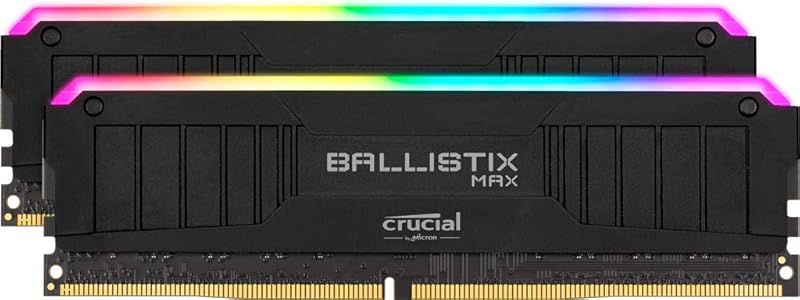
System aesthetics and physical dimensions often dictate whether a memory kit integrates seamlessly into your chassis. The Crucial Ballistix kit features integrated MAX RGB illumination, catering directly to builders who want illuminated hardware accents visible through tempered glass panels. The added RGB light diffuser bars and heavier heat sink construction result in an overall item weight of 236 grams for the kit. Enthusiasts comparing visual flair can review our corsair vengeance rgb pro ddr4 vs g.skill ripjaws v ddr4 3600 breakdown for similar aesthetic trade-offs.
In contrast, G.Skill adopts an understated, purely functional approach with the Ripjaws V. Featuring a classic black heat spreader with zero RGB illumination, the entire two-module kit weighs only 120 grams. The listing does not specify explicit height millimeter measurements, but the lightweight build and lack of bulky top-mounted LED diffusers provide dependable physical clearance under large dual-tower air coolers that routinely overhang motherboard DIMM slots.
Choosing between these two models comes down to your priorities regarding lighting versus simplicity. Crucial delivers vibrant, software-controllable RGB lighting for showcase rigs, while G.Skill prioritizes a stealthy, low-profile footprint that avoids mechanical interference with large CPU heatsinks.
Edge: Crucial Ballistix DDR4 wins for visual customization with its integrated MAX RGB light bar.
Pros and Cons
G.Skill Ripjaws V DDR4 3600

Pros
- Massive 64GB total capacity
- Plug-and-play 3600 MHz sweet spot
- Broad chipset validation for AMD and Intel
- Lightweight 120 g low-profile design
Cons
- Lower 3600 MHz clock speed
- No integrated RGB lighting
View G.Skill Ripjaws V DDR4 3600 on Amazon
Crucial Ballistix DDR4
Pros
- Fast 4000 MHz operating frequency
- Lower 9.0 ns absolute latency
- Customizable MAX RGB lighting
- High memory bandwidth for competitive gaming
Cons
- Limited 16GB capacity
- May require manual tuning on AMD Ryzen
- Heavier 236 g construction
View Crucial Ballistix DDR4 on Amazon
Who Should Buy Each One
Choose the G.Skill Ripjaws V DDR4 3600 If
- You produce 4K video, render 3D scenes, or run virtualized environments requiring 64GB of RAM.
- You run an AMD Ryzen system and prefer a plug-and-play 3600 MHz profile that maintains a native 1:1 Infinity Fabric ratio.
- You utilize a large dual-tower air cooler and need a lightweight, non-RGB heat spreader to prevent physical overhang conflicts.
- You want guaranteed compatibility verified specifically for AMD X570/B550 and Intel Z390/Z490 platforms.
Choose the Crucial Ballistix DDR4 If
- You play competitive esports titles where a 4000 MHz clock speed maximizes frame rates and minimizes frame drops.
- You are building an aesthetic showcase PC and want integrated MAX RGB lighting accents across your memory slots.
- You focus primarily on gaming and daily tasks where a 16GB dual-channel configuration is plenty of capacity.
- You have an Intel or tuned AMD motherboard capable of driving high-frequency memory profiles without stability issues.
Final Verdict
Determining whether is Crucial Ballistix DDR4 worth it over high-density alternatives depends entirely on the primary purpose of your PC. The Crucial Ballistix kit proves its worth in focused competitive gaming rigs. Its rapid 4000 MHz frequency drops real-world CAS latency down to 9.0 nanoseconds, providing extra bandwidth that helps maximize high-refresh gaming monitors. Combined with its stylish MAX RGB heat spreaders, it stands as an appealing performance choice for enthusiast gaming setups where 16GB is more than enough space.
For most desktop builders, content creators, and power users, however, deciding if is G.Skill Ripjaws V DDR4 3600 worth it results in a resounding yes. Having 64GB of total capacity eliminates workflow interruptions, prevents application crashes during heavy rendering, and provides the headroom required for long-term productivity. When paired with reliable multi-platform validation and effortless 3600 MHz stability, the G.Skill Ripjaws V represents the more practical, well-rounded desktop memory investment.
FAQ
Does DDR4 4000 MHz offer a noticeable gaming advantage over DDR4 3600 MHz?
In CPU-bound gaming situations-especially when playing competitive titles at 1080p with unlocked frame rates-the faster 4000 MHz frequency provides higher memory bandwidth and lower true access latency. This can improve minimum frame rates and reduce micro-stutters, though the difference becomes negligible in GPU-bound games played at higher resolutions like 1440p or 4K.
Can AMD Ryzen processors run Crucial Ballistix at 4000 MHz without stability issues?
Running DDR4 at 4000 MHz on AMD Ryzen requires the processor’s Infinity Fabric clock to reach 2000 MHz to maintain a synchronous 1:1 ratio. Many Ryzen memory controllers cannot achieve this frequency stably, causing the motherboard to drop into a 1:2 asynchronous mode that introduces latency penalties unless manually tuned in the BIOS.
Is 64GB of RAM necessary for standard PC gaming?
Modern games rarely exceed 16GB of system memory usage during standard play. A 64GB kit like the G.Skill Ripjaws V is designed primarily for video editors, 3D artists, software developers running local virtual machines, or power users who run heavy background tasks simultaneously while gaming.
Do both memory kits operate at standard DDR4 voltages?
Yes, both the G.Skill Ripjaws V and Crucial Ballistix kits are rated for an operational voltage of 1.35V at their respective rated speeds. This is the standard operational voltage for performance DDR4 memory profiles using XMP.
Will the Crucial Ballistix MAX RGB interfere with CPU air coolers?
The Crucial Ballistix kit weighs 236 grams and incorporates top-mounted RGB light bars, making it taller and heavier than low-profile kits. Builders using large dual-tower air coolers should verify their cooler’s vertical RAM clearance to prevent physical interference with the lighting bar.
Can you combine G.Skill Ripjaws V and Crucial Ballistix modules together?
Mixing different memory kits with disparate capacities (32GB vs 8GB) and frequencies (3600 MHz vs 4000 MHz) is not recommended. Doing so forces the motherboard to run all modules at the lowest common denominator speed and timings, and it frequently causes boot failure or memory instability.


