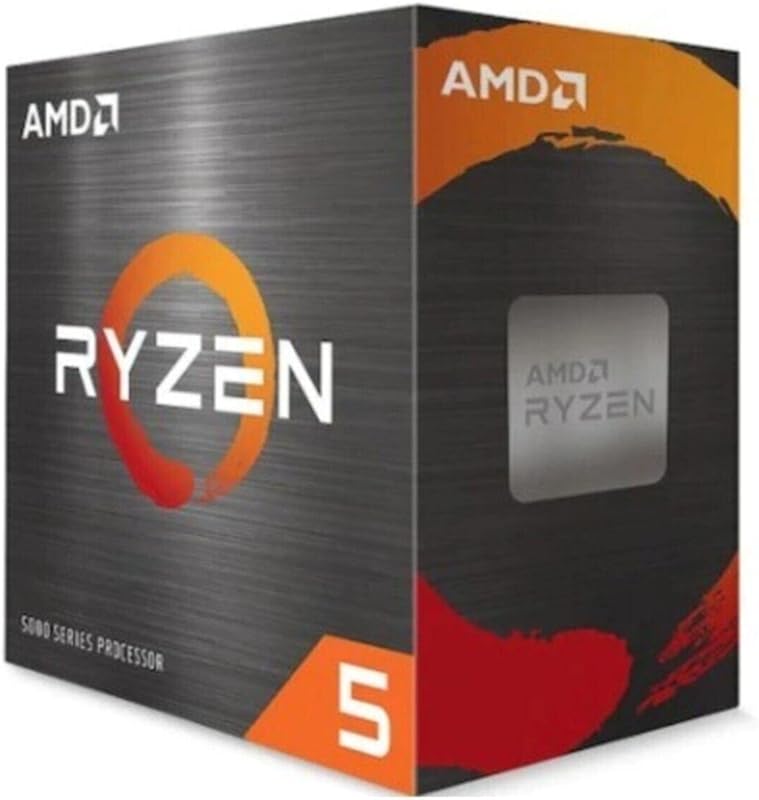
The core distinction separating these two desktop memory kits lies in their performance balance between maximum frequency and access latency: one kit hits an extreme 7200MHz clock speed backed by integrated RGB illumination, while the other prioritizes a tight CL30 response time at 6000MT/s within a low-profile footprint. Choosing between the Kingston Fury Beast DDR5 and the TeamGroup T-Force Delta RGB DDR5 depends almost entirely on whether your specific motherboard and processor configuration favors raw megatransfer throughput or rapid column access strobe cycles.
Builders putting together an AMD AM5 desktop or utilizing bulky air coolers should choose the Kingston Fury Beast DDR5 for its certified AMD EXPO profile, conservative 1.35-volt operation, and low-profile physical design. Enthusiasts assembling high-end Intel 600 or 700 series rigs who demand maximum memory bandwidth alongside vivid case lighting should select the TeamGroup T-Force Delta RGB DDR5.

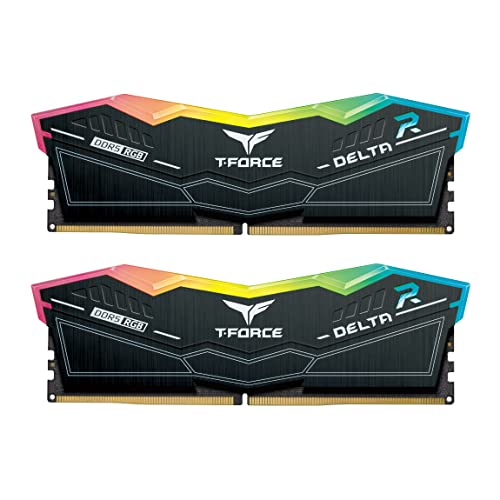
Kingston Fury Beast DDR5 vs TeamGroup T-Force Delta RGB DDR5 at a Glance
| Feature | Kingston Fury Beast DDR5 | TeamGroup T-Force Delta RGB DDR5 |
|---|---|---|
| Memory Speed | 6000 MT/s | 7200 MHz |
| CAS Latency | CL30 | CL34 |
| Operating Voltage | 1.35 volts | 1.4 volts |
| Overclocking Profiles | Intel XMP 3.0 & AMD EXPO | Intel XMP 3.0 Ready |
| Target Platform | Universal Desktop (AMD & Intel) | Desktop (Optimized for Intel 600/700 series) |
| Form Factor & Pins | 288-pin DIMM | 288-pin DIMM |
| Thermal Design & Lighting | Low-profile heat spreader, Non-RGB | Lightweight heat spreader with LED lights |
| Memory Architecture | Dual 32-bit subchannels, On-die ECC | A-DIE module, On-board PMIC, ECC |
| Capacity Configuration | 32GB (2 x 16GB kit) | 32GB (2 x 16GB kit) |
| Best For | AMD EXPO setups & compact cooler builds | Intel overclocking & RGB gaming aesthetics |
Operating Frequency and Raw Memory Bandwidth
Memory frequency dictates how much raw data can move across the memory bus each second, making clock speed a primary consideration for data-intensive computing tasks. In the matchup of Kingston Fury Beast 6000MHz vs T-Force Delta 7200MHz, the raw bandwidth numbers diverge significantly. The Kingston Fury Beast DDR5 operates at an effective rate of 6000 MT/s, translating to an impressive data transfer rate of 6000 megabytes per second per channel. This 6000 MT/s mark is widely regarded by system builders as the sweet spot for modern synchronized memory controllers, ensuring dependable data delivery without pushing platform controllers to instability.
In contrast, the TeamGroup T-Force Delta RGB 7200MHz CL34 memory pushes bandwidth capabilities much higher, advertising an operating frequency of 7200 MHz under its PC5-57600 specification. When paired with high-performance desktop motherboards capable of handling elevated memory multipliers, the Delta memory kit moves significantly more data per clock cycle than standard 6000 MT/s kits. If you frequently handle uncompressed 4K video streams, extensive 3D model geometry, or heavy data simulation, that additional frequency headroom delivers demonstrable throughput advantages over lower-clocked alternatives, an advantage detailed further in our crucial pro ddr5 vs teamgroup t-force delta rgb ddr5 breakdown.
However, running at 7200 MHz requires a motherboard and memory controller pairing capable of sustaining those clock cycles without signaling degradation or thermal throttling. The Kingston Fury Beast DDR5 takes a more conservative approach that guarantees broad hardware stability right out of the box, whereas the Delta relies on premium motherboard trace routing to achieve its advertised 7200 MHz data rate.
Edge: TeamGroup T-Force Delta RGB DDR5, because its 7200 MHz frequency provides significantly higher raw data bandwidth than 6000 MT/s.
CAS Latency and Memory Timing Efficiency
While operating frequency dictates throughput, memory latency determines how quickly the module responds to individual read and write requests initiated by the processor. The Kingston Fury Beast DDR5 stands out with a Column Address Strobe (CAS) latency of CL30. When combined with its 6000 MT/s clock rate, this produces an absolute first-word latency of 10.0 nanoseconds. A lower CAS latency means the memory controller spends fewer clock cycles waiting to access data held in an open memory row, which pays immediate dividends in latency-sensitive applications like competitive eSports titles.
The TeamGroup T-Force Delta RGB DDR5 features a CAS latency rating of CL34. Because latency in nanoseconds is calculated as a direct function of cycle time divided by frequency, a CL34 module running at a blistering 7200 MHz actually completes its first-word access in approximately 9.44 nanoseconds. On paper, the Delta technically initiates access marginally faster thanks to its high clock speed, but maintaining that timing requires seamless synchronization at extreme frequencies. Any platform inability to run the full 7200 MHz profile will cause latencies to loosen and performance to drop below the baseline set by the Kingston kit.
For builders assessing real-world latency behavior, the CL30 timing on the Kingston module guarantees tight clock-cycle execution without demanding high memory voltages or aggressive motherboard trace tuning. In any comprehensive Kingston Fury Beast DDR5 review, hardware analysts highlight how CL30 provides optimal operational stability across everyday productivity and computing tasks without risking the timing errors that can plague tighter timings at extreme frequencies.
Edge: Kingston Fury Beast DDR5, because its CL30 specification offers exceptionally tight clock-cycle timings that remain stable without requiring aggressive hardware tuning.
Platform Compatibility and Overclocking Profiles
System compatibility often determines whether high-speed DDR5 memory can actually achieve its advertised performance numbers without manual BIOS adjustments. The Kingston Fury Beast DDR5 features both Intel XMP 3.0 and AMD EXPO (Extended Profiles for Overclocking) certifications. Having dedicated AMD EXPO support ensures that builders assembling systems on AMD AM5 motherboards can enable optimal 6000 MT/s speeds and CL30 sub-timings with a single toggle in the BIOS, aligning perfectly with AMD processor memory controller architecture.
The TeamGroup T-Force Delta RGB DDR5 is targeted squarely at high-end Intel platforms, specifically advertising compatibility for Intel 600 and 700 series chipsets via Intel XMP 3.0 Ready profiles. Pushing a memory kit to 7200 MHz requires robust motherboard voltage regulator modules and refined BIOS memory training algorithms, which are heavily optimized on upper-tier Intel platforms. While it functions on other DDR5 desktop motherboards, reaching the full 7200 MHz requires a capable motherboard, making the question of Kingston Fury Beast or TeamGroup T-Force Delta for Intel builders a crucial consideration.
When comparing kingston fury renegade ddr5 vs teamgroup t-force delta rgb options or evaluating standard Fury Beast kits, Kingston’s inclusion of dual overclocking profiles eliminates guesswork. Whether you run an AMD or Intel processor, the Fury Beast automatically presents pre-tested, platform-native profiles. The TeamGroup Delta, while exceptional on compatible Intel boards, lacks certified AMD EXPO integration in this specific SKU, which limits out-of-the-box convenience for AMD enthusiasts.
Edge: Kingston Fury Beast DDR5, because the inclusion of both AMD EXPO and Intel XMP 3.0 profiles offers broad, hassle-free compatibility across all modern desktop platforms.
Physical Form Factor, Clearance, and Visual Design
Physical clearance inside a PC chassis is a critical factor that many system builders overlook until components collide during assembly. The Kingston Fury Beast DDR5 utilizes a specialized low-profile heat spreader design. By keeping the overall vertical height of the module compact, Kingston ensures maximum clearance beneath large dual-tower air coolers. Enthusiasts utilizing massive heatsinks with dual 120mm or 140mm fans will appreciate that the Fury Beast installs neatly beneath cooler fins without forcing fans to be mounted higher, which could otherwise cause side-panel clearance problems.
The TeamGroup T-Force Delta RGB DDR5 takes an entirely different approach by integrating prominent LED lights along the top edge of the module. This translucent light diffuser creates striking visual illumination inside the chassis, catering directly to builders constructing showcase panoramic systems. The listing highlights a lightweight construction that disperses heat effectively while housing its lighting elements, though the taller profile inevitably demands careful measurement when paired with bulky air-cooling hardware.
If you prefer stealthy, functional aesthetics without RGB software overhead, the understated black styling of the Kingston module blends into any motherboard design, similar to the low-profile ethos explored in our kingston fury beast ddr5 vs fury renegade ddr5 comparison. Conversely, builders who prioritize visual flair and utilize all-in-one liquid cooling loops will find the Delta’s sweeping illumination far more appealing.
Edge: Kingston Fury Beast DDR5, because its low-profile heat spreader guarantees seamless mechanical clearance under any air cooler or compact desktop chassis.
Operating Voltage and Power Architecture
Power delivery and thermal dissipation are intimately connected in high-speed DDR5 desktop memory. The Kingston Fury Beast DDR5 operates at a conservative 1.35 volts to achieve its 6000 MT/s CL30 performance profile. Lower voltage directly correlates with reduced thermal output across the module, allowing the compact heat spreader to maintain optimal operational temperatures even in cases with modest internal airflow. Kingston also highlights on-die ECC (Error Correction Code) and dual 32-bit subchannels, which work together to maintain data integrity and boost internal efficiency during intensive computing operations.
To sustain its higher 7200 MHz frequency, the TeamGroup T-Force Delta RGB DDR5 increases its operating voltage to 1.4 volts. Pushing 1.4 volts through the memory modules allows the high-performance A-DIE memory chips to sustain rapid signal transitions without corruption. TeamGroup equips the Delta module with dedicated power management ICs (PMICs), which take 5V power from the motherboard and regulate it directly on the memory module. This onboard regulation provides clean, stable power delivery to the memory chips, minimizing electrical noise during extreme frequency spikes.
The trade-off between 1.35V and 1.4V reflects the overarching engineering choices of these kits. Running at 1.4 volts increases the thermal burden on your system, requiring adequate chassis airflow to keep the module and surrounding motherboard components cool. As examined in our look at g.skill ripjaws s5 ddr5 vs teamgroup t-force delta rgb ddr5 kits, lower-voltage modules like the Fury Beast present an inherently easier thermal load for daily computing, whereas the Delta trades thermal headroom for raw speed.
Edge: Kingston Fury Beast DDR5, because running at 1.35 volts generates less heat and places lower electrical demand on internal power components than 1.4-volt operation.
Gaming and Demanding Application Performance
Evaluating Kingston Fury Beast DDR5 or TeamGroup T-Force Delta RGB DDR5 for gaming requires looking closely at how modern game engines utilize system memory. Most modern games are highly sensitive to latency, favoring memory kits that deliver rapid response times over raw megahertz once a baseline speed of 6000 MT/s is established. The Kingston Fury Beast DDR5 delivers predictable frame-time pacing and consistent 1% low frame rates, particularly on AMD Ryzen platforms where the memory controller fabric syncs 1:1 with 6000 MT/s memory.
On the other hand, bandwidth-intensive creative workloads reveal where the TeamGroup T-Force Delta RGB DDR5 excels. TeamGroup specifically highlights the Delta as ideal for demanding applications such as video editing, graphic design, and heavy animation rendering. In high-resolution video production suites that stream gigabytes of raw footage through system memory, the 7200 MHz bandwidth of the Delta reduces processing bottlenecks compared to slower DDR5 kits, answering the question of is TeamGroup T-Force Delta RGB DDR5 worth it for creative professionals using Intel rigs.
Similar performance dynamics emerge when looking at memory alternatives like the kingston fury beast ddr5 vs crucial pro ddr5, where latency tuning often rivals raw clock increases. For pure gaming where platform stability and balanced timings matter most, the Fury Beast shines; but for heavy digital content creation on Intel platforms where bandwidth is king, the Delta claims the overall performance advantage.
Edge: TeamGroup T-Force Delta RGB DDR5, because its 7200 MHz data transfer rate provides superior memory bandwidth for video editing, graphic design, and high-framerate rendering workloads.
Pros and Cons
Kingston Fury Beast DDR5

Pros
- Tight CL30 latency timing
- Both AMD EXPO and Intel XMP 3.0
- Low-profile heat spreader clearance
- Efficient 1.35V operating voltage
- Dual 32-bit subchannels for efficiency
Cons
- Lower 6000 MT/s data rate
- No integrated RGB lighting
View Kingston Fury Beast DDR5 on Amazon
TeamGroup T-Force Delta RGB DDR5

Pros
- Blistering 7200 MHz frequency
- Vibrant integrated LED lighting
- High-performance A-DIE memory modules
- Dedicated onboard power management IC
Cons
- Higher 1.4V operating requirement
- Taller profile may block air coolers
- Lacks AMD EXPO certification
View TeamGroup T-Force Delta RGB DDR5 on Amazon
Who Should Buy Each One
Choose the Kingston Fury Beast DDR5 If
- You are assembling an AMD Ryzen AM5 system and want native AMD EXPO support tailored for 6000 MT/s CL30 performance.
- You use a large twin-tower CPU air cooler that requires a low-profile heat spreader to prevent clearance issues.
- You prefer a cooler, more energy-efficient system operating at 1.35 volts without added chassis heat.
- You want a clean, minimalist desktop build that does not require background software to manage RGB lighting.
Choose the TeamGroup T-Force Delta RGB DDR5 If
- You own a high-end Intel 600 or 700 series desktop motherboard equipped to handle 7200 MHz XMP 3.0 overclocking.
- You spend extensive time rendering 3D models, editing high-resolution video, or running bandwidth-bound desktop applications.
- You are designing an illuminated showcase PC and want integrated LED lights to accent your internal hardware.
- You use an all-in-one liquid CPU cooler that leaves ample clearance around the motherboard memory slots.
Final Verdict
The Kingston Fury Beast DDR5 emerges as the smarter, more versatile choice for the majority of mainstream PC builders and gamers. By pairing a 6000 MT/s clock rate with a tight CL30 latency, Kingston targets the exact performance sweet spot for modern desktop architectures. Its inclusion of both Intel XMP 3.0 and certified AMD EXPO profiles, combined with a low-profile heat spreader that eliminates cooler interference and a modest 1.35V power requirement, makes it a hassle-free, drop-in memory upgrade for almost any gaming desktop.
The TeamGroup T-Force Delta RGB DDR5 remains the preferred solution for dedicated power users, enthusiasts, and creative professionals building on high-end Intel platforms. With its blazing 7200 MHz frequency, dedicated onboard PMIC, A-DIE memory modules, and striking RGB illumination, it delivers unmatched bandwidth for video editing, animation, and visually stunning builds. If your motherboard has the trace quality to maintain 7200 MHz at 1.4 volts and you prioritize raw throughput over low-profile packaging, the TeamGroup Delta delivers exceptional top-tier speed.
FAQ
Does the Kingston Fury Beast DDR5 have RGB lighting?
No, the Kingston Fury Beast DDR5 model featured here utilizes a sleek, low-profile black heat spreader without any RGB LED lighting, making it ideal for stealthy builds or systems where lighting control software is undesirable.
Can the TeamGroup T-Force Delta RGB DDR5 work on AMD motherboards?
While the TeamGroup T-Force Delta RGB DDR5 functions on standard desktop DDR5 motherboards, this specific model features Intel XMP 3.0 Ready profiles optimized for Intel 600 and 700 series chipsets and lacks native AMD EXPO profile certification in the listing specifications.
Why is 6000 MT/s CL30 considered an optimal specification for DDR5?
A memory speed of 6000 MT/s paired with CL30 latency delivers an ideal balance of high bandwidth and low access latency (10 nanoseconds), aligning closely with processor memory controller limits without demanding high voltages or causing system instability.
Will the TeamGroup T-Force Delta RGB DDR5 fit beneath large CPU air coolers?
Due to its integrated LED light diffuser along the top of the module, the TeamGroup T-Force Delta RGB DDR5 is taller than low-profile memory kits and may cause mechanical interference with the front intake fans of large dual-tower air coolers.
What is the difference in operating voltage between these two memory kits?
The Kingston Fury Beast DDR5 runs at a lower 1.35 volts to reach its 6000 MT/s CL30 profile, while the TeamGroup T-Force Delta RGB DDR5 requires 1.4 volts to maintain stability at its higher 7200 MHz frequency.
Do both memory modules feature on-die error correction?
Yes, both memory products incorporate on-die ECC functionality, an inherent architectural feature of DDR5 desktop memory designed to detect and correct data errors within the memory chips to enhance operational stability.