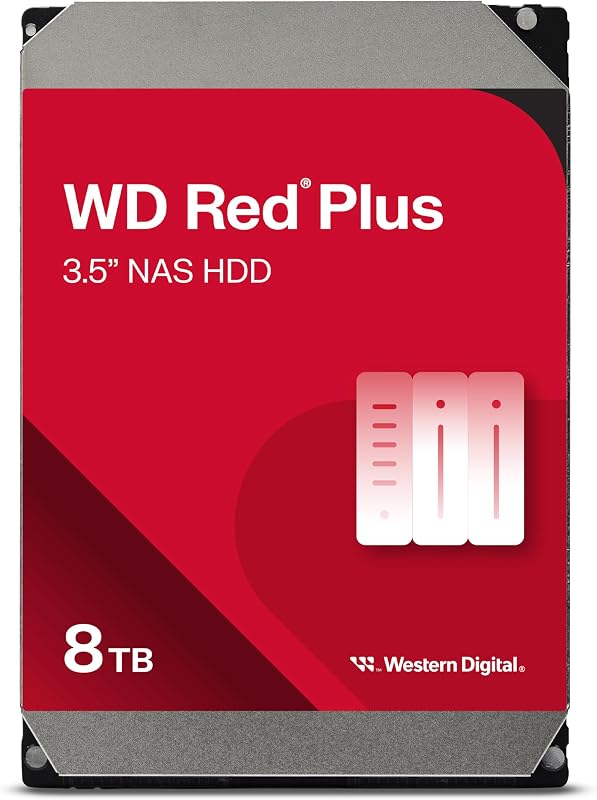
The single deciding factor between the Seagate IronWolf 8TB and the WD Black HDD 6TB comes down to whether your priority is multi-drive 24/7 network storage or high-throughput desktop gaming performance. The IronWolf delivers higher raw capacity paired with multi-bay vibration management and enterprise-grade workload ratings, whereas the WD Black maximizes individual channel transfer rates for responsive local file execution.
Choose the Seagate IronWolf 8TB if you require a resilient, high-volume drive built to operate continuously inside a multi-user RAID or NAS enclosure. Select the WD Black HDD 6TB if you are assembling a dedicated gaming PC or workstation where faster sequential read throughput shortens level loads and asset streaming.

Seagate IronWolf 8TB vs WD Black HDD 6TB at a Glance
| Feature | Seagate IronWolf 8TB | WD Black HDD 6TB |
|---|---|---|
| Digital Storage Capacity | 8 TB | 6 TB |
| Rotational Speed | 7200 RPM | 7200 RPM |
| Cache Memory | 256 MB | 256 MB |
| Manufacturer Read Speed | 214 MB/s | 267 MB/s |
| Target Architecture | Up to 24-bay NAS, Business, Personal | Desktop, Gaming, Creative Workstations |
| Continuous Operation Rating | 24×7 accessibility | Not listed |
| Workload Rate Limit | 300 TB/year | Not listed |
| Mean Time Between Failures (MTBF) | 1.2 million hours | Not listed |
| Vibration Mitigation | Rotational Vibration (RV) sensors | StableTrac Technology |
| Firmware Optimization | AgileArray RAID firmware | Dynamic Cache Technology |
| Data Recovery Services | 3-year Rescue Data Recovery included | Not listed |
| Warranty Protection | 5-year limited warranty | Not listed |
| Enclosure Material | Aluminum | Aluminum, Glass, Or Ceramic |
| Best For | Multi-bay NAS servers and 24/7 RAID arrays | High-speed desktop PC gaming and creative builds |
Sequential Transfer Rates and Gaming Performance
Sequential throughput defines how swiftly a conventional platter drive pushes contiguous blocks of data to the system memory. In gaming workstations and high-demand media production rigs, higher sustained transfer rates translate directly into shorter load screens, faster level streaming, and reduced installation times when deploying massive modern game libraries. When evaluating the Seagate IronWolf 8TB vs WD Black speed, raw bandwidth is the primary performance differentiator between these two mechanical architectures.
Western Digital engineers the WD Black line specifically for desktop responsiveness. With an official manufacturer transfer rate of 267 MB/s, the drive outpaces the IronWolf’s published 214 MB/s ceiling by a significant margin. This higher WD Black 6TB transfer rate is complemented by Western Digital’s Dynamic Cache Technology, an internal algorithm that allocates cache memory between read and write cycles in real time to prevent bottlenecking during heavy sequential input and output. When looking at the wd black hdd 6tb vs toshiba n300 8tb or comparable high-speed platters, the WD Black consistently targets individual desktop performance.
While the IronWolf spins at the same brisk 7200 RPM rotational speed and shares the identical 256 MB buffer capacity, its internal firmware prioritizes parity consistency and network data streaming over raw desktop burst speeds. For desktop enthusiasts asking whether to deploy the Seagate IronWolf 8TB or WD Black HDD 6TB for gaming, the Western Digital unit provides superior responsiveness when streaming large textures, verifying expansive local game files, or running heavy direct-access desktop applications.
Edge: WD Black HDD 6TB delivers a noticeably higher sustained read speed of 267 MB/s alongside gaming-focused Dynamic Cache Technology.
Storage Capacity and Footprint Efficiency
Storage capacity dictates how long a drive can absorb incoming data before requiring physical expansion, secondary drives, or array rebuilding. In modern computing environments, monolithic file sizes dominate both gaming installations and creative assets. When comparing the seagate barracuda 4tb vs wd black hdd 6tb or stepping up to larger platforms, deciding between 6TB and 8TB determines how many drive bays your chassis must dedicate to mass storage.
The Seagate IronWolf provides an unformatted capacity of 8TB within its standard 3.5-inch aluminum frame, granting a full 2TB advantage over the WD Black’s 6TB envelope. In practical deployment, that extra 2TB translates to space for dozens of modern titles, hundreds of hours of high-bitrate video captures, or deep multi-system network backups without altering the physical footprint. Evaluating the WD Black HDD 6TB vs Seagate IronWolf 8TB on pure space density reveals that Seagate maximizes the volume achievable per SATA connection.
The WD Black caps this specific configuration at 6TB, though the product line does extend to 10TB according to its specifications. For users with a fixed number of motherboard SATA headers or drive sleds, the IronWolf 8TB provides 33 percent more native volume out of the box. Maximizing individual drive capacity lowers the total number of moving parts required to achieve a target storage pool, cutting down on power lines and cable clutter inside the computer case.
Edge: Seagate IronWolf 8TB provides 2TB of additional raw storage capacity in the same physical 3.5-inch form factor.
Continuous Workloads and Multi-Bay NAS Architecture
Hard drive designs diverge drastically when transitioning from single-drive desktop chassis to multi-bay network attached storage servers. Desktop drives face occasional daily usage interspersed with long idle periods, while NAS drives endure relentless 24/7 read and write requests from multiple connected users simultaneously. Network storage environments also generate severe harmonic vibrations as multiple drives spin in close proximity within shared metal cages.
The Seagate IronWolf is purpose-built to conquer multi-bay stress. Equipped with Seagate’s AgileArray firmware, the IronWolf features specialized RAID error recovery control that prevents the drive from dropping out of an active array during prolonged error checking. Furthermore, the drive incorporates integrated Rotational Vibration (RV) sensors that actively detect structural resonance and adjust mechanical head positioning to maintain data integrity across environments spanning up to 24 drive bays. When researching the seagate ironwolf 8tb vs wd red plus 8tb, these multi-bay features stand out as fundamental requirements for shared servers.
In contrast, the WD Black listing identifies the drive as a desktop performance solution engineered for gaming, personal computing, and creative tasks inside PC and Mac systems. The listing does not rate the WD Black for multi-bay NAS operation or multi-drive RAID environments, nor does it specify 24/7 continuous duty cycles. Attempting to deploy the Seagate IronWolf 8TB or WD Black HDD 6TB for NAS applications highlights that the WD Black lacks the multi-bay firmware coordination necessary to prevent vibration interference and premature array dropouts in dense drive racks.
Edge: Seagate IronWolf 8TB is explicitly certified for 24×7 multi-user accessibility across up to 24-bay NAS enclosures with dedicated AgileArray firmware.
Long-Term Reliability, Workload Ratings, and Data Protection
Endurance ratings and manufacturer protections outline how much abuse a hard drive can absorb before mechanical wear threatens stored data. Mechanical platters experience physical degradation over years of operation, making workload ratings, operational metrics, and recovery safety nets critical factors for buyers investing in mass storage. When assessing IronWolf 8TB vs WD Black 6TB reliability, manufacturer disclosures showcase clear differences in operational transparency.
Seagate provides extensive longevity metrics for the IronWolf 8TB. The drive is rated for an endurance workload limit of 300TB per year, backed by a 1.2 million hour Mean Time Between Failures (MTBF) rating. Crucially, the listing notes that Seagate includes a five-year limited warranty along with three full years of Rescue Data Recovery Services, giving users direct access to professional laboratory data retrieval should physical damage, power surges, or mechanical failure occur. To further safeguard data, the drive interfaces with the IronWolf Health Management system to preemptively alert system administrators to environmental risks.
The WD Black listing emphasizes gaming optimization and incorporates hardware reliability features such as StableTrac, which secures the motor shaft at both ends to reduce system-induced vibrations and stabilize platters during tracking. However, the listing does not specify an annual workload rating, MTBF figure, or warranty duration for this specific model, nor does it bundle a complimentary data recovery service plan. As explored in comparisons like the wd red plus 8tb vs black hdd 6tb, enterprise-adjacent NAS drives provide deeper documented operational protections than enthusiast desktop units.
Edge: Seagate IronWolf 8TB offers superior documented reliability metrics, including a 300TB/year workload rating, 1.2M hours MTBF, and three years of bundled Rescue Data Recovery Services.
Vibration Mitigation and Mechanical Stability
Every mechanical hard drive relies on microscopic tolerances to read and write magnetic data tracks across spinning platters. At 7200 RPM, any uncorrected mechanical vibration causes the read-write head to drift off-track, causing data re-reads, throttling throughput, and accelerating internal wear. How a drive stabilizes its internal assemblies determines its durability under high mechanical loads.
Western Digital equips the WD Black 6TB with StableTrac technology. By securing the internal motor shaft at both ends rather than solely at the base, StableTrac minimizes platter wobble during rapid seek operations within a desktop tower. This mechanical rigidity protects the drive against the internal vibrations generated by its own high-speed actuator arm and adjacent high-airflow case fans, maintaining stable tracking when streaming game assets. This engineering makes the drive exceptionally stable inside high-performance gaming rigs, a trait frequently highlighted when analyzing the wd black hdd 6tb vs seagate exos x18.
Seagate approaches vibration from an environmental angle by integrating dedicated Rotational Vibration (RV) sensors directly onto the IronWolf’s board. While StableTrac focuses on stabilizing a single drive’s internal shaft, RV sensors measure external rotational forces generated by surrounding drives in a server rack, feeding real-time telemetry to the AgileArray firmware to compensate for chassis resonance. Both approaches excel within their intended domains: StableTrac manages internal operational stability for single-drive installations, while the IronWolf’s RV sensors prevent multi-drive vibrational chaos.
Edge: Tie. WD Black features StableTrac motor shaft stabilization for individual desktop enclosures, while the IronWolf incorporates dual-plane RV sensors for multi-drive chassis.
Pros and Cons
Seagate IronWolf 8TB

Pros
- Spacious 8TB storage capacity
- Rated for 24×7 multi-bay NAS use
- Includes 3-year Rescue Data Recovery Services
- 300TB/year workload limit with 1.2M hours MTBF
- AgileArray firmware with rotational vibration sensors
Cons
- Slower 214 MB/s read transfer speed
- Not purpose-built for desktop gaming
View Seagate IronWolf 8TB on Amazon
WD Black HDD 6TB

Pros
- Fast 267 MB/s sustained read speed
- Dynamic Cache Technology optimizes gaming performance
- StableTrac secures motor shaft at both ends
- Purpose-built for PC and Mac gaming rigs
Cons
- Lower 6TB storage capacity
- Listing lacks multi-bay NAS and RAID certification
- No bundled data recovery service plan
View WD Black HDD 6TB on Amazon
Who Should Buy Each One
Choose the Seagate IronWolf 8TB If
- You are configuring a network attached storage server spanning anywhere from 1 to 24 drive bays.
- You demand 24/7 continuous operational capability with multi-user file sharing support.
- You want a larger 8TB storage pool to maximize space per drive bay.
- You prioritize data security via integrated IronWolf Health Management and three years of included Rescue Data Recovery Services.
Choose the WD Black HDD 6TB If
- You are building or upgrading a dedicated Windows PC or Mac desktop gaming computer.
- You require faster sustained sequential read speeds up to 267 MB/s for game asset streaming.
- You want Dynamic Cache Technology and StableTrac motor shaft stabilization inside a single chassis.
- You plan to pair a mechanical mass storage drive with a high-speed primary solid-state boot drive.
Final Verdict
When assessing whether the overall package makes sense for your hardware setup, each drive commands a definitive lead in its native environment. Any thorough Seagate IronWolf 8TB review demonstrates that Seagate has built a powerhouse storage solution tailored specifically for connected arrays. With a massive 8TB volume, AgileArray RAID optimization, RV sensor integration, a 300TB/year workload rating, and bundled professional data recovery, it provides complete architectural security for multi-drive server deployments. If you run a central media server or collaborative network storage, the question of is Seagate IronWolf 8TB worth it is met with an emphatic yes.
Conversely, a dedicated WD Black HDD 6TB review confirms that Western Digital owns the performance crown for single-chassis desktop applications. Outperforming the IronWolf in raw sequential throughput with speeds up to 267 MB/s, the WD Black operates as an exceptional repository for sprawling modern game titles and heavy creative assets. If your goal is to expand local storage inside a performance workstation or gaming tower without sacrificing file access speeds, asking is WD Black HDD 6TB worth it yields clear validation: it remains one of the fastest, most responsive 7200 RPM desktop drives available.
FAQ
Can you run the WD Black HDD 6TB inside a multi-bay NAS enclosure?
While the WD Black uses a standard SATA 6.0 Gb/s connection that physically fits into standard 3.5-inch NAS drive sleds, it is not optimized for network arrays. The listing specifies the drive for desktop, PC, and Mac environments, lacking the AgileArray RAID error recovery controls, multi-drive rotational vibration sensors, and 24/7 multi-bay certifications provided by dedicated server drives like the IronWolf.
How does the Seagate IronWolf 8TB handle PC gaming compared to the WD Black?
The Seagate IronWolf 8TB functions reliably inside a desktop PC for storing and launching games, operating at a fast 7200 RPM spindle speed with a 256 MB cache. However, its sequential read speed tops out at 214 MB/s compared to the WD Black’s 267 MB/s, meaning the WD Black will generally load heavy game files and transfer large contiguous assets faster.
What is the actual read speed difference between the Seagate IronWolf 8TB and WD Black HDD 6TB?
According to manufacturer specifications, the WD Black HDD 6TB achieves a maximum sequential read speed of 267 MB/s, whereas the Seagate IronWolf 8TB is rated for up to 214 MB/s. This gives the WD Black an advantage of approximately 53 MB/s during sustained read operations.
What data recovery options come with each drive out of the box?
The Seagate IronWolf 8TB listing includes three years of Seagate Rescue Data Recovery Services, which grants access to specialized data recovery technicians in the event of hardware failure. The WD Black HDD 6TB listing does not advertise bundled data recovery coverage.
Why do rotational vibration sensors matter on the Seagate IronWolf 8TB?
In multi-bay NAS enclosures, multiple mechanical drives spin at 7200 RPM within a shared frame, creating resonant vibrations that can knock drive heads off-track. The IronWolf’s built-in Rotational Vibration (RV) sensors detect these forces and signal the firmware to adjust tracking in real time, preventing data read errors and maintaining array performance.
Does the WD Black HDD 6TB feature hardware-level vibration stabilization?
Yes, the WD Black utilizes Western Digital’s StableTrac Technology, which secures the internal motor shaft at both ends to reduce system-induced vibrations and stabilize internal drive platters during read and write operations inside a desktop chassis.