The single biggest factor deciding between the Seagate IronWolf 8TB and the WD Red Plus 8TB is operational velocity: the Seagate drive runs at a brisk 7200 RPM spindle speed with a massive 300TB/year workload rating, whereas the Western Digital drive operates at a deliberate 5640 RPM with a 180TB/year threshold engineered for cooler and quieter continuous running.
Choose the Seagate IronWolf if your priority is faster access times, enterprise-adjacent endurance ratings, and extended warranty protection for multi-user commercial storage. Choose the WD Red Plus if you want a calm, energy-conscious drive suited for small office or home media enclosures where acoustics and thermal management outweigh brute multi-client throughput.
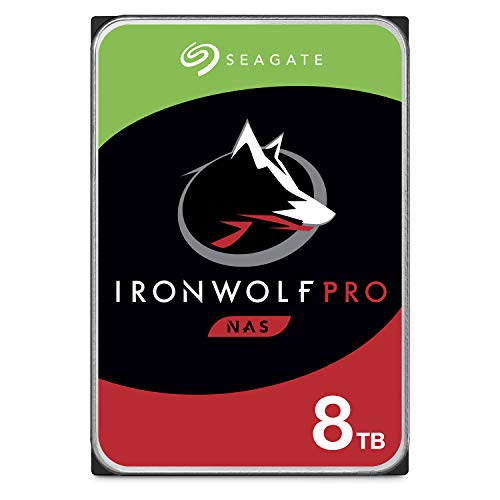

Seagate IronWolf 8TB vs WD Red Plus 8TB at a Glance
| Attribute | Seagate IronWolf 8TB | WD Red Plus 8TB |
|---|---|---|
| Rotational Speed | 7200 RPM | 5640 RPM |
| Rated Transfer Rate | Up to 214 MB/s | Up to 215 MB/s |
| Workload Rate Limit | 300 TB/year | 180 TB/year |
| Maximum Drive Bays Supported | Up to 24 bays | Up to 8 bays |
| Rotational Vibration (RV) Sensors | Built-in | Not listed |
| Drive Health System | IronWolf Health Management (IHM) | Not listed |
| Optimized Firmware | AgileArray | NASware |
| Mean Time Between Failures (MTBF) | 1.2 million hours | Not listed |
| Limited Warranty | 5 years | 3 years |
| Rescue Data Recovery Service | 3 years included | Not listed |
| Best For | High-traffic servers and dense multi-bay arrays | Quiet home servers, media streaming, and SOHO NAS |
Rotational Speed and Sustained Performance
The mechanical heartbeat of any hard disk drive dictates how rapidly its read/write heads can locate and service data requests across spinning platters. When comparing the IronWolf vs WD Red Plus 8TB RPM metrics, you encounter two distinct hardware philosophies. The Seagate drive spins its platters at 7200 RPM, which naturally reduces rotational latency and accelerates random input/output operations. The WD Red Plus, by contrast, relies on a slower 5640 RPM rotational speed, trading raw seek immediacy for reduced mechanical friction and lower internal heat production.
Sequential throughput tells an intriguing story when studying the factory specifications. Despite the slower spindle speed of the WD Red Plus, the drive listing quotes a peak data transfer rate of 215 megabytes per second, while the Seagate IronWolf listing specifies speeds up to 214 megabytes per second. In single-client, sequential file reading-such as pulling a massive 4K movie file off your network-both drives deliver nearly identical peak line saturation over standard gigabit network connections. When stacked against high-performance desktop options like the seagate ironwolf 8tb vs wd black hdd 6tb, both NAS options hold their ground for sustained reading tasks.
The practical difference emerges under multi-user concurrency. When several network users request files simultaneously, a 7200 RPM spindle repositions the read head over the target sectors faster than a 5640 RPM mechanism. The Seagate drive satisfies multiple erratic read and write queues with less head-parking hesitation, preventing lag when serving dynamic web databases, running virtual machines, or hosting shared collaborative project folders.
Edge: Seagate IronWolf 8TB, as its 7200 RPM spindle speed delivers lower rotational latency and snappier responsiveness during multi-client read and write operations.
Workload Ratings and Multi-Bay Scalability
Network storage units rarely subject drives to the simple burst patterns seen in consumer desktop computers. Instead, drives run around the clock, continuously fielding background parity checks, scheduled cloud backups, and disk scrubs. The Seagate IronWolf listing specifies a rugged 300TB/year workload rating, backed by support for enterprise enclosures scaling up to 24 drive bays. To preserve mechanical integrity across massive arrays, Seagate integrates hardware rotational vibration sensors that detect chassis hum and dynamically adjust drive head tracking.
The WD Red Plus listing rates its hardware for a 180TB/year workload threshold and limits certified deployment to systems housing up to 8 drive bays. While a 180TB annual allowance translates to transferring approximately 15TB of data every month-plenty for typical home backup routines and media archiving-it leaves less headroom for heavily virtualized environments or automated surveillance recording pipelines. Unlike enterprise-class alternatives evaluated in our wd red plus 8tb vs seagate exos x18 comparison, the WD Red Plus deliberately focuses on small-to-medium business demands rather than heavy data-center racks.
Scalability also depends on how well a drive handles harmonic interference. When eight or more mechanical drives spin inside a single compact sheet-metal enclosure, their combined vibrations can throw read heads off track. Seagate equips the IronWolf with built-in rotational vibration sensors to counteract this problem across dense 24-bay enclosures, whereas the listing for the WD Red Plus specifies validation up to 8 bays without detailing dedicated physical vibration sensors.
Edge: Seagate IronWolf 8TB, offering a substantially higher 300TB/year workload allowance and hardware support for up to 24 drive bays.
Acoustics, Heat Generation, and Everyday Operation
While performance figures favor higher motor speeds, acoustic and thermal qualities heavily favor moderate rotation. Platter friction and motor resistance increase significantly as spindle velocity climbs from 5640 RPM to 7200 RPM. When evaluating WD Red Plus 8TB noise vs IronWolf, the Western Digital drive presents an immediate mechanical advantage for desktop-adjacent spaces. The gentler 5640 RPM motor generates less ambient operational hum and lower internal operational friction.
In a compact 2-bay or 4-bay enclosure sitting inside a bedroom, home theater cabinet, or open-plan home office, hard drive chatter can become intrusive. The WD Red Plus operates smoothly, shedding less heat into the enclosure and allowing your NAS cooling fans to spin at lower, whisper-quiet speeds. When considering a wd red plus 8tb vs toshiba n300 8tb matchup, lower acoustic output frequently serves as the deciding factor for home users, and that same benefit applies against the 7200 RPM IronWolf.
The Seagate IronWolf listing emphasizes designs for lower power consumption and minimal vibration, but physics remains absolute: a 7200 RPM motor spinning multiple physical platters inevitably generates more mechanical vibration and warmth than a 5640 RPM counterpart. If your storage unit lives inside a dedicated server closet, basement rack, or isolated utility room, this operational buzz is completely negligible. For an open desk setup, however, the calmer demeanor of the WD Red Plus produces a much more comfortable environment.
Edge: WD Red Plus 8TB, courtesy of its 5640 RPM spindle speed that naturally reduces operational resonance, chassis vibration, and thermal emissions.
Firmware Optimization and Health Monitoring
Standard desktop hard drives make terrible array storage because their internal error-recovery cycles freeze the disk when bad sectors appear, causing consumer RAID controllers to drop the drive prematurely. The WD Red Plus remedies this with proprietary Western Digital NASware firmware, built to optimize compatibility, prevent RAID dropouts, and support array rebuilding on resilient setups like ZFS and standard Linux software RAID arrays. In our seagate barracuda 4tb vs wd red plus 8tb analysis, this dedicated NAS firmware stands out as the primary reason to reject basic desktop drives.
Seagate approaches RAID stability with AgileArray firmware, engineered specifically for multi-bay drive balance, RAID error recovery control, and power management. Beyond standard RAID error mitigation, Seagate embeds its proprietary IronWolf Health Management (IHM) system directly into the hardware. Compatible NAS operating systems read IHM diagnostic telemetry natively, giving administrators deep visibility into environmental parameters like temperature spikes, vibration anomalies, and mechanical wear before unrecoverable sector loss occurs.
When deciding whether to pick the Seagate IronWolf 8TB or WD Red Plus 8TB for Synology or QNAP systems, this telemetry layer provides real operational peace of mind. While NASware delivers dependable drop-prevention and flawless array rebuilding, AgileArray combines equivalent RAID stability with actionable health metrics integrated directly into your storage operating system dashboard.
Edge: Seagate IronWolf 8TB, as its AgileArray firmware pairs with the integrated IronWolf Health Management platform for deeper software-level drive monitoring.
Warranty Protection and Data Recovery Services
Any thorough IronWolf 8TB vs WD Red Plus reliability assessment must look beyond baseline Mean Time Between Failures metrics to analyze manufacturer support when hardware actually fails. Seagate lists a 1.2 million hour MTBF for this drive, but backs it up with far more tangible consumer protections: a five-year limited product warranty alongside three included years of Rescue Data Recovery Services. If a mechanical motor burns out or power loss scrambles the drive heads, Seagate covers lab-grade cleanroom data recovery retrieval.
The WD Red Plus provides a standard three-year limited warranty and does not list any bundled data recovery coverage. While a three-year period is respectable for entry-level network storage and vastly superior to baseline consumer drives highlighted in comparisons like the seagate ironwolf 8tb vs barracuda 4tb, it leaves your storage pool uncovered for the final two years of a typical five-year hardware upgrade cycle.
A longer manufacturer warranty period directly mirrors the manufacturer’s confidence in continuous high-workload operation. Coupled with dedicated cleanroom data retrieval, Seagate removes substantial anxiety surrounding sudden mechanical degradation or controller failure, making the drive an intrinsically lower-risk proposition for irreplaceable company data.
Edge: Seagate IronWolf 8TB, providing two additional years of factory warranty coverage and three years of professional cleanroom data recovery services.
Pros and Cons
Seagate IronWolf 8TB

Pros
- Faster 7200 RPM spindle speed
- Rugged 300TB/year workload rating
- Supports up to 24 drive bays
- Five-year warranty with data recovery
- Integrated IronWolf Health Management
Cons
- Generates more heat and mechanical resonance
- Higher audible noise in quiet environments
View Seagate IronWolf 8TB on Amazon
WD Red Plus 8TB
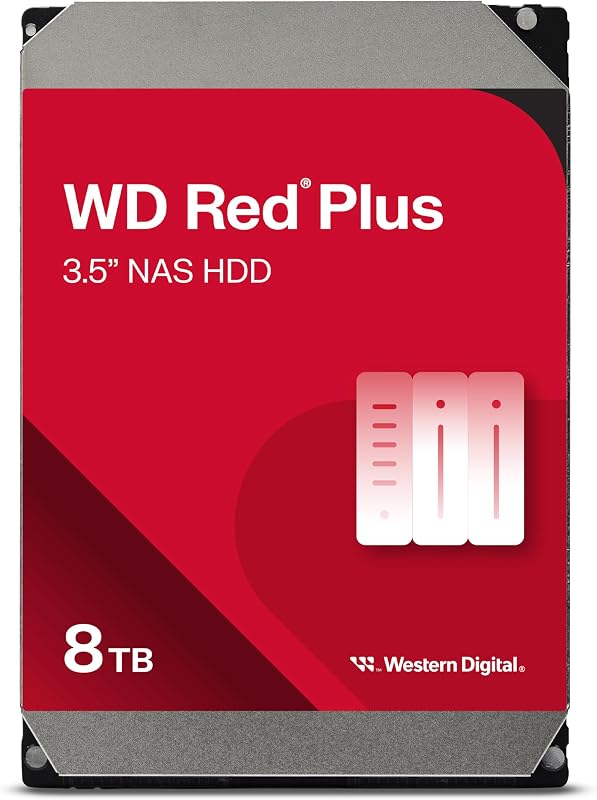
Pros
- Quiet and cool 5640 RPM operation
- Rated up to 215 MB/s data transfer rate
- NASware firmware for array stability
- Ideal for desktop-adjacent enclosures
Cons
- Lower 180TB/year workload allowance
- Limited to 8 drive bays
- Shorter three-year warranty without recovery
View WD Red Plus 8TB on Amazon
Who Should Buy Each One
Choose the Seagate IronWolf 8TB If
- You manage a multi-user network storage system that demands quick file access and lower latency under concurrent traffic.
- Your storage deployment utilizes a high-density chassis housing anywhere from 8 to 24 drive bays.
- You require a high annual workload threshold of up to 300TB/year for intensive data transfers or virtualized environments.
- You value a five-year warranty package accompanied by three years of complimentary lab data recovery protection.
Choose the WD Red Plus 8TB If
- Your network enclosure lives in an open home office, living room, or studio where silent operation is paramount.
- You need reliable 24×7 storage for an 8-bay or smaller enclosure handling streaming media or scheduled backups.
- You prioritize lower power draw, cooler drive chassis temperatures, and gentler 5640 RPM mechanical operation.
- Your annual data transfer volume comfortably sits well within the standard 180TB/year workload threshold.
Final Verdict
For the majority of demanding network storage scenarios, the Seagate IronWolf 8TB stands out as the superior overall drive. Its brisk 7200 RPM motor minimizes seek latency across concurrent user requests, while its 300TB/year endurance envelope, built-in rotational vibration sensors, and 24-bay enclosure support ensure seamless expansion. Factoring in a five-year factory warranty and three full years of included cleanroom data recovery, the IronWolf delivers an unmatched layer of operational security for enterprise-adjacent environments and busy office arrays.
The WD Red Plus 8TB remains the smarter, more refined selection for home enthusiasts and small-office environments where computing hardware shares living or working space. Its 5640 RPM spindle speed delivers essentially equivalent single-stream read speeds of 215 MB/s while dramatically cutting mechanical buzz, chassis resonance, and heat generation. If you run an 8-bay or smaller enclosure dedicated to Plex streaming, automated local backups, or general file archiving, Western Digital offers the peaceful, dependable storage your workspace needs.
FAQ
Is the Seagate IronWolf 8TB louder than the WD Red Plus 8TB?
Yes. Because the Seagate drive spins at 7200 RPM, its motor and read/write heads produce more audible mechanical chatter and rotational resonance than the 5640 RPM WD Red Plus. The Western Digital drive is noticeably quieter, making it far better suited for home offices and living spaces.
Can you mix Seagate IronWolf and WD Red Plus drives in the same RAID array?
Yes, you can combine them in the same RAID or ZFS pool as long as they share similar capacities. However, the array will generally operate at the speed of the slowest drive, meaning the Seagate drive will not fully demonstrate its 7200 RPM performance advantages when tied to a 5640 RPM peer.
Which drive is better for a Synology NAS setup?
Both models work exceptionally well in Synology enclosures, but the Seagate IronWolf 8TB features native integration with Synology DiskStation Manager through IronWolf Health Management (IHM). This integration allows DSM to display detailed hardware diagnostics that standard SMART tests often miss.
Is the WD Red Plus 8TB worth it over standard desktop drives?
Yes. Standard desktop drives lack RAID error recovery controls and will often drop out of an array during routine sector maintenance. The WD Red Plus features dedicated NASware firmware that manages error timeouts, protects against multi-drive vibration, and supports continuous 24×7 operation.
Why does the Seagate IronWolf 8TB offer a higher workload rating?
The Seagate IronWolf is engineered for commercial and multi-user settings, featuring physical rotational vibration sensors, reinforced mechanical assemblies, and AgileArray firmware that allow it to safely handle up to 300TB of read/write operations annually across up to 24-bay enclosures.
Does the WD Red Plus 8TB include data recovery services?
No, the product listing for the WD Red Plus does not include data recovery services. In contrast, the Seagate IronWolf listing specifically provides three years of Seagate Rescue Data Recovery Services alongside its five-year warranty.