Choosing between the Seagate IronWolf 8TB and the Seagate BarraCuda 4TB comes down to whether your setup requires a continuous-duty NAS drive engineered for multi-drive RAID environments or a low-power, single-drive secondary storage solution for a conventional desktop PC.
Builders assembling a multi-bay home server, network attached storage system, or high-throughput creative archive should select the IronWolf 8TB, while everyday desktop users looking for a straightforward, quiet secondary drive for local documents and general media should opt for the BarraCuda 4TB.
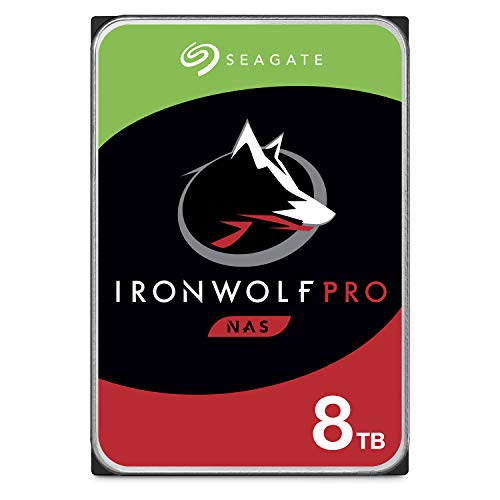

Seagate IronWolf 8TB vs BarraCuda 4TB at a Glance
| Attribute | Seagate IronWolf 8TB | Seagate BarraCuda 4TB |
|---|---|---|
| Capacity | 8 TB | 4 TB |
| Rotational Speed | 7200 RPM | 5400 RPM |
| Sustained Read Speed | Up to 214 MB/s | Up to 190 MB/s |
| Cache Size | 256MB | 256MB |
| Interface | SATA 6.0 Gb/s | SATA 6.0 Gb/s |
| Form Factor | 3.5-inch | 3.5-inch |
| Rated Workload | 300 TB/year | Not listed |
| Mean Time Between Failures | 1.2 million hours | Not listed |
| Vibration Sensors | Rotational Vibration (RV) sensors | Not listed |
| Warranty & Data Recovery | 5-year limited warranty, 3-year Rescue Data Recovery | Data Recovery Service listed; warranty not specified |
| Best For | Multi-bay NAS and heavy RAID workloads | Single-drive desktop PCs and secondary media storage |
Rotational Speed and Sustained Transfer Performance
Platter rotational velocity directly dictates internal hard drive data throughput and access latency. A faster spindle speed allows the drive heads to read and write sectors in less time, shortening transfer windows during heavy operations. When comparing Seagate IronWolf 7200 RPM vs BarraCuda 5400 RPM specifications, the physical rotation rate stands as the fundamental hardware differentiator governing sequential data rates.
The IronWolf 8TB spins its internal aluminum platters at 7200 RPM, achieving sustained read speeds up to 214 MB/s. By contrast, the BarraCuda 4TB operates at a slower 5400 RPM spindle speed with a maximum sustained transfer rate of 190 MB/s. Both drives share an identical 256MB multi-tier cache memory, which balances temporary file queuing and write operations, but the higher rotational speed of the IronWolf model gives it an undeniable advantage during bulk file transfers, continuous disk writes, and multi-user data streaming. For similar comparisons regarding large-capacity drives, see our breakdown of the seagate ironwolf 8tb vs wd red plus 8tb.
For an individual transferring an operating system image, batch-exporting video files, or running parity syncs across an array, that difference in throughput adds up over terabytes of data. While 190 MB/s on the BarraCuda remains competent for moving casual media files, the 214 MB/s performance of the faster spindle reduces transfer wait times across heavy pipelines.
Edge: Seagate IronWolf 8TB delivers higher sustained read speeds and faster spindle performance due to its 7200 RPM architecture.
Workload Endurance and 24×7 NAS Reliability
Hard drive endurance specifications describe how much annual data traffic a drive can handle while sustaining uninterrupted operation. Standard desktop drives assume an intermittent duty cycle with periods of sleep or shutdown, whereas NAS-grade units are engineered for persistent operation under continuous read and write cycles. Understanding Seagate IronWolf 8TB vs BarraCuda reliability starts with how their duty cycles and endurance ratings are configured.
According to manufacturer documentation, the IronWolf 8TB is built for continuous 24×7 accessibility and carries a heavy workload rating of 300TB per year, backed by a 1.2-million-hour Mean Time Between Failures (MTBF) rating. It also incorporates the IronWolf Health Management system to monitor drive status proactively. The BarraCuda 4TB product listing targets general desktop computers, PC gaming systems, and everyday office applications, but the listing does not specify an annual workload limit or an MTBF rating. Buyers examining desktop storage options can also review the seagate barracuda 4tb vs wd black hdd 6tb to understand endurance variances across consumer models.
Operating a standard desktop drive in an around-the-clock server environment subjects it to sustained heat and continuous duty that exceeds general desktop design targets. The IronWolf 8TB explicitly accounts for continuous multi-user access and power-loss protection, making it structurally suited for continuous operation where system reboots are infrequent.
Edge: Seagate IronWolf 8TB provides defined 24×7 operational ratings, a 300TB/year workload limit, and a 1.2M-hour MTBF that the BarraCuda does not claim.
Multi-Bay RAID Optimization and Vibration Management
When multiple mechanical hard drives run closely packed inside a server rack, chassis cage, or multi-bay enclosure, the rotational kinetic energy of the spinning platters creates mechanical vibration. If left unmanaged, this resonance introduces head-tracking errors, lowers data throughput, and can cause dropped drives in a storage pool.
The IronWolf 8TB integrates NAS-optimized AgileArray firmware and hardware-level Rotational Vibration (RV) sensors designed to withstand the physical demands of up to 24-bay enclosures. AgileArray firmware also balances RAID error recovery controls to prevent drive timeouts from falsely degrading a RAID volume. Those planning multi-bay server deployments may also want to evaluate the seagate barracuda 4tb vs toshiba n300 8tb for alternative multi-drive scenarios.
Conversely, the BarraCuda 4TB lacks integrated rotational vibration sensors and RAID-specific firmware enhancements. The drive is built as an isolated internal unit for a standard desktop case, where it operates without fighting harmonic vibrations from a dozen adjacent hard drives. Placing the BarraCuda 4TB into a dense multi-drive network storage chassis risks reduced performance due to vibration-induced read retries, answering the question of whether to choose the IronWolf 8TB or BarraCuda 4TB for NAS configurations.
Edge: Seagate IronWolf 8TB possesses dedicated AgileArray RAID firmware and integrated rotational vibration sensors for multi-bay enclosures.
Desktop Computing and Gaming Storage Compatibility
Storage demands in a personal computer differ substantially from those inside an always-on server. Desktop users value low thermal output, quiet idling, straightforward drive migration, and seamless compatibility with single-drive SATA configurations. For those wondering whether to pick the IronWolf 8TB or BarraCuda 4TB for gaming and daily office tasks, physical characteristics play a major role.
The BarraCuda 4TB features a compact 3.5-inch desktop profile measuring 5.79 inches long, 4 inches wide, and 0.79 inches thick, with an overall weight of 14.72 ounces. Its 5400 RPM spindle operates smoothly within single-drive desktop chassis, where ultra-high-speed parity calculations are not needed. Furthermore, the BarraCuda listing highlights full compatibility with free Seagate DiscWizard software, allowing users to clone existing drives and migrate operating system installations effortlessly. Users considering alternative gaming configurations should compare the seagate ironwolf 8tb vs wd black hdd 6tb.
While the IronWolf 8TB can technically be formatted and plugged into any standard desktop motherboard SATA port, a 7200 RPM drive produces more mechanical operational sound than a 5400 RPM drive. In an open desktop case resting on top of an office desk, the quiet nature of the 5400 RPM BarraCuda 4TB makes it an unobtrusive companion for storing game libraries, photos, and general documents.
Edge: Seagate BarraCuda 4TB offers a quieter 5400 RPM profile and dedicated DiscWizard cloning support tailored for standard desktop installations.
Storage Capacity and Warranty Protection Plans
Raw volume determines how long a storage drive can absorb incoming files before requiring expansion or offloading, while warranty and service tiers determine the level of support if hardware issues arise. Balancing capacity needs against data safety coverage helps answer whether the IronWolf 8TB is worth it for home or business users.
The IronWolf 8TB supplies double the usable capacity of the 4TB BarraCuda, delivering 8TB of unformatted space inside an aluminum enclosure. In addition to twice the storage footprint, the IronWolf model includes a five-year limited warranty protection plan and three years of Seagate Rescue Data Recovery Services, which covers professional recovery efforts in specialized lab environments. For an alternate look at multi-terabyte drives with enterprise features, examine our seagate barracuda 4tb vs wd red plus 8tb guide.
The BarraCuda 4TB provides 4TB of storage, which is ample for basic document backups, media folders, and secondary game storage. While its listing indicates Data Recovery Service as an additional feature, the listing does not specify the exact warranty length or duration of included recovery coverage. For critical business or creative workflows where prolonged warranty coverage and known data recovery backing are mandatory, the IronWolf package provides complete documentation.
Edge: Seagate IronWolf 8TB wins on raw capacity with 8TB of storage alongside a specified five-year limited warranty and three-year data recovery plan.
Pros and Cons
Seagate IronWolf 8TB

Pros
- Fast 7200 RPM rotational speed
- High 300TB/year workload rating
- Built-in rotational vibration sensors
- Generous 8TB storage capacity
- Five-year warranty with data recovery
Cons
- Louder operation than 5400 RPM drives
- More features than single desktop PCs require
View Seagate IronWolf 8TB on Amazon
Seagate BarraCuda 4TB

Pros
- Quiet 5400 RPM spindle operation
- Free DiscWizard cloning software tool
- Sufficient 190 MB/s transfer speed
- Optimized read/write caching technology
Cons
- No rotational vibration sensors for RAID
- Annual workload rating not specified
- Lower 4TB storage ceiling
View Seagate BarraCuda 4TB on Amazon
Who Should Buy Each One
Choose the Seagate IronWolf 8TB If
- You are populating a multi-bay NAS or RAID server that requires AgileArray firmware and rotational vibration sensors.
- Your system runs continuously 24×7 with heavy multi-user file sharing and a high annual write workload.
- You need maximum data density in a single bay with 8TB of capacity and 7200 RPM spindle speeds.
- You want a specified five-year warranty backed by three years of Rescue Data Recovery Services.
Choose the Seagate BarraCuda 4TB If
- You need a secondary internal hard drive for an everyday desktop PC to store music, video, and photos.
- You want a quiet, low-vibration 5400 RPM drive for an office workstation or casual gaming PC.
- You plan to clone an existing computer drive using the free Seagate DiscWizard software tool.
- A single 4TB storage footprint meets your current archive and software library requirements.
Final Verdict
A thorough look at this pair reveals a clear division in intended hardware roles. The IronWolf 8TB is the superior hard drive for demanding data architectures. Its 7200 RPM rotational speed, 214 MB/s sustained transfer rate, 300TB/year workload allowance, and integrated rotational vibration sensors make it the correct technical choice for any multi-drive enclosure, RAID array, or high-capacity network attached storage server. Backed by a verified five-year warranty and three years of data recovery coverage, it handles heavy multi-user environments with poise.
The BarraCuda 4TB remains an effective solution for single-drive desktop computing where continuous multi-drive vibration and high-intensity annual workloads are non-factors. Its 5400 RPM mechanism delivers quiet daily operation, and its 190 MB/s transfer speed is well-matched for secondary desktop archives, family media libraries, and standard PC gaming installations. Choose the IronWolf 8TB for multi-drive NAS environments, and reserve the BarraCuda 4TB for desktop towers.
FAQ
Can I use the Seagate BarraCuda 4TB in a NAS enclosure?
While the BarraCuda 4TB uses a standard SATA 6.0 Gb/s connection that physically fits into a NAS bay, the drive is engineered for desktop computing. It lacks rotational vibration sensors and AgileArray RAID firmware, meaning multi-drive vibration and persistent rebuild cycles can degrade performance over time.
Is the Seagate IronWolf 8TB louder than the BarraCuda 4TB?
Because the IronWolf 8TB spins at 7200 RPM while the BarraCuda 4TB operates at 5400 RPM, the IronWolf generally produces more mechanical sound during active seek and read operations. The 5400 RPM BarraCuda runs quieter in an open office desktop setup.
What is the benefit of the IronWolf Health Management system?
The integrated IronWolf Health Management (IHM) system monitors drive operational parameters on compatible NAS operating systems. It alerts users to environmental and operational conditions that could affect drive health, allowing proactive data protection before hardware failures occur.
Does the Seagate BarraCuda 4TB come with cloning software?
Yes, the BarraCuda listing notes that users can migrate and clone data from old hard drives using Seagate DiscWizard, a free downloadable software utility designed for PC storage management.
Is the IronWolf 8TB worth it for a single-drive desktop PC?
The IronWolf 8TB works fine in a standard desktop computer and delivers fast 7200 RPM read speeds up to 214 MB/s. However, its primary strengths-such as rotational vibration sensors and AgileArray RAID optimization-are built specifically for multi-drive NAS enclosures.
Can I install games on the Seagate BarraCuda 4TB?
Yes, the BarraCuda 4TB listing identifies desktop PC gaming as a primary use case. It functions well as secondary storage for holding game installations, although loading times will be slower than those of a solid-state drive due to mechanical hard drive read constraints.