The single difference that decides the choice between a modular power supply and a non-modular power supply is cable detachment: a modular unit allows you to plug in only the specific power leads your system requires, whereas a non-modular unit has every single cable permanently soldered into the internal circuit board.
Builders crafting clean, windowed gaming rigs or compact systems should choose the modular design to eliminate excess cable clutter, while builders assembling straightforward desktop systems inside standard enclosures with hidden basements should choose the non-modular PSU for maximum wiring simplicity and cost-effective power delivery.


Modular vs Non-Modular PSU at a Glance
| Attribute | Modular | Non-Modular PSU |
|---|---|---|
| Cable Configuration | Detachable individual cables (hardware listings do not specify ATX wiring) | Fixed, permanently attached wiring harness |
| Chassis Cable Clutter | Minimal, builder installs only necessary cables | Higher, unused peripheral leads must be stowed |
| Output Wattage Options | Not listed | 650W to 700W |
| Cooling Fan Size | Not listed | 120mm silent cooling fan |
| Input Voltage Support | Not listed | 100-240V global adaptation or 110-230V manual switch |
| Form Factor Standard | Not listed | Standard ATX / ATX12V |
| Built-In Electrical Protections | Not listed | Short-Circuit, Over-Current, Over-Voltage, Over-Power, Under-Voltage, Over-Temperature, and PFC |
| Efficiency Certification | Not listed | Up to 80 Plus Gold |
| Best For | Clean aesthetic builds, compact cases, and custom cable routing | Everyday desktop builds, enclosed chassis, and direct value |
Cable Management and Chassis Clutter
Cable management represents the most prominent operational distinction between these two power supply formats. When you unpack a modular power supply, the unit arrives with a bare rear panel fitted with an array of keyed female sockets. You inspect your motherboard, graphics card, and storage drives, select only the specific power cables required to energize those components, and leave the remaining cables in the packaging. In a modern system relying exclusively on M.2 solid-state drives, this allows you to completely omit bulky SATA and legacy peripheral power lines, keeping the rear cable raceways and chassis interior completely clear.
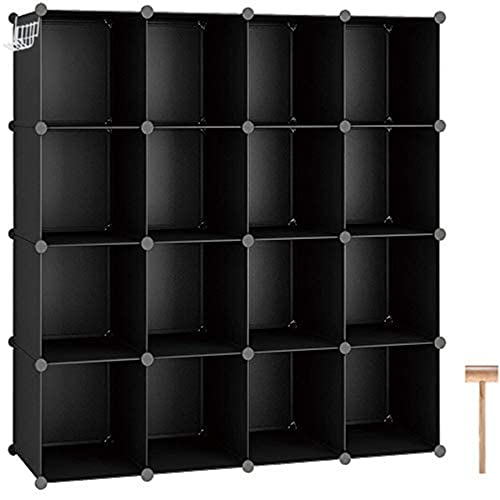
A non-modular power supply presents the opposite physical reality. Every wire bundle exits the chassis through a single reinforced grommet on the rear faceplate. While modular organization systems in general home catalogs-such as the C&AHOME 16 Cube Storage Organizer-rely on detachable, customizable blocks to prevent physical clutter in living spaces, fixed-cable power supplies force you to house every factory-installed wire inside your computer case. The 700W Power Supply Non Modular ATX PSU illustrates this directly: its pre-installed wiring bundle includes a 24-pin main power harness, a 4+4-pin CPU lead, two PCI-E 6+2-pin leads, four SATA plugs, four PATA peripheral connectors, and a floppy drive connector. If your modern gaming build does not utilize PATA or floppy power, those extensive multi-drop cables must still reside inside your enclosure, requiring strategic bundle folding and heavy zip-tie anchoring.
Evaluating modular vs non-modular PSU cable management reveals that the physical space saved by a modular design dramatically shortens the time required to achieve a neat build. When managing a non-modular unit, excess wires often consume the entire lower drive tunnel, interfering with hard drive sleds or bunching behind the motherboard tray. For builders who value effortless cable routing and minimal clutter, the detachable design solves cable management challenges before assembly even begins.
Edge: Modular. Detachable wiring allows builders to eliminate unused peripheral leads completely, eliminating chassis cable clutter.
Airflow and System Cooling
Thermal management inside a desktop chassis depends heavily on unobstructed air pathways between intake fans, internal heatsinks, and exhaust vents. When evaluating modular vs non-modular PSU airflow, the physical bulk of your cable bundle dictates how easily cool air circulates around sensitive processing hardware. When dense bundles of unused wiring sit directly in front of lower chassis intake fans, they create turbulent air eddies and reduce the volume of fresh air reaching graphics card fans and lower motherboard heatsinks.
Non-modular power supplies mitigate internal thermal stress using dedicated cooling mechanisms built into their metal housings. The Segotep 650W ATX Power Supply utilizes a 120mm silent cooling fan paired with an open-mesh exhaust grille to ensure reliable thermal regulation for internal electrical transformers. Similarly, ESGAMING integrates an auto-thermally controlled 120mm black silent fan that ramps RPM based on load and temperature. However, while the internal fan adequately cools the power supply itself, the fixed external harness remains a permanent physical barrier in the main chamber. In compact cases or high-airflow layouts analyzed in guides like our fractal north vs lian li o11 dynamic evo comparison, bunched cables in the lower compartment can choke airflow to intake grilles and increase overall ambient chassis temperatures.
A modular power supply prevents this cooling impediment by eliminating redundant wire loops entirely. With only the essential motherboard, CPU, and GPU power cables routed tightly against the chassis frame, intake air flows across the bottom chamber without resistance. This unrestricted pathway allows dedicated graphics cards and system intake fans to draw fresh air efficiently, keeping fan curves lower and acoustics quieter under prolonged gaming loads.
Edge: Modular. Removing unused cables creates unobstructed airflow paths across lower intake fans and graphics card coolers.
Installation Complexity and Enclosure Fit
The installation workflow differs substantially depending on whether your power supply cables are permanently attached or detachable. With a non-modular unit, physical installation starts with feeding a thick, heavy octopus of bundled wires through the PSU cutout of your computer case. You must thread the 24-pin main ATX harness, auxiliary CPU lines, and multiple PCI-E runs through rear chassis grommets simultaneously, which can scratch enclosure paint or catch against sharp metal bracket edges during insertion.
However, non-modular designs eliminate the need to plan modular connector sockets or worry about cable compatibility. You slide the power supply into place, secure four mounting screws, and begin connecting components. For instance, the ESGAMING unit measures 5.91 by 5.51 by 3.15 inches, conforming to standard ATX case proportions. While modular wire frameworks found in storage products like the C&AHOME Wire Cube Storage require snapping individual interlocking panels into ABS plastic brackets to establish stability, a non-modular PSU offers an all-in-one unit where every connection originates from a sealed enclosure. The trade-off is the strenuous effort required to compress unused ribbon cables into the bottom compartment behind the power supply body.
Modular power supplies streamline installation by separating the chassis mounting phase from the wiring phase. You install the power supply housing into the enclosure without any wires attached, leaving ample working room for your hands. You then route individual cables through the tightest chassis grommets from the front side, plug them into the motherboard and graphics card, and finally click the opposite ends into the power supply interface. This modular approach significantly reduces physical frustration during assembly, particularly in small-form-factor enclosures where hand clearance is constrained.
Edge: Modular. Installing only the required cables makes maneuvering through tight grommets and compact chassis compartments significantly easier.
Power Delivery and Electrical Efficiency
A persistent misconception encountered when reading a modular PSU review or non-modular PSU review is that cable detachment alters the quality of power delivered to your computer. In practical electrical engineering, the method used to terminate a copper wire at the power supply housing does not determine voltage stability, ripple suppression, or thermal efficiency. Those critical performance attributes are dictated by internal transformer quality, filtering capacitors, rectifiers, and voltage regulator modules.
Non-modular power supplies offer robust electrical foundations that match the power requirements of modern desktop hardware. The Segotep unit delivers 650 watts of continuous output backed by an 80 Plus Gold efficiency certification, an active PFC circuit, and a single 12V output rail rated at 12A to handle sudden current surges from demanding graphics hardware. It also incorporates global voltage adaptation from 100V to 240V AC for stable operation on international utility grids. The ESGAMING 700W model provides comprehensive protection circuitry, including short-circuit, over-current, over-voltage, over-power, under-voltage, and over-temperature safety cutoffs, alongside a manual 110V to 230V red voltage selector switch. When sizing clean power for modern processing architectures, such as balancing requirements in an f suffix vs non-f intel cpu configuration, dependable internal rail regulation matters far more than whether a cable detaches.
Modular power supplies match these electrical standards precisely, though they technically introduce an additional terminal contact point where the cable pin locks into the exterior socket. High-quality modular units use heavy-gauge copper terminals with minimal electrical resistance, ensuring zero measurable voltage drop across the connection. Because both designs achieve identical efficiency thresholds-ranging from standard white ratings up to Gold and Platinum certifications-neither side holds an electrical advantage based on cable format alone.
Edge: Tie. Both cable configurations deliver identical electrical stability and wattage when built with equivalent internal circuits and efficiency ratings.
Build Aesthetics, Customization, and Upgradability
Visual presentation is a major priority for modern PC builders, especially with the prevalence of panoramic tempered-glass cases and color-coordinated internal hardware. In this arena, the modular vs non-modular power supply comparison demonstrates clear aesthetic divergence. A non-modular unit limits your visual presentation to the factory-installed wire design. While units like the ESGAMING 700W feature sleek flat black cabling that resists bunching better than traditional colored ketchup-and-mustard wiring, all cables still originate from a single gathered exit hole, making clean cable combs and parallel wire runs difficult to achieve.
Modular power supplies provide complete visual freedom. Because every cable unplugs from the rear faceplate, builders can replace stiff factory wiring with custom-sleeved paracord or individually wrapped cables matched to their chassis theme. This level of aesthetic refinement complements custom desk peripherals, whether you coordinate your rig alongside premium mechanical keyboards in a gmmk pro vs 3 enthusiast setup or streamline your workspace like a minimalist gmmk 3 vs ducky one 3 layout. Unused ports on a modular unit remain dormant, keeping the visible interior clean and focused exclusively on active components.
Upgradability also benefits from modular flexibility. When installing a higher-tier graphics card that demands multiple auxiliary power inputs, a modular power supply allows you to add an additional dedicated PCI-E cable directly from the power unit. The Segotep non-modular unit provides four PCI-E 6+2-pin connectors to support modern graphics hardware, but those cables remain permanently attached whether your GPU requires one connector or three. A modular supply ensures your chassis interior contains only the exact wire count your current hardware demands, while preserving the ability to plug in supplementary leads when upgrading components later.
Edge: Modular. Full cable detachment supports aftermarket sleeved cabling and delivers the cleanest aesthetic for windowed gaming enclosures.
Pros and Cons
Modular

Pros
- Detachable cables eliminate chassis clutter
- Improves airflow across internal components
- Simplifies routing in tight chassis grommets
- Supports custom aftermarket sleeved cables
Cons
- Unused cables require separate storage
- Higher initial wiring planning needed
View C&AHOME 16 Cube Storage Organizer Cube on Amazon
Non-modular PSU

Pros
- Fixed pre-installed wiring harness
- Large 120mm silent cooling fan
- Comprehensive electrical safety protections
- Supports multi-pin modern graphics cards
Cons
- Unused cables crowd chassis basement
- Harder to route through tight spaces
View Segotep 650W ATX Power Supply 80 on Amazon
Who Should Buy Each One
Choose the Modular PSU If
- You are assembling your rig inside a compact chassis or an enclosure featuring tempered-glass side panels where interior cable clutter is visible.
- You want to maximize internal airflow across your graphics card by keeping lower air channels and drive bays free of unused wire bundles.
- You plan to personalize your build using custom-sleeved, individually colored aftermarket cable extensions or replacement sets.
- You want a streamlined assembly process that lets you route individual wires through tight chassis grommets before mounting the power supply housing.
Choose the Non-Modular PSU If
- You want maximum wattage output and solid efficiency without paying extra for detachable socket hardware.
- You are building inside a standard ATX enclosure equipped with an opaque side panel or a full-length power supply basement shroud that conceals spare wiring.
- You prefer having all pre-installed connectors permanently attached to the unit so you never misplace unused cables in storage boxes.
- You are assembling a straightforward workstation or budget desktop where rapid component installation takes priority over customized aesthetics.
Final Verdict
For most desktop PC builders, the modular power supply represents the superior choice. The ability to connect only the exact power leads your motherboard, graphics card, and storage devices require transforms the building experience. It eliminates redundant wire bundles, maximizes airflow through lower intake zones, and produces a clean, professional aesthetic inside windowed enclosures. Although modular units demand disciplined storage of extra cables, the convenience during assembly and subsequent component upgrades makes modularity the gold standard for contemporary gaming builds.
Nevertheless, a non-modular PSU remains a highly practical and reliable option under the right circumstances. When you are constructing a standard desktop in an enclosure with a solid metal side panel or a deep lower basement shroud, the aesthetic penalty of fixed cables disappears. Units like the 650W Segotep with its 80 Plus Gold rating and the 700W ESGAMING with complete electrical safety protections deliver the exact same electrical performance and cooling reliability as modular alternatives. If your goal is dependable power delivery without paying for cosmetic cable customization, a non-modular power supply delivers outstanding build value.
FAQ
What is the primary modular vs non-modular PSU difference?
The primary difference lies in cable attachment: modular power supplies feature detachable cables that plug into sockets on the power supply casing, allowing you to use only the wires your system needs. Non-modular power supplies feature a fixed wiring harness where every cable is permanently soldered into the internal circuit board and cannot be removed.
Is a non-modular PSU worth it for modern desktop gaming?
A non-modular PSU is worth it if you are building inside an enclosure with a concealed power supply basement and want to allocate more of your component resources toward higher-tier graphics cards or processors. It delivers the same stable voltage and wattage as a modular unit, provided it features reputable safety protections and efficiency certifications.
Does modular vs non-modular PSU airflow impact gaming temperatures?
Cable design can impact airflow if excess non-modular cables are bunched directly in front of chassis intake fans or lower ventilation grates. In compact enclosures, bunched cables create turbulence and restrict air intake, whereas a modular unit keeps airflow pathways clear, helping graphics cards and processors maintain lower operating temperatures under gaming loads.
What is the difference between a semi-modular vs non-modular PSU?
A semi-modular power supply splits the difference by permanently attaching only the mandatory system cables-specifically the 24-pin motherboard harness and the 8-pin CPU power lead-while leaving peripheral SATA, PATA, and supplementary PCI-E connectors modular. A non-modular unit permanently solders every single cable, including peripheral leads that modern systems rarely use.
Can you use modular cables from one power supply brand on another?
No, you should never mix modular cables between different power supply brands or even different model lines from the same manufacturer. While the component-side connectors follow standard ATX specifications, the pinouts on the power supply housing vary widely between manufacturers, and mismatched cables can cause severe short circuits and permanent component damage.
Does a non-modular power supply support modern graphics cards?
Yes, non-modular power supplies routinely include modern graphics card power connectors. For example, the Segotep GN-650 features four PCI-E 6+2-pin connectors designed to support modern graphics cards, ensuring full hardware compatibility despite its fixed-cable architecture.


