The decisive difference between these two professional displays comes down to pixel density versus studio workflow integration: the Samsung ViewFinity S9 provides native 5K resolution at 218 pixels per inch with integrated smart features and a dedicated conference camera, whereas the BenQ PD2725U delivers a production-ready 4K workspace equipped with hardware KVM switching, full swivel adjustability, and Thunderbolt daisy-chaining.
Creative professionals who prioritize pixel-dense Mac interface scaling, standalone entertainment apps, and video calling should choose the Samsung ViewFinity S9, while multi-system designers who demand dual-monitor chaining, dedicated hardware hotkeys, and extensive peripheral connectivity should opt for the BenQ PD2725U.


Samsung ViewFinity S9 vs BenQ PD2725U at a Glance
| Feature | Samsung ViewFinity S9 | BenQ PD2725U |
|---|---|---|
| Screen Size & Aspect Ratio | 27 inches (16:9) | 27 inches (16:9) |
| Native Resolution | 5K (5120 x 2880 implied by 5K listing, 218 PPI) | 4K UHD (3840 x 2160, 0.16 mm pixel pitch) |
| Panel Type & Screen Finish | Matte Display | IPS LCD Matte Display (178° viewing angle) |
| Color Gamut Coverage | 99% DCI-P3 | 95% P3, 100% sRGB, 100% Rec.709 |
| Factory Calibration & Accuracy | Delta E < 2, Smart Calibration via smartphone | Delta E ≤ 3, Pantone Validated, AQCOLOR |
| Thunderbolt & Power Delivery | Thunderbolt 4 & DisplayPort (power delivery wattage not listed) | Thunderbolt 3 (40 Gb/s, 65W Power Delivery, Daisy-Chain) |
| Additional Video & Peripheral Ports | DisplayPort (USB hub port counts not listed) | 2x HDMI, 1x DisplayPort, 2x USB-C, 3-port USB hub |
| Integrated Workflow Tools | Apple AirPlay, Smart TV Apps, Samsung Gaming Hub | Hardware KVM Switch, Hotkey Puck G2, ICCsync |
| Conferencing Camera | Included 4K SlimFit magnetic camera | None (not listed) |
| Stand Adjustments | Height adjustable, tilt, 90-degree pivot | Height adjustable, tilt, swivel, pivot |
| Best For | Apple Silicon Mac users wanting native 5K scaling and all-in-one smart functionality | Multi-device creative studios needing KVM routing and dual-monitor daisy-chaining |
Resolution, Sharpness, and Display Clarity
Resolution dictates how cleanly an operating system renders digital type, vector lines, and high-frequency photographic details. When analyzing ViewFinity S9 vs PD2725U resolution, the baseline spec defines the entire visual experience. The ViewFinity S9 operates at 5K resolution across a 27-inch canvas, establishing an ultra-dense 218 pixels per inch (PPI). This matches the exact pixel density that modern desktop operating systems, particularly macOS, utilize for pixel-doubled integer scaling. Visual elements appear crisp without the graphical artifacts or micro-blurring that can stem from non-integer rendering routines. The matte display treatment on the panel further diffuses incoming glare without masking visual depth, making fine photo retouching and typographic kerning effortless.
The PD2725U utilizes 4K UHD resolution (3840 x 2160 pixels) across the same 27-inch diagonal, yielding a 0.16 mm pixel pitch and a standard 60 hertz refresh rate. In practical desktop deployment, 4K at 27 inches provides sharp visual output with ample digital canvas space for timeline editing, 3D viewport rendering, and multi-window coding. While comparing Samsung ViewFinity S9 5K vs BenQ 4K reveals noticeably sharper text edges on the 5K panel, the BenQ IPS LCD screen delivers 250 nits of brightness, a 1200:1 contrast ratio, and wide 178-degree viewing angles with its own anti-glare matte finish. If you have explored the samsung viewfinity s9 vs apple studio display match-up, you know that 5K panels represent a substantial step up in resolving detail over traditional 4K monitors.
The operational cost of choosing 4K over 5K is slight geometric softness on micro-typography and smaller interface elements when running default macOS display scaling. Conversely, driving 4K UHD places less computational load on GPU processing and video memory than pushing over fourteen million pixels on 5K. For creators focusing heavily on raster print layouts, native UI development, or digital publishing where sub-pixel smoothing is scrutinized, the 218 PPI density of the Samsung panel provides a visible advantage in clarity.
Edge: Samsung ViewFinity S9 provides substantially higher pixel density with its 218 PPI 5K panel for sharper lines and artifact-free display scaling.
Color Reproduction and Calibration Accuracy
Color fidelity establishes whether digital creative work translates reliably across different commercial print runs, digital devices, and broadcast standards. When debating Samsung ViewFinity S9 or BenQ PD2725U for design work, the underlying color specifications demonstrate two different approaches to production standards. The ViewFinity S9 targets modern digital cinema and wide-gamut internet media by delivering 99% coverage of the DCI-P3 color space with a factory-calibrated accuracy metric of Delta E < 2. This high-standard baseline ensures that digital assets show rich tonal transitions and true-to-life saturation right out of the box.
The PD2725U features BenQ AQCOLOR technology, emphasizing broad cross-industry color compliance. It delivers 95% P3 color space coverage alongside 100% sRGB and 100% Rec.709 industry gamuts, backed by factory calibration that guarantees Delta E ≤ 3 accuracy. It also carries official Pantone Validation, reassuring brand designers and package illustrators who rely directly on Pantone swatch authenticity. Designers working across multiple mediums can see similar production traits analyzed in our guide on the benq pd2725u vs apple studio display. BenQ enhances daily workflow through its proprietary ICCsync technology built into the Display Pilot software, synchronizing ICC color profiles to Display P3 in a single second when alternating between Mac and PC environments.
Calibration workflows also differ radically between the two units. The Samsung ViewFinity S9 introduces Smart Calibration, which allows the user to calibrate the panel using a compatible smartphone. Users can toggle directly between DCI-P3 and sRGB spaces, adjust target luminance, alter color temperature, and fine-tune gamma levels without purchasing expensive third-party measurement hardware. BenQ relies on internal hardware-tuned factory profiling paired with uniformity algorithms across the IPS panel. While the BenQ monitor has slightly lower overall P3 coverage at 95%, its Rec.709 precision and Pantone credentials make it exceptionally dependable for commercial web and broadcast asset creation, whereas the Samsung monitor pulls ahead in modern wide-gamut DCI-P3 saturation.
Edge: Tie. Samsung ViewFinity S9 leads in DCI-P3 coverage (99%) and tight Delta E < 2 accuracy, while BenQ PD2725U offers Pantone validation, 100% Rec.709 coverage, and one-second ICCsync profile switching.
Connectivity, Daisy-Chaining, and KVM Productivity
Connectivity options determine how smoothly a monitor integrates into complex desktop workspaces. The BenQ PD2725U is engineered from the ground up as a comprehensive hardware workstation hub. It provides two Thunderbolt 3 ports with 40 Gb/s bandwidth, one of which delivers 65W of power delivery to run and charge a connected host laptop over a single cable. Crucially, the secondary Thunderbolt 3 port supports daisy-chain technology, letting users route video and data to a secondary 4K display without running extra video cables to the computer. The port array also features two HDMI ports, one dedicated DisplayPort input, two USB-C ports, a 3-port USB hub, and a 3.5mm headphone jack.
Beyond raw port volume, the PD2725U includes an integrated hardware KVM switch and the physical BenQ Hotkey Puck G2 controller. The built-in KVM allows a single set of keyboard and mouse peripherals plugged into the monitor to command two distinct computer systems, such as a creative Mac laptop and a Windows rendering workstation, switching control automatically as display inputs change. The desktop Hotkey Puck G2 provides dial-and-button access to switch color spaces, adjust volume, or flip inputs without reaching for rear monitor bezels. Studio setups balancing wide displays alongside multi-device hubs often reference the samsung odyssey g9 49 vs benq pd2725u comparison to weigh desk real estate against input versatility.
The ViewFinity S9 adopts a streamlined, modern port layout built around Thunderbolt 4 and DisplayPort. The single Thunderbolt 4 port passes video, high-speed data, and host charging, simplifying connection routines down to one cord. However, the listing does not specify support for Thunderbolt daisy-chaining, nor does it include a built-in KVM switch, secondary HDMI video inputs, or an external hardware shortcut puck. Creatives seeking an all-in-one peripheral distribution center that bridges multiple workstations simultaneously will find BenQ far better equipped for heavy desktop cable management.
Edge: BenQ PD2725U easily takes connectivity with dual Thunderbolt 3 ports supporting daisy-chaining, integrated KVM switching, multiple HDMI ports, and the Hotkey Puck G2.
Mac Compatibility and Ecosystem Integration
Platform compatibility is a critical consideration when deciding between the Samsung ViewFinity S9 or BenQ PD2725U for Mac workstations. The ViewFinity S9 requires careful attention regarding host hardware: its listing explicitly states that Thunderbolt 4 and DisplayPort functionality is only accessible to Mac computers equipped with Apple silicon introduced after 2020. Supported models include the MacBook Pro introduced in 2021 or later, the 13-inch M1 MacBook Pro from 2020, the MacBook Air from 2022 or later, the M1 MacBook Air from 2020, the iMac from 2021 or later, and modern Apple silicon Mac mini units. Users working with older Intel-based Macs or unlisted hardware configs cannot leverage the full capabilities of the interface.
For qualifying Apple silicon owners, the Samsung ViewFinity S9 integrates seamlessly with Apple ecosystem features. It incorporates native Apple AirPlay support, enabling users to mirror or extend displays wirelessly from iPads, iPhones, or MacBooks without plugging in additional adapters. Furthermore, the 5120 x 2880 canvas allows macOS to render its default 2x Retina presentation natively, circumventing the minor rendering overhead that comes with driving non-native scaling targets. Similar macOS visual scaling considerations are discussed in our analysis of the dell u2723qe vs samsung viewfinity s9.
The BenQ PD2725U approaches BenQ PD2725U Mac compatibility from an open hardware standpoint. Operating over standardized Thunderbolt 3, DisplayPort, and HDMI interfaces, the PD2725U works reliably across both Apple silicon Macs, older Intel Mac computers, and Windows workstations. BenQ incorporates dedicated Display P3 color mode support and pairs it with the BenQ Display Pilot utility to ensure colors seen on the monitor match the calibrated liquid crystal displays of Apple laptops. While the BenQ lacks wireless AirPlay, its unrestricted system compatibility and cross-platform flexibility give mixed-OS studios complete peace of mind.
Edge: Samsung ViewFinity S9 for Apple silicon users wanting native AirPlay and 5K scaling, but BenQ PD2725U wins for broader compatibility across Intel Macs and Windows rigs.
Ergonomics, Stand Adjustments, and Workspace Flexibility
Daily comfort depends on the physical versatility of the display stand and how effectively the monitor integrates into your physical workspace. The BenQ PD2725U features a fully articulated ergonomic stand that supports height adjustment, forward and backward tilt, vertical pivot, and horizontal swivel. The inclusion of smooth horizontal swivel is a substantial benefit for studio environments where you must turn the screen toward a client or colleague to review design revisions. BenQ packages this stability into a solid chassis measuring 10.8 inches deep by 24.2 inches wide by 17.7 inches high, with an overall weight of 18.3 pounds, powered by an efficient 37-watt operational draw.
The Samsung ViewFinity S9 focuses on minimal desk footprints with its slim metal design and compact profile. Its ergonomic stand supports smooth height adjustments, forward/backward tilting, and a full 90-degree pivot mechanism, letting you flip the screen vertically to inspect long programming files, mobile app layouts, or vertical print spreads with reduced scrolling. It also supports standard VESA-compatible mounting for aftermarket monitor arms. However, the factory stand on the ViewFinity S9 lacks integrated horizontal swivel adjustment, meaning any lateral angle adjustments require shifting the entire metal base.
Where the Samsung monitor diverges from traditional monitors is its integrated multimedia hardware. The ViewFinity S9 includes an out-of-the-box 4K SlimFit magnetic webcam, eliminating the need to clutter your desk with aftermarket webcams and USB cables for conference calls. Furthermore, it operates as an independent entertainment hub: embedded Smart TV Apps allow you to stream media directly without turning on your computer, and the Samsung Gaming Hub streams games directly via cloud partners without a PC or console attached. Those interested in how modern lifestyle monitors compare to dedicated professional panels can consult our overview of the dell u3423we vs samsung viewfinity s9.
Edge: Samsung ViewFinity S9 takes the ergonomics and utility edge by packing an included 4K SlimFit camera, slim metal construction, and standalone Smart TV apps, despite BenQ offering horizontal swivel.
Pros and Cons
Samsung ViewFinity S9

Pros
- Ultra-sharp 5K resolution at 218 PPI
- 99% DCI-P3 with factory Delta E < 2
- Included magnetic 4K SlimFit camera
- Smart TV apps and Apple AirPlay integration
- Convenient smartphone-based Smart Calibration
Cons
- Thunderbolt limited to Apple silicon Macs
- Stand lacks horizontal swivel adjustment
- No hardware KVM or daisy-chain output
View Samsung ViewFinity S9 on Amazon
BenQ PD2725U
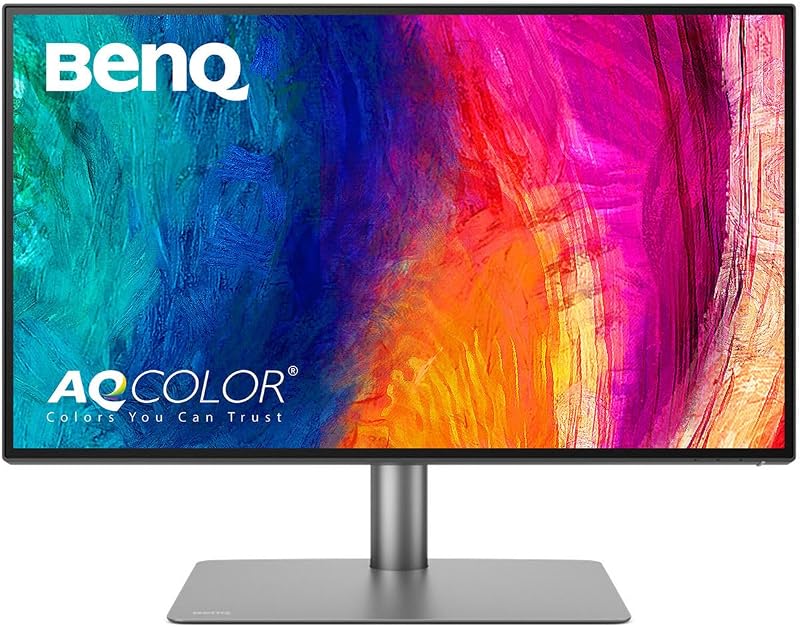
Pros
- Dual Thunderbolt 3 with daisy-chain support
- Built-in hardware KVM switch
- Hotkey Puck G2 desktop shortcut controller
- Pantone Validated with 100% Rec.709
- Full stand adjustment with horizontal swivel
Cons
- Lower 4K resolution compared to 5K
- Power delivery capped at 65 watts
- No integrated webcam for conference calls
Who Should Buy Each One
Choose the Samsung ViewFinity S9 If
- You use an Apple silicon Mac and require native 218 PPI 5K resolution for razor-sharp system scaling and typography.
- You conduct regular video conferences and want an included 4K SlimFit webcam that mounts cleanly without adding cable clutter.
- You value standalone functionality like Apple AirPlay, Smart TV apps, and Samsung Gaming Hub for after-hours entertainment without booting your PC.
- You prefer performing color checks and gamma adjustments via smartphone using Smart Calibration rather than dedicated external hardware tools.
Choose the BenQ PD2725U If
- You work across both Mac and Windows systems and need a hardware KVM switch to share one keyboard and mouse setup.
- You intend to run a multi-monitor arrangement and require Thunderbolt 3 daisy-chaining to drive two 4K displays over a single computer port.
- You require a fully articulated stand that includes horizontal swivel alongside height, tilt, and pivot adjustments.
- You need broad studio connectivity including dual HDMI ports, DisplayPort, a 3-port USB hub, and the desktop Hotkey Puck G2 for instant workflow adjustments.
Final Verdict
For creators whose daily workflow lives on an Apple silicon workstation, the Samsung ViewFinity S9 is the superior choice for visual fidelity and clean desk organization. Its native 5K resolution provides an immediate step up in sharpness over any 4K screen, delivering clean vector lines, artifact-free text rendering, and 99% DCI-P3 color coverage. When evaluating whether the Samsung ViewFinity S9 is worth it, the value rests in its complete package: you receive a high-grade 5K panel, a matched 4K video conferencing camera, wireless Apple AirPlay mirroring, and an integrated Smart TV platform in a single slim metal chassis.
However, when asking if the BenQ PD2725U is worth it, the answer is an emphatic yes for multi-device studio professionals and hybrid workstation operators. While it displays at standard 4K rather than 5K, the PD2725U solves complex hardware bottlenecks that the Samsung unit cannot address. With dual Thunderbolt 3 ports supporting 65W charging and dual-display daisy chaining, an integrated hardware KVM switch, Pantone-validated color pipelines, and the desktop Hotkey Puck G2, the BenQ PD2725U remains the undisputed productivity workhorse for collaborative, multi-computer design environments.
FAQ
Can I use the Samsung ViewFinity S9 with an Intel-based Mac?
According to the product specifications, the Thunderbolt 4 and DisplayPort connection on the Samsung ViewFinity S9 is specifically limited to Apple silicon Mac computers introduced after 2020. This includes M1 and newer MacBook Pro, MacBook Air, iMac, and Mac mini models. Intel-based Mac computers are not listed as supported over Thunderbolt 4.
Does the BenQ PD2725U support dual-monitor daisy chaining?
Yes, the BenQ PD2725U features Thunderbolt 3 connectivity with 40 Gb/s bandwidth and daisy-chain technology. This allows you to connect a single Thunderbolt 3 cable from your computer to the first PD2725U, and then chain an additional 4K display directly from the monitor’s second Thunderbolt port.
How do you calibrate the Samsung ViewFinity S9 without a physical colorimeter?
The ViewFinity S9 features Smart Calibration, which allows users to customize color parameters using a compatible smartphone. Through mobile software, you can switch between DCI-P3 and sRGB color gamuts, adjust luminance levels, modify gamma curves, and set color temperatures directly without third-party optical probes.
What is the Hotkey Puck G2 on the BenQ PD2725U?
The Hotkey Puck G2 is an external desktop controller included with the BenQ PD2725U. It features a rotary dial and shortcut buttons that allow users to instantly toggle between color profiles (such as Display P3 and sRGB), switch video input sources, and adjust display settings without reaching behind the monitor.
Does the Samsung ViewFinity S9 have a built-in webcam?
The Samsung ViewFinity S9 includes a detachable 4K SlimFit camera in the box. It attaches magnetically to the top rear housing of the display, providing high-resolution video conferencing without requiring third-party mounting brackets or separate USB cables running across the desk.
Can the BenQ PD2725U switch between two computers automatically?
Yes, the BenQ PD2725U features a built-in KVM (Keyboard Video Mouse) switch. When you connect two different host machines (such as a Mac and a Windows PC) using the monitor’s USB-C and USB upstream connections, you can control both systems using a single set of keyboard and mouse peripherals plugged into the monitor.
Which monitor has better color accuracy for commercial print work?
Both monitors provide high color accuracy, but they cater to slightly different standards. The Samsung ViewFinity S9 achieves a tighter factory calibration score of Delta E < 2 with 99% DCI-P3 coverage. The BenQ PD2725U delivers Delta E ≤ 3 across 95% P3 and 100% sRGB/Rec.709, but holds official Pantone Validation, making it uniquely qualified for matching physical Pantone ink standards in commercial packaging and print design.


