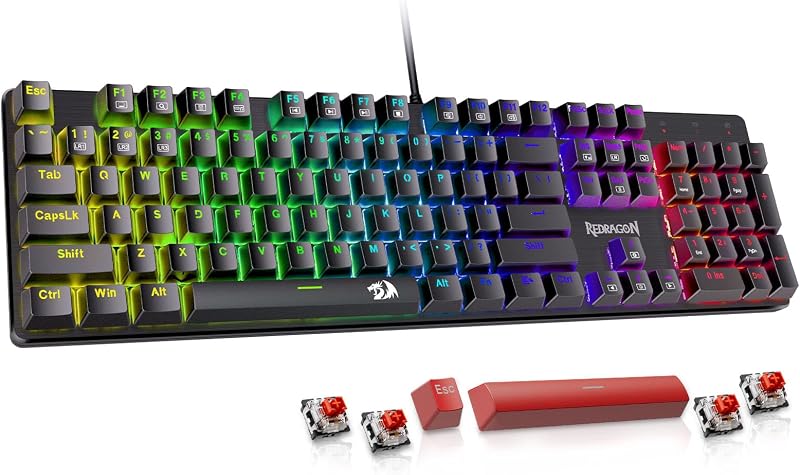
Choosing between the Keychron K10 Pro and the Keychron V3 centers primarily on layout format and connectivity requirements. The K10 Pro provides an expansive, 108-key full-size layout with cord-free Bluetooth flexibility, whereas the V3 delivers a space-conscious 87-key tenkeyless form factor driven by a steady wired USB-C link and an integrated rotary knob.
Choose the Keychron K10 Pro if you manage spreadsheet calculations across multiple operating systems and demand a dedicated numeric keypad. Choose the Keychron V3 if you want an unobstructed desk surface for broad mouse sweeps and prioritize direct media controls alongside dynamic lighting.


Keychron K10 Pro vs Keychron V3 at a Glance
| Feature | Keychron K10 Pro | Keychron V3 |
|---|---|---|
| Layout Size | Full-Size 100% (108 Keys) | Tenkeyless 80% (87 Keys) |
| Connectivity | Bluetooth 5.1 and Wired USB-C | Wired USB-C |
| Rotary Knob | Not listed | Yes (Knob Version) |
| Firmware Support | QMK / VIA Remapping | QMK / VIA Remapping |
| Hot-Swappable Sockets | Yes (3-pin and 5-pin MX) | Yes (3-pin and 5-pin MX) |
| Stock Switch Type | Keychron K Pro Brown Tactile | Keychron K Pro Brown Tactile |
| Backlighting | South-Facing White Backlight | South-Facing RGB Backlight |
| Enclosure Materials | Polybutylene Terephthalate, Steel | Polybutylene Terephthalate, Silicone |
| Internal Dampening | Sound-absorbing foam, silicone bottom pad | Case foam, acoustic silicone pad |
| Dimensions | 17.52″L x 5.43″W x 1.59″H | 14.44″L x 5.53″W x 1.06″H |
| Operating System Support | macOS, Windows | Linux, macOS, Windows |
| Best For | Data entry, spreadsheets, and wireless multi-device desks | Compact workspaces, gaming freedom, and rotary audio tuning |
Layout and Desk Footprint
Physical surface area dictates posture and hand alignment throughout long work sessions. When examining the Keychron K10 Pro full size vs TKL footprint of the V3, physical width represents the most meaningful distinction. The K10 Pro measures 17.52 inches in length to house a full 108-key matrix complete with navigational clustering, function rows, and an integrated tenkey numeric pad. This configuration accommodates standard enterprise accounting and intense formula typing without requiring secondary function layers.
In contrast, the V3 trims lateral width down to 14.44 inches by utilizing a tenkeyless form factor with 87 keys. Eliminating the numpad brings the mouse closer to your primary typing cluster, positioning your shoulders and elbows at a neutral, ergonomic angle. For users debating between compact formats or broader desks, evaluating models like the keychron k4 vs k10 pro illustrates how footprint changes affect elbow flare and overall desk real estate.
Opting for the K10 Pro grants rapid numeric data entry at the expense of three extra inches of lateral desk footprint. The V3 reclaims that tabletop room, permitting expansive mouse movements that enhance physical comfort during intensive navigational tasks or competitive games.
Edge: Keychron V3 for its compact footprint and improved ergonomic mouse positioning.
Connectivity and Multi-Device Support
Connectivity options determine how easily a peripheral integrates across differing computing configurations. Keychron K10 Pro wireless performance is powered by Broadcom Bluetooth 5.1, granting users the capability to pair with up to three distinct host devices simultaneously. This enables swift hardware toggling between a personal laptop, a smartphone, and a tablet while maintaining a single primary keyboard input. For cord-free mobile setups, the board operates on battery power while retaining the option for a direct wired link.
Weighing Keychron V3 wired vs wireless dynamics clarifies the core design philosophy of each board. The V3 avoids wireless radios and internal battery hardware entirely, relying exclusively on a detachable USB-C wired connection. This tethered architecture removes battery maintenance, standby wake delays, and radio interference, ensuring uninterrupted continuity during sustained computer sessions. Typists who want multi-device freedom often evaluate options like the keychron k8 vs k10 pro to understand how wireless functionality balances against stationary peripherals.
The operational cost of the V3 is a mandatory cable that anchors the keyboard to a singular desktop workstation. The K10 Pro delivers superior modern versatility by supporting both traditional wired connectivity and cordless pairing across mobile and desktop operating environments.
Edge: Keychron K10 Pro for triple-device Bluetooth flexibility and cable-free convenience.
Hardware Controls and Customization
Hardware inputs and firmware customizability define how users mold their peripherals around specific workflows. A detailed Keychron V3 review reveals a major physical asset: an integrated programmable rotary encoder knob. Positioned on the top row, this aluminum knob can be programmed via open-source firmware to manipulate operating system volume, scrub editing timelines, or scale brush diameters in design software.
Both keyboards leverage QMK and VIA programming platforms, permitting limitless key remapping, layered shortcuts, and complex macros executed directly from on-board memory. In any Keychron V3 vs K10 Pro analysis, both models excel at system remapping across macOS and Windows via hardware toggle switches. For typists exploring custom layouts, comparing custom platforms such as the keychron k10 pro vs q3 demonstrates how deep firmware control optimizes daily keystrokes.
The V3 introduces an extra physical dimension through its dedicated knob and customizable internal assembly that allows straightforward component disassembly. While the K10 Pro supports robust remapping through VIA, it relies exclusively on standard push-button key switches for all macro and operational inputs.
Edge: Keychron V3 for its integrated rotary encoder knob and modular assembly.
Typing Feel and Acoustic Dampening
Typing feel stems from internal construction, structural plates, and dampening layers. In this Keychron K10 Pro review, internal engineering shows notable upgrades over basic commercial keyboards. The K10 Pro is engineered with a rigid steel plate, sound-absorbing foam, and a thick silicone dampening bottom pad. These components minimize interior chassis hollowness, yielding stable, solid tactile feedback across all 108 keys.
The V3 employs an acoustic silicone pad, case foam, and factory screw-in stabilizers that reduce rattling on wider keys like the spacebar and shift buttons. Both boards come equipped with pre-lubed Keychron K Pro Brown tactile switches, engineered to sustain a 50-million-keystroke lifespan while offering noticeable tactile resistance without loud click noises. Those inspecting modern mechanical designs can read about updates like the keychron k10 pro vs k pro v2 to observe how dampening foams have matured.
Both models feature 3-pin and 5-pin MX hot-swappable sockets, letting you swap out switches from Cherry, Gateron, Kailh, or Panda without touching a soldering iron. Because both models incorporate layered silicone dampening, factory-lubed switches, and solid PBT structural materials, typing stability remains exceptionally high on both units.
Edge: Tie. Both keyboards share high-grade silicone dampening, factory-lubricated tactile switches, and broad hot-swap flexibility.
Backlighting and Visual Aesthetics
Illumination affects keycap legibility and workstation ambience, especially in dim office settings. The K10 Pro features a clean, south-facing white backlight. Because the LEDs face toward the user rather than away, light diffuses evenly along the keycap rows without casting harsh direct glare into your eyes. This monochrome illumination maintains an understated, professional appearance suited for executive offices and corporate desks.
The V3 broadens optical flair by implementing south-facing RGB illumination with multiple dynamic lighting animations and custom color options. This multicolor capability gives users visual versatility, allowing backlighting to synchronize with ambient gaming hardware or highlight distinct key clusters. Paired with its classic Carbon Black chassis and double-shot PBT keycaps in the OSA profile, the board projects an authentic enthusiast aesthetic.
Choosing white backlighting keeps the K10 Pro looking refined and saves battery life during wireless operation. However, the V3 grants full RGB spectrum control for users who prefer custom color tailoring on their desks.
Edge: Keychron V3 for versatile multicolor RGB backlighting options.
Office Productivity and Everyday Utility
Workplace demands determine whether Keychron K10 Pro or V3 for office setups provides the superior return on investment. The K10 Pro is tailored for accounting, inventory tracking, and complex data administration. Having a physical tenkey pad prevents awkward reach when inputting strings of numbers, accelerating spreadsheet navigation. When deciding is Keychron K10 Pro worth it for professional duties, its full matrix and multi-device Bluetooth toggling provide unmatched operational speed.
Conversely, evaluating Keychron K10 Pro or V3 for gaming and fast typing highlights the strengths of the 87-key architecture. The V3 avoids unnecessary right-side bulk, giving your mouse hand plenty of room for low-DPI sweeping motions. Users examining compact workstation ergonomics often compare boards like the keychron k2 vs k10 pro to see how missing keys balance against physical convenience.
When asking is Keychron V3 worth it for stationary typing, its combination of screw-in stabilizers, rotary control, and compact size makes it an exceptional tool for creative workstations. However, for sheer office utility and administrative processing, the K10 Pro holds a definitive structural advantage.
Edge: Keychron K10 Pro for administrative tasks, numerical entry, and multi-device office workflows.
Pros and Cons
Keychron K10 Pro

Pros
- Full-size 108-key layout with numpad
- Bluetooth 5.1 wireless plus wired mode
- Multi-device pairing across 3 devices
- Rigid steel plate and silicone dampening
- Pre-lubed tactile brown switches
Cons
- White single-color backlighting only
- Large 17.52-inch desk footprint
- Lacks an integrated rotary knob
View Keychron K10 Pro on Amazon
Keychron V3

Pros
- Space-saving 87-key tenkeyless footprint
- Programmable rotary encoder knob
- Dynamic south-facing RGB backlighting
- Double-shot PBT OSA profile keycaps
- Screw-in PCB stabilizers included
Cons
- Wired USB-C connection only
- No dedicated numeric keypad
Who Should Buy Each One
Choose the Keychron K10 Pro If
- You regularly process invoices, numerical logs, or spreadsheet formulas that require an integrated 100% numpad.
- You manage a workstation consisting of multiple computers, tablets, or phones and need Bluetooth 5.1 wireless toggling.
- You prefer clean, uniform white backlighting that matches a discreet professional office setting.
- You want a steel plate internal build paired with silicone dampening for firm, predictable keystrokes.
Choose the Keychron V3 If
- You want to preserve desk space and keep your mouse arm at a neutral, ergonomic shoulder width.
- You frequently adjust system audio, zoom creative canvas tools, or scrub timelines using an integrated rotary knob.
- You enjoy customizable south-facing RGB lighting animations to customize your desktop aesthetic.
- You operate strictly at a stationary desk and prefer a direct, battery-free USB-C wired connection.
Final Verdict
For most typists building a general-purpose or professional desktop, the Keychron K10 Pro stands as the more versatile option. Its combination of a complete 108-key layout, dual wired and wireless modes via Bluetooth 5.1, and deep QMK/VIA software programmability solves almost every workflow demand. The inclusion of factory-lubed K Pro Brown switches, internal silicone dampening, and hot-swappable sockets ensures you get enthusiast-level typing feel without sacrificing essential enterprise tools like the numeric keypad.
The Keychron V3 claims the win for desk-conscious users, gamers, and media editors who do not require a dedicated number pad. By dropping the right-hand keys, the V3 frees up crucial tabletop room, placing your mouse in a far more ergonomic position while providing a handy aluminum rotary knob for real-time audio and timeline navigation. If your keyboard remains permanently docked to a single computer and dynamic RGB lighting is a priority, the V3 is the sharper, more focused mechanical typing platform.
FAQ
Does the Keychron V3 support wireless Bluetooth connectivity?
No, the Keychron V3 is strictly a wired keyboard powered via a detachable USB-C connection. It does not contain an internal battery or Bluetooth radio, making it ideal for permanent desk setups where continuous power and zero wireless interference are preferred.
Can you hot-swap switches on the Keychron K10 Pro and Keychron V3?
Yes, both keyboards feature hot-swappable PCB sockets compatible with virtually all 3-pin and 5-pin MX mechanical switches on the market. You can install switches from Cherry, Gateron, Kailh, and Panda without any desoldering.
Is the Keychron K10 Pro or Keychron V3 better for gaming?
The Keychron V3 is generally better for gaming due to its compact tenkeyless footprint. By eliminating the numeric keypad, the V3 leaves significantly more desk area for wide mouse swipes, and its wired USB-C connection eliminates battery management.
What profile are the keycaps on the Keychron V3?
The Keychron V3 comes equipped with double-shot PBT keycaps in the OSA profile. This profile features a spherical shape with a height similar to standard OEM keycaps, offering oil resistance and durable surface texture for extended typing.
How do the backlighting systems compare between both boards?
The Keychron K10 Pro features a south-facing single-color white backlight designed for clean, professional office visibility. The Keychron V3 features south-facing RGB backlighting capable of displaying multiple colors and dynamic animation effects.
Can you program custom macros on Mac and Windows with both keyboards?
Yes, both models feature complete QMK and VIA compatibility. You can connect either keyboard via a cable to open the VIA web interface, allowing you to remap any key, assign multi-key macro shortcuts, and configure separate layout profiles for macOS and Windows.