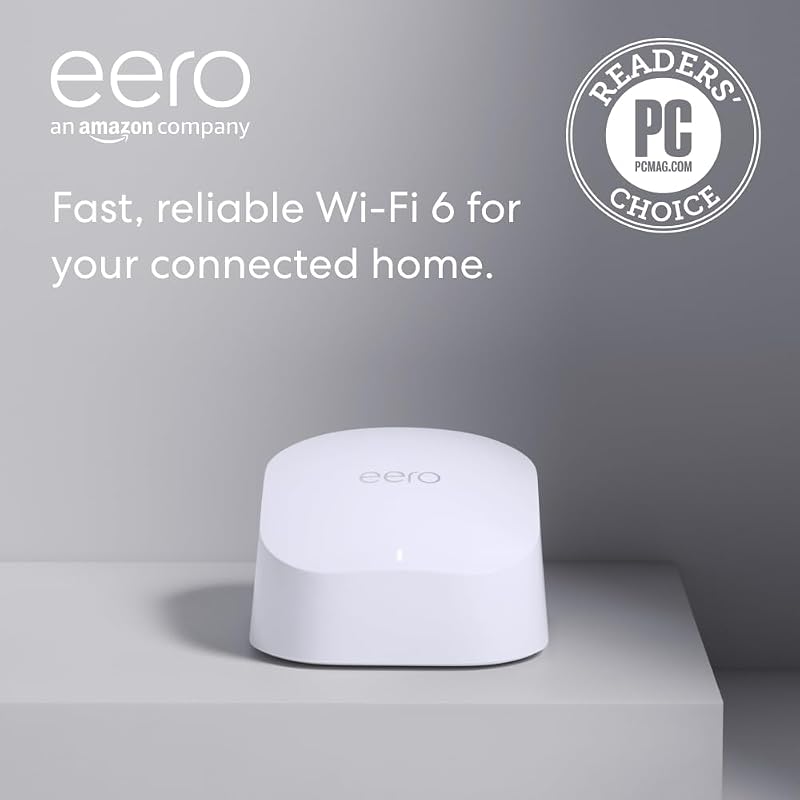
The core distinction between these two Wi-Fi 6E mesh systems comes down to port architecture versus wireless backhaul management: the Eero Pro 6E features a dedicated 2.5 Gbps Ethernet port to support multi-gigabit broadband subscriptions, whereas the TP-Link Deco XE75 emphasizes whole-home coverage using its third band as an uninhibited, dedicated 6 GHz wireless backhaul channel across multiple units.
Choose the Eero Pro 6E if you have an internet service plan exceeding 1 Gbps and require a high-throughput wired uplink for your primary network node. Choose the TP-Link Deco XE75 if you need to blanket a spacious multi-story home with strong wireless signals without running Ethernet cables between rooms.


Eero Pro 6E vs TP-Link Deco XE75 at a Glance
| Attribute | Eero Pro 6E | TP-Link Deco XE75 |
|---|---|---|
| Wi-Fi Generation | Wi-Fi 6E (Tri-Band) | Wi-Fi 6E (Tri-Band AXE5400) |
| Maximum Stated Throughput | Up to 2.3 Gbps (1.6 Gbps wireless) | Up to 5,400 Mbps total aggregate |
| Wired LAN/WAN Speeds | One 2.5 GbE port, one 1.0 GbE port | 10/100/1000 Mbps gigabit ports (3 per unit) |
| Dedicated Wireless Backhaul | No (dynamic band allocation via TrueMesh) | Yes (configurable 6 GHz dedicated backhaul) |
| Single/Multi-Pack Coverage | Up to 2,000 sq. ft. per unit | Up to 7,200 sq. ft. (3-pack system) |
| Connected Device Capacity | 100+ devices | 200 devices |
| Built-in Security Software | Basic updates (advanced features require separate subscription) | TP-Link HomeShield (free basic network protection and QoS) |
| Memory (RAM) | The listing does not specify | 512 MB |
| Best For | Multi-gigabit internet subscribers and compact spaces | Large homes requiring wire-free node backhaul |
Multi-Gigabit Wired Connectivity and WAN Capacity
Wired interface speeds represent the primary hardware bottleneck when matching a mesh system to high-speed fiber or cable internet tiers. The Eero Pro 6E includes a 2.5 Gbps Ethernet port alongside an auto-sensing Gigabit Ethernet port. This interface allows the router to ingest incoming internet tiers above 1 Gbps directly from a multi-gigabit modem or optical network terminal (ONT). Because modern internet service providers frequently offer tiers such as 1.2 Gbps, 1.5 Gbps, or 2.0 Gbps, having a 2.5 GbE port ensures your primary gateway does not cap wide-area network performance before the signal reaches your local devices.
In contrast, the TP-Link Deco XE75 limits its physical connectivity to standard 10/100/1000 Mbps Gigabit Ethernet interfaces. While each Deco XE75 node provides three Ethernet ports-totaling nine physical connections across a three-pack system-every single port is constrained to a 1.0 Gbps ceiling. If your provider supplies an internet package faster than 1,000 Mbps, the Deco XE75 physically cannot pass that surplus speed through its WAN port. Users evaluating advanced multi-gig systems often examine devices such as the eero max 7 vs tp-link deco xe75 to see where modern multi-gig port options diverge.
If your current or near-future internet plan exceeds 1 Gbps, the physical design of the Eero Pro 6E preserves that throughput for wireless distribution and local downstream clients. The Deco XE75 is built for standard gigabit boundaries, trading ultra-high single-port speeds for a greater number of standard gigabit ports spread throughout the home.
Edge: Eero Pro 6E, because its 2.5 GbE port supports internet tiers above 1 Gbps that the Deco XE75 physically bottlenecks.
Wireless Architecture and 6 GHz Band Allocation
Both systems operate on the newer Wi-Fi 6E standard, introducing access to clean 6 GHz frequency channels free from legacy Wi-Fi interference. However, their internal logic for managing the 6 GHz spectrum differs fundamentally. The TP-Link Deco XE75 utilizes its AXE5400 tri-band layout (2402 Mbps on 6 GHz, 2402 Mbps on 5 GHz, and 574 Mbps on 2.4 GHz) with an explicit, system-level toggle for the 6 GHz radio. By default, the Deco XE75 assigns the entire 6 GHz frequency as a dedicated wireless backhaul corridor between the satellite units. This structure keeps satellite-to-router communications off the congested 5 GHz and 2.4 GHz bands, protecting local transfer stability without requiring physical cables.
The Deco XE75 also allows users to switch this 6 GHz radio into Wi-Fi Network mode via the companion software, allowing direct connections for client hardware like compatible laptops and smartphones. For deeper insight into how modern mesh platforms handle dedicated client radios, see our breakdown of the tp-link deco xe75 vs be85. On the other hand, the Eero Pro 6E uses proprietary TrueMesh algorithms to manage radio paths dynamically across all three bands. Rather than reserving a single band exclusively for node communication, the Pro 6E analyzes real-time environmental factors to steer traffic across 2.4 GHz, 5 GHz, and 6 GHz frequencies.
While the TrueMesh approach simplifies configuration, users who rely entirely on wireless backhaul often see more predictable inter-node latency when using the Deco XE75 in its default backhaul profile. Devices operating across multiple rooms maintain clear communications because satellite nodes bypass typical 5 GHz client traffic.
Edge: TP-Link Deco XE75, because its configurable 6 GHz radio provides a dedicated wireless backhaul that isolates inter-node traffic from client clutter.
Coverage Footprint and Multi-Node Expansion
A single mesh node operates under finite physical limitations determined by transmit power and home layout obstacles. The Eero Pro 6E is sold in a single-unit configuration engineered to cover up to 2,000 square feet, which equates roughly to a 25-foot operating radius in clear conditions. While the system can integrate with existing Eero hardware and allows you to add additional units later, expanding coverage requires placing individual nodes close enough to maintain strong signal overlap, especially when broadcasting at shorter-range 6 GHz frequencies.
The TP-Link Deco XE75 system under review ships as a three-pack designed to blanket up to 7,200 square feet. This extensive footprint handles larger suburban floorplans, multi-level layouts, and residences with detached outbuildings or basements. When comparing large-scale wireless systems like the netgear orbi rbk752 vs tp-link deco xe75, multi-node packaging directly influences how smoothly a home eliminates persistent dead zones. The Deco XE75 also integrates AI-Driven Mesh algorithms that monitor client connection strength and roaming behavior across all three stations.
For buyers needing complete coverage out of the box without sourcing multiple individual hardware add-ons, the Deco XE75 provides a broad layout advantage. The single-node Eero Pro 6E requires modular add-ons to compete with the sheer physical perimeter of a three-node configuration.
Edge: TP-Link Deco XE75, because the included three-node hardware bundle covers up to 7,200 square feet compared to the single-unit 2,000 square foot rating of the Eero.
Client Capacity and Local Hardware Resources
The number of active clients-spanning smart appliances, media streamers, personal computers, and mobile devices-dictates how much processing overhead a mesh gateway must handle. The TP-Link Deco XE75 specifications list support for up to 200 connected devices across its tri-band network. Underpinning this traffic capacity is 512 MB of installed RAM memory, which maintains stability when managing deep routing tables, active parental rules, and connected smart home gear simultaneously.
The Eero Pro 6E listing rates client handling at 100+ connected devices. While adequate for typical residences, dense smart-home ecosystems filled with sensors, light switches, smart speakers, and cameras can steadily approach that threshold. The product listing does not specify the exact internal RAM capacity for the Eero Pro 6E, leaving TP-Link with the clearly documented memory baseline.
Furthermore, each Deco XE75 node features three physical Ethernet ports, allowing you to connect local devices directly-such as desktop gaming setups, network storage, and media consoles-without requiring an external unmanaged desktop switch at each satellite. The single-pack Eero Pro 6E offers only two ports total, one of which must serve as the WAN input connected to your modem.
Edge: TP-Link Deco XE75, offering a documented 200-device limit, 512 MB RAM, and three physical ports per module.
Network Management, Security, and Software Ecosystem
Ongoing maintenance, telemetry, and security filtering shape the everyday user experience of both systems. Eero streamlines network control through the clean eero app, which provides automatic background software updates to protect the mesh network against emerging threats. However, Eero separates advanced security filters, historical metric tracking, and parental management features into a separate recurring subscription. Users who decline the subscription remain limited to standard routing settings, network restarts, and basic device visibility.
TP-Link counters this through its integrated HomeShield suite, combined with adherence to the U.S. CISA Secure-by-Design initiative. The free tier of HomeShield includes basic network security assessments, IoT device identification, Quality of Service (QoS) controls to prioritize gaming or streaming hardware, and basic parental controls alongside regular reporting. In similar comparisons, such as the tp-link deco xe75 vs google nest wifi pro, built-in features like QoS give users immediate control over their local traffic queues without added service costs.
Support structures also present different operating models. Eero provides direct phone support (+1-877-659-2347) and dedicated email troubleshooting. TP-Link backs the Deco XE75 with 24/7 technical support and a 2-year hardware warranty, delivering longer documented warranty coverage than standard one-year networking baselines.
Edge: TP-Link Deco XE75, due to its free HomeShield tier with QoS tools and a 2-year hardware warranty.
Pros and Cons
Eero Pro 6E

Pros
- 5 GbE port for multi-gigabit broadband
- Dynamic TrueMesh spectrum routing
- Up to 1.6 Gbps wireless throughput
- Direct phone and email technical support
Cons
- Only two Ethernet ports on unit
- Advanced security requires separate subscription
- Covers only 2,000 sq ft standalone
TP-Link Deco XE75

Pros
- Dedicated 6 GHz wireless backhaul channel
- Broad 7,200 sq ft 3-pack coverage
- Supports up to 200 connected devices
- Nine total Gigabit Ethernet ports included
Cons
- Lacks multi-gigabit Ethernet ports
- Capped at 1.0 Gbps WAN throughput
View TP-Link Deco XE75 on Amazon
Who Should Buy Each One
Choose the Eero Pro 6E If
- You subscribe to an internet service tier between 1.0 Gbps and 2.5 Gbps that requires a 2.5 GbE WAN input.
- You live in an apartment, condo, or single-floor home under 2,000 square feet that needs only a single compact gateway.
- You already own existing Eero hardware and want backward-compatible expansion into the 6 GHz band.
- You prefer a simple, streamlined mobile interface with phone-based customer support.
Choose the TP-Link Deco XE75 If
- You need to eliminate wireless dead zones across large properties up to 7,200 square feet without installing Ethernet wiring.
- You want a dedicated 6 GHz wireless backhaul channel to keep satellite nodes connected at peak stability.
- You have up to 200 smart home products and mobile clients requiring simultaneous network connectivity.
- You prefer built-in Quality of Service (QoS) device prioritization without paying for an ongoing software subscription.
Final Verdict
For most households seeking to cover an entire residence without installing structural network cables, the TP-Link Deco XE75 provides the more comprehensive package. Its AXE5400 tri-band setup can isolate the clear 6 GHz band entirely for node-to-node wireless communication, ensuring distant rooms receive dependable wireless throughput. Combined with 7,200 square feet of coverage in the 3-pack, a 200-device capacity, three Ethernet ports on every node, and built-in HomeShield management tools, it addresses the everyday networking challenges of large modern homes.
The Eero Pro 6E claims the win specifically for subscribers with multi-gigabit broadband packages. If your fiber or cable internet provider supplies speeds of 1.2 Gbps to 2.3 Gbps, the Deco XE75 will physically cap your throughput at standard gigabit levels, whereas the Eero Pro 6E preserves that incoming bandwidth through its 2.5 GbE port. For apartments, smaller homes, or wired network layouts requiring high throughput at the primary gateway, the Eero Pro 6E remains the technically superior entry point.
FAQ
Does the TP-Link Deco XE75 support internet plans faster than 1 Gbps?
No. Every physical Ethernet port on the TP-Link Deco XE75 is rated for 10/100/1000 Mbps operation. If your internet subscription delivers speeds above 1 Gbps, the router’s physical WAN port will limit incoming data to standard gigabit speeds.
Can the Eero Pro 6E connect with older Eero mesh units?
Yes. The Eero Pro 6E is backward-compatible with previous-generation Eero devices, allowing you to incorporate it as a primary gateway or extend an existing network configuration.
Can client devices connect directly to the 6 GHz band on the Deco XE75?
Yes. While the Deco XE75 configures the 6 GHz band as a dedicated wireless backhaul by default, the Deco app includes an option to switch it into Wi-Fi Network mode so compatible Wi-Fi 6E devices can connect to it directly.
Does the Eero Pro 6E require an ongoing subscription to work?
No. Basic routing, network setup, automated security updates, and app-based management work without a fee. However, advanced online security features and enhanced network management tools require a separate paid subscription.
How many wired ports are available on each system?
The single-unit Eero Pro 6E has two Ethernet ports (one 2.5 GbE and one 1.0 GbE). The TP-Link Deco XE75 3-pack includes three Gigabit Ethernet ports on each unit, providing a total of nine wired ports across the entire system.
Do both routers work with major internet service providers?
Yes. Both the Eero Pro 6E and TP-Link Deco XE75 are compatible with all major internet service providers, including Comcast, Spectrum, AT&T, Verizon, and Frontier, though a standalone modem or ONT from the provider is generally required.