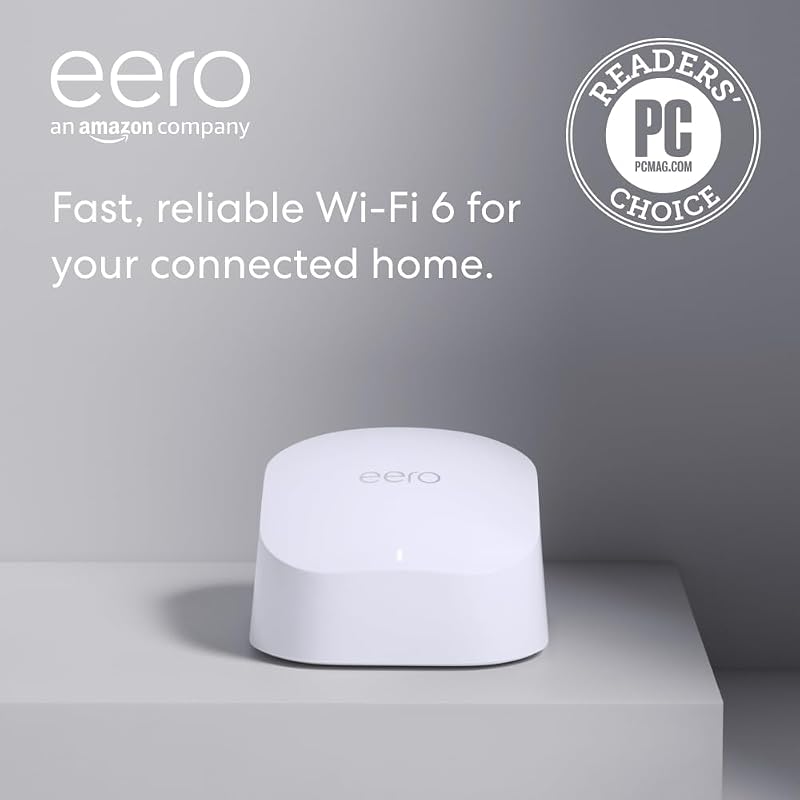
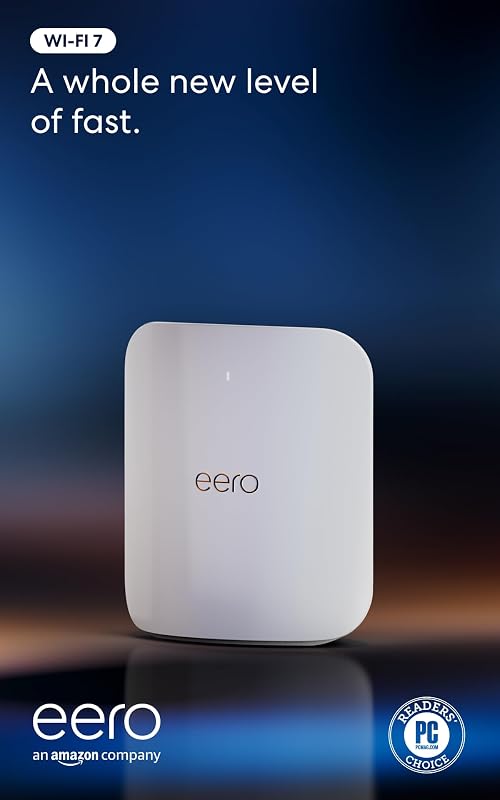
The core difference between the Eero 6+ and the Eero Max 7 lies in wireless generation and total transmission capacity: the Eero 6+ provides dual-band Wi-Fi 6 designed for sub-gigabit service tiers up to 900 Mbps, whereas the Eero Max 7 introduces tri-band Wi-Fi 7 capable of handling multi-gigabit internet plans up to 10 Gbps.
Choose the Eero 6+ if you subscribe to a standard residential broadband tier and need reliable, whole-home coverage for dozens of standard smart home gadgets. Choose the Eero Max 7 if you demand extreme multi-gigabit wired backhaul, minimal wireless latency for high-throughput tasks, and massive head-room across hundreds of simultaneous clients.


Eero 6+ vs Eero Max 7 at a Glance
| Feature | Eero 6+ | Eero Max 7 |
|---|---|---|
| Wi-Fi Standard | Wi-Fi 6 | Wi-Fi 7 (IEEE 802.11a/b/g/n/ac/ax/be) |
| BE Rating | Not listed | BE20800 |
| Supported Internet Plans | Up to 900 Mbps | Up to 10 Gbps |
| Peak Wireless Speed | Not listed | Up to 4.3 Gbps |
| Wired Speeds and Ports | Not listed | Two 10 Gigabit Ethernet ports (wired speeds up to 9.4 Gbps) |
| Wireless Coverage Area | Up to 1,500 sq. ft. (22-foot radius) | Up to 2,500 sq. ft. (28-foot radius) |
| Connected Devices | 75+ devices | 250+ devices |
| Radio Architecture | Dual-band (radios not listed) | Tri-band (3 radios: 2.4 GHz, 5 GHz, 6 GHz) |
| MIMO and Spatial Streams | Not listed | 2×2/4×4/4×4 MU/SU-MIMO, 10 spatial streams |
| Smart Home Protocols | Built-in Zigbee hub (with Alexa) | Thread, Matter, Zigbee (controller only), Bluetooth LE 5.0 |
| Manufacturer Warranty | Not listed | 3-year limited warranty |
| Best For | Everyday sub-gigabit households | Multi-gigabit tiers, cloud gaming, and dense smart environments |
Network Throughput and Internet Speed Tiers
Internet service tiers continue to climb, but your wireless hardware determines how much of that incoming pipe reaches your client devices. In any standard residential environment, evaluating Eero 6+ speed vs Max 7 reveals completely different operational targets. The Eero 6+ is engineered to support incoming broadband plans up to 900 Mbps. It leverages Wi-Fi 6 technology to handle high-definition streaming, standard remote office work, and routine downloads without choking on typical household tasks. However, it tops out below the true gigabit threshold, meaning any broadband package exceeding 1 Gbps will be throttled by the router’s internal processing and radio limits.
By contrast, the Eero Max 7 belongs to an entirely new echelon of wireless throughput. Built around the Wi-Fi 7 standard, it accommodates residential internet subscriptions up to 10 Gbps. The router advertises wireless transfer speeds reaching up to 4.3 Gbps on compatible hardware, providing multi-gigabit throughput directly over the air. Much of this performance leap stems from the broader 320 MHz channel support on the newly accessible 6 GHz band, alongside an overall BE20800 rating. Those comparing high-end modern mesh systems in our eero max 7 vs tp-link deco be85 overview will recognize that this tier of bandwidth fundamentally redefines what a wireless mesh node can deliver.
For homes operating on standard fiber or cable connections below 1 Gbps, the higher throughput ceiling of the Max 7 remains unused headroom. But for residences with multi-gigabit fiber connections, installing the Eero 6+ wastes incoming bandwidth. The Max 7 processes data streams at speeds more than quadruple what the Eero 6+ can achieve, eliminating local network bottlenecks entirely.
Edge: Eero Max 7 delivers massive multi-gigabit throughput supporting up to 10 Gbps plans compared to the 900 Mbps ceiling of the Eero 6+.
Coverage Area and Spatial Reach
Mesh systems are designed to eliminate localized dead spots, yet the broadcast reach of individual nodes varies substantially across hardware tiers. When evaluating the Eero 6+ or Max 7 for large home installations, total square footage per unit is a critical metric. A single Eero 6+ unit covers up to 1,500 square feet, which translates to an operational radius of approximately 22 feet from the unit. For small single-story residences, urban apartments, or secondary outbuildings, this footprint provides sufficient coverage for day-to-day connectivity.
The Eero Max 7 significantly increases this physical reach. A single Max 7 router blankets up to 2,500 square feet, establishing an operational broadcast radius of roughly 28 feet. That extra six-foot radial extension yields an additional 1,000 square feet of coverage per device. Because the Max 7 utilizes ten spatial streams, advanced transmit beamforming, and high-frequency amplifiers, it maintains signal integrity deeper through interior walls, floors, and structural obstacles than the more compact Eero 6+ hardware. Readers evaluating mid-tier expansions in our eero 6+ vs netgear orbi rbk752 guide will note how essential reliable individual node range is for whole-home deployments.
Both devices deploy proprietary TrueMesh technology, dynamically routing data along the cleanest channel to circumvent interference. However, because each Max 7 node covers 66 percent more area than an Eero 6+, constructing a whole-home mesh network across a large multi-story property requires fewer Max 7 nodes. Deploying fewer physical nodes simplifies node placement and avoids the performance drops associated with unnecessary wireless hops.
Edge: Eero Max 7 spans up to 2,500 square feet per node, offering 1,000 square feet more coverage than the Eero 6+.
Device Capacity and Network Congestion Management
Modern homes accumulate network-connected appliances at an astonishing pace, including smart bulbs, televisions, tablets, laptops, and smart speakers. In a detailed Eero 6+ review, hardware limitations begin to surface once simultaneous active devices climb. The Eero 6+ is rated to connect 75+ devices. This accommodates standard family usage where multiple users stream 4K video, attend video conferences, and automate basic lighting fixtures without immediate network degradation.
The Eero Max 7 expands this boundary dramatically, offering certified support for 250+ connected devices. Managing this higher density requires superior radio management and wider wireless spectrum. The Max 7 integrates three distinct radios across the 2.4 GHz, 5 GHz, and 6 GHz frequencies, operating with a 2×2/4×4/4×4 MU/SU-MIMO antenna configuration. It also provides automatic channel selection, band steering, and Orthogonal Frequency-Division Multiple Access (OFDMA). Exploring the eero pro 6e vs max 7 analysis underscores how tri-band systems prevent heavy-traffic clients from stalling lighter smart-home devices.
The operational difference becomes unmistakable in high-density environments. When seventy or eighty smart devices attempt to talk to an Eero 6+ simultaneously, packet queuing and transmission wait times increase. The Eero Max 7 distributes traffic across three bands and ten spatial streams, preserving network responsiveness even when handling hundreds of smart sensors alongside active high-bandwidth media streams.
Edge: Eero Max 7 supports more than triple the device capacity at 250+ devices and uses tri-band radios to eliminate traffic congestion.
Latency, Wireless Stability, and Cloud Gaming
While maximum speed grabs attention, latency and jitter dictate the real-time quality of modern interactive software. Choosing the Eero 6+ or Max 7 for gaming, augmented reality, and virtual reality hinges directly on how each unit manages real-time packet prioritization. The Eero 6+ utilizes standard Wi-Fi 6 protocols and TrueMesh routing to keep ping times stable during ordinary online multiplayer sessions, making it capable of handling standard console or PC gaming under light network loads.
However, the technological leap found in the Max 7 fundamentally changes low-latency responsiveness. The listing highlights the Eero Max 7 wifi 7 difference: Wi-Fi 7 technology delivers more than twice the speed of Wi-Fi 6, accompanied by substantially lower latency, higher capacity, and superior radio efficiency. By leveraging ultra-wide 320 MHz channels on the 6 GHz spectrum and Wi-Fi Multimedia (WMM) quality-of-service controls, the Max 7 minimizes packet queuing. This performance profile is tailored for latency-sensitive applications like cloud gaming, high-framerate competitive multiplayer, and immersive AR and VR environments.
In homes where gaming happens concurrently with 4K video streaming or large data uploads, the Eero 6+ will experience greater latency spikes as its narrower frequency bands become saturated. The Max 7 retains wide spectral clearance on its 6 GHz band, ensuring that real-time gaming packets travel unimpeded by background traffic elsewhere in the home. Those investigating top-tier hardware in the eero max 7 vs netgear orbi 970 breakdown will find that low ping under heavy local load is a major hallmark of Wi-Fi 7 routers.
Edge: Eero Max 7 offers superior latency management, wider 320 MHz channels, and dedicated 6 GHz frequencies for cloud gaming and VR.
Wired Connectivity and Multi-Gigabit Backhaul
A mesh network’s wireless performance is only as stable as the physical backhaul linking nodes together. In this category, the contrast between the two models is sharp. The product listing for the Eero 6+ does not specify its Ethernet port specifications, focusing instead on wireless TrueMesh routing and standard sub-gigabit connectivity up to 900 Mbps.
The Eero Max 7, on the other hand, is built around enterprise-grade wired ports. It incorporates two 10 Gigabit Ethernet ports, enabling wired networking speeds up to 9.4 Gbps. These ports can accept incoming 10 Gbps fiber internet connections directly from an optical network terminal, while the second port connects to a high-speed multi-gigabit switch or provides dedicated wired multi-gigabit backhaul to an additional mesh node. Detailed evaluations such as our eero max 7 vs netgear orbi rbk752 comparison highlight how 10 Gbps wired ports future-proof high-performance local area networks.
For network power users running Network Attached Storage (NAS) units, multi-gigabit workstation drops, or dedicated wired backhaul lines through their walls, the Max 7 provides massive utility. The Eero 6+ cannot support multi-gigabit wired data transfers, confining users strictly to sub-gigabit speeds across the entire local environment.
Edge: Eero Max 7 includes two 10 Gigabit Ethernet ports delivering up to 9.4 Gbps wired transfers, while the Eero 6+ listing does not specify multi-gigabit wired capabilities.
Smart Home Protocols and Hardware Ecosystem
Both eero models serve as centralized communication platforms for connected home hardware, eliminating the need for standalone third-party bridges. The Eero 6+ features a built-in Zigbee smart home hub. This integration allows users to pair compatible smart lighting, sensors, and outlets directly to their Alexa ecosystem without purchasing individual brand hubs for every device.
The Eero Max 7 broadens this protocol support substantially. In addition to acting as a smart home hub, the Max 7 natively supports Thread networking, Matter device management, Bluetooth Low Energy 5.0, and Zigbee (functioning as a controller only). This expansive protocol suite makes the Max 7 a forward-compatible central controller for modern smart homes, bridging legacy Zigbee sensors with next-generation Thread and Matter automation standards.
Both models benefit from automatic software updates that introduce new operational features and maintain digital security over time. However, the hardware versatility of the Max 7 ensures that emerging smart home protocols will be supported without adding external dongles or secondary bridges, whereas the Eero 6+ remains limited to its Zigbee and Wi-Fi 6 hardware foundation.
Edge: Eero Max 7 supports Thread, Matter, Zigbee, and Bluetooth Low Energy 5.0, providing broader smart home integration than the Zigbee-only Eero 6+.
Warranty and Product Support
Long-term hardware reliability provides peace of mind when establishing a critical home network foundation. On the Eero 6+, the listing does not specify the exact duration of the manufacturer warranty, though it confirms that users have access to free customer support seven days a week via email at [email protected] or telephone at +1-877-659-2347.
For the Eero Max 7, the manufacturer provides an explicit 3-year limited warranty, backing the hardware through an extensive operational lifespan. Users also receive access to the same dedicated customer support channels seven days a week, alongside guided app-based setup and network administration. Furthermore, the Max 7 listing highlights optional integration with eero Plus, an optional subscription service that adds advanced digital security, parental controls, and threat monitoring.
The clear, documented multi-year warranty backing the Eero Max 7 reflects its positioning as a long-term infrastructure investment. Buyers investing in cutting-edge Wi-Fi 7 technology gain guaranteed protection for three full years of hardware operation.
Edge: Eero Max 7 includes a clearly stated 3-year limited warranty, whereas the Eero 6+ listing does not specify its warranty duration.
Pros and Cons
Eero 6+
Pros
- Covers up to 1,500 square feet
- Supports internet plans up to 900 Mbps
- Handles 75+ connected devices
- Built-in Zigbee smart home hub
Cons
- Sub-gigabit internet ceiling
- Ethernet port specs not listed
- Warranty period not specified
Eero Max 7
Pros
- Supports internet plans up to 10 Gbps
- Two 10 Gigabit Ethernet ports
- Tri-band Wi-Fi 7 with 320 MHz channels
- Covers up to 2,500 square feet
- 3-year limited warranty
Cons
- Exceeds sub-gigabit connection needs
- Zigbee operates as controller only
Who Should Buy Each One
Choose the Eero 6+ If
- Your home internet subscription tier is 900 Mbps or below.
- You live in an apartment, townhome, or single-level house up to 1,500 square feet.
- Your network consists of fewer than 75 simultaneous connected devices.
- You want a simple mesh router with a built-in Zigbee hub to manage Alexa-compatible smart devices.
Choose the Eero Max 7 If
- You subscribe to multi-gigabit fiber internet plans ranging from 1 Gbps up to 10 Gbps.
- You require two 10 Gigabit Ethernet ports for ultra-fast wired backhaul, desktop rigs, or local NAS storage.
- You need extensive wireless coverage up to 2,500 square feet per node with support for over 250 devices.
- You run competitive cloud gaming, virtual reality, or 4K/8K media streams requiring Wi-Fi 7 speeds and low latency.
- You want broad smart home protocol interoperability spanning Matter, Thread, Zigbee, and Bluetooth Low Energy.
Final Verdict
When weighing the Max 7 vs Eero 6+, the decision comes down to your current internet bandwidth tier and your network’s device density. The Eero 6+ remains a dependable, focused solution for the majority of residential broadband subscribers. If your incoming internet connection stays below 900 Mbps and your smart home hardware comprises fewer than 75 devices across a modest layout, the Eero 6+ provides stable Wi-Fi 6 coverage, straightforward app-based management, and integrated Zigbee hub convenience without unnecessary complexity.
However, for power users, dense smart homes, and households equipped with multi-gigabit broadband, the Eero Max 7 is the definitive winner across every measurable performance category. With support for internet plans up to 10 Gbps, two 10 Gigabit Ethernet ports, tri-band Wi-Fi 7 broadcasting across 320 MHz channels, 2,500 square feet of coverage per node, and a 3-year limited warranty, the Max 7 delivers generational hardware longevity. If you want maximum throughput, future-proof wired networking, and minimal latency for high-demand tasks, the Eero Max 7 stands in a class of its own.
FAQ
Is Eero Max 7 worth it compared to the Eero 6+?
The Eero Max 7 is worth it if you have an internet plan exceeding 1 Gbps, require 10 Gigabit Ethernet wired ports, or need to connect over 75 devices across a large living area. If you only subscribe to a sub-gigabit plan and maintain standard everyday household gadgets, the expanded capacity of the Max 7 will exceed your operational requirements.
Can you mix the Eero 6+ and Eero Max 7 in the same mesh network?
Yes. The manufacturer specifies that eero hardware features cross-compatible architecture, allowing you to add and expand existing eero networks with different models. However, connecting an Eero 6+ to an Eero Max 7 network will limit client devices roaming onto the 6+ node to Wi-Fi 6 speeds and sub-gigabit backhaul capabilities.
How does Eero 6+ speed vs Max 7 compare on everyday devices?
The Eero 6+ supports internet plans up to 900 Mbps over Wi-Fi 6, which handles standard 4K streaming and routine web browsing smoothly. The Eero Max 7 supports incoming plans up to 10 Gbps and delivers wireless speeds up to 4.3 Gbps over Wi-Fi 7, providing substantially faster data transfers, reduced queuing, and lower latency across all compatible clients.
Which router is better for gaming, Eero 6+ or Max 7?
The Eero Max 7 is significantly better for gaming. It supports Wi-Fi 7 with ultra-wide 320 MHz channels, tri-band radios, and low-latency data routing specifically designed to support cloud gaming, virtual reality, and augmented reality applications. The Eero 6+ handles standard online gaming well, but it is more susceptible to latency spikes when multiple users share the network.
What smart home protocols do the Eero 6+ and Max 7 support?
The Eero 6+ includes a built-in Zigbee smart home hub that connects compatible smart devices directly with Alexa. The Eero Max 7 provides broader compatibility, operating as a smart home hub with support for Thread, Matter, Bluetooth Low Energy 5.0, and Zigbee (functioning as a controller only).
Does the Eero 6+ or Eero Max 7 have 10 Gbps Ethernet ports?
Only the Eero Max 7 includes 10 Gbps connectivity. It is equipped with two 10 Gigabit Ethernet ports supporting wired throughput up to 9.4 Gbps. The listing for the Eero 6+ does not specify its wired port configurations, and it is limited to supporting internet plans up to 900 Mbps.