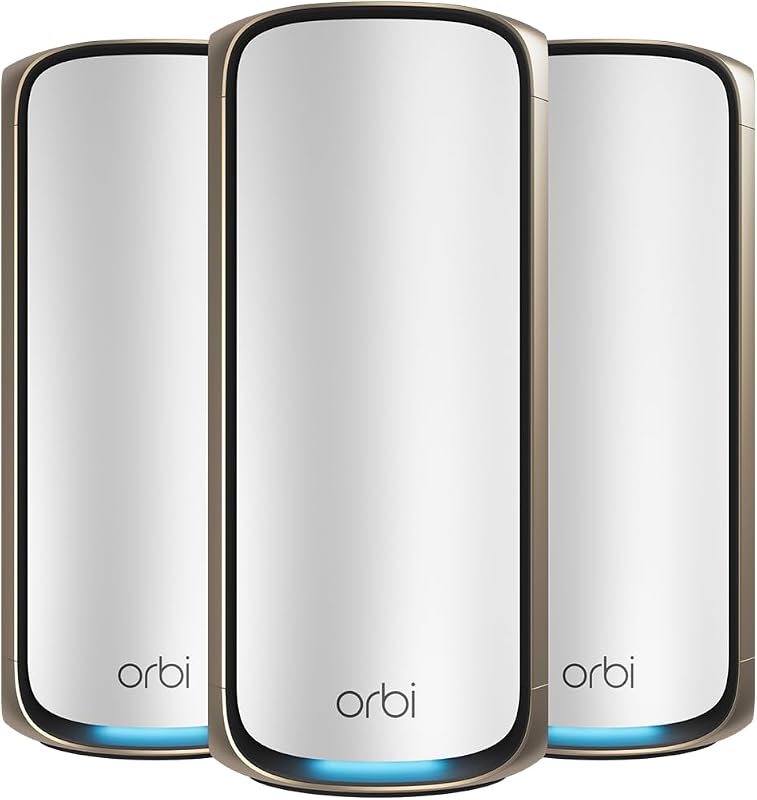
The choice between network-attached storage and a direct-attached external drive comes down to accessibility versus simplicity: a NAS connects to your local network router to provide continuous, multi-device backups and media streaming, whereas an external hard drive plugs directly into a single host machine via USB for instantaneous, portable storage.
Choose a NAS if you need automated background backups across multiple household computers, mobile devices, and private media streaming without relying on third-party cloud services. Choose an external hard drive if you need a lightweight, pocket-sized storage companion that requires zero software setup and delivers immediate drag-and-drop convenience on the go.



NAS vs External Hard Drive at a Glance
| Attribute | NAS | External Hard Drive |
|---|---|---|
| Primary Interface | Ethernet (2.5GbE), SATA, USB | USB 3.0 |
| Maximum Capacity Listed | Up to 80TB (2 bays plus dual M.2 NVMe) | 2TB to 4TB |
| Drive Configuration | Diskless enclosure (drives sold separately) | Internal drive included and pre-installed |
| Hardware Platform | Dedicated x86 / Intel quad-core processor, DDR5 RAM | Direct-attached storage controller |
| Multi-Device Access | Simultaneous access across PC, Mac, iOS, Android, Smart TVs | Single host device at a time via USB |
| Data Protection | RAID redundancy, snapshot technology, multi-destination backup | Manual copy or 1-Year Rescue Data Recovery Services |
| Smart Applications | AI photo recognition, Docker, Plex media server, surveillance | Not listed |
| Portability | Stationary desktop hardware (requires mains power and network) | Portable, bus-powered via 18-inch USB cable (260 g weight) |
| Best For | Multi-user homes, centralized archives, media streaming | Single-device backups, local file transfers, mobile work |
Connectivity and Multi-Device Accessibility
The primary functional difference between these two storage solutions lies in how your computing hardware communicates with the underlying drives. A network attached storage system functions as an autonomous, self-contained file server that connects directly to your home network switch or router. Once connected, appliances like the UGREEN NAS DXP2800 allow Windows, macOS, Android, iOS devices, and compatible smart TVs to access, synchronize, and retrieve data across the same local network or through authenticated remote sessions. This architecture eliminates the friction of physically passing hardware between rooms or computers, establishing a single centralized repository for personal documents, raw media, and system images.
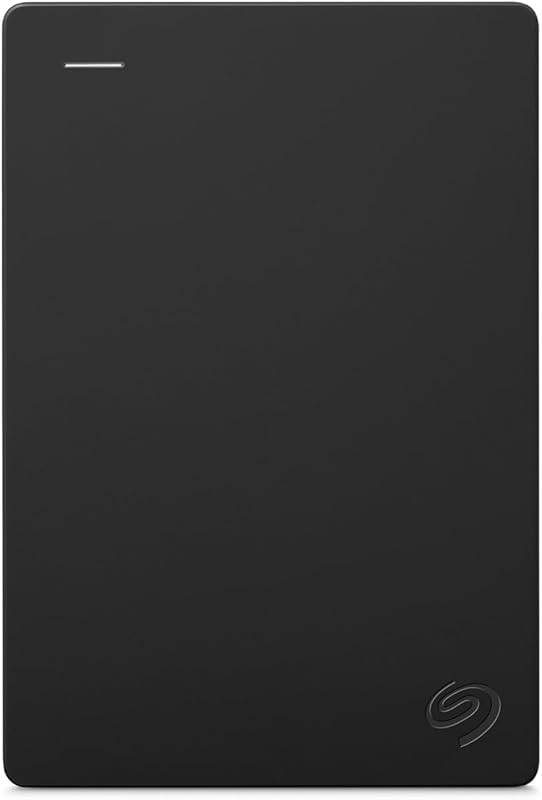
In contrast, an external drive operates strictly as direct-attached storage (DAS) that binds to one physical USB port at a time. Units such as the Seagate 2TB Portable Hard Drive provide plug-and-play simplicity using an included 18-inch USB 3.0 cable, requiring no network login credentials, router configurations, or IP assignments. However, that point-to-point connection means files are entirely isolated on the machine to which the drive is physically attached. If a household member on a laptop needs an archive stored on an external drive currently plugged into a family desktop, the drive must be safely dismounted, carried over, and plugged in manually.
When assessing a network attached storage vs USB drive setup for whole-household utility, the NAS wins on accessibility. It enables background automation where family photos from multiple smartphones and incremental laptop backups happen concurrently without human intervention. The external drive remains bounded to individual point-to-point tasks, making it ideal for dedicated local use but cumbersome when shared among multiple devices.
Edge: NAS provides continuous, concurrent multi-device access across diverse operating systems without moving physical hardware.
Data Transfer Performance and Speeds
Evaluating NAS vs external hard drive speed requires understanding the boundary between local bus interfaces and network infrastructure. Direct-attached external hard drives transfer data over standard USB 3.0 links. Specifications for the Seagate 2TB drive report read speeds of 120 megabytes per second with an interface transfer rate reaching up to 1 gigabit per second, while the 4TB model listing lists data transfer rates around 120 megabits per second with 120 MB/s read capabilities. Because the drive communicates directly with the computer operating system over USB, latency remains minimal and burst operations begin instantly without network packet overhead.
A modern NAS enclosure handles data transfer through high-bandwidth networking and internal drive buses. The Synology DS225+ lists fast file transfer rates of up to 282 MB/s, while the DXP2800 integrates 2.5GbE networking, SATA 6.0 Gb/s connectivity, dual M.2 NVMe slots, a listed read speed of 312 megabits per second, and a transfer rate of 334 megabits per second. Because a NAS depends on internal gigabit or multi-gigabit Ethernet interfaces, overall real-world throughput can be constrained by local Wi-Fi speeds, router quality, and concurrent client connections across your network.
For intensive desktop workflows such as deciding between a NAS or external hard drive for video editing, these architectural traits matter significantly. An external hard drive offers predictable, direct local read speeds up to 120 MB/s for single-stream project work, but a multi-bay NAS equipped with solid-state cache and 2.5GbE links can surpass conventional USB hard drive throughput for multi-client editing environments. However, direct external drives eliminate network latency entirely for basic single-workstation scratch tasks.
Edge: External hard drive for zero-latency direct USB connectivity, though network enclosures achieve higher sustained throughput over high-speed 2.5GbE pipelines.
Storage Capacity, Redundancy, and Drive Expansion
Storage ceiling and hardware expandability sharply divide these product classes. A portable external drive is an integrated appliance with a fixed internal mechanism. The Seagate Portable 4TB External Hard Drive provides 4TB of storage in a compact 2.5-inch form factor, while its companion configuration offers 2TB in a 3.5-inch internal form factor listing. When you exhaust that pre-set capacity, the drive cannot be expanded; your only recourse is purchasing an additional independent drive, which splits your data across disconnected volumes without inherent parity protection.
Network storage enclosures are built specifically for scalable storage pools and component replacement. The DXP2800 features two 3.5-inch SATA drive bays capable of housing 7200 rpm drives, combined with two internal M.2 NVMe SSD slots to support up to 80TB of aggregate capacity. Similarly, buyers planning their storage strategy can explore a 2 bay vs 4 bay nas deployment to determine the volume configuration that matches their projected data growth. Furthermore, users often compare dedicated high-end drives like the wd red plus 8tb vs toshiba n300 8tb to optimize drive longevity inside multi-bay arrays.
Beyond sheer capacity, multi-bay network appliances provide critical data redundancy. The DS225+ incorporates multi-layered data protection through RAID redundancy, automated snapshots, and multi-destination backups to external drives or remote nodes. If an individual disk suffers a mechanical breakdown inside a RAID-protected NAS, your file system remains intact. An external hard drive offers no internal hardware redundancy; if its single mechanical drive fails, your data relies entirely on external rescue recovery services.
Edge: NAS delivers massive storage scalability up to 80TB along with integrated RAID redundancy to prevent catastrophic data loss.
Photo Management, Media Streaming, and Smart Apps
Modern storage hardware often does much more than park raw bytes, and this is where network appliances pull away from simple passive storage. The DXP2800 functions as a full-fledged application platform powered by an Intel N100 quad-core processor and 8GB of DDR5 RAM. It supports Docker containers, virtual machines, and media server platforms compatible with Plex. Furthermore, its specialized AI photo management engine executes local recognition of faces, objects, scenes, and physical locations, organizing growing photo albums automatically without transmitting personal images to public cloud services.
Similarly, the DS225+ includes an Intel CPU engineered for hardware transcoding, enabling users to construct private streaming libraries that deliver 4K movies, television shows, and lossless audio to any connected television or mobile screen without recurring subscription fees. Both NAS platforms also extend into physical security: the DS225+ supports up to 30 IP surveillance cameras with AI detection and remote monitoring, while the DXP2800 integrates local smart surveillance with face, people, and pet detection algorithms.
An external hard drive has no onboard compute engine, no operating system, and no network stack. It cannot index photo metadata, transcode high-bitrate video, or execute background surveillance recordings. To review images on an external drive, you must connect it to a host computer running an operating system like Windows or macOS, launch client-side viewer software, and manually organize folders. For shoppers evaluating a NAS or external hard drive for photo storage and whole-home media streaming, an external drive functions purely as a dumb repository, whereas a NAS operates as an active, private home media server.
Edge: NAS offers comprehensive computing capability with hardware transcoding, AI photo tagging, and Docker container support.
Setup Complexity, Portability, and Maintenance
While network appliances lead in features, external drives dominate in usability, simplicity, and physical mobility. The Seagate portable drives weigh a mere 260 grams, require no separate AC power brick, and pull operational current directly through the included 18-inch USB 3.0 cable. Setup requires nothing more than inserting the cable into a laptop, desktop, Mac, or gaming console such as the Sony PlayStation 4 or Xbox. Operating systems recognize the volume instantly, enabling immediate drag-and-drop file organization without installing software, updating firmware, or configuring network subnets.
A NAS enclosure represents a stationary desktop investment that demands technical maintenance. Both the UGREEN and Synology units are diskless enclosures, meaning hard drives must be acquired separately and installed manually into the drive sleds. Selecting drives requires evaluating desktop versus enterprise-grade mechanical disks, such as comparing a seagate barracuda 4tb vs toshiba n300 8tb or reviewing seagate ironwolf 8tb vs wd black hdd 6tb options to verify rotational speeds, noise characteristics, and vibration tolerances. Once hardware is assembled, users must navigate browser-based setup wizards, establish user permissions, partition storage pools, and secure firewall ports.
Portability also presents a stark contrast. Measuring 9.14 inches deep, 4.25 inches wide, and 6.5 inches high, an enclosure like the DS225+ is engineered to sit permanently beside a home router, drawing continuous wall power. You cannot slip a multi-bay NAS into a travel backpack to transfer video clips on a flight. For field photographers, traveling professionals, and students moving between computer labs, the physical compactness and zero-configuration nature of an external drive remain unmatched.
Edge: External hard drive provides effortless plug-and-play simplicity and featherweight portability without network configuration.
Pros and Cons
NAS

Pros
- Concurrent multi-device network backups
- Massive capacity up to 80TB
- Hardware RAID and snapshot protection
- Dedicated CPU for 4K media streaming
- Integrated AI photo and surveillance tools
Cons
- Requires separate disk purchases
- Higher setup complexity and configuration
- Stationary design requires permanent router connection
View UGREEN NAS DXP2800 2-Bay Advanced on Amazon
External Hard Drive
Pros
- Instant plug-and-play simplicity
- Bus-powered design without external power brick
- Lightweight 260-gram portable form factor
- Direct USB 3.0 drag-and-drop transfers
- Compatible with PC, Mac, and consoles
Cons
- Accessible to only one machine at once
- Fixed capacity with no drive expandability
- Lacks hardware RAID redundancy
View Seagate 2TB Portable Hard Drive USB on Amazon
Who Should Buy Each One
Choose the NAS If
- You need automated, hands-off background backups for multiple household laptops, desktops, and mobile devices over Wi-Fi.
- You want to build a private 4K home media streaming server compatible with Plex and smart TVs without paying subscription fees.
- You require massive storage pools up to 80TB with RAID hardware redundancy to guard against disk failures.
- You plan to run local applications such as Docker containers, AI photo categorization, and multi-camera IP home surveillance.
Choose the External Hard Drive If
- You want simple drag-and-drop storage that works out of the box with zero network configuration, software setup, or account management.
- You need an ultra-compact, 260-gram drive powered entirely over USB that easily fits into a laptop bag for travel or field work.
- You are backing up a single primary PC or Mac and prefer direct USB 3.0 connectivity without router dependencies.
- You need direct-attached auxiliary storage for a compatible gaming console like the Sony PlayStation 4.
Final Verdict
When weighing an external hard drive vs NAS, the optimal choice depends on whether your digital life is centered around a single machine or spread across a connected household. A network-attached storage enclosure such as the DXP2800 or DS225+ transforms your digital archiving into an autonomous private cloud. With dedicated quad-core processing, multi-gigabit networking, support for up to 80TB of capacity, and advanced RAID redundancy, a NAS solves the friction of managing fragmented files across phones, computers, and media centers. For multi-device families, content creators managing extensive photo libraries, and power users seeking local surveillance, a NAS delivers unmatched utility and data safety.
On the other hand, a compact USB solution like the Seagate Portable series remains the benchmark for personal convenience and mobility. Delivering up to 4TB of storage with 120 MB/s transfer speeds over an included USB 3.0 cable, it requires no internal drive installation, no router tweaking, and no technical overhead. If your priority is backing up a single laptop on the go, carrying large work files between job sites, or quickly expanding a gaming console without spending time on system administration, an external hard drive is the practical, straightforward answer.
FAQ
Is a NAS faster than an external hard drive?
Direct-attached external hard drives transfer data over USB 3.0 at consistent read speeds up to 120 MB/s with minimal latency. A modern NAS can reach faster network transfer rates up to 282 MB/s or 334 megabits per second when paired with 2.5GbE network infrastructure and internal solid-state cache, but its performance over everyday home Wi-Fi may be slower than a direct USB connection due to wireless network congestion.
Can an external hard drive stream 4K movies to smart TVs?
An external hard drive lacks network connectivity, an onboard processor, and streaming software. It can only play video files on a television if the smart TV features an accessible USB port capable of reading external disk formats, and it can only serve that single display at one time. A NAS acts as a dedicated streaming media server that transcodes and broadcasts 4K media across multiple televisions, phones, and tablets simultaneously over your local network.
Do NAS enclosures come with hard drives included?
Most consumer and prosumer NAS units, including the DXP2800 and DS225+, are sold as diskless enclosures. You must purchase compatible 3.5-inch or 2.5-inch SATA hard drives or M.2 NVMe SSDs separately and insert them into the drive bays prior to system configuration. In contrast, portable external hard drives come fully assembled with internal disks and interface cables included in the box.
Which option is better for RAW photo storage and cataloging?
A NAS is superior for extensive photo cataloging across multiple devices because units like the DXP2800 feature integrated AI photo management algorithms that categorize images by people, objects, scenes, and locations locally. An external hard drive provides reliable, high-capacity cold storage for raw files but provides no automated indexing, requiring you to manually sort images through third-party desktop editing applications.
Can an external hard drive be used to back up a NAS?
Yes. Network enclosures like the DS225+ explicitly support multi-layered protection plans that include automated backups from the NAS to external USB hard drives. Connecting an external drive directly to the USB port on a NAS allows you to create secondary local snapshots or maintain an offline backup copy that can be stored in a separate physical location.
Does an external hard drive require software installation to work?
No. Standard portable external hard drives like the Seagate Portable line are recognized automatically by Windows and macOS operating systems. They utilize standard mass storage USB drivers, enabling immediate drag-and-drop file transfers without requiring companion utilities, driver downloads, or background services.