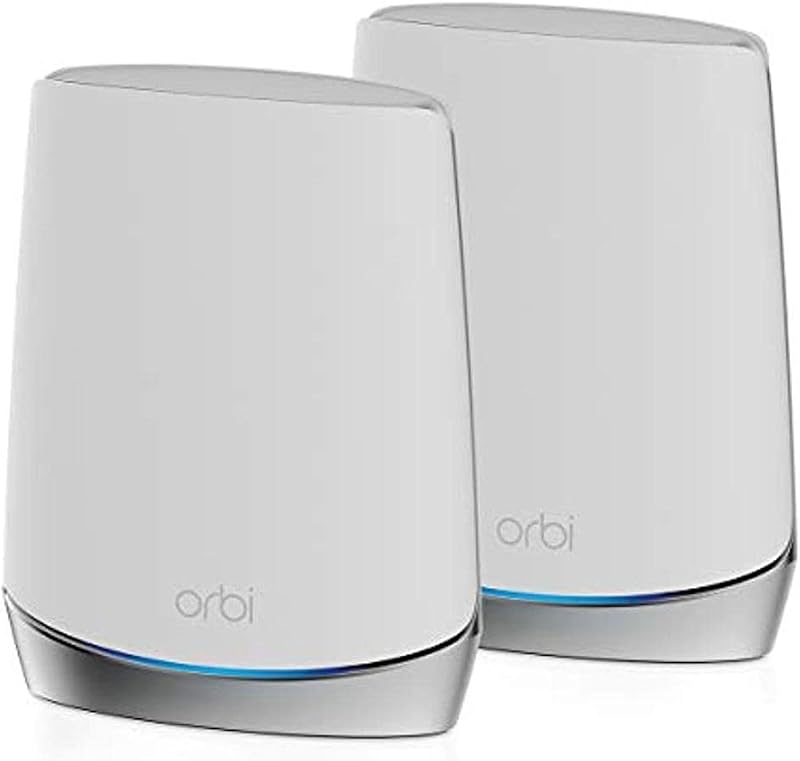
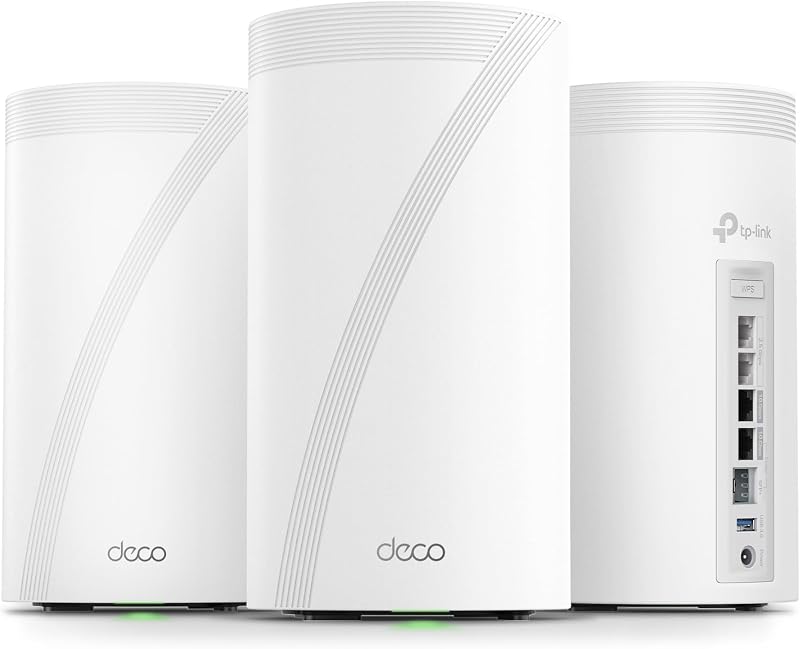
Deciding between the TP-Link Deco XE75 and the Google Nest WiFi Pro comes down to whether you prioritize expansive coverage with generous hardwired ports or autonomous self-healing software integrated into a smart living environment. Both systems deploy Wi-Fi 6E architecture across three separate wireless bands, bringing the uncontested 6 GHz frequency into residential spaces to mitigate interference from neighboring networks and legacy hardware.
Homeowners who need to wire multiple stationary devices directly to satellite nodes across larger floor plans should choose the TP-Link Deco XE75. Buyers seeking automated traffic management that runs behind the scenes with zero technical upkeep should choose the Google Nest WiFi Pro.


TP-Link Deco XE75 vs Google Nest WiFi Pro at a Glance
| Attribute | TP-Link Deco XE75 | Google Nest WiFi Pro |
|---|---|---|
| Wi-Fi Generation | WiFi 6E | Wi-Fi 6E |
| Frequency Bands | Tri-Band (2.4 GHz, 5 GHz, 6 GHz) | Tri-Band (2.4 GHz, 5 GHz, 6 GHz) |
| Total Rated Throughput | 5,400 Mbps | 1 Gbps |
| Advertised Coverage (3-Pack) | Up to 7,200 sq. ft. | Up to 6,600 sq. ft. |
| Ethernet Ports (Total Across 3-Pack) | 9 Ports | 4 Ports |
| Port Speed Specification | 10/100/1000 Mbps | >= 2.4 Gbps LAN bandwidth |
| Device Capacity | Up to 200 devices | Not listed |
| Security Protocol Support | WPA-Personal, WPA2-Personal, WPA3-Personal | WPA3 |
| System Memory | 512 MB RAM | Not listed |
| Operating System | TP-Link Firmware | Google’s Nest OS |
| Best For | Wired client density and larger layouts | Automated diagnostics and effortless management |
Wired Connectivity and Ethernet Port Allocation
The physical port layout on a mesh router dictates how many fixed appliances you can tether without installing auxiliary network switches. In any extensive Nest WiFi Pro vs Deco XE75 ethernet ports evaluation, physical layout defines system flexibility. The Deco XE75 includes three auto-sensing gigabit ports on every single unit, adding up to nine 10/100/1000 Mbps ports across a three-pack. This allows you to place satellite units in home theaters or offices and directly attach desktop computers, network-attached storage units, and gaming consoles without losing a socket to your modem uplink.
The Nest WiFi Pro lists four ports total for the hardware system, creating a much tighter boundary for wired infrastructure. While the listing highlights LAN port bandwidth greater than or equal to 2.4 Gbps, having fewer physical ports limits what you can plug in simultaneously. If you intend to run wired backhaul between nodes while also connecting local peripherals, the Google platform requires auxiliary switches to match the raw port distribution offered natively by the Deco hardware. Shoppers weighing advanced mesh platforms often compare upgrades such as the tp-link deco xe75 vs be85 to see if multi-gigabit hardware is necessary, but for standard gigabit home networks, TP-Link’s port distribution delivers immediate convenience.
Having nine available ports fundamentally changes how reliable a local network feels under heavy home usage. Hardwiring stationary streaming devices frees up the wireless channels for tablets and mobile devices, preventing radio contention across open spaces. With Nest WiFi Pro, the lower port tally forces more devices onto wireless radios, concentrating traffic through airtime instead of direct copper lines.
Edge: TP-Link Deco XE75 provides nine total gigabit ports across the three-pack, offering far superior wired flexibility compared to the four ports on the Google system.
Coverage Range and Multi-Story Performance
Mesh coverage defines how evenly internet speeds reach perimeter rooms, basements, and backyard spaces. When comparing Deco XE75 vs Nest WiFi Pro coverage, the baseline footprint numbers demonstrate a distinct gap in advertised capability. A three-pack of the Deco XE75 is rated to cover up to 7,200 square feet, distributing signal across large footprints using internal antennas paired with AI-driven mesh roaming that continually evaluates client distance and radio quality. For anyone debating between the netgear orbi rbk752 vs tp-link deco xe75 or similar whole-home options, 7,200 square feet represents an expansive operational ceiling.
Google Nest WiFi Pro rates its three-pack coverage at up to 6,600 square feet, with a single node capable of covering up to 2,200 square feet. The hardware relies on two internal antennas per node alongside built-in edge-of-network stability enhancements designed to keep devices connected when signal levels drop near perimeter walls. While 6,600 square feet handles broad floor plans comfortably, the structural penetration of high-frequency wireless means extra rated range often translates into stronger interior links when broadcasting through drywall and flooring.
For shoppers deciding on the TP-Link Deco XE75 or Google Nest WiFi Pro for large home layouts, those extra 600 square feet of theoretical reach can mean the difference between strong satellite connectivity and marginal node placement. The Deco XE75 allows you to switch the new 6 GHz band to act exclusively as a dedicated backhaul bridge between the nodes, ensuring high-speed node-to-node data transfers that preserve signal strength across distant wings of a property.
Edge: TP-Link Deco XE75 takes the lead by delivering up to 7,200 square feet of coverage against Google’s 6,600 square feet.
Throughput Speeds and Bandwidth Potential
Tri-band Wi-Fi 6E hardware brings the uncongested 6 GHz channel into play, but throughput calculations vary considerably based on band allocation and internal engineering. Analyzing Deco XE75 vs Nest WiFi Pro speed highlights a sharp contrast in rated performance. The Deco XE75 boasts total aggregate speeds up to 5,400 Mbps across its three operational bands: 2402 Mbps on 6 GHz with HE160 channel width, 2402 Mbps on 5 GHz with HE160 channel width, and 574 Mbps on the legacy 2.4 GHz band. Additionally, it specifies a maximum upstream data transfer rate of 2700 Mbps, catering to symmetric broadband setups.
In contrast, the Google Nest WiFi Pro listing cites a data transfer rate of 1 Gbps, though it supports Wi-Fi 6E operation across 2.4 GHz, 5 GHz, and 6 GHz with LAN port bandwidth reaching up to 2.4 Gbps. Google highlights that the system runs up to twice as fast as basic Wi-Fi 6 routers operating on narrower 80 MHz channels when paired with 160 MHz-compatible client devices. However, the listed ceiling remains more restrained than the aggregate 5,400 Mbps pipeline offered by TP-Link’s platform. Evaluating next-generation connectivity often leads users to assess wifi 6e vs wifi 7, but within the Wi-Fi 6E bracket, the Deco XE75 delivers higher theoretical ceilings across its combined bands.
The speed advantage of the Deco XE75 is particularly evident when operating multiple client streams at once. Because the 6 GHz band can be dedicated entirely to node-to-node backhaul, standard 5 GHz and 2.4 GHz devices avoid competing with the mesh system’s internal management overhead. If you choose to free up the 6 GHz channel for client use, modern laptops and phones can access the 2402 Mbps channel directly without interference from older legacy equipment.
Edge: TP-Link Deco XE75 wins with a total rated transfer speed of 5,400 Mbps compared to the 1 Gbps rating listed for the Google system.
Network Automation and Smart Diagnostics
Day-to-day network performance often hinges on how well a router maintains itself when conditions fluctuate or bandwidth spikes occur. In any balanced Google Nest WiFi Pro review, the device’s proactive software stands out as its defining trait. Running Google’s Nest OS, the system monitors its own operational parameters, automatically prioritizes sensitive traffic such as video calls, and diagnoses connectivity bottlenecks autonomously. If an issue occurs, the firmware is engineered to resolve common faults without requiring user intervention or manual reboots.
TP-Link Deco XE75 counters with its AI-Driven Mesh architecture, which actively learns your residential environment, client density, and typical user habits to adjust signal delivery. Deco users manage the network via the Deco app, using TP-Link HomeShield for basic network scans, IoT device identification, Quality of Service (QoS) bandwidth shaping, and parental controls. While HomeShield gives you hands-on control over device priorities and security reporting, it relies more heavily on user input to configure traffic behavior than Google’s automated approach. Buyers exploring alternative ecosystems like the netgear orbi rbk752 vs google nest wifi pro often find that Google’s hands-off maintenance model remains distinctively user-friendly.
Prospective buyers wondering is Google Nest WiFi Pro worth it will find the answer in how little time they spend managing the hardware. The combination of secure boot verification, automatic background software updates, and self-monitoring network routines makes the Google mesh system an exceptionally stable choice for households that want reliable connectivity without touching router settings.
Edge: Google Nest WiFi Pro wins for its self-monitoring architecture and automatic traffic adjustments that resolve connection issues without user intervention.
Gaming, Device Density, and Network Management
Handling dozens of connected appliances while preserving low ping times for gaming tests the processing capacity of any mesh setup. Choosing the TP-Link Deco XE75 or Google Nest WiFi Pro for gaming hinges on traffic prioritization methods and overall client limits. The Deco XE75 supports up to 200 connected devices, driven by 512 MB of installed RAM memory and TP-Link firmware that includes explicit Quality of Service settings. Dedicated QoS allows gamers to designate gaming consoles or personal computers as high-priority clients, ensuring packets bypass background downloads on smart televisions or home security cameras.
Google Nest WiFi Pro integrates automatic performance adjustments that favor real-time communications, and its hardware includes specific antenna tuning for gaming and home placements. It features secure boot mechanics to block unauthorized system alterations, while Google’s Nest OS handles background routing. However, the listing does not specify total RAM or an exact device limit, leaving questions about maximum client density. Advanced users exploring higher-tier hardware like the tp-link deco be85 vs google nest wifi pro often look for concrete capacity numbers when constructing dense smart homes.
In a comprehensive TP-Link Deco XE75 review, the balance of physical Ethernet links and dedicated backhaul channels gives the platform an edge for responsive gaming. Running an Ethernet patch cable directly from a satellite Deco unit to a gaming PC bypasses local wireless interference entirely. Because the Deco XE75 adheres to the CISA Secure-by-Design pledge, it pairs high-density client capacity with structured hardware-level security.
Edge: TP-Link Deco XE75 wins due to its confirmed 200-device capacity, dedicated QoS traffic shaping, and triple Ethernet ports on each unit for low-latency wired gaming.
Pros and Cons
TP-Link Deco XE75

Pros
- Covers up to 7,200 square feet
- Nine total gigabit Ethernet ports
- Combined speeds up to 5,400 Mbps
- Dedicated or shared 6 GHz backhaul
- Supports up to 200 connected devices
Cons
- Advanced HomeShield features require a subscription
- Gigabit ports cap wired links at 1000 Mbps
View TP-Link Deco XE75 on Amazon
Google Nest WiFi Pro

Pros
- Autonomous self-monitoring and auto-repair features
- Automatic video call traffic prioritization
- Secure boot prevents unauthorized firmware changes
- Streamlined management via Google’s Nest OS
Cons
- Only four physical ports across the system
- Incompatible with previous Google Wifi hardware
View Google Nest WiFi Pro on Amazon
Who Should Buy Each One
Choose the TP-Link Deco XE75 If
- You need to connect multiple wired devices like gaming desktops, consoles, and NAS drives across several rooms using nine total gigabit ports.
- Your property requires up to 7,200 square feet of signal coverage to eliminate dead spots across multiple stories.
- You manage a high-density household with up to 200 smart gadgets and IoT appliances running simultaneously.
- You want granular control over your network through Quality of Service settings and dedicated 6 GHz backhaul selection.
Choose the Google Nest WiFi Pro If
- You prefer a self-healing router that monitors itself, diagnoses faults, and applies software updates automatically.
- Your daily routine relies on video conferencing, where automatic call prioritization keeps streams smooth without manual tuning.
- You operate your connected life through Google’s Nest OS and want intuitive device pausing and guest access tools.
- You want secure booting architecture designed to prevent unauthorized firmware access and router tampering.
Final Verdict
When assessing Google Nest WiFi Pro vs TP-Link Deco XE75, the Deco XE75 emerges as the better option for the majority of bandwidth-heavy households. Its 5,400 Mbps combined data transfer ceiling, 7,200-square-foot coverage area, and nine total gigabit Ethernet ports solve the most common challenges in residential networking: physical device connectivity, structural dead spots, and device congestion. Anyone asking is TP-Link Deco XE75 worth it will find that its generous hardware specifications and flexible 6 GHz backhaul mode justify choosing it for multi-user family homes.
Google Nest WiFi Pro remains an excellent solution for smart homes where effortless automation and hands-off reliability take priority over raw port density. Its self-monitoring routines, automatic video call optimization, and built-in edge stability make it an appealing set-and-forget mesh deployment. However, because it includes only four total ports and lacks the raw throughput headroom of its rival, it takes second place to the more adaptable Deco XE75.
FAQ
Can I use the Google Nest WiFi Pro with older Google Wifi or Nest Wifi nodes?
No, the listing specifies that the Nest Wifi Pro uses Wi-Fi 6E technology and is not compatible with previous generations of Google Wifi or Nest Wifi routers.
Does the TP-Link Deco XE75 support wired Ethernet backhaul?
Yes, the Deco XE75 features three auto-sensing 10/100/1000 Mbps ports on each node, allowing you to use Ethernet cabling for wired connections between nodes or to attach stationary network equipment directly.
Can the 6 GHz band on the Deco XE75 connect directly to my phone or laptop?
Yes, while the Deco XE75 uses the 6 GHz band as a dedicated wireless backhaul between nodes by default, you can switch it to Wi-Fi Network mode in the Deco app to allow Wi-Fi 6E-compatible client devices to connect directly to the 6 GHz frequency.
How does the Google Nest WiFi Pro prioritize network traffic?
The Nest Wifi Pro automatically adjusts network performance and activity in the background, actively prioritizing video calls and helping websites load quickly without requiring manual Quality of Service configuration.
Will both mesh systems work with my current internet service provider?
Yes, both systems connect to standard broadband services. The Deco XE75 specifically lists compatibility with all major internet service providers including Comcast, Spectrum, AT&T, Verizon, Xfinity, Cox, and Frontier, though a modem is required for service connection.
What built-in security features are included on these routers?
The Deco XE75 includes basic TP-Link HomeShield features like security scanning, IoT identification, and WPA3 protocols, alongside CISA Secure-by-Design development. The Nest WiFi Pro features secure boot technology, automated software updates, and WPA3 encryption to prevent unauthorized software from running.