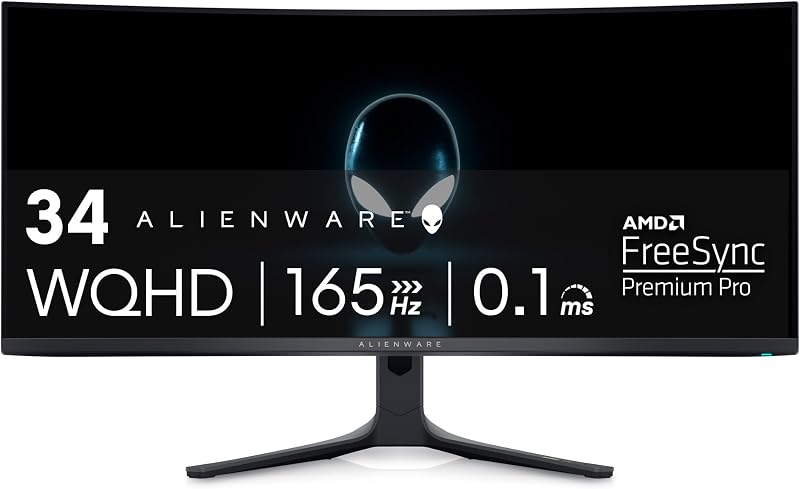
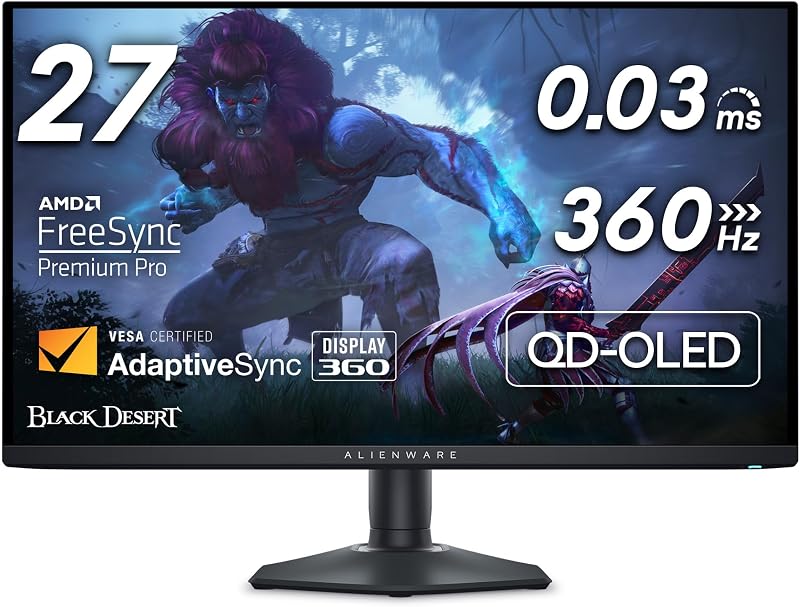
The choice between the Alienware AW2725DF and the Samsung Odyssey OLED G8 comes down to a fundamental tradeoff between extreme competitive frame rates and razor-sharp pixel density. The Alienware prioritizes pure speed by pushing a 360Hz refresh rate at 1440p resolution, whereas the Samsung delivers ultra-crisp 4K rendering at a still-fluid 240Hz refresh rate on the exact same 27-inch screen size.
Esports enthusiasts and twitch-shooter specialists should choose the Alienware AW2725DF for its unrivaled frame updates and aggressive motion clarity, while fidelity purists and immersive gamers should choose the Samsung Odyssey OLED G8 for its stunning visual density and advanced cooling engineering.


Alienware AW2725DF vs Samsung Odyssey OLED G8 at a Glance
| Feature | Alienware AW2725DF | Samsung Odyssey OLED G8 |
|---|---|---|
| Screen Size | 26.7 inches (27-inch class) | 27 inches |
| Native Resolution | 2560 x 1440 (QHD) | 3840 x 2160 (4K UHD) |
| Refresh Rate | 360Hz | 240Hz |
| Pixel Density / Pitch | 111 PPI (Pixel Pitch: 111) | 166 PPI (Pixel Pitch: 0.15) |
| Response Time | 0.03 ms Gray-to-Gray | 0.03 ms Gray-to-Gray |
| Contrast Ratio | 1,500,000:1 (Infinite Contrast) | 1,000,000:1 |
| HDR Certification | VESA DisplayHDR True Black 400 | VESA DisplayHDR True Black 400 |
| Variable Refresh Tech | AMD FreeSync Premium Pro, VESA AdaptiveSync | AMD FreeSync Premium Pro, G-Sync Compatible, VRR |
| Burn-In Prevention | Three-Year Advanced Exchange Warranty | Safeguard+ Pulsating Heat Pipe, Thermal Modulation, Taskbar Dims |
| Stand Adjustability | Height, Tilt, Swivel, Pivot | Tilt, Height Adjust (Ergonomic Stand) |
| Best For | Competitive esports and high-velocity shooters | Detailed single-player worlds and visual purists |
Resolution and Pixel Density
The starkest difference in this Samsung Odyssey OLED G8 vs Alienware AW2725DF comparison lies in their underlying pixel grids. The Samsung Odyssey OLED G8 packs a full 3840 x 2160 4K UHD resolution across a 27-inch canvas, yielding a dense 166 pixels per inch (PPI). The Alienware AW2725DF utilizes a 2560 x 1440 QHD resolution across its 26.7-inch panel, resulting in a pixel density of 111 PPI. In practical use, this means individual pixels on the Samsung are virtually imperceptible to the human eye at normal desk distances, bringing a level of texture richness and edge definition that 1440p cannot match.
For fine desktop productivity, reading text, and spotting distant objects in sprawling adventure titles, the 166 PPI density of the Odyssey G8 provides remarkably smooth curves and sharp typographic clarity. By comparison, the AW2725DF displays standard 1440p crispness, which remains the sweet spot for many PC players who balance image fidelity against GPU overhead. Readers assessing a alienware aw2725df vs lg 32gs95ue matchup will recognize that driving 1440p leaves substantially more graphics processing headroom for maintaining high baseline frame rates during hectic multiplayer skirmishes.
However, rendering games in native 4K places immense computational strain on your graphics card. Opting for the higher pixel count of the G8 means accepting lower native frame rates in modern titles unless you rely heavily on temporal upscaling techniques. The AW2725DF keeps rendering requirements manageable, ensuring that your system can consistently saturate its panel capabilities without demanding top-tier internal workstation components.
Edge: Samsung Odyssey OLED G8 for its vastly superior 166 PPI pixel density that produces noticeably sharper visual elements and finer details.
Refresh Rate and Motion Clarity
When assessing the AW2725DF vs G8 refresh rate, raw frame frequency takes center stage. The Alienware AW2725DF operates at a blistering 360Hz native refresh rate, refreshing its entire display surface every 2.77 milliseconds. The Samsung Odyssey OLED G8 runs at 240Hz, refreshing every 4.16 milliseconds. While both monitors feature a hyper-fast 0.03 ms gray-to-gray (GtG) response time inherent to QD-OLED display panels, the 50 percent jump in refresh cycles gives the Alienware model an undeniable advantage in rapid visual tracking.
In fast-paced shooters like Counter-Strike 2, Apex Legends, or Valorant, the 1440p 360Hz vs 4K 240Hz OLED debate heavily favors the faster panel. Tracking targets during quick mouse swipes, crosshair placement, and rapid camera pans is visibly smoother at 360Hz, reducing perceived micro-stutter and frame judder to imperceptible levels. For shoppers evaluating whether the Alienware AW2725DF or Samsung Odyssey OLED G8 for esports provides the winning edge, the Alienware’s 360Hz ceiling delivers the absolute lowest motion blur and the quickest frame delivery available in this class.
The 240Hz refresh rate on the Odyssey G8 is certainly smooth enough for competitive play, far exceeding traditional 144Hz and 165Hz panels. But if you have an elite system capable of generating 300-plus frames per second, the Alienware monitor unlocks the complete potential of that computational speed. The motion clarity benefits on the AW2725DF are not merely numbers on a spec sheet; they directly alter how target paths are drawn during lightning-fast transitions.
Edge: Alienware AW2725DF thanks to its class-leading 360Hz refresh rate that delivers unmatched fluidity for fast-action gaming.
Burn-In Mitigation and Thermal Management
Because organic light-emitting diodes are susceptible to cumulative heat and static element degradation, how these monitors handle panel cooling is a critical buying consideration. The Samsung Odyssey OLED G8 takes a proactive, hardware-centric approach with its Safeguard+ Dynamic Cooling System. It integrates a Pulsating Heat Pipe directly inside the monitor body, which releases a coolant designed to diffuse core heat five times faster than traditional graphite sheet solutions. This architecture is paired with an algorithmic Thermal Modulation System that constantly monitors heat levels and automatically controls brightness.
Furthermore, Samsung incorporates Logo and Taskbar Detection into the G8, an automated feature that proactively identifies static screen components and dims those specific areas to prevent permanent burn-in. Shoppers exploring our samsung odyssey oled g8 vs msi mpg 321urx comparison will notice that dedicated internal heat pipes are becoming a major hardware battleground for display longevity. By actively evacuating heat from the back of the QD-OLED panel, the G8 minimizes the physical temperature buildup that accelerates diode degradation.
Alienware addresses consumer longevity concerns primarily through consumer-facing policy and structural engineering. The AW2725DF includes a comprehensive Three-year Advanced Exchange Service Warranty that explicitly covers OLED burn-in during normal gaming usage. While the listing does not detail an internal coolant vapor pipe like the Samsung, Alienware’s robust multi-year replacement backing provides immense peace of mind. Both approaches protect the user, but Samsung’s sophisticated multi-tier thermal system attacks the root cause of degradation inside the chassis.
Edge: Samsung Odyssey OLED G8 due to its innovative Pulsating Heat Pipe cooling and automated taskbar dimming algorithms.
Brightness, Contrast, and Anti-Reflection Coatings
Both displays employ cutting-edge Quantum Dot OLED technology, allowing them to produce infinite contrast with self-lit pixels that switch off completely to yield true, inky blacks. Both monitors carry official VESA DisplayHDR True Black 400 certifications, ensuring that high-contrast scenes display brilliant specular highlights right alongside zero-luminance shadows without any backlight bleed, blooming, or halo artifacts.
Where these two diverge noticeably is in peak brightness and screen surface treatment. The Alienware AW2725DF lists an impressive peak brightness of 1000 nits, combined with a 1.5 million:1 contrast ratio and exceptional color performance covering 99.3% of the DCI-P3 gamut at Delta E<2 accuracy. This allows explosive explosions, lasers, and sunny skies to pop with intense dynamic range in HDR gaming environments. If you want maximum luminance punch during intense firefights, the Alienware panel provides immense high-end output.
The Odyssey G8 lists a standardized brightness of 250 cd and a 1,000,000:1 contrast ratio with a 0.99 color gamut rating, but counters with proprietary Glare Free technology. This specialized matte finish is verified to make the screen surface 54 percent less glossy than standard anti-reflective films. In bright rooms or rooms with direct light sources behind the player, the Samsung panel excels at deflecting ambient reflections, preserving black levels and preventing washed-out imagery that can sometimes plague QD-OLED setups.
Edge: Tie. The Alienware reaches higher peak specular brightness for punchy HDR highlights, while the Samsung features superior Glare Free matte coating for managing bright room reflections.
Ergonomics, Stand Design, and Desk Footprint
Physical setup and workspace flexibility frequently determine long-term comfort. The Alienware AW2725DF arrives with a highly adaptable ergonomic stand that offers height, tilt, swivel, and full pivot adjustments, enabling users to orient the screen vertically if desired. Its base is constructed with a minimal hexagonal footprint designed explicitly to preserve desktop real estate, allowing low-DPI mouse users plenty of room to fling their mouse pads without hitting monitor legs.
Aesthetics on the AW2725DF are augmented by 3-zone customizable AlienFX lighting and AlienVision software overlays, which project tactical on-screen visual tools to help identify enemies in shadowed corners. Weighing 13.9 pounds with dimensions of 9.59 inches deep by 23.98 inches wide, the Alienware display is relatively compact and easy to adjust to precise sightlines. Comparing this to designs like the samsung odyssey g7 27 vs acer nitro xv272u highlights how Alienware has refined its competitive chassis to favor clean mouse clearance.
The Samsung Odyssey OLED G8 counters with a premium metal aesthetic and its own immersive lighting suite, featuring CoreSync and CoreLighting+. These RGB systems analyze on-screen visual colors and project corresponding ambient light with 16.7 million colors onto your surrounding back wall. The G8 includes an ergonomic stand with tilt and height adjustability, but its dimensions measure 10.37 inches deep and 21.82 inches high with a heavier 15.2-pound chassis. Furthermore, the listing does not specify swivel or pivot functionality on the G8, giving the Alienware model an ergonomic edge in total adjustability.
Edge: Alienware AW2725DF due to its full four-axis stand adjustability (including pivot and swivel) and low-profile hexagonal desktop base.
Adaptive Sync, Latency, and Compatibility
Both monitors are engineered to eliminate visual tearing and stuttering, leveraging advanced variable refresh rate technologies. The Alienware AW2725DF comes equipped with AMD FreeSync Premium Pro certification and VESA AdaptiveSync support. These certifications ensure that the monitor communicates seamlessly with modern graphics cards to synchronize frame delivery, maintaining low latency and keeping HDR tone mapping responsive even as frame rates fluctuate during demanding game scenes.
The Samsung Odyssey OLED G8 offers an equally robust connectivity array, featuring AMD FreeSync Premium Pro, standard Variable Refresh Rate (VRR) protocols, and certified G-Sync compatibility. For players who utilize Nvidia GeForce graphics cards, official G-Sync compatibility guarantees that the display operates without flickering, black screens, or frame drops across its entire dynamic refresh window. Gamers weighing the lg 32gs95ue vs samsung odyssey oled g8 will find that broad variable sync support remains essential when driving high-density displays.
Because both units offer an identical 0.03 ms response time, neither monitor exhibits ghosting, smearing, or pixel overshoot. The Alienware holds a fractional systemic latency advantage simply because its 360Hz pipeline processes and outputs frame buffers quicker than a 240Hz pipeline. However, in terms of sheer graphics synchronization across both AMD and Nvidia ecosystems, Samsung’s explicit inclusion of G-Sync compatibility alongside FreeSync Premium Pro provides excellent cross-hardware flexibility.
Edge: Tie. The Alienware achieves slightly lower end-to-end frame latency at 360Hz, while the Samsung offers official G-Sync compatibility alongside FreeSync Premium Pro.
Pros and Cons
Alienware AW2725DF
Pros
- Blistering 360Hz refresh rate
- Full height tilt swivel and pivot stand
- Three-year Advanced Exchange warranty
- Near-instant 0.03ms response time
- High 1000 nit peak brightness
Cons
- Lower 1440p resolution than 4K
- Lacks active heat pipe coolant system
View Alienware AW2725DF on Amazon
Samsung Odyssey OLED G8

Pros
- Incredible 4K clarity at 166 PPI
- Pulsating Heat Pipe dynamic cooling
- Glare Free matte surface coating
- Smooth 240Hz motion with G-Sync support
- Integrated CoreSync ambient lighting
Cons
- Heavier 15.2-pound chassis
- Refresh rate caps at 240Hz
- Stand adjustability does not specify pivot
View Samsung Odyssey OLED G8 on Amazon
Who Should Buy Each One
Choose the Alienware AW2725DF If:
- You primarily play fast-paced competitive esports titles like Counter-Strike 2, Overwatch 2, or Valorant where 360Hz motion tracking matters.
- You want high-speed gaming without needing a top-of-the-line graphics card to achieve native frame saturation at 1440p.
- You need full ergonomic flexibility, including pivot orientation and a compact hexagonal base that stays out of your mouse pad’s way.
- You value a three-year Advanced Exchange warranty that provides dedicated replacement protection against burn-in.
Choose the Samsung Odyssey OLED G8 If:
- You demand pinpoint visual clarity and read lots of text, benefiting from the ultra-dense 166 PPI 4K resolution.
- You play cinematic single-player RPGs and immersive adventure titles where environmental textures and fine details shine.
- You play in a room with uncontrolled ambient lighting and need Glare Free matte surface treatment to eliminate reflections.
- You prefer proactive hardware burn-in protection powered by an active Pulsating Heat Pipe dynamic cooling system.
Final Verdict
Choosing between these two elite QD-OLED displays depends on whether your personal gaming setup values sheer frames or pixel perfection. In any Alienware AW2725DF review, the central highlight is its blinding 360Hz refresh rate. It delivers buttery-smooth motion tracking and razor-sharp clarity during instantaneous camera shifts, backed by comprehensive ergonomic adjustability and a 1440p resolution that is realistic to drive at high frame rates. For competitive multiplayer champions, the AW2725DF stands as the definitive performance pick.
Conversely, in a comprehensive Samsung Odyssey OLED G8 review, the standout quality is visual immersion. Jumping to 4K resolution on a 27-inch panel delivers a stunning 166 PPI that makes game worlds look astonishingly lifelike. Paired with 240Hz fluidity, Glare Free coating, and cutting-edge Pulsating Heat Pipe cooling, the G8 is an exceptional display for enthusiasts who want breathtaking graphic fidelity without giving up fast competitive response times.
FAQ
Is the Alienware AW2725DF or Samsung Odyssey OLED G8 better for competitive gaming?
For dedicated competitive gaming, the Alienware AW2725DF holds the advantage. Its 360Hz refresh rate refreshes images significantly faster than the 240Hz Samsung, resulting in smoother target tracking and lower motion blur. Furthermore, its 1440p resolution allows your graphics card to push maximum frame rates consistently without stuttering.
Is the Samsung Odyssey OLED G8 worth it for 4K on a 27-inch screen?
Yes, the Samsung Odyssey OLED G8 is well worth consideration if you prioritize extreme sharpness and visual fidelity. Delivering 166 pixels per inch, it eliminates visible pixel structures, rendering razor-sharp text and intricate textures in high-end PC titles that 1440p monitors cannot replicate.
How does cooling differ between the AW2725DF and the Odyssey G8?
The Samsung Odyssey OLED G8 features an active Safeguard+ Dynamic Cooling System equipped with a Pulsating Heat Pipe that dissipates heat five times faster than graphite sheets, supported by thermal brightness algorithms and taskbar dimming. The Alienware AW2725DF protects buyers through a robust Three-year Advanced Exchange Service Warranty that directly covers OLED burn-in.
Can the Alienware AW2725DF rotate into portrait orientation?
Yes, the Alienware AW2725DF features a fully adjustable ergonomic stand that supports tilt, height adjustment, swivel, and full pivot rotation, allowing it to be used in either horizontal or vertical orientations. The Samsung G8 listing highlights height and tilt adjustments but does not specify pivot support.
Do both monitors feature true deep blacks?
Yes, both monitors utilize Quantum Dot OLED panel technology where each individual pixel emits its own light and can turn off completely. Both carry the VESA DisplayHDR True Black 400 certification, delivering virtually infinite contrast and eliminating backlight bleed entirely.
What anti-glare coatings are used on these monitors?
Both models feature matte screen finishes, but the Samsung Odyssey OLED G8 incorporates specialized Glare Free technology verified to be 54 percent less glossy than conventional anti-reflection films, making it exceptionally capable of diffusing direct light in brighter gaming rooms.