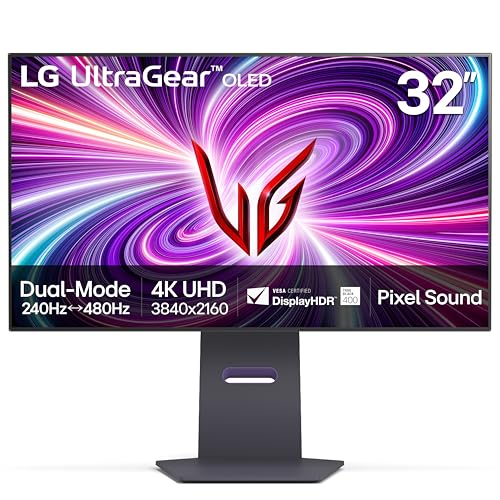
Choosing between the Alienware AW3423DW and the LG 32GS95UE comes down to a fundamental clash between panoramic immersion and extreme competitive frame rates. The Alienware AW3423DW is built around an expansive 34-inch 21:9 curved QD-OLED panel designed to envelop your field of view in rich, cinematic detail at 175Hz. In contrast, the LG 32GS95UE delivers a flat 32-inch 16:9 display running a dense 4K resolution at 240Hz, while featuring an innovative Dual Mode feature that toggles into a blistering 480Hz Full HD mode for twitch shooters.
Select the Alienware AW3423DW if you prioritize simulation rigs, single-player role-playing games, and a sweeping curved desktop canvas. Opt for the LG 32GS95UE if you demand cutting-edge pixel density for productivity alongside an unmatched 480Hz esports advantage.

Alienware AW3423DW vs LG 32GS95UE at a Glance
| Feature | Alienware AW3423DW | LG 32GS95UE |
|---|---|---|
| Screen Size and Aspect Ratio | 34.18 inches (21:9 ultrawide) | 31.5 inches (16:9 standard) |
| Screen Curvature | 1800R curved | Flat |
| Native Resolution | 3440 x 1440 pixels | 3840 x 2160 pixels (4K UHD) |
| Maximum Refresh Rate | 175Hz | 480Hz (Full HD mode) / 240Hz (4K mode) |
| Display Technology | Quantum Dot-OLED (QD-OLED) | OLED |
| GtG Response Time | 0.1 ms | 0.03 ms |
| Contrast Ratio | 1,000,000:1 | 1,500,000:1 |
| Variable Refresh Rate | NVIDIA G-SYNC ULTIMATE | NVIDIA G-SYNC Compatible, AMD FreeSync Premium Pro |
| Integrated Audio | Not listed | Pixel Sound (CSO, woofer, DTS Virtual:X) |
| Connectivity Ports | Not listed | HDMI 2.1, DisplayPort 1.4 |
| Best For | Immersive solo gaming and simulation setups | High-speed competitive esports and crisp 4K fidelity |
Resolution and Aspect Ratio Differences
The visual canvas sets an entirely different tone for how you interact with virtual worlds and desktop applications. The Alienware AW3423DW sports a 3440 x 1440 resolution spread across a 34.18-inch ultrawide form factor. That 21:9 aspect ratio provides approximately 33 percent more horizontal real estate compared to a standard widescreen monitor, giving flight simulators, open-world adventures, and racing games a panoramic quality that pulls your peripheral vision into the action. If you have weighed the alienware aw3423dwf vs lg 32gs95ue, you already know how transformative that extra width feels during gameplay.
Conversely, the LG 32GS95UE utilizes a classic 16:9 layout running at a native 3840 x 2160 4K UHD resolution. With a smaller 31.5-inch diagonal and a tighter 0.18 pixel pitch compared to the 110 pixel pitch listing figure on the Alienware, the LG renders significantly sharper textures, finer text edges, and more granular image detail. Analyzing the Alienware AW3423DW vs LG 32GS95UE resolution profile shows that the LG packs over 8.2 million pixels onto its screen, whereas the Alienware pushes roughly 4.95 million pixels. That makes the LG noticeably sharper for fine visual work and native 4K media consumption, though it demands more horsepower from your graphics card to drive modern games at native settings.
Beyond raw clarity, the aspect ratio fundamentally dictates your game compatibility. The 21:9 format on the Alienware looks magnificent in supported titles, but competitive shooters and console games often force black side bars to preserve equal competitive footing. The LG 32GS95UE adheres to the industry-standard 16:9 format, guaranteeing full-screen playback on modern consoles and competitive titles without pillarboxing or stretching artifacts.
Edge: LG 32GS95UE for its significantly higher 4K pixel density and universal 16:9 content compatibility.
Refresh Rate and Motion Performance
Motion clarity separates ordinary displays from professional-grade gaming equipment, and this is where the Alienware AW3423DW vs LG 32GS95UE refresh rate conversation reveals radically different engineering goals. The Alienware tops out at a 175Hz refresh rate paired with a true 0.1ms gray-to-gray response time. Because it is powered by an OLED substrate with instantaneous pixel state transitions, motion remains exceptionally clear without the trailing or smearing typical of traditional LCDs. For most casual and enthusiast gamers, 175 frames per second paired with sub-millisecond response provides pristine motion fidelity across high-action scenes.
The LG takes motion clarity to an extreme level that alters how we evaluate Alienware AW3423DW or LG 32GS95UE for esports. As the world’s first VESA Certified Dual Mode display, the LG allows users to toggle seamlessly between native 4K at 240Hz and Full HD at 480Hz. That 480Hz ceiling delivers frame refreshes every 2.08 milliseconds, which, when combined with its listed 0.03ms GtG response time, provides virtually unmatched motion clarity in tactical shooters. When tracking moving targets or flicking across the screen in titles like Counter-Strike or Valorant, the 480Hz mode provides immediate tracking advantages that a 175Hz panel simply cannot reproduce. If you also track models like the alienware aw2725df vs lg 32gs95ue, you will appreciate how competitive that 480Hz ceiling remains.
In addition, the underlying synchronization architecture differs. The Alienware features dedicated NVIDIA G-SYNC ULTIMATE certification, ensuring stutter-free performance, ultra-low latency, and HDR rendering across variable frame rates. The LG carries official NVIDIA G-SYNC Compatible validation alongside AMD FreeSync Premium Pro, requiring at least a 120Hz refresh rate at minimum FHD resolution for tear-free gaming. While both platforms banish tearing entirely, the LG display offers far superior motion speed thanks to its 240Hz 4K baseline and unprecedented 480Hz esports mode.
Edge: LG 32GS95UE for its blisteringly fast 0.03ms response time and dual-mode 240Hz/480Hz versatility.
Panel Technology and Visual Quality
Color presentation and contrast form the bedrock of both monitors, but they approach self-lit technology from distinct angles. In any comprehensive Alienware AW3423DW review, the standout engineering triumph is its Quantum Dot Display Technology (QD-OLED). By pairing a blue self-emissive OLED layer with quantum dots, the AW3423DW delivers superior color performance, a listed color gamut rating of 149, and support for 1.07 billion colors. The listing indicates a peak brightness reaching up to 1000 cd/m2 alongside a typical brightness of 250 cd/m2, allowing small specular highlights to burst with intense energy against its 1,000,000:1 contrast ratio.
The LG monitor employs an OLED panel rated for a 1,500,000:1 contrast ratio, 275 cd typical brightness, and a color gamut figure of 98.5. It features VESA DisplayHDR True Black 400 certification, delivering deep blacks without the backlight bleed or haloing seen on conventional displays. While evaluating an LG 32GS95UE review, users consistently praise how shadows retain micro-contrast in dark room conditions. However, the Alienware QD-OLED structure provides wider color volume in luminous highlights, whereas WOLED-style panels can wash out slightly at maximum luminance due to white subpixel intervention.
Creator workflow support also leans in Alienware’s favor. The AW3423DW includes a dedicated Creator Mode, enabling users to calibrate and lock between native DCI-P3 and sRGB color spaces while adjusting gamma settings directly within the on-screen display. If you are comparing displays like the alienware aw3423dwf vs aw3423dw, you know that robust color-space clamping is essential for professional design work. The LG provides stunning SDR and HDR gaming visuals, but the Alienware offers greater color breadth and creator flexibility.
Edge: Alienware AW3423DW for its Quantum Dot color performance, 1000 cd/m2 peak brightness, and dedicated Creator Mode.
Audio Delivery and Port Connectivity
Integrated features and modern bandwidth shape how cleanly a monitor slots into a multi-device setup. The LG 32GS95UE introduces a standout acoustic system branded as Pixel Sound. Rather than relying on standard downward-firing or rear-facing speaker grills, the display panel itself serves as the speaker diaphragm. Sound waves emit directly from behind the OLED panel toward the player using a combination of CSO (Crystal Sound OLED), a dedicated woofer, and DTS Virtual:X processing. This provides directional, punchy audio without requiring desk-cluttering external desktop speakers or a gaming headset for casual media consumption.
Connectivity on the LG is modern and robust. It includes both HDMI 2.1 and DisplayPort 1.4, with both interfaces supporting the full 240Hz refresh rate at 4K. The inclusion of HDMI 2.1 is critical for modern graphics cards and current-generation gaming consoles, allowing high-bandwidth uncompressed video signals. The Alienware product listing highlights 360-degree ventilation, improved cable management, and a centralized OSD joystick, but the listing does not specify its exact port revisions or integrated audio capabilities.
For players assessing Alienware AW3423DW or LG 32GS95UE for gaming across multiple systems, including PCs and consoles, the connectivity suite on the LG provides a modern, seamless connection process. The inclusion of high-bandwidth ports and direct panel audio gives the LG a self-contained multimedia edge that minimizes peripheral clutter.
Edge: LG 32GS95UE for its cutting-edge HDMI 2.1 bandwidth and innovative behind-screen Pixel Sound audio.
Ergonomics, Build Quality, and Physical Footprint
Physical footprint and setup requirements differ substantially due to the physical dimensions and curve profiles of these monitors. The Alienware AW3423DW implements an 1800R curvature that subtly draws the outer edges of the 34-inch screen inward. This curve matches the natural field of vision, reducing neck strain when tracking game elements across the 32.1-inch wide display. Its chassis showcases Alienware’s Legend 2.0 ID in Lunar Light, complete with a stadium loop OLED AlienFX lighting system on the rear and a heavy-duty stand that supports height adjustment, tilt, and swivel. However, at 12 inches deep and 21.8 pounds, it requires a deep desk surface to accommodate its footprint, as discussed in guides comparing the alienware aw3423dw vs aw2725df.
The LG 32GS95UE presents a flatter, more compact desktop profile. Measuring 28.1 inches wide, 10.9 inches deep, and weighing 19.8 pounds, it occupies less physical space while offering greater vertical screen height (24.6 inches versus the Alienware’s 20.7 inches). The LG stand offers comprehensive height, tilt, and swivel adjustments in a sleek black aesthetic that integrates into both professional office spaces and minimalist battlestations. Furthermore, its Anti-Glare with Low Reflection matte finish effectively disperses ambient room glare.
Both monitors feature matte screen treatments designed to combat reflections, but the Alienware AW3423DW introduces an active thermal strategy. To cool its QD-OLED panel and dedicated G-SYNC module, it utilizes 360-degree ventilation, and the listing notes a maximum power consumption of 200 watts. If you are questioning is LG 32GS95UE worth it for a tighter desktop space, its shallower depth, lighter weight, and flat panel orientation make it far easier to position on standard computer desks or monitor arms.
Edge: LG 32GS95UE for its lighter weight, shallower footprint, and versatile flat design.
Pros and Cons
Alienware AW3423DW

Pros
- Immersive 1800R curved ultrawide form factor
- Quantum Dot color gamut rating of 149
- Dedicated NVIDIA G-SYNC ULTIMATE processing
- Creator Mode with sRGB and DCI-P3 presets
Cons
- Capped at 175Hz maximum refresh rate
- Substantial 200W maximum power consumption
View Alienware AW3423DW on Amazon
LG 32GS95UE

Pros
- Dual Mode 4K 240Hz and 1080p 480Hz options
- Rapid 0.03ms GtG response time
- Integrated behind-screen Pixel Sound system
- Modern HDMI 2.1 and DisplayPort 1.4 connectivity
Cons
- Flat 16:9 shape lacks panoramic wrap
- Lower 98.5 color gamut rating
Who Should Buy Each One
Choose the Alienware AW3423DW If
- You primarily play immersive single-player titles, RPGs, space simulators, or racing games that benefit from a 21:9 panoramic field of view.
- You want the high color volume and rich vibrancy of Quantum Dot OLED technology backed by a 149 color gamut rating and 1000 cd/m2 peak brightness.
- You require a dedicated Creator Mode to switch accurately between sRGB and DCI-P3 color spaces for photo and video workflows.
- You love the aesthetic of Alienware Legend 2.0 design, Lunar Light accents, and customizable stadium loop AlienFX rear lighting.
Choose the LG 32GS95UE If
- You play competitive first-person shooters and want the tactical advantage of switching into a 480Hz Full HD mode with a 0.03ms response time.
- You demand the razor-sharp clarity of native 4K resolution across a flat 32-inch screen for fine detail and productivity.
- You want plug-and-play console compatibility with modern HDMI 2.1 bandwidth and built-in screen-driven Pixel Sound speakers.
- You prefer a lighter, shallower desktop footprint that easily fits on standard desk setups without curved panel distortion.
Final Verdict
For the majority of competitive and general-purpose gamers, the LG 32GS95UE emerges as the more versatile and future-proof display. Its revolutionary VESA Certified Dual Mode solves the traditional dilemma between visual fidelity and motion speed by pairing a pristine 4K 240Hz canvas with an esports-grade 480Hz FHD profile. When factoring in the integrated Pixel Sound audio, modern HDMI 2.1 and DisplayPort 1.4 inputs, and universal 16:9 console support, the LG delivers a cohesive package that excels in any gaming scenario. For those questioning is LG 32GS95UE worth it, its technological flexibility across varied genres easily justifies the investment.
However, the Alienware AW3423DW remains an undeniable powerhouse for enthusiasts dedicated to atmospheric solo gaming. If you spend your hours immersed in sprawling open worlds, flight simulators, or creative design pipelines, the 1800R curved ultrawide form factor provides an enveloping visual embrace that a flat 16:9 monitor cannot duplicate. Backed by QD-OLED color volume, a 1000 cd/m2 peak brightness capability, and dedicated NVIDIA G-SYNC ULTIMATE hardware, the Alienware proves its worth for anyone whose top priority is cinematic immersion. If you are deciding whether the Alienware AW3423DW is worth it, its gorgeous ultrawide perspective and creative color precision make it a sensational centerpiece for dedicated PC gaming battlestations, a trade-off also seen when analyzing models like the alienware aw3423dwf vs aw2725df.
FAQ
How does the Dual Mode feature work on the LG 32GS95UE?
The LG 32GS95UE features a VESA Certified Dual Mode that lets users toggle between two distinct resolution and refresh rate configurations: native 4K UHD (3840 x 2160) at up to 240Hz, or Full HD (1920 x 1080) at up to 480Hz. This allows players to switch from high-fidelity 4K visuals for cinematic gaming to maximum frame rates and motion clarity for competitive shooters.
Can the Alienware AW3423DW display full-screen console games without black bars?
Because the Alienware AW3423DW utilizes an ultrawide 21:9 aspect ratio with a native resolution of 3440 x 1440, standard 16:9 console signals will generally display with vertical black bars on the left and right sides to maintain correct proportions, unless stretched via monitor display scaling.
What is Pixel Sound on the LG 32GS95UE?
Pixel Sound is an innovative integrated audio system where sound waves are driven directly from behind the OLED panel toward the user, rather than utilizing traditional speakers mounted underneath or behind the monitor frame. It incorporates Crystal Sound OLED (CSO) technology, a woofer, and DTS Virtual:X support for directional, immersive sound.
What color spaces does the Alienware AW3423DW Creator Mode support?
The Creator Mode on the Alienware AW3423DW allows users to choose between the native DCI-P3 and sRGB color spaces. It also enables fine adjustments to gamma settings, making it well-suited for content creators and editors who require strict color accuracy for color-critical work.
What are the response times of the Alienware AW3423DW and LG 32GS95UE?
The Alienware AW3423DW delivers a true 0.1ms gray-to-gray (GtG) response time, while the LG 32GS95UE is rated for an even faster 0.03ms (GtG) response time. Both monitors practically eliminate motion blur and ghosting compared to traditional LCD gaming displays.
What warranty coverage is included with the LG 32GS95UE?
The LG 32GS95UE includes a 2-year limited warranty that covers internal and functional parts as well as labor, explicitly including coverage for the OLED display panel itself.