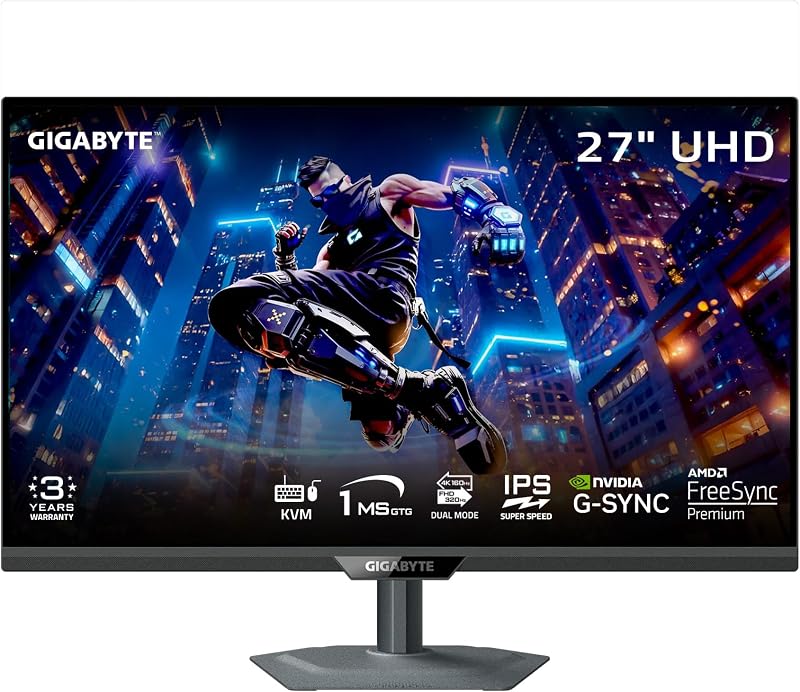
Choosing between the Gigabyte MO32U24 and the Samsung Odyssey Neo G7 32 comes down to a clear divide in display technology: lightning-fast 240Hz QD-OLED responsiveness with desktop utility versus high-intensity 2000-nit Mini-LED brightness paired with an aggressive 1000R curve.
Choose the Gigabyte MO32U24 if you play fast competitive titles and need instantaneous pixel response, true infinite contrast, and integrated multi-system KVM switching. Choose the Samsung Odyssey Neo G7 32 if you play cinematic single-player campaigns in bright rooms and want blinding HDR highlights without any risk of OLED burn-in.


Gigabyte MO32U24 vs Samsung Odyssey Neo G7 32 at a Glance
| Feature | Gigabyte MO32U24 | Samsung Odyssey Neo G7 32 |
|---|---|---|
| Panel Technology | QD-OLED | LCD (Quantum Mini-LED) |
| Screen Size & Resolution | 31.5″ (32″ class) 3840 x 2160 (4K UHD) | 32″ 3840 x 2160 (4K UHD) |
| Curvature | Flat | 1000R Curved |
| Refresh Rate | 240Hz | 165Hz |
| Response Time | 0.03ms (GtG) | 1ms (GtG) |
| Contrast Ratio | 1,500,000:1 | 1,000,000:1 |
| Stated Brightness | 300 cd/m² | 2000 cd/m² (Quantum HDR 2000) |
| Local Dimming Zones | Per-pixel self-lit | 1,196 zones |
| Screen Coating | Anti-Reflection (ObsidianShield Film) | Glossy / Matte light-absorbing finish |
| Special Features | Type-C KVM, AI OLED Care, Graphene cooling | Quantum Matrix, CoreSync lighting, Ultrawide Game View |
| Best For | Esports, dark-room HDR, multi-device desks | Immersive curved single-player games, bright rooms |
Motion Clarity and Refresh Rate
In high-stakes competitive gaming, motion clarity separates victory from defeat. The MO32U24 vs Neo G7 32 refresh rate comparison reveals two distinct performance tiers. The Gigabyte MO32U24 operates at a blistering 240Hz refresh rate backed by an extraordinary 0.03ms gray-to-gray response time. Because each organic pixel in the QD-OLED panel transitions almost instantly, fast tracking, rapid mouse flicks, and camera pans remain free of smearing and trailing artifacts. This speed makes fast-moving targets effortless to track during frantic multiplayer encounters.
In contrast, the Samsung Odyssey Neo G7 32 delivers a 165Hz refresh rate with a 1ms GtG response time. For a high-density 4K LCD, 165 frames per second provides fluid gameplay that satisfies most single-player adventures and cooperative shooters. Both monitors support AMD FreeSync Premium Pro and Nvidia G-Sync Compatible standards to eliminate screen tearing and stuttering. However, when evaluating the Gigabyte MO32U24 vs Neo G7 response time, the physical limitations of liquid crystals mean the Odyssey Neo G7 32 cannot match the sub-millisecond precision of the MO32U24. Readers weighing motion performance across different display classes can explore our gigabyte mo32u24 vs m27up sa comparison to see how refresh rate impacts real-world gameplay.
The extra headroom of 240Hz on the MO32U24 grants a perceptible fluidity edge over 165Hz, provided your graphics card can feed enough frames at 3840 x 2160 resolution. Even at equivalent frame rates, the instantaneous 0.03ms pixel switching on the QD-OLED yields a cleaner, sharper picture in rapid motion than traditional LCD overdrives can generate.
Edge: Gigabyte MO32U24 delivers a much faster 240Hz refresh rate and near-instantaneous 0.03ms response time that eliminates motion blur entirely.
HDR Presentation and Peak Brightness
When deciding between the Gigabyte MO32U24 or Samsung Odyssey Neo G7 32 for HDR, you are confronting the fundamental trade-off of QD-OLED vs Mini-LED 32 inch 4k displays. The Samsung Odyssey Neo G7 32 uses Quantum Matrix Technology paired with Quantum Mini-LEDs across 1,196 individual local dimming zones. It boasts Quantum HDR 2000, capable of driving peak brightness up to an astonishing 2000 cd/m². This high luminance allows sunbeams, explosions, laser blasts, and neon cityscapes to deliver eye-popping realism that commands attention even in a sunlit gaming room.
The Gigabyte MO32U24 lists a standard brightness of 300 cd/m² alongside HDR capability. While QD-OLED panels produce exceptional micro-contrast by shutting individual pixels completely off, they operate at lower sustained luminance levels compared to dense Mini-LED backlights. Gigabyte addresses ambient illumination by equipping the screen with ObsidianShield Film, which boosts perceived black levels by up to 40% under strong ambient light while providing 3H hardness. Nevertheless, for raw specular punch and scenes that require intense full-screen brightness, Mini-LED hardware remains ahead.
The practical result depends on your room environment. In a dark or dimly lit room, the MO32U24 produces unmatched color purity and infinite contrast where small lights pop against pure black. But in a brightly illuminated room with open windows, the 2000 cd/m² muscle of the Neo G7 cuts through glare effortlessly. For a deeper look at high-luminance Mini-LED technology against competing alternatives, check our breakdown in the asus rog swift pg32uqx vs samsung odyssey neo g7 32 analysis.
Edge: Samsung Odyssey Neo G7 32 wins decisively on peak luminance with its massive 2000 cd/m² Quantum Mini-LED backlighting.
Contrast Precision and Panel Technology
Contrast definition establishes depth in every gaming scene. The MO32U24 features a QD-OLED panel rated at a 1,500,000:1 contrast ratio. Because every individual pixel is its own light source, adjacent pixels can be completely dark right next to intense highlights. This eliminates blooming, haloing, and backlight bleed. In space exploration simulators, night scenes, or horror titles, starfields and flashlights maintain crisp edges without any cloudy glow spilling into surrounding shadows.
The Odyssey Neo G7 32 achieves a 1,000,000:1 contrast ratio by orchestrating 1,196 local dimming zones driven by 12-bit black level controls. For an LCD monitor, this level of zone density is remarkably effective at suppressing backlight leakage. However, when rendering tiny bright elements against black backgrounds-such as white subtitles, mouse cursors, or star-filled skies-slight zone blooming remains physically unavoidable compared to self-emissive displays. Readers looking at how local dimming handles darker scenes across different panel designs will find valuable context in our gigabyte m27up sa vs samsung odyssey neo g7 32 head-to-head.
Panel longevity is another consideration in this QD-OLED vs Mini-LED match. The MO32U24 counters burn-in concerns using AI-based Gigabyte OLED Care algorithms operating in the background, reinforced by graphene thermal film, four-sided ventilation, and a custom heatsink inside a fanless chassis. The Neo G7 32 utilizes an inorganic LCD panel structure that carries zero risk of permanent image retention, making it worry-free for static desktop work, spreadsheets, and persistent game HUDs.
Edge: Gigabyte MO32U24 provides flawless pixel-level contrast without blooming, while the Neo G7 32 offers worry-free, burn-in-immune longevity.
Screen Curvature and Visual Immersion
Form factor significantly alters how a 32-inch 4K screen feels on a desk. The Samsung Odyssey Neo G7 32 sports a dramatic 1000R curvature designed to match the natural field of view of the human eye. By curving the 32-inch panel tightly around your vision, the edges of the display stay equidistant from your pupils. This draws you directly into cockpit simulators, racing games, and expansive open-world RPGs. Samsung enhances this environmental immersion through CoreSync technology, which projects ambient lighting behind the chassis to mirror real-time gameplay colors.
In contrast, the Gigabyte MO32U24 employs a traditional flat 16:9 aspect ratio. A flat screen preserves natural geometric lines, which is essential for content creation, photo and video editing, and technical CAD drafting where curved distortion can cause visual fatigue. The 178-degree viewing angles of the QD-OLED panel keep colors and contrast stable across the entire width of the 31.5-inch surface without shifting.
The Neo G7 also includes an Ultrawide Game View setting that forces a 21:9 aspect ratio mode for flanking enemies in tactical situations. However, users who perform extensive productivity work often prefer a flat plane, while gamers dedicated to maximum cockpit realism gravitate toward a deep curve. A comparable curvature dynamic is explored in our samsung odyssey neo g7 32 vs lg 27up850 guide.
Edge: Samsung Odyssey Neo G7 32 delivers superior environmental immersion through its wrap-around 1000R curve and CoreSync backlighting.
Connectivity and Desktop Productivity
Modern gaming setups frequently serve double duty as productivity workstations. The Gigabyte MO32U24 shines brightly in multi-device workflows thanks to its built-in Type-C KVM switch. This feature enables users to share a single keyboard, mouse, and peripheral set between a gaming desktop and a work laptop, toggling control with the push of a dedicated button. The MO32U24 houses four USB ports, two HDMI 2.1 ports, and a DisplayPort connection, making it an exceptional hub for hybrid desk spaces.
The Samsung Odyssey Neo G7 32 provides essential hardware connectivity with DisplayPort, HDMI, and USB interfaces, alongside listed wired and wireless connectivity support. However, it lacks a dedicated Type-C KVM switch. Switching between multiple systems requires external hardware or manual cable swapping, which clutters workspace organization.
Both monitors provide comprehensive mechanical ergonomics. The MO32U24 offers full height, tilt, swivel, and pivot adjustments. The Odyssey Neo G7 32 similarly features an adjustable stand with swivel, tilt, pivot, and height adjustments, allowing users to position either screen comfortably. Yet, the convenience of integrated KVM switching and expanded USB ports gives the Gigabyte monitor a decisive operational advantage. For readers assessing multi-system hardware setups, our gigabyte m27q2 vs samsung odyssey g7 27 writeup highlights similar productivity differences.
Edge: Gigabyte MO32U24 takes the prize with an integrated Type-C KVM switch, four USB ports, and dual HDMI 2.1 connections.
Pros and Cons
Gigabyte MO32U24

Pros
- Ultra-fast 240Hz refresh rate
- Near-instantaneous 0.03ms GtG response time
- Infinite per-pixel QD-OLED contrast
- Integrated Type-C KVM switch
- ObsidianShield Film with 3H scratch resistance
Cons
- Lower peak brightness than Mini-LED
- Potential long-term OLED burn-in risk
View Gigabyte MO32U24 on Amazon
Samsung Odyssey Neo G7 32

Pros
- Blinding 2000 cd/m² peak brightness
- 1,196-zone Quantum Mini-LED local dimming
- Immune to organic burn-in
- Deeply immersive 1000R curvature
- CoreSync real-time ambient lighting
Cons
- Slower 165Hz refresh rate
- Minor blooming around bright objects
- No integrated Type-C KVM switch
View Samsung Odyssey Neo G7 32 on Amazon
Who Should Buy Each One
Choose the Gigabyte MO32U24 If
- You play competitive first-person shooters and need maximum motion clarity via a 240Hz refresh rate and 0.03ms GtG response time.
- You want true, pixel-level blacks with zero blooming around high-contrast HUD elements or starfields.
- You operate a gaming PC and a work laptop on one desk and want to streamline switching using an integrated Type-C KVM switch.
- You prefer a flat 16:9 profile with 3H scratch-resistant ObsidianShield Film rather than a curved screen.
Choose the Samsung Odyssey Neo G7 32 If
- You play in a brightly lit room and require massive peak brightness reaching 2000 cd/m² for vibrant HDR punch.
- You prioritize wrapped peripheral vision and single-player cockpit immersion through an aggressive 1000R curvature.
- You want to leave static desktop windows or game HUDs active for long periods without worrying about OLED burn-in.
- You enjoy ambient RGB setups that synchronize rear CoreSync lighting directly with on-screen game action.
Final Verdict
For most competitive players and multi-device workstation setups, the Gigabyte MO32U24 is the superior choice. Its combination of a 240Hz refresh rate, near-instant 0.03ms response time, infinite QD-OLED contrast, and built-in Type-C KVM switch delivers a versatile, high-end package. The lack of backlight blooming and the clarity of motion in fast-paced games make the MO32U24 worth it for enthusiasts who demand flawless image precision in dark or controlled lighting environments.
However, the Samsung Odyssey Neo G7 32 remains an exceptional powerhouse for single-player visual spectacle. With 1,196 local dimming zones generating up to 2000 cd/m² of Quantum HDR brightness, it produces punchy highlights that OLED panels simply cannot replicate in illuminated spaces. If you want a zero-burn-in curved display that pulls you into vibrant worlds with a wrap-around 1000R form factor, the Odyssey Neo G7 32 is well worth your investment.
FAQ
Gigabyte MO32U24 or Samsung Odyssey Neo G7 32 for gaming?
The Gigabyte MO32U24 is better suited for fast multiplayer games and esports due to its 240Hz refresh rate and 0.03ms response time. The Samsung Odyssey Neo G7 32 is ideal for cinematic, narrative-driven single-player games where its 1000R curve and 2000 cd/m² peak brightness create a deeply immersive experience.
Is Samsung Odyssey Neo G7 32 worth it for HDR content?
Yes, the Samsung Odyssey Neo G7 32 excels at HDR because of its Quantum Mini-LED backlight with 1,196 local dimming zones and Quantum HDR 2000 rating. It generates highlights up to 2000 cd/m², making bright outdoor scenes, laser effects, and explosions look intensely vivid even in sunlit rooms.
Does the Gigabyte MO32U24 have burn-in protection?
Yes, the Gigabyte MO32U24 features exclusive AI-based Gigabyte OLED Care algorithms that work in the background to reduce burn-in risks. It also includes passive graphene thermal film, four-sided ventilation, and a custom heatsink inside a fanless chassis to maintain optimal cooling during long sessions.
What is the difference in curvature between these monitors?
The Gigabyte MO32U24 has a standard flat display that preserves straight geometric lines for everyday work and gaming. The Samsung Odyssey Neo G7 32 features a steep 1000R curvature designed to closely match the human visual arc and wrap around your peripheral vision.
Can I connect multiple computers to the Gigabyte MO32U24?
Yes, the Gigabyte MO32U24 includes a built-in Type-C KVM switch that allows you to connect two distinct devices, such as a desktop PC and a laptop, and switch control of your keyboard and mouse between them using a single button.
Does the Samsung Odyssey Neo G7 32 support HDMI 2.1?
The Samsung Odyssey Neo G7 32 listing specifies HDMI and DisplayPort connectivity supporting its native 4K 3840 x 2160 resolution up to 165Hz. The Gigabyte MO32U24 explicitly features two HDMI 2.1 ports alongside DisplayPort and USB-C connectivity.