The choice between HDR400 and HDR1000 comes down to the presence of genuine hardware-level local dimming and high peak luminance versus baseline standard dynamic range brightness dressed in an HDR-compatible format. While HDR400 monitors accept a high dynamic range signal and cap their output near standard SDR illumination levels across a global backlight, HDR1000 displays utilize dense Mini-LED backlighting arrays or advanced multi-zone hardware to reach 1000 nits of peak luminance, creating genuine contrast between blazing specular highlights and inky blacks.
Buyers prioritizing ultra-high refresh rates and fast pixel response times for competitive multiplayer should look toward an HDR400 display. Visual enthusiasts demanding cinematic depth, vivid color volume, and explosive highlight detail in modern games should invest in an HDR1000 monitor.


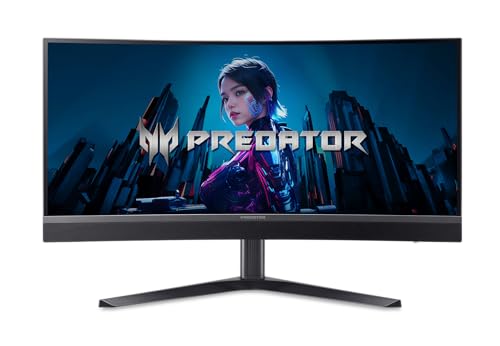

HDR400 vs HDR1000 at a Glance
| Feature | HDR400 | HDR1000 |
|---|---|---|
| Peak Luminance Target | 400 to 450 cd/m² | Up to 1000 cd/m² |
| Backlight Architecture | Global Edge-Lit or Direct LED | Multi-Zone Mini-LED (Up to 1152 Zones) |
| Static Contrast Ratio | 1,000:1 (IPS) to 3,000:1 (VA) | Up to 300,000:1 |
| Peak Native Refresh Rate | Up to 240Hz | Up to 200Hz |
| Wide Color Space Coverage | 99% sRGB to 131% Area Gamut | 97% to 99% DCI-P3, 99% Adobe RGB |
| Variable Refresh Sync | AMD FreeSync Premium | AMD FreeSync Premium and G-Sync Compatible |
| Color Accuracy Target | Not listed | Delta E < 2 |
| Display Interface Support | DisplayPort 1.4, HDMI 2.0 / 2.1 | DisplayPort 1.4, HDMI 2.1, USB-C (65W PD) |
| Best For | Fast-twitch esports and high-frame-rate SDR gaming | Cinematic AAA titles, HDR media, and content creation |
Peak Luminance and High Dynamic Range Punch
Peak brightness serves as the defining physical metric separating baseline certification from premium dynamic range. When evaluating HDR400 vs HDR1000 brightness, the raw luminance output dictates how realistically a panel renders sunlight, sparks, lightning, and reflective surfaces. Baseline HDR400 panels are certified to produce a brief highlight burst of 400 nits, with some high-output examples like the SANSUI 34-inch Curved Gaming Monitor listing maximum brightness levels of 450 cd/m². While this level of illumination is plenty bright for a standard office or moderately lit bedroom, it merely matches the everyday brightness of premium SDR monitors rather than pushing dynamic visual boundaries.
Stepping up to HDR1000 completely changes how visual intensity translates on screen. Certified displays such as the Acer Predator X34 reach a verified 1000 nits in HDR mode, delivering two and a half times the luminance punch of an entry-level screen. In practical gameplay, this massive headroom allows a torch in a dark cave or an explosion on an alien planet to pierce through the scene with tangible, lifelike force without washing out the darker portions of the frame. The sheer physical output creates an authentic sense of illumination that matches human eye perception far closer than baseline panels can achieve.
This dramatic gap often leads shoppers to ask is HDR400 real HDR when comparing performance benchmarks. In truth, DisplayHDR 400 is an entry tier that mandates global backlight illumination without requiring true local luminance bursts, making high dynamic range content look relatively flat. Driving demanding modern games at maximum settings across these high-resolution panels requires serious graphical muscle, and gamers frequently weigh graphics card pairings such as those examined in our nvidia rtx 4060 ti vs 4070 comparison to ensure their systems can pump out steady frame rates at native resolution.
Edge: HDR1000 wins comfortably by delivering true 1000-nit specular highlights that dwarf the modest 400-nit threshold of baseline panels.
Local Dimming and Contrast Performance
The starkest difference in real-world visual immersion lies in local dimming and the resulting contrast ratio. In any HDR400 vs HDR1000 contrast evaluation, panel construction defines the user experience. Standard HDR400 monitors rely entirely on global backlighting without local dimming zones. On an IPS screen like the Acer Nitro XV272U, the native contrast sits at 1,000:1, while Fast VA screens reach 3,000:1. When an HDR highlight appears on a globally backlit screen, the monitor must crank the entire backlight up, which immediately turns dark backgrounds into hazy gray tones and destroys shadow detail.
By contrast, the Mini LED HDR1000 vs HDR400 comparison reveals an entirely different backlight architecture. HDR1000 monitors incorporate full-array Mini-LED backlighting arrays packed with hundreds or thousands of miniature diodes. The Predator X34 incorporates 1152 local dimming zones, allowing the panel to independently shut off illumination behind dark zones while neighboring zones blast at peak luminance. Similarly, the KOORUI 27-inch Mini-LED Gaming Monitor achieves an immense 300,000:1 static contrast ratio through its Mini-LED IPS panel, producing ink-like blacks alongside vibrant highlights.
While multi-zone local dimming delivers exceptional depth, it does introduce a minor trade-off known as blooming or haloing. When an extremely bright element, such as a white text subtitle or a game HUD crosshair, appears against a pitch-black backdrop, a subtle glow can bleed into surrounding pixels. However, the staggering contrast gain easily outweighs this artifact in cinematic scenarios, giving HDR1000 screens an unmistakable three-dimensional realism that flat global backlights cannot emulate.
Edge: HDR1000 dominates contrast with multi-zone Mini-LED backlights that maintain pitch-black shadows alongside blinding highlights.
Color Gamut and Visual Saturation
Wide color reproduction is critical for unlocking the visual richness embedded in HDR game mastering and high-definition video files. A DisplayHDR 400 vs DisplayHDR 1000 comparison highlights a major divide in how broadly each standard reproduces the visible color spectrum. Baseline HDR400 displays often satisfy basic sRGB color requirements; the Nitro XV272U lists a standard 99% coverage figure, while the SANSUI ultrawide lists a 131% color area gamut. However, standard sRGB color mastering lacks the deep crimson, vibrant emerald, and saturated cyan shades required by modern HDR color spaces.
HDR1000 displays, on the other hand, are engineered around cinema-grade color standards. The KOORUI 27-inch Mini-LED display covers 97% of the digital cinema DCI-P3 gamut alongside 99% Adobe RGB coverage, and lists a 120 color gamut metric. The Predator X34 pushes this standard even further, featuring 99% DCI-P3 wide color gamut coverage and factory calibration with Delta E < 2 color accuracy. This high color accuracy ensures that tones look natural, lifelike, and strictly faithful to the creator’s artistic intent without oversaturating skin tones or clipping subtle gradients.
The visual impact of this expanded color volume becomes immediately obvious in lush virtual environments, where fiery sunset skies and bioluminescent flora pop with breathtaking vividness. Gamers evaluating capable graphics configurations to drive these dense, colorful 1440p displays often compare performance tiers like those in our nvidia rtx 4060 ti vs 4070 super guide to ensure their graphics card handles both expanded color depth and high render resolutions without compromising frame times.
Edge: HDR1000 takes the win by pairing broad DCI-P3 and Adobe RGB gamut coverage with factory-calibrated color accuracy.
Motion Handling and Esports Refresh Rates
When asking whether to choose HDR400 or HDR1000 for gaming, the answer depends heavily on the specific genres you play. Competitive esports enthusiasts who grind titles like Counter-Strike 2, Valorant, or Apex Legends prioritize frame rates and motion clarity above cinematic graphical fidelity. In this arena, HDR400 displays hold a noticeable edge. Both the SANSUI 34-inch curved monitor and the Acer Nitro XV272U offer native 240Hz refresh rates, delivering silky-smooth tracking and rapid frame delivery that competitive gamers rely on during fast flick shots.
Conversely, the representative HDR1000 Mini-LED monitors top out at a 200Hz refresh rate. While 200Hz on the Predator X34 and KOORUI Mini-LED remains exceptionally fast and fluid, it falls short of the blistering 240Hz ceiling found on modern esports-focused panels. Furthermore, driving competitive multiplayer games on an HDR1000 display often means managing local dimming algorithms that can occasionally add minuscule processing latency as dimming zones adjust to rapidly moving on-screen targets.
Both display tiers offer rapid pixel response metrics, with listings citing 1ms response times and up to 0.5ms Gray-to-Gray overdrive modes on models like the Nitro XV272U and Predator X34. Both camps also feature robust variable refresh rate technologies, utilizing AMD FreeSync Premium to wipe out screen tearing and jitter, while the KOORUI adds certified G-Sync compatibility. For players who want maximum frames without any local dimming overhead, balancing GPU performance as detailed in our nvidia rtx 4070 ti vs 4070 ti super breakdown matches perfectly with a fast 240Hz HDR400 display.
Edge: HDR400 wins for fast-paced competitive esports due to higher 240Hz native refresh rates and zero local dimming processing overhead.
Ergonomics, Ports, and Connectivity
Physical adjustability and port configurations vary significantly across these two categories, reflecting the different roles each monitor type fills in a workspace. Among the HDR400 examples, the Nitro XV272U offers comprehensive stand ergonomics with its ErgoStand design, providing 4.7 inches of height adjustment, 360-degree swivel, full 90-degree pivot into portrait mode, and -5 to 15 degrees of tilt. The SANSUI 34-inch ultrawide focuses on desk stability with a durable metal stand offering -5 to 15 degrees of tilt and 100x100mm VESA compatibility, but the listing does not specify height or swivel mechanics.
HDR1000 monitors are built as premium workstation and entertainment hubs, incorporating advanced multi-device connectivity. The Predator X34 features an ergonomic ErgoStand with height, tilt, swivel, and pivot adjustments, alongside dual HDMI 2.1 ports, DisplayPort 1.4, and a high-speed USB 3.2 Type-C port that supports DisplayPort Alt Mode and delivers 65W of power to charge a connected laptop over a single cable. The KOORUI 27-inch model similarly features a full ergonomic stand with tilt (-5° to 20°), swivel, rotation, and height adjustment, backed by hardware Picture-in-Picture (PiP) and Picture-by-Picture (PbP) modes for simultaneous multi-system workflows.
Cable bandwidth is essential when streaming full 10-bit color alongside high refresh rates at native resolution. While the Nitro XV272U utilizes HDMI 2.0 (limiting HDMI refresh rates to 144Hz while requiring DisplayPort for full 240Hz), the Predator X34 and SANSUI both integrate modern HDMI 2.1 connections. Powering these multi-monitor ultrawide battle stations without dropped frames frequently leads enthusiasts to review high-end graphics cards, such as those evaluated in our nvidia rtx 4080 vs 4080 super comparison, to ensure full bandwidth saturation across all display outputs.
Edge: HDR1000 wins on connectivity and modern utility thanks to full-featured USB-C power delivery and advanced multi-source multitasking.
Pros and Cons
HDR400

Pros
- Blistering native 240Hz refresh rates
- Zero local dimming haloing or blooming
- Fast 0.5ms to 1ms response times
- AMD FreeSync Premium motion stability
Cons
- Lacks hardware local dimming zones
- Limited to 400 to 450 cd brightness
- Low native contrast without true HDR blacks
View SANSUI 34 Inch Curved Monitor 240Hz on Amazon
HDR1000

Pros
- Piercing 1000-nit peak luminance
- 1152-zone Mini-LED local dimming
- Massive 300,000:1 static contrast ratio
- Cinema-grade 99% DCI-P3 color gamut
- Full-featured 65W USB-C connectivity
Cons
- Refresh rates top out at 200Hz
- Minor blooming around bright HUD elements
View Acer Predator 34in WQHD 3440×1440 Curved on Amazon
Who Should Buy Each One
Choose the HDR400 If
- You play competitive shooters where a 240Hz refresh rate and zero local dimming latency matter most.
- You primarily game in standard dynamic range (SDR) and only need baseline HDR signal compatibility.
- You want a fast, high-resolution QHD or ultrawide panel without paying the hardware premium for Mini-LED arrays.
- You prefer uniform screen lighting without any risk of haloing or blooming around game HUD elements.
Choose the HDR1000 If
- You want genuine, breathtaking high dynamic range visuals with 1000-nit highlights and true deep blacks.
- You play rich cinematic story games, open-world RPGs, and watch high-bitrate HDR streaming video.
- You require professional-grade wide color gamut coverage like 99% DCI-P3 and Adobe RGB for visual creation.
- You need modern workstation connectivity like a 65W USB-C hub connection and multi-source display modes.
Final Verdict
For gamers and desktop visual enthusiasts seeking a genuinely transformative visual experience, HDR1000 is indisputably worth the investment. The integration of full-array Mini-LED backlighting with over 1000 dimming zones, paired with 1000 nits of peak brightness and cinema-grade DCI-P3 color gamuts, creates an astonishing sense of three-dimensional depth. Games rendered on an HDR1000 panel exhibit sparkling reflections, lifelike lighting, and rich shadows that traditional monitors simply cannot produce.
Conversely, HDR400 remains a sensible and practical choice for competitive gamers who view fast frame delivery as their primary metric of success. If your daily gaming revolves around competitive multiplayer titles where maximum 240Hz refresh rates, instant response times, and consistent target visibility take precedence over dramatic contrast ratios, an HDR400 monitor provides outstanding esports speed and dependable clarity.
FAQ
Is HDR400 real HDR?
HDR400 is an entry-level VESA standard that certifies a monitor can accept an HDR10 signal and achieve a peak luminance of 400 nits. However, because it does not require local dimming hardware or an expanded wide color gamut, it cannot produce the dramatic contrast between deep blacks and bright highlights that defines a true high dynamic range experience.
Is HDR1000 worth it compared to HDR400?
Yes, HDR1000 is well worth it for players who prioritize visual immersion, cinematic storytelling, and authentic dynamic range. With 1000 nits of peak brightness and hundreds or thousands of Mini-LED local dimming zones, an HDR1000 monitor provides an unmistakable upgrade in contrast, depth, and specular detail that baseline HDR400 displays cannot match.
What causes haloing or blooming on HDR1000 Mini-LED displays?
Blooming occurs when an isolated, bright white object appears against a completely dark background. Because Mini-LED backlights illuminate the screen using physical zones, such as the 1152 zones on the Predator X34, the lit zone behind the bright object can cast a subtle light bleed into the adjacent darkened pixels.
Why does an HDR400 monitor sometimes look washed out in Windows?
When HDR is enabled in Windows on an HDR400 display, the operating system remaps standard SDR desktop elements into an HDR tone curve. Because an HDR400 screen lacks local dimming and operates at a modest peak brightness, the global backlight is forced to stay elevated, raising black levels and causing standard desktop windows and colors to appear washed out.
Do HDR1000 monitors require specific cables to run at maximum refresh rates?
Yes, transmitting high-resolution QHD or ultrawide signals at 200Hz alongside 10-bit HDR color data requires substantial bandwidth. HDR1000 monitors like the Predator X34 supply DisplayPort 1.4, HDMI 2.1, and USB Type-C ports, and using high-bandwidth DisplayPort 1.4 or HDMI 2.1 cables is necessary to avoid bandwidth bottlenecks or refresh rate capping.
Does local dimming on an HDR1000 monitor increase input lag?
Local dimming requires the monitor processor to analyze incoming video frames in real time and calculate brightness levels for each individual zone. While this calculation can add a fraction of a millisecond of processing overhead, modern gaming monitors feature rapid processors that keep total latency low enough for all but the most demanding professional esports scenarios.


