The central distinction separating these two desktop processors is a modest 200 MHz boost clock increase, with both chips sharing an identical 14-core hybrid architecture and compatibility across Intel LGA 1700 motherboards. Shoppers comparing the i5-14600K vs Intel Core i5-13600K will find that the newer generation serves primarily as an operational frequency refresh rather than an architectural overhaul.
Builders focused on maximizing overall component value should assemble their rig around the Intel Core i5-13600K, while PC enthusiasts seeking the highest possible factory clock speeds out of the box will favor the Intel Core i5-14600K.

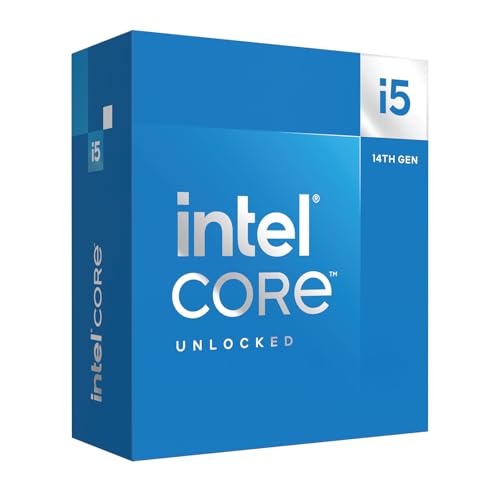
Intel Core i5-13600K vs i5-14600K at a Glance
| Feature | Intel Core i5-13600K | Intel Core i5-14600K |
|---|---|---|
| Processor Generation | 13th Gen Intel Core | 14th Gen Intel Core |
| Total Physical Cores | 14 (6 P-cores + 8 E-cores) | 14 (6 P-cores + 8 E-cores) |
| Concurrent Threads | 20 | Not listed |
| Maximum Boost Clock Speed | Up to 5.1 GHz | Up to 5.3 GHz |
| Base CPU Speed | Not listed | 3.5 GHz |
| Secondary Cache Size | 24 MB | Not listed |
| Processor Socket | LGA 1700 | LGA 1700 |
| Processor Base Power | 125 watts | 125 watts |
| Maximum Turbo Wattage | 181 watts | Not listed |
| Integrated Graphics | Intel UHD Graphics 770 | Not listed |
| Motherboard Compatibility | Intel 600 and 700 Series | Intel 600 and 700 Series |
| PCIe Interface Support | PCIe 5.0 and PCIe 4.0 | PCIe 5.0 and PCIe 4.0 |
| Best For | Pragmatic system builders and upgraders | Shoppers demanding peak out-of-the-box clock speed |
Clock Speed and Core Frequency Differences
Clock frequency defines how many processing cycles an execution engine completes every second. In daily computing and gaming environments, higher burst frequencies directly shorten completion times for instructions that rely heavily on single-thread execution. The Core i5-13600K tops out at an unlocked 5.1 GHz maximum boost frequency, whereas the Core i5-14600K pushes this ceiling to 5.3 GHz. That single adjustment represents the key metric differentiating the two generations on paper.
When examining the i5-13600K vs 14600K clock speed metrics, the 200 MHz delta delivers a very small mathematical gain. In high-demand scenarios, that small increase means the 14600K processes brief compute spikes slightly faster than its predecessor. The listing notes that the 14600K has a base speed of 3.5 GHz, establishing a dependable operational floor during sustained multi-threaded jobs. For those balancing options between variants with and without integrated silicon, comparing the intel core i5-13600k vs i5-13600kf demonstrates how base frequencies and display capabilities intersect across these tiers.
In practice, pushing maximum boost clocks upward yields incremental rather than transformative changes in real-world application responsiveness. System builders running sustained rendering loops or compute tasks will see marginal differences, because thermal boundaries often dictate whether a processor maintains its ceiling. The 200 MHz leap gives the newer model an advantage for tasks that respond directly to clock speed, but it does not represent an architectural restructuring.
Edge: Intel Core i5-14600K because its 5.3 GHz maximum boost clock provides a direct 200 MHz frequency increase over the 5.1 GHz limit of the 13600K.
Core Topology and Architecture Management
Both models use Intel performance hybrid architecture, a layout that pairs high-performance cores with high-efficiency cores. This structure divides system workloads systematically so resource-heavy applications occupy high-performance cores while system upkeep and lighter tasks operate on energy-efficient cores. The 13600K listing specifies 14 cores divided into 6 P-cores and 8 E-cores along with 20 threads. The 14600K listing documents the identical 14-core layout of 6 P-cores and 8 E-cores, though the listing does not specify its concurrent thread count.
Because the physical core count remains unchanged between these generations, the execution pipeline handles identical volumes of parallel data. Whether compiling software, encoding video streams, or managing background applications during gameplay, the internal workload distribution relies on the same dual-microarchitecture blueprint. Builders sizing up different generations against lower-tier alternatives can evaluate the intel core i5-13500 vs i5-14600k to observe how core distributions vary across distinct silicon tiers.
The architecture ensures that both chips process heavy computing routines without stalling peripheral background tasks. With 14 physical cores operating together, both models offer ample processing headroom for modern desktop operating systems, including Windows 10 and Windows 11. Neither processor gives up core counts to the other, creating functional parity across standard desktop computing duties.
Edge: Tie because both processors feature identical 14-core configurations combining 6 Performance cores and 8 Efficient cores.
Motherboard Chipset and Platform Compatibility
Platform consistency helps system builders save money and preserve hardware investments across generational upgrades. Both of these processors install directly into the LGA 1700 desktop socket and run on Intel 600-series and 700-series chipset motherboards. The 13600K listing explicitly mentions that 600-series boards may require a BIOS update to operate properly, a requirement that also applies to the 14th Gen 14600K when installed in older motherboards.
Memory flexibility is another shared benefit. Both processors support DDR4 and DDR5 memory modules, letting users deploy existing DDR4 memory kits or adopt higher-speed DDR5 standards. Additionally, both listings verify support for PCIe 5.0 and PCIe 4.0 lanes, allowing modern graphics cards and fast solid-state storage to run at their intended bus speeds. Builders cross-shopping other modern desktop platforms can review the intel core i5-14600k vs amd ryzen 5 7600x to assess how Intel’s shared platform compares to competing architectures.
Because the socket and chipset options match completely, builders do not need to buy a proprietary board to use the newer chip. Anyone upgrading an existing LGA 1700 motherboard can install either CPU with equal ease, making motherboard availability and system layout completely neutral when choosing between the two.
Edge: Tie because both processors install into the LGA 1700 socket, support Intel 600 and 700 series motherboards, and offer identical DDR4, DDR5, PCIe 5.0, and PCIe 4.0 support.
Thermal Requirements and Power Profiles
Power delivery and thermal control directly govern sustained processor performance. The 13600K and 14600K both feature a 125-watt processor base power profile according to their official listings. The 13600K specifications detail a maximum wattage figure of 181 watts, whereas the listing does not specify the maximum turbo power draw for the 14600K beyond its 125 W core CPU power baseline.
Neither processor includes a bundled heatsink or fan inside the retail box, as the 13600K listing notes no thermal solution is included. Builders assembling a system around either chip must purchase an aftermarket air cooler or liquid cooling setup capable of handling at least 125 watts at base operation and higher thermal spikes during boost states. When planning power supplies and thermal headroom, comparing the intel core i5-13600kf vs i5-14600k reveals identical thermal demands regardless of whether display outputs are integrated.
Because both processors use an unlocked multiplier and hit boost clocks exceeding 5.0 GHz, managing thermal output requires deliberate planning. Adequate case airflow and a capable heatsink are essential to prevent thermal throttling on both units during heavy compute loads. With identical base power ratings of 125 watts and no stock coolers in either package, neither chip presents a distinct operational advantage in heat dissipation.
Edge: Tie because both models share a 125-watt processor base power rating and require aftermarket cooling solutions.
Gaming and Productivity Workloads
When selecting the Intel Core i5-13600K or i5-14600K for gaming, frame rates depend heavily on single-thread frequency alongside the core architecture. Modern gaming engines assign render pipelines, asset processing, and game physics to primary threads, making maximum clock speed a primary factor. Because the 14600K reaches 5.3 GHz compared to the 5.1 GHz cap on the 13600K, the 14th Gen processor holds a fractional upper hand in high-refresh-rate titles where processor frequency dictates peak output.
For multithreaded productivity tasks like video rendering, 3D compilation, and batch data processing, overall throughput depends on core coordination and thermal stability. Evaluating 13600K vs 14600K performance shows that the shared 14-core layout provides equivalent computing pipelines for parallel routines. The slight clock speed bump on the 14600K can trim a few seconds off long computational runs, but the foundational performance profile remains fundamentally unchanged between the two generations.
In analyzing whether the question of is i5-14600K worth it applies to your setup, the expected workflow is key. In any balanced Intel Core i5-13600K review or corresponding i5-14600K review, testers note that while Core i5-13600K vs i5-14600K benchmarks favor the newer chip by low single-digit margins, those differences rarely transform the user experience. Builders weighing budget tiers can look at the intel core i5-13400f vs i5-13600k to examine how dropping lower in the product line creates a much wider performance gap than the minor jump between these two K-series models.
Edge: Intel Core i5-14600K because its higher 5.3 GHz clock speed yields minor single-thread performance gains in gaming and compute-heavy productivity tasks.
Integrated Media and Platform Features
Integrated features provide system-level conveniences beyond raw compute speed. The 13600K listing explicitly confirms an integrated Intel UHD Graphics 770 processor, Turbo Boost Max Technology 3.0, and support for Intel Optane Memory. The onboard display processor allows the 13600K to run desktop monitors without a standalone graphics card, handle secondary display feeds, and troubleshoot display connectivity problems independently.
In contrast, the 14600K listing does not specify integrated graphics details or Optane memory support in its official product description. While both processors feature unlocked multipliers for overclocking support, the confirmed inclusion of Intel UHD Graphics 770 gives the 13600K a distinct edge in system versatility. Dedicated video engines built into the integrated GPU also support quick media encoding workflows without taxing the main graphics card.
For builders assembling a productive workstation that does not immediately require an expensive dedicated graphics card, the verified display silicon on the 13600K serves as a reliable feature. The detailed listing gives buyers absolute clarity about media decoding, multi-display support, and video troubleshooting capabilities right out of the box.
Edge: Intel Core i5-13600K because its official specifications verify the inclusion of integrated Intel UHD Graphics 770 and Intel Optane Memory support.
Pros and Cons
Intel Core i5-13600K
Pros
- 14 cores and 20 threads for multitasking
- Integrated Intel UHD 770 graphics included
- PCIe 5.0 and DDR5 memory support
- Broad LGA 1700 motherboard compatibility
Cons
- Lower 5.1 GHz boost clock
- No bundled thermal solution
- 600-series boards may require BIOS update
View Intel Core i5-13600K on Amazon
Intel Core i5-14600K
Pros
- Faster boost clock up to 5.3 GHz
- 14 cores with 6 performance cores
- Flexible DDR4 and DDR5 memory support
- High-speed PCIe 5.0 and 4.0 support
Cons
- No core count increase over predecessor
- High 125W base power requirement
View Intel Core i5-14600K on Amazon
Who Should Buy Each One
Choose the Intel Core i5-13600K If

- You want 14 total cores and 20 threads while prioritizing proven system stability.
- You need integrated Intel UHD Graphics 770 for display output or video troubleshooting.
- You prefer a component where cache sizes, turbo wattages, and thread counts are explicitly listed.
- You want high-tier gaming and workstation power without paying for a minor 200 MHz refresh bump.
Choose the Intel Core i5-14600K If

- You want the absolute highest boost clock available on this mid-range socket at 5.3 GHz.
- You want the 14th Gen branding for a newly assembled desktop build.
- You are pairing the processor with a discrete gaming GPU and do not rely on onboard graphics data.
- You run applications that directly benefit from marginal single-core clock speed gains.
Final Verdict
For the vast majority of PC builders and desktop upgraders, the Intel Core i5-13600K is the smarter pick. It delivers the exact same physical core count, an identical 14-core hybrid architecture, equal memory and PCIe generation compatibility, and fully documented integrated Intel UHD Graphics 770. The 200 MHz boost speed gap between 5.1 GHz and 5.3 GHz is so small that it produces virtually unnoticeable differences in day-to-day computing, productivity work, and regular gaming sessions.
The Intel Core i5-14600K takes the lead only when your primary goal is squeezing every possible megahertz out of the LGA 1700 platform without manual overclocking. If your software specifically rewards higher burst frequencies, or if you simply want the newest generation chip on your motherboard, the 14600K delivers that factory-tuned 5.3 GHz ceiling. Otherwise, the 13600K offers essentially identical architectural capabilities.
FAQ
Do both processors fit in the same motherboard socket?
Yes. Both processors use the Intel LGA 1700 socket. They are compatible with motherboards running Intel 600-series and 700-series chipsets, though 600-series boards may require a BIOS update to recognize either processor properly.
Can I use DDR4 memory with both the 13600K and 14600K?
Yes. The specifications for both processors confirm support for DDR4 and DDR5 memory modules. The actual type of RAM you use depends on whether your selected LGA 1700 motherboard has DDR4 or DDR5 memory slots.
Does either processor include a cooler in the box?
No. The 13600K listing explicitly states that no thermal solution is included, and K-series Intel desktop processors do not come bundled with a factory cooler. You must provide your own compatible aftermarket cooler capable of handling a 125-watt base power rating.
What is the primary speed difference between these two processors?
The main speed distinction is their peak boost clock rate. The 13600K reaches a maximum boost speed of up to 5.1 GHz, while the 14600K boosts up to 5.3 GHz, creating a 200 MHz advantage for the 14th Gen processor.
Does the 14600K provide more processing cores than the 13600K?
No. Both processors feature an identical core architecture consisting of 14 physical cores organized into 6 Performance cores and 8 Efficient cores.
Which processor should I choose for gaming workloads?
Both processors offer high performance in gaming environments thanks to their shared 6 Performance cores and modern architecture. The 14600K holds a slight advantage due to its 5.3 GHz boost clock, but the 13600K delivers an almost identical experience at 5.1 GHz.


