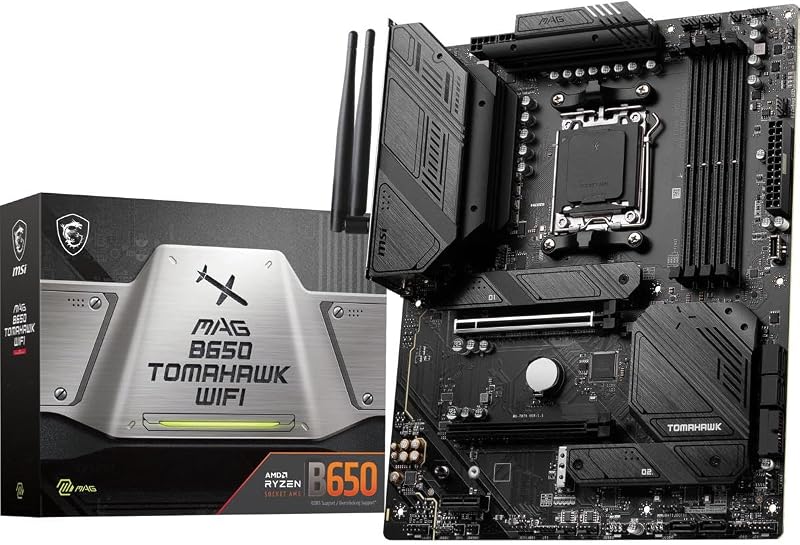
The primary decision factor between the Nvidia RTX 3060 and the Nvidia RTX 3070 Ti centers on whether your workload demands a larger 12GB memory buffer or the sheer speed of high-bandwidth GDDR6X architecture. While the RTX 3060 provides generous video memory to prevent out-of-memory errors during complex creative tasks, the RTX 3070 Ti focuses on raw frame throughput and faster memory clocks designed to sustain demanding visual rendering.
Creative professionals and budget-conscious builders should choose the RTX 3060 for its expansive capacity and compact physical footprint. Enthusiast gamers and high-refresh display owners should select the RTX 3070 Ti for its aggressive processing speeds and uncompromising graphical power.

Nvidia RTX 3060 vs Nvidia RTX 3070 Ti at a Glance
| Feature | Nvidia RTX 3060 | Nvidia RTX 3070 Ti |
|---|---|---|
| Graphics Memory Capacity | 12 GB | 8 GB |
| Memory Type | GDDR6 | GDDR6X |
| Memory Clock Speed | 1807 MHz | 1920 MHz |
| GPU Core Clock Speed | 1777 MHz | Not listed |
| Cooling Hardware | Dual Fan (Torx Twin Fan) | Triple Fan |
| Card Dimensions | 9.25″L x 4.88″W | 14.17″L x 6.69″W |
| PCIe Interface | PCI-Express x16 (PCIe 4.0) | PCI Express (PCIe 4.0) |
| Display Outputs | 3x DisplayPort 1.4a, 1x HDMI 2.1 | HDMI (Additional ports not listed) |
| Maximum Display Resolution | 7680 x 4320 (8K) | 7680 x 4320 (8K) |
| Best For | Asset-heavy creative work and 1080p gaming | High-refresh 1440p gaming and rapid compute |
VRAM Capacity and Memory Architecture
The memory architecture presents the most prominent technical divergence when examining the rtx 3060 12gb vs rtx 3070 ti 8gb configurations. Memory capacity defines how many high-resolution textures, 3D meshes, and frame buffers a graphics processing unit can store locally without offloading data onto slower system memory. The MSI RTX 3060 is equipped with 12GB of GDDR6 memory, operating across a 192-bit interface with an 1807 MHz memory clock. This spacious buffer ensures that memory-heavy operations execute smoothly without causing stutter or out-of-memory crashes.
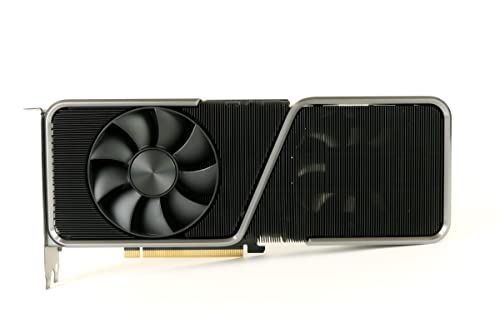
In contrast, the Founders Edition RTX 3070 Ti carries 8GB of memory, but upgrades the memory silicon to premium GDDR6X technology running at a faster 1920 MHz memory clock. While GDDR6 transfers data at standard speeds, GDDR6X uses advanced pulse amplitude modulation signaling to double data rates per cycle, providing substantially greater bandwidth. When comparing the broader GPU lineup, such as in our nvidia rtx 3060 vs 3080 evaluation, memory throughput frequently dictates higher-tier gaming stability just as much as raw capacity.
The trade-off here is stark. If a project or game title requires 9GB of video memory, the RTX 3060 accommodates the dataset effortlessly within its 12GB buffer. The RTX 3070 Ti, despite having significantly faster memory channels, will encounter capacity limits when handling asset loads exceeding its 8GB pool. However, as long as a software title operates within that 8GB boundary, the RTX 3070 Ti moves visual data between memory and processing cores at considerably higher velocity.
Edge: Tie. The RTX 3060 wins decisively for raw memory headroom, whereas the RTX 3070 Ti takes the lead for memory data transmission speeds.
Gaming Resolution and Frame Rate Performance
Determining whether to buy the rtx 3060 or rtx 3070 ti for gaming comes down to your target display resolution and desired refresh rate. The RTX 3060 listing specifies an Ampere GPU clock speed of 1777 MHz (alongside a listed 1710 MHz base), paired with second-generation Ray Tracing Cores and third-generation Tensor Cores. These hardware blocks deliver stable, fluent performance across modern titles at 1080p and moderate frame rates at 1440p, leveraging Nvidia Ampere streaming multiprocessors for modern visual effects.
The RTX 3070 Ti steps into an entirely different processing tier. As shown across multiple hardware benchmarks in an nvidia rtx 3060 ti vs 3070 ti comparison, the higher-tier silicon inside the RTX 3070 Ti is built to sustain demanding graphical workloads at native 1440p and entry 4K. Even though the listing does not state the core clock speed for the RTX 3070 Ti, its integration of high-bandwidth GDDR6X memory and advanced Ampere compute units allows it to push dramatically higher frame rates in competitive shooters and demanding action titles.
Choosing the RTX 3060 provides a dependable gaming experience for standard refresh rate monitors, but it lacks the horsepower to drive high-refresh 1440p panels at ultra settings. The RTX 3070 Ti provides the computational muscle needed to drive fast-paced action without lowering graphical fidelity, rendering complex post-processing effects and ray-traced reflections far more effortlessly than the 3060 can manage.
Edge: Nvidia RTX 3070 Ti. Its faster memory clock and compute-focused Ampere architecture deliver superior frame rate generation across higher resolutions.
Content Creation and Video Production Workflows
When selecting the rtx 3060 or 3070 ti for video editing, the choice is governed by timeline resolution, multi-stream complexity, and 3D rendering plugins. Video editing suites such as DaVinci Resolve and Adobe Premiere Pro rely on graphics memory to hold uncompressed video frames, color grading nodes, and optical flow visual assets. The 12GB VRAM buffer on the RTX 3060 serves as a protective barrier against render failures during 4K timeline work and multi-camera playback.
The RTX 3070 Ti listing highlights its classification for professional usage environments, backed by high-throughput GDDR6X memory. During export rendering, noise reduction calculations, and motion graphic rendering, the higher memory clock speed of 1920 MHz helps the RTX 3070 Ti process visual data quickly. A detailed nvidia rtx 3060 vs 3070 workflow analysis confirms that raw compute speed shortens export times substantially, provided the project files do not exhaust the onboard memory allocation.
If your workflow incorporates heavy 3D scene modeling in applications like Blender, where geometry and texture packs exceed 8GB, the RTX 3060 allows complex scenes to render without falling back to slow system RAM. However, if your video production consists primarily of compressed codecs, accelerated playback, and effects that comfortably fit within 8GB, the RTX 3070 Ti will export and scrub timelines with noticeably greater speed.
Edge: Nvidia RTX 3060. The safety net of a 12GB memory pool prevents project render crashes that raw hardware speed cannot overcome.
Thermal Design, Cooling, and Physical Form Factor
A comprehensive rtx 3070 ti vs 3060 evaluation requires close attention to physical chassis dimensions and thermal hardware. The MSI RTX 3060 features a dual-fan cooling system utilizing Torx Twin Fan hardware. Its dimensions measure a compact 9.25 inches in length and 4.88 inches in width, allowing it to fit effortlessly into mainstream mid-tower enclosures, compact micro-ATX cases, and small-form-factor builds without obstructing cable management channels or drive bays.
The RTX 3070 Ti Founders Edition features a much larger footprint, measuring 14.17 inches in length and 6.69 inches in width, equipped with a comprehensive triple-fan cooling system. This extensive cooling assembly is necessary to dissipate the substantial heat generated by high-frequency GDDR6X memory and compute-heavy silicon. Builders considering this card must verify that their computer enclosure offers sufficient horizontal clearance, as small or older cases will struggle to fit a card measuring over 14 inches.
The physical distinction between a dual-fan 9.25-inch card and a triple-fan 14.17-inch card impacts system integration directly. Builders upgrading from lower-tier cards, such as those covered in an nvidia rtx 3050 vs 3070 ti guide, will find the RTX 3060 virtually plug-and-play in terms of spacing. The RTX 3070 Ti commands dedicated planning, adequate chassis airflow, and sufficient interior room to accommodate its elongated body.
Edge: Nvidia RTX 3060. Its 9.25-inch dual-fan design guarantees superior chassis compatibility and simpler installation across a wide range of computer cases.
Display Outputs and Power Connectivity
Connectivity options determine how easily a graphics card drives complex monitor configurations. Examining the rtx 3060 vs 3070 ti specs reveals distinct hardware interfaces. The MSI RTX 3060 comes equipped with three DisplayPort 1.4a outputs and one HDMI 2.1 port, providing comprehensive four-display multi-monitor support out of the box. Both graphics cards support ultra-high-definition output up to 8K resolution (7680 x 4320), making them capable of driving high-resolution productivity displays.
The RTX 3070 Ti listing confirms HDMI connectivity and 8K display capability, but does not specify the breakdown of additional display ports in the data. However, the listing explicitly notes that the RTX 3070 Ti includes an Nvidia Dual PCIe 8-pin adapter in the box. This adapter indicates that the RTX 3070 Ti demands robust power delivery, requiring two dedicated 8-pin PCIe power cables from your power supply unit to feed its high-throughput architecture.
For builders assessing system upgrades, like those seen in an nvidia rtx 3060 ti vs 3070 comparison, power delivery requirements represent a meaningful checkpoint. The RTX 3060 operates on standard PCIe x16 slot power with simpler cable needs, whereas the RTX 3070 Ti requires multiple 8-pin auxiliary connections to ensure operating stability during sustained graphics loads.
Edge: Nvidia RTX 3060. It offers fully detailed multi-monitor connectivity with three DisplayPort 1.4a outputs and an HDMI 2.1 connection without requiring dual 8-pin adapter routing.
Pros and Cons
Nvidia RTX 3060

Pros
- Spacious 12GB GDDR6 memory buffer
- Compact 9.25-inch dual-fan form factor
- Three DisplayPort 1.4a and HDMI 2.1 outputs
- Full 8K 7680×4320 maximum display resolution
Cons
- Slower 1807 MHz memory clock speed
- Lower frame rate throughput at 1440p resolution
View Nvidia RTX 3060 on Amazon
Nvidia RTX 3070 Ti

Pros
- Ultra-fast GDDR6X memory architecture
- Higher 1920 MHz memory clock frequency
- Robust triple-fan cooling array
- Dual PCIe 8-pin power adapter included
Cons
- Limited to an 8GB video memory capacity
- Massive 14.17-inch length restricts case compatibility
View Nvidia RTX 3070 Ti on Amazon
Who Should Buy Each One
Choose the Nvidia RTX 3060 If
- You manage complex 3D rendering scenes or heavy video editing timelines that require a generous 12GB VRAM buffer to prevent crashes.
- You use a compact or space-restricted PC chassis that cannot accommodate cards exceeding 10 inches, benefiting from the 9.25-inch length.
- You need multiple native DisplayPort 1.4a connections to drive a multi-monitor workstation setup.
- You play modern titles primarily at 1080p resolution and want efficient dual-fan cooling without heavy thermal output.
Choose the Nvidia RTX 3070 Ti If
- You demand high-refresh frame rates in competitive games at 1440p resolution or ultra settings.
- You possess a spacious PC case with over 15 inches of clearance to house the 14.17-inch triple-fan chassis.
- Your visual rendering workflows require the faster data transmission speeds of GDDR6X memory clocked at 1920 MHz.
- Your power supply includes sufficient dedicated PCIe 8-pin cables to support the included dual 8-pin power adapter.
Final Verdict
For the majority of creators and mainstream PC builders, the Nvidia RTX 3060 represents the more practical and adaptable option. Its 12GB GDDR6 memory buffer eliminates the anxiety of VRAM bottlenecks in video editing suites and creative modeling applications, while its compact 9.25-inch frame easily fits into virtually any standard computer tower. Backed by three DisplayPort 1.4a connections and an HDMI 2.1 port, it fulfills both desktop productivity and solid gaming requirements with minimal installation friction.
On the other hand, the Nvidia RTX 3070 Ti is the definitive pick when high-refresh gaming and rapid compute performance take precedence over raw buffer volume. Its high-speed GDDR6X memory running at 1920 MHz and comprehensive triple-fan cooling system deliver the horsepower needed to maximize modern games at 1440p and native 8K display outputs. If your chassis can accommodate its massive 14.17-inch length and your workload stays within an 8GB envelope, the RTX 3070 Ti delivers visual processing speed that the RTX 3060 simply cannot match.
FAQ
Does the RTX 3060 outperform the RTX 3070 Ti because it has more VRAM?
No, the RTX 3060 does not outperform the RTX 3070 Ti in raw gaming frame rates despite having 12GB of VRAM compared to the 3070 Ti’s 8GB. The RTX 3070 Ti uses faster GDDR6X memory clocked at 1920 MHz and a more powerful Ampere GPU architecture, allowing it to render frames and calculate complex graphics substantially faster. The extra VRAM on the RTX 3060 only gives it an advantage in scenarios where an application strictly requires more than 8GB of memory to avoid crashing.
Is the RTX 3070 Ti worth it for high-resolution gaming?
The RTX 3070 Ti is built specifically to handle demanding graphics at 1440p and supports display resolutions up to 7680 x 4320 (8K). Its advanced GDDR6X memory provides the high-bandwidth data transfer necessary to sustain fluid gameplay and high frame rates at higher resolutions, making it a capable upgrade for players moving beyond standard 1080p displays.
Which graphics card is better suited for video editing?
The RTX 3060 is often preferred for multi-stream 4K video editing and heavy creative workloads because its 12GB GDDR6 buffer accommodates large video frames, timeline caches, and visual effects without exhausting memory. However, if your editing projects fit comfortably inside an 8GB pool, the RTX 3070 Ti can process export renders and compute effects faster due to its 1920 MHz memory clock speed.
What display outputs do these two graphics cards provide?
The MSI RTX 3060 includes three DisplayPort 1.4a outputs and one HDMI 2.1 output, allowing direct connection to up to four simultaneous displays. The RTX 3070 Ti listing specifies an HDMI output interface and full 8K (7680 x 4320) display capability, though the listing does not specify the exact breakdown of any additional ports on the card.
Will the RTX 3070 Ti fit into a standard computer case?
The RTX 3070 Ti Founders Edition measures 14.17 inches long and 6.69 inches wide, which makes it significantly longer than standard mid-range graphics cards. You must measure your PC enclosure carefully before purchasing to confirm you have at least 15 inches of horizontal GPU clearance, whereas the RTX 3060 measures just 9.25 inches long and fits into nearly all standard ATX and micro-ATX chassis.
What accessories and power hardware are included in the box?
The MSI RTX 3060 package includes the graphics card and a quick setup guide. The RTX 3070 Ti package includes the graphics card, a quick start guide, and an Nvidia Dual PCIe 8-pin power adapter, which is required to deliver adequate power from your computer’s power supply to the graphics card.