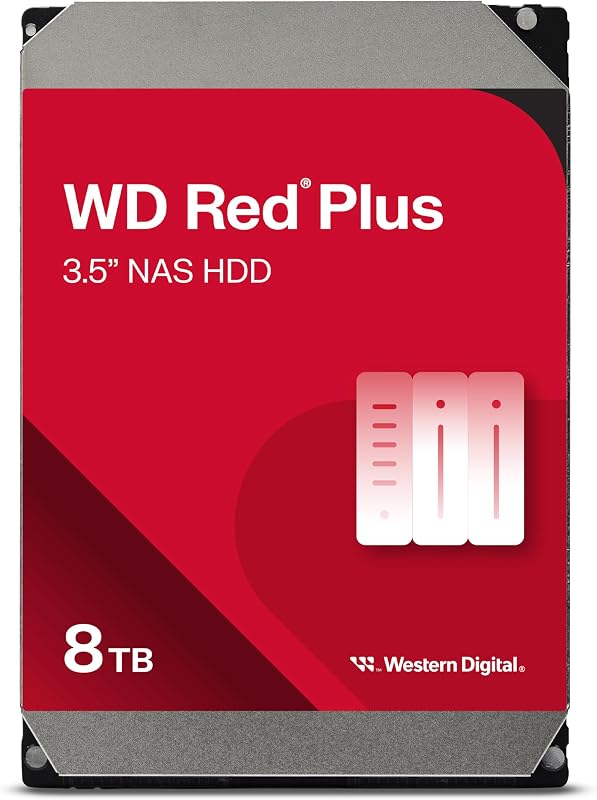
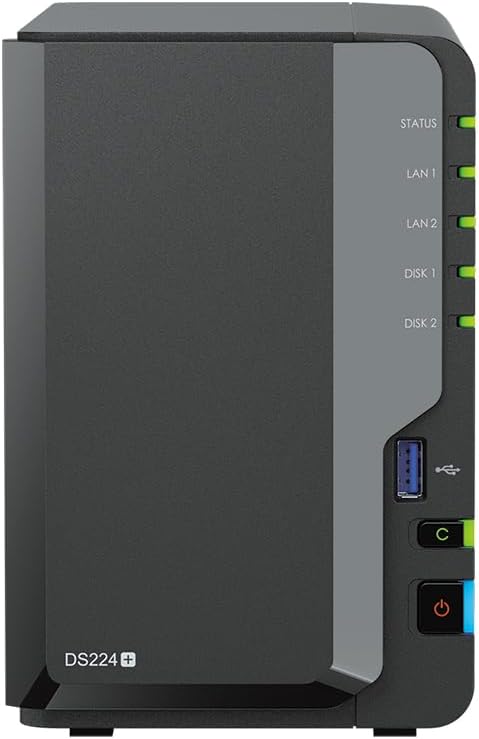
The defining distinction when comparing the Synology DS224+ against the Synology DS923+ comes down to drive bay scalability and enterprise-grade ECC memory support versus compact, low-power simplicity. While both network-attached storage servers run the robust Synology DSM operating system, the DS224+ is engineered as a two-bay solution focused on personal multimedia and desktop backups, whereas the DS923+ serves as a four-bay expandable platform built for virtualization, heavy containerization, and demanding multi-user environments.
Choose the Synology DS224+ if you want an energy-efficient, straightforward server for home backups, photo libraries, and 4K media streaming without the footprint of a larger array. Choose the Synology DS923+ if your workflow demands high-capacity storage pools, extensive memory capacity for virtual machines, and dedicated M.2 NVMe SSD support.


Synology DS224+ vs Synology DS923+ at a Glance
| Feature | Synology DS224+ | Synology DS923+ |
|---|---|---|
| Drive Bays and Storage Bundled | 2 Bays (8TB: 2 x 4TB SATA HDDs included) | 4 Bays (16TB: 4 x 4TB SATA HDDs included) |
| Processor | Intel Celeron J4125 4-Core (2.0 GHz base, up to 2.7 GHz Turbo) | AMD Ryzen R1600 2-Core (2.6 GHz base, up to 3.1 GHz Turbo) |
| Memory | 6GB DDR4 non-ECC SODIMM | 32GB DDR4 ECC |
| M.2 NVMe SSD Support | Not listed | 1TB (2 x 500GB) M.2 2280 NVMe SSD included |
| Networking Ports | 2 x RJ-45 1GbE LAN (Link Aggregation / Failover) | 2 x RJ-45 1GbE LAN (Link Aggregation / Failover) |
| External Expansion Ports | 2 x USB 3.2 Ports | 1 x USB 3.2 Port, 1 x eSATA Port |
| File Systems Supported | Btrfs, EXT4 | Btrfs (Advanced LUN iSCSI Service), EXT4 |
| Operating Power Usage | As low as 15 watts | Not listed (Single Power Supply) |
| Installation State | Chassis comes in sealed box | Drives and memory included separately, installation required |
| Best For | Home multimedia, desktop backups, and energy efficiency | Virtualization, large surveillance setups, and scalable arrays |
Storage Capacity and Drive Bay Scalability
Physical bay count determines the ceiling of your local storage pool and dictates the data redundancy models available to your storage pool. The DS224+ provides two drive bays equipped in this bundle with 8TB of raw storage via two 4TB SATA drives. Operating a two-bay system restricts redundancy configurations primarily to RAID 1 disk mirroring or non-redundant striping. When a mirror configuration is selected to preserve data integrity against drive failure, total usable space matches the capacity of a single drive, limiting long-term data expansion without replacing existing drives with larger units.
In contrast, the DS923+ provides four internal drive bays supplied with 16TB of storage across four 4TB SATA drives. Having four bays unlocks advanced multi-disk parity configurations such as RAID 5 and RAID 6, delivering an optimal balance between capacity utilization and hardware fault tolerance. Furthermore, the DS923+ features an external eSATA port, allowing users to hook up expansion units to scale drive counts significantly beyond the base chassis. For readers evaluating capacity growth paths, comparing the synology ds224+ vs ds423+ reveals similar stepped bay tiers across the Synology ecosystem.
Assessing the ds923+ vs ds224+ specs highlights that the DS923+ accommodates extensive data archives, high-resolution video production archives, and expansive multi-user document shares. The DS224+ focuses on compact storage adequacy, ideal for single households or modest office storage requirements where high terabyte ceilings and multi-drive parity are unnecessary.
Edge: Synology DS923+ because its four drive bays, included 16TB storage, and eSATA port provide superior capacity and RAID redundancy.
Processor Architecture and Multitasking Performance
The processing engine inside a network server governs how efficiently it manages concurrent file transfers, background photo indexing, real-time multimedia transcoding, and multi-tenant web applications. The DS224+ utilizes an Intel Celeron J4125 quad-core processor running at a base clock of 2.0 GHz with burst speeds reaching up to 2.7 GHz. With four dedicated physical computing cores, this chip excels at juggling parallel tasks within Synology DSM, including Security Advisor runs, file cataloging in Synology Drive, and album generation within Synology Photos.
The DS923+ takes a divergent architectural path with an AMD Ryzen R1600 dual-core processor operating at a higher 2.6 GHz base clock and scaling up to 3.1 GHz Turbo. While featuring two physical cores, the Ryzen architecture provides higher clock frequencies and robust single-core compute performance that benefits rigorous multi-user database operations, domain controllers, and high-frequency read-write synchronization. Those evaluating modern x86 alternatives like the synology ds923+ vs qnap ts-464 often observe that raw clock speed plays a central role in complex multi-user hosting.
For shoppers exploring the ds224+ vs ds923+ plex dynamic, the processor roles represent differing priorities. The DS224+ listing highlights its capability as a 4K multimedia server, making it a dependable appliance for streaming video across home devices. The DS923+ processor focuses heavily on enterprise-tier server roles and container compute, offering massive processing bandwidth for business tasks rather than personal media-centric transcoding.
Edge: Synology DS923+ due to higher clock speeds and greater compute throughput for multi-client server environments.
System Memory and ECC RAM Reliability
System memory dictates how many simultaneous applications, background indexing services, and active network connections a NAS can sustain without swapping to disk. The DS224+ listing includes 6GB of DDR4 non-ECC SODIMM memory. This capacity allows DSM to handle everyday desktop backup, Synology Drive synchronization, and web server tasks comfortably. However, the use of standard non-ECC memory leaves the system without specialized hardware protection against transient single-bit memory errors.
The DS923+ is bundled with an expansive 32GB of DDR4 ECC memory. Error-Correcting Code memory actively checks and corrects memory corruption on the fly, preventing data corruption and application crashes during uninterrupted 24/7 operation. For business environments running high-value relational databases or multi-gigabyte virtual disk images, ECC support offers critical data security that standard consumer memory cannot replicate. Exploring our synology ds423+ vs ds923+ comparison shows how Synology reserves ECC memory for its business-grade desktop chassis.
In a direct synology ds224+ vs ds923+ ecc ram evaluation, the 32GB ceiling on the DS923+ provides over five times the memory capacity found in the DS224+ package. This abundant memory pool gives users immense breathing room for database caching and enterprise workloads, whereas the DS224+ is tuned specifically for lighter personal and home office duties.
Edge: Synology DS923+ because 32GB of error-correcting ECC RAM prevents data corruption during intensive tasks.
Virtualization, Container Storage, and NVMe Caching
Operating containers and virtual machines places substantial strain on storage input/output metrics, where spinning mechanical disks can quickly encounter throughput bottlenecks. The DS923+ listing explicitly highlights its role for VM and container storage, supported by the inclusion of 1TB of solid-state storage through two 500GB M.2 2280 NVMe SSDs. These solid-state modules can be leveraged within DSM for high-speed NVMe caching or high-performance flash volumes, mitigating I/O latency for virtualized disks and active databases.
The DS224+ listing does not specify M.2 NVMe slots or bundled SSD caching hardware. When running containerized applications, a synology ds224+ vs ds923+ docker analysis reveals that while the DS224+ can run container utilities through DSM, all reads and writes depend entirely on the mechanical SATA drive array. In contrast, evaluating the ds224+ vs ds923+ nvme cache functionality shows that the DS923+ accelerates random file access dramatically, speeding up operations for Docker configurations and web application stacks.
Furthermore, the DS923+ listing details support for the Btrfs file system with Advanced LUN iSCSI services, establishing it as a fast storage target for external virtualization hosts. Users comparing diverse multi-bay platforms like the synology ds224+ vs qnap ts-464 often seek flash acceleration, and the DS923+ delivers this out of the box with its two pre-bundled M.2 NVMe modules.
Edge: Synology DS923+ thanks to dual M.2 NVMe SSDs and specialized DSM virtualization support.
Energy Efficiency and Operating Costs
Because network storage appliances run continuously throughout the year, electrical efficiency represents a substantial operational consideration. The DS224+ is built for minimal electrical impact, with the listing highlighting an operational power usage as low as 15 watts. This exceptionally frugal power footprint makes the two-bay server an ideal candidate for residential environments where keeping operational overhead low is paramount.
The DS923+ listing does not specify an exact low-wattage rating, detailing only a single internal power supply architecture. However, powering four 3.5-inch spinning hard drives, two high-speed M.2 NVMe solid-state drives, and an AMD Ryzen processor naturally draws more power under active multi-user workloads than a compact two-drive Celeron enclosure. For users wondering whether the ds224+ or ds923+ for home is the right choice, running a lower-power appliance saves noticeable energy over years of uninterrupted uptime.
In any rigorous synology ds224+ review, the combination of a metal tower enclosure, whisper-quiet operation, and a 15-watt operating baseline establishes the DS224+ as an unobtrusive home appliance. The DS923+ prioritizes raw workload delivery and maximum throughput, accepting higher overall energy requirements as a natural trade-off for its enterprise capabilities.
Edge: Synology DS224+ because its low 15-watt power consumption offers significantly more economical 24/7 home operation.
Network Connectivity, Expansion, and Surveillance Roles
Network throughput and peripheral connectivity govern how seamlessly external storage drives, surveillance cameras, and client computers interface with the server. Both the DS224+ and DS923+ feature dual RJ-45 1GbE LAN ports equipped with Link Aggregation and Failover support. This configuration enables network redundancy against port failure and increases multi-client bandwidth when connected to compatible network switches.
Differences arise when examining external peripheral ports. The DS224+ features two USB 3.2 ports, allowing easy attachment of external hard drives for secondary local backups or UPS management. The DS923+ includes one USB 3.2 port and one eSATA port, trading a secondary USB connection for dedicated high-speed external storage shelf connectivity. When surveying multi-bay enterprise equipment like the synology ds923+ vs ds1522+, having eSATA expansion capability is a cornerstone for scaling corporate data infrastructure.
Surveillance represents another major operational divergence. While the DS224+ listing specifies Surveillance software capabilities alongside Centralized Data Management and Security Advisor, the DS923+ listing notes it is tailored as a network video recorder for large surveillance deployments. When considering if the is ds923+ worth it for commercial camera installations, its larger memory ceiling, four drive bays, and surveillance tuning make it the superior long-term recording hub.
Edge: Synology DS923+ because its eSATA expansion interface and high surveillance scaling capacity outperform the DS224+.
Pros and Cons
Synology DS224+
Pros
- Low operational power usage at 15 watts
- Quad-core Celeron CPU for 4K multimedia
- Two USB 3.2 ports for external peripherals
- Pre-bundled with 8TB storage ready to deploy
Cons
- Limited to two internal drive bays
- Uses non-ECC SODIMM memory
- No M.2 NVMe SSD slots listed
View Synology DS224+ on Amazon
Synology DS923+

Pros
- Four drive bays with 16TB storage included
- Massive 32GB DDR4 ECC memory capacity
- Includes 1TB M.2 2280 NVMe SSD storage
- ESATA expansion port for scaling drive arrays
Cons
- Drives and memory require manual installation
- Only one USB 3.2 port provided
View Synology DS923+ on Amazon
Who Should Buy Each One
Choose the Synology DS224+ If
- You want an energy-efficient personal cloud server with operational power consumption as low as 15 watts.
- You need a dedicated 4K multimedia server and desktop backup system powered by a quad-core Intel Celeron processor.
- Your storage needs fit within a simple two-drive mirror, matching the included 8TB hard drive bundle.
- You require a compact desktop footprint with dual 1GbE LAN ports and two USB 3.2 peripheral connections.
Choose the Synology DS923+ If
- You plan to run virtual machines, large container deployments, or domain controllers requiring 32GB of ECC memory.
- You need the capacity and protection of a four-bay array with 16TB included storage and eSATA scalability.
- Your workflow benefits from solid-state caching or flash pools utilizing the bundled 1TB M.2 NVMe SSDs.
- You manage high-camera-count surveillance recording environments or need advanced Btrfs LUN iSCSI services.
Final Verdict
For mainstream home users, freelancers, and small offices seeking dependable file protection, automated desktop backups, and smooth media serving, the Synology DS224+ is the smarter, more practical investment. Its 15-watt power efficiency, quad-core Intel Celeron chip, and straightforward two-bay chassis deliver everything necessary to manage Synology Photos and Synology Drive without unnecessary hardware complexity or higher electrical overhead.
However, when evaluating the broader scope of business-grade functionality in this synology ds923+ vs ds224+ matchup, the Synology DS923+ operates on a completely different plane. If your workflow involves hosting virtualized environments, demanding Docker containers, large surveillance systems, or expandable multi-drive storage pools, the DS923+ justifies every bit of its hardware footprint. With 32GB of ECC RAM, an AMD Ryzen CPU, two M.2 NVMe SSDs, and an eSATA expansion port, it stands as the ultimate choice for intensive data demands.
FAQ
Can the Synology DS224+ use ECC memory like the DS923+?
No, the DS224+ listing specifies 6GB of DDR4 non-ECC SODIMM memory, whereas the DS923+ includes 32GB of DDR4 ECC memory designed to detect and correct data corruption during active server operations.
Which model is better for running Plex media server?
In a ds224+ vs ds923+ plex comparison, the DS224+ features an Intel Celeron J4125 processor specifically highlighted for 4K multimedia server roles and media management, whereas the DS923+ utilizes an AMD Ryzen R1600 processor tuned for raw compute, container storage, and high-frequency business workloads.
Does the Synology DS224+ include M.2 NVMe SSD slots?
The listing for the DS224+ does not specify any internal M.2 NVMe slots or SSD caching components, whereas the DS923+ listing explicitly includes 1TB of NVMe solid-state storage across two 500GB M.2 2280 NVMe SSD modules.
How do the network ports compare between the DS224+ and DS923+?
Both models provide identical base network specifications, featuring two RJ-45 1GbE LAN ports with Link Aggregation and Failover support for network redundancy and combined multi-client bandwidth.
Can I expand the storage capacity of the DS923+ beyond four drives?
Yes, the DS923+ includes an external eSATA port that allows connection to compatible Synology storage expansion units, a feature not available on the two-bay DS224+ chassis.
Are hard drives and RAM pre-installed in both units?
The DS224+ arrives in a sealed box with its hardware configuration, whereas the DS923+ listing explicitly notes that its hard drives and memory upgrades are included separately in the package and require physical installation before setup.
Which NAS is better suited for Docker containers and virtual machines?
When assessing synology ds224+ vs ds923+ docker capabilities, the DS923+ is far better equipped due to its massive 32GB ECC RAM, dual 500GB M.2 NVMe SSDs, and AMD Ryzen processing architecture explicitly designed for VM and container storage.