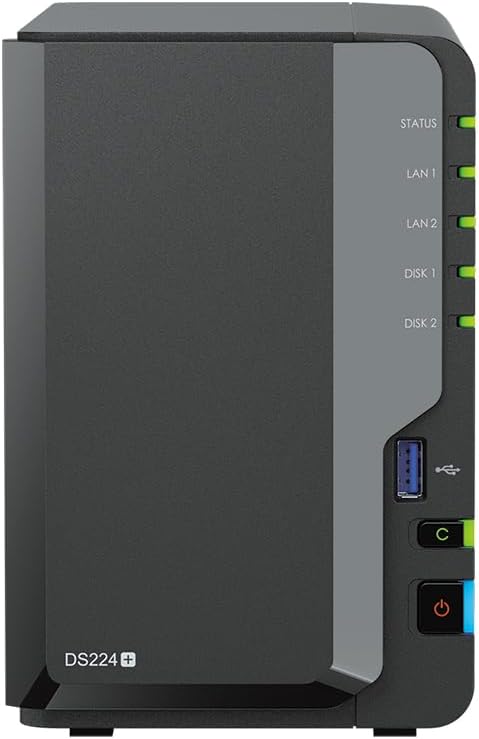
The core distinction between these two four-bay network-attached storage units comes down to hardware speed versus software refinement. The QNAP TS-464 prioritizes raw processing throughput and modern multi-gigabit connectivity, whereas the Synology DS423+ emphasizes seamless data management through its battle-tested DiskStation Manager operating environment.
Choose the Synology DS423+ if you want a reliable, turnkey storage appliance backed by the intuitive DSM software ecosystem and advanced Btrfs snapshot protection. Choose the QNAP TS-464 if you demand faster dual 2.5GbE networking, higher USB transfer speeds, and an updated processor for demanding workloads.


Synology DS423+ vs QNAP TS-464 at a Glance
| Feature | Synology DS423+ | QNAP TS-464 |
|---|---|---|
| Processor | Intel Celeron J4125 4-core (2.0GHz base, up to 2.7GHz turbo) | Intel Celeron N5105/N5095 4-core (burst up to 2.9GHz) |
| Base Memory | 6GB DDR4 non-ECC SODIMM | 8GB DDR4 |
| Maximum Memory | Not listed | Up to 16GB DDR4 |
| Networking Ports | 2 x RJ-45 1GbE LAN (Link Aggregation / Failover) | Dual 2.5GbE (2.5G/1G/100M) ports |
| M.2 NVMe Slots | 2 x M.2 2280 NVMe SSD slots (1TB included in bundle) | Dual M.2 PCIe Gen3x2 NVMe SSD slots |
| USB Ports | 2 x USB 3.2 Ports | Multiple USB 3.2 Gen 2 ports (up to 10Gb/s) |
| File System | Btrfs, EXT4 | Not listed |
| Hardware Encryption | Not listed | Integrated Intel AES-NI encryption engine |
| Storage Form Factor | 4-bay desktop tower server (32TB bundle) | 4-bay desktop (3.5-inch SATA 6 Gb/s, hot-swappable) |
| Best For | Zero-fuss DSM software stability and file management | High-speed multi-gig networking and hardware versatility |
Network Throughput and Connectivity
Network connectivity defines how quickly data moves between client machines and your central storage pool. In a direct DS423+ vs TS-464 2.5GbE speed evaluation, the physical network ports create an immediate performance divide. The QNAP TS-464 arrives equipped with dual 2.5GbE ports that support auto-negotiation across 2.5G, 1G, and 100M infrastructures. For multi-client environments or modern home networks operating on multi-gigabit switches, these interfaces double the single-cable bandwidth ceiling compared to legacy standard interfaces, drastically cutting wait times during large sequential media transfers.
The Synology DS423+ relies on dual 1GbE RJ-45 network ports that feature Link Aggregation and failover support. While link bonding allows two separate Gigabit connections to share load across multiple concurrent clients, it cannot elevate a single-client transfer past the standard gigabit barrier of approximately 110 to 115 megabytes per second. Readers tracking the broader storage ecosystem through our synology ds923+ vs qnap ts-464 comparison know that Synology frequently reserves multi-gig upgrades for PCIe add-in slots, which the DS423+ chassis does not supply.
External drive connectivity presents an equally stark contrast between these two platforms. The TS-464 integrates multiple USB 3.2 Gen 2 Type-A ports capable of 10Gb/s data rates, enabling rapid ingestion from portable solid-state drives and expansion enclosures. The DS423+ features standard USB 3.2 ports that run at lower maximum transfer rates. For power users moving massive files over local interfaces, QNAP establishes an undeniable hardware bandwidth advantage across both local cables and external peripherals.
Edge: QNAP TS-464 delivers substantially faster single-client bandwidth via native dual 2.5GbE interfaces and superior 10Gb/s USB 3.2 Gen 2 ports.
Processing Power and Media Transcoding
A rigorous DS423+ vs TS-464 hardware comparison reveals two distinct generations of Intel silicon powering these platforms. The DS423+ houses an Intel Celeron J4125 quad-core processor with a 2.0GHz base clock and a burst ceiling of 2.7GHz. The TS-464 is powered by a newer Intel Celeron N5105 or N5095 processor, achieving higher burst speeds up to 2.9GHz alongside an integrated Intel AES-NI encryption engine. This architectural revision provides QNAP with superior raw compute capacity when compiling scripts, running containerized microservices, or executing heavy parity calculations across large arrays.
When assessing the Synology DS423+ or QNAP TS-464 for Plex setups, processing architecture governs how effectively your server handles real-time video conversions. In any TS-464 vs DS423+ transcoding evaluation, both chips incorporate integrated graphics silicon capable of accelerating media workflows. However, the Jasper Lake architecture found in the TS-464 offers improved graphical execution units compared to the older Gemini Lake chip inside the DS423+, permitting higher concurrency when multiple users request concurrent stream conversions outside the local network.
Thermal stability and sustained compute consistency also matter for continuous server operations. The Celeron J4125 in the Synology platform has an exceptional track record for cool, consistent operation under DSM, avoiding throttling during extended file migrations. However, QNAP balances its higher-frequency chip with integrated hardware-level AES-NI encryption that keeps confidential volumes protected without choking system CPU throughput. Those weighing entry-level alternatives like our synology ds423+ vs qnap ts-233 overview will recognize that both four-bay models here operate in an entirely different compute tier than dual-core or ARM-based appliances.
Edge: QNAP TS-464 takes the lead thanks to a newer Jasper Lake quad-core architecture with higher burst frequencies and dedicated AES-NI encryption acceleration.
Memory Expansion and M.2 SSD Flexibility
System memory directly dictates how many concurrent containers, virtual machines, and background sync services a server can host without thrashing disk arrays. The QNAP TS-464 includes 8GB of DDR4 RAM right out of the box and officially supports expansion up to 16GB across its dual SODIMM channels. This overhead provides substantial headroom for tech-savvy administrators running database engines, container management stacks, and intensive network services simultaneously.
The Synology DS423+ listing supplies 6GB of DDR4 non-ECC SODIMM memory. While 6GB handles everyday storage management and background surveillance indexing smoothly, it places a firmer ceiling on heavy multi-service deployments. Users looking at larger enclosures in our synology ds1522+ vs qnap ts-464 breakdown know that memory ceilings determine long-term virtualization viability, and here Synology delivers a more conservative hardware envelope.
Solid-state drive caching and storage tiering further differentiate these units. Both enclosures feature dual M.2 NVMe SSD slots, but their implementation paths differ. The DS423+ listing highlights an included 1TB storage bundle using two 500GB M.2 2280 NVMe SSD modules, traditionally deployed within DSM for read-write cache acceleration. In contrast, the TS-464 incorporates dual M.2 PCIe Gen3x2 slots that give users the operational freedom to establish dedicated high-speed SSD storage pools or configure standard cache acceleration, granting broader architectural freedom for storage layout design.
Edge: QNAP TS-464 wins with a higher baseline memory allocation of 8GB, official support up to 16GB, and dual-purpose M.2 NVMe slots for cache or storage pools.
Operating System, File Integrity, and Data Protection
Hardware power means little if the host operating system creates operational friction. Synology DiskStation Manager remains the benchmark for consumer and small-business network management. DSM abstracts intricate Unix storage concepts into an intuitive, polished graphical interface. Navigating volume expansion, permission delegation, and network backup routines requires minimal technical background, making the DS423+ an exceptionally low-maintenance deployment for busy office managers or family archives.
File system reliability is another core asset for the DS423+. Synology incorporates native Btrfs file system support, which provides advanced LUN iSCSI features, metadata mirroring, and automated point-in-time snapshots. These Btrfs snapshots offer immediate defenses against ransomware and accidental file overwrites, enabling near-instantaneous recovery without replicating massive blocks of raw data. The listing specifies support for both Btrfs and EXT4 formats on internal volumes.
The QTS environment driving the TS-464 provides immense configuration granularity, appealing to network technicians who want precise control over virtual switches, port trunking, and storage pools. However, QNAP software has historically demanded a steeper learning curve, presenting multiple nested control panels where Synology relies on streamlined, unified menus. For anyone setting up a home backup hub where ease of maintenance is paramount, Synology eliminates guesswork and operational overhead.
Edge: Synology DS423+ secures this category with its streamlined DSM operating system, polished interface, and native Btrfs snapshot architecture.
Surveillance, Backup Roles, and Ecosystem Integration
Choosing between the Synology DS423+ or QNAP TS-464 for home backup relies heavily on integrated application ecosystems. Synology packages its NAS with specialized software packages capable of transforming the hardware into an automated personal cloud, an email server, a domain controller, or a full-scale network video recorder for large surveillance deployments. The DS423+ listing specifically highlights its role as a high-capacity powerhouse designed to centralize multimedia collections while executing continuous background sync tasks across client desktops and mobile devices.
QNAP provides a competitive suite of enterprise-grade utility packages designed to centrally store and organize personal or family photos, music, and videos across multi-platform networks. The TS-464 platform targets mixed operating system environments, offering direct compatibility with Mac, PC, laptops, smartphones, and tablets. Its hot-swappable drive trays supporting 7200 RPM SATA 6 Gb/s drives ensure that routine drive replacements or pool expansions occur with zero system downtime.
The operational divide centers on software cohesion. Readers examining compact two-bay units like our synology ds224+ vs qnap ts-464 article encounter this same dynamic: QNAP provides powerful modular utilities, but Synology features higher application integration. Synology Photos, Drive, and Hyper Backup interact with seamless stability, requiring fewer manual firewall rules and credential re-authorizations. For multi-device home archives that run without regular maintenance, Synology retains an ecosystem advantage.
Edge: Synology DS423+ edges ahead due to its unified suite of automated backup applications and reliable surveillance infrastructure.
Pros and Cons
Synology DS423+

Pros
- Polished Synology DSM operating system
- Native Btrfs file system snapshot support
- Generous 32TB storage bundle included
- Proven low-maintenance backup applications
Cons
- Limited to 1GbE network ports
- Older Celeron J4125 processor
- Disks require manual installation
View Synology DS423+ on Amazon
QNAP TS-464

Pros
- Dual 2.5GbE high-speed network ports
- Intel Celeron N5105/N5095 processor
- Fast 10Gb/s USB 3.2 Gen 2 ports
- Memory expandable up to 16GB DDR4
- M.2 NVMe SSD storage pool support
Cons
- Steeper software learning curve
- Storage drives not included
Who Should Buy Each One
Choose the Synology DS423+ If
- You prioritize low-maintenance software stability through the intuitive Synology DSM operating system.
- You require robust point-in-time data recovery using native Btrfs snapshots to guard against ransomware.
- You want a complete pre-bundled setup that arrives with 32TB of raw hard drive storage and dual M.2 SSDs included.
- You manage a deployment centered around automated home backup, centralized photo libraries, and IP camera surveillance.
Choose the QNAP TS-464 If
- Your local network infrastructure supports dual 2.5GbE networking for accelerated multi-gigabit file transfers.
- You need the extra processing headroom of an Intel Celeron N5105/N5095 processor with hardware AES-NI encryption.
- You intend to run multiple virtual machines or Docker containers requiring memory upgrades up to 16GB of DDR4 RAM.
- You regularly ingest massive 4K media files directly from external drives using high-speed 10Gb/s USB 3.2 Gen 2 ports.
Final Verdict
For users evaluating the QNAP TS-464 vs Synology DS423+, the QNAP TS-464 represents the superior hardware investment for performance-focused environments. Its inclusion of dual 2.5GbE LAN interfaces, 10Gb/s USB 3.2 Gen 2 ports, an Intel Jasper Lake processor, and memory expansion up to 16GB ensures it will not bottleneck high-speed local networks. If raw data throughput, container versatility, and high-bandwidth media workflows top your list of priorities, the TS-464 delivers hardware specifications that standard gigabit enclosures simply cannot match.
Conversely, the Synology DS423+ remains the superior appliance for administrators and homeowners who place reliability, setup simplicity, and software polish above raw bench speeds. By pairing an efficient quad-core Celeron engine with native Btrfs snapshot support and the celebrated DSM software platform, it provides an exceptionally secure home backup and media server. When evaluating whether the Synology DS423+ is worth it, buyers seeking a resilient, low-maintenance storage hub will find that Synology’s refined software environment more than compensates for its traditional gigabit networking limits.
FAQ
What is the primary performance difference between the DS423+ and the TS-464?
The primary performance difference lies in network speed and compute architecture. The TS-464 provides dual 2.5GbE ports and an Intel Celeron N5105/N5095 processor with burst speeds up to 2.9GHz, whereas the DS423+ uses dual 1GbE ports and an Intel Celeron J4125 processor running up to 2.7GHz.
Can the M.2 NVMe slots on both units be used for standard storage pools?
The QNAP TS-464 explicitly supports configuring its dual M.2 PCIe Gen3x2 NVMe SSD slots either as cache acceleration or as independent high-speed SSD storage pools. The Synology DS423+ listing highlights the M.2 slots for caching performance, alongside an included 1TB SSD module setup.
How do the USB connectivity options compare on these two servers?
The TS-464 includes multiple USB 3.2 Gen 2 Type-A ports delivering transfer speeds up to 10Gb/s, which allows rapid ingestion from modern solid-state external drives. The DS423+ provides two standard USB 3.2 ports that operate at lower data rates.
Is QNAP TS-464 worth it over the DS423+ for multi-gigabit networks?
Yes. If your home or office utilizes a 2.5GbE switch or multi-gig router, the TS-464 utilizes that bandwidth natively out of the box. The DS423+ caps single-client transfers at standard 1GbE speeds, even when utilizing link aggregation across its dual network ports.
Which NAS provides better snapshot recovery against ransomware?
The Synology DS423+ features native integration with the Btrfs file system, which supports advanced point-in-time snapshots and self-healing metadata. This architecture makes rolling back encrypted or damaged folders simple and computationally lightweight.
Does the Synology DS423+ arrive with drives pre-installed?
No. Although the DS423+ listing includes 32TB of HDD storage and 1TB of NVMe SSDs in a sealed box bundle, the hard drives and memory upgrades are shipped separately and require manual physical installation into the chassis before initialization.
Can memory be expanded on both systems?
The QNAP TS-464 comes with 8GB of DDR4 memory and officially supports expansion up to 16GB across two slots. The Synology DS423+ listing supplies 6GB of DDR4 non-ECC SODIMM memory, but its maximum official capacity ceiling is not specified in the listing data.