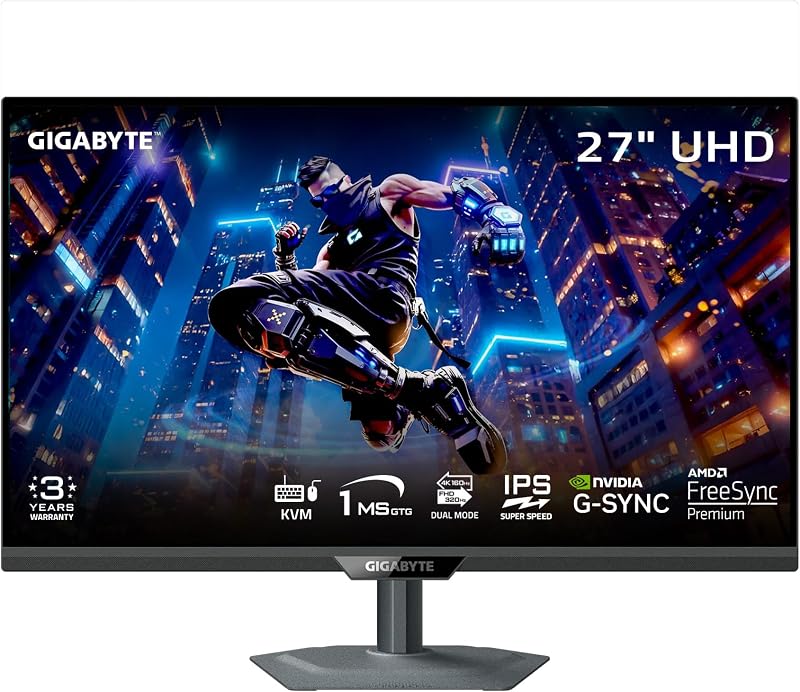
The single deciding factor between these two 32-inch displays comes down to raw competitive flexibility versus integrated workstation convenience: the LG 32GX870A features hardware Dual-Mode switching that jumps between 4K at 240Hz and Full HD at 480Hz, whereas the Gigabyte MO32U24 centers on a QD-OLED panel with a built-in Type-C KVM switch for controlling multiple computers.
Gamers focused on ultra-fast first-person shooters and competitive titles should select the LG 32GX870A for its class-leading refresh capability, while hybrid professionals who share their desk between a work laptop and a gaming desktop should choose the Gigabyte MO32U24 for seamless peripheral sharing.


LG 32GX870A vs Gigabyte MO32U24 at a Glance
| Feature | LG 32GX870A | Gigabyte MO32U24 |
|---|---|---|
| Panel Technology | OLED (Micro Lens Array+) | QD-OLED |
| Screen Size | 32 inches | 31.5 inches (listed as 32 inches) |
| Native Resolution | 4K UHD (3840 x 2160) | 4K UHD (3840 x 2160) |
| Refresh Rate | Dual-Mode: 240Hz (4K) / 480Hz (Full HD) | 240Hz (4K) |
| Response Time | 0.03ms (GtG) | 0.03ms (GtG) |
| Brightness | 275 nits typical (1300 nits peak) | 300 nits (cd/m²) |
| Screen Surface | Matte (Anti-Glare / Low Reflection) | Anti-Reflection (ObsidianShield Film, 3H) |
| Variable Refresh Rate | NVIDIA G-SYNC Compatible, AMD FreeSync Premium Pro | NVIDIA G-SYNC Compatible, AMD FreeSync Premium Pro |
| Hardware Multitasking | Switch App (window management) | Hardware Type-C KVM Switch |
| Integrated Audio | Built-in speakers with DTS Headphone:X | Not listed |
| Best For | Esports players needing 480Hz frame rates | Multi-device setups wanting QD-OLED visuals |
Refresh Rate and Motion Clarity
Motion clarity defines high-end gaming displays, dictating how cleanly moving targets appear during erratic camera tracking. When running in standard 4K UHD, both the LG 32GX870A and the Gigabyte MO32U24 deliver an identical 240Hz refresh rate alongside an instantaneous 0.03ms gray-to-gray response time. At 240 frames per second, screen transitions look extraordinarily crisp on both displays, eliminating standard motion blur and ghosting through the self-lit nature of organic light-emitting diodes.
The operational gap appears the moment you leave standard 4K output. LG includes a VESA Certified Dual Mode toggle accessed via a dedicated hotkey. This feature alters the display timing to run at Full HD (1920 x 1080) at an incredible 480Hz. For fast-paced first-person shooters, multiplayer online battle arenas, or racing titles, jumping from 240Hz to 480Hz halves the frame rendering time, producing extreme motion fluidity. In any serious head-to-head comparison of the lg 32gx870a dual mode 480hz functionality, the ability to halve resolution for double the frame delivery gives competitive players a distinctive tracking advantage that standard fixed-frequency panels cannot match. You can read how this compares to other format variations in our lg 32gx870a vs gigabyte m27up sa breakdown.
By comparison, the Gigabyte MO32U24 maxes out at 240Hz regardless of the resolution you set. While 240Hz paired with 0.03ms response times provides top-tier clarity for modern story-driven games and casual multiplayer sessions, it lacks the secondary high-frequency tier for competitive play. Gamers trying to decide whether to pick the lg 32gx870a or gigabyte mo32u24 for esports will find LG’s specialized 480Hz profile significantly more capable during frantic, fast-twitch gameplay.
Edge: LG 32GX870A because its VESA Certified Dual-Mode unlocks an unmatched 480Hz refresh option for high-framerate competitive gaming.
Panel Architecture and Visual Output
Panel design affects how colors translate on screen, how bright the display gets in challenging ambient light, and how reflections impact image clarity. The LG 32GX870A relies on an OLED panel backed by Micro Lens Array+ (MLA+) technology. This microscopic lens configuration focuses outgoing light, producing a typical brightness of 275 nits and an aggressive peak brightness reaching up to 1300 nits. Certified for VESA DisplayHDR True Black 400 and touting a 1,500,000:1 contrast ratio, the LG panel produces deep black levels paired with sharp, punchy specular highlights in dark rooms.
The Gigabyte MO32U24 counters with a 31.5-inch QD-OLED display. Quantum dot organic light-emitting diode panels utilize blue self-illuminating pixels passed through quantum dot color converters, which helps preserve saturation across broad color spaces. In standard listings, Gigabyte specifies a baseline brightness of 300 cd/m² and a matching 1,500,000:1 contrast ratio. To address ambient room interference, Gigabyte covers the panel in a specialized ObsidianShield Film. This layer claims a boost in perceived black levels of up to 40% under strong ambient illumination, alongside 3H surface hardness that offers 2.5 times greater scratch protection.
The finishing surface also dictates real-world readability. LG employs a matte anti-glare, low-reflection coating that diffuses direct room reflections, making it easy to manage overhead lighting without glare blobs. Gigabyte’s anti-reflection surface relies on its ObsidianShield treatment to retain high contrast without compromising perceived panel depth. Buyers reviewing the gigabyte mo32u24 qd oled specification will appreciate the color vibrancy native to quantum dot layers, while the LG 32GX870A pushes higher peak highlight numbers with its 1300-nit MLA+ architecture.
Edge: Tie. LG achieves higher peak highlights through MLA+ technology, while Gigabyte provides richer quantum dot color purity backed by its scratch-resistant ObsidianShield film.
Multitasking, Device Switching, and Connectivity
Connecting modern gaming monitors to multiple devices requires efficient cable layouts and intelligent hardware switching. The Gigabyte MO32U24 is tailored specifically for multi-device workstations thanks to its integrated Type-C KVM switch. This onboard hardware KVM lets you connect a gaming PC and a productivity laptop to the screen, switching your keyboard, mouse, and display output between both systems using a single dedicated button. Backed by four USB ports, two HDMI 2.1 inputs, and DisplayPort, it serves as a central connectivity dock for complex setups. Shoppers can see how Gigabyte implements similar interfaces across different monitors in our gigabyte mo32u24 vs dell s2725qs comparison.
The LG 32GX870A approaches multi-device organization primarily from a software-driven perspective. It integrates a USB Type-C port and includes cutting-edge DisplayPort 2.1 connectivity, ensuring future-proof bandwidth for next-generation graphics cards. Instead of a physical KVM switch, LG equips the monitor with its proprietary Switch App. This utility allows users to customize their display space by splitting the screen into up to six layouts, managing video conference windows, and organizing workspace arrangements through customizable keyboard hotkeys.
While the LG Switch App is helpful for organizing windows originating from a single active machine, it cannot replicate the physical hardware switching of shared USB accessories between distinct computers. If your workspace relies on moving your mouse and keyboard between a dedicated personal rig and an enterprise laptop, the Gigabyte monitor eliminates the need for an external peripheral switch box. Understanding the peripheral differences helps clarify the gigabyte mo32u24 vs lg 32gx870a decision for hybrid home offices.
Edge: Gigabyte MO32U24 due to its physical Type-C KVM switch that seamlessly toggles peripheral control across separate machines.
Thermal Management and Burn-In Prevention
OLED displays demand meticulous thermal management and automated maintenance suites to mitigate panel degradation over years of heavy usage. Gigabyte outfits the MO32U24 with a comprehensive hardware cooling solution consisting of a graphene thermal film, four-sided ventilation channels, and a customized internal heatsink. This fanless system silently draws heat away from the sensitive quantum dot layer without adding background mechanical noise. On the software side, Gigabyte provides an AI-based OLED Care suite that runs non-intrusive background algorithms to protect static screen elements from premature wear.
The LG 32GX870A counters with its own dedicated OLED Care maintenance tools, incorporating manual and automated pixel cleaning cycles designed to maintain uniform panel performance over extended operating periods. LG backs the display hardware with a documented 2-year limited warranty that explicitly covers the OLED panel itself, offering formal manufacturer protection against display defects and panel failures.
While Gigabyte’s graphene thermal dissipation system and fanless chassis are impressive engineering achievements, LG provides documented peace of mind with a manufacturer-backed warranty that names the panel directly. When evaluating whether the lg 27gr93u vs gigabyte mo32u24 or the newer 32GX870A is the safer long-term investment, documented warranty protection on a premium panel remains a critical deciding factor.
Edge: LG 32GX870A because of its direct 2-year manufacturer panel warranty paired with comprehensive pixel cleaning utilities.
Audio, Ergonomics, and Physical Design
Setup flexibility and desk footprint directly impact daily convenience. Both displays feature comprehensive ergonomic stands that allow users to raise, lower, tilt, swivel, and pivot the display into portrait orientation. Whether you need an upright orientation for reviewing code or need to dial in the exact eye-level height for long gaming sessions, both manufacturers deliver full physical adjustability.
Where the LG 32GX870A distinguishes itself is in integrated desktop audio. The UltraGear chassis incorporates internal bass-driven stereo speakers for casual listening, video calls, and gaming without wearing a headset. Furthermore, LG integrates a 4-pole headphone jack capable of outputting 3D spatial sound using DTS Headphone:X processing. This feature enhances competitive spatial awareness when gaming with standard wired headsets, while simultaneously supporting integrated microphone communication lines.
The Gigabyte MO32U24 does not list built-in stereo speakers in its primary specifications, requiring buyers to supply external desktop speakers or rely entirely on USB audio interfaces. However, Gigabyte provides a very sturdy chassis weighing 23.4 pounds, designed with 3H screen hardness on its ObsidianShield layer to resist scratches from accidental impacts during cleaning or setup changes. For more perspective on heavy-duty 32-inch displays, see our analysis of the gigabyte mo32u24 vs asus rog swift pg32uqx.
Edge: LG 32GX870A because of its built-in stereo speakers and DTS Headphone:X spatial processing jack.
Pros and Cons
LG 32GX870A

Pros
- Dual-Mode 480Hz Full HD switching
- Micro Lens Array+ with 1300 nits peak
- Built-in speakers with DTS Headphone:X
- DisplayPort 2.1 connectivity included
- Two-year warranty covers OLED panel
Cons
- Lacks integrated hardware KVM switch
- Lower typical brightness at 275 nits
Gigabyte MO32U24

Pros
- Integrated Type-C KVM switch
- Vibrant QD-OLED quantum dot panel
- ObsidianShield film with 3H hardness
- Silent fanless graphene cooling heatsink
- Four integrated USB downstream ports
Cons
- Refresh rate capped at 240Hz
- Built-in speakers not listed
View Gigabyte MO32U24 on Amazon
Who Should Buy Each One
Choose the LG 32GX870A If
- You play competitive first-person shooters and need the 480Hz Full HD Dual-Mode refresh rate for fast tracking.
- You want high-bandwidth DisplayPort 2.1 video inputs to pair with modern high-end graphics cards.
- You prefer built-in desktop speakers and a 4-pole headphone port with integrated DTS Headphone:X processing.
- You want a clear 2-year manufacturer warranty that explicitly covers the OLED panel against hardware defects.
Choose the Gigabyte MO32U24 If
- You operate two PCs at the same desk and want an integrated Type-C KVM switch to share your mouse and keyboard.
- You favor QD-OLED quantum dot technology for rich color volume and saturated visual reproduction.
- You work in a bright room where the ObsidianShield coating and 3H scratch resistance provide added durability.
- You want completely fanless, silent passive cooling driven by a custom graphene thermal film and heatsink.
Final Verdict
For pure gaming performance, the LG 32GX870A takes the victory. The inclusion of VESA Certified Dual-Mode functionality fundamentally broadens what a single gaming monitor can accomplish. You get rich 4K visual immersion at 240Hz for cinematic, story-focused games, and with the press of a hotkey, the monitor shifts into an esports-grade 480Hz Full HD panel. Combined with Micro Lens Array+ technology that hits up to 1300 nits of peak brightness, integrated audio, DisplayPort 2.1 connectivity, and a panel-backed 2-year warranty, the LG 32GX870A represents the more versatile gaming display. When evaluating the lg 32gx870a vs mo32u24, competitive players will gain far more utility from LG’s raw speed.
The Gigabyte MO32U24 remains the smarter choice for hybrid users who mix work with play. If you switch constantly between a productivity laptop and a gaming desktop, the built-in Type-C KVM switch, four USB ports, and passive graphene cooling make everyday computing remarkably clean and convenient. When evaluating whether the gigabyte mo32u24 qd oled panel is worth it, buyers prioritizing rich quantum dot color rendition and hassle-free hardware peripheral switching across two machines will find the MO32U24 perfectly configured for their workstation.
FAQ
How does the Dual-Mode feature work on the LG 32GX870A?
The LG 32GX870A features a VESA Certified Dual Mode toggle accessed via a hotkey on the monitor. When activated, the display switches its native output from 4K UHD (3840 x 2160) at 240Hz down to Full HD (1920 x 1080) at 480Hz, doubling the refresh rate for fast-paced competitive esports titles.
Does the Gigabyte MO32U24 have built-in speakers?
The product listing for the Gigabyte MO32U24 does not specify built-in speakers. Users looking for audio playback will need to connect dedicated external desktop speakers or plug a headset into their connected PC or USB audio interface.
Can the Gigabyte MO32U24 switch between two computers with one button?
Yes. The Gigabyte MO32U24 features an integrated Type-C KVM switch. By connecting one system via USB-C and another through standard display and USB upstream cables, you can switch keyboard, mouse, and display signals between both machines using a single physical button.
Is the screen coating matte or glossy on these monitors?
The LG 32GX870A uses a matte anti-glare, low-reflection surface finish to diffuse ambient reflections. The Gigabyte MO32U24 features an anti-reflection ObsidianShield film that provides 3H hardness for scratch resistance while preserving deep black levels under ambient lighting.
Which monitor is better suited for competitive esports gaming?
The LG 32GX870A is better suited for esports because of its Dual-Mode 480Hz capability at 1080p. While both monitors deliver identical 0.03ms response times and 240Hz refresh rates at 4K, the extra frame headroom on the LG provides noticeably smoother motion tracking in fast shooters.
What display inputs are available on the LG 32GX870A?
The LG 32GX870A listing confirms DisplayPort 2.1 (DP2.1) and USB Type-C video inputs, offering high-bandwidth connectivity suitable for modern high-performance desktop graphics cards and compatible laptops.
How do both monitors handle thermal cooling to prevent burn-in?
The Gigabyte MO32U24 utilizes a fanless graphene thermal film, four-sided ventilation, and a custom heatsink paired with AI-based OLED Care. The LG 32GX870A employs dedicated OLED Care tools including pixel cleaning, backed by a 2-year limited warranty that explicitly covers the OLED panel.